Comparisons
Voice Cloning vs AI Soundtracks for Video
- Written by
- Sonilo Team
- Published
If you edit your own videos and handle your own audio, you've probably hit this wall.
Quick answer: the voice cloning vs AI soundtrack question was never a choice. It's a division of labor. Voice cloning owns who is speaking and how they say it. An AI soundtrack owns what the scene feels like, how the cut breathes, and whether the video sounds finished.
I'm Nico, and I create videos where the small details — voice, pacing, and sound design — often decide whether a piece feels natural or forgettable. I've spent a lot of time testing AI audio tools in real editing workflows, especially when trying to make faster production feel less like a shortcut.
Last month I ran a three-minute brand video through a speech tool and a music tool, in both orders, across four evenings. What I got wrong was assuming one layer could cover for the other. Below: a layer-by-layer allocation checklist, and the rights list I now run before anything goes out.
Quick verdict: complementary layers, not replacements
Let me be straight about this — most of the confusion I see isn't about which tool is better. It's about which problem each tool was actually built to solve.
| Layer | Owns | Fails at |
|---|---|---|
| Voice cloning / TTS | Speaker identity, dubbing, line-level fixes | Scene mood, pacing, duration |
| AI soundtrack | Emotional tone, edit rhythm, final length | Anything spoken |
Two layers. Two problems. They meet at the mix, not before it.
The mistake costs real time. If your dialogue lands but the video still feels flat, no amount of re-cloning the voiceover fixes it — because the gap is musical, not verbal. And the reverse holds: a great score will not rescue a narration take that's mispronouncing your client's product name.
What voice cloning should own
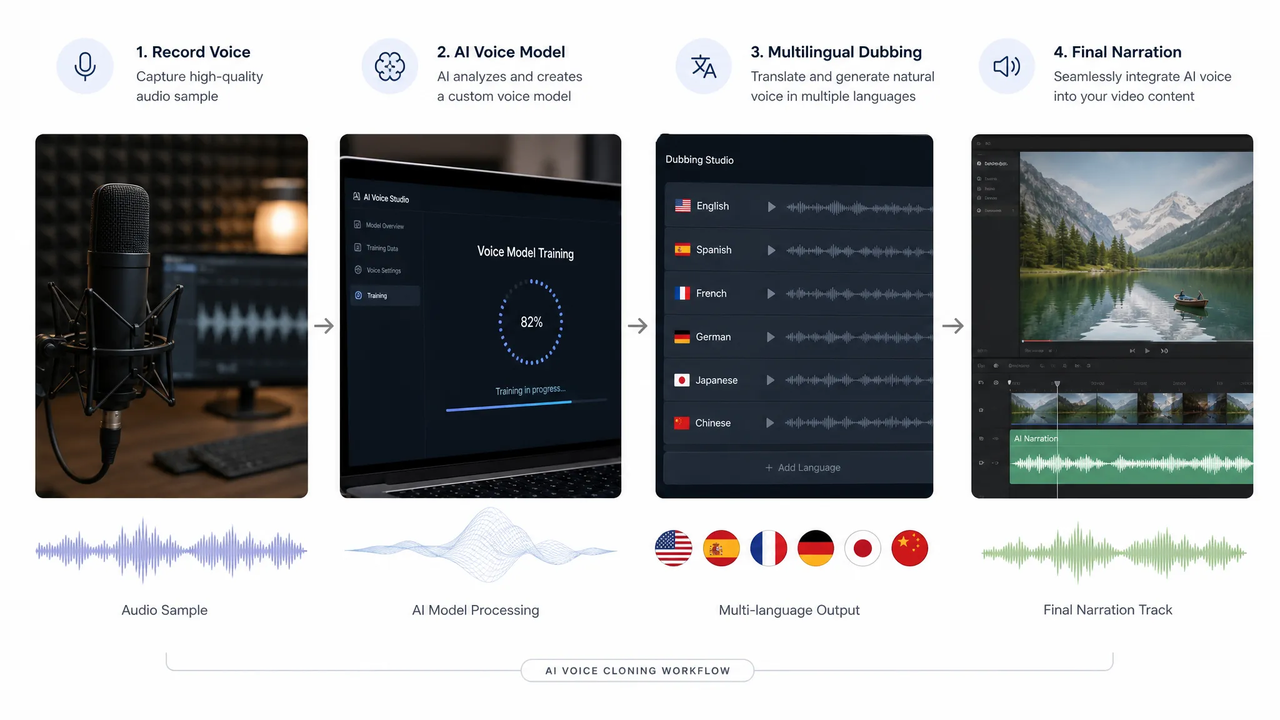
Speaker identity
This is the core job. A voice model captures a speaker's timbre and delivery, then reuses it for new lines. ViiTorVoice's open-source speech engine documents this directly — voice cloning from prompt audio, plus emotion and paralinguistic tags, with duration prediction built into the model trunk.
That duration control matters more than it sounds. Speech has to fit a shot. But note what it's controlling: the length of a spoken line, not the length of your cut.
Dubbing and translated narration
If you're shipping the same video in three languages, this is the layer that carries it. One recorded performance, multiple language outputs, same speaker character across all of them.
Consent sits on top of this, and I'll come back to it.
Voiceover edits
The single most useful thing I've found here: replacing a word or phrase inside a finished take without re-rendering everything around it. A name gets mispronounced. A client changes a disclaimer at 11pm. You patch the region.
One thing that changes how you handle this — provenance metadata travels with the file. The C2PA content provenance standard defines assertions that record how an asset was created and edited, including AI authorship. Some platforms read those assertions automatically. Worth knowing before you commit to a delivery pipeline.
What AI soundtracks should own
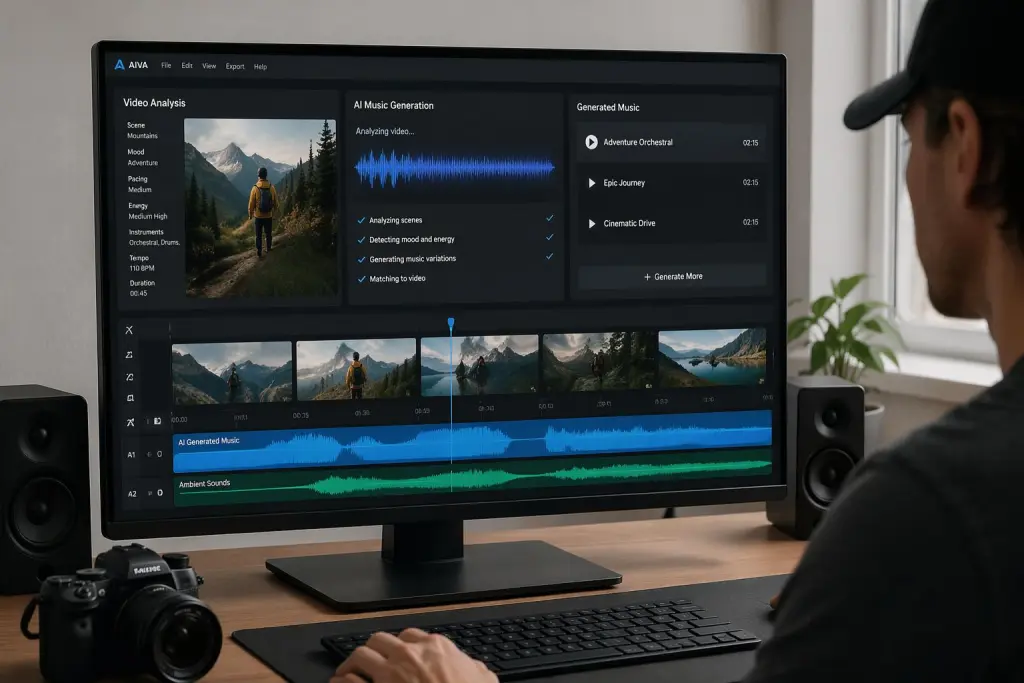
Scene emotion
Music is how the audience knows what to feel before anyone speaks. That's not something a speech model reasons about — it has no access to your visuals.
Disclosure: this article is published by Sonilo.
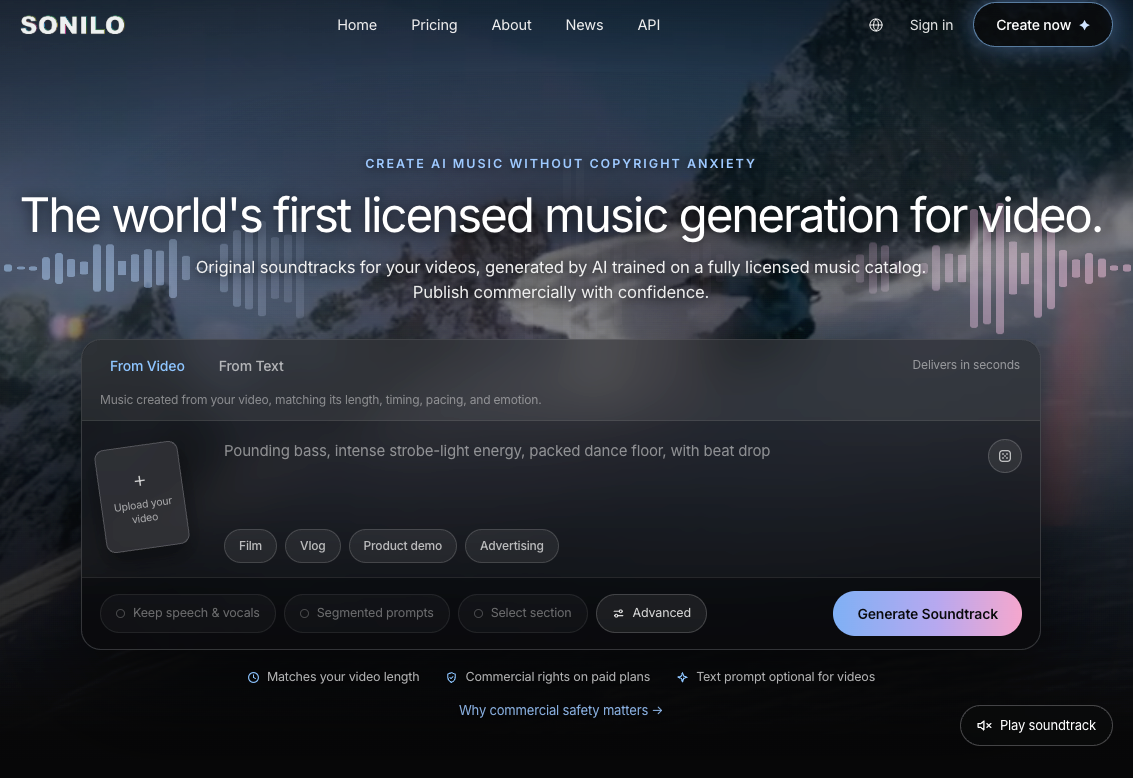
This is where a video-first tool sits in the stack. Sonilo says it generates a full-length soundtrack from an uploaded video, matching the video's timing, pacing, and emotion, without requiring prompts or manual syncing. Which is exactly the part that matters: describing "warm but slightly melancholy, building at 0:40" in words is a translation step, and translation steps lose information.
Edit rhythm
Your cuts have a pulse. Fast cuts want a different musical density than a slow, held interview two-shot. I've written before about how transition sounds carry that pulse at the seams — music carries it across the whole timeline.
Final video length
The most boring feature and the one I underestimated. A track that runs 47 seconds against a 63-second cut means looping, trimming, or an awkward fade-out you didn't plan for. Music that matches the cut length arrives ready to use.
And the output should be treated as the music layer. It sits under your dialogue, not instead of it — you still mix them.
If you want to see how a scored cut differs from a searched one, watch the demo before you build the workflow around a stock library.
Where creators often confuse the two
Three patterns I keep running into.
"The dub sounds off, let me add music." Music masks nothing. A listener locks onto speech first — it's the foreground signal. Bad narration under good music is still bad narration, now with company.
"I'll write a prompt describing the video, then generate music." You already have the video. Handing a text description to a music model throws away the visual and temporal information you were trying to convey. That's not the same thing as scoring the cut.
"Voice tools do audio, so they do all audio." Speech synthesis and music generation are different model families trained on different data with different objectives. Overlap in the file format, not in the job.
I've made the second one twice. Still not fully sure why I kept defaulting to it — probably habit from the years when text prompts were the only door in.
A practical tool allocation checklist
Speech decisions
- Is a human speaking on camera? → record or clone, don't score around it
- Multiple language versions? → speech layer
- One wrong word in a finished take? → local speech edit, not a re-record
- Speaker identity must stay consistent across a series? → speech layer, single voice model
Music decisions
- Does the scene need emotional framing before the first line? → soundtrack
- Do your cuts have a rhythm the audio should follow? → soundtrack
- Is your track length fighting your timeline length? → soundtrack, generated to the cut
- No text prompt you're happy with? → video-to-music, skip the prompt entirely
Final mix decisions
Here's the thing nobody mentions: the layers only feel like one video if you level them properly. Broadcast practice normalizes programme loudness rather than peaks — the EBU R 128 loudness recommendation sets a target of −23 LUFS with a −1 dBTP true-peak ceiling, and its short-form supplement covers content under 60 seconds.
You don't need to hit broadcast spec for a Reel. But you do need dialogue sitting consistently above the music bed, and a duck on the music under every spoken line. That's the whole trick. I've written more about this in the interview background music piece.
Rights and licensing checklist
I'm a video editor, not a lawyer, and nothing here is legal advice. This is the list I run before I publish.
- Voice consent — did the speaker agree, in writing, to a model trained on their voice?
- Voice and likeness rights — separate from consent, and state-dependent in ways I don't understand well
- Music license — what the terms actually cover, and where they stop
- Source material provenance — where did the reference audio and footage come from?
- Input permissions — do you have the right to upload the reference voice, footage, client assets, logos, and unreleased material into the tool?
- Platform policy — YouTube requires creators to disclose meaningfully altered or synthetic content that appears realistic, including digitally altering audio to make it sound as though someone said something they didn't
- Distribution channel rules — client contracts, ad networks, and brand guidelines often add their own
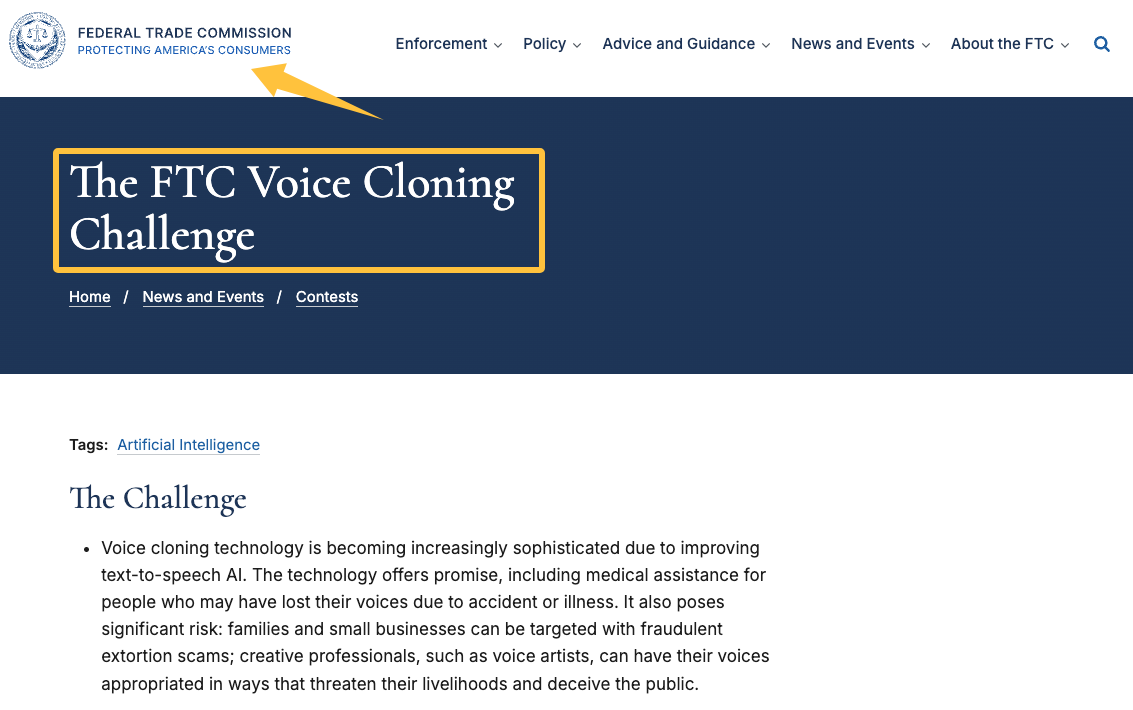
On the speech side, regulators are paying attention. The FTC's Voice Cloning Challenge was launched specifically around fraud and the appropriation of creative professionals' voices — that's the environment the consent question sits inside.
On the music side: Sonilo's soundtracks are described as available for commercial use subject to the applicable deployment terms, and those terms are the thing you should read yourself, in their current official version. I'm not the right person to interpret them for your specific project.
FAQ
Do I need both voice cloning and AI soundtracks?
Only if your video has both speech and scenes that need emotional framing. A silent product loop needs one. A narrated explainer needs both.
Which comes first, dubbing or background music?
Lock speech first. Its timing determines your cut, and the cut determines the music length. Score to a locked edit, not a moving one.
Can a soundtrack hide weak voice edits?
No. It can distract slightly. It cannot repair. Fix the speech at the speech layer.
What records should teams keep for audio approvals?
Signed voice consent, the license terms in effect on the date you generated the audio, source files for reference audio, and a note of what you disclosed on each platform. Boring. Saves you later.
I ran the same three-minute cut through both layers in both orders, and the only version that worked was the one where speech got locked before music got generated. You can take that ordering straight into your next project — it costs nothing to try.
One question before you go: when a video of yours doesn't land, are you more likely to blame the voiceover, the music, or the mix — and how long does it usually take you to figure out which one it actually was?