Guides
How to Connect Sonilo MCP to Codex for AI Audio
- Written by
- Sonilo Team
- Published
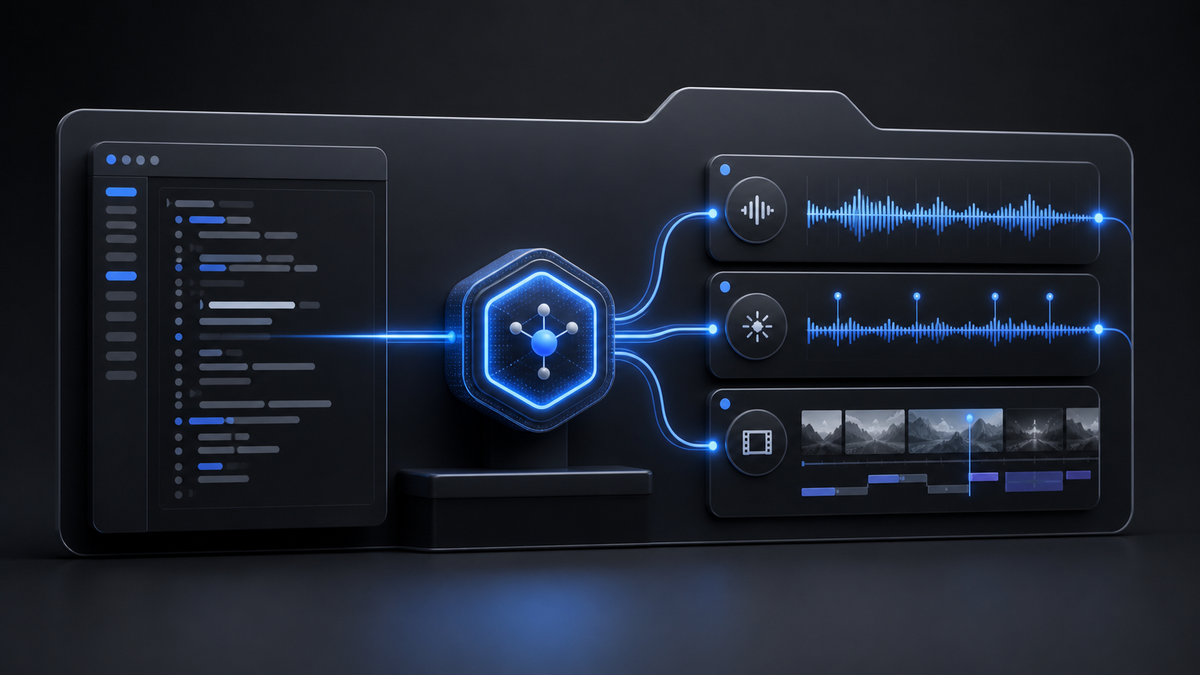
Connect Sonilo to Codex by signing in with the Sonilo CLI, registering the local sonilo-mcp server, restarting Codex, and confirming the Sonilo tools are listed. Before any generating tool runs, check the account, keep media inside a narrow base directory, name the exact output you want, and explicitly approve paid scope such as duration, variants, and dubbing languages.
By Sonilo Team · Facts verified August 24, 2026
Disclosure: Sonilo publishes this guide and operates the MCP server and generation service used as the concrete example. The `mcp-audio-job-gate-v1` policy module was tested with deterministic local fixtures. The tests did not sign in to a production account, invoke a paid tool, upload media, judge output quality, or verify a customer’s license.
Use MCP as the tool connection, not the approval policy
The Model Context Protocol is an open standard for connecting AI applications to external tools and data. In this workflow, Codex is the MCP host, `sonilo-mcp` is the local server process, and Sonilo generation functions are the tools the agent can call.
That connection solves discovery and transport. It does not decide whether a particular paid generation is appropriate for your budget, media, client, or release. Keep those decisions in an explicit application or team policy.
The current Sonilo MCP repository documents local setup for Codex, file-path confinement, generating and read-only tools, timeouts, and task recovery. The separate Sonilo agent-skills repository packages routing instructions so a compatible agent can choose music, sound effects, ducking, dubbing, account inspection, or recovery from a plain-English request.
| Layer | Job | What it does not prove |
|---|---|---|
| Codex | Hosts the conversation and decides when a listed tool may help | That a paid call is approved or an output is release-ready |
| `sonilo-mcp` | Exposes Sonilo tools, applies parameter rules, and saves outputs | That your project brief, budget, or rights review is complete |
| Agent skill | Adds reusable instructions for choosing and chaining tools | That every suggested tool call should run without review |
| Team policy | Defines allowed paths, account check, paid scope, output acceptance, and release owner | Production quality until the actual asset is inspected |
The official Agent Skills specification defines a skill as instructions plus optional scripts, references, and assets. Skills provide procedural context; MCP provides executable tools. Treating them as the same thing makes setup and incident review harder.
Connect Codex without putting a key in the MCP config
The local Codex path documented by Sonilo uses a CLI sign-in credential. Install one CLI distribution, sign in, then register the MCP server:
- `npm install -g sonilo-cli`
- `sonilo login`
- `codex mcp add sonilo -- uvx sonilo-mcp`
- Restart Codex or open a new session.
- Run `/mcp` and confirm `sonilo` is connected and its tools are listed.
The current Sonilo setup page also exposes a hosted OAuth endpoint at `https://api.sonilo.com/mcp` for clients whose connector UI supports a remote authenticated MCP server. Use one connection mode at a time so operators can tell which credential and server path handled a call.
The local server reads `SONILO_API_KEY` when that environment variable exists; otherwise it reads the credential created by `sonilo login`. The repository says the environment variable takes precedence and the login credential expires after 90 days. Treat both as secrets. Do not paste either into a prompt, source file, screenshot, issue, or browser-delivered bundle.
For a direct REST integration instead of an agent connection, use the Sonilo API access guide and keep the bearer key behind a trusted server boundary. The Next.js credential-boundary guide covers that separate architecture.
Keep file access inside one media workspace
The local MCP server defaults `SONILO_MCP_BASE_PATH` to `~/Desktop`. Relative inputs and output directories resolve under that base, and the repository says paths escaping the boundary after symlink resolution are rejected. `SONILO_MCP_ALLOW_ANY_PATH` defaults to `false`.
For a team workflow, set a narrower article, campaign, or job directory instead of exposing an entire home directory. Keep `SONILO_MCP_ALLOW_ANY_PATH=false` unless a reviewed use case genuinely requires broader access.
Use a layout such as:
- `/srv/media-jobs/job-482/inputs/cut.mp4`
- `/srv/media-jobs/job-482/brief/approval.json`
- `/srv/media-jobs/job-482/outputs/`
- `/srv/media-jobs/job-482/review/release.json`
The first-hand `mcp-audio-job-gate-v1` module later in this guide normalizes proposed input and output paths before a call. It is a planning guard, not a replacement for the server’s symlink-aware confinement or operating-system permissions.
Apply the video-file preflight workflow before handing local footage to a video tool. A path being inside the allowed directory does not make the bytes valid, safe, or within the account’s current upload limit.
Inspect the account before a generating tool
Start with `get_account_services`. The current MCP README marks account services, usage, and task retrieval as read-only, while generation tools can incur charges. The List Services reference says the live response includes enabled services, requests-per-minute, concurrent-generation limit, upload cap, discount factor, and trial allowance when present.
Use `get_usage` for recent account totals, but do not treat aggregate usage as a task-level invoice. The usage dashboard guide explains the reconciliation boundary.
| Preflight field | Required decision | Block when |
|---|---|---|
| Tool | Choose the function that matches music, SFX, combined sound, ducking, analysis, or dubbing | The request is ambiguous or the service is unavailable |
| Input | Name one reviewed local path or authorized URL | The path escapes the base or the source is not approved |
| Duration | Measure or state the requested output scope | It exceeds the current tool limit or is unknown for a paid approval |
| Variants | Default to one; approve more separately | `variants_num` is greater than one without explicit review |
| Languages | List exact dubbing codes | The set is missing, duplicated, or broader than the release plan |
| Account | Read live services, trial, limits, and balance context | Access, trial, balance, RPM, or concurrency cannot support the call |
| Output | Choose the directory and acceptance check | The destination is outside the job boundary or no reviewer owns it |
The Sonilo MCP README says multiple variants are available on selected music and combined-sound tools, with cost scaling linearly and any value above one excluded from free-trial coverage. It also says dubbing has no free runs and is billed per target language. Use the dedicated multi-language dubbing contract when localization is the actual task.
The current API pricing page is the source of record for public list rates. The MCP connection itself does not make generation free, change the underlying metering, or override account-specific terms. Recheck live pricing and account state immediately before a paid batch.
Pick the tool from the output you need
Choose by the requested deliverable, not by a vague word such as “audio.” The current Sonilo MCP documentation exposes these practical routes:
| User needs | Tool route | Acceptance target |
|---|---|---|
| Music from a text brief | `text_to_music` | One or more nonempty music files in the requested output directory |
| Music matched to a finished cut | `video_to_music` | Music whose duration and file record match the reviewed video job |
| Sound effects that follow visible events | `video_to_sfx` | Nonempty SFX audio reviewed against the picture |
| Music and SFX in one balanced generation | `video_to_sound` | One mixed audio deliverable, not two independently billed calls |
| A scored video file | `video_to_video_music` or `video_to_video_sound` | A playable video with the expected audio treatment |
| Speech kept clear over a supplied music bed | `audio_ducking` | A reviewed mix; ducking is not generation or translation |
| A music-direction brief before generation | `analyze_video` | Structured guidance, not an audio file |
| Another spoken language | `dubbing` | One reviewed video per exact language code |
Use video analysis before generation when the creative direction is unknown. Use the audio-ducking API guide when the music and voice already exist. Use a sound-effects tool, not music generation, when the request is Foley, ambience, impacts, or UI cues.
Ask for a reviewable deliverable
A useful agent request names the source, the creative job, the output boundary, and the approval constraint. For example:
“Inspect my Sonilo services first. If `video_to_music` is available, prepare one 30-second soundtrack for `/srv/media-jobs/job-482/inputs/cut.mp4`, save it under `/srv/media-jobs/job-482/outputs`, and ask before any paid generation. Do not create multiple variants.”
That request separates the read-only account check from the generating call and makes one-variant scope explicit. It still does not prove that the source is licensed for processing, the creative brief is sufficient, or the result is accepted.
After generation, require a nonempty file, a stable job record, and human playback review. The Sonilo eval guidance says a generation test should fail when the expected media file is absent or zero bytes, and a billing error must not create a placeholder success.
Copy accepted media into durable, application-owned storage when the returned workflow includes temporary URLs. The output durability guide covers checksum and readback acceptance.
Recover timed-out tasks without opening a duplicate job
A client timeout does not prove that provider work stopped. The current MCP repository says asynchronous tools submit a task and poll it internally; when the wait times out, the error includes a task ID and recovery can fetch the finished result.
| Failure signal | Safe next action | Avoid |
|---|---|---|
| Sign-in missing or expired | Run `sonilo login` again or repair the configured key | Pasting credentials into chat or logs |
| Free trial exhausted or balance blocked | Add an approved payment method or stop | Repeating the same paid request |
| RPM limit reached | Wait for the account window and coordinate callers | Tight retry loops |
| Concurrency full | Wait for a running generation to finish | Treating delay alone as a released slot |
| Async task timeout with task ID | Use the documented recovery tool with that ID | Starting a replacement generation immediately |
| Streaming music timeout without a recoverable task | Inspect usage and application request records | Assuming success or failure without evidence |
Use the async polling guide for durable state and bounded reads, the duplicate-job guard for ambiguous submissions, and the rate-limit admission workflow when several agents share one account.
Keep credentials, source URLs, prompts, filenames, and temporary output capabilities out of general telemetry. The safe API logging contract provides a fail-closed record shape.
Run the tested paid-call gate
`mcp-audio-job-gate-v1` is a dependency-free Node.js policy module for reviewing a proposed tool call before an agent executes it. It allows read-only account and recovery calls, blocks unapproved paid calls, rejects path escapes, requires a separate multi-variant confirmation, validates tool duration caps, and requires an explicit dubbing language list.
Run it before the agent request:
- Save `mcp-audio-job-gate.mjs` and `mcp-audio-job-gate.test.mjs` together.
- Run `node --test mcp-audio-job-gate.test.mjs`.
- Build a JSON plan from the reviewed job brief.
- Run `node mcp-audio-job-gate.mjs '<plan-json>'`.
- Continue only when the decision is `allow_generation`.
One accepted plan looks like this:
- `{`
- ` "tool": "video_to_music",`
- ` "durationSeconds": 30,`
- ` "variantsNum": 1,`
- ` "basePath": "/srv/media-jobs/job-482",`
- ` "inputPath": "inputs/cut.mp4",`
- ` "outputDirectory": "outputs",`
- ` "accountChecked": true,`
- ` "paidCallConfirmed": true`
- `}`
Sixteen deterministic tests passed with the Node.js test runner on August 24, 2026:
- Allow account inspection without paid confirmation.
- Allow the local and hosted task-recovery tool names without paid confirmation.
- Allow one confirmed generation inside the base path.
- Block an input path outside the base.
- Block the unrestricted-path override.
- Require an account check.
- Require paid-call confirmation.
- Require separate confirmation for multiple variants.
- Scale planned output seconds across confirmed variants.
- Reject variants on unsupported tools.
- Reject a duration above the selected tool cap.
- Require dubbing languages.
- Reject duplicated dubbing languages.
- Scale planned output seconds by language count.
- Normalize nested paths and reject parent escapes.
- Reject unknown tool names instead of guessing.
These tests prove only the local policy logic against controlled fixtures. The gate does not parse real media, inspect symlinks, query a Sonilo account, calculate an invoice, reserve capacity, call an MCP server, or approve creative and licensing quality.
When not to use the MCP route
Do not use an agent-mediated generation path when deterministic application code, formal change control, or a fixed API contract is required. Use the official SDKs or REST API for production services that should not depend on conversational tool selection.
Do not enable unrestricted filesystem access merely to avoid organizing media. Move or copy approved source files into a narrow workspace and keep outputs there.
Do not ask an agent to “try a few versions” when the number and paid scope are not approved. State one variant by default, then review whether additional directions are worth the incremental generation.
Do not treat an MCP connection, successful file download, or Sonilo account as blanket commercial clearance. The current Sonilo licensing page ties commercial rights to eligible plan or API terms and calls for release-specific review. Keep the generated asset, account or plan context, intended channel, current terms, and approval owner together.
Do not use generated audio as the final authority for regulated, safety-critical, culturally sensitive, or brand-critical material without qualified human review. Use a composer, sound designer, translator, music supervisor, or legal reviewer when the project requires bespoke authorship, exclusivity, directed performance, or contract-specific clearance.
Connect once, approve each generation
The smallest defensible setup is: sign in locally, register `sonilo-mcp`, confirm the tools, confine files to one job directory, inspect the live account, approve one precise generating call, capture recovery information, verify the bytes, listen to the result, and record the release decision.
Review the current Sonilo MCP setup before connecting. If your team needs custom volume, governance, or licensing terms, talk to Sonilo.


