Guides
How to Use a Music Generation API in Next.js Without Exposing Your Key
- Written by
- Sonilo Team
- Published
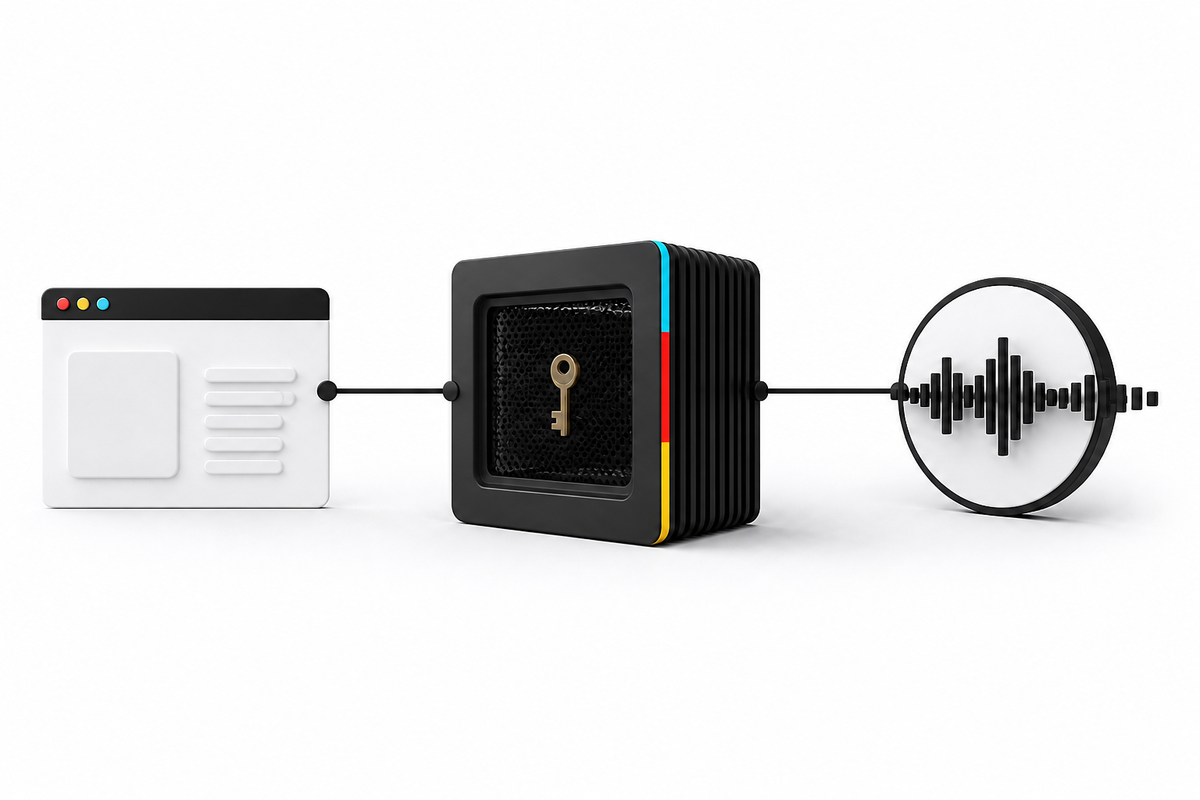
Keep the provider key in a server-only environment variable. Let the browser call your Next.js Route Handler, and add the credential only on the server-to-server hop.
Keep the music API key in a server-only environment variable. Let the browser call a same-origin Next.js Route Handler, add the provider credential inside that handler, and return only the task response. Never prefix the key with `NEXT_PUBLIC_`, send it in client JavaScript, or echo it into logs or error messages.
By Sonilo Team
Facts verified August 10, 2026. Sonilo publishes this guide and provides the API used in the implementation. The security sources and Next.js behavior cited below come from their respective primary documentation. This pattern was tested with mock credentials; it was not a penetration test.
The safe boundary has three parts
The browser, your Next.js server, and the music API have different responsibilities. The browser can hold an app session and public input. Your server holds the provider key. The provider receives that key only on the server-to-server hop.
The current Sonilo Video to Music documentation uses bearer authentication and explicitly says to keep keys server-side, commonly in `SONILO_API_KEY`. Next.js data-security guidance says environment variables are server-only by default, while variables prefixed with `NEXT_PUBLIC_` are exposed to browser code.
| Hop | Data that may cross it | Data that stays server-side |
|---|---|---|
| Browser to your submit route | App session, public video URL, optional music prompt | Sonilo API key |
| Your submit route to Sonilo | Allowlisted form fields, bearer authorization | Deployment-secret metadata and unrelated request data |
| Browser to your task route | Task ID returned for that user's job | Sonilo API key and other users' task IDs |
| Your task route to Sonilo | Task ID and bearer authorization | Internal logs and app authorization state |
This boundary does one specific job: it prevents the normal browser request and response path from carrying the provider credential. It does not replace user authentication, authorization, rate limiting, or secret rotation. OWASP's secrets-management guidance recommends least-privilege access, revocable and rotated secrets, and controls that keep plaintext secrets out of logs.
Put the key in the server environment
Set `SONILO_API_KEY` in the secret settings for the deployed Next.js service. Use the same unprefixed name in local development. Do not add it to `next.config.js` under `env`, pass it as a prop, return it from a Server Component, or rename it to `NEXT_PUBLIC_SONILO_API_KEY`.
Add `.env*` files containing live values to the repository's ignore rules. If a real key reaches a client bundle, source-control history, screenshot, support ticket, or log, treat it as exposed: revoke it, create a replacement, and remove the leaked value from the affected surface. OWASP describes revocation and rotation as first containment steps after secret exposure.
Use one Route Handler to create the job
The Next.js backend-for-frontend guide documents Route Handlers as server endpoints built on the Web Request and Response APIs. The minimal handler below accepts a public `video_url`, forces Sonilo's async mode, forwards an optional prompt, and adds the bearer key on the upstream hop.
Create `app/api/music/route.ts` with these lines in order:
- `const endpoint = "https://api.sonilo.com/v1/video-to-music";`
- `export const runtime = "nodejs";`
- `export async function POST(request: Request) {`
- `const apiKey = process.env.SONILO_API_KEY;`
- `if (!apiKey) return Response.json({ error: "Server configuration error" }, { status: 500 });`
- `const input = await request.formData();`
- `const videoUrl = input.get("video_url");`
- `if (typeof videoUrl !== "string" || !videoUrl) return Response.json({ error: "video_url is required" }, { status: 400 });`
- `const form = new FormData();`
- `form.set("video_url", videoUrl);`
- `form.set("mode", "async");`
- `const prompt = input.get("prompt");`
- `if (typeof prompt === "string" && prompt) form.set("prompt", prompt);`
- `const upstream = await fetch(endpoint, { method: "POST", headers: { Authorization: `Bearer ${apiKey}` }, body: form, signal: AbortSignal.timeout(30000), cache: "no-store" });`
- `return new Response(await upstream.text(), { status: upstream.status, headers: { "content-type": upstream.headers.get("content-type") || "application/json", "cache-control": "no-store" } });`
- `}`
The browser can now create a `FormData` object and call `fetch("/api/music", { method: "POST", body: form })`. That browser request contains no Sonilo credential.
The example is intentionally narrow. Before a public launch, authenticate the app user, authorize the requested operation, limit request frequency and concurrency per account, constrain prompt length, validate accepted media sources, and record a server-generated job owner. Do not copy arbitrary client headers or arbitrary form fields upstream.
Use a second handler to read task status
Async mode returns `202 Accepted` with a `task_id`. The browser still should not call Sonilo directly, because the documented task read also requires bearer authentication. Proxy that read through `app/api/music/[taskId]/route.ts`:
- `const base = "https://api.sonilo.com/v1/tasks";`
- `export const runtime = "nodejs";`
- `export async function GET(_request: Request, { params }: { params: Promise<{ taskId: string }> }) {`
- `const apiKey = process.env.SONILO_API_KEY;`
- `if (!apiKey) return Response.json({ error: "Server configuration error" }, { status: 500 });`
- `const { taskId } = await params;`
- `if (!/^[A-Za-z0-9-]+$/.test(taskId)) return Response.json({ error: "Invalid task ID" }, { status: 400 });`
- `const taskUrl = `${base}/${encodeURIComponent(taskId)}`;`
- `const headers = { Authorization: `Bearer ${apiKey}` };`
- `const signal = AbortSignal.timeout(30000);`
- `const upstream = await fetch(taskUrl, { headers, signal, cache: "no-store" });`
- `const contentType = upstream.headers.get("content-type") || "application/json";`
- `const body = await upstream.text();`
- `return new Response(body, { status: upstream.status, headers: { "content-type": contentType, "cache-control": "no-store" } });`
- `}`
Store the job owner with the task ID and check that ownership before every status read. Syntax validation prevents a path-shaping input, but it does not prove that the signed-in user may see that job.
Sonilo's Retrieve Task documentation defines the task states and returned result URLs. For a bounded schedule, stop conditions, and reconciliation rules, use the separate async API polling guide. When a job succeeds, copy its output into durable application storage using the temporary API URL durability workflow.
Choose URL input or file upload deliberately
The current Sonilo endpoint accepts either a video file or a public `http://` or `https://` `video_url`, but not both. Its documented defaults are a 300 MB maximum file size and a six-minute maximum duration. Private and internal URL targets are rejected. These are provider-side constraints, not a substitute for controls in your own application.
This example uses `video_url` because it keeps a large upload from passing through a serverless Route Handler. If the browser uploads the whole video to your handler first, your hosting provider's body-size, memory, and execution-time limits can fail before the request reaches Sonilo. A common production shape is browser-to-object-storage upload, then server-to-Sonilo submission of a narrowly scoped media URL. Design that upload and URL issuance flow against your own storage provider's security guidance. Before queueing a presigned input, apply the source URL lifetime gate so its remaining access window covers the full handoff. For the local-file path, use this local video preflight guide before constructing the multipart request.
Preserve the upstream failure contract
Do not turn every upstream error into an undifferentiated `500`. The current video-to-music documentation lists `400`, `401`, `402`, `413`, `422`, `429`, and `502` outcomes. Preserving the status lets your UI distinguish input correction, account action, rate limiting, and temporary provider failure without exposing the key.
| Status | App response | Retry decision |
|---|---|---|
| 400 or 422 | Show a safe field-level message; log a redacted correlation ID | Fix input before another submit |
| 401 or 403 | Show a generic service-configuration or access error | Do not retry with the same credential |
| 402 | Ask the account owner to review API billing or credits | Do not loop |
| 413 | Reject before submission when your app knows the size | Use an accepted input within current limits |
| 429 | Pause new work and honor `Retry-After` when supplied | Retry only after the stated delay and within an app budget |
| 502 or network timeout | Mark the submit outcome uncertain | Reconcile before creating another generation job |
RFC 9110's idempotency rules say a client should not automatically retry a non-idempotent method unless it knows the semantics are idempotent or can detect that the original request was not applied. A generation `POST` can create billable work, so this sample sends it once. After an ambiguous timeout, reconcile with application state or require an explicit user decision instead of blindly submitting again. Polling the documented `GET` task endpoint is a different operation and can use bounded retries. For a reusable request-key gate before that POST, use the duplicate AI audio job prevention workflow.
When a response supplies `Retry-After`, RFC 9110 defines it as the delay before a follow-up request. If the header is absent, apply your own capped backoff and request budget rather than an infinite loop.
Test the boundary, not only the happy path
For this article, the sample boundary was exercised with a mock key and captured requests. Six checks passed: the key was added to both server-to-server calls; it did not appear in browser-facing bodies or headers; submit ran exactly once; missing-key and missing-input paths stopped before an upstream call; and invalid task IDs were rejected. That demonstrates the behavior of the sample, not the security of every Next.js deployment. For a wider release gate, use the Node.js contract-testing workflow to replay accepted, polling, malformed-success, error, trial, and timeout branches locally before one approved production smoke.
Add these release checks to your own application:
- Search the built client bundle and source maps for the provider-key prefix.
- Confirm browser network requests never contain the provider Authorization header.
- Redact request headers and environment values in application and platform logs.
- Verify one signed-in user cannot read another user's task ID or result.
- Exercise `401`, `402`, `413`, `422`, `429`, timeout, failed-task, and successful-task paths.
- Rotate a test credential and confirm the old value stops working without a redeploy when your secret platform supports runtime rotation.
When not to use this Sonilo pattern
Do not add Next.js Route Handlers just because the frontend uses Next.js. If your product already has a trusted backend, worker, or API gateway, keep the Sonilo key and job state there. Calling an internal backend from a Server Component can also avoid an unnecessary same-origin HTTP hop.
This pattern also does not fit a fully static export: the Next.js backend-for-frontend documentation notes that static export has no runtime server for dynamic handlers. Use a separate server function or backend in that architecture.
Finally, do not expose a long-lived Sonilo key to make a browser-only integration work. If a product must call a provider directly from an untrusted client, it needs a provider-supported short-lived, narrowly scoped credential flow. The Sonilo documentation cited here describes server-side bearer keys, so use a trusted server boundary for this integration.
Ship the boundary before the UI
Start with the two server routes, task ownership, redacted logs, and failure tests. Then connect the browser. This order gives every client surface one narrow contract and one place to rotate the provider credential.
Review the Sonilo Video-to-Music API guide for the product request model, then use the current Video to Music endpoint documentation as the source of truth while you implement.