Guides
Free Meme Sound Effects: Find or Make Original SFX
- Written by
- Sonilo Team
- Published
“Can we add the sound everyone knows?” is a small question that can create a large rights problem. A meme sound may be familiar because it travels through thousands of reposts, not because every repost gives you permission to reuse the original file.
I’m Nico. For a Short, Reel, TikTok, or YouTube edit, the useful decision is usually simple: find a sound with a license you can document, or make an original effect that serves the same joke without copying the recognizable recording.
What Counts as a Meme Sound Effect?
A meme sound effect is a short audio cue that carries shared internet meaning: a boom, record scratch, audience reaction, game-like stinger, or tiny pop that turns an action into a punchline.
Some cues are used so often that people treat their names as if they were licenses. “Vine boom sound effect free download” is a search phrase, not proof that a particular upload is cleared. The same is true for “TikTok funny sound effects free download.” A platform button, a repost, or a creator’s caption does not tell you who owns the recording or where you may reuse it.
It also helps to separate three things:
- The idea: a dramatic hit after an unexpected reveal.
- The recording: the exact boom, reaction, voice, or sample someone uploaded.
- The edit: the timing, level, pitch, and processing you apply in your video.
You can borrow a comic beat without copying the recording. That gives you options and a clear rights trail.
Where to Find Free Meme Sound Effects
Start with sources that show a license or usage policy. Save the sound page, license wording, download date, and project. “Free” is a filter, not a complete rights review.
Official platform libraries
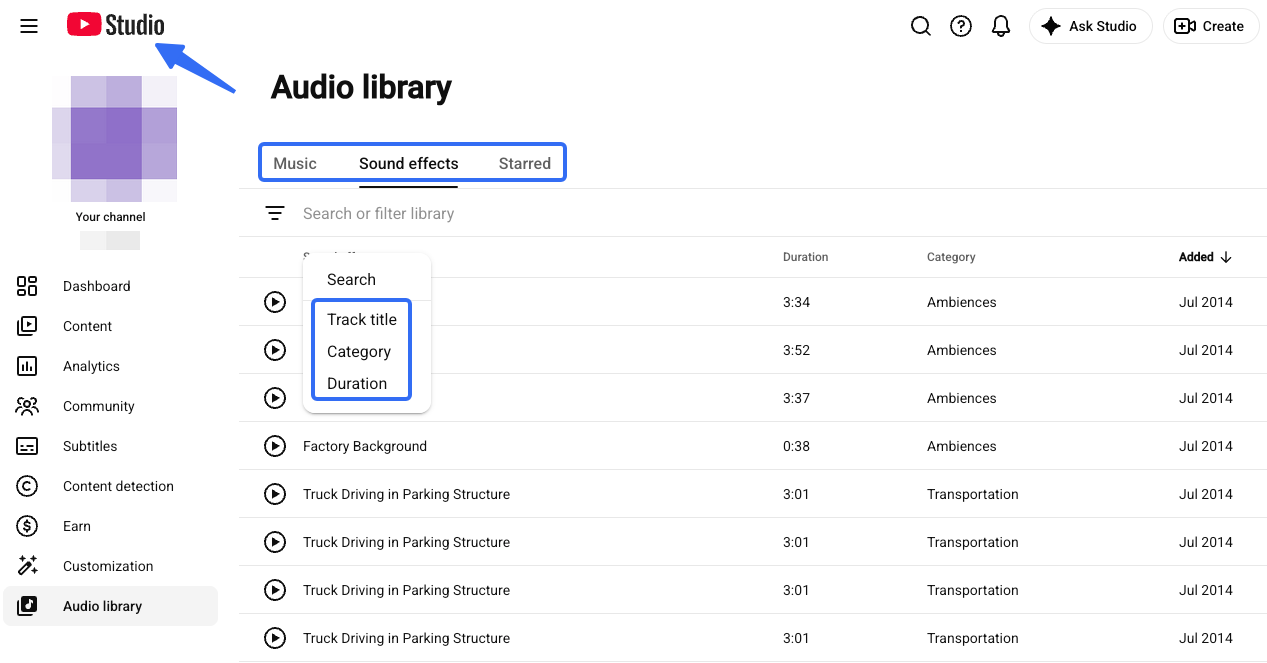
YouTube’s Audio Library is available inside YouTube Studio and includes music and sound effects that YouTube describes as copyright-safe for its platform. Its sound-effects tab lets you search by keyword, category, and duration. Some tracks use Creative Commons licenses and require attribution, while others are marked as not requiring attribution. Check the individual listing before publishing.
That scope matters. A sound cleared in YouTube’s library is not automatically a universal license for every client, app, or social network. YouTube also warns that it cannot give legal guidance for uses outside the platform.
Community sound libraries
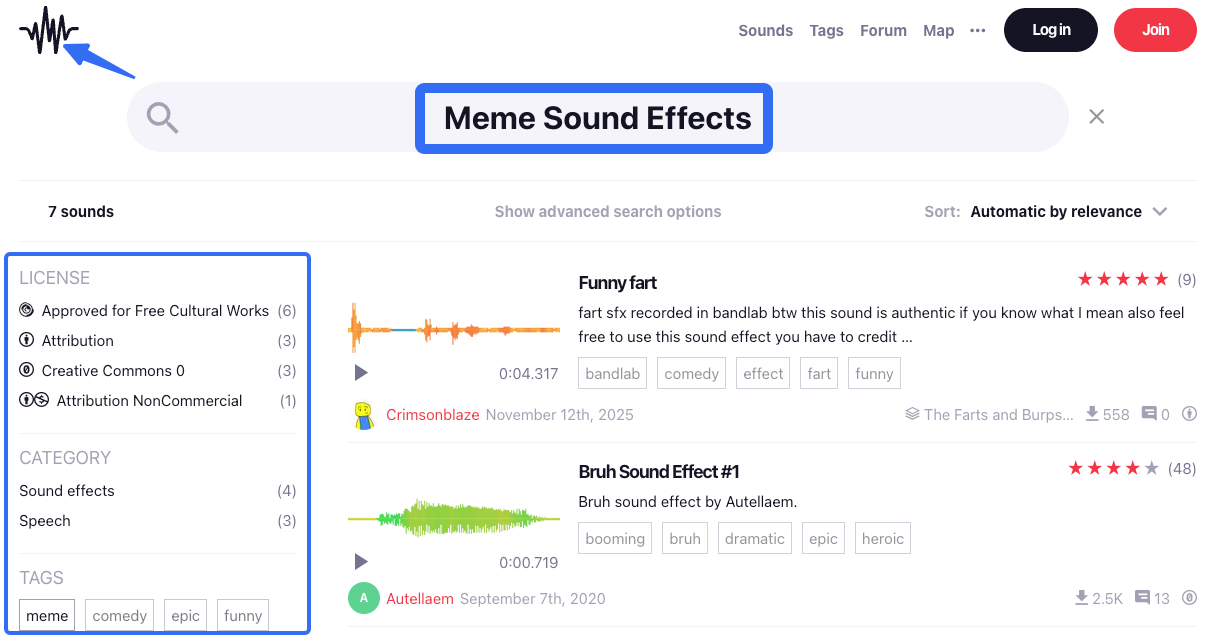
Community libraries can have excellent recordings, but the license may differ from file to file. Freesound’s FAQ explains that sounds can use Creative Commons Zero, Attribution, or Attribution-NonCommercial licenses. Those choices change whether you need credit and whether a commercial project is allowed.
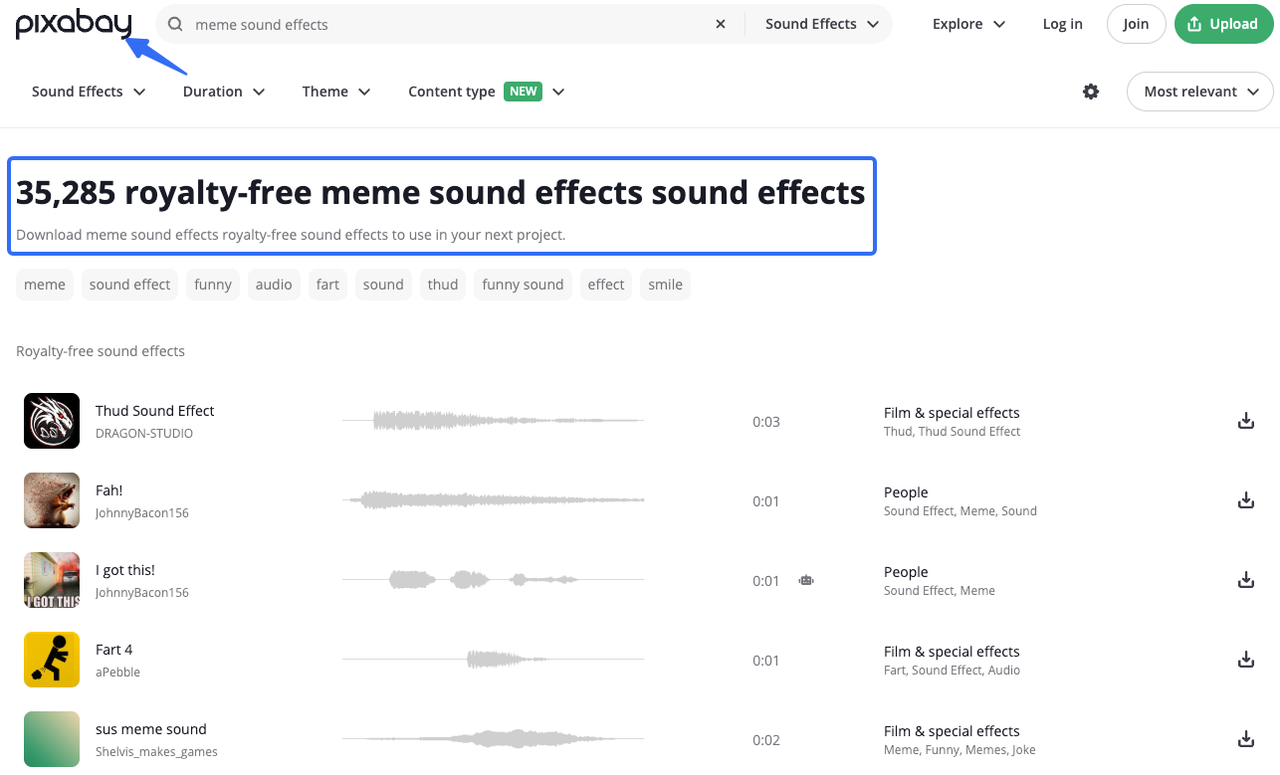
Pixabay’s license summary says its content can generally be used for free, modified, and used without attribution, subject to prohibited uses. It also warns that some files may involve additional copyright, trademark, privacy, or other rights. Read the full license before treating a download as ready for a client deliverable.
Do not rely on a repost account that provides only a download button. If the uploader cannot explain the source or license, the file may be useful for private reference, but it is a weak choice for a published campaign.
Original effects made for your edit
When a familiar sound is too risky, translate its function into a new brief. Ask what the cue does in the scene:
- punctuate a reveal;
- underline an awkward pause;
- exaggerate a fast movement;
- signal a failed attempt;
- or give the last frame a comic stop.
Then change the source, texture, rhythm, and ending. A wooden knock, plastic thump, or tonal chirp can perform the job of a “boom” without recreating one known recording.
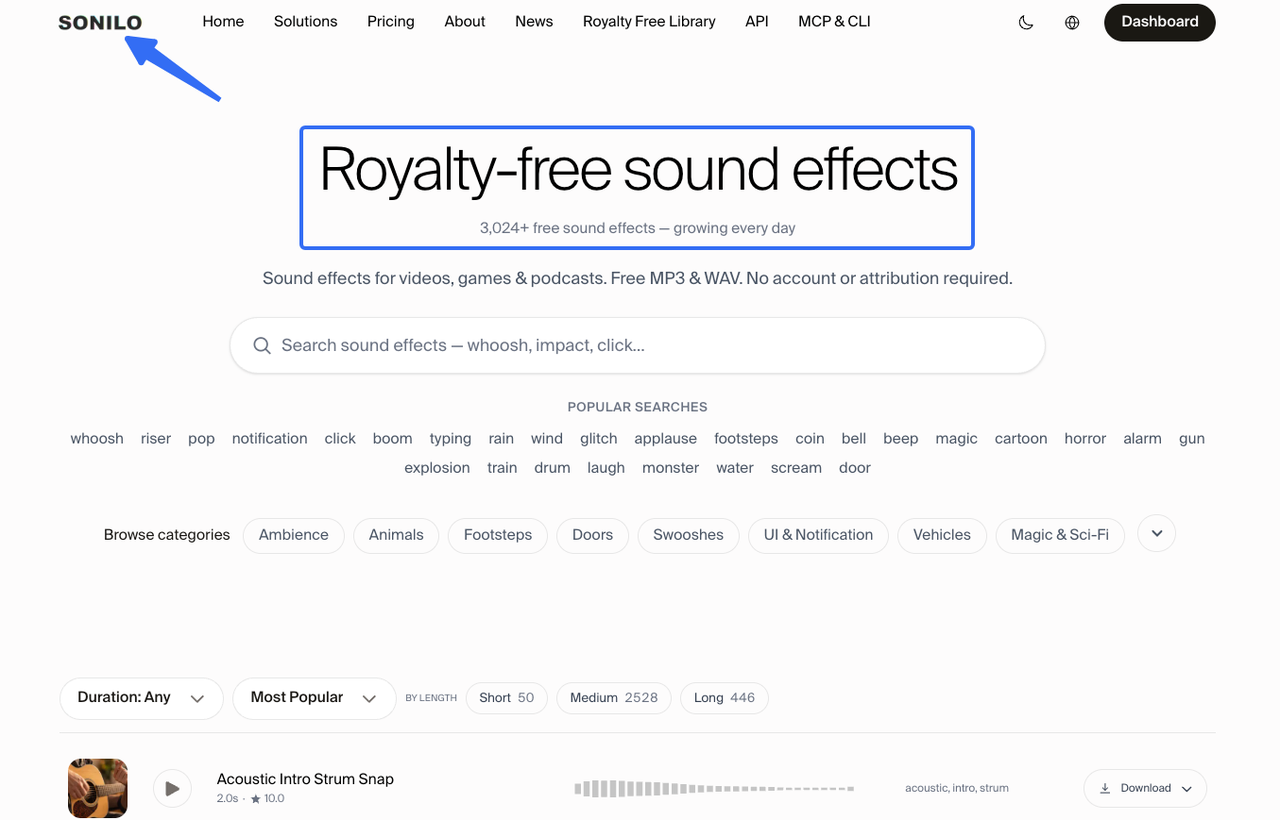
Sonilo’s royalty-free sound effects library lets you browse ready-made MP3 and WAV files by category, search term, and duration. Its licensing page is the place to recheck current commercial-use terms. The library page states that published files may be used in personal and commercial projects, including client work, without attribution, while original files may not be resold or redistributed as a stock library. Treat that as the statement, and recheck it at publication.
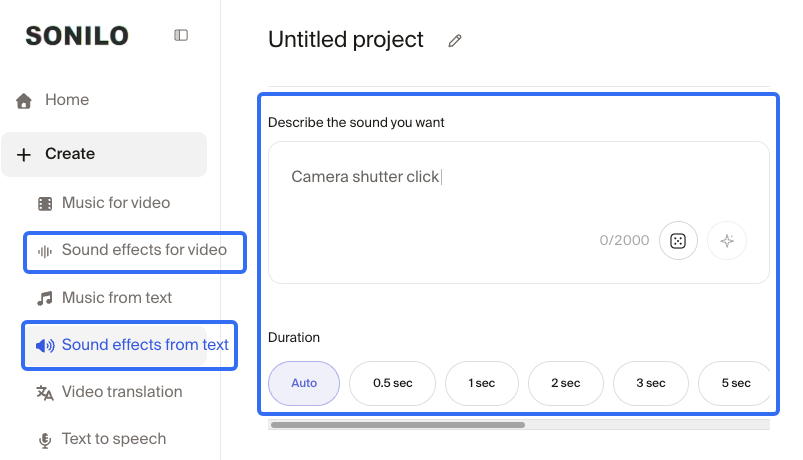
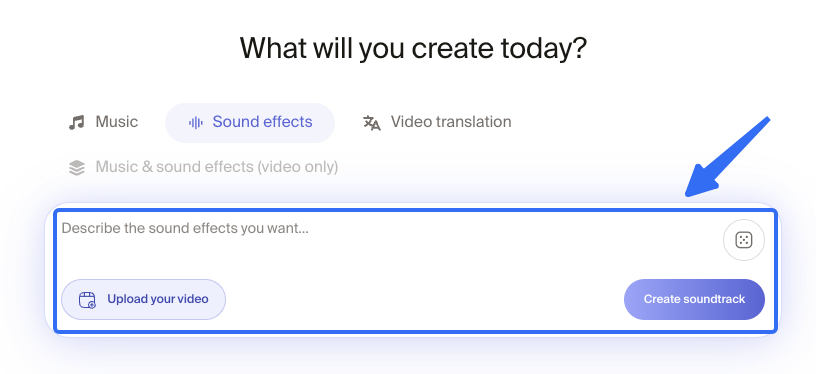
If the library does not have the right texture, an account-based generation workflow can help you make a new reaction, sting, or transition. That is a different product path from downloading a published library file, so check the generation plan’s current credits and usage terms separately.
Choose Between Familiar and Original Sounds
Use a familiar sound when the reference itself is part of the joke and you have a documented right to use that recording. An app’s own sound system may provide a permitted route, but saving a sound in one app does not automatically grant permission to export it into another.
Choose an original effect when the joke only needs the function of the reference. Original audio gives you control over length, loudness, pitch, and the final tail. It also avoids making the audience compare your edit with a famous source clip.
The test is not “Does this sound exactly like the meme?” It is “Does the viewer understand the beat without the borrowed recording?” If yes, make the edit specific to your footage.
Check Rights Before You Publish
Make a small source sheet before export. For each effect, record:
- the original page or detail URL;
- the creator or provider;
- the exact license name;
- whether attribution is required;
- the download or generation date;
- the platforms and client uses you cleared;
- any edits, layers, or transformations you made.
Keep the original file separate from the processed version. If a claim appears later, you can show what you downloaded, which license applied, and how the sound changed in the edit.
Do not confuse a Content ID match with a final legal answer. A short effect can be matched because another creator registered a song or video that contains the same raw sample. A claim may be disputable, but it still costs time. Documentation helps you respond; it does not turn an unclear source into a cleared one.
For a commercial campaign, also check client instructions, platform rules, voice or personality rights, and recognizable brands or characters in the recording. This is practical production guidance, not legal advice.
Fit the Effect to a Social Video
Social edits reward clarity. Put the cue on the action, but leave space for the spoken line or caption. A reaction sound that works once may become irritating when the viewer loops the clip.
Try this four-pass check:
- First pass: watch without sound and mark the visual beat.
- Second pass: add the effect quietly and check whether the joke still reads.
- Third pass: listen for clipping, harsh highs, and a tail that masks the next line.
- Fourth pass: play the export on a phone speaker and headphones.
For timing ideas, see funny sound effects for videos. For sourcing, see free sound effects for video editing. Keep the meme cue subordinate to the scene; it should sharpen the joke, not become the only thing remembered.
Limitations and Trade-Offs
There is no universal “meme sound” license. Familiarity can come from a recording, catchphrase, performance, or platform feature, and each raises different rights questions.
Original generation also has limits. A prompt can produce a useful function without the exact timing or comic accent your cut needs. You may still need to trim, layer, pitch-shift, or record a small foley detail yourself.
Finally, avoid building a reusable asset pack from downloaded files unless the license expressly allows that distribution. A finished video and a folder of standalone sound effects are different uses. Keep those outputs separate in your handoff.
FAQ
How can a creator identify the original upload behind a reposted meme sound?
Start with the platform’s sound page, then trace the earliest credited creator or source. Compare duration and metadata, but treat that research as a lead, not proof of ownership. If the origin remains unclear, use an original alternative.
Does saving a sound inside one social app allow reuse on another platform?
Not automatically. A platform may provide an in-app permission for posts made inside that service. Exporting the sound to another app, client project, or paid campaign can create a different use. Check both the source terms and the destination platform rules.
How should teams name and version recurring reaction effects?
Use a stable name with function, texture, duration, version, and source status. For example: reaction_short_surprised_dry_02s_v03_original.wav. Keep the source sheet and approval date next to the asset, not only in a chat message.
Should an edited meme sound keep a record of every source clip?
Yes. Save every source URL, license snapshot, contributor credit, and transformation note. If you layered several files, record each one. A new export does not erase the obligations attached to the component sounds.
What should an editor include when handing sound files to a client?
Deliver the final video, a cue sheet or asset list, source links, license or attribution notes, version numbers, and any restrictions on reuse or redistribution. Tell the client which files are embedded in the video and which are standalone assets. That distinction prevents a licensed edit from being mistaken for a transferable sound-effects library.
Conclusion
The safest way to use free meme sound effects is to separate the joke from the recording. Find a source with a license you can document, or make an original cue that performs the same editorial job with a different sound identity.
Before you publish, check the file—not just the meme’s popularity. Save the source, confirm the platform and client use, and listen to the effect in the finished export. When you need a ready-made starting point, browse Sonilo’s royalty-free sound effects library, then choose the sound that serves your cut rather than the one that merely looks familiar in search results.


