Guides
Remusic AI Music Generator for Video: Fit and Limits
- Written by
- Sonilo Team
- Published
Do you want Remusic to compose from a written idea, or start with the video you've already edited? The Remusic AI Music Generator and its separate Background Music Generator offer different starting points. Choosing between them comes before judging the music.
I'm Nico. For this choice, I'd put a usable ending and a downloadable track ahead of the number of tools on the homepage. A cue needs to earn its place beside your narration, not just sound attractive in a preview.
Quick Verdict for Video Soundtracks
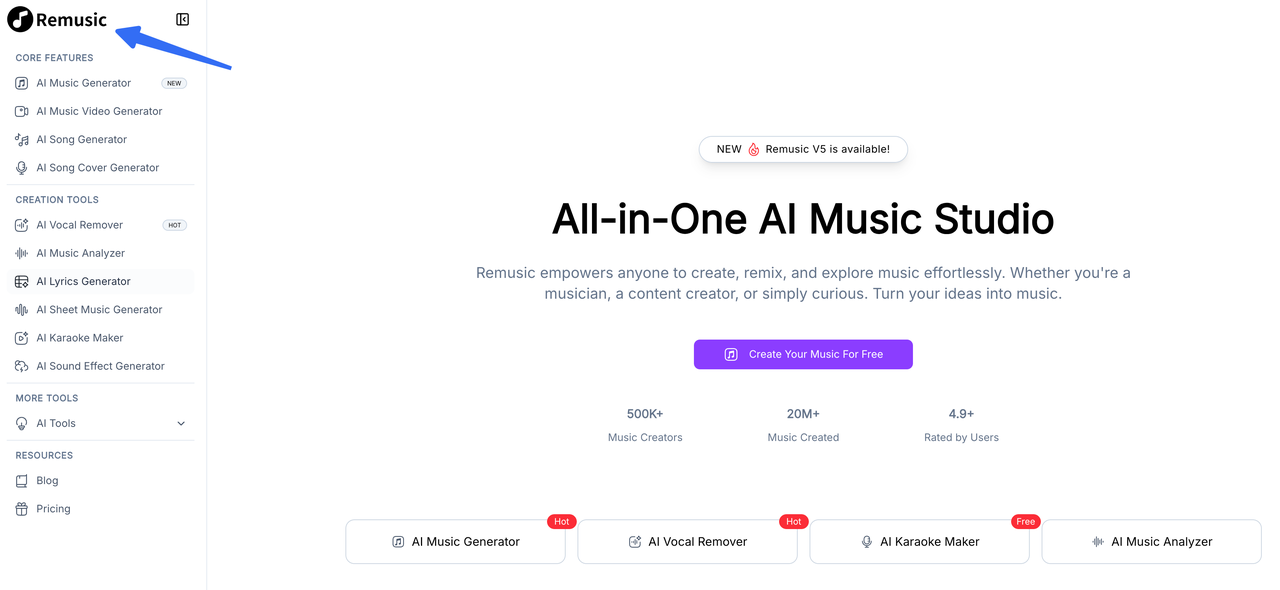
Consider the text-led generator when you can describe the musical direction and are comfortable fitting a candidate yourself. Consider the background-music tool when you want to start with an uploaded video. Neither starting point establishes how closely a particular result will follow your cuts.
For client work, pause before committing. Remusic's public pages give conflicting commercial-use messages; the paid-plan label does not settle the scope of the license. That uncertainty matters even if the music fits beautifully.
Key Facts
| Decision | What matters for this video |
|---|---|
| Text or lyrics first | AI Music Generator includes an Instrumental option. |
| Video first | Background Music Generator has a separate upload page. |
| After generation | Judge the opening, scene changes, speech space, and ending in your editor. |
| Free access | Check the selected tool's credit cost, not just the word “free.” |
| Commercial delivery | Resolve the conflicting rights statements before approving a track for publication. |
The assessment below draws on Remusic's public controls and published terms. The listening examples explain what to accept or repair; they do not report measured generation results.
Which Remusic Music Tool Fits This Project?
Use the song-oriented generator for a written music brief and the background-music generator for a video upload. They are separate tools, so do not transfer one page's limits or download promises to the other.
AI Music Generator for a Text or Lyric Brief
The text-and-lyrics creation page shows Inspiration, Custom Lyrics, and Instrumental controls. For a narrated video, start with instrumental music rather than writing a song and trying to remove its singer later.
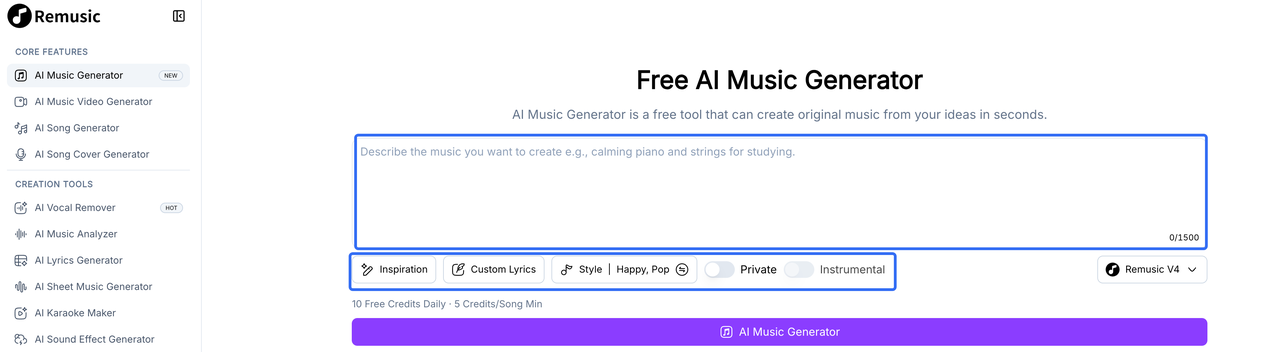
You can describe an arrangement without uploading footage. Explain what the music should do as the picture changes; a genre label leaves that unanswered.
Background Music Generator for a Video Upload
The separate video-upload music tool asks for footage and musical direction. Its public form lists a 200 MB file limit. The page describes style, mood, and length customization, but that is not proof of frame-accurate synchronization.
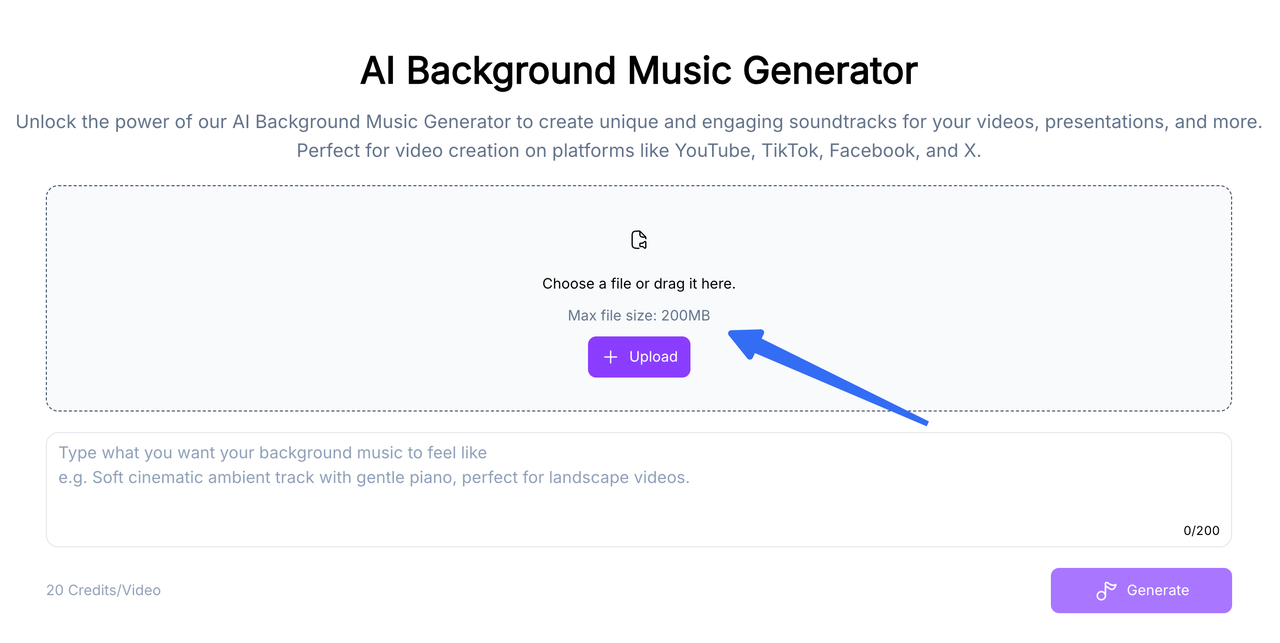
Before uploading client or unreleased footage, confirm that you may send it to this service. Review how Remusic handles submitted information and ask about retention or deletion where the policy does not answer your project's needs. Use a non-sensitive preview if those conditions remain unclear.
Evaluate One Finished-Video Music Brief
Take a voiceover-led product demo as an illustrative example. The opening introduces a problem, the middle shows the product solving it, and the ending holds on the result. Keep that approved picture and narration unchanged while choosing music.
The soundtrack needs a modest opening, steady movement during the explanation, and a small lift for the result. It does not need a chorus simply because the generator can make songs.
Choose an Instrumental Direction
For Remusic instrumental music, describe the space the track must leave as well as its sound. “Positive electronic music” says little about whether a bright lead should keep playing through the product explanation.
Here is an original example brief:
Instrumental electronic background for a narrated product demo. Warm pads, light percussion, and a restrained pulse. Keep the main explanation sparse. Add a modest lift when the finished result appears, then settle into a short ending. No vocals or dominant lead melody.
“Sparse” protects the spoken passage; the lift and ending describe musical jobs. These are requests to evaluate, not guaranteed controls. Add your runtime and scene markers where the tool accepts them.
Avoid solving a missed transition by adding more adjectives. If the cue builds too early, the next brief should change the build instruction. “More cinematic” could make the same timing problem louder.
Check Length, Transitions, and Voice Space
Listen under the complete cut before choosing a favorite. In the demo example, three moments deserve extra attention:
- Opening: Does the pulse begin soon enough, or does an extended intro leave the first explanation hanging?
- Result reveal: Does the musical change support the new image, or anticipate information the viewer has not seen?
- Final hold: Is there a phrase you can end cleanly without cutting a note in half?
An oversized build may make a simple completed action feel like a trailer climax. A flat bed may leave the reveal with no change at all.
Then listen without watching. If the narrator becomes tiring to follow when a lead enters, lower the music and compare again. If clarity returns only when the cue nearly disappears, choose a less busy arrangement. For a fuller mix pass, the guide to keeping background music clear beneath a software-demo voiceover explains where music can rise between spoken passages.
What Still Needs Editing After Download?
Usually, the remaining work is deciding where the music enters, where it changes, and how it leaves. A download button gets the audio out of the browser; it does not make those decisions for the edit.
Keep the generated original untouched and use a copy for trims and fades. Name both so another editor can find the version approved against the cut.
A late musical lift may be repairable by moving the cue earlier. But listen to the opening afterward: fixing the reveal can put the strongest drum hit under the first sentence. If moving the whole track creates a second problem, a careful phrase edit or another generation may be the better choice.
For the ending, look for a natural release before reaching for a fade. A fade can soften a tail; it cannot make a rising phrase feel resolved. Preserve any room tone or final spoken word that should outlast the music.
Check the downloaded file's format and whether your editor imports it correctly. Do not assume that music generation includes editable instrument tracks. With a mixed file, lowering the drums also lowers everything else; separation is a different operation, covered below.
Play the rendered video on headphones and a phone speaker. Check spoken product names, transition edits, and the last audible note.
Current Access, Credits, and Commercial-Use Checks

“Free” deserves a closer look here. On October 14, 2026, the public music form displayed 10 daily free credits and a five-credit minimum per song. The video-background form displayed 20 credits per video. Those labels do not establish unlimited generation or identical allowances across tools.
Remusic's paid plans list downloads and a commercial license. Before paying, confirm the selected billing period, credits, and renewal behavior at checkout. The pricing page and Terms also give differing renewal and refund descriptions; do not budget around whichever version sounds more generous.

The publishing question is more important. The music page allows commercial use subject to its terms. The background-music FAQ limits its royalty-free claim to non-commercial use. Meanwhile, the linked Use License restrictions, dated December 2024, restrict website materials to personal, non-commercial viewing.
Those statements do not clearly explain which permission governs your generated track. Ask Remusic for the output license applying to your tool, plan, and intended client or monetized video. Keep that response and the applicable license with the project. Until the conflict is clarified, this review cannot confirm permission for client delivery.
This article provides general information, not legal advice. Check Remusic's current applicable terms for your intended use before publishing.
For cost, count the attempts needed to reach a track you can actually keep. If you generate three candidates and reject two, the project used three generations. Add the time spent making the surviving cue fit. A cheap candidate that needs extensive reconstruction may not be the cheaper finished soundtrack.
Where Remusic Fits and Where It Falls Short

Remusic AI music is worth considering while the musical direction remains flexible. You can describe a sound or supply the picture without treating every project as lyric writing.
The fit becomes weaker when an approved opening must remain exactly intact while only one later passage changes. The reviewed pages do not establish precise section replacement or preservation of untouched audio. If each new attempt changes the cue broadly, your approved scene markers need another listening pass.
For client publication, unresolved license wording is a separate reason to hold back. A convincing cue and clear permission are both necessary; one cannot stand in for the other.
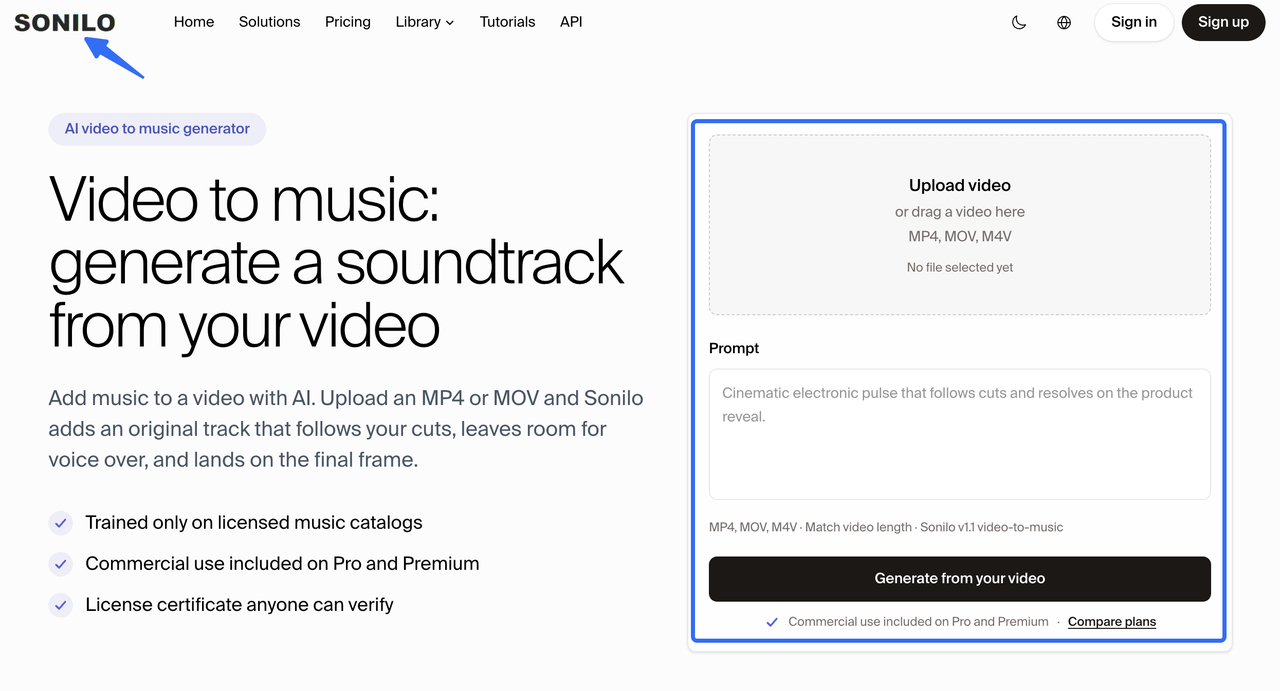
Sonilo publishes this article and offers a separate video-driven music product. If you want another candidate composed from the footage, generate music from the finished cut in Sonilo. Compare it at the same narration and reveal points. This is another route to audition, not a tested winner over Remusic.
FAQ
Does Remusic require an account before I can download generated music?
Account-free downloads are not clearly established for every generation tool. Remusic advertises no-sign-up trials, while its pricing page includes downloads among paid features. Before building a shortlist, take one non-sensitive trial through to saving the file. A preview alone does not confirm that you can retrieve the audio when the edit needs it.
Can Remusic separate vocals from a generated song for a video mix?
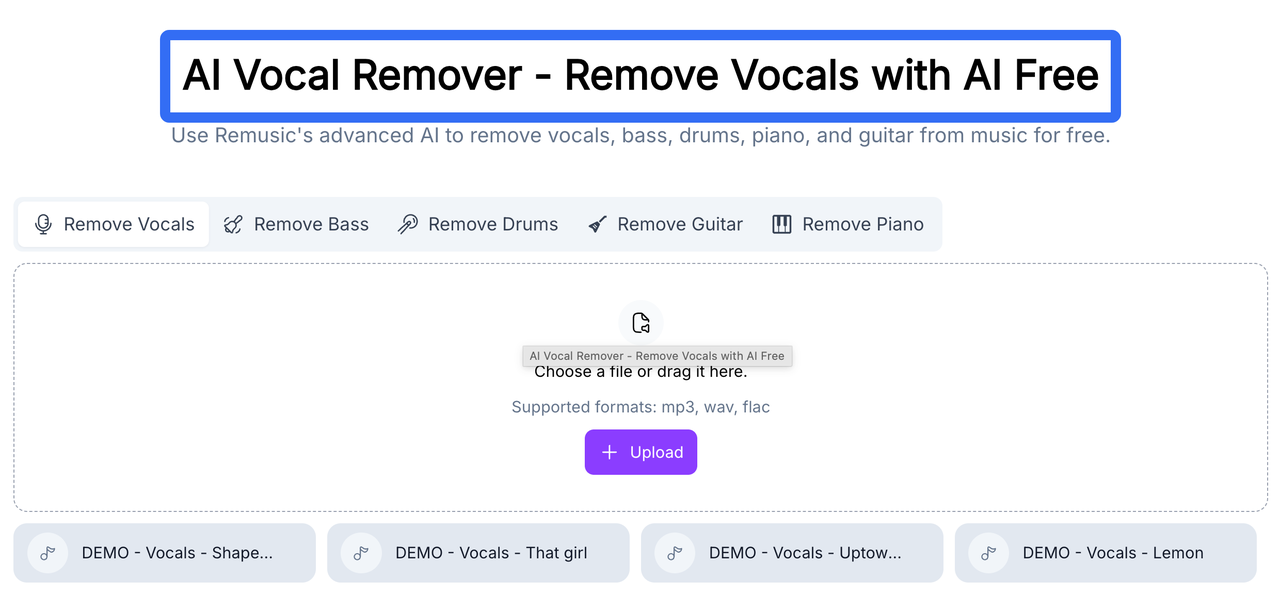
Yes, Remusic offers a separate Vocal Remover for uploaded audio, including MP3, WAV, and FLAC inputs. That is post-generation separation, not proof that the generator exports original stems. Listen for residual vocals or changes to instruments before replacing the mix. Separation also does not change the track's usage permission.
Does Remusic offer a separate tool for extending a finished track?
Remusic's music-extension guide describes a separate AI Music Extender. However, its linked tool returned 404 on October 14, 2026. Do not depend on that route to finish a short cue. Ask whether an active replacement exists; otherwise choose a longer candidate or make a phrase-based edit yourself.
Can I download only the background music from a Remusic video upload?
The background-music page describes downloading generated music, which supports an audio-download route. It does not specify the exact output choices or whether the file includes any original video audio. Before sending files to another editor, confirm that the download contains music alone. Keep the source narration separate rather than extracting it from a combined result.
Can I use the Remusic AI Music Generator from a phone browser?
Yes. Remusic describes its music generator as browser-based and accessible on smartphones. That does not establish feature parity across mobile browsers. For a video project, confirm where the downloaded file is saved and import it into your editor before choosing the track. Final listening should still include the voiceover, not just the music preview.
Conclusion
Choose the Remusic AI Music Generator when a written instrumental brief is the right starting point. Choose its separate background-music tool when you want to provide footage. Then judge the cue where it belongs: under the finished picture and voice.
For now, settle the applicable output license before committing to a commercial release. If that answer remains unclear, keep the cue out of the approved delivery—even when the final chord lands perfectly.

