Guides
AI Music from Video: How It Works in 2026
- Written by
- Sonilo Team
- Published
Last reviewed: July 17, 2026.
If you've ever stared at a finished timeline with no music and a publish deadline in two hours, keep reading.
Here's what actually happened last Thursday. I exported a 72-second product cut, dropped it into a video-to-music tool, and got back a track that was tonally right and rhythmically wrong. Warm strings over a sequence of hard, fast cuts. The mood matched. The pacing didn't.
Nico here, a video creator who tests AI tools as part of my everyday editing process. I’m interested in the moments where a tool looks promising but breaks down inside a real workflow — especially when you're trying to move faster without losing creative control.
That gap taught me more about how AI music from video actually works than any product page has. Below: what the system reads off your footage, what it can't read, and the review pass I now run before anything gets exported.
What AI music from video means in 2026
The category has a specific shape now. You upload a clip. The system analyzes it. You get music back that was conditioned on the video, not on a paragraph you typed.
That last part is the whole distinction. Text-to-music asks you to describe your video in words. Video-to-music skips the translation step.
The mainstream implementations still sit somewhere in between. Adobe's Generate Soundtrack in Firefly analyzes an uploaded video and returns a suggested prompt — vibe, style, purpose, energy, tempo — which you then edit before generating. Duration defaults to matching the uploaded video's length.
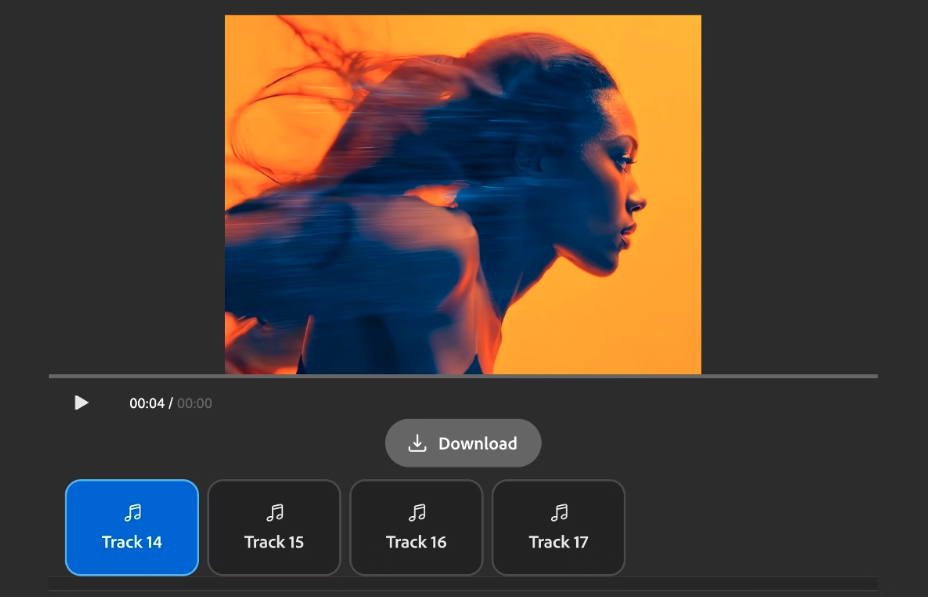
So: video in, prompt out, music out. Useful. But you're still editing text.
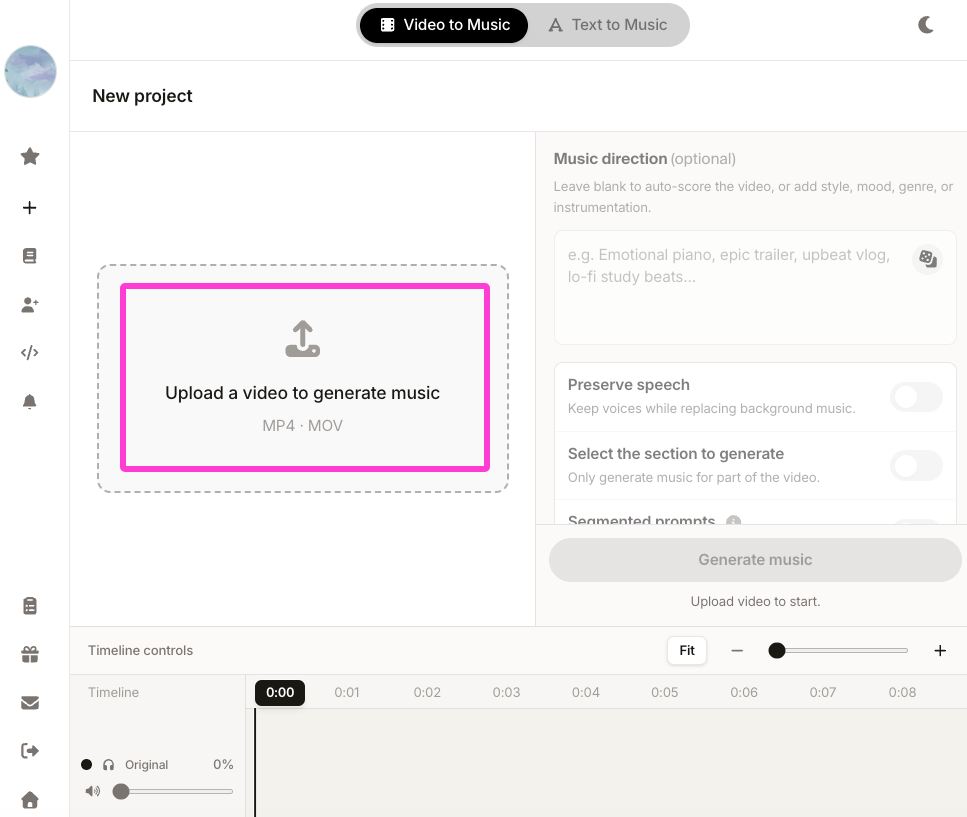
According to Sonilo’s current product page, it generates same-duration music directly from an uploaded video, with text prompts optional. Whether that workflow is better depends entirely on whether you wanted to write the prompt.
What the video can tell the music system
Scene mood and visual energy
A model can read pixels. Google DeepMind's write-up on video-to-audio generation describes a system that encodes video pixels directly, with the text prompt as an optional input, and without requiring manual alignment of sound to visuals afterward.
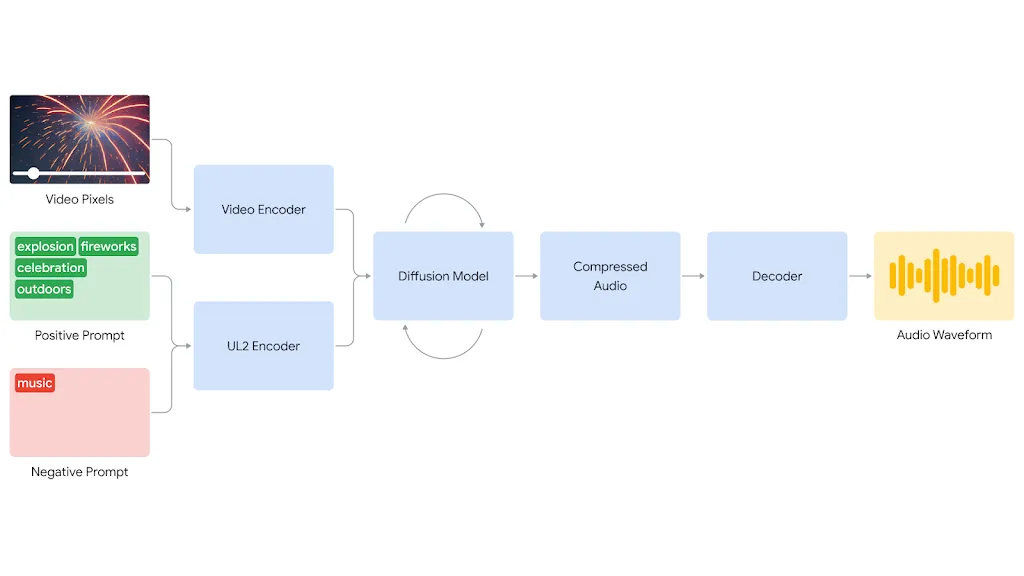
That optional-prompt detail is the part I keep returning to. In DeepMind’s research system, the visual signal alone can condition audio generation. More broadly, video-conditioned systems may respond to motion, scene changes, and other visual characteristics, although individual products do not always disclose exactly which features they analyze.
Cut rhythm and camera motion
Mood is the easy half. Pacing is where things get interesting.
Research in this area treats it explicitly as a two-scale problem. The VidMuse video-to-music framework combines a long-term module that models the entire video for global coherence with a short-term module that reads clip-level detail — trained on a dataset of roughly 360,000 video-music pairs spanning trailers, ads, and documentaries.
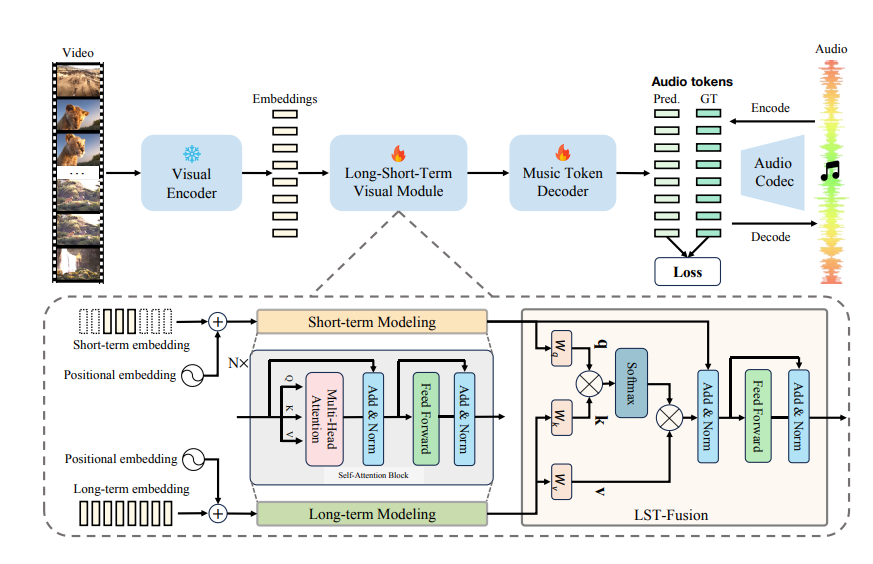
Which is exactly the part that matters. Your cut has a global arc and local hits. A system that only sees one of them produces music that either drifts or twitches.
Duration, pauses, and ending points
The unglamorous one. I didn't expect that to matter as much as it does.
Music generated to your cut length arrives without a trim step. No looping. No fade-out you engineered to hide a track that ran short. The audio file can end where your last frame ends, although you still need to check whether the musical phrase resolves naturally.
Pauses are harder. A two-second breath before a product reveal is meaningful to you and, as far as I can tell, invisible to most systems. Some of them fill it. I've stopped assuming they'll leave it alone.
From uploaded clip to soundtrack options
The shape of the workflow, roughly consistent across tools:
| Step | What happens | Your job |
|---|---|---|
| Upload | Clip goes in | Export a locked cut |
| Analysis | Visual + temporal features extracted | Nothing |
| Generation | One or more candidate tracks | Wait |
| Selection | You audition against picture | The actual work |
| Export | Audio and/or scored video, depending on the tool | Check the mix |
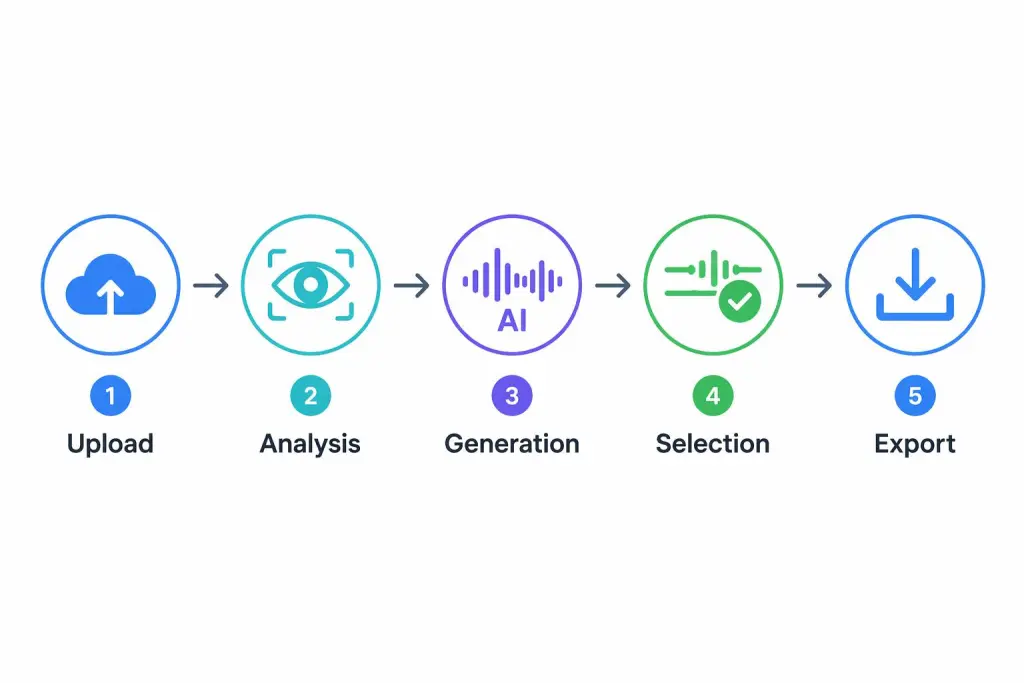
The step people underweight is selection. Usually, multiple candidates arrive. You will want to pick the one that sounds best in isolation. Don't. Play each one against picture, at your real playback volume, from the top.
Sonilo’s current product page says it generates multiple soundtrack variations from an uploaded video, with text prompts optional. Its paid plans list full-quality audio and video exports, but the public page does not specify exact file formats. To see the current workflow, try the official demos before rebuilding your process around it.
How to compare two generated versions against the same edit
This is the part nobody teaches, so here's the process I settled on. It takes about four minutes.
- Watch both, muted, first. Refresh your memory of the cut. You're about to be influenced.
- Play version A from frame one, full length. No scrubbing. Scrubbing hides pacing problems.
- Note the first moment you look away from the picture. Music that's working keeps your eyes on screen.
- Repeat with version B.
- Check three anchor points: the first cut, the emotional turn, the last frame. Does the music acknowledge them?
- Pick, then walk away for ten minutes. Come back and play the pick once.
Does it make you stop wanting to search for something else? That's the actual test.
I use the same anchor-point method when I'm choosing between a scored track and a separately generated voice layer — the questions are different, but the discipline of watching from frame one holds.
Where manual review still matters before export
Generation is fast. Review is not, and shouldn't be.
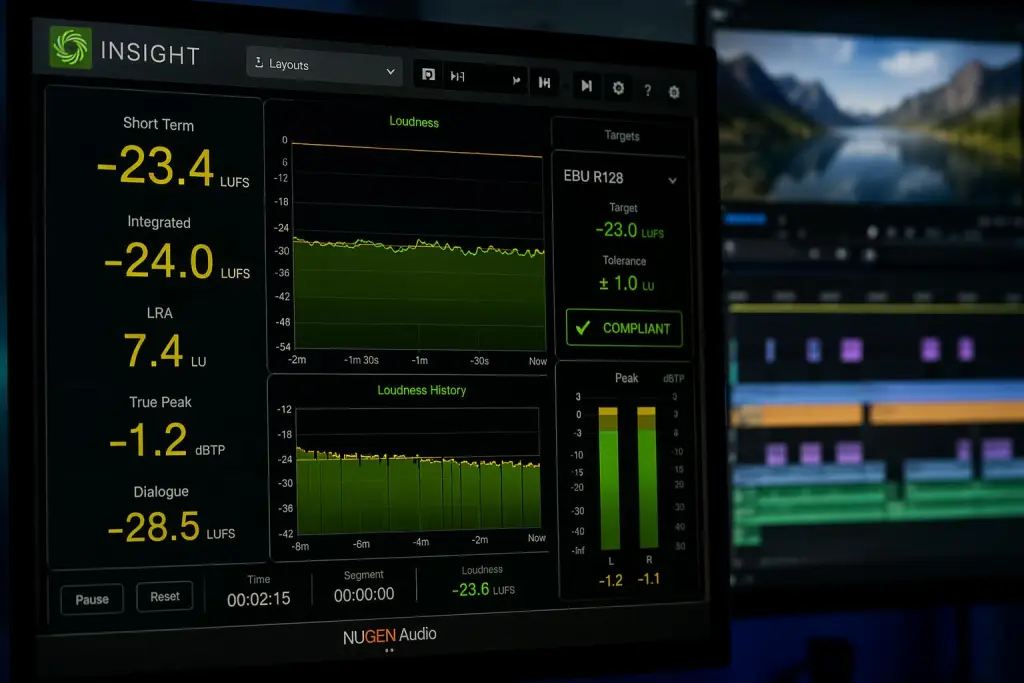
Levels. Nothing catches a creator faster than a track that sounds fine in isolation and buries the dialogue on a phone speaker. The EBU R 128 recommendation specifies an average programme loudness target of −23 LUFS and a maximum true-peak level of −1 dBTP for linear production audio. Its Supplement 1 addresses short-form content up to approximately 2 minutes, typically shorter than 30 seconds. You don't need to hit spec for a Reel. You do need consistency.
Endings. Listen to the last three seconds on their own. Generated tracks sometimes resolve half a beat after your final frame.
Rights and platform rules. YouTube says uploaded videos are automatically scanned by Content ID, and a detected match can trigger a claim. Having the necessary rights can be a valid basis for a dispute, but YouTube also says it does not determine automatically whether content was properly licensed.
Sonilo’s current Terms of Service require users to hold the necessary rights and permissions for uploaded inputs. Commercial use depends on the applicable plan and terms, and AI-generated output may not be unique or copyright-protectable in every jurisdiction. Review those terms before uploading confidential or unreleased client footage.
If you publish on YouTube, its current AI disclosure guidance specifically lists AI-generated music as content creators need to disclose.
FAQ
Can AI music from video replace stock libraries?
For some work. If your videos are short, frequent, and need fit more than they need a specific known track, generation removes the search step entirely. If a client has approved a particular library cue, no tool replaces that.
Does it need a finished video edit?
Yes, practically speaking. Music conditioned on a cut you later change is music conditioned on the wrong cut. Lock picture, then generate.
What should creators prepare before uploading?
A locked export, a one-line intent you could say out loud ("confident, not triumphant"), and a note of where the emotional turn sits. The intent isn't always an input — but it's your yardstick for judging the output.
How should I judge the first generated result?
Against picture, not against your taste in music. The question is whether it serves the cut, not whether you'd listen to it on a run. I've rejected tracks I liked and kept tracks I didn't.
I ran the same 72-second cut through this process three evenings in a row and the only version that survived was the one I picked with the anchor-point pass, not the one I liked on first listen. You can take that pass straight into your next project — it costs four minutes.
One question before you go: when a generated track doesn't work for your video, can you usually tell whether the problem is the mood, the pacing, or the length — or does it just register as wrong and leave you scrolling for something else?


