Guides
Transition Effect Sound: How to Use It in Video Edits
- Written by
- Sonilo Team
- Published
I put a whoosh on every cut in a 30-second promo last spring. Felt punchy in my headphones at midnight. Watched it back the next morning and it sounded like a slideshow that really wanted your attention — every cut shouting for its own drumroll.
Nico here. As a content creator who edits a lot of short-form video, I spend a lot of time stripping unnecessary elements out of my timelines. Transition hits and background beds for short vertical video need the same care: Reels-ready royalty-free AI music should match the cut length and still clear the platform’s commercial-use expectations. But that morning, my timeline was definitely bloated.
That's the trap with transition effect sound: the fix for a flat cut and the reason an edit feels cheap are often the same move, just done one notch too hard. This is about using it so cuts feel intentional instead of gimmicky — matching the sound to the transition, sitting it under your music, and knowing when to skip the effect completely.
If you've ever stared at a timeline where every cut feels abrupt but every swoosh feels corny, this is that middle ground.
What transition effect sound does in a video edit
Here's my honest read: a transition sound isn't decoration. It's a handoff. It tells the viewer's ear that one moment is ending and another is starting, so a hard cut feels like a choice instead of a glitch.

Done well, transition sound can guide attention and momentum across a cut — the audience may not notice the effect itself; they just feel the edit get smoother. That's the whole job. The second a viewer notices the whoosh as a whoosh, it's stopped working.
So the test isn't "does this sound cool." It's "does this cut feel more connected with the sound than without it." If the answer's no, the sound's not earning its place.
Match the sound to the visual transition type
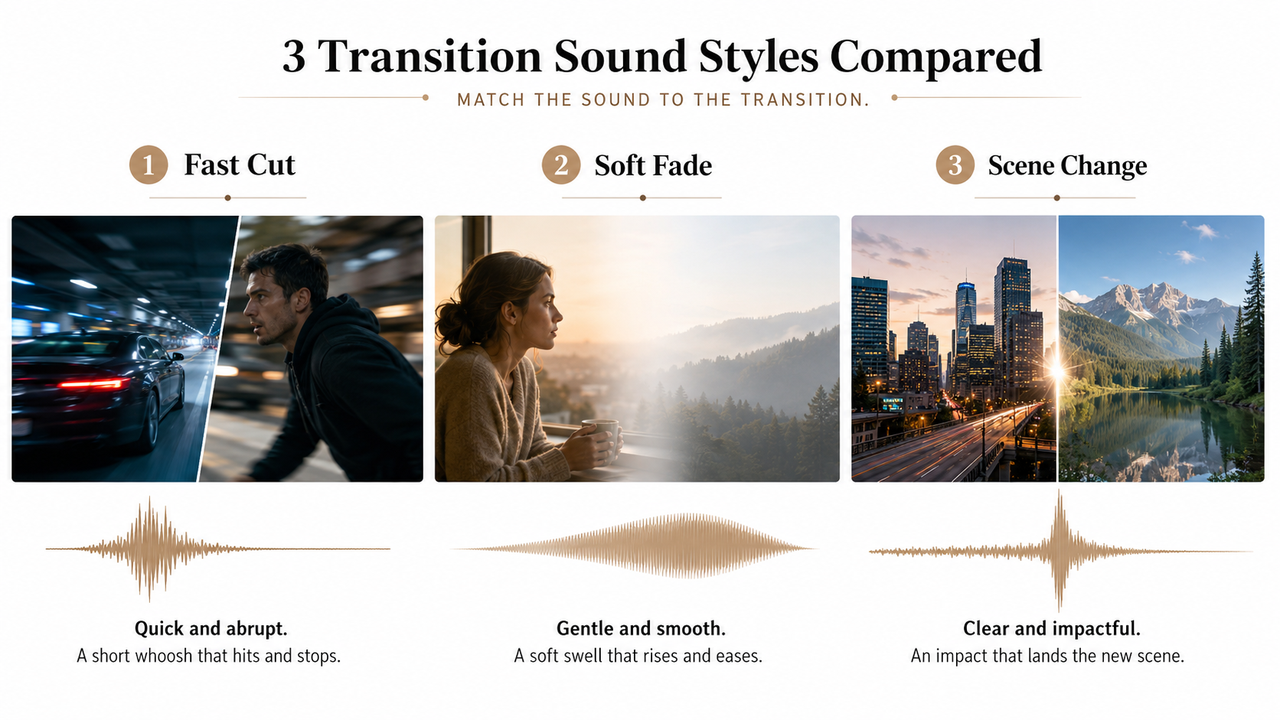
The most common mistake I see — including in my own old projects — is one sound for every transition. A sharp swipe sound on a slow dissolve feels wrong even if you can't say why. The sound has to match what the picture is doing.
Fast cuts and whooshes
Quick cuts, swipes, and snap zooms want a short, fast sound for transition — a whoosh with a sharp attack and quick decay. The trick is length. A practical rule of thumb is to match the whoosh duration roughly to the transition length — if the camera move takes half a second, the whoosh fills most of that, then you nudge it a frame at a time until it locks.
Too long and it drags your pacing. Too short and the cut feels rushed.
Soft fades and gentle swells
A slow fade or a dissolve doesn't want a whoosh at all. It wants a swell — something that rises and settles rather than snaps. Think of a soft riser under a mood shift, or just letting the background music breathe up into the new scene.
Honestly, half the time the best transition sound effects for a fade are no effect and a little volume automation on the music.
Scene changes and tonal shifts
Big jumps — a new location, a mood flip, a time skip — usually need something with a landing point. A sweep into the change, then a soft impact or a held note on it, so the new scene has somewhere to arrive. This is where tonal transitions in the key of your track beat a generic sweep, because they read as musical rather than mechanical.
Balance transition sounds with background music
Here's the thing nobody mentions: your transition sound and your music are fighting for the same space, and the sound usually loses or the music does.
One common technique is ducking the music under the effect — briefly lowering the music when the transition sound hits, then bringing it back. Done right, both coexist and the cut still lands.
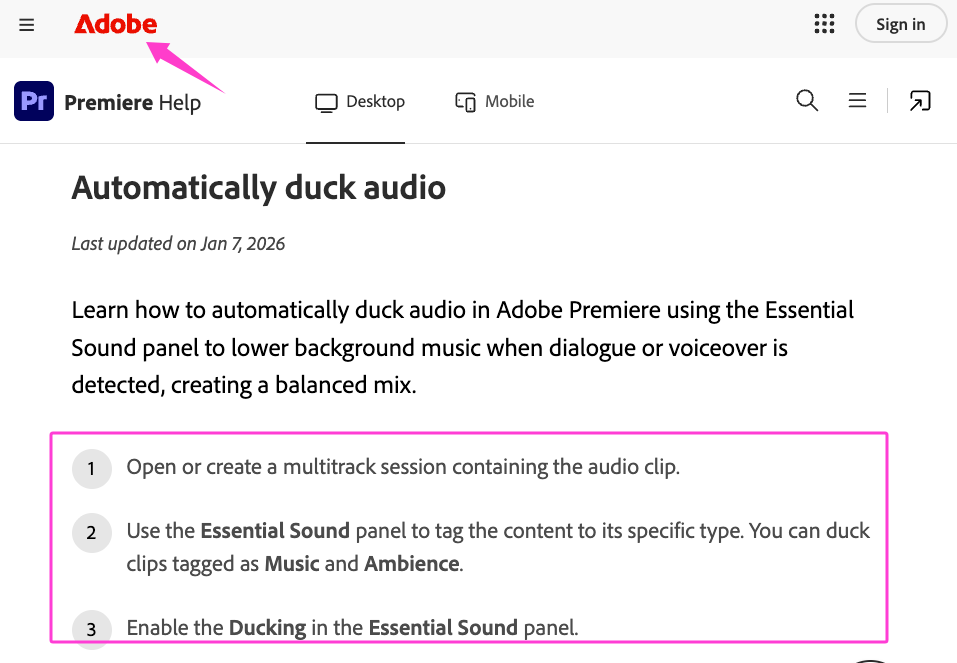
Quick practical version you can do today:
- Put transition sounds on their own audio track, never buried in the music track.
- As a starting point, try dipping the music by 3–6 dB right under the effect, with a fast recovery.
- Check it at low volume. If the whoosh still jumps out at low volume, it may be mixed too hot. If it disappears completely, it may be too quiet, poorly placed, or simply too subtle for that cut.
The goal is a transition you feel, not one that pokes a hole in your soundtrack.
Common mistakes that make transitions feel cheap
Most "cheap-sounding" edits share the same handful of problems, and they're all fixable:
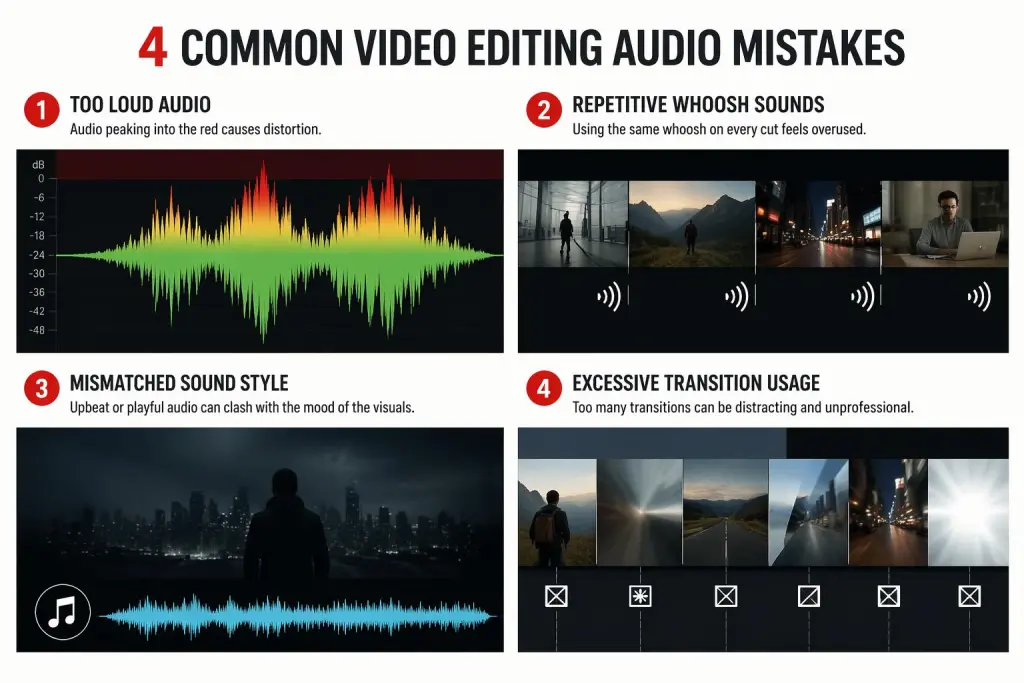
- Too loud. As a practical rule, a restrained transition often feels more polished than an overly loud one. If people notice the sound before the picture, it's too hot.
- One sound, everywhere. The same swoosh on all 40 cuts stops meaning anything by cut three.
- Tonal mismatch. A bright, plasticky whoosh under a moody, dark scene breaks the feel instantly.
- On every single cut. Not every cut is a moment. Save the sound for transitions that actually carry weight.
I didn't expect that last one to matter as much as it does. The edits that feel most polished usually use fewer transition sounds, not more.
When to use music transitions instead of sound effects
Sometimes the cleanest transition isn't an effect at all — it's the music doing the work.
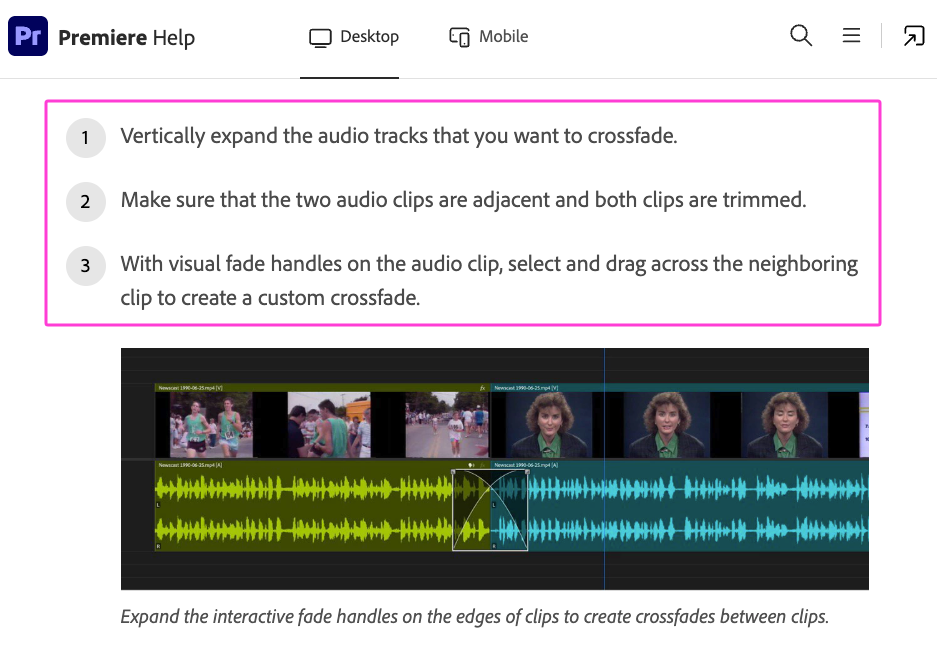
A well-placed score can carry the viewer across a scene change without a separate transition effect. When the audio itself changes abruptly, Adobe’s official guidance on audio crossfades explains how fades can create a smoother transition between adjacent clips. If your background music already swells or resolves right at the cut, a whoosh on top is redundant — sometimes worse. The best music transitions come from the track being built around your edit, not stapled on after.
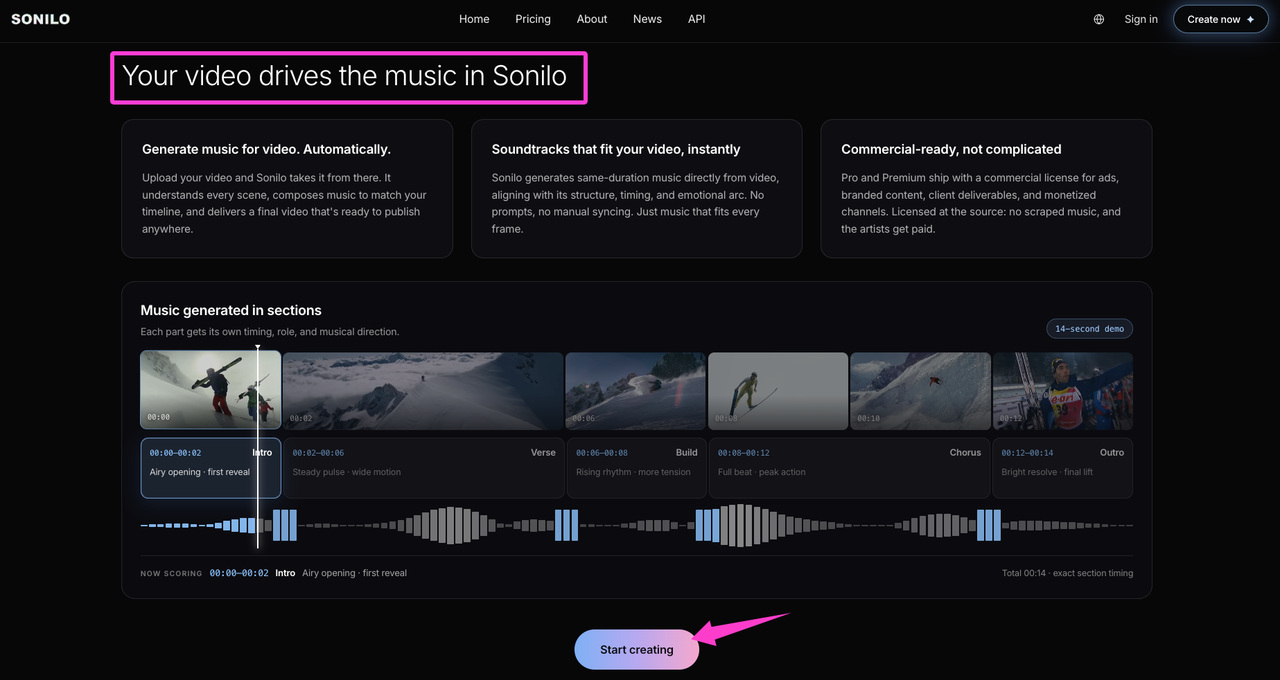
That's the case for scoring a video to the cut in the first place. According to Sonilo’s official product page, Sonilo is designed to generate a soundtrack that matches a video's timing, pacing, and emotion, which may reduce the need for separate transition effects. Results can vary by video, so review the generated track against the actual edit before publishing. Want to test the workflow on your own cut? Try Sonilo.
One quick note before you publish: check whether each downloaded sound effect or music license covers commercial and client work, paid advertising, attribution, platform use, and redistribution. YouTube warns that third-party “royalty-free” labels do not by themselves guarantee that music or sound effects are copyright-safe. For Sonilo, commercial use depends on the plan and remains subject to its current Terms of Service. Only upload video or audio that you have the necessary rights and permissions to use, and review the terms before uploading confidential client material.
FAQ
How loud should transition sounds be?
Quieter than you think. If you set the level at midnight in headphones, check it again the next day on speakers at a normal volume — it's almost always too loud the first time. A transition sound should support the cut, not announce it. When in doubt, pull it down a few dB.
Can transition sounds hurt viewer retention?
They can, in my experience, though I can't point you to hard numbers. Constant loud transitions get fatiguing fast, and fatigue is where people click away. A sound that's fighting your music or hitting on every cut works against the exact smoothness it's supposed to add. Restraint tends to help more than it hurts.
Should every cut have a transition sound?
No — and this is the one I'd change first if your edits feel busy. Most cuts should be silent handoffs. Reserve the sound for transitions that mark a real shift: a new scene, a reveal, an energy change. Everywhere else, let the picture cut clean.
Should transition sounds match the background music?
Ideally yes, at least in feel. A transition sound that clashes with the key or mood of your track reads as "tacked on." That's part of why building transitions into the music itself — rather than layering a separate effect — so often sounds more finished. Match the tone first, worry about the specific sound second.
So here's what I'd actually do with a new edit: match each transition sound to its cut type, duck it under the music, and delete half of them on the second pass. That's usually the difference between a transition effect sound that feels intentional and one that feels like filler.
Before you go — where does the transition part usually trip you up: picking the right sound, getting it to sit under the music, or knowing which cuts even need one?


