Guides
Add Audio Fade Out to Video Without Awkward Cuts
- Written by
- Sonilo Team
- Published
The music just stopped. Full volume, then nothing — right as my client's logo faded in. For a second I thought the file had crashed.
That was a 45-second brand clip I'd otherwise nailed, killed in the last half-second by a hard audio cut I hadn't planned for. I'm Nico, a video creator who spends way too much time obsessing over the tiny details that can make or break an edit. If you want to add audio fade out to video without that jarring drop, this is the part most tutorials skip: not the button, but where the fade starts, what shape it takes, and how it plays with everything else in your ending.
If you've ever watched a solid edit fall apart in its final two seconds, you already know the problem.
Why audio fade-out matters in video endings
Here's my honest read: the ending is where cheap edits give themselves away. A hard stop on your background music reads as a mistake even when everything before it was clean.
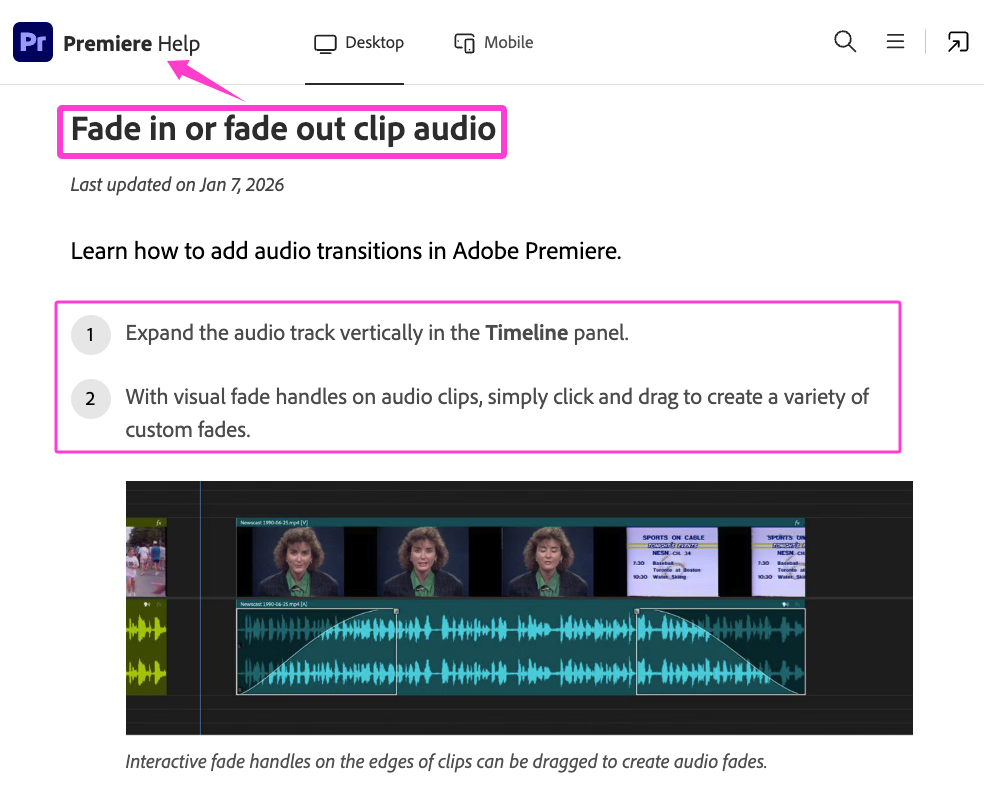
A fade can fix that when a hard stop is not intentional by gradually lowering the audio toward the end of the clip. Adobe’s official Premiere guide shows how fade handles can be used to adjust the start point, duration, and curve. For a Premiere-specific choice between transitions and volume keyframes, use the Premiere music fade-out guide.
The viewer won't consciously notice a good fade. They'll only notice a bad cut. That asymmetry is the whole reason this step matters.
Where fade-out should start in different edits
The single most common fade mistake isn't the shape — it's starting too late.
If the fade begins too late, the level may fall too abruptly, or the final frame may cut the fade off before it reaches its target. My rule is to work backward from the last frame: decide where the music should reach silence, then build the fade toward that point.
Where it starts depends on the kind of edit.
Short social videos
For fast social edits, a 1–2 second fade can be a useful starting point, but it is not a fixed rule. Time the end of the fade to the final visual beat, and check that any remaining silence feels intentional rather than accidental.
Talking-head videos
Here the music is usually already low under the voice. Start the fade under the closing line so the track is nearly gone by the time the speaker finishes. The last word and the last of the music should land close together.
Product and brand clips
Time the fade to resolve on the logo or end card, not before it. And that's where it gets complicated — you often want the music to settle into a held note as the card appears, not vanish, so the ending feels composed rather than switched off.
How to choose a natural fade shape
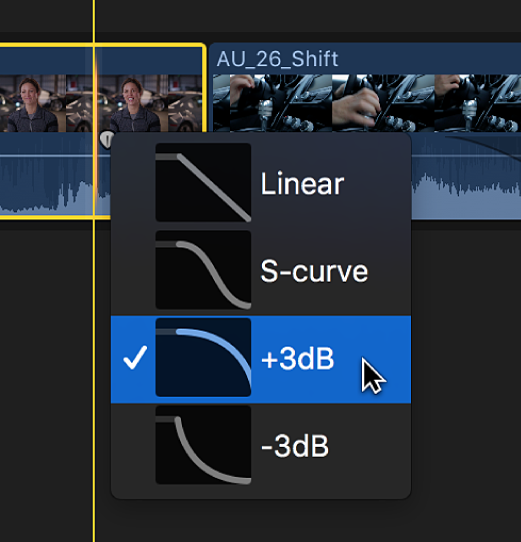
A fade has a shape, and different editing applications use different names for those shapes. Apple’s Final Cut Pro guide notes that changing the fade shape changes how it sounds and offers linear, S-curve, +3 dB, and −3 dB options.
For a single music outro, compare a linear fade with one or more curved options and judge them against the actual ending. For a crossfade between two tracks, an equal-power or constant-power shape can be a useful starting point because it may reduce an audible dip at the midpoint.
Quick practical version:
- Music outro: Compare linear and curved fades against the picture.
- Blending two tracks: Start with an equal-power or constant-power crossfade.
- When in doubt: Audition the ending at normal playback volume instead of relying on the curve’s name.
How fade-out works with voice, ambience, and end cards
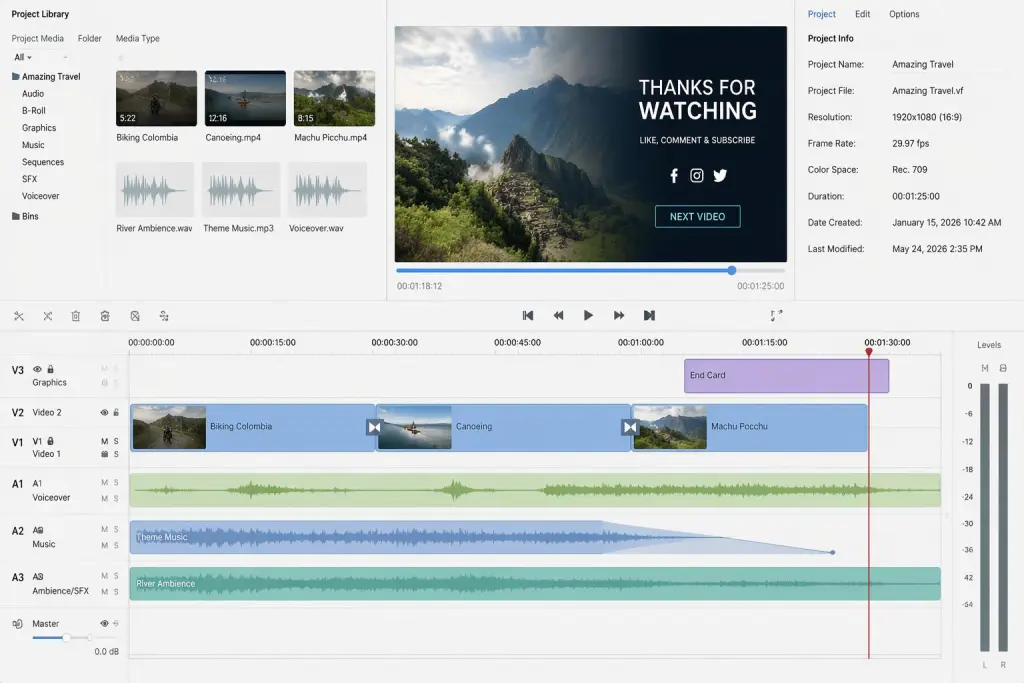
A fade-out almost never happens in isolation. There's usually a voice, some ambience, or an end card sharing the ending.
Under a voiceover, adjust the fade so the closing words remain clear. A short 1–2 second fade can be a starting point, but the right duration depends on the speech, music density, and pace of the ending. When the ending needs a social reaction rather than a simple fade, use the applause sound effect design guide.
Ambience is different. Room tone or a soft wind bed can linger a beat past the music, which keeps the scene alive instead of snapping to silence. And if there's an end card, let the music resolve as the card holds — the fade and the visual should breathe together.
This is also where matching the soundtrack to the cut can help. According to Sonilo’s current product page, it generates same-duration music designed to follow a video’s timing, pacing, and emotion. That may reduce manual trimming, but matching the file length does not guarantee an automatic fade or a naturally resolved final note. Review the ending against the actual cut before exporting.

Want to test the result on your own video? Try Sonilo.
Mistakes that make audio endings feel abrupt
Most abrupt endings come from the same short list:
- Fade too short. A fade under one second can sound abrupt on some music, especially slow or sustained material. Treat the duration as something to audition, not a universal threshold.
- Fade starts too late. The classic hard-cut-in-disguise. Start earlier than feels necessary.
- Music vanishes too early. Leaves a silent gap before the last frame — that vacuum feels like a bug.
- Using the default curve without listening. A technically correct fade can still feel wrong against the music and picture.
- Never listening cold. Your ear adapts during editing. Play the last three seconds fresh, ideally on speakers, before you call it done.
That last one is the actual test. If the ending still feels clean when you come back to it an hour later, you're good.
FAQ
How long should a music fade-out be?
For most videos, somewhere in the 2–5 second range, with music outros often sitting at 3–5 seconds and music under a voice closer to 1–2. Tempo and mood shift it — an ambient track can take a long, slow fade, while a punchy clip wants something short. The real answer is whatever sounds smooth when you listen to it cold.
Is fade-out better than cutting on the beat?
Neither wins by default. A clean cut landing on a strong final beat can feel punchy and deliberate, especially in rhythmic or upbeat edits. A fade suits endings that need to settle — emotional, ambient, or narrative closes. If your track has a definite hit at the end, cutting on it can beat a fade. If it just trails off, fade it.
Can AI-generated music avoid manual fade-outs?
Sometimes. Matching the soundtrack’s duration to the video can remove the need for a hard trim, but it does not guarantee an automatic fade or a musically resolved ending. Sonilo’s current product page promises same-duration music, not that every output will end with the exact fade or cadence your edit needs. Check the final seconds before relying on it.
What should I check before reusing the same outro music?
Before reusing a track, check whether its license covers reuse across multiple videos, separate client projects, paid advertising, monetized platforms, and any required attribution. For Sonilo, commercial use depends on the applicable plan and remains subject to its current Terms of Service. Only upload footage, audio, and client assets that you have permission to use.
If the soundtrack is AI-generated and the video will be published on YouTube, review YouTube’s current AI disclosure guidance, which specifically includes AI-generated music.
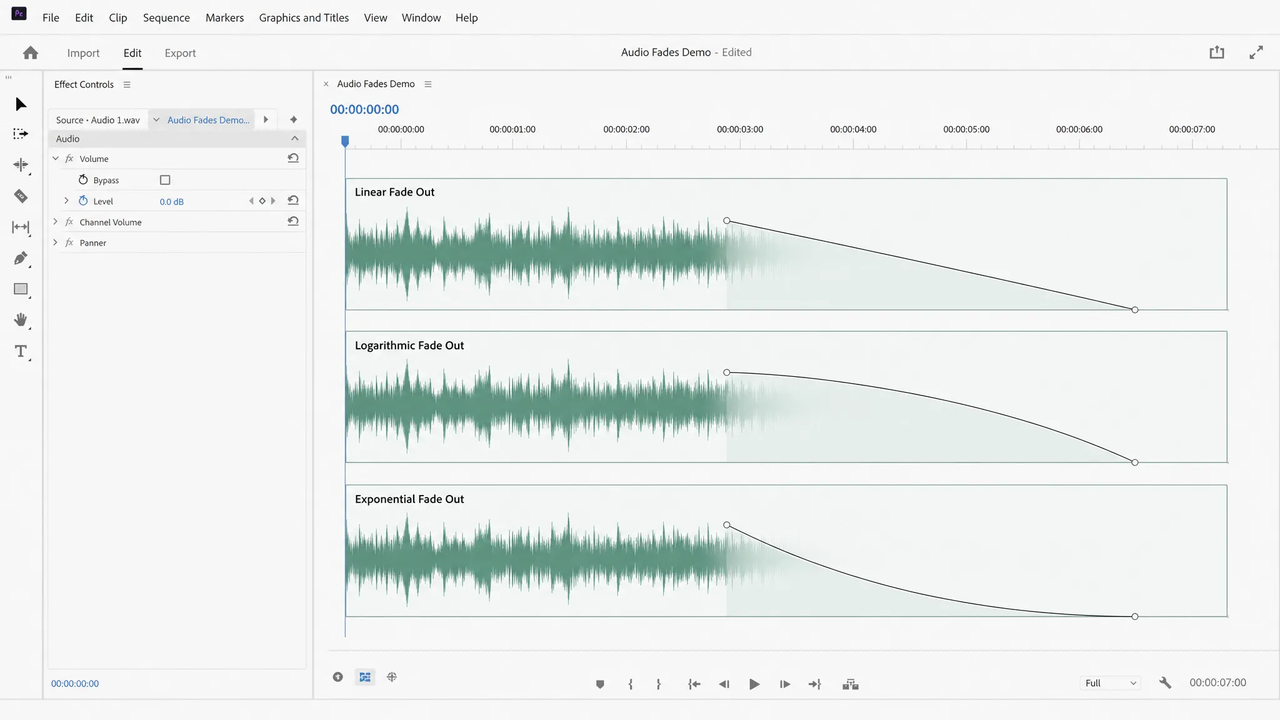
So next time you add audio fade out to video, work backward from the last frame: pick where the fade starts, use a logarithmic or exponential shape for music, and listen to the final three seconds cold before you export. That's usually the whole fix.
Before you go — where does the ending trip you up most: timing the fade, picking the shape, or getting the music to land with your last visual?


