Guides
ViiTorVoice and AI Audio Workflows for Video
- Written by
- Sonilo Team
- Published
Most teams still talk about “AI audio for video” as if it were one job. It is not.
That is where the workflow gets messy. ViiTorVoice belongs in the speech conversation: voice identity, narration, AI voice cloning, AI dubbing, TTS, and ViiTorVoice-NAR when teams are evaluating speech-side AI audio features. A video soundtrack tool belongs somewhere else. It deals with emotion, pacing, duration, and how music sits under the edit.
The useful point is bigger than any single tool: AI audio for video is splitting into layers, and teams need to plan those layers before they publish.
Why AI audio for video is splitting into layers
A finished video does not have one “audio” problem. It has several.
There is speech, which carries meaning. There is music, which shapes pace and emotion. There may be sound design, which adds texture or realism. Then there is the final mix, where all of those choices either work together or compete for attention.
That is why one AI tool rarely owns the whole process. A speech tool can help with narration, translated voiceover, or cloned voice workflows. A soundtrack tool can help create music that matches the video length and mood. A review step checks rights, disclosure, mix balance, and platform rules.
The split matters because each layer has a different risk profile. A cloned voice can raise consent, likeness, impersonation, and approval questions. A music layer raises license, disclosure, similarity, and platform policy questions.
Same timeline. Different review.
The speech layer: voice identity, dubbing, and narration
The speech layer is where ViiTorVoice fits best as a category example.
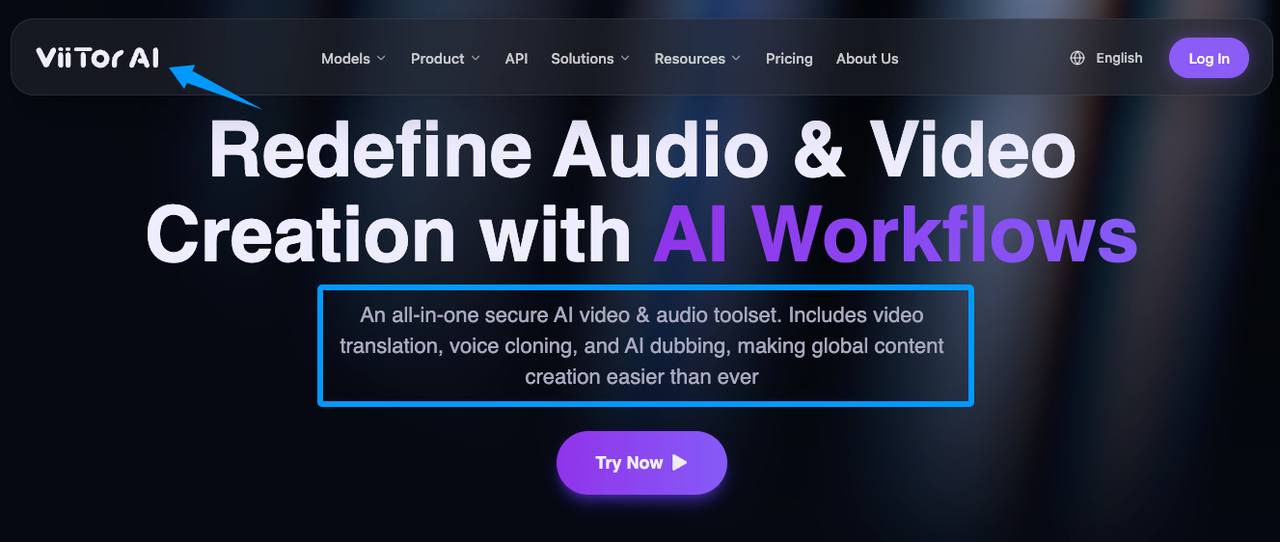
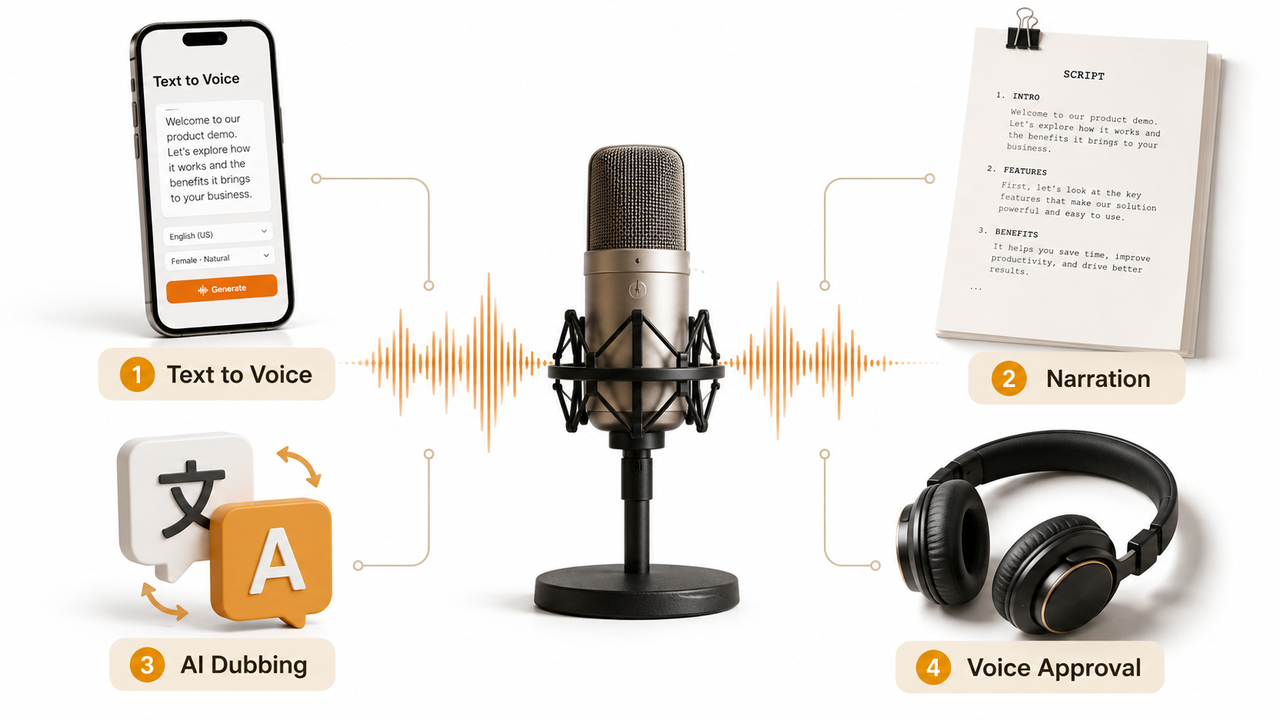
It can sit in the same conversation as voice identity, narration, AI voice cloning, AI dubbing, and TTS. But that does not make any voice workflow automatically safe, approved, or compliant. The tool may generate speech, but the team still has to answer a harder production question: whose voice is this, who approved it, where will it appear, and what records support that approval?
Speech-layer work usually includes:
- narration from text
- AI dubbing into another language
- TTS for explainer videos or product demos
- cloned voices for approved voiceover reuse
- voice identity management across a campaign
On YouTube, creators may need to disclose realistic AI-generated or meaningfully altered content. YouTube’s GenAI disclosure guidance says disclosure is required when AI makes a real person appear to say or do something they did not do. The same page also treats some own-voice cloning for voiceovers or dubs differently from realistic AI content that could mislead viewers.
That nuance matters. Cloning your own voice for a straightforward voiceover is not the same risk as making another real person appear to say something they never said.
The music layer: emotion, pacing, and duration
The music layer solves a different problem.
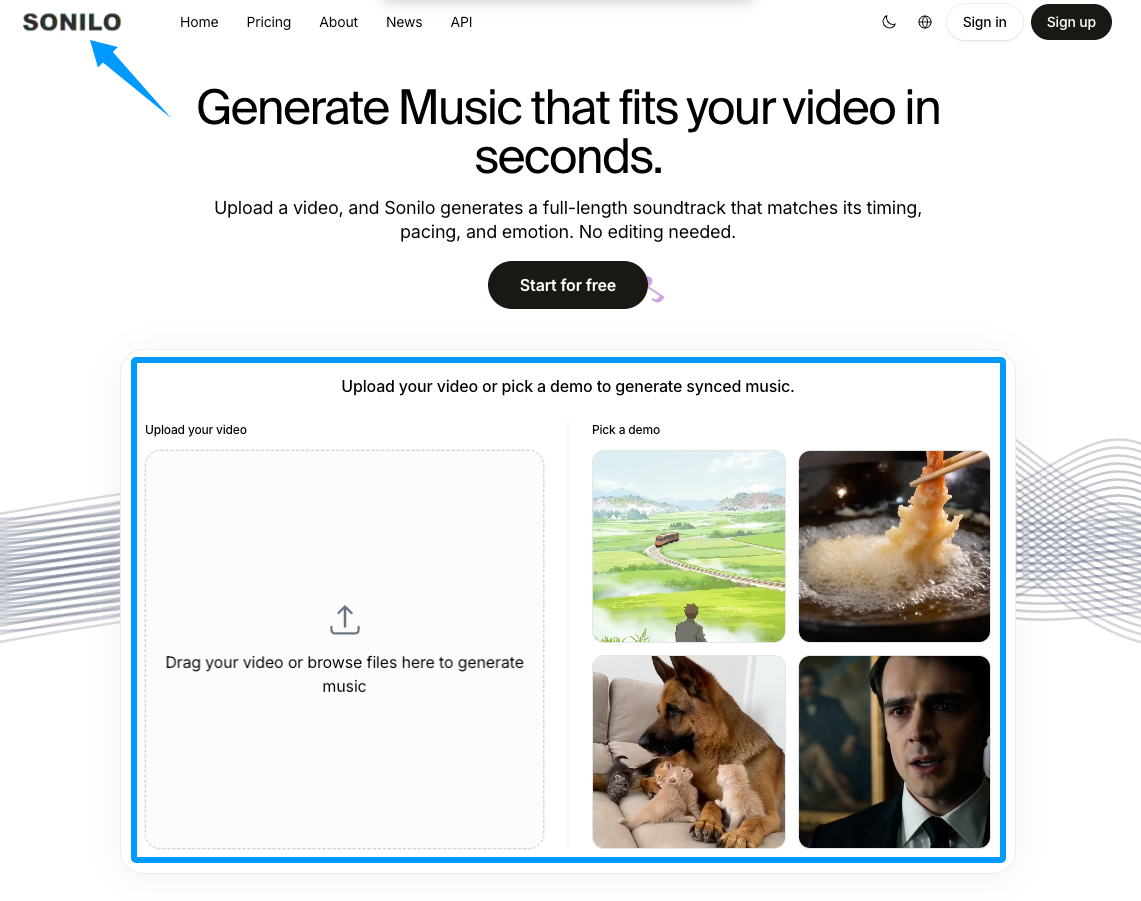
Sonilo belongs in the video-to-music soundtrack layer. Sonilo’s homepage describes a workflow where users upload a video and generate a soundtrack output intended to match timing, pacing, and emotion. That is music workflow language, not speech workflow language.
This distinction matters because the tools solve different production problems. Sonilo belongs in the soundtrack layer, not the speech layer. It should not be treated as a voice cloning, AI dubbing, or TTS tool.
A Sonilo-style workflow looks like this: upload a video, generate a soundtrack output, review the result, then place that separate editing layer under dialogue, narration, or on-screen sound.
A separate soundtrack layer can be useful because music often needs to live under speech. If the voice layer is dense, the music layer may need less energy. If a product demo has no narration, the soundtrack can carry more emotional weight.
Different layer. Different job.
Sonilo’s Terms of Service say commercial use is plan-specific: Free outputs are non-commercial, Pro outputs may be used commercially subject to the Terms, and Enterprise rights depend on the applicable agreement. The Terms also state that users remain responsible for rights, permissions, approvals, output review, and legal compliance.
So the practical assumption is simple: review the current Sonilo terms, the source materials, the output, and the publishing platform rules before relying on the track.
Why different audio layers often need different tools
The best tool for one layer can be the wrong tool for another.
A voice cloning workflow cares about consent, speaker similarity, pronunciation, emotional delivery, script control, and approval records. A dubbing workflow cares about translation, timing, voice fit, and whether the new version still feels faithful to the original speaker.
A soundtrack workflow cares about beat, energy, scene changes, length, and whether the music leaves room for speech.
Put those into one bucket and the production review becomes messy. Teams start asking a music tool to solve voice risk. Or they ask a TTS tool to make the whole video feel finished. That is where avoidable mistakes happen.
A cleaner video audio workflow treats each layer as its own decision.
How teams can plan a layered video audio workflow
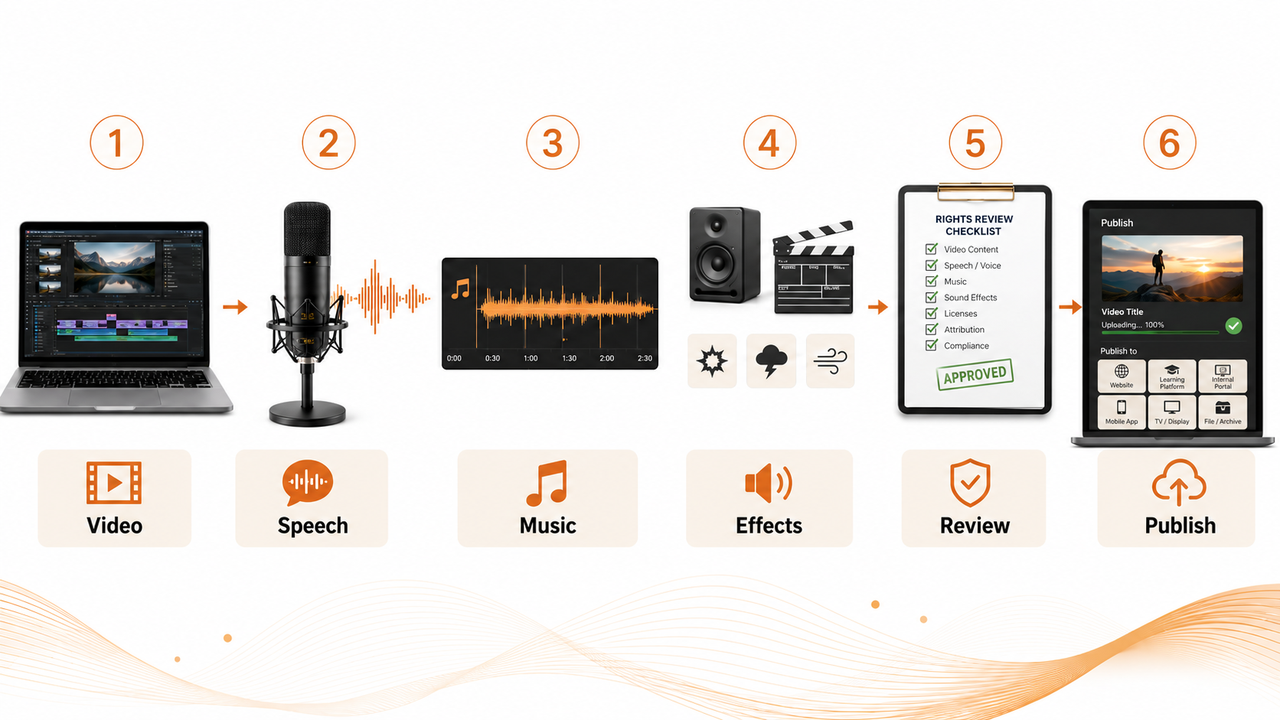
Start with the timeline, not the tool list.
Before choosing ViiTorVoice, Sonilo, or any other AI audio product, mark the video by layer: speech, music, effects, final mix, rights review, and platform review. That map tells the team where each tool belongs.
Decide what belongs to speech
Put anything carrying words or identity into the speech layer.
That includes narration, translated voiceover, AI dubbing, TTS, and cloned voice output. For cloned voices, teams should keep approval records: who owns or controls the voice, what they approved, which script was used, where the output will be published, and whether the approval covers paid ads, organic posts, client work, or internal use.
These records are production hygiene, not proof that a use is legally cleared.
If those records are missing, the workflow is too risky to treat as routine.
Add music as an independent soundtrack layer
Treat music as its own editing layer, even when the final video feels seamless.
In practice, a Sonilo-style workflow looks like this: upload a video, generate music intended to follow duration, pacing, and emotion, then review the output as a soundtrack layer. The benefit is practical. You can lower it under narration, cut it around a product moment, replace it if the mood feels wrong, or export a version without voice.
That one detail changes how teams plan the whole thing.
Review mix, rights, and platform rules before publishing
The final review should not be a vibe check.
Review the mix: can viewers understand the speech clearly? Review rights: do you have permissions for voices, input video, soundtrack output, and any client assets? Review platform rules: does the upload need an AI disclosure, attribution, or extra documentation?
YouTube’s license guidance is a useful reminder that a license gives permission to use content, and different licenses carry different rules. YouTube also says it cannot grant users rights to someone else’s content.
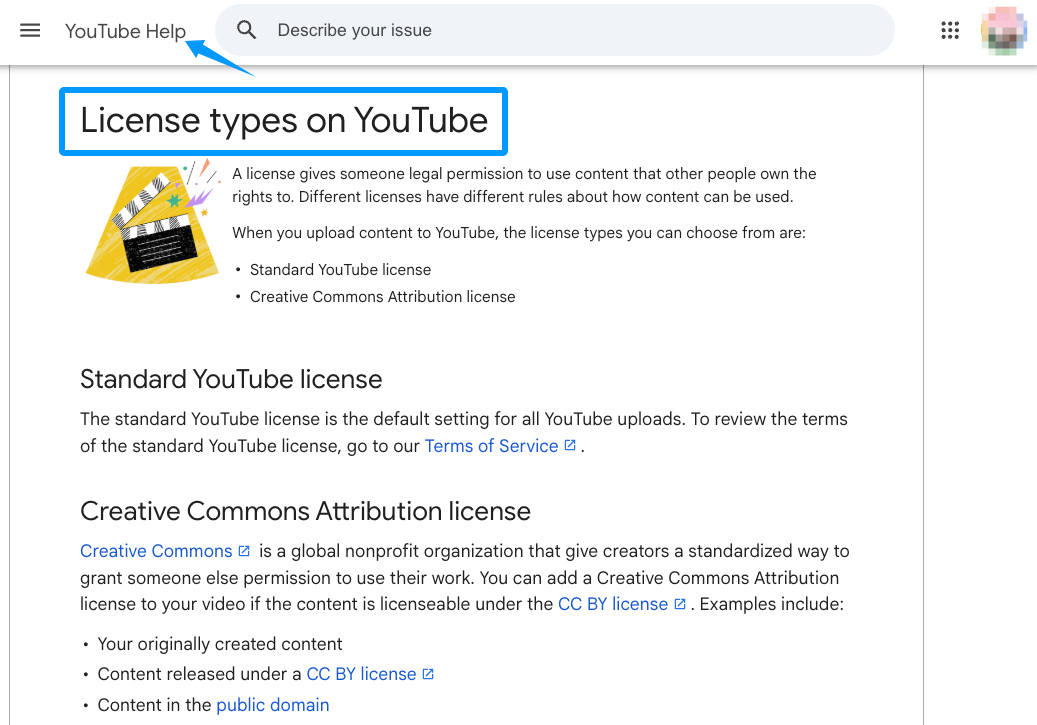
That is information for workflow planning, not legal advice.
Where Teams Should Be Careful
Teams should not treat ViiTorVoice, or any speech-side AI tool, as automatically safe, compliant, or approved for every cloned voice use case. Voice workflows still need consent checks, script approval, publishing context review, and platform policy review.
Teams should also avoid putting Sonilo in the wrong category. Sonilo belongs in the video-to-music soundtrack layer. It is not a voice cloning, dubbing, or TTS tool.
The same caution applies to music rights. Do not assume a generated soundtrack is “copyright-free,” “exclusive,” or “no-risk.” A stronger planning assumption is that commercial use depends on the user’s plan, the applicable terms, the input materials, the output review, and the publishing platform’s rules.
One AI tool does not replace the whole audio review process. A stronger workflow separates the work into speech, soundtrack, mix, and release review.
FAQ
Q: What records should teams save before publication?
Save current product pages, terms pages, disclosure policies, consent records, and any tool-specific usage pages that affect the release. For this workflow, that means ViiTorVoice official materials, Sonilo’s homepage and terms, and the platform policy pages for the intended upload destination. Do not rely on old screenshots or third-party summaries when the claim affects rights, disclosure, or commercial use.
Q: What approval records should teams keep for cloned voices?
Keep written consent, script approval, voice owner identity, approved use cases, publishing channels, campaign dates, and any restrictions. If the voice will appear in ads, client work, translated dubbing, or public social posts, approval should cover those contexts clearly. These records reduce workflow risk, but they are not a substitute for legal review.
Q: When is a cloned voice workflow too risky to use?
It is too risky when the team cannot prove consent, cannot explain where the voice came from, cannot confirm the approved script, or plans to imitate a real person in a way viewers may misunderstand. If the workflow depends on “no one will notice,” it should not move forward.
Q: Which policy pages should be rechecked before release?
Recheck the upload platform’s GenAI disclosure, privacy, impersonation, copyright, monetization, and ad policy pages. For YouTube, start with GenAI disclosure guidance and copyright/license guidance, then check the current privacy and impersonation pages before release. For Sonilo outputs, recheck Sonilo’s current Terms of Service before public or commercial use.
A layered workflow will not remove every rights or policy question. But it does make the questions visible before the video is already scheduled.
The real test is not whether AI audio sounds impressive. It is whether each layer can survive review when the team is ready to publish.
If the music layer is the part slowing the edit down, Sonilo is worth evaluating as a video-to-music soundtrack step rather than as a speech tool. Keep ViiTorVoice-style speech workflows and Sonilo-style soundtrack workflows separate, then mix them only after each layer has passed its own review.


