Guides
Video Soundtrack Generator: Fit Music to Your Cut
- Written by
- Sonilo Team
- Published
One thing I wish someone had told me earlier: the tool category isn't the decision. The workflow is.
I'm Nico, and I compared three ways to get music onto a finished cut: searching a library, using prompt-guided generation, and uploading the video itself. Each workflow removed some work and introduced a different tradeoff.
Below: what actually separates a useful video soundtrack generator from a music toy, the fit checklist I run before trusting any output, and the red flags that tell you to stop evaluating.
Quick verdict: what makes a soundtrack generator useful
Let me be straight about this — "generates music" is table stakes. Every tool in the category does that. It tells you nothing about whether the tool belongs in your timeline.
Three things separate useful from decorative:
| Property | Why it matters to the workflow |
|---|---|
| Conditioned on the video | Lets the clip provide part of the creative direction. |
| Duration matches the cut | May reduce trimming and looping; check the ending. |
| Audio-only export available | Lets you mix the track separately in your NLE. |
Miss any one and you've moved the work rather than removed it.
A tool that returns only a scored video rather than a separate audio file limits how much control you have over the final mix.
Video soundtrack generator vs stock library vs text-to-music
Three workflows, three different bottlenecks.
Stock library. You search. The catalogue is finite, curated, and someone else's. YouTube's own Audio Library lets you filter by genre, mood, artist, and duration — and states plainly that only music from that library is known to YouTube to be copyright-safe, with the platform taking no responsibility for "royalty-free" tracks sourced elsewhere.
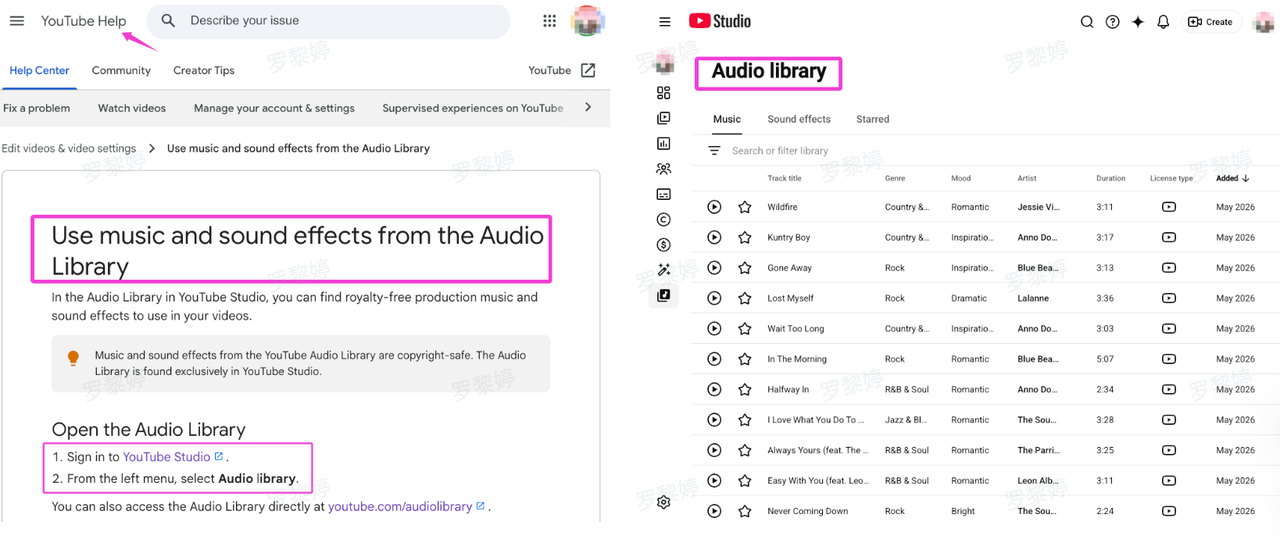
Read that sentence twice. It's the most useful thing on the page.
Prompt-guided generation. You describe the result, although some tools can also use an uploaded video to help build that description. According to Adobe’s current Generate Soundtrack documentation, Firefly can suggest a customizable prompt from an uploaded video or start from a prompt created from scratch. It currently generates four variations that can be downloaded as WAV files.
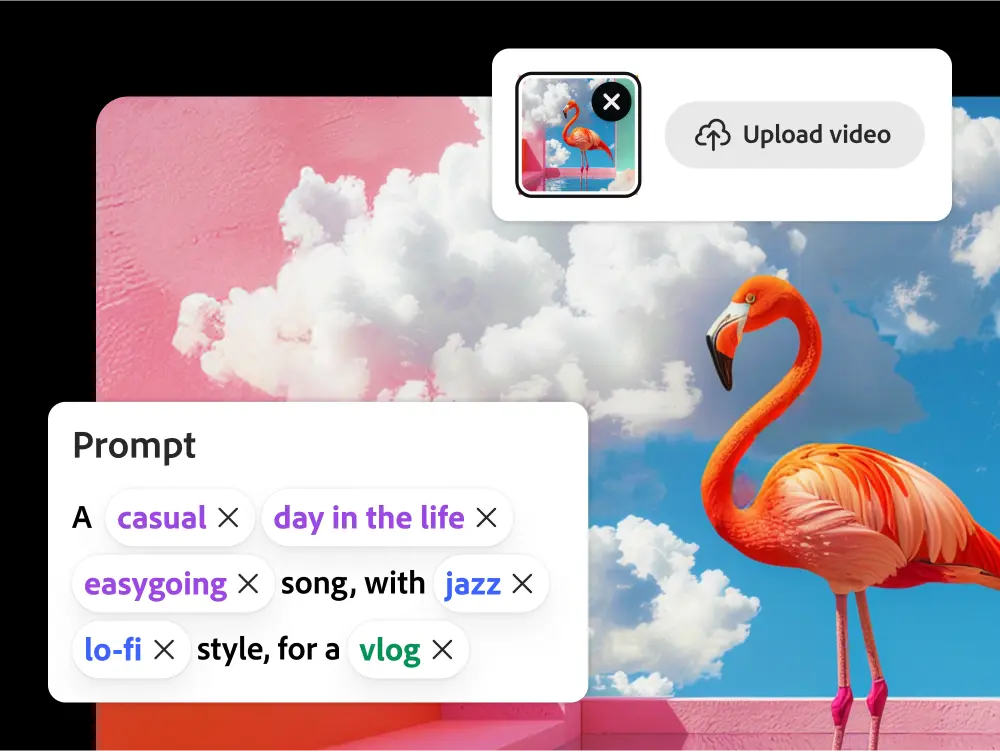
That places Adobe between the text-first and video-first categories: the video may inform the prompt, but the creator still reviews and adjusts the creative description and duration.
Video-first generation. You upload. The cut is the input.
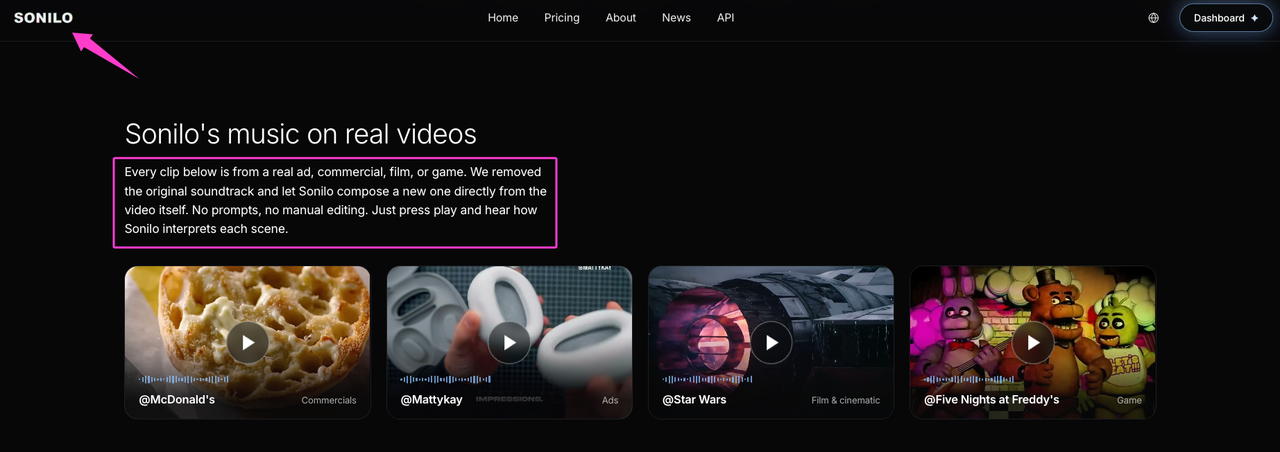
According to Sonilo’s current product page, its video-to-music workflow uses the uploaded video as input and generates same-duration music designed to match its structure, timing, pacing, and emotion. This describes Sonilo’s official product positioning rather than an independent performance assessment.
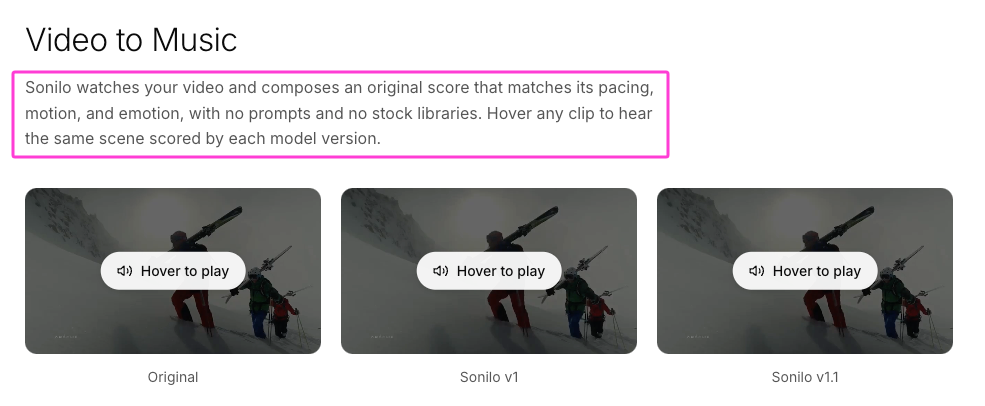
Which workflow is preferable depends on the project. Searching takes time, prompting requires creative description, and video-first generation may offer fewer direct controls depending on the product.
Fit checklist before you trust the result
Exact length and clean ending
Play the last three seconds alone. Does the music resolve on your final frame, or half a beat past it?
A track that runs long means a fade. A track that runs short means a loop. I've written elsewhere about engineering fade-outs to hide a length mismatch — it works, and it's a tax you shouldn't be paying in 2026.
Scene mood and pacing
Mood is the half most tools get right. Pacing is the half that decides whether the cut breathes.
Google DeepMind’s video-to-audio research demonstrates a system in which visual input can condition audio generation and a text prompt is optional. Its research system also produces audio aligned with the video without a separate manual alignment step.
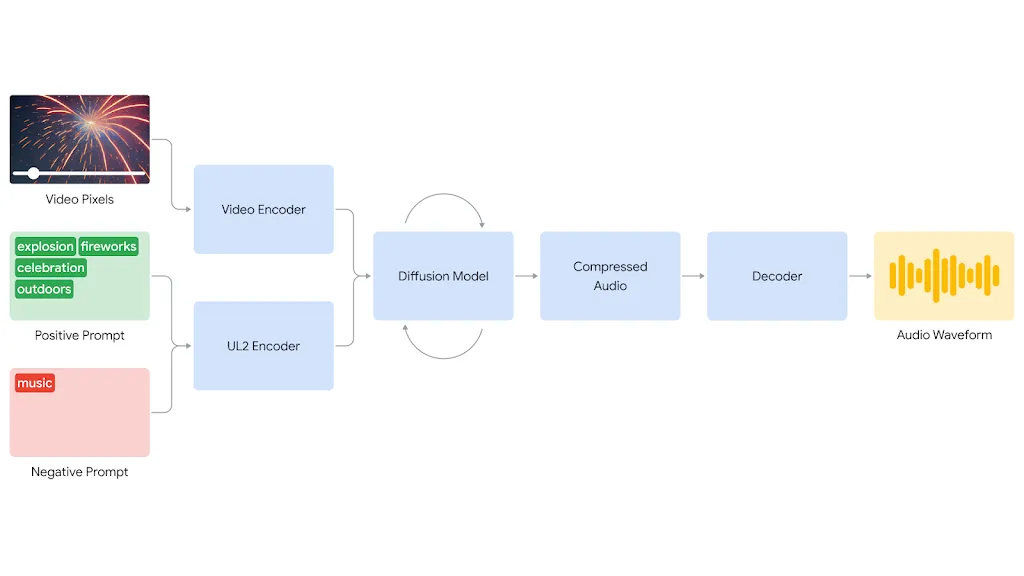
That material describes a specific research system, not every commercial soundtrack product. Individual tools may analyze different information and provide different levels of timing control.
Test it this way: watch muted, then watch scored. If your eyes leave the picture during the scored pass, the pacing is fighting you.
Space for voice, captions, and sound effects
Music that sounds good alone can still bury dialogue on a phone speaker. The EBU R 128 recommendation is a broadcast reference built around −23 LUFS programme loudness and a −1 dBTP maximum true-peak level for linear production audio. Its short-form supplement covers items up to approximately two minutes and typically shorter than 30 seconds, rather than specifically content under 60 seconds.
A Reel does not automatically need to follow a broadcast target. What matters here is leaving enough level and frequency space for dialogue and sound effects.
Test with one real clip before choosing a workflow
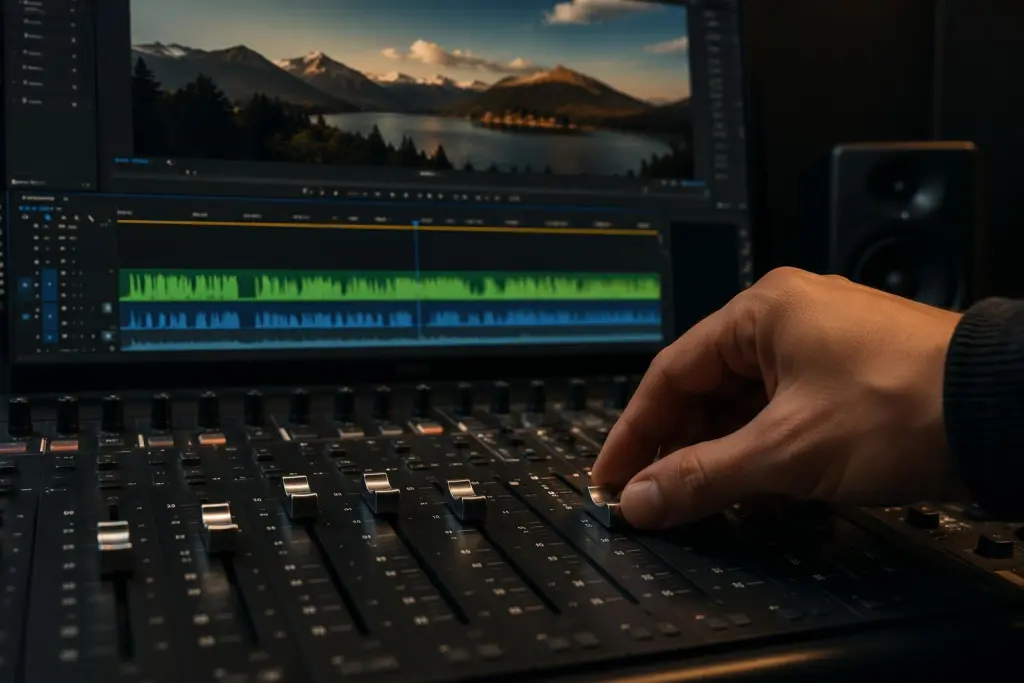
Don't test with a demo reel. Test with something you actually have to publish.
- Pick a cut you already scored the hard way. You know what "right" sounds like for it.
- Lock picture. Music conditioned on a moving edit is music conditioned on nothing.
- Run it through the tool once. First result, no retries.
- Watch from frame one, full length, at real volume. No scrubbing.
- Check the three anchors: first cut, emotional turn, final frame.
- Compare against your original score. Not against your taste in music.
A useful practical question is whether the result reduces the time you would otherwise spend searching, trimming, and revising. Test that with one real project rather than relying on a product demo.
To see Sonilo’s current video-first workflow, review the examples on its official product page before choosing it for a project.
Red flags: generic music, unclear rights, weak export controls
Generic music. If clips with clearly different pacing or energy produce interchangeable results, the outputs may not be differentiated enough for your project. That result alone does not reveal whether the underlying system uses retrieval, generation, or a combination of methods.
Weak export controls. According to Sonilo’s current product page, its Pro and Premium plans include full-quality audio and video exports. The public page does not currently identify the exact audio format or state that stems are included, so verify WAV, stems, and other required formats before subscribing.
Unclear rights. YouTube’s Content ID automatically compares uploads with reference files supplied by participating copyright owners. A match can generate a claim even when an uploader believes the music is licensed, although the license and proof of purchase may be relevant when resolving or disputing that claim.
Before uploading a video, make sure you have the necessary rights and permissions for every video, recording, client asset, likeness, and other input. For Sonilo, commercial use depends on the applicable plan and remains subject to its current Terms of Service. Those terms also warn that outputs may not be unique or copyright-protectable in every jurisdiction.
Review the Privacy Policy before uploading confidential or unreleased footage. YouTube’s current AI disclosure guidance also specifically lists AI-generated music as content creators need to disclose.
FAQ
Is this different from an AI music generator?
The categories overlap. A video soundtrack generator is an AI music generator designed around audiovisual fit, but some general music tools can also accept video or derive prompts from it. Compare the actual inputs, timing controls, export formats, and licensing terms instead of relying only on the category name.
Can it work for very short videos?
Short clips are where fit matters most, because there's no room to recover from a bad first four seconds. Length matching stops being a convenience and becomes the entire feature.
When should I use stock music instead?
When a client approved a specific track. When you need a recognizable cue. When your project lives in a licensing chain that already exists and nobody wants to renegotiate it. Familiarity is a real value, and generation doesn't offer it.
What should I prepare before testing one?
A locked export. One sentence of intent you could say out loud. A previously scored version of the same cut as your control. Ten minutes to review with real speakers, not laptop ones.
I ran the same three workflows across six weeks and only one of them ended the search on the first pass. You can take the six-step test above straight into your next project — it costs one clip and about fifteen minutes.
One question before you go: when you're evaluating a soundtrack tool, what actually makes you close the tab — bad music, or good music that doesn't fit your cut?


