Inspiration
Graduation Video Music Ideas: How to Pick by Mood
- Written by
- Sonilo Team
- Published
I spent forty minutes on a stock library last spring trying to find music for a friend’s graduation reel. Not because there wasn’t enough music — there was too much. I kept opening tracks, listening to ten seconds, closing them, opening another. Everything sounded vaguely right and nothing sounded like it.
That experience is what this piece is actually about. Not a playlist. A way of thinking through the choice before you start searching — so you spend less time lost in a library and more time finishing the thing.
Why Mood Matters More Than Song Popularity
Here’s the thing nobody mentions when you search for graduation video music ideas: popularity has almost nothing to do with fit.
A track can be genuinely beautiful and completely wrong for your edit. And when music and visuals are slightly off — even if neither is bad on its own — viewers feel it without knowing why. The video just doesn’t land the way it should.
What actually determines whether a track works is emotional alignment. Does the music feel like it’s coming from the same place as the footage? Does it breathe at the same pace your cuts do?
That’s a different question than “is this a good song.” And it’s worth asking it first.
Four Common Moods for Graduation Videos
Before you search anything, name the feeling. Graduation footage isn’t one thing — it’s at least four, and they each point toward completely different audio characteristics.
Nostalgic
This is the montage of childhood photos, the throwbacks, the “look how far we’ve come” sequence. The music here should feel like looking back through something slightly blurred — not sad, but soft.
What that sounds like: slower tempos (around 60–80 BPM), acoustic instruments like piano or guitar, minimal percussion, and a lot of space in the arrangement. Strings work here if they’re understated. You want warmth without weight — the music shouldn’t make anyone cry, but it should make them feel the time passing.
Pair this with: photo montages, childhood footage, slow zooms on faces.
Uplifting

This is the energy of caps being thrown, of hugging friends in parking lots, of finally being done. It’s celebratory without being aggressive.
What that sounds like: medium-to-fast tempo (100–120 BPM), bright synths or acoustic guitar strumming, rhythmic but not heavy. Think “momentum building” rather than “party.” The track should feel like it’s pulling you forward.
Pair this with: ceremony b-roll, crowd shots, candid laughter footage.
Triumphant
Different from uplifting — this is earned. This is the feeling of having actually done something hard. It tends to show up in videos that document not just the day but the journey: late nights, sports seasons, performances, thesis defenses.
What that sounds like: fuller instrumentation, brass or orchestral elements, a clear build toward a peak, strong rhythmic pulse. The dynamic range matters — you want the music to arrive somewhere, not just sustain. If you want to understand why certain tempos hit differently in emotional contexts, this breakdown of how tempo shapes the emotional feel of a scene is worth two minutes of your time.
Pair this with: montages of effort, athletic or performance highlights, graduation speech moments.
Reflective
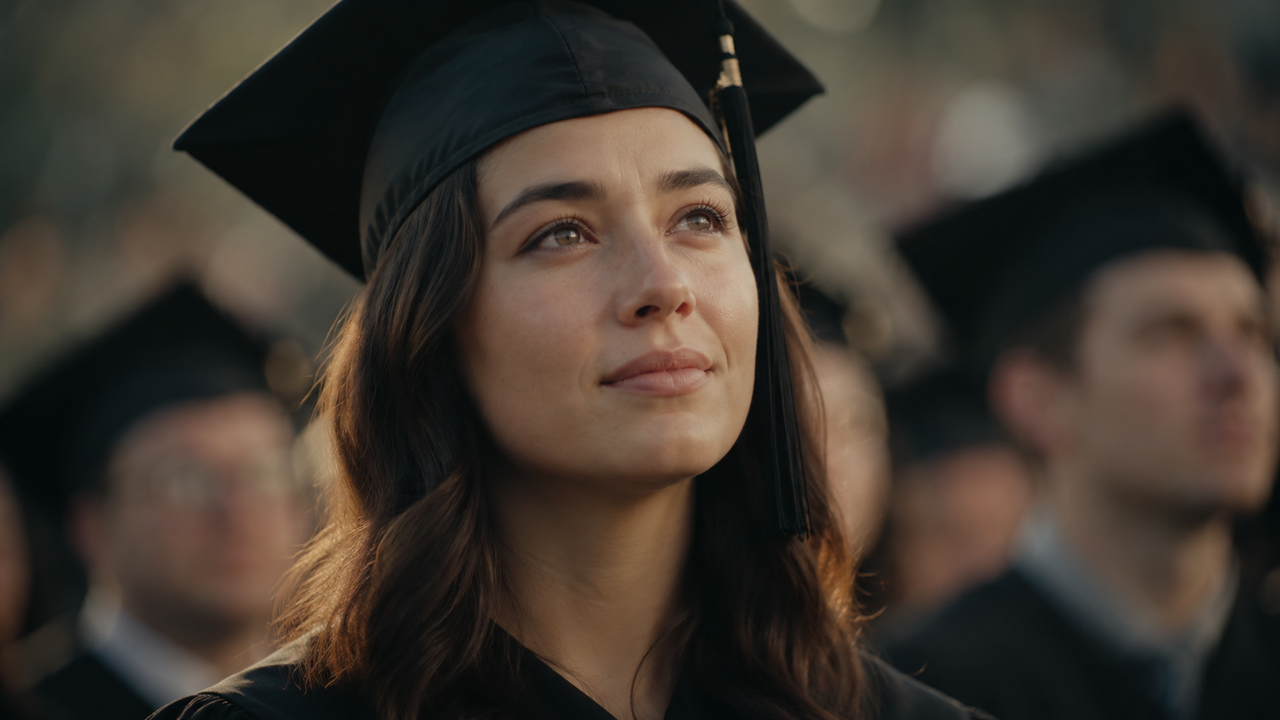
Quieter than nostalgic, more interior. This is the solo walk across the stage, the lingering shot on someone’s expression, the moment before the turn of the tassel. It doesn’t need to resolve into something big.
What that sounds like: very minimal arrangement, often a single instrument or a sparse ambient bed, slow or no defined tempo. The music should leave room for the image to breathe.
Pair this with: close-up portrait footage, slow-motion single moments, the quiet parts between the big ones.
How to Match Music to Your Video’s Pacing
Once you’ve named the mood, the next thing to listen for is how music pacing affects your video’s emotional rhythm — specifically, whether the music’s internal rhythm matches how fast your cuts are moving.
Here’s a practical way to test this: watch your edit on mute and tap the rhythm of your own cuts. How quickly are you tapping? Now play a candidate track with your eyes closed and tap along. If the two rhythms feel like they’re in the same neighborhood, you’re close. If one feels like it’s sprinting while the other is walking, the track isn’t right — even if you love it.
A few things that trip people up here:
- High-energy footage with slow music: creates an odd drag, like something’s being held back
- Quiet ceremony moments with urgent music: makes the viewer feel anxious rather than moved
- Percussion-heavy tracks under talking-head footage: the beat fights the speech rhythm
You don’t need a technical match — you need an emotional one. But pacing is often where that mismatch shows up most clearly.
How to Match Music Length to Your Edit
This is the part of graduation video music ideas that most guides skip. And it’s where a lot of time gets wasted.
If your edit is 2:45 and the track you love is 3:58, you have a decision to make before you commit to it:
- Can you cut the track cleanly at a natural break point?
- Is there a version or edit of the track that’s shorter?
- Are you willing to extend your edit to fill the track?
None of these is wrong, but you need to answer the question before you’ve finished editing to that music — otherwise you’ll find yourself trimming audio in ways that feel awkward, or looping a section that doesn’t loop cleanly, or cutting off a track right before its best moment.
The simplest rule: decide your edit length first, then look for music in that range. Most tools and libraries let you filter by duration. Use that filter. Don’t fall in love with a track and then try to make your video fit it.
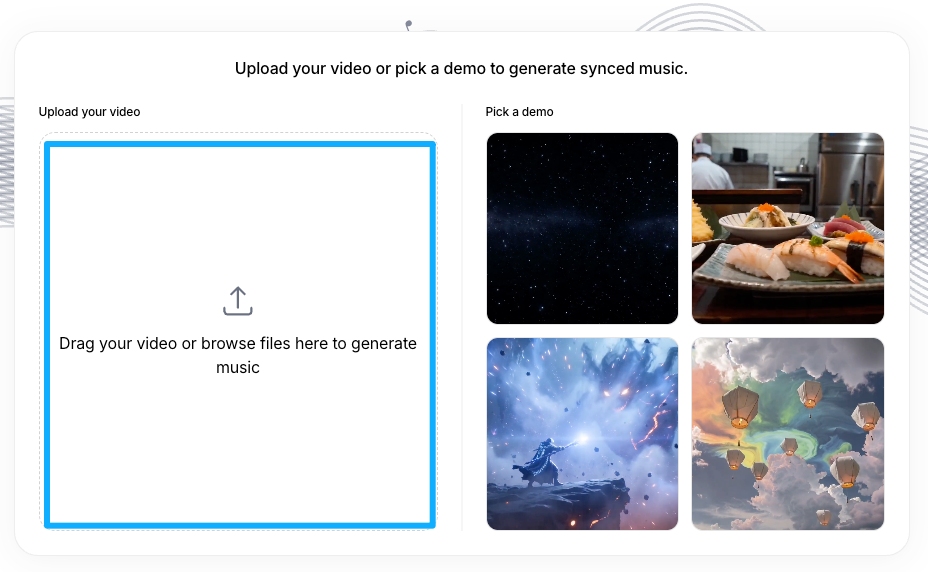
If you’re using a tool that generates custom music — like Sonilo, which is built specifically to match generated soundtracks to your video’s exact duration — this problem mostly disappears. You give it the video, it gives back something that already fits. That’s a different workflow than searching a library, and for graduation videos where you often have one fixed edit, it can save a meaningful amount of time.
Common Mistakes When Picking Graduation Video Music
I’ve seen these come up often enough that they’re worth naming directly.
Picking music for yourself, not for the video. A track you personally love is not automatically the right fit for the footage. Ask: does this music serve what’s on screen, or am I trying to make the footage serve the music?
Ignoring the first five seconds. The opening of your video sets the entire emotional contract with the viewer. If the music takes thirty seconds to build to something, but your video opens with high-energy footage, you’ve already lost the alignment.
Using the same track across very different segments. A single track across a four-minute video that moves from ceremony to candid to reflection to celebration will fight itself. Consider whether a gentle transition to a second track — or at least a different section of the same track — could help the edit breathe differently in different parts.
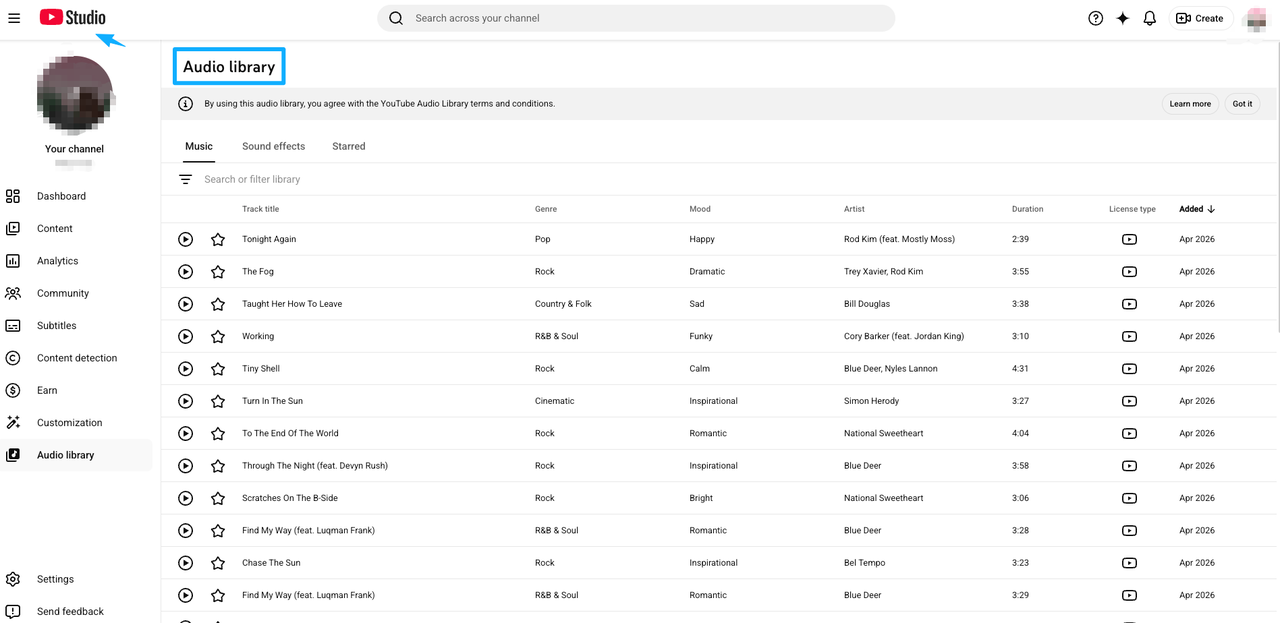
Treating “royalty-free” as a guaranteed verdict. Worth knowing: the phrase royalty-free describes a licensing model, not a platform guarantee. As YouTube’s own Audio Library guidelines make clear, only music from YouTube’s Audio Library is known to be copyright-safe — YouTube takes no responsibility for claims arising from “royalty-free” music sourced elsewhere. If you’re publishing publicly and you care about what happens to the video afterward, check the license terms for the specific source you’re using — not just the label on the site.
Waiting until the very end to think about music. Leaving music as the last step often means you’re making compromises on length, mood, and fit when you’re most tired. Even a rough placeholder track that captures the right feeling will help you cut better.
FAQ
How do I choose graduation video music that actually matches the mood instead of just sounding “nice”?
Start by naming one emotion you want the viewer to feel in the first ten seconds. Then look for audio characteristics that create that feeling — tempo, instrumentation, dynamic shape — rather than searching by genre label. A “graduation playlist” tag tells you nothing useful. “Slow piano, no percussion, under 70 BPM” tells you exactly what to listen for.
What’s the typical length for a graduation slideshow or montage video?
Most run between 2 and 5 minutes, depending on the occasion. Personal slideshows for a small gathering tend to be shorter (2–3 minutes). School or team productions with more footage often run 4–6 minutes. Ceremony highlight reels vary widely. Decide your target length before you lock music — it makes the selection process much faster.
Should I use different music for ceremony footage versus photo montage?
Often, yes. Ceremony footage tends to move at its own pace — there’s speech, ritual, ambient crowd sound — and music that works beautifully under a photo montage can feel intrusive or mismatched under real-world audio. If you’re mixing ceremony clips with music, either pull the music well under the ambient audio or find a moment where the audio naturally drops out. If ceremony footage is its own section, treat the music choice for it separately.
Do I need paid music for a school project or personal graduation video?
It depends on where the video lives and how the music is licensed — and that’s a question worth checking rather than assuming. For a completely private slideshow shown at a family gathering and never uploaded anywhere, the practical risk is low. For anything published publicly — even unlisted on YouTube or shared on social — the licensing terms of whatever music you use actually matter, and those terms vary significantly by source. Some libraries are genuinely free for personal use; others require a paid license even for non-commercial projects. Creative Commons has a useful page specifically on legal music options for video creators if you want a neutral starting point. The license page of whatever source you’re using is the right place to check, not general advice about what’s “usually fine.”
How do I match music length and pacing to my final edit?
Lock your edit first, or at least decide a target duration. Then filter music by that length range. When evaluating pacing, mute your edit and tap the rhythm of your cuts, then compare to the track. If they’re in the same general tempo neighborhood, test it. If the track needs trimming, identify natural cut points — phrase endings, dynamic drops, moments of silence — before you commit to the track.
What tempo and instrumentation work best for nostalgic vs. triumphant graduation moments?
Nostalgic: slower tempo (60–80 BPM), acoustic or sparse piano, minimal percussion, lots of space. Triumphant: stronger rhythm, fuller arrangement, often a build toward a peak, sometimes brass or orchestral elements. The distinction isn’t just fast vs. slow — it’s also about density. Nostalgic music tends to have room in it. Triumphant music tends to fill space.
Can I use the same track throughout the whole video?
You can, and for short videos (under 2–3 minutes) it often works well. For longer edits with distinct emotional segments, a single track sometimes constrains you — you may find yourself cutting to the music’s structure rather than the story’s. If you use one track, pay attention to whether there are sections of it (a build, a breakdown, a key change) that you can deliberately align with your edit’s emotional shifts.
What should I do if the music I like doesn’t fit the video length?
Three options, in order of how clean the result tends to be: (1) find a natural cut point in the track — phrase endings or instrument drops — and cut there, fading out if needed; (2) look for an alternate version or edited cut of the same track at a closer duration; (3) rebuild your edit to work with the track’s structure, which is sometimes worth doing if the music is genuinely right. The option most people try first — looping a section — is also the hardest to make sound natural unless the track was designed for it.
Graduation videos don’t need the most popular song of the year. They need something that fits the footage you actually have, at the length you actually need, in the mood you’re actually going for.
If you’re working on one right now, Sonilo generates custom soundtracks matched to your video’s duration and emotional arc — it’s worth seeing what it gives you before you spend another forty minutes in a library. Get early access and try it with a real clip.
What about you — when you’re working on a video with a lot of emotional range, where does the music decision usually slow you down most? The mood, the length, or something else entirely?