Get Marketing Insights First
Subscribe to receive actionable strategies, growth tips, and industry insights delivered straight to your inbox.

If you’ve ever stared at a nearly finished video and thought “this track is close, but something’s off” — keep reading.
The edit is done. The pacing feels right. But the music is either too long, too short, emotionally wrong, or — worst case — it’s the same track you’ve heard on three other videos this week.
That’s when I started asking a different question. Not “where do I find music?” but “how do I make music that actually fits this specific video?”
This isn’t a guide for people who want to learn music production. It’s for video creators who want a soundtrack that feels built for their cut — not borrowed from someone else’s project.
Here are the three paths I’ve actually tested.
Stock music is fine. I’ve used it. A lot of people I know still use it.
But there’s a specific moment when stock breaks down: when your video has a very particular emotional arc and nothing in the catalog lands quite right. You spend 40 minutes auditioning tracks that are almost right — a friction point well-documented in how creators search for video music. Or you compromise on the music and the video ends up feeling slightly off in a way you can’t fully explain.
Custom music — whether you build it yourself, adapt something, or generate it with AI — starts from your video. Not from a catalog. That’s the difference.
The question is which path makes sense for your project, your timeline, and your budget.
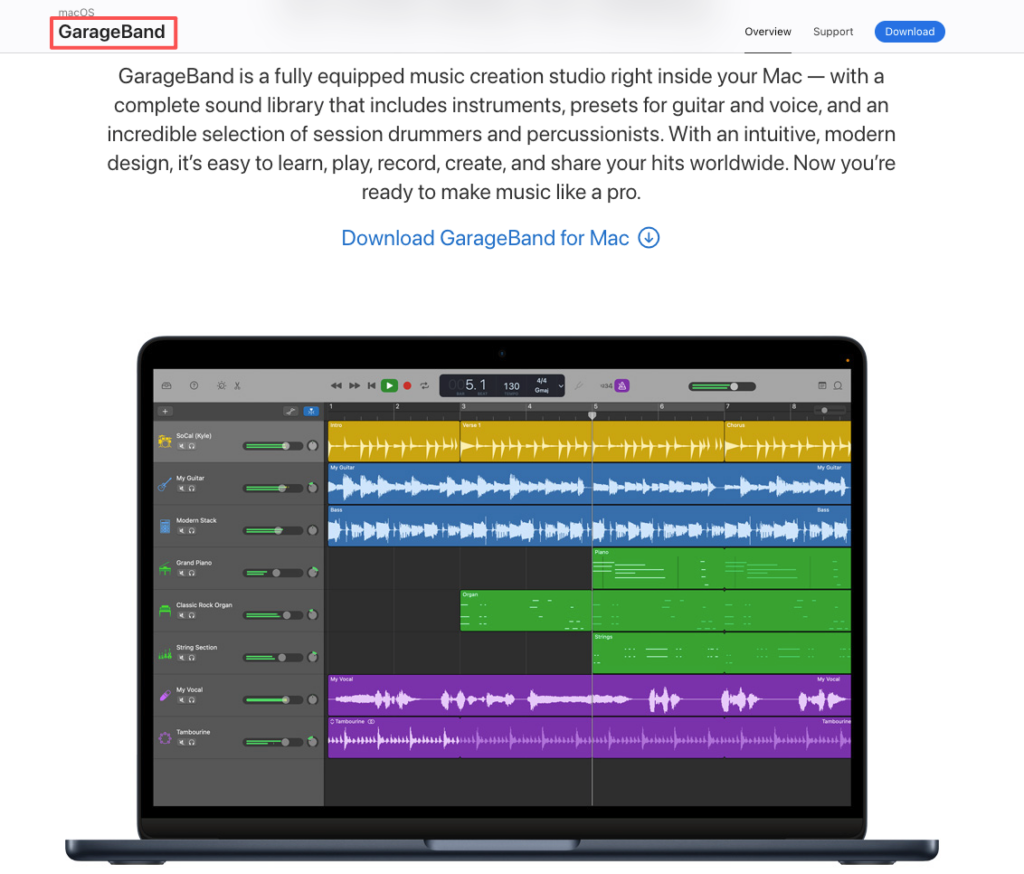
You don’t need to know music theory to put together a working backing track. Tools like GarageBand, BandLab’s free browser-based DAW, or CapCut’s built-in audio editor let you stack loops — pre-recorded musical phrases — into something that holds together.
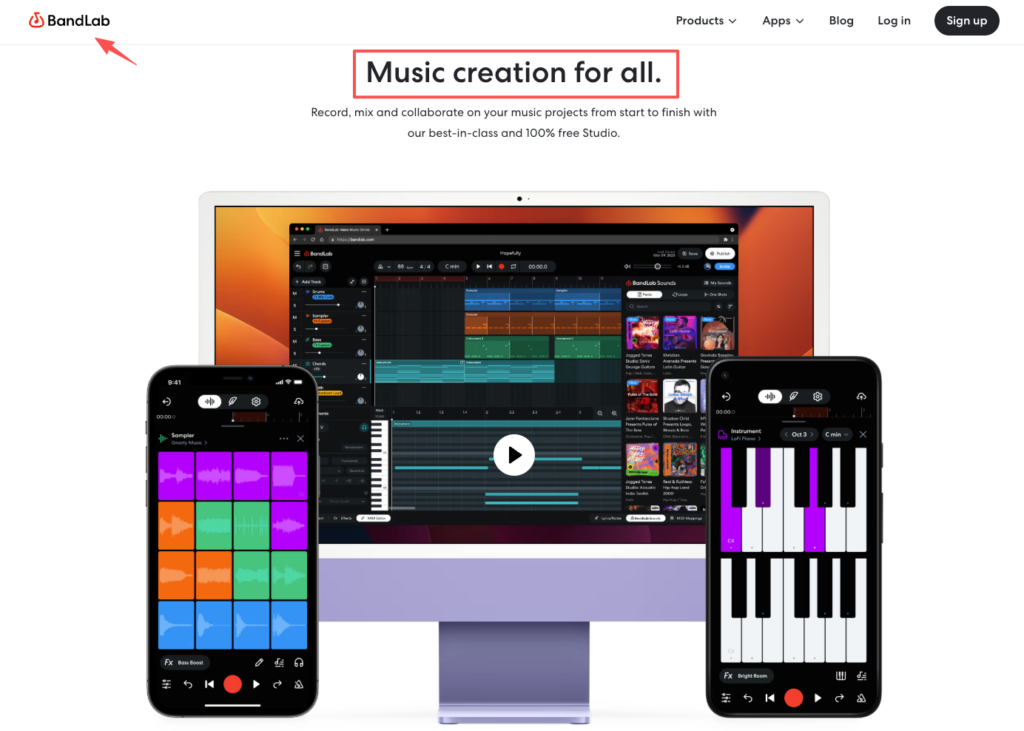
The workflow is roughly: pick a tempo, pick a vibe, drag and drop until it feels right, export. It’s not composing. It’s assembling. And for certain video types, that’s genuinely enough.
If your video doesn’t rely on music to carry emotion, loop-based tools are worth trying. Think tutorials, product walkthroughs, talking-head content, quick social clips. The music is functional — it fills silence and sets a loose atmosphere without needing to do much else.
Where this path breaks down is timing. Loop-based music doesn’t automatically match your edit length. You’ll still need to manually trim, fade, or restructure the audio to fit your cut. If you’re not experienced with audio editing, that takes longer than expected.
This is where most creators land by default — and it can work really well when you find the right track early in your edit.
The key phrase there is early. If you’re building your edit around the music — cutting to the beat, letting the song’s emotional arc guide your pacing — then a strong stock track can elevate the whole video. I’ve done this with brand recap videos. Found one track that had the right energy, built the cut to match it. The result felt intentional.
Audition pages are one thing. The timeline is another.
A track can sound great in isolation and feel completely wrong at 0:43 when your footage cuts to something quieter. The mismatch becomes obvious the moment you commit. And stock tracks are usually fixed at 2, 3, or 4 minutes. If your video is 1:47 or 5:12, you’re manually cutting or extending audio — which isn’t always clean, especially with tracks that have a defined structure.
If you’re producing content with specific timing needs on a regular basis, this friction adds up.
This is the path I’ve spent the most time testing in the past year — specifically because it addresses both problems above: emotional fit and length matching.
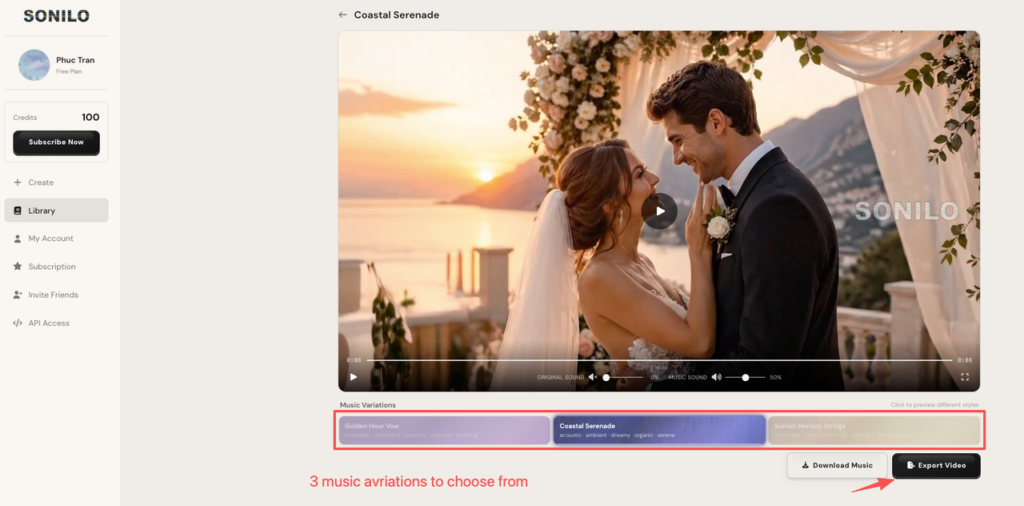
The thing that actually changed how I thought about AI music tools was using one that accepted the video as input. Not a text prompt. Not a genre selector. The actual video file.
The output matched the length exactly. No trimming. No fading out mid-phrase. It ended where my video ended.
That sounds like a small thing. It isn’t. Manually fitting audio length is one of those tasks that takes five minutes every single time, and when you’re producing multiple videos a week, it adds up fast.
Most AI music tools let you shape mood through prompts or selectors: calm, energetic, melancholic, cinematic. Some let you adjust intensity or pacing after the first output.
What I’ve found is that the first generation is rarely perfect. But it’s usually close enough to tell you whether you’re in the right emotional territory. From there, refining with a prompt or regenerating with adjusted parameters gets you to something usable faster than restarting a stock search from scratch.
I want to be honest here: AI-generated music can still have a generic quality. It doesn’t always have the surprise of a well-produced original track.
But here’s what I keep coming back to — for most video backgrounds, that’s actually fine. The music isn’t supposed to be the star. It’s supposed to hold the emotion of the scene without competing with it. Research on how background music in short videos shapes viewer emotional response consistently points to the same conclusion: fit matters more than technical quality.
The issue isn’t the generation quality. The issue is knowing what you’re using it for. If you need a signature track that defines your channel’s identity, AI generation probably isn’t there yet — most tools generate from shared models, which means there’s no guarantee your output is unique to you. If you need solid, fitting, non-distracting background music that matches your cut length, it consistently gets the job done faster than anything else I’ve tested.
Before choosing your path, it helps to know what you’re actually optimizing for.
Music that fights your edit pace makes the whole video feel off. Fast cuts need movement. Slower, contemplative scenes need space and breathing room. This sounds obvious — but it’s easy to ignore when you’re emotionally attached to a track.
Even a product demo or tutorial has emotional movement — a build, a shift, a resolution. The music should track that arc, not stay flat throughout. Flat music makes confident edits feel uncertain.
If your video has voiceover, interviews, or sound design, the music needs to sit under those elements — not compete with them. That usually means avoiding tracks with a strong lead melody and choosing something with a mix that leaves room in the mid-range. If you’re working in Premiere, this guide on mixing music under dialogue in Premiere Pro covers the EQ technique that makes the biggest practical difference.
Before you pick a tool, ask yourself one question: are you looking for a starting point, or do you need a finished soundtrack?
That single answer will eliminate at least one of the three options for you.
Here’s how I actually decide:
Go DIY (loop tools) when your videos are simple, functional, and don’t rely on music to carry emotion. Cost: time, not money.
Go stock and adapt when you find the right track early and you’re willing to build your edit around it. Works best for emotionally driven content where one strong song can tie everything together. Cost: library subscription plus editing time.
Go AI generation when you produce content regularly, when your video length varies, or when you’re spending more than 30 minutes per project on music search. Especially useful for ads, branded content, and anything where the music needs to match a very specific cut. Cost: depends on the tool — most have free tiers to test before committing.
| Your situation | Best path |
| Simple vlogs, casual social content | DIY loops or stock |
| Emotionally driven videos with flexible timing | Stock + adapt |
| Regular production with specific length or mood needs | AI generation |
| Client or commercial work | AI with commercial licensing — confirm the plan covers commercial use |
Do I need any music skills to create a custom soundtrack? Not for loop-based tools or AI generation. Both are designed for people without music production backgrounds. The main skill you need is editorial judgment — being able to tell whether the output actually fits your video or just sounds okay on its own.
How long does it take to generate music with AI? Most tools return results in seconds to a few minutes. The time cost is mostly in reviewing and refining outputs, not in waiting for generation.
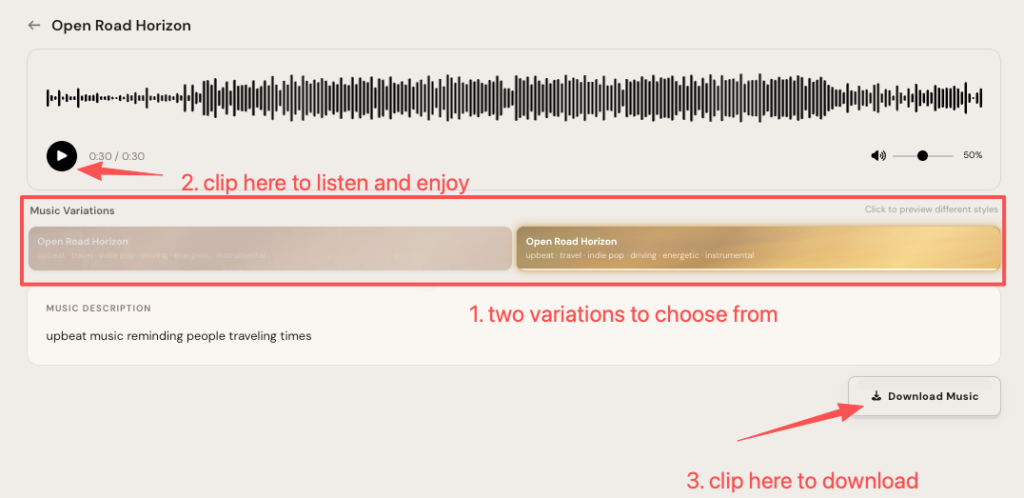
Is AI-generated music good enough for professional projects? For background music in ads, branded content, and social videos — yes, based on what I’ve tested. For music that needs to function as a brand signature or carry significant emotional weight on its own, the results vary more. It depends heavily on the tool and how much iteration you’re willing to do.
I tested all three paths across different project types this past month — you can use the table above to match your situation and skip the trial-and-error phase.
Sound and pacing are a package deal. The wrong music doesn’t just feel off — it makes the whole video feel unfinished, even when every other element is right.
What usually slows you down the most when it comes to video music — finding the right mood, dealing with length mismatches, or figuring out whether you can actually use the track commercially?
Recommended Reads