Guides
Cinematic Music for Videos: Licensing and Fit Checklist
- Written by
- Sonilo Team
- Published
Cinematic music can strengthen a product reveal, shape a travel montage, or turn a short intro into a proper opening. But choosing cinematic stock music is not just a question of drama. The music must fit the scene, and the license must fit the release plan.
Those are separate checks. A beautiful track can still fight the edit. A result labeled free cinematic music or “royalty-free” may still carry attribution, platform, advertising, or client-use limits.
This checklist helps you test both before you spend time cutting to the music.
This is a practical review checklist, not legal advice. Copyright rules and contract interpretation vary by jurisdiction and project.
Why cinematic music creates both fit and licensing risk
Cinematic tracks often move from a restrained opening through a build and final resolve. That arc helps when it follows the video. It hurts when the musical peak arrives before the product, overwhelms dialogue, or ends before the edit.
Licensing has separate layers. Under U.S. copyright law, the U.S. Copyright Office distinguishes a musical composition from its sound recording. Copyright in one is not a substitute for copyright in the other. When using a recorded track, confirm that the applicable license covers the rights needed for both elements and for the planned video use.
Royalty-free cinematic music describes a licensing model, not a promise that the track is free of copyright or usable everywhere. Before importing it, identify the license, permitted use, and party granting the rights.
First check whether the track fits the scene
Start with the edit, not the genre label. “Epic,” “inspiring,” and “cinematic” do not tell you whether a track leaves room for speech or peaks at the right moment.
Play the rough cut without music and mark where attention should rise, the main reveal happens, and the viewer should feel closure. Audition the track against those marks. If you must rebuild the edit around its crescendo, the music may be controlling the story.
Brand films and product reveals
For a brand film, test whether the music reinforces the brand rather than simply adding scale. Heavy percussion may make a premium product feel aggressive; soft piano may slow a technical launch.
Check the reveal frame closely. The musical lift should arrive with the visual payoff, not several beats before it. If there is narration, lower-density instrumentation often works better than a cue with constant melodic movement. The right cinematic background music gives the message space while still shaping the emotional direction.
Travel recaps and emotional montages
Montages need continuity and variation. One uninterrupted build can flatten different locations into the same emotional note. Look for changes in texture or intensity that support arrivals, quiet details, movement, and the final wide shot.
Also check whether the emotion is earned. Slow strings can make ordinary footage feel sentimental in a way the images do not support. Film music for video works best when it strengthens an emotion already present in the sequence instead of trying to manufacture one on its own.
Trailers, intros, and launches
Trailers and launches are timing-sensitive. Map the opening hook, escalation, main impact, and end card before choosing the cue. A track that starts at full intensity leaves no room to grow.
Short intros have another constraint: the useful part of a cinematic track may sit thirty seconds into the file. Confirm that the license permits the edits you need, such as trimming, fades, or cut-down versions. Do not assume that purchasing or downloading a track gives permission to remix it or reuse it as a standalone audio asset.
Licensing checklist before using cinematic music
Run this check before locking the edit. License questions cost more after client approval, timed captions, and multiple exports.
| Check | Question to answer | Evidence to keep |
|---|---|---|
| Source | Who owns or controls the track, and where is the license published? | Track URL, creator name, track ID |
| License version | Which terms applied when you downloaded or purchased it? | Dated PDF, screenshot, receipt |
| Commercial scope | Does the license cover monetized posts, client deliverables, paid ads, broadcast, apps, or games? | Relevant license clause |
| Territory and duration | Is use worldwide and perpetual, or limited by country, campaign, subscription, or time? | Territory and term language |
| Editing rights | Can you trim, loop, fade, or create cut-down versions? | Modification clause |
| Attribution | Is credit required, and where must it appear? | Required credit format |
| Platform handling | What happens if Content ID or another automated system flags the upload? | Claim process and license certificate |
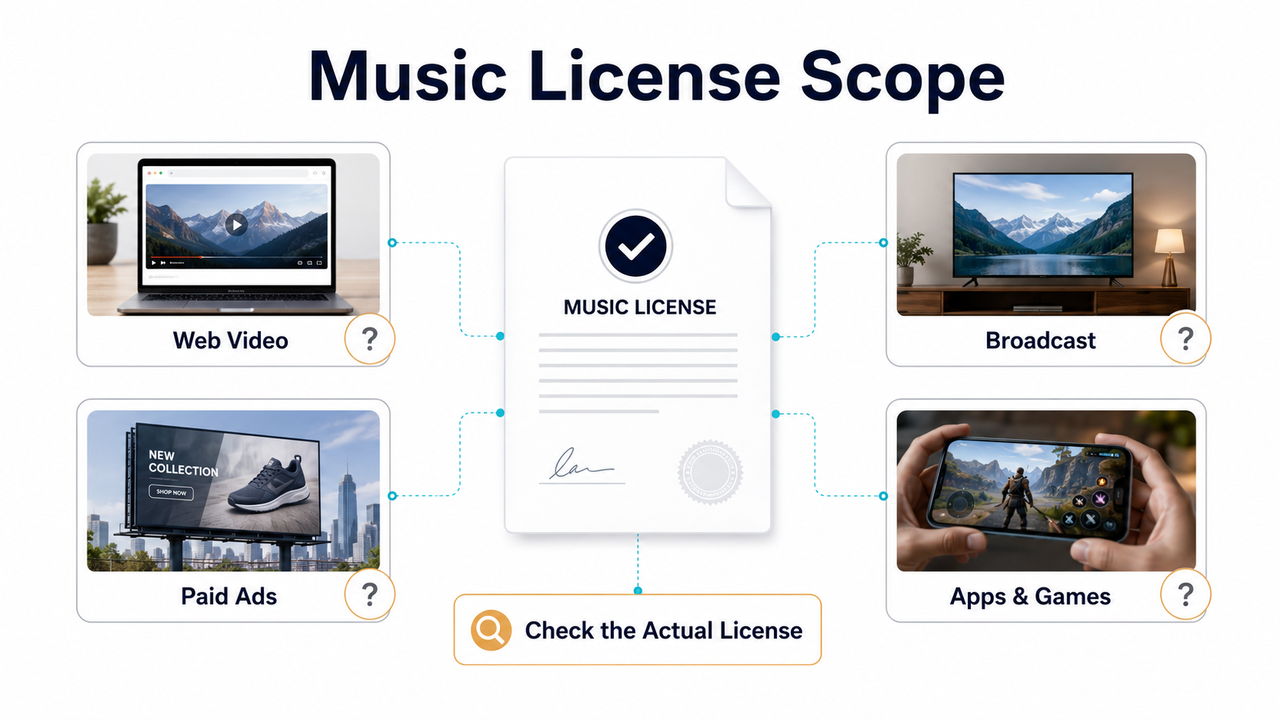
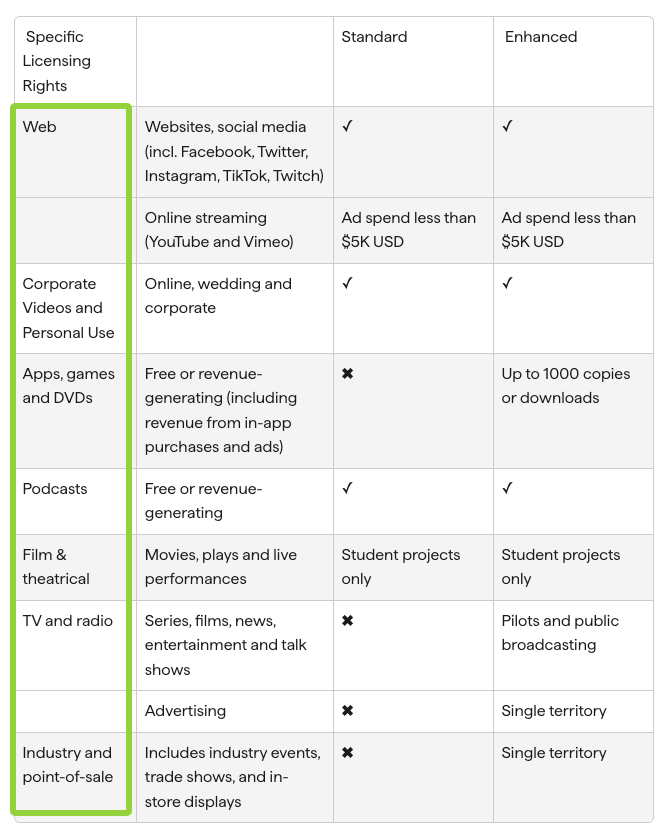
For example, Shutterstock’s current official Standard and Enhanced music-license summary assigns different coverage to web video, advertising, broadcast, apps, games, and physical copies. These terms describe Shutterstock’s own licenses, not a universal industry standard. The point is that commercial-use cinematic music must be checked against the actual distribution plan.
For YouTube, the platform warns that music found online and labeled “free” can still trigger Content ID, and that its automated system does not know whether rights were purchased elsewhere. Its guidance for finding copyright-safe music recommends checking where and how each third-party license permits the music to be used.
Keep the paperwork with the project. A URL is weak evidence if the page changes. Save the receipt, license text or certificate, track ID, account, and acquisition date.
Attribution, client work, and commercial-use limits
When attribution is required, record the creator, track title, license, and link. Put the credit where the license specifies; an internal project note is not a substitute.
Creative Commons is a common source of confusion here. The official Creative Commons license guide explains that CC BY permits commercial reuse with attribution, while CC BY-NC permits only noncommercial reuse. ShareAlike adds conditions for adaptations. NoDerivatives requires particular care: Creative Commons treats synchronizing music with moving images as an adaptation, so music under CC BY-ND or CC BY-NC-ND generally cannot be shared as part of a video under that license without separate permission or another legal basis.
For client work, ask who is the licensee. Confirm whether the client needs its own account and whether the video may be reused in ads, alternate cuts, regional versions, case studies, or broadcast. One licensed social video may not cover every later use.
The same caution applies to platform-specific catalogs. Music cleared for one platform, format, region, or video length may not carry the same permission elsewhere. Decide the complete release plan first—organic social, monetized YouTube, paid media, client handoff, event playback, app, or broadcast—then match the license to it.
When custom soundtrack generation may simplify the review
Custom soundtrack generation can simplify the fit workflow and consolidate the licensing review around one provider. It does not automatically establish provenance, copyright protection, exclusivity, or clearance for every use.
According to Sonilo’s current Terms of Service, Free-tier outputs are limited to noncommercial use, while Pro-tier commercial use is permitted subject to the terms. The terms also state that outputs may not be unique or copyright-protectable in every jurisdiction and may reflect third-party rights.
Uploading the video creates a separate rights and privacy check. Sonilo’s terms require users to hold all necessary rights and permissions for their inputs and grant Sonilo a broad, irrevocable, non-exclusive, worldwide, perpetual, royalty-free license to process and use uploaded content. Its current Privacy Policy states that uploaded videos and related data may be used for model training and improvement by default across free and paid tiers, with no separate opt-out currently provided. Do not upload confidential, embargoed, or unreleased client footage unless you have authorization and accept those terms.
The practical advantage is a more direct workflow, not automatic legal safety. Review the provider’s training-source claims, output rights, plan restrictions, data handling, and supported uses against the project.
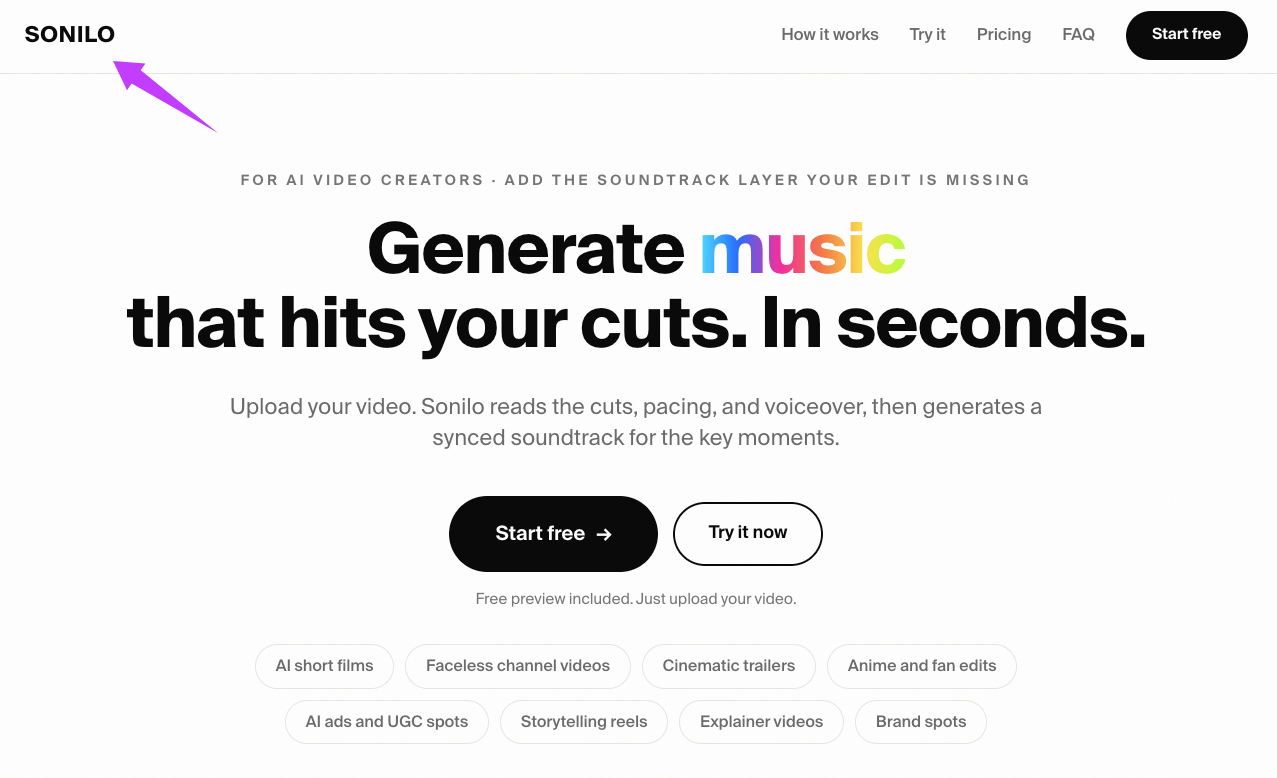
According to Sonilo’s current product page, it is designed to generate music around an uploaded cut’s timing, pacing, and key moments. That may reduce manual trimming, but results still require a listening and licensing review before publication.
Commercial-use permission does not necessarily create copyright ownership or exclusivity. In the United States, the Copyright Office states that purely AI-generated material is not protected unless sufficient human-authored expression is involved. Platform rules are separate: YouTube’s current AI disclosure guidance specifically lists AI-generated music as content creators need to disclose.
FAQ
Is cinematic stock music safe for client videos?
Not automatically. A cinematic stock music license may cover client work, but you must confirm who holds the license and whether it permits the planned channels, paid advertising, regional versions, cut-downs, and future reuse. Keep the receipt and the license version with the project. If the wording is unclear, ask the provider or obtain legal advice for the specific production.
What does royalty-free usually not guarantee?
Royalty-free does not necessarily mean free of copyright, free of all fees, attribution-free, transferable, or valid for every commercial channel. It commonly means the license does not require a royalty payment for every permitted use. The actual permission still depends on the provider’s terms, license tier, project type, territory, platform, and any restrictions on modification or redistribution.
Should I avoid free download sites for commercial edits?
Avoid any download whose ownership and license cannot be verified. A zero-price track can be usable when it has a clear license from a legitimate rights holder, but the word “free” alone is not evidence. For commercial work, prioritize traceable sources, save the applicable terms, and confirm attribution, modification, client, advertising, and platform permissions before editing around the track.
When should I generate a custom soundtrack instead?
Consider custom generation when stock tracks repeatedly miss the edit’s duration or emotional timing. Choose a provider whose current terms, privacy practices, and plan permissions match the project. Generation may reduce searching and trimming, but it is not a blanket legal guarantee and should not be used merely because an unverified download has unclear provenance.


