Guides
Foley Artist Sound Effects: How They Are Created for Video
- Written by
- Sonilo Team
- Published
Foley begins before anyone picks up a prop. The artist studies how weight shifts, where fabric pulls, and when an object makes contact.
Those observations shape Foley artist sound effects into performances for a specific picture. Props, surfaces, body movement, and timing work together to make an action feel physically present.
You do not need a professional Foley stage to learn the basic workflow.
Industry, product, and licensing sources reviewed August 25, 2026.
Disclosure: Sonilo publishes this guide and appears as one example of an AI-assisted sound-effects workflow.
What a Foley Artist Actually Records
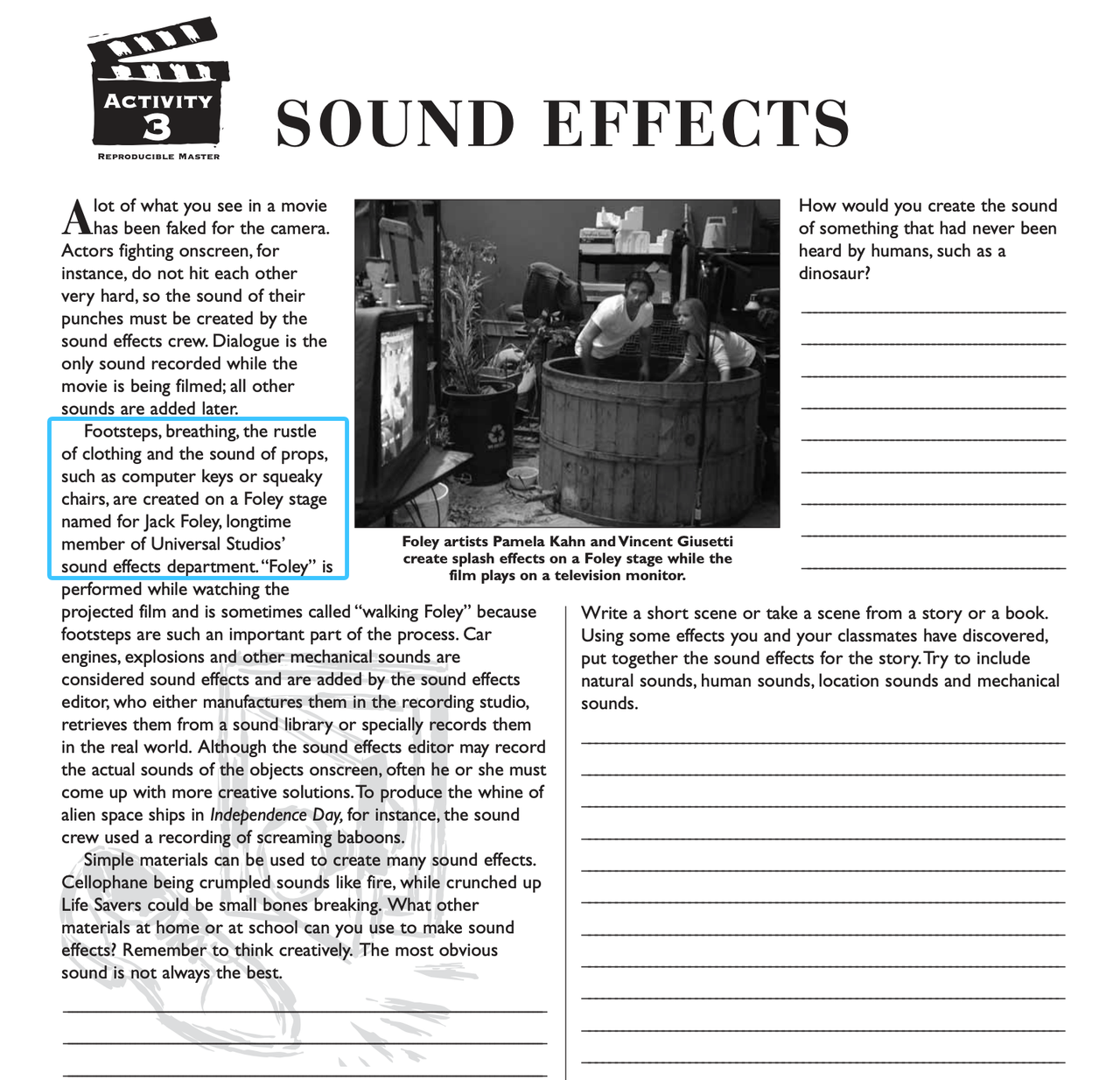
A Foley artist performs synchronized sounds while watching the edited picture. Common work includes footsteps, cloth movement, breathing, hand contact, prop handling, and small physical actions that production audio missed or recorded unclearly.
The Academy’s sound and music activities guide describes footsteps, breathing, clothing rustle, computer keys, and squeaky chairs as Foley-stage work. It separates those performances from larger mechanical effects such as engines and explosions, which typically belong to sound-effects editing or recording.
The goal is not always literal realism. A lightweight prop may give a heavy screen object the right weight, while slower cloth can express fatigue.
That performance element explains why how Foley artists work is more useful than asking which props they own. Two artists can use the same shoe and floor but produce different pacing, weight, and intention.
How Foley Differs From Production Sound and Libraries
Production sound is captured during filming. It prioritizes usable dialogue and the real environment, although it may also capture footsteps, props, and room tone. Those incidental sounds can become inconsistent when microphones follow the actors’ voices rather than their feet or hands.
A sound library supplies recordings made before the current edit. Libraries are efficient for doors, vehicles, weather, impacts, and general ambience. The editor searches for a close match and then trims, layers, or processes it to fit.
Foley begins with the current picture. The performer watches the action and recreates selected movement in sync. This gives the team control over pace, emphasis, continuity, and character.
Prepare the Scene and Cue Sheet
Start from a locked or near-locked edit. Heavy picture changes can force carefully synchronized work to be repeated.
Watch once without recording. Mark only the actions that need support. A cup placed on a table may need three cues: hand contact, object movement, and the final set-down. Recording them separately gives the editor more control than forcing one take to cover everything.
A simple cue sheet can track:
- scene and cue number;
- timecode or visible action point;
- action, surface, and prop;
- character or camera perspective;
- priority and intended intensity;
- take number and approval status.
Do not fill every visible movement automatically. A quiet scene may become distracting when every finger, shoe, and fabric shift has equal weight. Mark the sounds that clarify action, establish texture, or carry emotion.
Record the Main Foley Families
Footsteps and Surface Changes
Footsteps combine shoe choice, surface, pace, body weight, and character. The useful question is not simply whether a floor is wood or concrete. Ask whether the person is confident, tired, cautious, running, or changing direction.
Record a short pass while watching the feet and upper body. Match the heel-to-toe rhythm, then adjust weight and speed. When the character crosses from carpet to tile, record separate surfaces and leave enough overlap for a natural transition.
For DIY Foley for video, small surface samples can work. Gravel, a wood panel, folded fabric, cardboard, or soil may cover several scenes.
Props and Object Movement
Props rarely need to look like the object on screen. They need to produce the right attack, weight, texture, and decay. A small hinge may suggest an old case. A drawer can become a mechanical slide. Several light objects can be layered into one heavier impact.
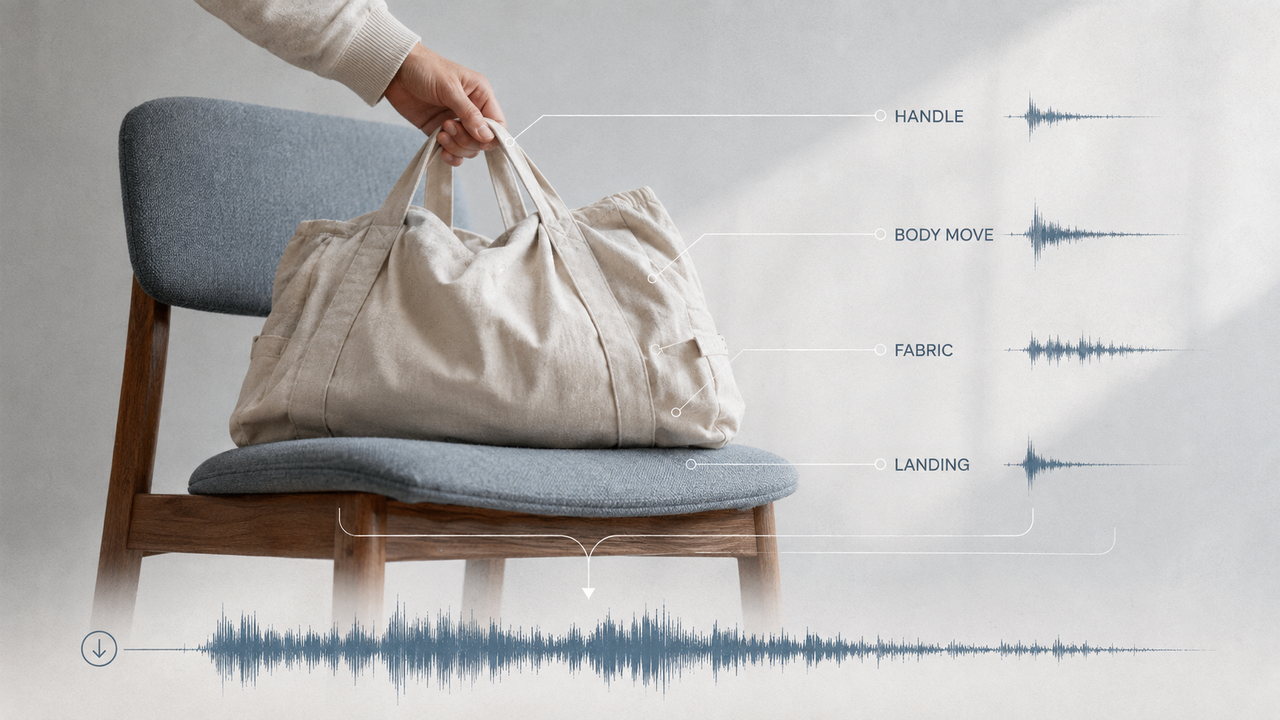
Break complex actions into parts. For a bag placed on a chair, record the handle, body movement, fabric contact, and final weight separately. This makes revisions easier when the director likes the landing but finds the handle too bright.
Cloth and Body Movement
Cloth gives movement continuity between larger cues. Jackets, shirts, bags, gloves, and blankets can suggest posture, effort, speed, and personal space. It is usually quieter than a prop hit, but it can make an otherwise silent body feel disconnected from the scene.
Match material and movement before chasing an exact garment. A soft cotton layer may cover a casual shirt, while heavier fabric can suggest a coat or bag. Record restrained motion under dialogue and stronger movement for turns, falls, or physical effort.
Sync Foley Performances to Picture
Foley sync begins with the visible action, but the loudest point does not always belong on the first frame of movement. A hand reaches before it touches. A foot swings before it lands. A drawer moves before it stops.
Record several complete performance passes before editing individual hits. A continuous pass preserves rhythm and character. The editor can then move a difficult step or prop contact by a few frames without rebuilding the whole sequence.
Use waveforms as a guide, not the only judge. Watch the picture at normal speed, then review difficult cues frame by frame. A technically aligned transient can still feel early if the visible action has anticipation.
Finally, listen with dialogue, ambience, and music. Synchronized sound effects should support the scene rather than compete for attention. Lower, shorten, or remove a cue when it pulls focus from the story.
Where AI-Generated Foley Fits
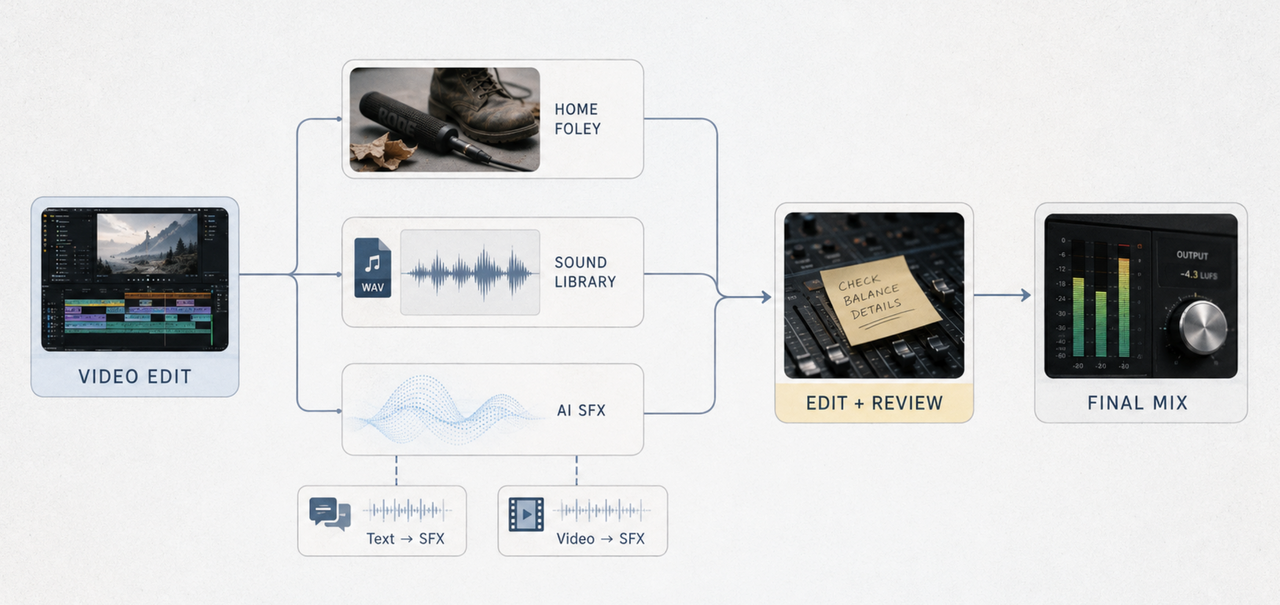
AI can help when a creator cannot safely record an object or needs quick variations. It can also draft imaginary machinery, stylized movement, or unusual ambience.
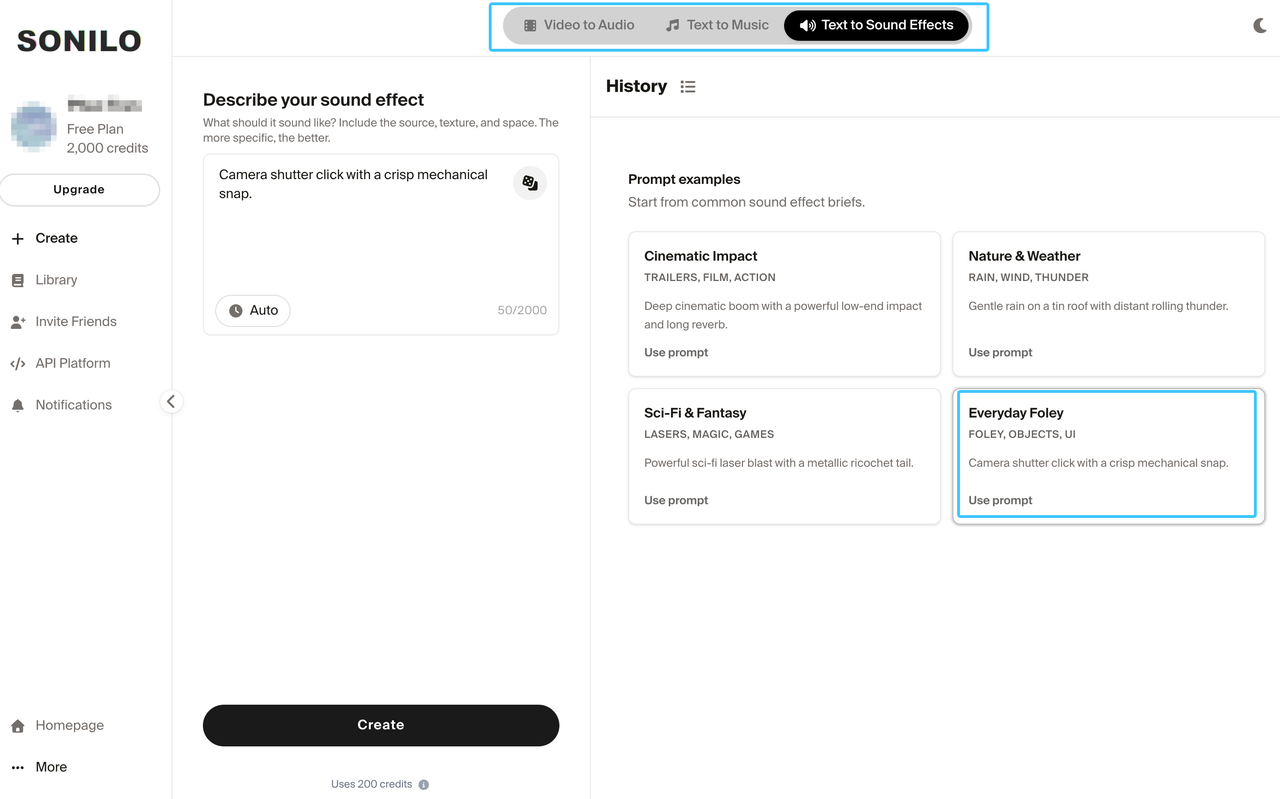
There are two useful starting points. Text-to-SFX begins with a written description of one sound. Video-to-SFX begins with the picture and aims to generate effects around visible events and timing.
This guide does not cover prompt construction or API implementation.Sonilo’s current API documentation lists both text-to-SFX and video-to-SFX endpoints. The video workflow is positioned for synchronized effects, while text-to-SFX creates a sound from a prompt. Treat those outputs as editable candidates, not proof that a performance pass is unnecessary.
The current Sonilo licensing page says Free and Creator output is personal and non-commercial. Commercial-use rights begin with Pro, Premium, Enterprise, or eligible API-user terms, subject to the current Terms. Review the applicable plan and release channel before publishing.
For client, confidential, third-party, or unreleased footage, confirm that you may upload the video. Review the service’s current terms and privacy policy before sending the file. This is general workflow information, not legal advice.
AI is most useful here as another sound source. It can fill a gap, provide variations, or suggest a layer. A Foley artist still brings repeatable physical performance, narrative judgment, and fast responses to direction.
Limits of AI and Home Recording
AI-generated audio can miss contact timing, perspective, material, or physical weight. It may also introduce extra events, unstable texture, or a tail that does not belong in the room. Every output needs a full-picture review.
Home Foley has different limits. Room noise, reflections, floor vibration, inconsistent prop handling, and microphone movement can make takes difficult to match. Record short clean passes, monitor with headphones, and keep the microphone position consistent.
Neither method has to cover the whole soundtrack. Use home recording for actions you can perform convincingly. Use libraries for established effects and large environments. Test AI for specific gaps or alternatives, then let the final mix decide which source stays.
FAQ
When should Foley receive a separate credit from sound design?
Give a separate Foley credit when someone performed and recorded synchronized footsteps, props, or cloth as a distinct creative role. BAFTA’s current TV Craft rules list Foley Artist separately from Sound Designer and other sound roles. Small teams should agree on credits before delivery rather than reconstructing responsibilities later.
Which microphones are practical for a first Foley setup?
A cardioid condenser can capture detail in a quiet room. A dynamic microphone may be more forgiving in a noisy or reflective space, especially when placed close to a prop. A portable recorder is also practical. Start with the microphone you can position consistently before buying specialized equipment.
How should teams name alternate Foley takes for revisions?
Use a pattern such as scene_cue_action_surface_take_status, for example S03_F12_boots_gravel_T04_alt.wav. Keep “select,” “alternate,” and “rejected” as separate status labels. Preserve the original take number when creating an edited copy so collaborators can trace it back to the recording session.
Can Foley props be reused across unrelated video scenes?
Yes. Judge a prop by the sound it produces, not the object it resembles. The same leather bag might suggest clothing, luggage, or a seat movement. Record notes about microphone position and handling so the team can recreate a useful sound without assuming one setup fits every scene.
Who approves Foley changes after the picture is locked?
Assign one sound decision owner. On a larger production, that may be the supervising sound editor working with the director and re-recording mixer. On a small team, it may be the editor or producer. That person should approve timing, emphasis, continuity, and any cue that changes the meaning of an action.


