Guides
Add Audio to Video AI: When It Helps Creators
- Written by
- Sonilo Team
- Published
Most advice about AI audio skips the only question that matters: not whether it works, but whether it fits the specific thing you're editing.
The honest answer to "should I add audio to video ai tools into my workflow" is sometimes — and it depends heavily on the video. A 20-second product reel and a 40-minute interview aren't the same job, and a tool that nails one can flop on the other.
I'm Nico, a content creator who edits my own videos, and frankly, I’m obsessed with workflows that actually save time, not ones that just look high-tech. If you edit your own videos and handle your own music, you've probably felt both sides of this already.
So this is a straight read on where AI audio actually earns its place, where it still needs your hands on it, and what to check before you trust it on a client project.
What AI can add to a video audio workflow
Here's my read after testing a range of tools: AI can reduce the time spent searching for an initial soundtrack option, although the actual time saved varies by project and product.
A 2023 survey of AI music generation tools groups existing approaches into parameter-based, text-based, and visual-based systems. In practice, controls, duration matching, and the number of available outputs vary by tool.
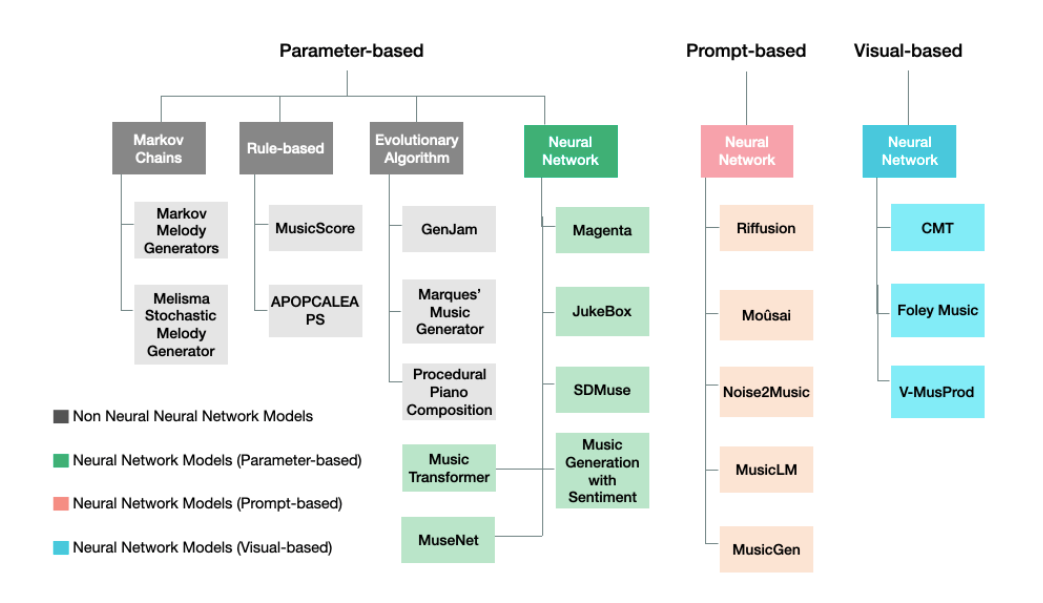
What it adds to the workflow is speed and a starting point. What it doesn't add — yet — is the judgment about whether that starting point is actually right. That part's still yours.
Best-fit use cases for AI audio in videos
AI audio isn't equally good at everything. It shines in a narrow band of tasks, and the trick is knowing which ones.
Background music generation
This is one of the clearest use cases. When you need a background bed under a vlog, an ad, or a social clip, generation can be useful when speed and fit matter more than finding a specific known track.
For straightforward background use, AI can provide workable starting points, but every result still needs to be reviewed against the picture and dialogue.
Scene mood matching
This one's more mixed. Research on soundtrack and visual interpretation has shown that different soundtracks can change how viewers interpret the same visual scene, including its characters, atmosphere, and possible narrative direction. AI can target broad mood labels, but subtler emotional direction may require more iteration.
Length and pacing support
Matching a track to your cut length is one of the most useful things AI soundtrack for video can do — no more looping and trimming a stock song to fit 47 seconds.
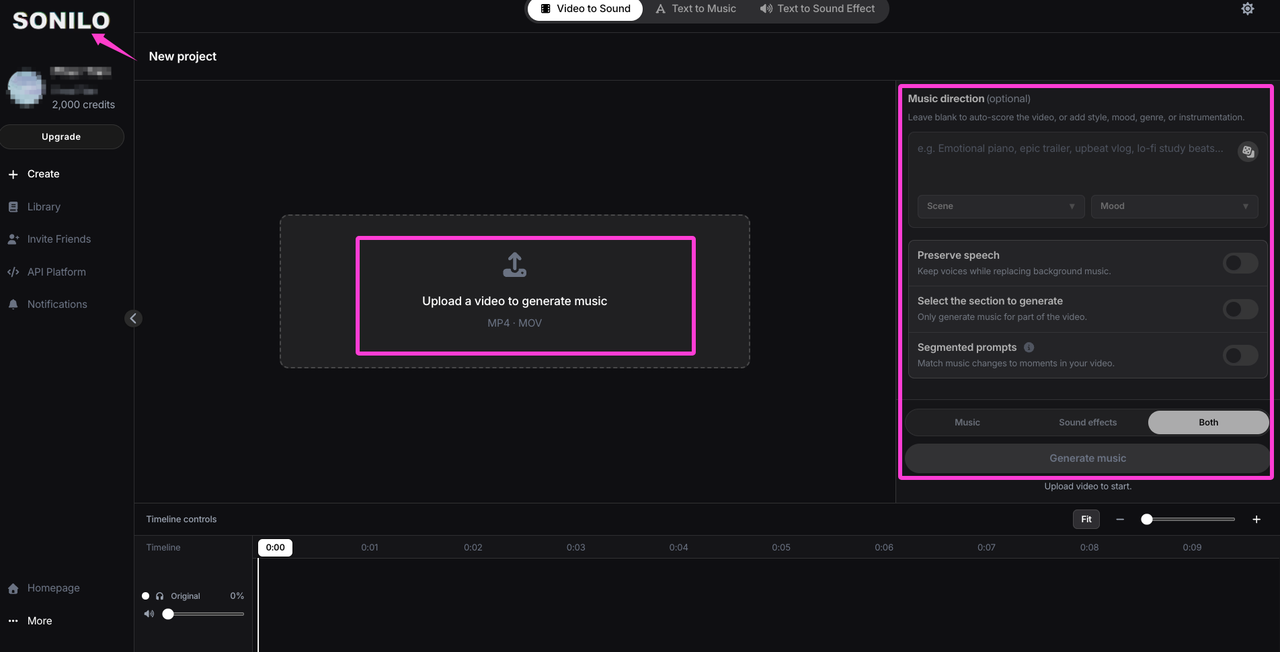
According to Sonilo’s current product page, it is designed to generate same-duration music that matches a video’s timing, pacing, and emotion. That may reduce looping and trimming, but it does not guarantee that every musical phrase will resolve exactly where the edit needs it. Compare each output against the actual cut before exporting.
Want to test it on your own edit? Try Sonilo.
Where AI audio still needs human review
Here's the thing nobody mentions: a clean export is not a finished soundtrack.
The audio can be technically clean and still be wrong for the scene: the phrasing may feel weak, an instrument may compete with dialogue, or the mood may be close but not convincing. These are editorial judgments, so treat every generated track as a candidate rather than a finished soundtrack.
The real question isn't whether the tool generated something usable. It's whether this result fits this cut — and that's a call your ear makes, not the model's. Budget a review pass. Always.
How to evaluate output before publishing
Before anything goes live, run the same quick check every time:
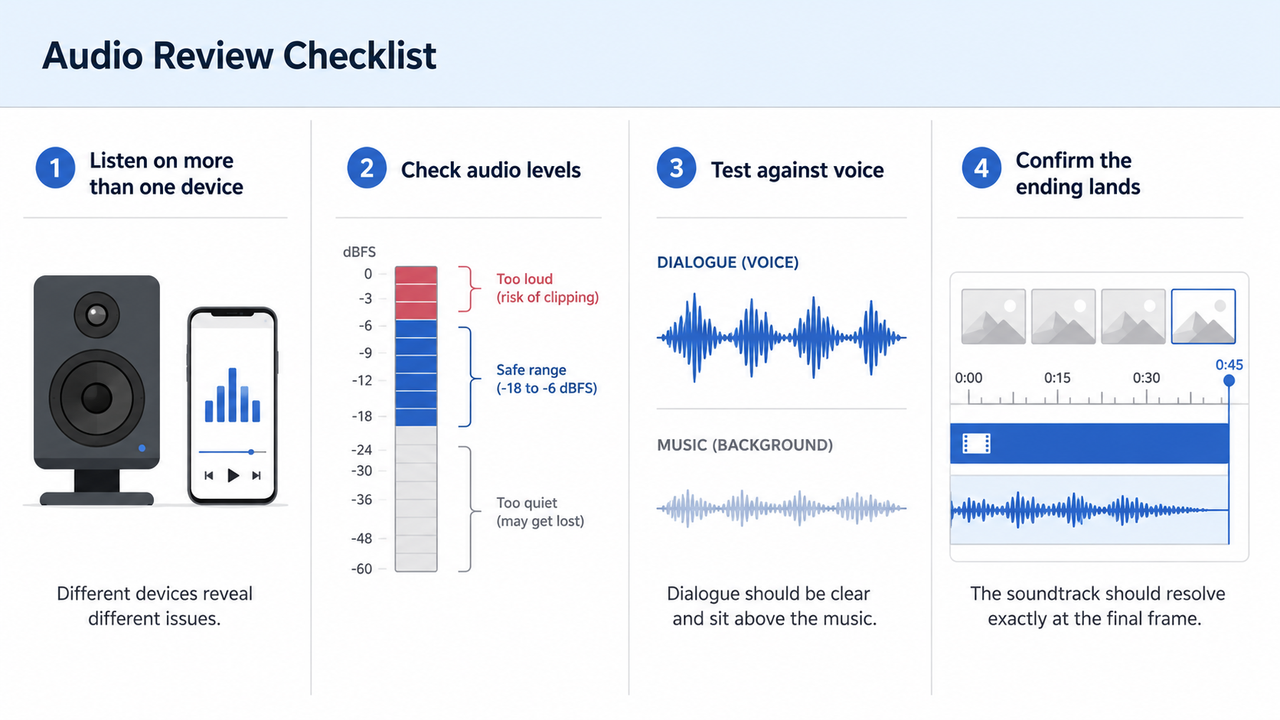
- Listen on more than one device. Speakers and a phone, not just your editing headphones. Fit changes across playback.
- Check your levels. Delivery targets vary by platform. The EBU R128 recommendation is a broadcast reference built around −23 LUFS average programme loudness; it is not a universal target for Reels, Shorts, or every streaming platform. Whatever the destination, make sure the music does not bury dialogue or clip on export.
- Test it against the voice. If there's narration, does the music leave room, or does it crowd the mid-range?
- Confirm the length lands. Does it resolve with your last frame, or trail off into silence?
That's not the same thing as "does it sound good in isolation." Good alone and right on the footage are different tests.
Privacy, rights, and file handling risks to verify
This is the part I'd slow down on, because it's the part that bites you after publishing, not before.
Rights. Check the current license for each tool and subscription plan. For Sonilo, commercial use depends on the applicable plan and remains subject to its current Terms of Service. Those terms also require users to have the necessary rights, licenses, consents, and permissions for every video, audio file, client asset, and other input they upload. Commercial-use permission does not necessarily guarantee copyright ownership, exclusivity, or freedom from third-party claims.
In the United States, the Copyright Office says purely AI-generated material is not protected by copyright unless sufficient human-authored expression is involved; creative human selection, arrangement, or modification may still qualify. Other jurisdictions may apply different rules. U.S. Copyright Office
Files and privacy. Review the tool’s Privacy Policy and terms before uploading confidential or unreleased client footage. Sonilo’s current terms allow uploaded content to be stored, processed, shared with service providers, and used for service or model improvement subject to applicable settings, plan terms, or written agreements.
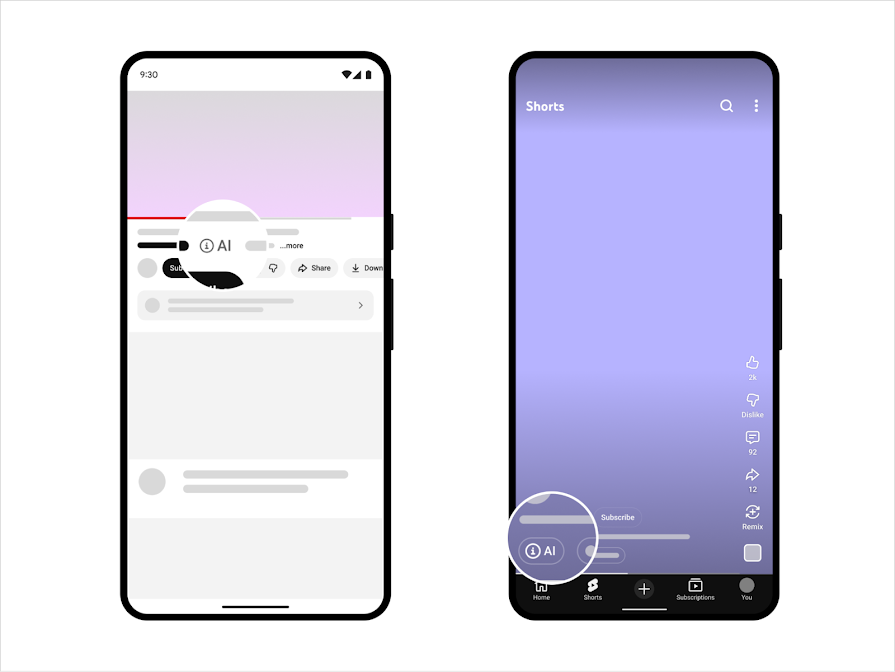
Platform disclosure. YouTube’s current AI disclosure guidance specifically lists AI-generated music as content creators need to disclose.
FAQ
Does AI audio replace manual video editing?
No. It handles one slice — the soundtrack or audio bed — not the edit. Your cuts, pacing decisions, the final mix, the story: still yours. AI add audio to video tools speed up a step; they don't replace the person making the calls. Treat it as a fast assistant, not a replacement editor.
Can AI audio work with voiceover-heavy videos?
It can, with care. The music has to sit under the voice — thinner arrangement, lower level, ducked where someone's talking. A busy generated track can fight your narration. For interview or talking-head content, keep the generated bed simple and quiet, and it works fine.
What files should creators avoid uploading?
Anything you don't have the right to share, or don't want stored somewhere you can't see. That means confidential or embargoed client footage, unreleased material, third-party copyrighted content you don't have rights to, and personal or sensitive information. Check the tool's data-handling policy before uploading anything that would be a problem if it left your machine.
Can AI-generated audio be used commercially?
It depends on the tool, subscription plan, intended use, and applicable law. A commercial-use license gives you permission to use the output under specified conditions; it does not necessarily guarantee copyright ownership, exclusivity, or protection from Content ID and other third-party claims. Check the current terms, keep a copy of the applicable license, and seek qualified advice for high-value client work.
So here's my verdict on when to add audio to video ai tools: reach for them when you need a fitting soundtrack fast on straightforward content, and keep a human hand on anything with heavy voice, client stakes, or unclear rights. The tool earns its place as a fast first pass — not the final say.
Before you go — for your videos, is the audio bottleneck finding the right mood, matching the length, or the rights side that makes you nervous to publish?


