Guides
Free Sound Effects for Video Editing: Libraries vs AI
- Written by
- Sonilo Team
- Published
A zero-dollar download can still cost an editor time. The sound may be hard to fit, poorly labeled, restricted to non-commercial work, or separated from the page that explains its license.
That is why choosing free sound effects for video editing starts with the source, not the download button. Budget-conscious creators face a parallel question for beds: evaluating free music making software for creators means checking commercial-use limits, export quality, and whether the free tier can actually ship a finished video. Traditional libraries are efficient for common sounds. Editor apps reduce import friction. AI tools solve a different problem when the effect needs to follow a particular action or cut.
The useful comparison is not “free versus paid.” It is search time, synchronization work, customization, attribution, and the permitted use of the final video.
Product and policy pages reviewed August 25, 2026. Licensing information below is general information, not legal advice.
Disclosure: Sonilo publishes this guide and appears as one example of an AI sound-effect workflow.
Quick Verdict: Free Libraries or AI Sound Effects?
Start with a library when you need a familiar, reusable sound: a door close, camera click, keyboard tap, room tone, or basic transition. Search and preview are usually faster than generating several candidates for a common event.
Use an editor’s built-in collection when speed inside one project matters most. The effect is already available on the timeline, but its license may depend on the asset label, account, territory, export, or intended use.
Consider AI generation when the timing or sonic detail is unusually specific. A custom mechanical movement, layered fantasy ambience, or impact shaped around a product reveal may take longer to locate than to generate. The generated result still needs a quality and rights review.
| Source | Strongest use | Main time cost | Customization | Primary license check |
|---|---|---|---|---|
| Curated platform library | Common effects for one publishing platform | Searching and auditioning | Low | Platform and asset rules |
| Community or Creative Commons library | Broad and unusual recordings | Search, quality review, attribution | Low to moderate through editing | Exact license on each file |
| Built-in editor library | Fast editing without file imports | Checking asset status and portability | Usually limited | Asset label, account, export, and territory |
| AI sound-effect tool | Specific or timing-sensitive effects | Generation, comparison, and cleanup | Higher | Plan, terms, input rights, and release use |
Compare the Main Free Sound Effect Sources
YouTube Audio Library
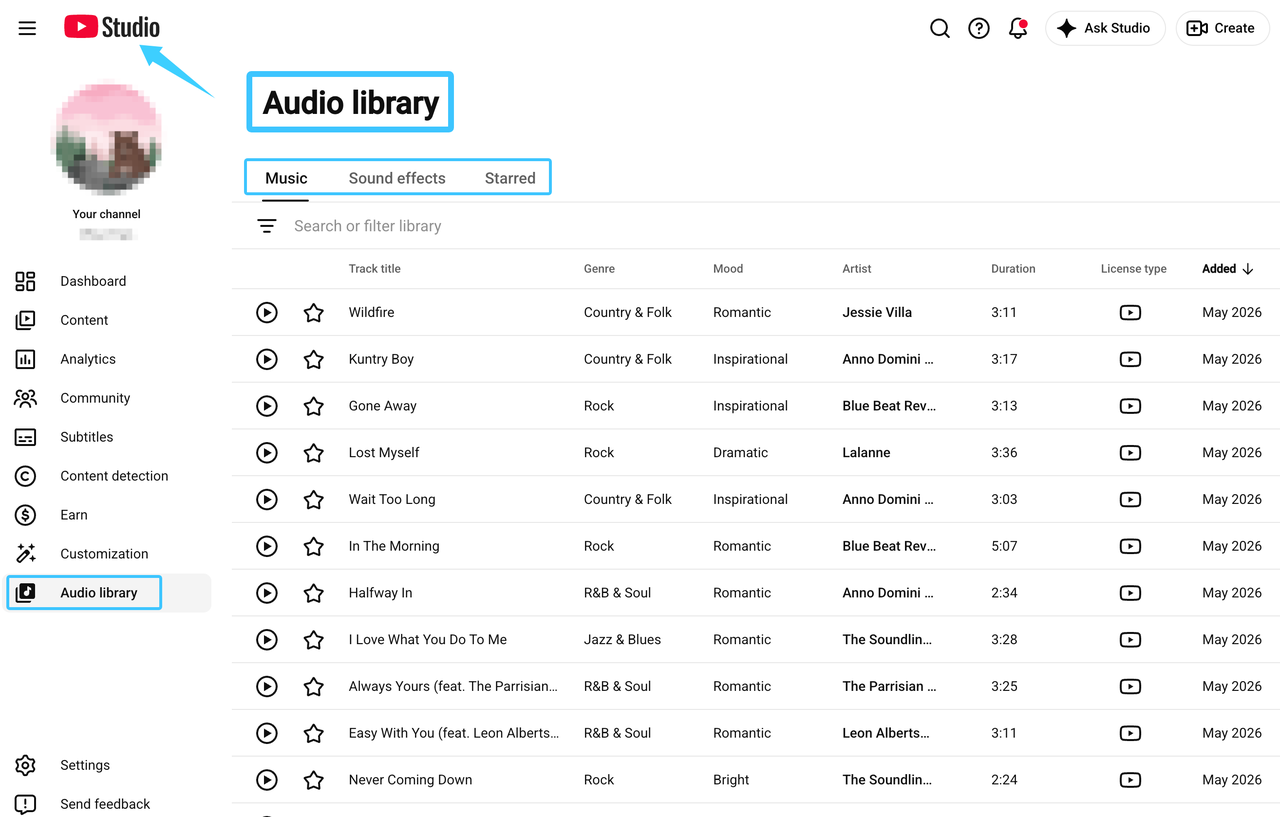
The YouTube Audio Library instructions say creators can search sound effects by keyword and filter by category or duration. Downloads are provided as MP3 files. That makes the library a practical first stop for straightforward YouTube edits.
YouTube also says videos using Audio Library music and sound effects can be monetized by members of the YouTube Partner Program. Its guidance distinguishes assets that require attribution from those that do not. Check the displayed license information for the asset you select and preserve it with the project.
The boundary matters. YouTube says only material from its own Audio Library is known to YouTube as copyright-safe. It does not take responsibility for “royalty-free” material from other channels or libraries, and it does not provide legal guidance for off-platform uses.
This makes the Audio Library well suited to a YouTube-first workflow. It should not be treated as a blanket answer for every client contract, advertising channel, or off-platform distribution plan.
Community and Creative Commons Libraries
Community libraries offer variety that a smaller curated collection may not have. Field recordings, machinery, weather, crowds, household objects, and location ambience can be especially useful when generic search terms produce weak results elsewhere.
Freesound is one example. Its current licensing FAQ says files may use CC0, CC BY, or CC BY-NC. Those labels create different obligations. CC BY requires attribution, while CC BY-NC limits reuse to non-commercial purposes under the license.
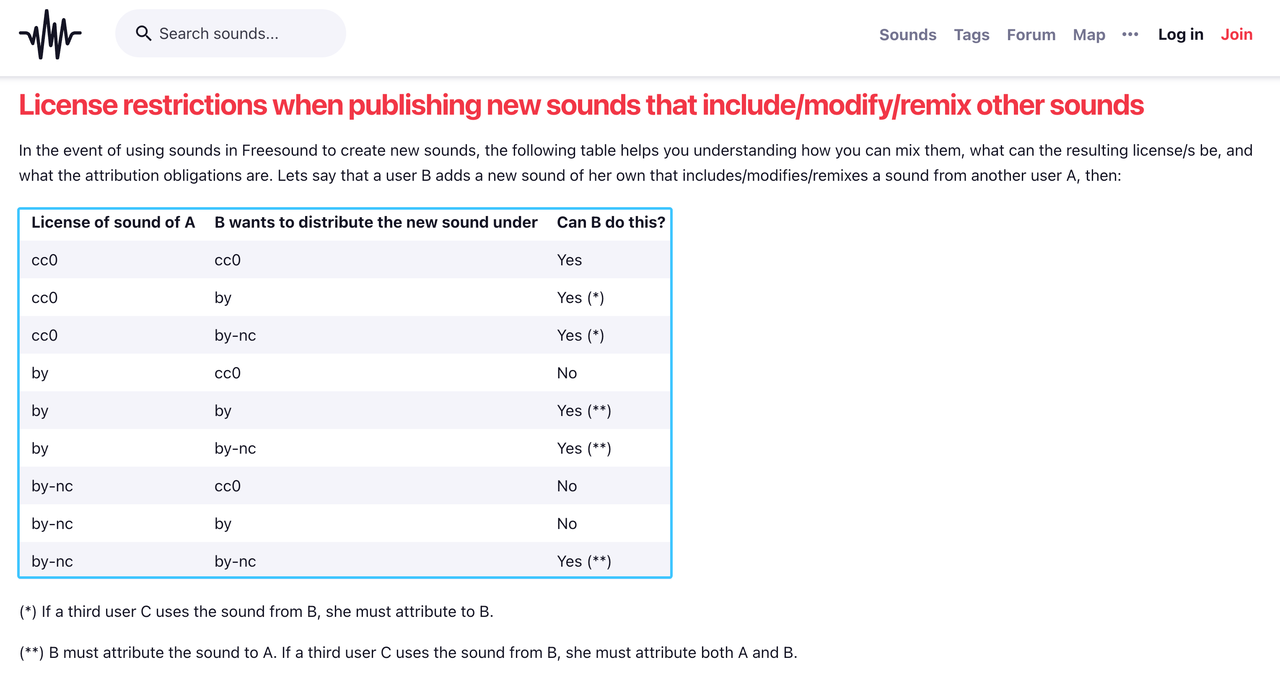
The broader Creative Commons license guide confirms that CC licenses can differ on attribution, commercial use, adaptation, and share-alike requirements. Read the exact license attached to the specific recording. Do not rely on a search-result badge or a general description of the whole website.
Community content also needs a provenance check. Freesound notes that users upload its content and that an uploader could provide material they were not entitled to share. That does not make the whole library unusable. It means the editor should keep the asset page, creator, license, and download date instead of saving only an anonymous audio file.
Built-In Video Editor Libraries
Built-in effects remove a few annoying steps. There is no separate download folder, import dialog, or missing-file relink when the project stays in the same editor. For quick social edits, that convenience can matter more than having thousands of choices.
The trade-off is portability. An effect that is available inside an app may have rules tied to that platform, asset category, account, territory, or export. Access to the effect does not automatically grant every downstream use.
CapCut’s current Materials License Agreement illustrates the distinction. It covers sound effects as platform materials and separates non-commercial materials from assets marked for limited commercial use. The agreement also says free and paid materials can each carry their own permitted scope.
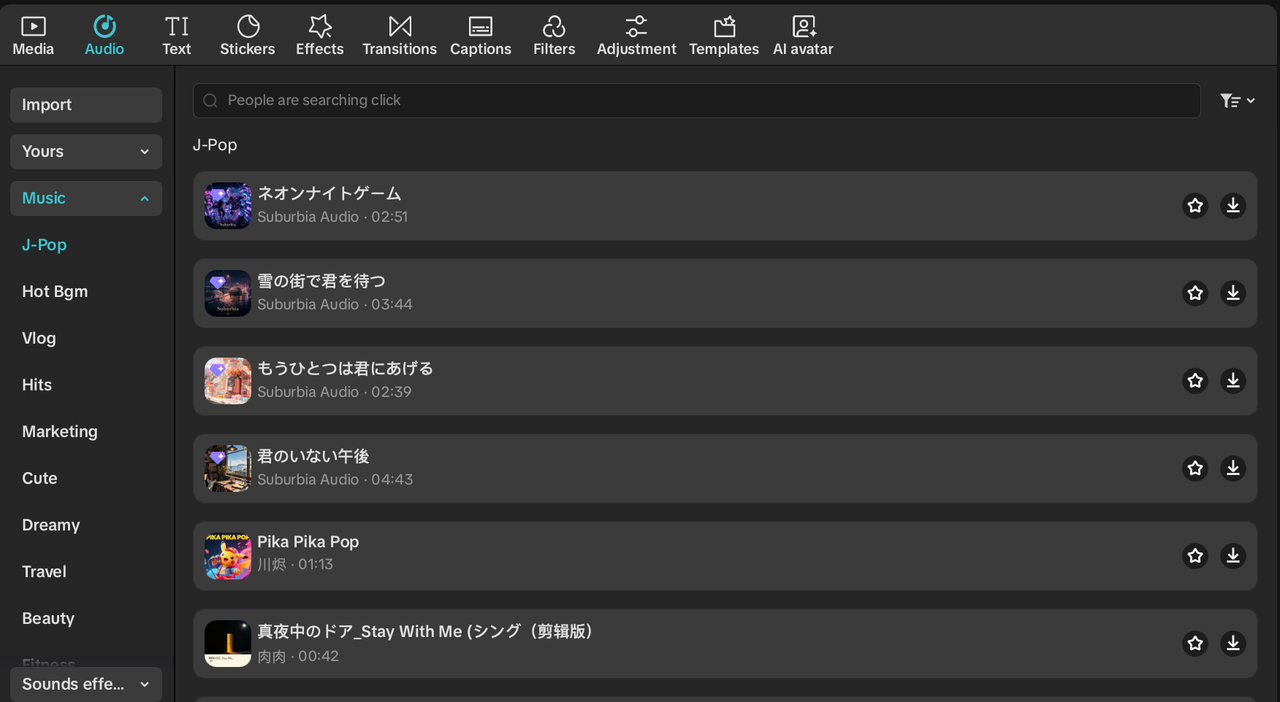
That is one platform’s current framework, not a rule for every editor. Before using a built-in effect in an ad, client video, or cross-platform campaign, inspect the asset label and the applicable agreement. Save evidence before the project leaves the app.
When AI Generation Solves a Different Problem
A library asks the editor to find the closest existing recording. An AI tool can start from the event you need and create a new candidate. That difference becomes useful when the picture contains a precise motion, imaginary object, unusual environment, or tightly timed reveal.
AI can reduce two kinds of work: searching through near-matches and forcing a generic effect onto the cut. It does not remove review work. Generated audio can contain strange transients, unstable ambience, an incorrect sense of distance, or extra sounds that do not belong in the scene.
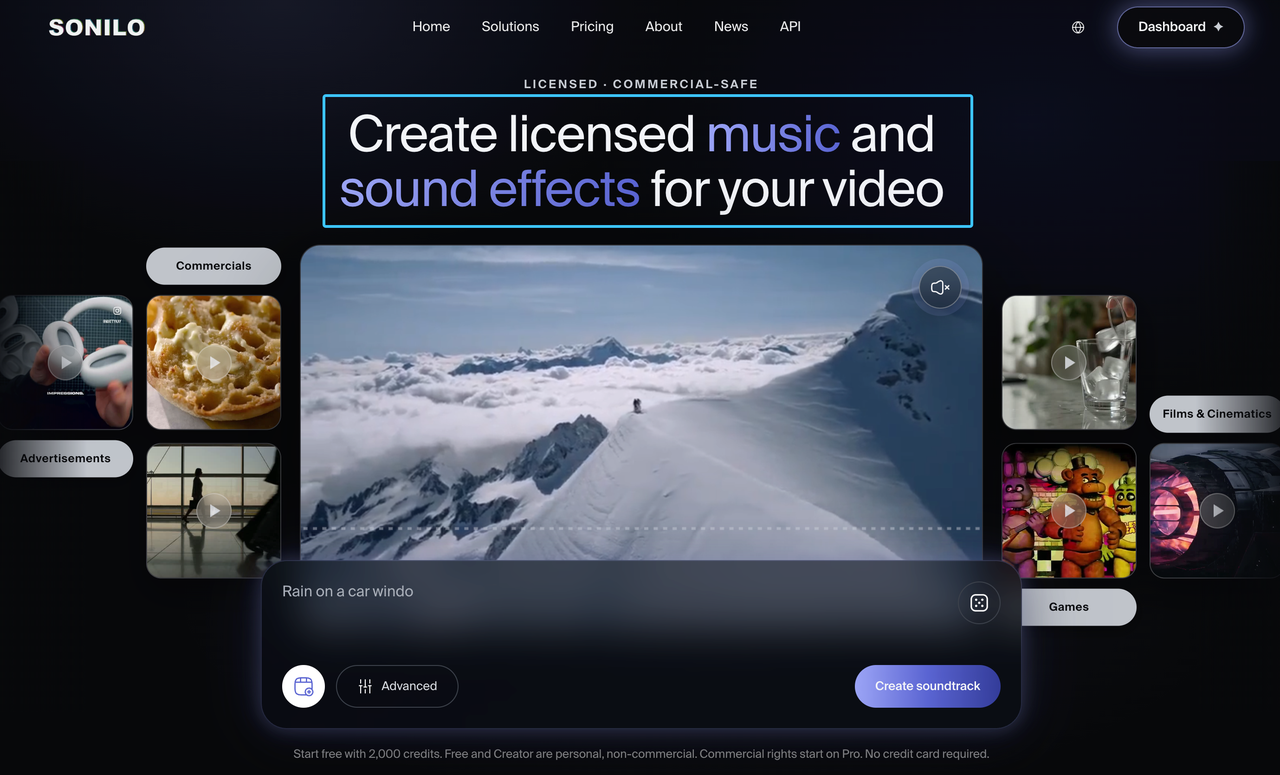
Sonilo’s current video and text workflow includes generated sound effects that can be matched to a video timeline or requested length. Its current licensing page states that Free and Creator output is personal and non-commercial. Commercial-use rights begin with Pro, Premium, Enterprise, or eligible API-user terms, subject to the current terms.
That plan boundary makes Sonilo one option, not an automatic winner. A common effect may still be faster to obtain from a library. A custom action that must land on a specific frame may be a better AI test.
This article stops at source selection. For prompt construction, generation steps, APIs, and model limitations, use the separate AI sound effects generation guide.
Compare Licensing and Attribution Before Downloading
“Royalty-free” usually describes how royalties are handled under a license. It does not automatically mean free of charge, attribution-free, exclusive, available for commercial work, or cleared for every platform and territory.
Before committing an effect to the edit, record:
- the asset title, creator, source URL, and file ID;
- the exact license name and version;
- whether attribution is required and where it must appear;
- whether commercial, client, advertising, broadcast, or resale use is covered;
- whether modification, stand-alone redistribution, or transfer to collaborators is restricted;
- the account or plan used and the date the terms were checked.
For AI effects, add the generation ID, prompt or video input record, output date, and plan. Confirm that you had permission to upload any client, confidential, unreleased, or third-party video used to create the sound.
This record will not settle every dispute. It gives the team a traceable basis for checking the release instead of reconstructing the source months later.
Match and Sync Effects to the Picture
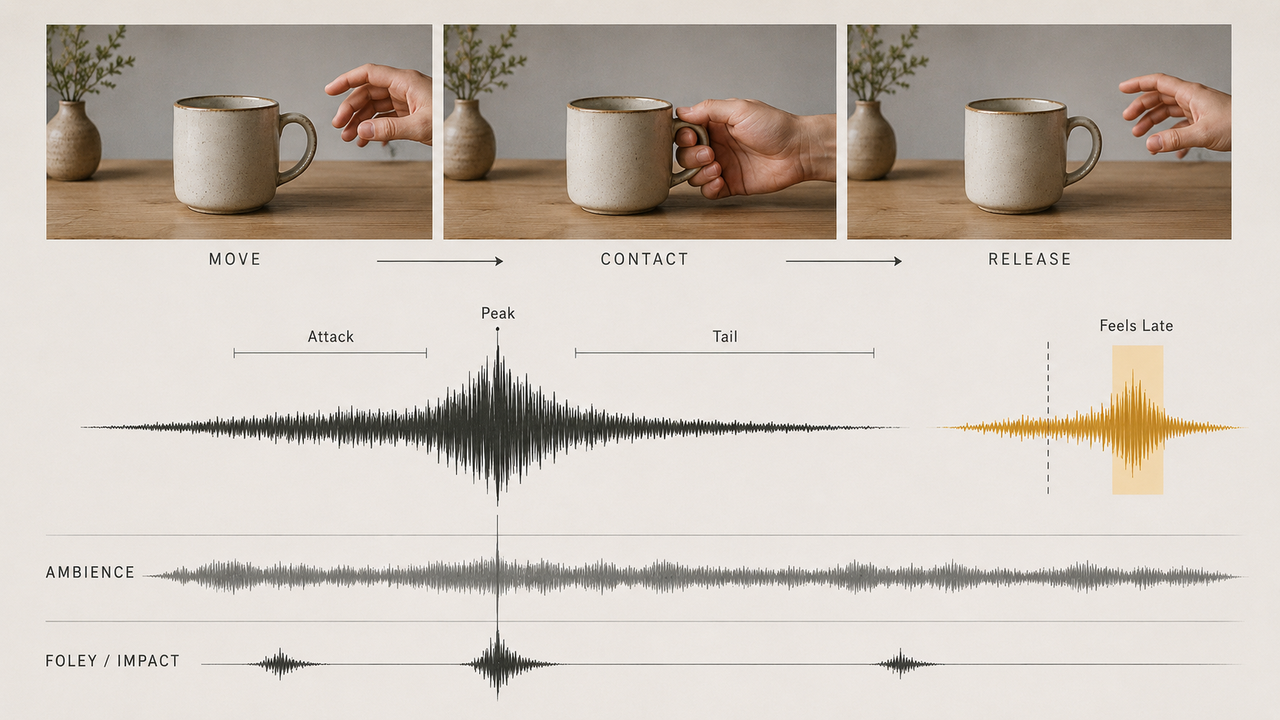
The source decision is only half the job. A clean effect can still feel wrong when its attack lands late, its perspective does not match the camera, or its tail covers dialogue.
Place one-shot effects around visible anchors such as contact, impact, release, or movement. Move the waveform by frames, not by guesswork. If the action begins softly and finishes with impact, the audible peak may belong at the contact frame rather than the first motion.
Treat ambience differently. Room tone, weather, traffic, and crowd beds need continuity, believable perspective, and smooth transitions. Keep ambience on separate tracks from impacts, Foley, and interface sounds so each layer can be adjusted without disturbing the others.
Review the full mix on headphones and ordinary speakers. Then export a short test section. Some problems appear only after the editor resamples, compresses, or combines the audio with the final video codec.
Limitations and Trade-Offs
Free libraries save money at download time, but searching and license tracking still take labor. Community libraries offer range, yet recording quality and metadata can vary. Built-in libraries are fast, although assets may be difficult to transfer or re-edit outside the original platform.
AI tools increase specificity but introduce generation time, output variation, and cleanup. A generated result may be close in concept and still fail in timing or realism. Free AI plans can also restrict output quality, downloads, duration, or permitted use.
The best workflow is often mixed. Use a dependable library for common Foley and room tone. Keep built-in effects for rapid platform-native edits. Test AI when the effect must respond to something distinctive in the picture.
FAQ
What file format works best for mobile video editing?
Check the editor’s supported formats first. WAV preserves an uncompressed working copy and is useful when the effect needs further processing. AAC, M4A, or MP3 may be smaller and easier to move between mobile apps. Keep the highest-quality original even if the mobile project uses a compressed copy.
How can creators organize hundreds of downloaded sound effects?
Separate files by functional category, then add searchable details such as source, perspective, intensity, and duration. Use names like door_close_heavy_interior_02.wav instead of sound_8472.wav. Keep license records in the same asset-management folder, but do not rename the original file ID out of existence.
Why can a free effect sound distorted after export?
The source may already be clipped, or the combined mix may exceed available headroom. Sample-rate conversion and low-bitrate export can add further artifacts. Lower the effect level, check the master meter, and compare a high-quality test export with the editor preview before replacing the source.
Should ambience and one-shot effects use separate tracks?
Usually, yes. Separate tracks let editors loop and crossfade ambience while adjusting individual impacts without changing the background bed. Larger projects can divide one-shots again into Foley, transitions, interface sounds, and designed effects for cleaner revisions and handoff.
What records should collaborators keep when sharing sound files?
Keep the original filename, asset URL or generation ID, creator, license version, attribution text, download date, account or plan, and approved-use note. Include a cue sheet showing where each effect appears. The receiving editor should be able to trace the sound without access to the first editor’s browser history.


