Comparisons
Best Sound Effects Apps for Video Creators in 2026
- Written by
- Sonilo Team
- Published
The best mobile SFX workflow begins with a constraint: the effect must be found, placed, reviewed, and exported without leaving the creator stuck on one device. That is a narrower test than asking which sound effects app advertises the largest library. Sync problems rarely come from one big mistake: a guide to audio-video sync methods for editors should cover timing offsets, export settings, source rates, and edit changes that shift the picture after the music is placed.
This 2026 shortlist compares four editors with verified mobile paths: CapCut, Adobe Express, Canva, and YouTube Create. They are not ranked by catalog size alone. The useful question is whether each app can move an effect from search or import to a controlled position in a publishable video.
Disclosure: Sonilo publishes this guide and appears only as a browser-based supplement, not in the mobile app shortlist.
Product, availability, and licensing pages were reviewed on August 26, 2026. Features, asset access, plans, and regional support can change. Verify the current app-store listing and the terms attached to the selected asset before release. This guide provides general workflow information, not legal advice.
How We Evaluate Sound Effects Apps
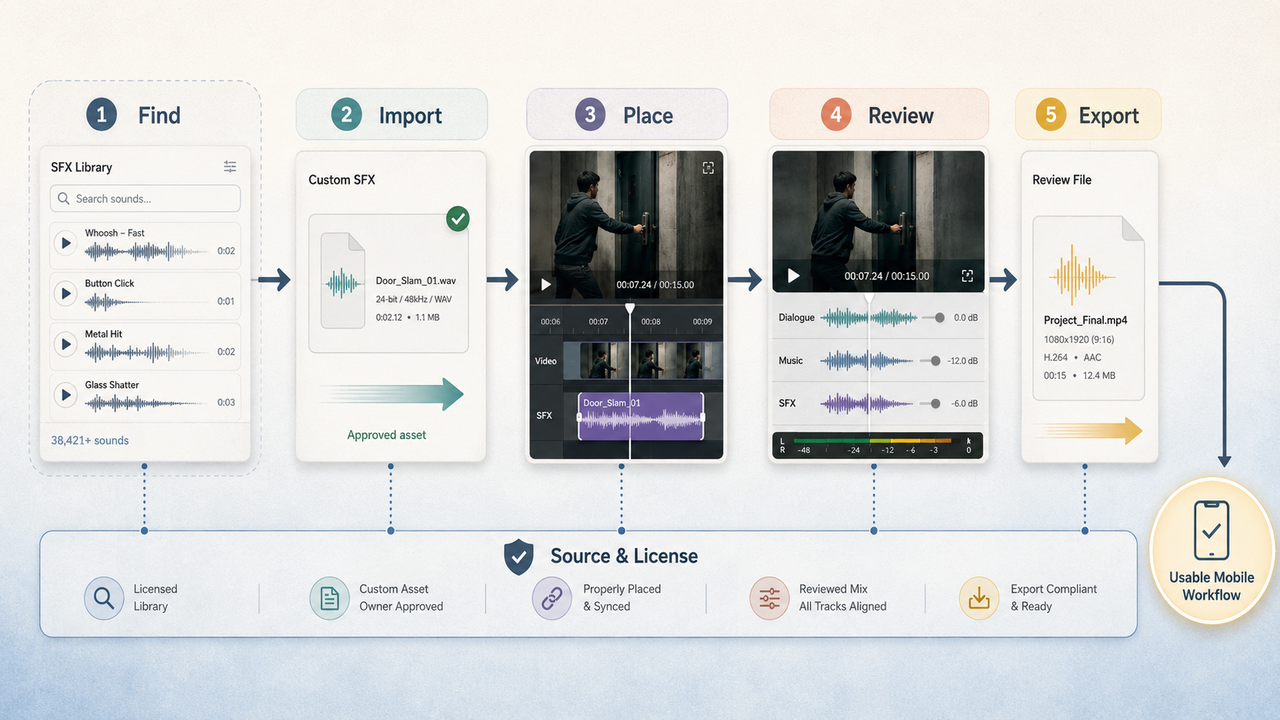
A strong video sound effects app should solve five separate tasks:
- Find an effect quickly through search, categories, or a clear library.
- Import a custom file when the built-in option is unsuitable.
- Place, trim, and level the effect against the picture.
- Export or share a review without breaking the audio choice.
- Show enough source and license information for the intended use.
Mobile access is not the whole workflow. A large catalog is less useful when effects cannot be moved precisely or revisions require rebuilding the project elsewhere.
Licensing receives its own check. “Free,” “royalty-free,” and “included with the app” describe different things. The asset label, account type, project use, territory, and export rules may all affect permission. Before uploading client or unreleased footage, confirm permission and review the app’s current privacy and data-use terms.
Quick Picks by Creator Workflow
| Creator need | Quick pick | Why it enters the shortlist | Main checkpoint |
|---|---|---|---|
| Built-in effects plus a familiar mobile timeline | CapCut | Preset SFX, custom uploads, and controls for timing, volume, speed, pitch, and fades | Asset permissions vary by label, territory, and license term |
| A broad stock-effects catalog with mobile and web continuity | Adobe Express | Its current page describes more than 15,000 Adobe Stock effects, with over 11,000 presented as free | Confirm whether the selected asset carries an Adobe Express limited license or another Stock license |
| Fast social design and team review | Canva | iOS and Android editing, uploaded audio, stock effects, link sharing, and cross-device projects | Free, Pro, and Popular Music follow different terms and availability |
| A YouTube-centered phone workflow | YouTube Create | Built-in sound-effect browsing, device audio, voiceover, and direct YouTube publishing | Device and country availability are limited, and some Shorts audio has export restrictions |
These are workflow picks, not universal winners. A creator making one Short has different needs from a small team maintaining reusable client assets.
Compare the Best Sound Effects Apps
CapCut for Built-In Effects and Timeline Editing
CapCut’s current sound-effects page describes mobile, desktop, and online access. Its editor can place preset effects on a timeline and adjust volume, speed, pitch, and fades. It also supports uploaded media, which matters when a project already has approved custom SFX.
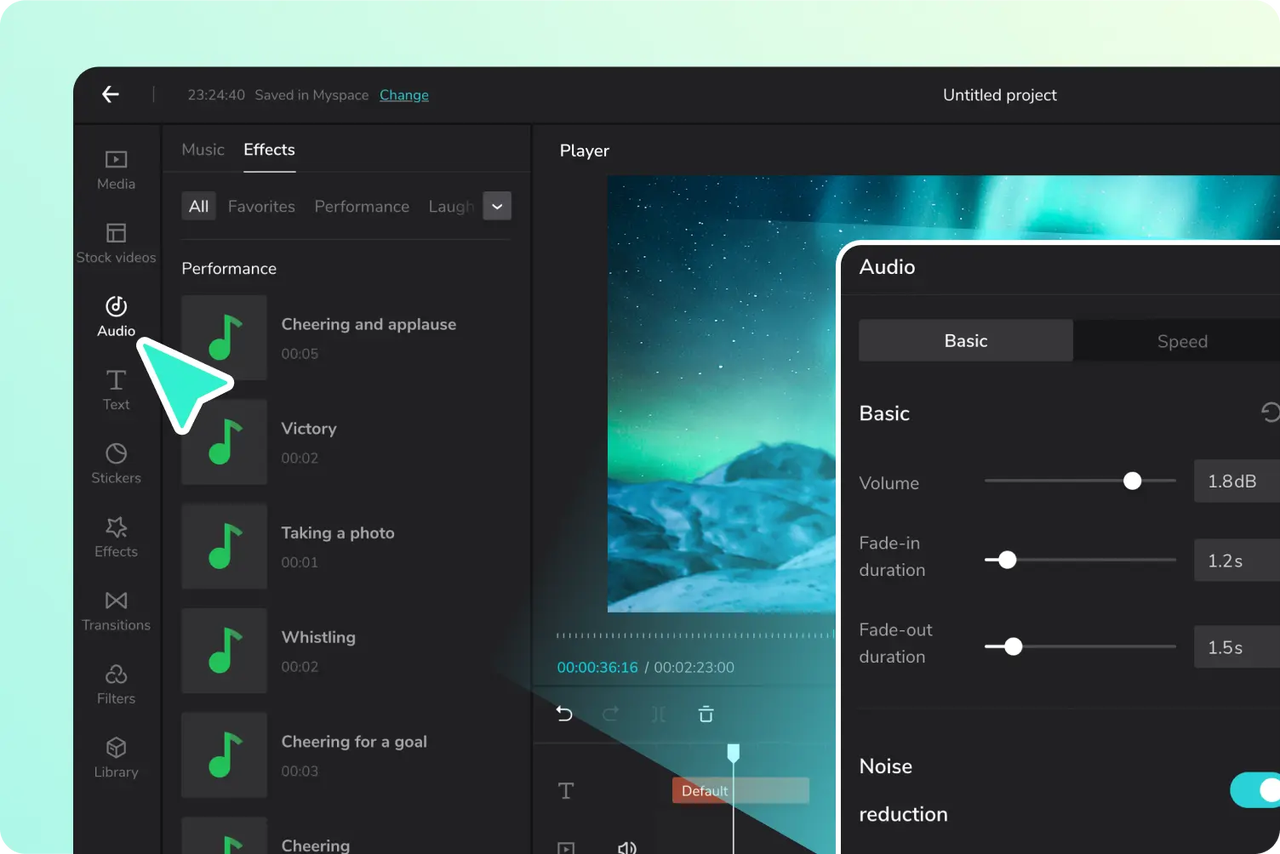
CapCut best suits creators who want controls close to a conventional timeline. A reaction hit can be moved, shortened, faded, or layered with dialogue without another editor.
The licensing check is more important than the product page’s broad marketing language. CapCut’s current Materials License Agreement distinguishes non-commercial materials from items marked for limited commercial use. It also says license terms and territories may vary by material. Save the asset label and applicable terms with a client export instead of treating every built-in effect as interchangeable.
CapCut offers cloud and team workflows, but mobile is not the full administration surface. Its current collaboration help places roles and subscription management mainly in CapCut Online.
Adobe Express for Stock Effects on Mobile and Web
Adobe Express currently presents more than 15,000 Adobe Stock sound effects, including over 11,000 described as free. Creators can search, preview, place, trim, and adjust duration or volume. Adobe’s mobile help also confirms device uploads, so an approved custom sound can sit beside Stock assets.

This sound effect app suits editors who want a searchable catalog without managing an SFX folder. Projects can continue in a desktop browser when mobile review becomes cramped.
The current mobile requirements list iOS 18 or later and Android 10 or later, with at least 3 GB of RAM. Adobe also states that an internet connection and Adobe ID are required to activate and use the product.
License type still matters. Adobe’s Stock license page explains that some assets inside Express use a limited license that permits use within an Express project but not stand-alone export. Check the source-information control for the selected effect rather than applying a general Stock rule to every result.
Canva for Fast Social Video Workflows
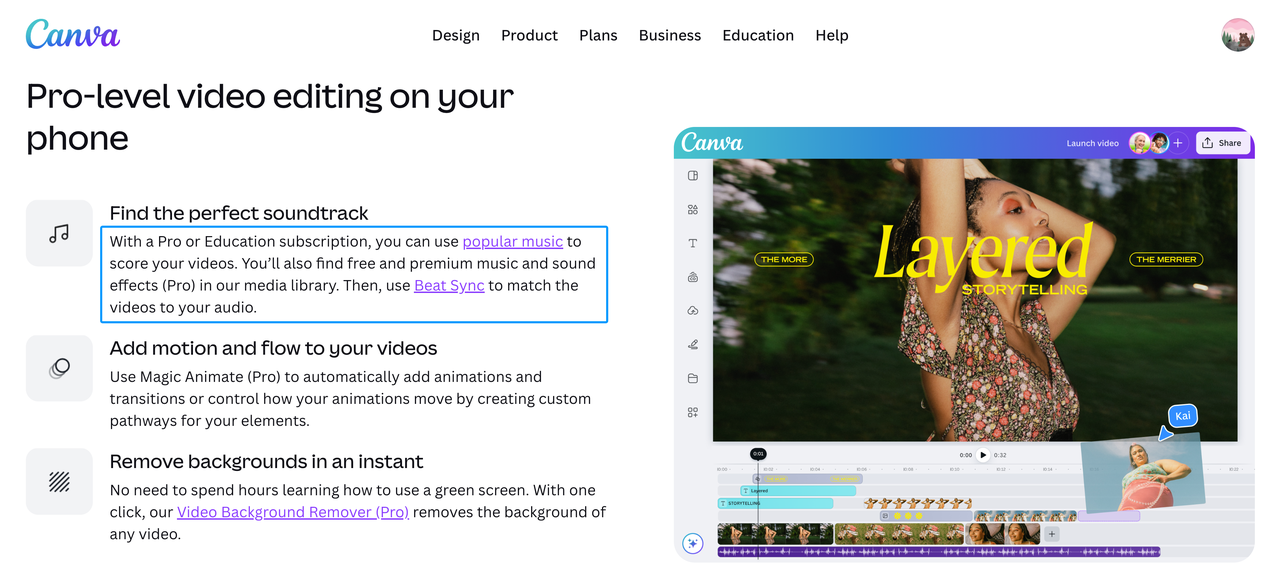
Canva’s mobile video editor is available through its official iOS and Android routes. It supports uploaded audio, stock audio and sound effects, timeline trimming, and MP4 export. Canva also lets creators share a design link, making it practical when a client reviews the whole social video rather than isolated audio stems.
Canva fits design-led workflows containing templates, captions, graphics, and multiple aspect ratios. It is less suited to dense, independently controlled SFX layers or frame-level waveform work.
The free app does not make every library item free. Canva’s current pages distinguish free and premium content, while some sound effects require Pro access. Its Content License Agreement also separates Free Content, Pro Content, and Popular Music. Confirm the specific audio category before using an effect in advertising, client work, or a reusable template.
YouTube Create for YouTube-Focused Mobile Editing
YouTube Create’s audio help documents sound effects, voiceovers, royalty-free music options, Shorts audio, and music stored on the device. The workflow is direct for creators who want to edit and publish from the same phone.
Its advantage is focus rather than deep sound design. Current public help does not present CapCut-level SFX controls. Choose it when YouTube publishing matters more than a complex audio layout.
Availability is a real filter. Google’s current location page lists 21 countries or regions. Supported devices include Android phones with at least 4 GB of RAM and iPhone XR or newer models using iOS 17 or later.
Audio source also changes the export. Current guidance says some Shorts-library music is removed from exports longer than 15 seconds, while direct YouTube uploads can use longer licensed excerpts under stated conditions. That rule concerns music rather than ordinary SFX, but it shows why creators should record which audio tab supplied each asset.
Compare Libraries, Custom Imports, and Timing Tools
| App | Built-in source | Custom audio | Timing and mix control | Review and handoff |
|---|---|---|---|---|
| CapCut | Categorized preset effects | Uploaded media | Timeline placement, trim, speed, pitch, volume, fades | Cloud spaces and review links; administration is stronger on web |
| Adobe Express | Adobe Stock sound effects | Upload from device | Placement, trim, duration, fade, and volume | Browser continuity, comments, and shared projects |
| Canva | Free and premium stock audio/SFX | Common uploaded audio formats | Reposition, split, trim, volume, and fades | Cross-device designs, link sharing, and collaboration |
| YouTube Create | Sound effects and YouTube audio options | Audio stored on device | Mobile placement and basic audio editing | Direct YouTube workflow; shared project review is not documented as a core feature |
Custom import support is the escape route that keeps all four useful. It lets a creator retain an approved signature sound, client-supplied effect, or separately generated cue when the built-in catalog misses the picture.
Timing depth separates the apps more clearly than library size. CapCut offers the most explicit timeline controls in the reviewed product material. Adobe Express and Canva balance timing with easier cloud review. YouTube Create prioritizes a direct phone-to-YouTube path.
Check Android, iPhone, and Regional Availability
Do not assume that a product page guarantees access on every device. Check the live App Store or Google Play listing from the intended country before moving a team workflow.
Adobe publishes current minimum operating-system and memory requirements. Canva publishes official iOS and Android download routes. YouTube Create publishes both device requirements and a defined country list. CapCut describes iOS and Android use, but store access, features, and legal terms can differ by region.
Run a compatibility test before adoption. Import one custom effect, add one library effect, reopen the project on the second device, and export a review. This exposes missing assets and account restrictions without claiming to measure audio quality.
When a Browser-Based AI Generator Fits Better
A mobile library works when the creator can name the required sound. It becomes slower when a cue must follow unusual movement or match a precise duration.
That is where a browser generator can supplement the app. Sonilo currently accepts video or text and can export sound effects as separate files for import into another editor. Sonilo is not a mobile app or an embedded feature in any product ranked above.
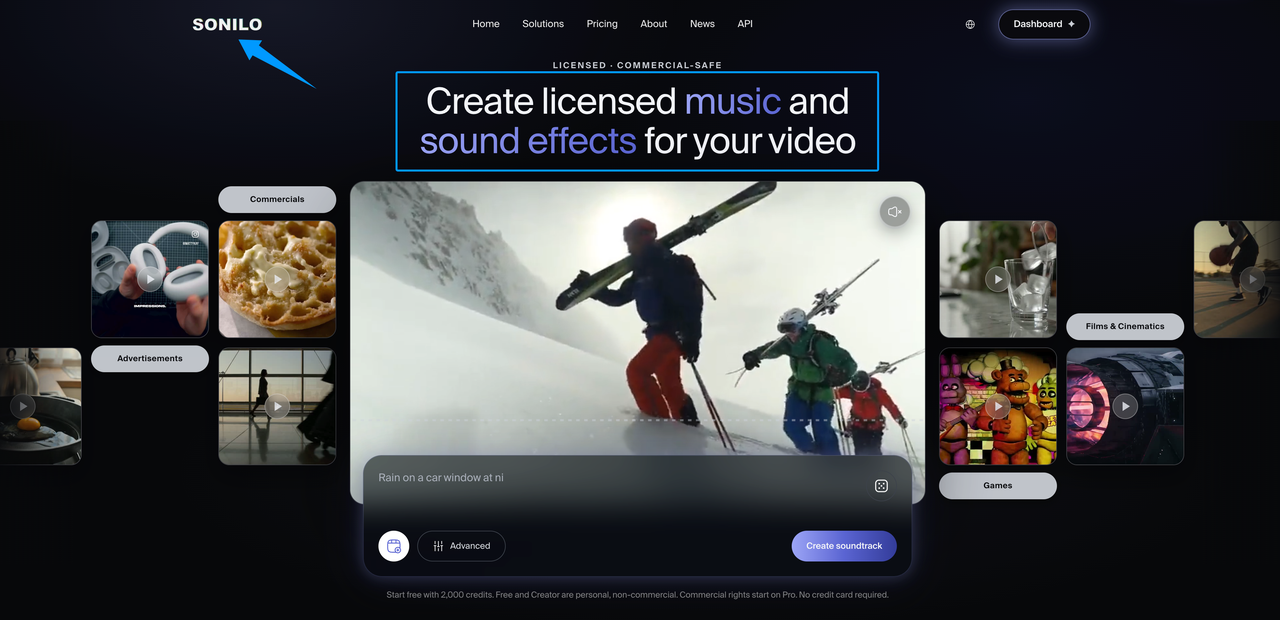
Use this route for a missing custom cue, then return to the chosen app for placement, dialogue balance, and final review. Sonilo currently describes Free and Creator output as personal and non-commercial; check its licensing page and active plan before client or monetized use.
Limitations and Trade-Offs
Mobile editors trade audio depth for speed. Small screens make dense layers harder to inspect, and cloud assets may change with a plan, account, or team owner.
Keep the original imported effect, asset title, source link, license label, export date, and approved video. For built-in sounds that cannot be downloaded separately, retain screenshots showing the asset and its terms. These records do not create rights, but they preserve the basis of the team’s decision.
No app removes the need to listen on the final device. Phone speakers can hide low-frequency overlap and make sharp effects feel louder than expected. Review dialogue, SFX, music, and original sound together before publishing.
FAQ
Which apps work without a constant internet connection?
None of the reviewed official pages supports treating the entire workflow as guaranteed offline. Adobe explicitly requires internet access for activation and use, while cloud libraries and synchronization in the other apps still depend on connectivity. For unreliable connections, import approved local files in advance and test the complete project in airplane mode before travel.
Can projects move between mobile and desktop versions?
Adobe Express and Canva explicitly support browser or desktop continuity for account projects. CapCut supports cloud and team projects, although administration may move online. YouTube Create’s current project help documents rename, duplicate, and delete controls, but not desktop continuation as a core workflow.
How much storage do large sound libraries usually require?
Built-in cloud libraries do not usually require downloading the entire catalog. Local storage grows through imported effects, cached previews, source video, duplicate projects, and exports. Estimate the requirement from one representative project, then reserve space for at least one source copy and one review export.
Which apps support shared review for small creator teams?
Adobe Express supports invitations, editing permissions, and comments. Canva supports shared designs and review links, while CapCut offers cloud spaces and account-dependent review sharing. Treat YouTube Create as an individual workflow unless its current project controls meet the team’s handoff needs.
Who should approve an app change after a team workflow is standardized?
The workflow owner and the person responsible for content rights should approve it together. Test one representative project, confirm asset access and export behavior, document the current license route, and keep a rollback copy in the previous editor before switching.
Related Posts
- Add Audio to Video AI: When It Helps Creators
- How to Add Music to a Video on iPhone: 4 Methods (2026)
- How to Add Music to a Video on Android: Free Apps & Methods
- How to Add Music to CapCut and Keep the Edit Balanced
- Sonilo Sound Effects 1.0 launches on fal.ai: realistic sound effects from video and text