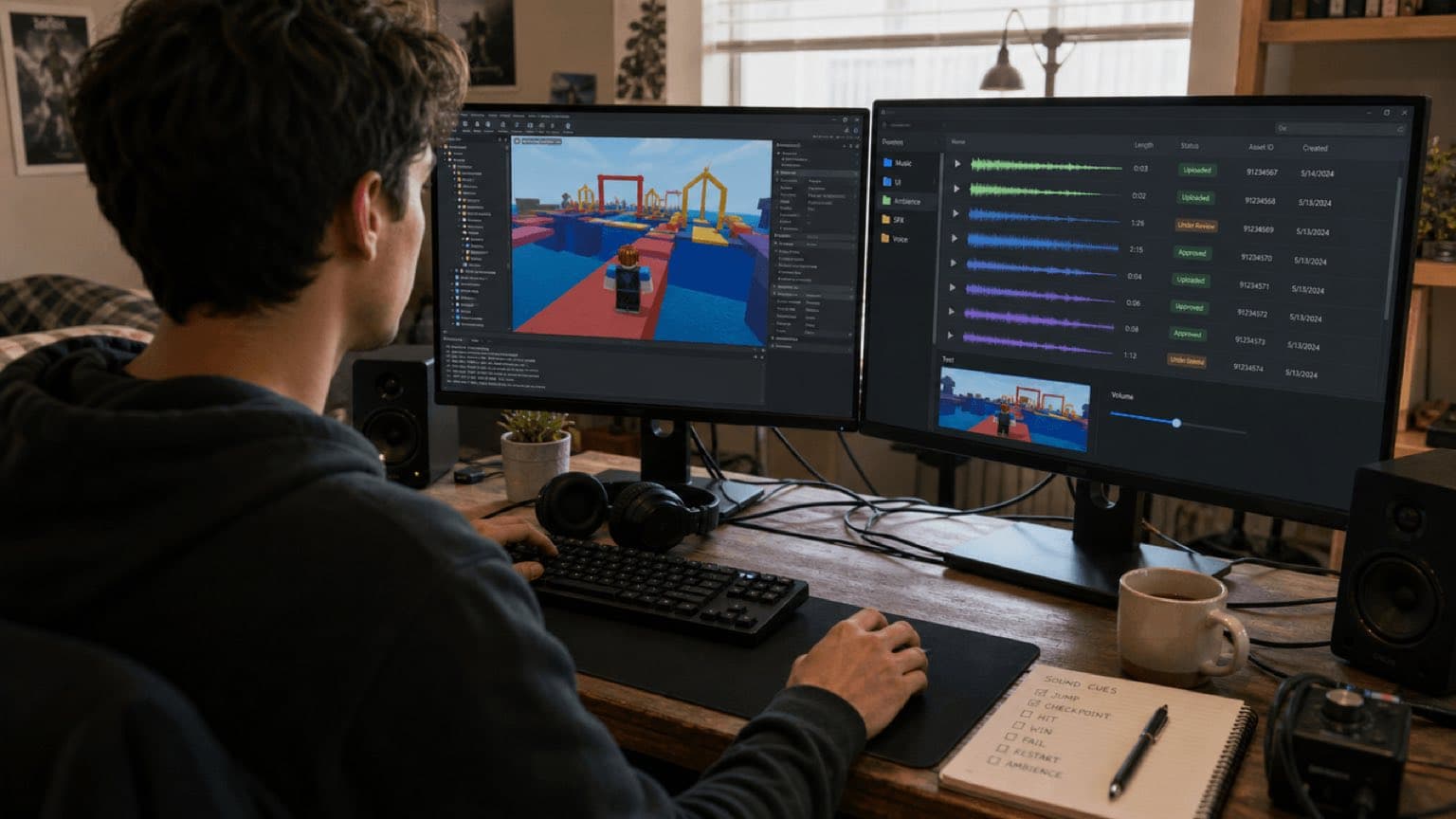
This article provides general editorial and production information; it is not legal advice and is not itself a license. An audio file appearing in a library, being accepted on upload, or remaining live does not by itself grant or confirm permission. Check the exact asset, source, account type, region, placement, territory, term, edits, monetization, and current platform or vendor agreement before release.
For Sonilo, commercial use applies only to eligible output generated under an eligible plan or written API agreement and remains subject to the current licensing page and Terms of Service. Do not infer commercial permission from a plan name alone; verify the current Terms and the plan-specific or written agreement that applied when the output was generated. Users must have the necessary rights to every input and remain responsible for third-party rights. No wording on this page promises exclusivity, copyrightability, platform approval, monetization, or freedom from claims.
Policy-source review: August 28, 2026. Roblox is a trademark of Roblox Corporation; this independent guide is not sponsored, endorsed, or approved by Roblox.
- The exact audio source and asset, generation, purchase, or download record.
- The account and plan plus the terms that applied on the acquisition or generation date.
- The intended platforms, territories, client or brand use, paid media, monetization, editing, and delivery scope.
- Clearance for every relevant input, composition, recording, sample, voice, likeness, and third-party element.
If any item cannot be evidenced, replace the audio or obtain written clearance before publication.
Sonilo publishes this guide and describes its own Creator Hub listing. Roblox did not sponsor, review or independently test the claims here. A Creator Store listing is not an endorsement, moderation approval for every generated output or proof of rights. Roblox platform limits, objects, import quotas, moderation, privacy and visibility rules change; the live Creator Hub documentation and your account/asset state control.
Last verified: August 21, 2026. Sonilo’s current product page links the exact SoniloAudioGenerator Creator Hub asset. Roblox’s current Audio Assets documentation covers supported custom-audio types, size, duration, sample rate, channels, transcode, moderation, privacy and permissions. Current Audio documentation describes AudioPlayer, AudioEmitter and output wiring, while legacy Sound documentation remains available.
Pick the input and output from the experience’s audio job
Reusable authored track
Lobby, obby, tycoon, exploration or boss music when the game state can be described without a video.
Capture-led soundtrack
Trailer, cutscene or representative gameplay capture whose pacing should guide the score.
Standalone cue
Checkpoint, purchase, fail, win, door, ability or ambience asset placed by the designer.
Timed action pass
Gameplay or cinematic capture whose visible impacts and transitions need a candidate SFX layer.
Do not confuse a linear soundtrack for a capture with adaptive experience audio. A generated trailer mix can inform the game’s sound language, but live players still require states, triggers, variation, concurrency, spatial emission, user volume controls and predictable network behavior.
01
Review the exact Creator Hub listing before adding it to Studio
- Open SoniloAudioGenerator from the current Sonilo product page or exact asset URL; confirm creator, description, updated information and requested permissions.
- Checkpoint the place/project. Add the listing only in the intended development environment and inspect inserted plugin/model/scripts before enabling or running them.
- Read the current Sonilo Roblox guide and developer documentation for its API-key and network workflow.
- Keep the development key outside public source, Team Create-visible objects, ReplicatedStorage, LocalScripts, attributes and exported packages. Rotate any key that may have been exposed.
- Run one short disposable generation, review changes in Explorer/Output and save the file to a staging area—not directly as a shipping asset.
- Pin and document the reviewed listing/version or source state. Re-review updates and remove development-only tooling from release paths where appropriate.
Inspect code and permissions, use least privilege, restrict secrets and test on a branch/copy. A trusted creator name is helpful provenance but does not replace a security review. Do not let a generator publish arbitrary user prompts or uploads into a live experience without a separate abuse, privacy and cost design.
02
Generate against a cue sheet, not “make game music”
| Cue | Useful brief | Acceptance test |
|---|---|---|
| Lobby loop | Friendly energy, 75 seconds, low fatigue, no vocal, clean loop option | Five-minute listen; UI and voice remain clear |
| Checkpoint | Bright tactile confirmation, 0.4 seconds, phone speaker, no melody tail | Distinct from purchase/win/error |
| Fail | Brief soft downward cue, supportive not punitive | Does not mask respawn or accessibility feedback |
| Boss state | Scale, tension, readable pulse, dialogue space, controlled ending | Combat mix survives weakest target device |
| World prop | Source, action, material, scale, distance and three variations | Works positionally without repetition |
| Gameplay video | Authorized capture, visible events, intentional silence, no voice | Frame timing plus normal-speed story review |
Generate several directions and compare them at a matched level in Studio. Save raw output, prompt or input reference, generation date/task/version, edits, reviewer and licensing snapshot. Trim, loop, compress or layer on a duplicate. Give the final export a stable cue ID and version rather than a filename such as final_final_music2.wav.
03
Prepare the file for Roblox import and moderation
As currently documented, custom audio must be a single track in MP3, OGG, WAV or FLAC, less than 20 MB and seven minutes, with sample rate at or below 48 kHz and a supported mono, stereo 2.0, 3.0 or 5.1 layout. Roblox transcodes imported audio, so validate playback after import—not only in the local editor. Check the live page because requirements and quotas can change.
| Preflight | Pass condition | Why |
|---|---|---|
| Authority | Uploader controls source, performance and generated output use | Required before platform upload |
| Container/codec | One supported track with valid headers/frames | Avoid transcode rejection |
| Bytes/duration | Below current platform limits with margin | Prevents avoidable failed import |
| Rate/channels | At most 48 kHz and supported layout | Matches documented ingestion |
| Content | No prohibited, private, deceptive or uncleared material | Moderation, safety and rights |
| Audio QC | No clipping, clicks, bad loop, excess silence or hidden voice | Transcode cannot repair design |
Manual import
- Use Asset Manager or Creator Dashboard under the correct owner/group.
- Select the approved export and confirm title/metadata without misleading authorship.
- Wait for upload, transcode and moderation; do not hard-code the asset before it is usable.
- Copy the assigned asset ID and grant the intended experience/user permissions under Roblox’s asset privacy system.
- Record asset ID, owner, source hash, upload date, moderation state and permitted experiences.
Automated import
Open Cloud asset creation can support controlled pipelines, but credentials belong in a backend/CI secret store, not Studio clients or the live experience. Submit only approved files, store operation IDs, poll finite operations, handle failures without duplicates, assign permissions deliberately and keep an audit trail. Human moderation and platform policy still apply.
04
Choose a playback architecture and asset permission model
| Object/path | Use | Verify |
|---|---|---|
| AudioPlayer plus AudioDeviceOutput | Non-positional music or UI in the newer audio graph | Asset permission, wiring and local output |
| AudioPlayer plus AudioEmitter/Listener | Advanced positional audio | Distance, direction, occlusion and listener behavior |
| Sound under SoundService/Workspace | Legacy non-positional background playback | SoundId, loading, grouping and client behavior |
| Sound under BasePart/Attachment | Legacy positional point/volumetric source | Roll-off, emitter size and world scale |
| SoundGroup or graph mix | Music, SFX, UI, ambience and voice categories | User settings and effect order |
An asset ID alone is not enough. The audio must be owned or shared correctly with the experience and available after moderation. Test from the published owner context, not only a privileged Studio session. For background music, do not parent a positional source to a moving part. For world effects, do not play everything globally because it was convenient in a prototype.
-- Minimal legacy background cue after an approved asset ID is configured
local SoundService = game:GetService("SoundService")
local music = SoundService:WaitForChild("LobbyMusic")
if not music.IsLoaded then
    music.Loaded:Wait()
end
music.Looped = true
music:Play()
This sample does not implement retries, crossfades, user settings or moderation fallback. Production code should time out safely, avoid duplicate players, respect local volume preferences and provide a silent/fallback state when an asset is unavailable.
05
Build an experience-audio system, not a folder of IDs
States and transitions
Define lobby, gameplay, danger, boss, win, fail and silence. Each transition needs a trigger, minimum hold, fade/crossfade, interruption rule and fallback. Keep the authoritative state logic clear, but play non-critical personal music/UI locally where appropriate. Do not fire remote events that let clients request arbitrary asset IDs.
Variation and voice limits
Use several related footsteps, impacts and UI variations; avoid unreviewed random pitch ranges that change meaning. Limit simultaneous world cues, prioritize player feedback and suppress distant/offscreen clutter. A short checkpoint sound repeated by hundreds of players should be cheap, clear and local—not a new hosted generation.
Mix and accessibility
Separate Music, SFX, UI, Ambience and Voice controls through the chosen grouping/graph system. Essential information needs visual or haptic alternatives. Test with user music muted, low volume, mono, headphones, phone/tablet speakers and common PC output. Localization changes dialogue duration and can require new ducking and cutscene checks.
06
Worked example: a ten-stage obby
- Generate three lobby candidates from text and a timed SFX pass from an authorized gameplay capture.
- Select one restrained lobby cue; extract checkpoint, fail and win ideas into separate short approved assets rather than shipping a flattened gameplay mix.
- Edit clean boundaries, create checkpoint variations and export under Roblox limits.
- Import under the experience group, wait for moderation and grant the experience access.
- Map stable logical cue IDs to Roblox asset IDs in a controlled module/config; do not scatter numbers across scripts.
- Play lobby music non-positionally; play moving hazards and world props positionally; keep UI cues local.
- Prevent checkpoint spam with local cooldown and voice limit. A player touching the same pad repeatedly should not create a wall of sound.
- Test ten players, simultaneous checkpoints, hazards and win/respawn events with network emulation and the weakest supported device.
- Verify that a missing/moderating asset fails silently with useful telemetry rather than blocking gameplay.
- Release a manifest with source, generation, edit, Roblox ID/owner/permissions, moderation, reviewer and license evidence.
07
Moderation, visibility, privacy and commercial records
Roblox says creators should import only audio they have permission to use and that complies with Community Rules and Terms. Imported audio enters transcode, moderation and privacy controls. Classification as sound effect or song and any details-page visibility have separate platform criteria. Do not promise public discoverability or approval before the platform state proves it.
The Sonilo listing uses a hosted API. Development footage may reveal unreleased maps, player names, chat, minors, voices or internal UI. Crop/redact captures, use authorized test accounts and obtain necessary consent. Do not place production secrets or sensitive prompts in shared Studio objects. At release verify current Sonilo licensing, Roblox Audio Terms, experience ownership, asset permissions, intended monetization and platform/territory scope. The phrases “commercial-safe” and “passed moderation” are not substitutes for a project-specific rights record.
08
Roblox audio QA and troubleshooting
- Exact listing and inserted code were reviewed; no secret appears in place files, Team Create, client scripts or logs.
- Every export passes local format, header, size, duration, rate, channel and audio-quality preflight.
- Asset owner, moderation status and experience permissions are confirmed before release.
- Stable cue IDs map to the intended Roblox asset IDs; no arbitrary client-supplied ID path exists.
- Music and UI are non-positional; world sources have reviewed position, roll-off/listener behavior or audio-graph wiring.
- Loops, crossfades, state changes, respawn, teleport/place transition and focus loss do not duplicate or stall audio.
- Worst-case multiplayer concurrency retains UI/player feedback and does not clip or flood the mix.
- Published-client tests cover owner/group permissions and moderated availability, not only Studio privileges.
- Mobile, tablet, PC and console targets used by the experience receive playback, performance and accessibility checks.
- Manifest links source, task, edit, upload, asset ID, permission, moderation, reviewer, license and release.
| Symptom | Likely cause | Check |
|---|---|---|
| Import rejected | Unsupported/invalid media, size, duration or rate | Current Audio Assets requirements and fresh export |
| Works for uploader only | Private asset permission not granted | Owner, group and experience access |
| Asset silent | Still moderating, unavailable, wrong ID or wiring | Creator Hub state, content ID, AudioPlayer/Sound path |
| Music changes with distance | Parented to positional source | Move to non-positional output/SoundService design |
| World SFX global | Non-positional placement/wiring | Emitter, listener, attachment and roll-off |
| Checkpoint becomes noisy | No cooldown/voice limit/variation | Local trigger policy and concurrency |
| Plugin unauthorized | Missing/revoked key or hosted access | Development secret and current Sonilo account |
| Published experience differs | Permissions, moderation, client/network or target device | Published test account and platform telemetry |
Sources
Primary and first-party sources
- Roblox Creator Hub: SoniloAudioGenerator
- Roblox: Audio assets
- Roblox: Audio system
- Roblox: SoundService
- Roblox Open Cloud: Assets
- Sonilo Roblox listing guide
- Sonilo licensing
Editorial verification: The linked primary sources were reviewed on August 28, 2026. Interface steps can change and this article does not approve any particular track, sound, upload, campaign, or account. Recheck the current official terms for the exact asset and release. Refer unclear client, paid-media, broadcast, sublicensing, exclusivity, sample, voice, or likeness questions to a qualified rights professional.
FAQ
Frequently asked questions
SoniloAudioGenerator is currently listed on Roblox Creator Hub / Creator Store. Sonilo describes it as a Studio workflow for generating music and sound effects from text or gameplay video through the hosted Sonilo API. Verify the exact listing, current instructions, permissions and source before installing.
Not merely because a file was generated. Import the approved file through Roblox’s supported asset workflow, wait for processing and moderation, obtain the audio asset ID, grant the intended experience permission and test playback in the published experience.
Current Creator Hub documentation says custom audio must be a single track in MP3, OGG, WAV or FLAC, under 20 MB and 7 minutes, at 48 kHz or lower, with supported mono, stereo 2.0, 3.0 or 5.1 channel layouts. Recheck the live documentation because platform requirements can change.
Roblox’s newer audio system uses AudioPlayer plus wiring to an AudioEmitter or AudioDeviceOutput and offers more control. Legacy Sound remains documented and can be positional when parented to a 3D object or non-positional under SoundService/Workspace. Choose one architecture deliberately and test it.
Do not ship a reusable hosted-service secret in client-accessible scripts, attributes or replicated objects. Use the Studio listing for development-time asset authoring, or a controlled authenticated backend for any runtime workflow.
Commercial scope depends on current Sonilo plan and terms, source authority, Roblox moderation and Audio Terms, asset permissions and release context. The Creator Store listing or generated file does not replace those checks. Retain evidence and obtain qualified review where needed.
Related
Keep reading
GENERATE, IMPORT, MODERATE, PERMIT, TEST
Create music and sound effects for Roblox, then ship them through the real asset pipeline.
Start with text or authorized gameplay video and keep every asset ID tied to a reviewed cue and release record.