Get Marketing Insights First
Subscribe to receive actionable strategies, growth tips, and industry insights delivered straight to your inbox.
If you’ve ever stared at a timeline with no music and a publish deadline in two hours, you know what I’m talking about.
I spent the last month testing Suno v5.5’s new Custom Models feature—not because I wanted to play with AI music tech, but because I wanted to see if it could actually solve a real problem: getting music that sounds like my work, not a random song someone else would use.
Testing is one thing. Using it in actual projects is another.
This piece breaks down what Custom Models are, who can use them, how to set one up, and—more importantly—what they won’t do for you.
| Dimension | My Take |
| Is it recommended? | Yes, if you have a consistent sound and need variants |
| Core advantage | Trains on your songs, not generic prompts |
| Biggest limitation | No video-scene awareness, no frame-accurate timing |
| Best for | Artists with a signature style, brands needing repeatable identity |
Evidence level:
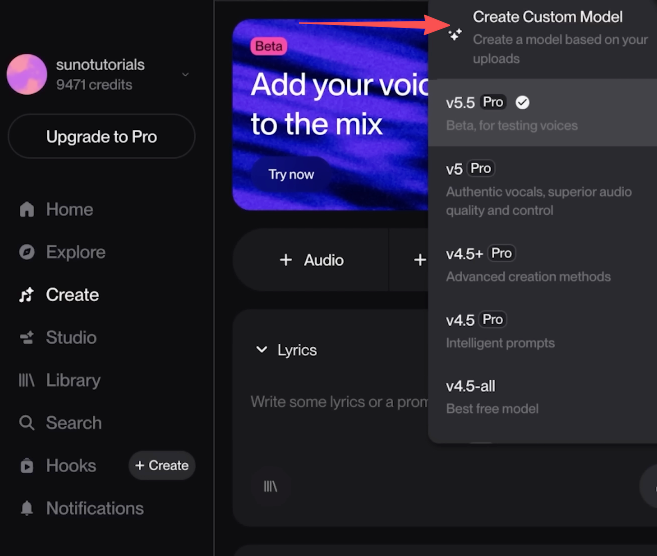
Custom Models let you upload your own songs—ones you own—and train Suno to generate new music that shares the same sound, style, or production signature.
This is different from prompt-only generation. Instead of typing “upbeat acoustic guitar,” you’re saying: “Here are eight songs I made. Learn from them.”
The model doesn’t copy your songs. It learns patterns—tempo, instrumentation, vocal tone, mixing style—and uses those patterns to create new variations.
Why this matters: If you’re a solo artist with a signature sound, or a brand that needs consistent music identity across campaigns, Custom Models give you a repeatable starting point. You’re not fishing through random generations hoping one feels right.
But here’s the thing: it’s not magic. It’s a tuning tool, not a replacement for your own judgment.
Custom Models are not available on the Free plan. According to Suno’s pricing structure, you need:
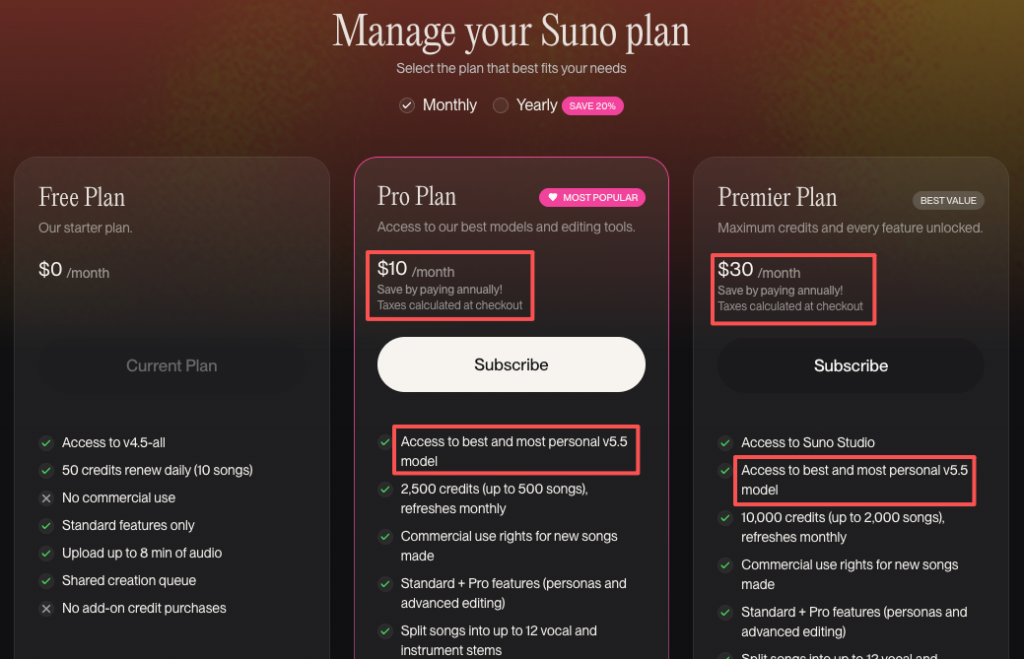
Both tiers let you build Custom Models. The difference is generation volume and priority processing.
You can upload as few as six songs to start building a model. Suno says more songs improve consistency, but six is the floor.
Critical rule: You must own the rights to every uploaded song.
This isn’t negotiable. If you upload tracks you didn’t create or don’t have rights to, you’re violating Suno’s terms of service and putting your account at risk. The terms are explicit about copyright ownership requirements.
I tested this with eight original tracks I own. If you’re uploading songs from a library or stock collection you don’t have creator rights to, stop.
Before you upload, make sure:
If your songs span wildly different genres, the model will struggle to find patterns. Pick tracks that sound like they belong together.
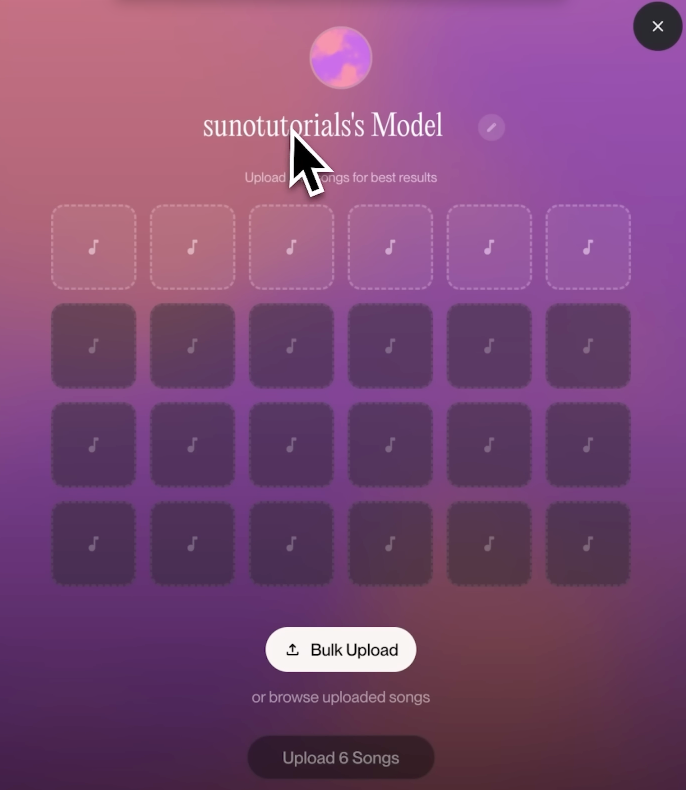
In the Suno dashboard:
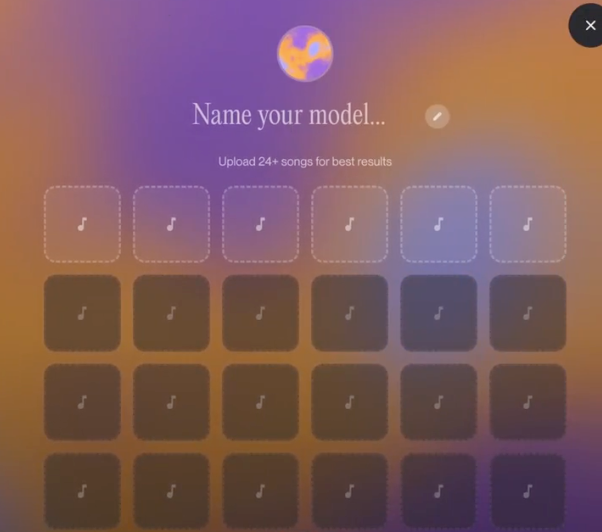
The upload process took me about five minutes for eight songs.
Once uploaded, Suno processes your songs and builds the model. This can take a few minutes to an hour depending on file count and server load.
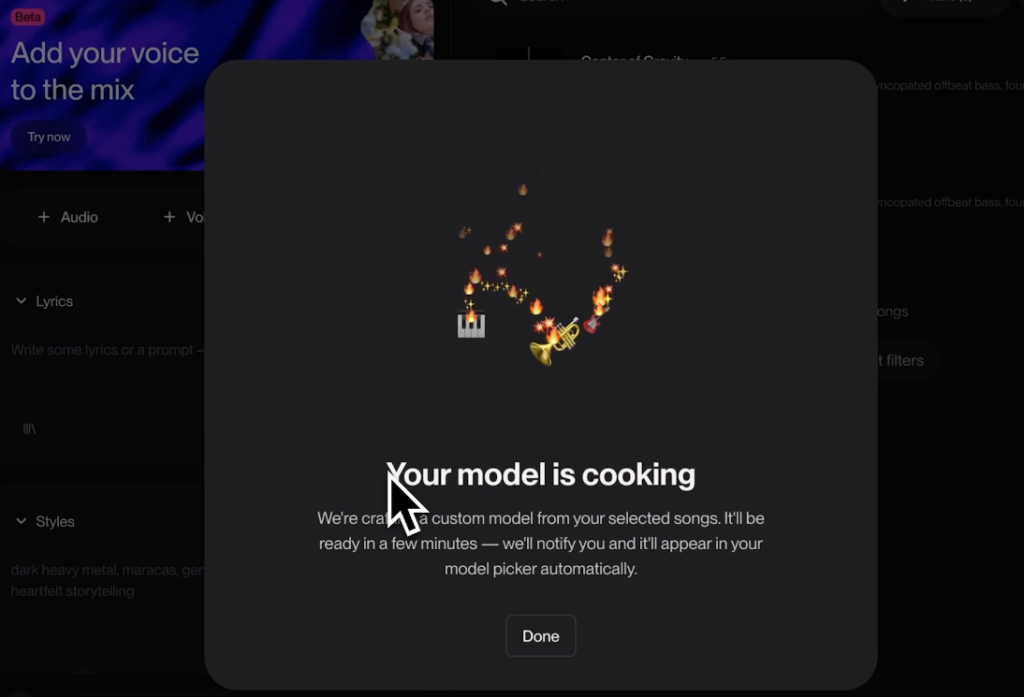
After processing completes:
I generated three test tracks from my first model. Two felt on-brand. One didn’t. That’s normal—it’s a starting point, not a guarantee.
If you’re a solo musician or band with a signature style—specific vocal tone, instrument mix, production aesthetic—Custom Models give you a baseline.
You can generate variations without starting from scratch every time. It’s faster than prompting and closer to what you actually sound like.
Brands that need the same sonic feel across multiple videos or campaigns can upload a set of reference tracks and use the Custom Model to create variations.
This keeps the vibe consistent without licensing the same track over and over.
If you’re producing content for clients and need several music options that share a common thread, Custom Models help you stay on-brand while offering choice.
I tested this by uploading eight tracks from a past project and generating four new versions. Three felt like they could have been part of the original set.
Custom Models don’t match your video cut or timeline. They generate music based on style, not scene timing.
If you need a track that hits a specific beat at 0:32, this won’t do it. You’ll still need to edit the output in your timeline.
Suno doesn’t analyze your video footage. It doesn’t know when your cut switches from slow to fast or when a product reveal happens.
Custom Models are about style consistency, not adaptive scoring. The v5.5 update focused on audio quality improvements and custom training capabilities, but video analysis isn’t part of the feature set.
Even with a well-trained Custom Model, generation is probabilistic. Some outputs will feel closer than others.
I ran 12 generations from the same model. Eight felt on-brand. Four didn’t. That’s the nature of AI generation—it’s not a plugin with a knob you turn.
This is the fastest way to violate terms and lose access. If you didn’t create the song or don’t hold the rights, don’t upload it.
Suno’s copyright policy requires that you either created the uploaded content yourself or have explicit permission from the rights holder. Test with your own work or licensed content you control.
Custom Models don’t sync to video timelines. They generate music. You still edit it to fit your cut.
If you’re looking for auto-timed scoring, this isn’t the feature.
Custom Models are a generation tool, not a production suite. You can’t edit stems, adjust individual instruments, or tweak mixing inside Suno.
You generate, export, and refine in your DAW if needed.
How many songs do I need? Minimum six. More improves consistency, but six is enough to start.
Do I need to own the uploaded songs? Yes. This is non-negotiable. Upload only songs you created or have full rights to.
Can I build more than one model? Yes. According to Suno’s help documentation, you can create up to three Custom Models per account.
Is this better than prompt-only generation? It depends. If you have a consistent style and need variants, Custom Models save time. If you’re experimenting with random ideas, prompts are faster.

Custom Models in Suno v5.5 are worth using if you have a signature sound and need multiple variations that stay on-brand.
They won’t sync to your video timeline. They won’t guarantee perfect results every time. And they won’t replace your editing workflow.
But if you’re tired of prompting your way through generic outputs, uploading your own songs and letting Suno learn from them is a faster path to music that actually sounds like yours.
This time I uploaded eight tracks, built two models, and exported 12 variations. You can take the workflow above and test it yourself.
What’s the part of music generation that still slows you down the most—prompting, editing, or trying to match your sound?
Recommended Reads