Get Marketing Insights First
Subscribe to receive actionable strategies, growth tips, and industry insights delivered straight to your inbox.

I’ve spent more time than I’d like to admit staring at a timeline at 11pm, cycling through tracks that were all technically fine and none of them actually right. Not wrong, just… not it. The pacing was off. The mood was a half-step sideways from the footage. I’d upload the vlog anyway and spend the next day with a vague sense that something was off.
Picking vlogbackground music is one of those tasks that looks simple until you’re deep in it. This piece covers how to actually get it right — not just “find something royalty-free and call it a day,” but match mood to vlog type, manage volume under your voice, and avoid the mistakes that make otherwise solid vlogs feel amateur.
Here’s the thing nobody mentions: background music and featured music are doing completely different jobs.
Featured music is part of the story. You show up at a concert, you play a track during a montage meant to hit emotionally, you build a scene around the sound. The viewer is meant to notice it.
Background music is supposed to disappear.
That sounds simple. It isn’t. A background track that’s too melodically interesting pulls attention away from your face, your words, your story. A track with heavy vocals — even instrumental vocals, the wordless kind — competes with narration because the human ear routes vocal frequencies the same way whether or not you’re speaking on top of them.
What actually works for background in vlogs:
This is why some creators spend 40 minutes searching and end up with a track that technically qualifies as background music but still somehow feels wrong. The checklist they’re running is “can I use this” when the question they should be running is “will the viewer forget this is here.”
Vlog type matters more than most creators realize when choosing background tracks. The same energy that works brilliantly for a travel montage will feel completely wrong under a talking-head lifestyle video shot in your bedroom.
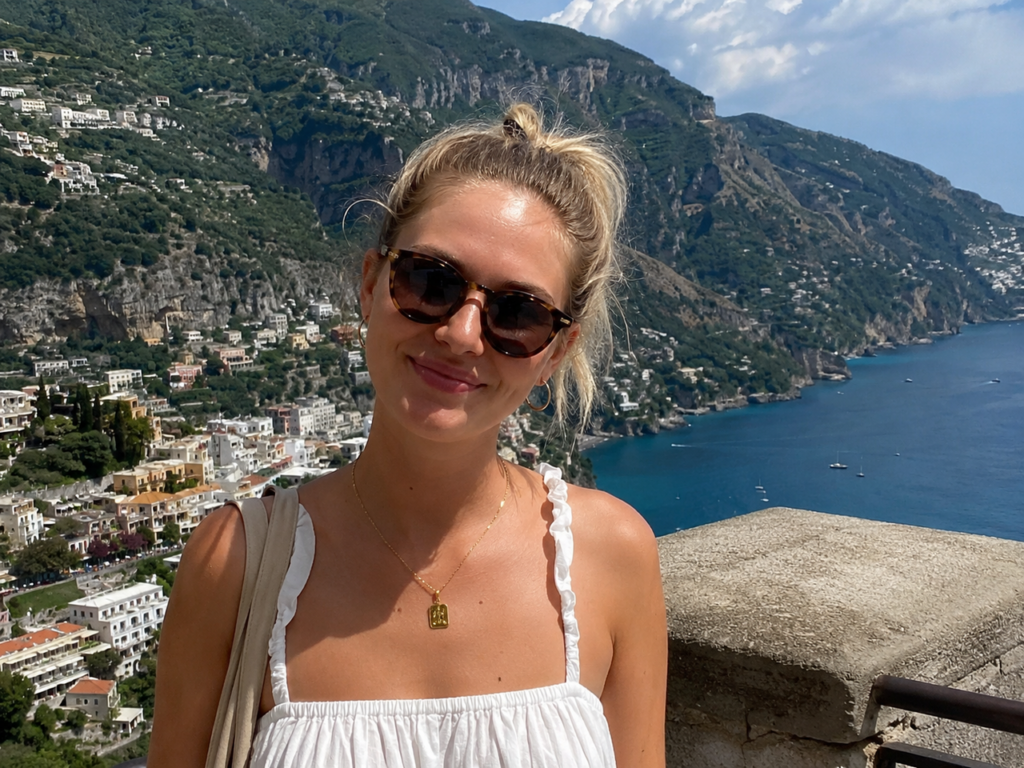
Travel vlogs tend to move faster — more cuts, more location changes, more visual information per minute. The music needs to match that momentum without turning into a thrill-ride.
What works: mid-tempo tracks with a sense of movement. Light percussion, acoustic guitar, or instrumental tracks that feel curious and open. Think: music that sounds like it has somewhere to be, but isn’t in a rush.
What doesn’t: anything too heavy (metal, aggressive electronic) or too languid (slow piano, ambient textures that suggest stillness). If the footage is moving but the music is pooling, the edit will feel unresolved.
For travel vlogs, I also find that tracks with a slight international or folk-influenced flavor can reinforce where you are without being heavy-handed about it. No Film School has a useful breakdown on how to choose music that matches your video’s mood if you want to go deeper on the music-to-visual relationship.

Daily vlogs have a completely different contract with the viewer. The expectation is authenticity, not polish. Music that’s too cinematic here can backfire — it signals “production” when the appeal is supposed to be “real.”
What works: lo-fi, warm, unhurried. Tracks that feel like background noise in a café where you’re comfortable. Music that says “this is a regular day” rather than “this is an event.”
What doesn’t: anything with building tension, dramatic swells, or a clear emotional arc. Daily vlog viewers aren’t watching for emotional peaks. They’re watching to feel like they’re spending time with you.
Lifestyle sits in an interesting middle zone. It’s usually more polished than daily vlogs, but more personal than brand content. The music can afford to be a bit more stylized — but “stylized” still means understated for background purposes.
What works: modern indie, soft electronic, light pop instrumentals. Tracks that feel curated without feeling corporate.
What doesn’t: anything so recognizably trendy that it dates the video. A sound that felt fresh in one season can feel dated within months. For lifestyle content that you want to stay evergreen, avoid tracks that are too tied to a specific cultural moment.
Tutorial vlogs are the trickiest. The viewer is there to learn something, which means their cognitive load is higher than in other vlog types. Background music here needs to be almost completely invisible. Research published in the Journal of Formative Design in Learning on how background music affects cognitive load in instructional video backs this up — when music competes with narration for attention, learning outcomes drop. Keep it simple.
What works: very light ambient tracks, instrumental lo-fi with minimal movement, anything that functions more as white noise than music. The goal is to eliminate dead silence without giving the viewer anything to process.
What doesn’t: anything with melody. Seriously, anything. I once watched a tutorial where the background track had a gentle but distinct piano melody, and I found myself humming it instead of absorbing the instructions. The creator had clearly picked something they liked. That was the problem.
For tutorials, less is genuinely more. When in doubt, go quieter and simpler than you think you need to.
This is the one thing I wish someone had explained to me before I spent a year getting it wrong through trial and error.
Ducking is automatic volume reduction — your editing software lowers the music level when it detects your voice, then brings it back up in gaps. It’s not a plugin you have to hunt down; most video editing software has some version of it built in or available as a basic feature. Adobe’s official documentation on Premiere Pro’s auto ducking feature walks through exactly how to set it up using the Essential Sound panel — tag your dialogue and music tracks, hit Generate Keyframes, and Premiere handles the rest.
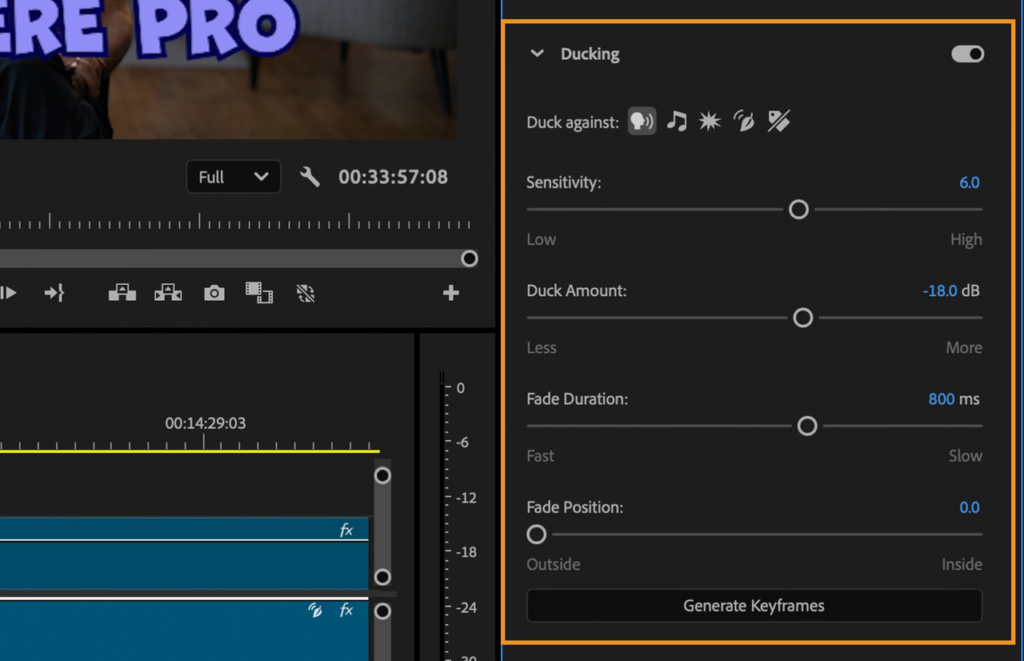
The mistake most creators make: setting one music volume level for the whole video and leaving it.
Here’s what that actually sounds like to a viewer: fine during the intro, slightly too loud once you start talking, fine again when you cut to B-roll, slightly too loud again during the next talking segment. The viewer registers this as a vague “something feels off” without being able to name it.
A more practical approach:
These numbers aren’t universal rules — they depend on your environment, microphone, and music density. But they’re a starting point that’ll get you closer than “sounds okay to me in headphones.”
One honest caveat: I mix on headphones and then check on laptop speakers before publishing. What sounds balanced on headphones often sounds muddy or muffled on the built-in speakers most viewers are actually using. That check has saved me from bad decisions more than once.
Here’s where I see creators make the most avoidable mistakes.
Most tracks are 2–4 minutes. Most vlogs aren’t. So either you’re cutting a longer vlog into multiple tracks (with seams) or you’re looping a shorter track (with its own problems).
Looping sounds like the easy solution. It often isn’t. Most tracks are written with a natural rise and fall — the ending is meant to feel like an ending. Loop it and the “ending” appears in the middle of your footage, then resets, which the viewer registers as an audio glitch even if they don’t know why.
If you need to loop:
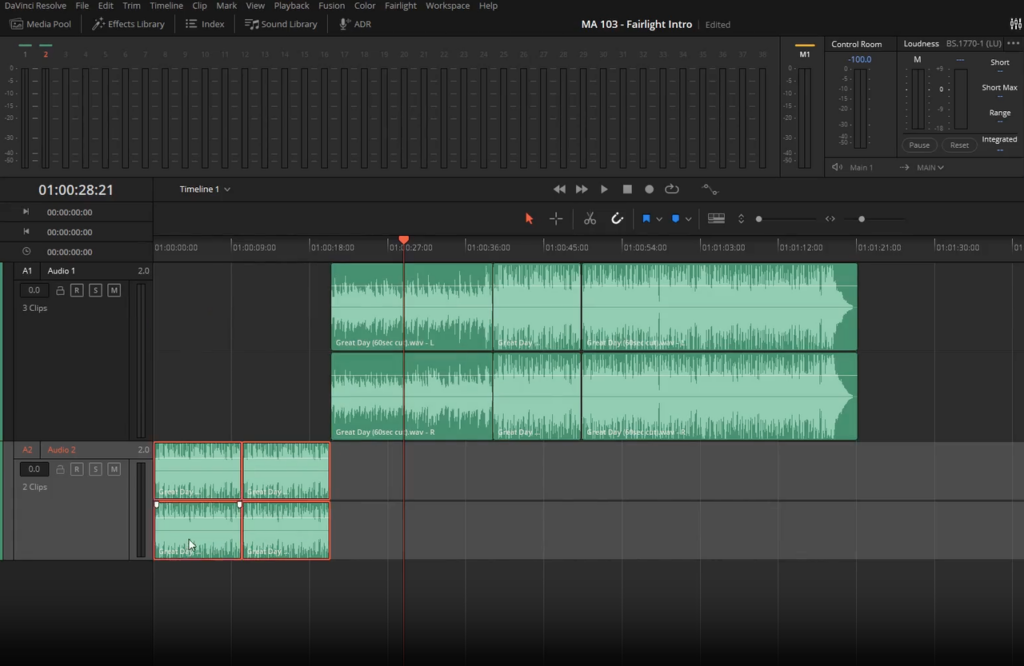
For long-form vlogs, swapping tracks at natural edit breaks is usually cleaner than looping. Cut to a new track when you cut to a new location, activity, or energy level. The transition reads as intentional rather than accidental.
For short vlogs (under 5 minutes), finding a track that’s a similar length to your final cut is worth the extra search time. A track that starts and ends naturally with your footage feels composed, not assembled.
AI-powered soundtrack tools are starting to solve exactly this problem — generating music that matches a specific video length rather than requiring you to fit your edit around a fixed track. Sonilo’s approach of generating custom music that matches your video’s duration is the kind of workflow fix that addresses the actual bottleneck, not just the symptom.
After enough rounds of doing this wrong and then fixing it, the mistakes tend to cluster into a few patterns.
Too loud. By far the most common. The creator tested the audio on their own setup and approved it. The viewer is on laptop speakers at 60% volume and can barely hear the narration. When in doubt, your music is probably too loud.
Too distracting. Tracks with strong melodic hooks, recognizable samples, or busy arrangements that belong in foreground, not background. The test: can you hum the track 10 seconds after your video ends? If yes, it was probably too present.
Wrong genre for the visual tone. Upbeat electronic music under slow, meditative footage. Heavy guitars under a gentle morning routine. The mismatch between audio energy and visual energy creates cognitive friction the viewer feels even if they can’t articulate it.
Same track looped without adjustment. Covered above, but worth repeating — looping a track that wasn’t designed to loop is one of the fastest ways to make a video feel cheap.
Last-minute selection. Picking music after picture lock while rushing to publish. It shows. Music selection done under time pressure defaults to “first acceptable option” rather than “actual right fit,” and the viewer can feel the difference even if they can’t explain it.
Background music sits underneath your content — its job is to fill silence, set tone, and then disappear. Featured music is part of the story you’re telling; the viewer is meant to notice and feel it. The practical difference: background tracks should have minimal melodic hooks, consistent energy, and no strong emotional arc. Featured tracks can have all of those things because the viewer’s attention is meant to be on the music, at least momentarily.
Travel vlogs pair well with mid-tempo, movement-forward tracks — light percussion, acoustic elements, music that feels curious without being anxious. Daily vlogs work better with lo-fi, warm, unhurried music that signals “real life” rather than “cinematic event.” The underlying principle: match the music’s energy to the footage’s energy and the viewer’s expectation of what kind of content they’re watching.
A practical starting point: around -18 to -25 dB when you’re speaking, and -10 to -15 dB during B-roll. Use 1–2 second fades to transition between those levels rather than hard jumps. The more important rule: check your mix on laptop speakers, not just headphones. Most viewers aren’t listening on studio monitors, and what sounds balanced in headphones often sounds unbalanced on built-in speakers.
It depends on the track. Tracks written with a natural ending (resolution, fade-out with finality, clear closing phrase) loop awkwardly — the viewer registers the reset as an audio glitch. Tracks designed for continuous playback, or those that fade out ambiguously, loop better. For longer vlogs, swapping tracks at natural edit breaks is usually cleaner than looping a single track for 10–15 minutes.
Quick cuts need music with consistent rhythmic energy — the beat should feel aligned with the cut rhythm even if it isn’t frame-perfect. Talking-head scenes need music that recedes further — lower volume, simpler arrangement, nothing that competes with your narration for the viewer’s processing bandwidth. One practical approach: use the same track but automate the volume down during talking-head sections and back up during B-roll.
Most professional editing software includes automatic ducking as part of its audio tools. In Premiere Pro, the Essential Sound panel handles this automatically once you tag your dialogue and music tracks and click Generate Keyframes. In Final Cut Pro, ducking works differently — you use the Range Selection tool (press R) to select the section where you want the music lower, then drag the volume control down; Apple’s guide on adjusting volume and ducking in Final Cut Pro walks through this in detail. The settings worth adjusting in Premiere: Sensitivity (how aggressively it detects speech) and Duck Amount (how much it pulls the music down). Start with the defaults and fine-tune based on how your specific voice and music interact.
The spectrum roughly looks like this: free music with attribution required, free music without attribution required (often from platform-provided libraries), subscription-based services where you pay monthly for access to a catalog, and one-time purchase tracks where you buy a specific license. What each covers in terms of platform use, commercial projects, or client work varies significantly between sources and individual tracks. I’d suggest reading the specific license terms for any source you use regularly rather than assuming coverage — the details matter and they differ. I’m not a licensing expert, so I won’t tell you what any specific source covers for your situation.
Too distracting: avoid tracks with strong melodic hooks, recognizable samples, or busy arrangements. The test is whether a viewer would notice the music and remember it — if yes, it’s probably wrong for background use. Too generic: avoid tracks that feel interchangeable with every other lo-fi or corporate background track. The fix there is less about avoiding a genre and more about finding tracks with a specific character that matches your channel’s identity, even if that character is subtle. It takes longer to find. It’s worth it.
If you’ve been treating vlog background music as the last box to check before publishing, I get it. It feels like a technical detail compared to the actual story you’re telling.
But here’s what I’ve noticed after watching a lot of vlogs: music choice is often what separates a video that feels considered from one that feels assembled. Viewers can’t always name why one creator’s content feels more watchable than another’s. Often it’s this.
The creators who do it well aren’t necessarily spending more time on music — they’re spending the right time. They know what mood they’re going for before they open the music search. They’ve built enough intuition about genre, tempo, and volume to make faster decisions that actually land.
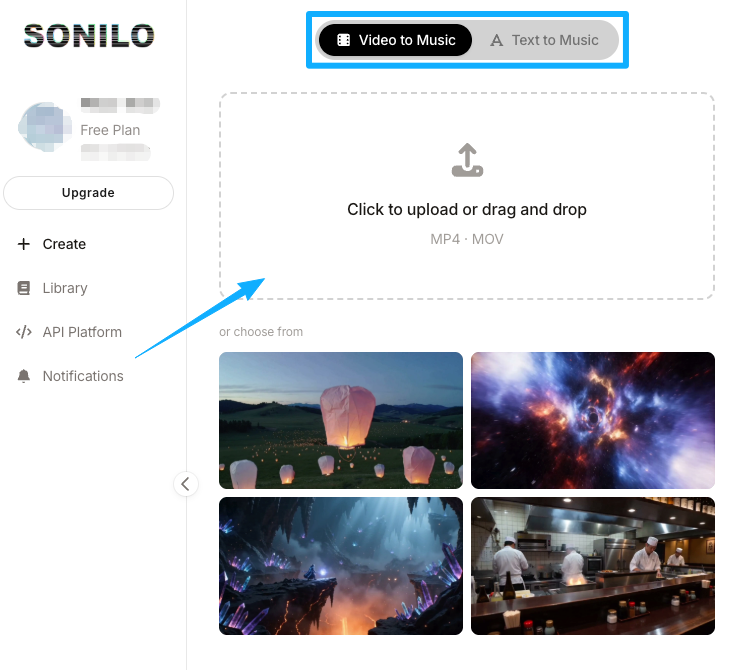
If you’re at the stage where this still takes too long, tools that generate custom music matched to your video’s length and mood are worth exploring. Sonilo is built specifically for that workflow — upload the video, get a soundtrack that fits the cut. See how it works if you want to try it against your current process.
What about you — where does the music part of your vlog workflow actually slow you down? Is it finding the right mood, matching the length, or something else entirely?
Recommended Reads