Sonilo publishes this guide and appears as an original sound-effects option. It receives no affiliate commission from sources mentioned, and no third party sponsored or reviewed the production advice. This is sound-design, accessibility, and general rights information—not legal advice.
Last verified: August 21, 2026. Product features, plan rights, platform behavior, accessibility guidance, and licenses may change. Check the current terms and implementation requirements.
Use a ding only when its meaning is immediately clear
| Editorial or product need | Best starting cue | Why |
|---|---|---|
| Confirm a completed action | Compact, stable ding | Reads as closure without demanding more attention |
| Ask the user to look now | Notification sound | Attention is the primary function, not merely positivity |
| Animate a sticker or small visual arrival | Pop sound | Physical appearance matters more than confirmation |
| Reveal a price or retail result | Ding, or cash register only when retail meaning is intentional | A literal register can feel clichéd or misleading |
| Celebrate a group achievement | Applause if a crowd response belongs in the scene | Social approval and interface confirmation are different |
| Communicate an error | Dedicated error cue plus text/visual state | A bright positive ding creates semantic conflict |
Do not begin with a folder labeled “positive sounds.” Write the message in plain language first: “saved,” “new item needs attention,” “answer is correct,” or “price appeared.” If the cue cannot be explained in one short sentence, the design brief is still ambiguous.
01
Five parameters define the character
How it begins
Hard attacks feel immediate and mechanical; soft attacks feel gentle but can seem late.
Where it sits
Pitch center controls brightness and identity. Avoid painful narrow resonances.
What it implies
Brass, glass, ceramic, wood, digital sine, and mallet textures suggest different products.
How it leaves
A short tail clears repeated interaction; a longer ring gives a reveal space.
How it behaves
Level and variation decide whether feedback supports or interrupts the experience.
Treat these as linked controls. Shortening decay can make a cue feel sharper; softening attack can make it appear late; raising pitch can expose codec artifacts and speaker harshness. Change one parameter at a time, label the variant, and compare it in context rather than deciding from isolated playback.
02
Design the cue for its actual function
Success and confirmation
Use a stable pitch impression, clean attack, and restrained tail. It should confirm that the state changed, not congratulate every tap. Reserve richer harmony or a second partial for meaningful completion.
Correct answers and tutorials
Land near the visible answer state. Keep speech intelligible and vary frequency of playback during rapid exercises so repeated success does not become punishment.
Product and price reveals
A slightly longer metallic or glass resonance can frame attention, but match brand tone. A luxury reveal does not require a stereotyped sparkle; a retail reveal does not always need a cash register.
UI and app feedback
Respect silent mode, existing system sounds, user settings, and competing audio. Pair important states with visible confirmation and do not imply completion before the action truly succeeds.
Build a small semantic family rather than unrelated cues: confirmation can be short and centered, milestone completion can share the same material with a wider interval or tail, and attention can use a related but more distinctive rhythm. Consistent material helps users learn meaning; identical cues for every state erase meaning.
03
Record a clean ding, then design it
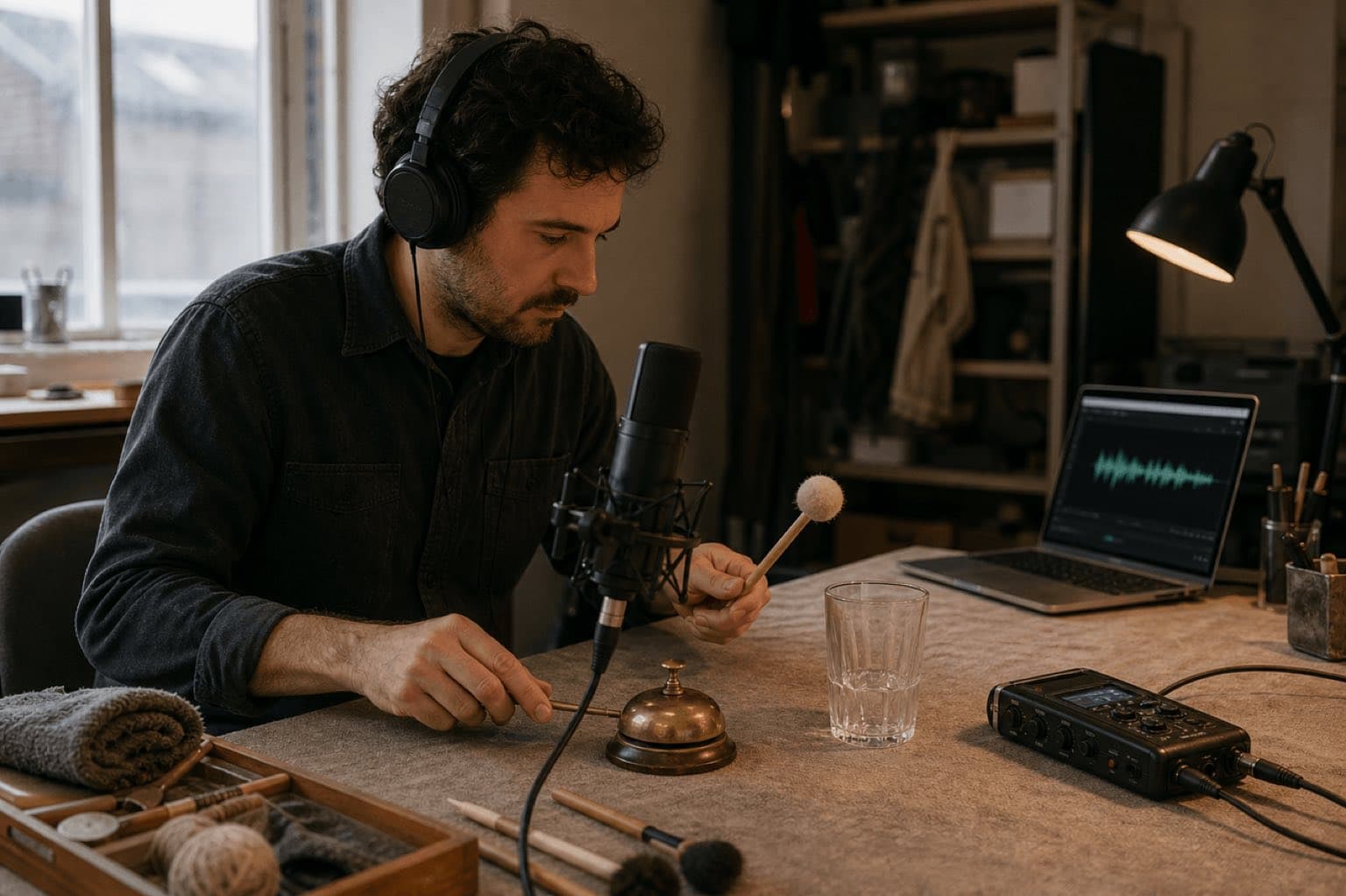
- Choose safe resonant objects. Desk bells, glasses, ceramic cups, small metal bowls, chimes, and tuned percussion provide distinct bodies. Check for cracks and place objects securely.
- Control the room. Move away from computers, HVAC, traffic, and loose items. Record room tone and protect reflective surfaces from unwanted rattles.
- Vary the striker. Felt, rubber, wood, and light metal change attack more than aggressive EQ later.
- Capture distance variants. Close captures detail; medium distance includes a natural room relationship. Avoid placing a microphone where the striker can hit it.
- Record intensity sets. Light, medium, and firm performances provide dynamic choice without destructive processing.
- Edit the transient honestly. Remove handling noise, preserve a natural start, apply short fades, and do not cut the resonance at a zero-crossing without listening to the musical result.
- Print functional versions. Create short UI, balanced editorial, and longer reveal variants from the same source family.
A simple synthesis route
A sine or triangle tone with a fast attack, controlled exponential decay, and one or two quieter inharmonic partials can produce a neutral digital ding. Add only enough transient noise to define the start. Slight pitch movement can prevent sterility, but vibrato or chorus may turn confirmation into a game pickup. Keep the master clean and export alternatives before lossy encoding.
04
Time the ding to perception, not just the cut
Trigger
The tap, cut, reveal, answer submission, or object arrival begins.
State
The interface or edit visibly confirms what changed.
Ding
The attack reinforces the perceived state, usually near this moment.
Clear
The tail leaves space for speech, another action, or repeated input.
For video, move the cue one frame earlier and later and compare at normal speed. For interfaces, test actual latency on target devices; an audio file aligned in a timeline can still feel late after loading, decoding, routing, or Bluetooth delay. When the cue must follow a specific uploaded shot, use Video-to-SFX as the relevant timing workflow.
Run the repetition test
Play the action once, five times at normal pace, and twenty times quickly. Listen for fatigue, overlap, tail buildup, priority confusion, and whether multiple dings become a melody by accident. Rate-limit nonessential feedback where appropriate, provide a sound setting, and reserve the most distinctive cue for the state that matters most.
05
Make the meaning work without sound
Apple’s current interface guidance says notification sounds should be short, distinctive, and professionally produced, but should not carry important information alone because people may not hear them. Its accessibility guidance recommends visual cues and, where appropriate, haptics alongside audio. Apply that principle beyond apps: captions, visible state changes, progress labels, animation, and clear editing should preserve meaning when muted.
Muted test
Does the viewer or user still know what happened and what to do next?
Low-volume test
Does the cue remain recognizable without a harsh peak?
Competing-audio test
Does it coexist with voice, music, system audio, and other notifications?
Device test
Check phone, laptop, headphones, mono, Bluetooth, and the final encoded file.
Do not raise system volume or override user expectations. Adjust the cue relative to the mix. For video, audio ducking may briefly clear speech or music, but a tiny cue rarely justifies a conspicuous pumping effect.
06
Generate a ding sound effect with Sonilo
Use the exact Ding Sound Effect page for standalone variants. Use Notification Sound Effect when the cue’s real job is attention, the broader Sound Effects workspace for a coordinated family, or Video-to-SFX when picture timing leads.
Original 0.65-second confirmation ding: small brushed brass bell struck lightly with felt, clear but rounded attack, stable single pitch impression, one quiet warm partial, dry close perspective, short natural decay, no melody, no sparkle sweep, no voice, no recognizable operating-system sound.
Original 0.42-second correct-answer cue: soft glass-and-wood hybrid, compact attack, gentle upward brightness without a two-note melody, nearly dry, intelligible under speech at low level, no arcade coin character, no applause, clean ending for rapid repetition.
Generate a controlled set, level-match it before comparing, reject resemblance to a known product or platform sound, and test in the actual sequence. Save prompt, output, date, plan, terms, edit, and export. Review commercial-use terms for the account and release.
07
Rights, documentation, and sources
A familiar bell shape does not make a particular recording free to copy. The U.S. Copyright Office explains that sound-recording protection can cover the fixed series of sounds and production contribution. Use recordings you made safely, assets whose exact license covers the project, or generated output under applicable terms. Retain the original source, creator or account, license version and retrieval date, project/client/channel, edit session, and published export.
Sources
Sources
- Apple Human Interface Guidelines: Notifications.
- Apple Human Interface Guidelines: Accessibility.
- U.S. Copyright Office: Sound Recordings.
- Sonilo official: Ding, Notification, Pop, Cash Register, Applause, Video-to-SFX, and Licensing.
Human review checkpoint: before publication, a named sound designer and product-audio specialist should repeat the recording, latency, repetition, device, accessibility, and export tests; a qualified rights reviewer should verify licensing and commercial-use language.
FAQ
Frequently asked questions
A ding can confirm success, mark a correct answer, punctuate a reveal, call attention to one detail, or identify a lightweight interface event. Its attack, pitch, material, decay, and level should match the specific job.
There is no universal duration. Short interface feedback may need a compact tail, while a reveal can support a longer resonance. The effect should finish before it masks speech, the next cue, or repeated interaction.
A ding is a sound shape or material impression. A notification sound has a product function: it asks for attention. A notification may use a ding, but it also needs system behavior, priority, accessibility, and repetition testing.
Soften the initial transient, reduce narrow upper-mid resonances, shorten bright partials, lower the cue relative to speech, and compare on phone speakers and headphones. Do not solve harshness by removing all clarity.
No. Users may not hear it, may use silent mode, or may have hearing differences. Pair important audio feedback with a visible state change, text, and—where appropriate—haptics.
Only when the exact plan and terms cover the intended project. Keep the prompt, output, date, account or plan, terms record, edit, and published version.
Related
Keep reading
Make one clear moment
Create a ding that communicates the right message.
Control attack, material, brightness, decay, and timing—then test it muted and repeated.