Sonilo publishes this guide and appears where text-to-SFX or video-to-SFX is a genuine source option. It receives no affiliate commission from the libraries named. No provider sponsored, approved, or reviewed this page. This is production guidance, not legal advice.
Last verified: August 21, 2026. Catalogs, licenses, plan rights, formats, API behavior, and platform policies change. Confirm the exact file and current terms before release.
Sound effects in one minute
| If the scene needs | Start with | Listen for |
|---|---|---|
| Believable body movement | Foley | Material, weight, rhythm, clothing, perspective |
| A visible event | Hard effect | Attack on frame, body, tail, scale |
| A convincing place | Ambience and room tone | Continuity, depth, time, weather, activity |
| An impossible or heightened event | Designed layers | Readable gesture without frequency clutter |
| Interface feedback | UI cue | Meaning, brevity, repetition fatigue, accessibility |
| A cut or reveal | Transition cue | Motion, anticipation, impact, dialogue clearance |
| A shot-specific variation | Sonilo video-to-SFX | Frame sync, perspective, material, duration, tail |
More effects do not automatically make a scene richer. Every cue should clarify physical reality, direct attention, shape emotion, establish continuity, or communicate system state. If it does none of those jobs, mute it and compare.
01
The seven layers of useful sound effects
Sound captured with picture
Doors, props, movement, room tone, and incidental events recorded on set. Preserve sync and continuity even when cleaner replacements will be added.
Performed human detail
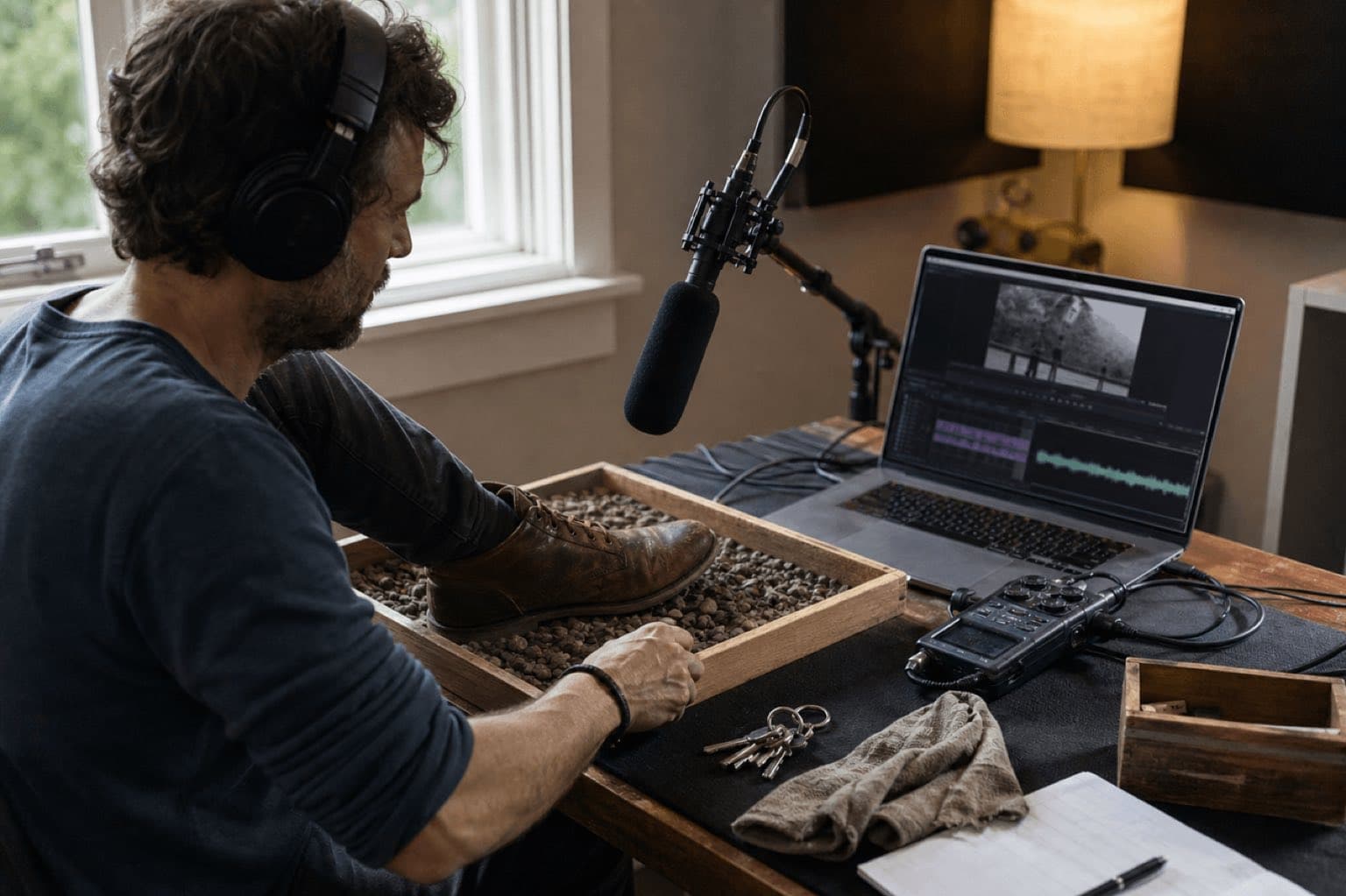
Footsteps, cloth, handling, body movement, and prop interaction performed to picture. Performance and perspective matter more than literal object matching.
Discrete recognizable events
Vehicle pass, gunshot, door slam, glass break, phone ring, impact, or machine action placed against a visible or implied cause.
The place between events
Room tone, wind, traffic, insects, crowd beds, appliances, distant activity, and weather that establish location and prevent dead cuts.
Built beyond one recording
Creature voices, sci-fi devices, magical transformations, dream states, giant impacts, and stylized gestures assembled from multiple sources and processing.
Information through sound
Clicks, confirmations, warnings, notifications, rewards, errors, progress, and state changes. A family should feel related without becoming indistinguishable.
Movement across the edit
Whooshes, risers, reverses, hits, swells, stingers, and record scratches that lead into or punctuate cuts, titles, reveals, and changes of scale.
Categories overlap. A recorded door can be production sound, a Foley performance, or a hard effect; a whoosh can be realistic movement or abstract transition. Label by editorial job so the session remains understandable to another person.
02
Record, license, or generate?
| Method | Choose it when | Strength | Cost or risk |
|---|---|---|---|
| Record it | The exact prop, performance, room, or perspective matters | Originality, controllable takes, clear provenance | Noise, equipment, time, safety, location access |
| Licensed library | You need a known sound quickly and repeatedly | Searchable metadata, technical consistency, documented catalog | License scope, common assets, search time, possible claims |
| Open/community library | Budget is limited and you can inspect each license | Unusual real-world recordings and broad variety | Variable quality, attribution, NC restrictions, uploader provenance |
| Generate | You need variants, hybrids, or shot-specific timing | Fast iteration, precise direction, no catalog dead end | Inconsistent physics, artifacts, unwanted resemblance, plan terms |
| Hybrid | The hero effect needs reality and design | Real transient plus controllable weight, tail, or texture | Phase, clutter, rights tracking across every source |
Useful free sources are not interchangeable
- YouTube Audio Library: YouTube says its music and SFX are known to it as copyright-safe. Use the official Studio library and follow track-level rules; do not extend that assurance to random “no copyright” channels.
- Freesound: each file can be CC0, CC BY, or CC BY-NC. Filter by the license your project needs, preserve the sound page, and supply attribution when required.
- Pixabay: its Content License can cover effects embedded in a larger project, subject to prohibited uses and third-party rights. Do not redistribute files on a standalone basis.
- BBC Sound Effects: the archive is valuable for research and personal or educational use under RemArc, but free access is not a blanket commercial license. Use the commercial route when required.
03
Spot the scene before finding sounds
Watch silently
Mark story beats, visible contacts, off-screen events, perspective changes, cuts, and moments that should remain quiet.
Build a cue list
Give each event timecode, description, layer, priority, perspective, source plan, and status.
Set hierarchy
Label hero, support, texture, or optional. One hero cue usually survives a busy moment better than six equal cues.
Choose continuity
Decide which ambience and room tone bridge cuts and which changes deliberately reveal a new space or state.
cue ID · in/out timecode · event · layer · priority · perspective · source/license · file/version · edit notes · mix notes · approval
Sync by perceived cause, not waveform appearance alone. A footstep may read at heel contact; a punch can feel strongest slightly after visual contact if the body layer supplies weight; thunder follows lightning according to story distance. Scrub frame by frame, then judge at normal speed and with the entire sequence.
04
Edit and layer without making mud
- Choose the best performance first. Processing cannot fix the wrong rhythm, scale, or perspective.
- Trim deliberately. Preserve pre-roll when anticipation matters and enough tail for the room or object to decay naturally.
- Use fades at every exposed boundary. Eliminate clicks without rounding away the useful transient.
- Match perspective. Distance changes high-frequency detail, direct-to-reverberant ratio, width, level, and early reflections—not volume alone.
- Layer by function. One layer may provide attack, another body, another low weight, and another environmental tail. Solo each function and remove duplication.
- Pitch and time with intent. Small changes can alter scale; extreme processing needs artifact review and may create a different editorial meaning.
- Maintain room tone. Fill production edits with coherent background rather than digital silence.
- Print alternatives. Keep light/heavy, near/far, dry/wet, short/long, clean/distorted, and with/without-impact versions when revision is likely.
A three-layer impact example
| Layer | Job | Common mistake |
|---|---|---|
| Transient | Marks the exact frame and surface contact | Too sharp under dialogue or compressed delivery |
| Body | Communicates object size, material, and force | Multiple midrange layers masking each other |
| Tail | Places the event in a room, exterior, or designed world | Reverb unrelated to surrounding ambience |
05
Mix for story, destination, and repetition
Start with dialogue or the project’s primary information. Add hero effects, then ambience, supporting detail, and music. Monitor at a consistent level; check quietly to reveal hierarchy and on phone speakers to reveal disappearing low-frequency cues. Use EQ and arrangement before excessive limiting. A low boom may need a midrange layer to read on small speakers, while a bright click may need shortening rather than simply lowering.
- Dialogue remains intelligible without relying on subtitles
- Ambience continues across edits without obvious loops or holes
- Repeated UI cues do not become fatiguing or ambiguous
- Low-frequency effects retain headroom and do not trigger pumping
- Stereo width and reverb match camera perspective and destination
- Mono fold-down, phone, laptop, headphones, and main monitors are checked
- Final file begins and ends cleanly; tails are not clipped
- Licenses, credits, cue sheet, source files, and approved versions are archived
For voice-heavy edits, use manual automation or audio ducking as a starting control, then listen through every transition. For software choices, see the audio editing software guide.
06
Where Sonilo fits
Sonilo should not replace every field recording or vetted library. It is most useful when the requested sound must follow a particular shot, motion, cut, duration, or creative combination. Start at the Sonilo sound effects hub for video projects; use the video-to-SFX API route for implementation questions, and review commercial-use terms before monetized or client release.
Single ceramic coffee mug placed firmly on a worn wooden desk, close microphone perspective, short dry room, clear ceramic-on-wood contact followed by one subtle handle rattle, no music, no voices, no extra objects, 1.5 seconds, clean tail.
Match the mug contact to the first visible frame of impact; keep the cue smaller than the product reveal music; preserve the natural room tone; generate near and medium perspectives; reject versions with glass-like ringing or a second phantom impact.
Generate a few controlled variants rather than rewriting the entire direction. Compare in picture, keep the selected prompt/output record, edit and mix in context, and never use generation to imitate a protected branded sonic identity.
Sources
Official sources and limits
- YouTube Help: Audio Library music and sound effects.
- Freesound FAQ: CC0, CC BY, CC BY-NC, attribution, and claims.
- Pixabay Content License Summary and FAQ.
- BBC Sound Effects archive and RemArc notice.
- U.S. Copyright Office: sound recording protection.
- Sonilo official: SFX hub, video-to-SFX API, ducking, and licensing.
Human review checkpoint: before production publication, a named sound editor or Foley artist should repeat the spotting, recording, layering, and delivery workflow. A qualified rights reviewer should verify library, generated-output, and commercial-use language.
FAQ
Frequently asked questions
Sound effects are recorded, performed, designed, or synthesized audio cues used to represent actions, objects, spaces, interfaces, transitions, and story events. They differ from dialogue and music, though all three interact in the final mix.
A practical editorial system separates production sound, Foley, hard effects, ambience, designed effects, UI cues, and transitions. Projects may combine or rename categories, but the separation helps spotting and mixing.
YouTube Audio Library, Freesound, Pixabay, and the BBC Sound Effects archive can be useful, but their terms differ. Check every file and intended use; BBC RemArc material is not a blanket commercial license.
Record when performance, object identity, or perspective must be exact; use a licensed library for dependable known assets; generate when the required variation or frame fit is hard to find. Layer methods when one source is not enough.
There is no universal SFX level. Mix relative to dialogue, music, story priority, destination loudness, and playback device. Calibrate monitoring, preserve headroom, and audition at low volume and on small speakers.
Sonilo can generate SFX from a text direction or around an uploaded video. Describe source, action, material, perspective, environment, duration, and tail, then review timing and licensing before release.
Related
Keep reading
Start with the shot
Generate sound effects around visible events and real timing.
Describe material, action, perspective, room, duration, and tail, or bring the video so the cue can be reviewed against the frame.