This article provides general editorial and production information; it is not legal advice and is not itself a license. An audio file appearing in a library, being accepted on upload, or remaining live does not by itself grant or confirm permission. Check the exact asset, source, account type, region, placement, territory, term, edits, monetization, and current platform or vendor agreement before release.
For Sonilo, commercial use applies only to eligible output generated under an eligible plan or written API agreement and remains subject to the current licensing page and Terms of Service. Do not infer commercial permission from a plan name alone; verify the current Terms and the plan-specific or written agreement that applied when the output was generated. Users must have the necessary rights to every input and remain responsible for third-party rights. No wording on this page promises exclusivity, copyrightability, platform approval, monetization, or freedom from claims.
Policy-source review: August 28, 2026. Facebook, Instagram, and Meta are trademarks of Meta Platforms, Inc.; this independent guide is not sponsored, endorsed, or approved by Meta.
- The exact audio source and asset, generation, purchase, or download record.
- The account and plan plus the terms that applied on the acquisition or generation date.
- The intended platforms, territories, client or brand use, paid media, monetization, editing, and delivery scope.
- Clearance for every relevant input, composition, recording, sample, voice, likeness, and third-party element.
If any item cannot be evidenced, replace the audio or obtain written clearance before publication.
Sonilo publishes this guide and appears as one option for generating original music before a Reel is uploaded. Meta did not sponsor or review the page, and there are no affiliate links. Meta controls Facebook, Reels, music availability, Sound Collection, interfaces, account access, territories, ads, and policy enforcement. This is production guidance, not legal advice.
Last verified: August 21, 2026. Sonilo had no live page at this URL when checked, so this is a new guide rather than a duplicate canonical. Meta’s current Facebook Help results describe Reels up to 90 seconds, the mobile creation path, desktop upload limits, public-audience and remix controls, music restrictions, and the possibility that a Reel becomes muted or blocked when rights change. Interfaces can vary by device, account, market, and rollout.
Choose the music route before you start editing
Fastest for an eligible organic Reel
Search the in-app library and choose a short section when the track, account, territory, and personal or non-commercial context all fit.
A Meta-provided option with stated commercial terms
Meta currently describes Sound Collection for uses that can include ads. That description is not a perpetual, cross-platform, or asset-independent license: confirm the exact sound, placement, account, territory, and terms at release.
Best when the production owns the source path
Mix authorized music into the vertical video before upload and keep the license, source file, clean master, and approval with the project.
Best when the cue should follow the cut
Generate from the actual video or a timing brief, export the audio, finish the mix elsewhere, and upload the completed Reel. It is not an in-Facebook editor.
For a personal organic post, the in-app library can be the shortest path. For a Page, client, branded post, boost, or paid campaign, decide the commercial route first. A track that appears in search, previews successfully, or publishes once is not automatically licensed for every business use or future territory.
01
How to add music to Facebook Reels in the mobile app
Update Facebook and confirm the publishing identity
Before editing, confirm whether you are posting from a personal profile, professional profile, or Page and whether the Reel may later be boosted. Update the iPhone or Android app. Availability and labels can differ, so record the app version and account when a client release depends on a specific workflow.
Start a new Reel
From Feed, tap the create control and choose Reel, or enter the Reels viewer and use its camera or create control. Meta’s current mobile help describes recording clips or choosing existing photos and videos. Keep the final video vertical and confirm the duration before you make music decisions.
Record or select the visual clips
Add the shot sequence, trim obvious dead space, and place the hook first. Music works better when the visual order is stable. If you begin with a song and later rebuild the edit, the selected phrase, beat accents, and ending may no longer support the Reel.
Open Music or Audio in the editor
After the clips are added, open the music or audio tool. Search or browse the tracks available to that account and market, preview a choice, and select the useful section. Meta’s official launch guidance also describes using original audio or audio from another public Reel through its available reuse controls.
Choose the section by picture, not popularity
Find the first beat or phrase that supports the opening frame, then check the main reveal and final visual. A recognizable chorus can still be wrong if it begins after the hook or ends in the middle of a word. Use a shorter musical excerpt rather than filling every second by habit.
Balance music and original sound
Open the audio controls available in your editor and lower music until speech and useful production sound remain clear. If the interface offers separate music, camera audio, or voice controls, preview every handoff. Labels and control ranges can change, so trust the complete preview rather than a remembered slider value.
Tap Next and inspect the release settings
Add a concise description, choose the audience, confirm whether the Reel will share to a connected Instagram account, and decide whether remixing should be enabled. Meta notes that public Reels may allow other people to use the original audio when remixing is available. Preview once more before Share now.
Facebook’s current computer help allows a creator to add a video, trim it, set description and audience, control remixing, and publish. The same help directs anyone who needs effects, music, or multiple clips to the iPhone or Android app. If you work on desktop, finish the authorized mix in your editor first, then upload the completed vertical file.
02
Facebook library, Sound Collection, or your own music?
The same song can carry different implications depending on account, content, territory, and promotion. Meta’s Music Guidelines say users remain responsible for the music they post or promote and that nothing in the terms constitutes authorization. They also say commercial or non-personal use is prohibited unless the appropriate licenses have been obtained. Treat the following as workflow routes, not blanket clearance.
Choose it for an eligible personal or organic context
Use only what the account can access, keep the selected excerpt short, and preserve a clean master. Meta can change catalog rights later, and the Reel may then be muted or blocked.
Choose it only when the current terms cover the placement
Meta currently describes Sound Collection as royalty-free content for certain Meta uses, including some commercial creative. Treat that as vendor language, not blanket clearance; confirm the exact asset, Facebook placement, account, territory, term, and whether boosting or ads are covered.
Choose it when you control the recording and composition rights
Recording the audio yourself does not solve underlying song rights if it is a cover. Distinguish ownership of the recording from permission for the composition and commercial use.
Choose it when the project needs a durable cross-platform master
Verify synchronization, paid media, social platforms, client transfer, territory, editing, duration, and proof. Do not rely on the words royalty-free without reading the actual license.
Meta recommends shorter clips and says recorded audio should not be the primary purpose of the video. Greater music density can increase the chance of limitation. That does not create a safe number of seconds: permission and platform agreements still matter. A 10-second unauthorized excerpt does not become licensed merely because it is short.
03
How to add your own authorized music to a Facebook Reel
Facebook’s desktop uploader accepts a finished video, not a separate soundtrack editing session. For precise timing, mix the authorized music into the video in CapCut, Premiere Pro, DaVinci Resolve, iMovie, or another editor, then upload the master. Keep one clean version without music so a rights change or client request does not force you to rebuild the visual edit.
Lock the vertical cut
Confirm the first-frame hook, spoken lines, captions, transitions, product or story reveal, and final frame. A locked cut makes it possible to choose a useful musical structure instead of chasing revisions.
Bring in the exact approved source
Store the music beside the project and name it with project, cue, duration, source, version, and date. Keep the license or generation record that applies to this exact file.
Place the music around the hook
Do not automatically start at the first note of the song. Move a useful attack, motif, or phrase to the opening action. Check the middle reveal and ending; if the track fights the cut, choose another section or cue.
Protect voice and production sound
Lower the broad music level, then add manual dips around important words and recover slowly enough to sound intentional. Listen on phone speakers and headphones. Captions help accessibility, but they do not excuse an unintelligible mix.
Export and upload the review master
Use the required vertical format and preserve the intended audio. Watch the exported file, transfer it to the phone without recompression when practical, upload as a Reel, and check the platform preview before publishing.
04
Make music support a sound-on Reel without covering speech
Meta’s Reels advertising material describes Reels as a sound-on environment when viewers have not disabled sound. That makes the opening audio useful, but it does not mean the soundtrack should be loud. The mix must work for a person hearing a phone at ordinary volume, with dialogue, product sound, room tone, and music competing through a small speaker.
First second
Give the opening a clear musical identity or useful production sound immediately. Avoid a long silent pre-roll unless silence is the point of the story.
Speech zones
Reduce density or level before the sentence begins, not after the first word disappears. Leave room for consonants and breaths as well as the loudest syllables.
Reveal or transition
Use one meaningful lift, accent, or texture change. Repeating an impact on every cut makes the visual structure feel less important.
Final frame
Land a clean cadence or intentional tail before the video ends. A hard platform cut through a reverb or vocal phrase feels unfinished.
Use ducking as a draft, then listen
- Separate voice and music in the editing project.
- Lower the music globally before adding automation.
- Mark every spoken range and important natural-sound moment.
- Apply manual keyframes or a ducking tool with gentle attack and recovery.
- Listen with captions hidden on a phone speaker and headphones.
- Render, recheck, and keep both the mixed master and clean visual master.
For a file-based starting point, Sonilo Audio Ducking can reduce music around foreground speech before the final edit. It does not know which pause should remain quiet, does not change Facebook’s music rights, and does not replace a platform preview or human mix review.
05
Create a soundtrack for the finished Reel, then publish the mixed video
Use Facebook’s library when an eligible in-app song is the creative point and the usage context fits. Use Sonilo Video-to-Music when you want a cue developed from the locked vertical edit. Use Text-to-Music when you have an exact duration, mood, instrumentation, energy curve, cue points, and exclusions but no upload-ready picture. Sonilo does not replace Facebook publishing, Meta policy, or the final video editor.
Export a clean locked Reel
Remove temporary music, preserve dialogue and production sound, and export the exact picture duration. Confirm the first action, speech map, reveal, call to action, and final frame.
Generate or brief against real timing
Upload the cut for video-led generation, or describe exact seconds for text-led generation. Request instrumental music when a vocal would compete with speech, but remember that instrumental does not automatically mean sparse.
Compare candidates under the complete sound
Listen with voice, effects, and captions. Reject a candidate that covers the hook, introduces its main idea too late, or has no convincing exit. Do not approve only from an isolated music preview.
Download and mix in the editor
Name the chosen cue with project, duration, version, and date. Place it under the final cut, set the broad level, add dips and fades, then export and inspect the finished vertical master.
Retain the plan and release record
Keep the Sonilo plan, current terms, output, prompt or source cut, client, campaign, account, intended audience, territory, platform, approval, and publication date. A generated file still needs a documented release decision.
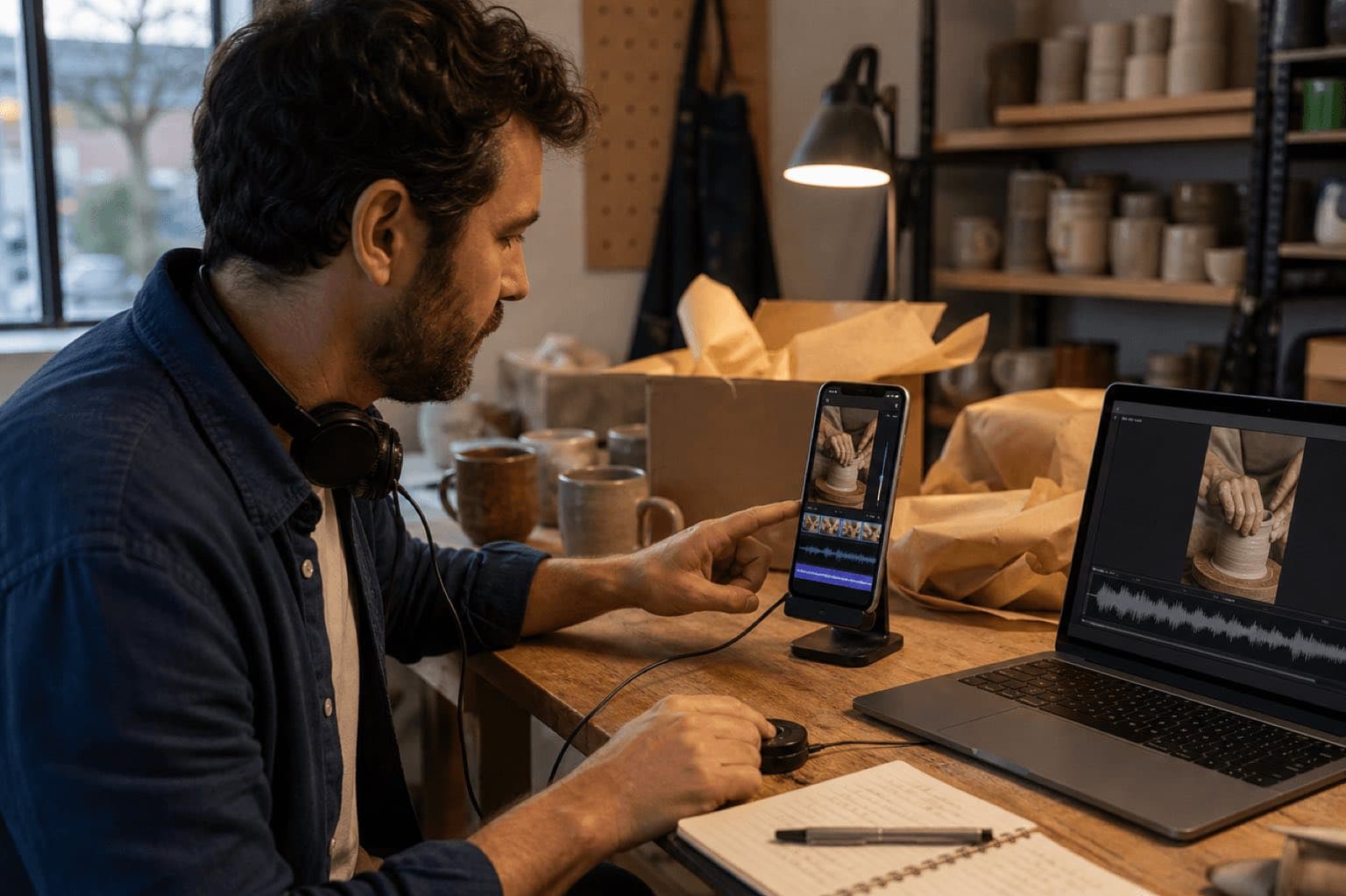
Warm tactile instrumental for a 24-second vertical pottery process Reel; immediate soft hand-percussion identity by 0.4 seconds; muted plucked motif; reduce density from 3.5 to 11 under spoken explanation; subtle lift at 12.8 for the finished glaze reveal; brighter rhythm from 15 to 21; dry resolved ending at 23.7; no vocals, comedy hits, ukulele cliché, cymbal wash, or long tail.
Clean modern instrumental for a 15-second vertical product demonstration; compact pulse from frame one, small tonal cue at 2.2 seconds, quieter bed from 4 to 9 under voice, precise accent at 9.8 for the feature reveal, confident ending at 14.7; no vocal chop, trailer impact, busy hi-hats, or exposed solo.
For broader short-form tool choices, use Sonilo’s AI music apps for Reels and Shorts comparison. If the same asset will also publish on Instagram, check the applicable Meta terms for each placement and account type. Confirm plan-specific commercial wording on Sonilo Commercial Use.
06
Publish with a replacement path, not just a hopeful preview
Creative
- Hook works without delay
- Speech remains effortless
- Music ends deliberately
- Captions checked
- Correct profile or Page
- Audience confirmed
- Remixing decision reviewed
- Cross-posting intentional
Rights
- Exact source identified
- Commercial route verified
- Client and territory recorded
- Meta rules rechecked
Recovery
- Clean master retained
- Mixed master retained
- Replacement cue available
- Publication record saved
Meta says rights can change after a Reel is published. A Facebook Reel using a song Meta no longer has rights to may be blocked from view or muted, and Meta’s help says the creator can download and republish with new music. Preserve a clean visual master and an alternate authorized cue before launch. That turns a platform change into a controlled replacement instead of an emergency reconstruction.
07
Facebook Reels music troubleshooting and rights checks
| Problem | Likely boundary | Next action |
|---|---|---|
| Music tool is missing on desktop | Desktop upload has fewer creation tools | Use the Facebook iPhone or Android app, or upload a finished authorized mix |
| A song does not appear | Account, region, post type, rights, rollout | Use an available authorized alternative; do not bypass restrictions |
| Music covers speech | Level, density, late ducking | Lower the bed, create earlier dips, and recheck on phone speakers |
| Business Reel cannot use a track | Commercial access differs from personal library use | Check Sound Collection, original audio, or a separately licensed source |
| Published Reel is muted or blocked | Rights action or changed catalog agreement | Read the notice, use the available dispute only with evidence, or republish with new music |
| Boost is unavailable | Creative or licensed-music eligibility | Review boost requirements and use original or royalty-free commercial music where required |
| Client asks for proof | Source record was not packaged | Provide the exact file, terms, plan, date, account, approval, and intended uses |
Meta’s Music Guidelines say users are responsible for the content they post or promote and that the guidelines do not authorize a music use. Unauthorized content may be blocked, muted, or removed. Commercial or non-personal use needs appropriate licenses, and catalog availability can vary by country and change over time.
Keep the exact track or generated output, source URL, license or applicable terms, acquisition date, account and plan, client, campaign, territory, platform, organic or paid status, edit permissions, approval owner, clean master, and mixed master. Escalate material uncertainty to a qualified music-rights reviewer. Do not use a successful upload, a short excerpt, a “royalty-free” label, or an “original audio” label as a substitute for permission.
Sources
Sources
- Facebook Help: create a Reel in the Android app
- Facebook Help: create and upload a Reel on computer
- Facebook Help: music in Facebook content
- Meta Music Guidelines
- Meta Help: licensed library and Sound Collection
- Meta for Business: Facebook and Instagram Reels ads
- Meta Help: boosting a Reel shared to Facebook
- Sonilo: Video-to-Music, Text-to-Music, Audio Ducking, and Commercial Use
Editorial verification: The linked primary sources were reviewed on August 28, 2026. Interface steps can change and this article does not approve any particular track, sound, upload, campaign, or account. Recheck the current official terms for the exact asset and release. Refer unclear client, paid-media, broadcast, sublicensing, exclusivity, sample, voice, or likeness questions to a qualified rights professional.
FAQ
Frequently asked questions
In the Facebook app for iPhone or Android, start a Reel, record or select the video clips, open the music or audio control in the editor, choose an available track and section, balance it against the original sound, then tap Next and preview the Reel before sharing. Labels and availability can vary by account, region, and app version.
Facebook’s current desktop help allows you to upload, trim, describe, set the audience, and publish a Reel, but directs creators to the iPhone or Android app for effects, music, or multiple clips. If the music is already authorized, you can also mix it into the video in an editor before uploading the finished file.
The track may be unavailable for your account type, region, post type, or planned use, or Meta’s agreements may have changed. Update the app and check the music search, but do not switch account type merely to bypass a rights restriction. Use an available authorized track, Meta Sound Collection where applicable, or original or separately licensed music.
Do not treat library visibility as a commercial license. Meta’s Music Guidelines say commercial or non-personal music use is prohibited unless appropriate licenses have been obtained. For a Page, branded post, boosted Reel, or ad, verify the exact route and current terms; Meta Sound Collection, original audio, or separately licensed music may be more appropriate.
Meta says a Reel may be blocked from view or muted when it no longer has rights to the song. Keep a clean video master, the exact audio source and license evidence, and a replacement cue so you can download, revise, and republish without rebuilding the entire edit.
This guide does not claim direct Facebook publishing or an in-app integration. Generate a soundtrack from a video or brief in Sonilo, download it, mix it into the vertical video in an editor, then upload the finished Reel through Facebook. Check the Sonilo plan, Meta rules, account type, and commercial use before release.
Related
Keep reading
Original music shaped around a short vertical cut
Generate the cue from the Reel, then publish a finished, documented mix.
Upload the locked video, compare timing-aware soundtrack directions, download the selected audio, mix it under the original sound, and keep the release record.