Sonilo publishes this guide and appears as a generated sound-effects option. It receives no affiliate commission from cited sources, and no third party sponsored or reviewed the production advice. This is production and general rights information, not medical diagnosis, voice therapy, or legal advice.
Last verified: August 21, 2026. Voice-health guidance, product features, plan rights, platform policies, and licenses may change. A performer with persistent or concerning symptoms should consult an appropriate healthcare professional.
Use the least extreme performance that communicates the moment
| Dramatic need | Safer starting direction | What to avoid |
|---|---|---|
| Sudden surprise | Short inhale, gasp, or compact yelp | Sustained high scream |
| Fear at a distance | Brief controlled cry plus room and perspective | Close dry vocal pasted into a wide shot |
| Off-screen threat | Cut-off reaction, environmental response, silence | Explaining everything with a long scream |
| Physical effort | Breath, grunt, body movement, impact | Using a pain scream for every exertion |
| Creature or monster | Neutral controlled source transformed in post or generated layer | Forcing a performer into damaging extremes |
| Jump scare | Short reaction with separate whoosh or impact only when picture needs them | One clipped, painfully loud composite |
Intensity is not the same as duration or level. A half-second breath break at the correct frame can feel more immediate than a three-second scream, especially when the edit, music, ambience, and character reaction already carry danger.
01
Six dimensions define the vocal cue
Why the voice happens
Fear, surprise, warning, pain, rage, effort, grief, and performance have different breath and phrasing.
How it begins
Inhale, consonant, crack, open vowel, or cut-in affects timing and perceived spontaneity.
Where it sits
Do not equate higher pitch with greater fear or assign vocal range from gender stereotypes.
Clean, breathy, rough, or layered
Texture should serve character; a performer should not create pain to supply “authentic” roughness.
Reaction or sustain
Short cues reduce load and often fit edits better; long sustains require stronger justification and planning.
Close, room, distant, or off-screen
Microphone distance, reflections, filtering, and level must agree with camera and environment.
Write these dimensions as a brief before casting or prompting. Avoid requests like “scream as hard as possible.” A useful direction is “0.6-second startled breath-to-yelp, medium pitch, controlled clean onset, heard from the next room, no sustained rasp.”
02
Choose the reaction family
Threat is understood
A catch, involuntary breath, broken word, or short cry can show recognition before a fuller reaction.
The event arrives suddenly
Favor compact onset and fast release. Too much sustain turns surprise into a different emotion.
Handle with care
Use acting direction, body/Foley support, cutaways, and restrained editing; never require actual pain or treat distress as a novelty.
Power and language matter
Breath, consonants, posture, and rhythm can communicate force without only increasing volume.
Separate human source from design
Capture safe neutral phonation or nonverbal texture, then layer, pitch, filter, or generate the nonhuman body.
Many reactions form a texture
Record approved individuals separately or in controlled groups; avoid cloning one identifiable voice across the entire crowd.
03
Run a safer vocal session
- Cast and disclose the task. Share emotional context, expected intensity, number of takes, usage, processing, and performer rights before recording.
- Use a qualified voice professional. A voice coach, speech-language pathologist, or experienced director can help establish appropriate technique and limits for the performer and task.
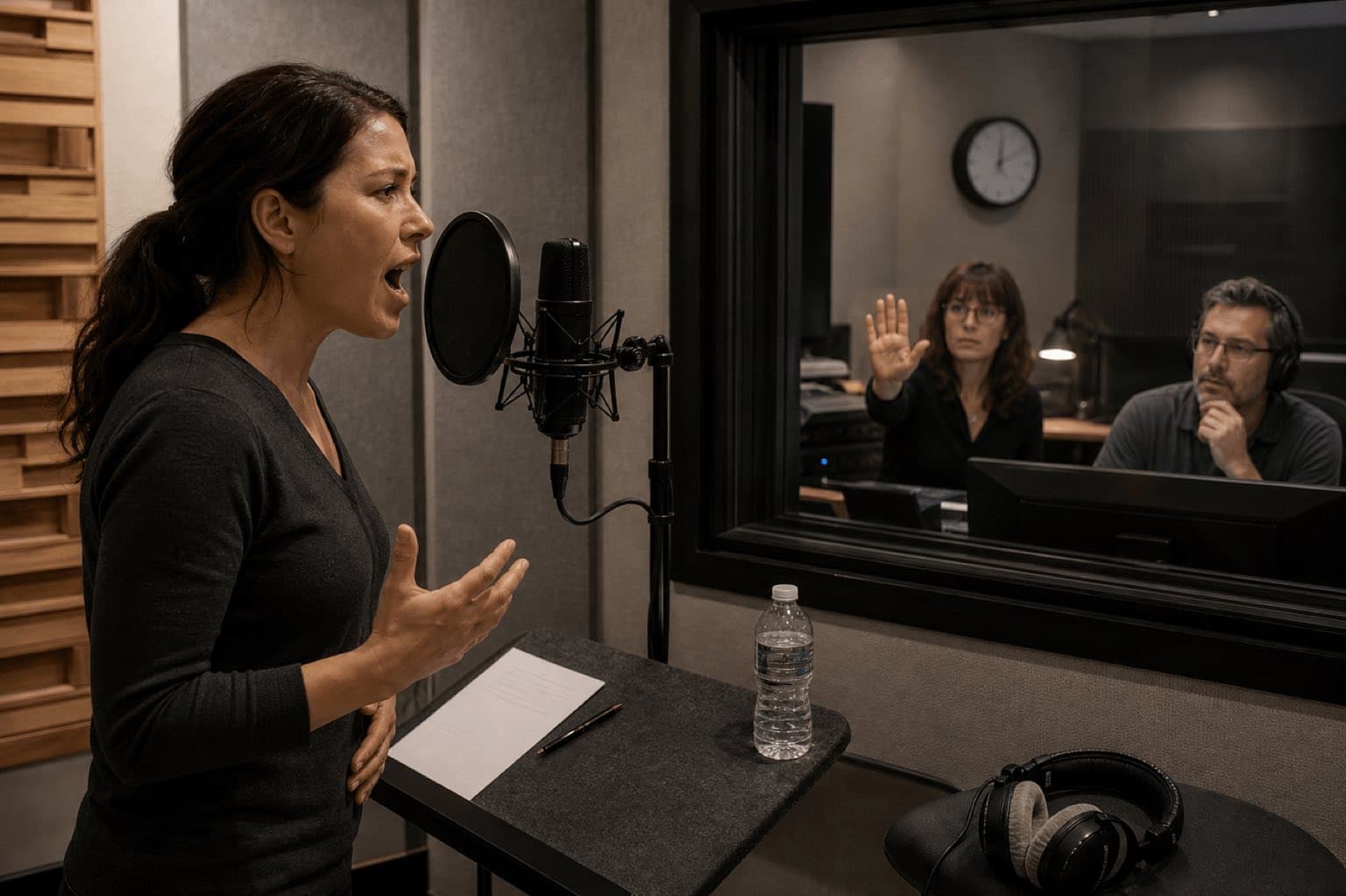
- Agree on stop authority. The performer can stop without pressure; establish visible and verbal signals with the booth and control room.
- Record lower-intensity building blocks first. Breath, gasp, consonants, short vowels, effort, and cut-off reactions may solve the scene before an extreme take is considered.
- Keep intense takes short and few. Schedule rest, avoid noisy talk between takes, and do not chase tiny variations through repeated maximum effort.
- Monitor conservatively. Set gain for peaks, keep headphone level comfortable, and avoid feeding delayed or loud vocal return that encourages pushing.
- Stop at warning signs. Pain, strain, rawness, sudden hoarseness, loss of range/control, or effortful speech are not creative goals.
- Log performance and consent. Record take, intensity, processing permission, usage, performer, agreement, and date.
Alternatives to another intense take
Build from a breath, gasp, yelp, effort sound, cloth movement, body impact, room response, reversed inhale, filtered noise, or generated layer. A performance can remain emotionally specific while post-production supplies scale, distance, creature mass, or tail. Preserve the actor’s natural source as an editable layer rather than flattening everything into one destructive effect.
04
Edit and sync without erasing performance
Trigger
The threat, reveal, contact, or realization begins.
Breath
An inhale or interruption can make the vocal response feel embodied.
Core
The most recognizable vowel or cry lands near perceived reaction.
Release
Cutoff, breath, room, movement, or silence returns control to the scene.
Move the core one frame earlier and later while watching at normal speed. Do not automatically align the loudest waveform peak to the visual cut; the character may see, inhale, recoil, and vocalize across several frames. Use Video-to-SFX when the shot’s timing is the central constraint.
Processing priorities
Clean only what distracts. Preserve breath and micro-dynamics that carry emotion. Use clip gain before heavy compression; control a harsh resonance without removing identity; adjust pitch and formants separately when appropriate; and audition saturation at low level. For creatures, layer a designed body beneath the performer rather than making one vocal do all the work. Keep an unprocessed source and document significant transformation.
05
Make intensity through context—not a dangerous peak
Pre-event contrast
A short quiet zone, narrowed ambience, or music reduction can create more shock than adding level.
Speech and story
The scream should not erase the warning, name, response, or next line that explains consequences.
Perspective
Close detail, room reflections, distance filtering, and off-screen placement should match camera and geography.
Audience comfort
Control upper-mid peaks, test headphones and phones, and avoid sudden program-level jumps that feel punitive.
- The emotional intent reads without maximum loudness.
- The cue matches actor and scene perspective.
- Breath and onset remain natural after processing.
- Creature layers do not create recognizable impersonation.
- Mono preserves the core reaction.
- Headphones reveal no painful narrow peaks.
- The next line and ambience recover cleanly.
- The final codec does not splatter or pump the voice.
For trauma, documentary, horror, or content involving real harm, review audience expectations and distribution context. Avoid using recognizable distress without consent, and do not describe designed audio as an authentic recording of a real person’s suffering.
06
Generate a scream-adjacent sound effect with Sonilo
Sonilo does not currently expose a dedicated Scream product page. Use the general Sound Effects workspace for a designed vocal reaction or nonhuman layer, and Video-to-SFX when the uploaded shot determines onset and release. Use Whoosh or Impact only for separate visible motion or contact, not as substitutes for the character’s performance.
Original 0.75-second nonverbal fear reaction from an adult fictional character heard through a closed interior doorway: controlled breath catch into a brief clean yelp, medium register, no sustained rasp, no words, no pain performance, softened high frequencies, short room reflection, no music, no identifiable actor resemblance.
Original 1.3-second nonhuman threat vocal designed from breathy air, bowed-metal-like texture, and low synthetic resonance: fast alert onset, unstable middle body, short dry cutoff, no human words, no recognizable animal recording, no celebrity or character imitation, no piercing high peak.
Generate controlled variants, level-match them, reject recognizable identity or unintended distress, and save prompt, output, date, account/plan, terms, edit, and export. Review commercial-use terms for the exact release.
07
Voice health, performer rights, and sources
A scream performance and its recording may involve performer consent, contract, privacy/publicity considerations, and copyright. The U.S. Copyright Office explains that sound-recording authorship may include performance and production. Retain the performer agreement, processing and synthetic-use permission, recording log, source/account, license or terms version and date, project/client/channel, edit session, and published export.
Sources
Sources
- NIDCD: Taking Care of Your Voice.
- U.S. Copyright Office: Sound Recordings Authorship.
- Sonilo official: Sound Effects, Video-to-SFX, Whoosh, Impact, and Licensing.
Human review checkpoint: before publication, a named voice professional and sound designer should review session limits, performance, processing, timing, mix, and export; qualified healthcare, performer-rights, and licensing reviewers should verify health wording, consent, synthetic use, and commercial claims.
FAQ
Frequently asked questions
Do not ask for repeated maximum-volume screams. Use a qualified voice professional, agree on a stop signal, capture short controlled takes with rests, keep monitoring conservative, and stop if the performer feels pain, strain, sudden hoarseness, or loss of control.
A gasp, yelp, breath catch, cut-off cry, effort sound, cloth movement, body impact, environmental reaction, synthesis, or generated cue can communicate danger without demanding a sustained extreme vocal performance.
Intensity can come from timing, contrast, close perspective, carefully layered breath or texture, controlled saturation, a short pre-event quiet zone, and the scene reaction. Do not treat processing as permission to record a painful source.
It must be intelligible and dramatically appropriate, not startlingly louder than the program. Control peaks, test headphones and small speakers, and preserve audience comfort and platform requirements.
Not merely because the clip is short or familiar. Use a performance you have rights to, a properly licensed recording, or generated output under applicable terms.
Not currently. Use the general Sound Effects or Video-to-SFX workflow to generate a vocal-reaction or designed horror layer with explicit timing, character, duration, perspective, and exclusions.
Related
Keep reading
Design intensity without forcing it
Build the reaction around emotion, timing, and perspective.
Use controlled performance or generated layers, then test the cue in the full scene.