Get Marketing Insights First
Subscribe to receive actionable strategies, growth tips, and industry insights delivered straight to your inbox.

Google Lyria 3 Pro can generate video music—but is it built for your workflow? Compare it with dedicated video soundtrack tools.
Fellow editors, Lyria 3 Pro dropped five days ago. I’ve been running clips through it since. Here’s the honest breakdown—before the hype settles.
Google released Lyria 3 Pro on March 25, 2026. It’s the upgraded tier of Lyria 3, which itself only launched in February. So we’re talking about a very new product, and I want to be precise about what it can and can’t do right now—because the gap between “impressive demo” and “fits my actual workflow” is where most of these tools quietly fall apart.
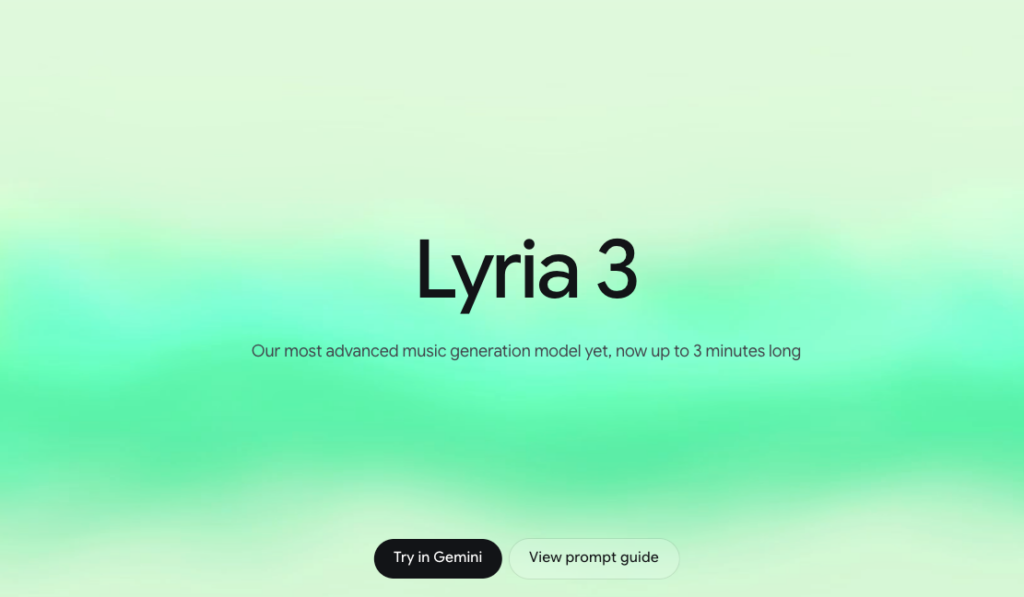
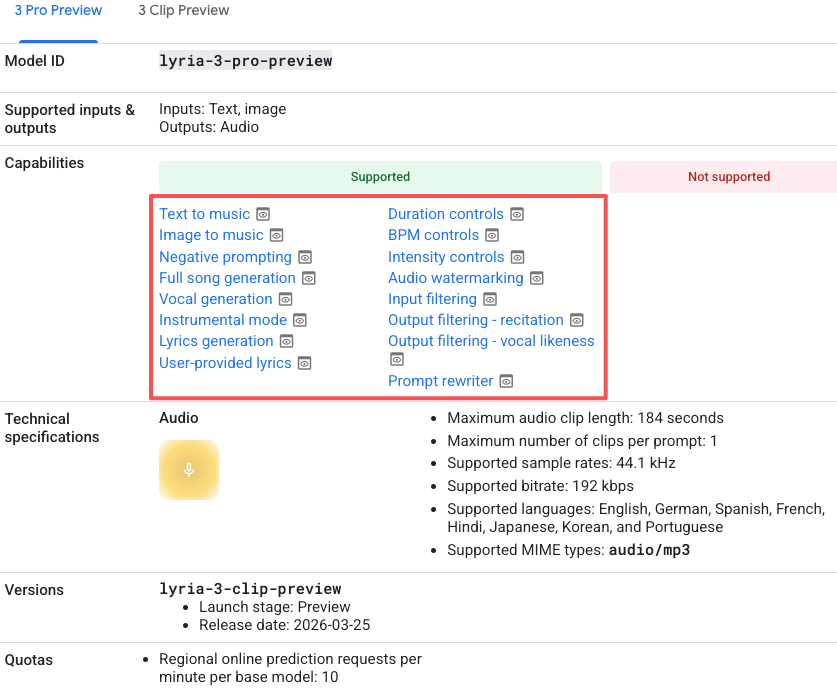
Here’s what Lyria 3 Pro is currently doing well:
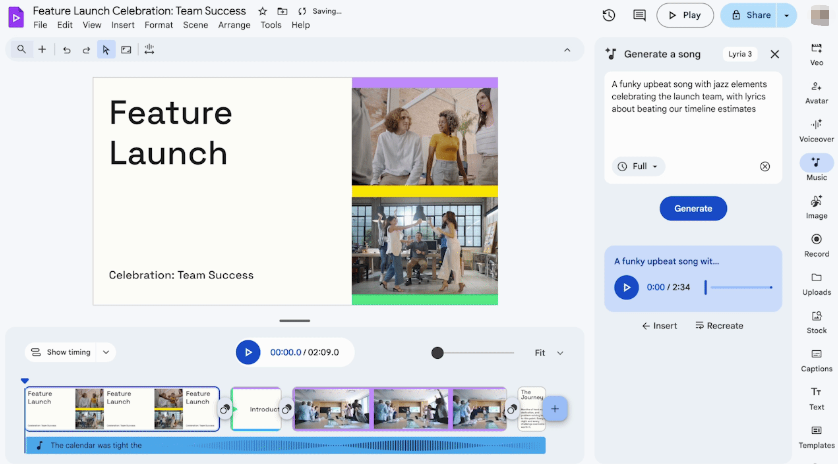
One thing to correct upfront: this is not a free tool. Lyria 3 Pro in the Gemini app is currently gated behind a paid subscription. If you were assuming Google = free tier, that assumption needs updating.
Feature availability is current as of late March 2026. This product is under active development—verify directly with Google before publishing any claims.
Lyria 3 Pro has video-aware generation. So does the category of dedicated video soundtrack tools. The question isn’t whether they both claim to understand your video—it’s how that understanding works, and where each one breaks down in a real editing session.
This is where the practical gap shows up most clearly.
Dedicated video soundtrack tools built around this problem generate music that ends when your video ends. Not approximately. Not “close enough to trim.” Actually ends there—because matching the cut’s exact length is the product, not a feature.
Lyria 3 Pro’s video analysis through Google Vids and AI Studio is genuinely promising, but duration-precise generation isn’t consistently delivered in the current integrations. You may still find yourself trimming, looping, or cross-fading to land the output exactly where you need it.
Trimming is one thing. Doing it on every single export is another.
If you’re producing for clients, you’re generating options, not outputs. That’s just how revision cycles work.
The tools built specifically for video soundtrack generation typically give you multiple stylistic directions from a single upload—something more cinematic, something more stripped back, something with more energy. You compare them in context, pick the direction, and move forward.
Lyria 3 Pro’s current iteration model is primarily prompt-based refinement. That works when you know exactly what you want. It slows down when the client feedback is “it just doesn’t feel right”—which is most of the time.
I keep coming back to this because it keeps mattering.
Lyria 3 Pro outputs carry SynthID watermarking, and Google has been publishing AI content policies. But the commercial use terms—specifically for client deliverables, monetized YouTube content, and paid social campaigns—are still being defined as the product evolves. Lyria 3 is weeks old. Lyria 3 Pro is days old.
Dedicated video soundtrack tools that have been in market longer typically offer explicit commercial licensing tiers: you pay for a plan, you get a written license that specifies what platforms and project types are covered. Not always perfect, but at least stated clearly enough to show a client.
For any AI-generated music used in commercial or client work: read the current Terms of Service directly before you publish. This applies to every tool in this category. Don’t rely on anyone else’s summary, including this one.
| Feature | Google Lyria 3 Pro | Dedicated Video Soundtrack Tools |
| Audio quality | High | Varies (good to very good) |
| Video-aware generation | Yes (Google Vids, AI Studio) | Core feature in video-first tools |
| Automatic duration matching | Inconsistent in current integrations | Yes, in tools built for video |
| Multi-version output | Prompt-based refinement | Usually 2–4 directions per upload |
| Commercial license clarity | Evolving — product is weeks old | Explicit tiers in most paid plans |
| Google ecosystem integration | Native | Usually separate workflow |
| Free tier access | No — paid subscription required | Varies; most offer trial credits |
| Iteration speed | Fast for text prompts | Depends on upload/analysis pipeline |

I don’t want to write this off. The video-aware generation through AI Studio is more capable than most people have tested yet. If you’re experimenting, building personal projects, or working inside Google’s ecosystem already, the quality is genuinely there.
For content where the music is texture rather than structure—and where you have flexibility to do some manual trimming—Lyria 3 Pro is worth the time to test. The audio output is at a level where it doesn’t immediately sound like stock.
If you’re an early adopter who likes getting ahead of where tools are going, this is a product worth watching closely. Google’s model quality and ecosystem integration will both compound over time.
The honest version: if you’re producing regularly, on client deadlines, for monetized platforms—you need a tool where duration matching and multi-version output are the design priority, not the roadmap.
The gap I kept hitting wasn’t audio quality. It was iteration speed and fit precision under deadline pressure.
Selecting a tool before you know what you need to deliver is the wrong order. Figure out your use case first—personal, commercial, client work, platform monetization—then confirm the tool’s licensing covers it. That step is cheaper before the fact than after.
When did Google Lyria 3 Pro come out? March 25, 2026. Lyria 3 itself launched in February 2026. Both are very new products under active development.
Is Google Lyria 3 Pro free? No. Access through the Gemini app requires a paid subscription. Verify current pricing and access tiers directly with Google.
Can I use Lyria 3 Pro for client or commercial projects? The commercial terms are still evolving alongside the product. Read Google’s current Terms of Service before using any outputs in paid or client work.
What’s the actual difference between video-aware generation in Lyria vs. dedicated tools? Both analyze video input. The practical difference is in duration matching and iteration structure. Dedicated video soundtrack tools are designed to output music that fits your cut’s exact length and give you multiple directions to compare. Lyria 3 Pro’s video analysis is real, but those specific workflow features aren’t consistently built into the current integrations.
How many versions should a good video soundtrack tool give you? At minimum, two or three stylistic directions from a single input. If you’re revising without that, you’re restarting from scratch every time—which adds up fast on a real deadline.
Do I need to disclose AI-generated music in my videos? Platform policies are evolving. Check the current guidelines for each platform you publish on before you post.
This time I ran the same 90-second clip through both approaches across multiple sessions. Lyria 3 Pro is a more capable video-music tool than its predecessor, and that’s worth saying plainly. But for creators who need duration-precise output and fast multi-version iteration on a deadline, dedicated video soundtrack tools are still doing more of the daily job.
The product is five days old. Check back in six months—this comparison will look different.
This time I ran the tests so you don’t have to start from scratch. The table above is where I’d begin if I were making the call today.
What’s your current bottleneck—getting the music to fit the length, or getting the licensing question answered before the client asks? I’m curious which one is actually costing people more time.