Get Marketing Insights First
Subscribe to receive actionable strategies, growth tips, and industry insights delivered straight to your inbox.

Suno v5.5 adds Voices, Custom Models, and My Taste — but are any of these built for video creators? Here's an honest look at what changed and what didn't.
If you’ve ever stared at a finished timeline with no music and a publish deadline in two hours, keep reading.
I’ve been watching the Suno updates closely because I use AI music generation tools as part of my video workflow — and whenever a major version drops, I want to know one thing: does this actually help me finish a video faster, or is it more interesting to music makers than to video editors?
Suno v5.5 dropped on March 27, 2026. Three new features: Voices, Custom Models, and My Taste. The model quality itself also got an incremental bump.
Here’s what actually changed — and what it means if your starting point is a video, not a song idea.
Voices lets you capture your own singing voice and use it in Suno-generated tracks. You record or upload a clean vocal sample, Suno runs a verification step (you speak a randomly generated phrase to confirm it’s your voice), and from there you can generate songs featuring your vocal identity.
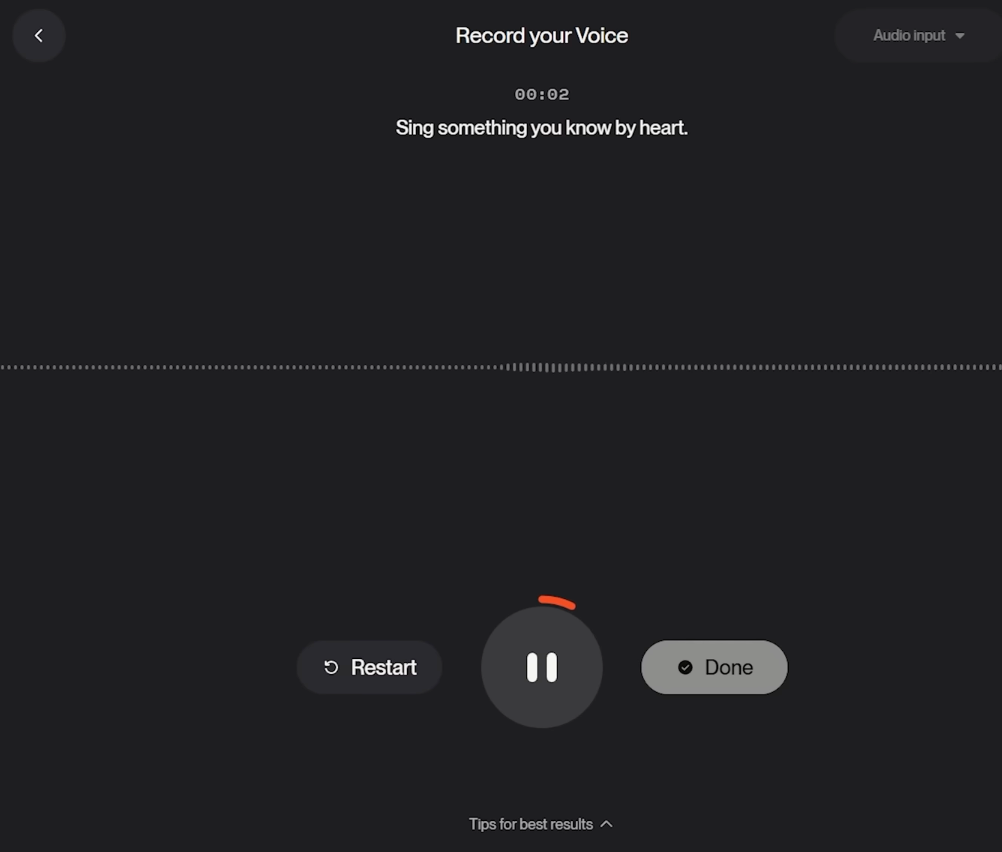
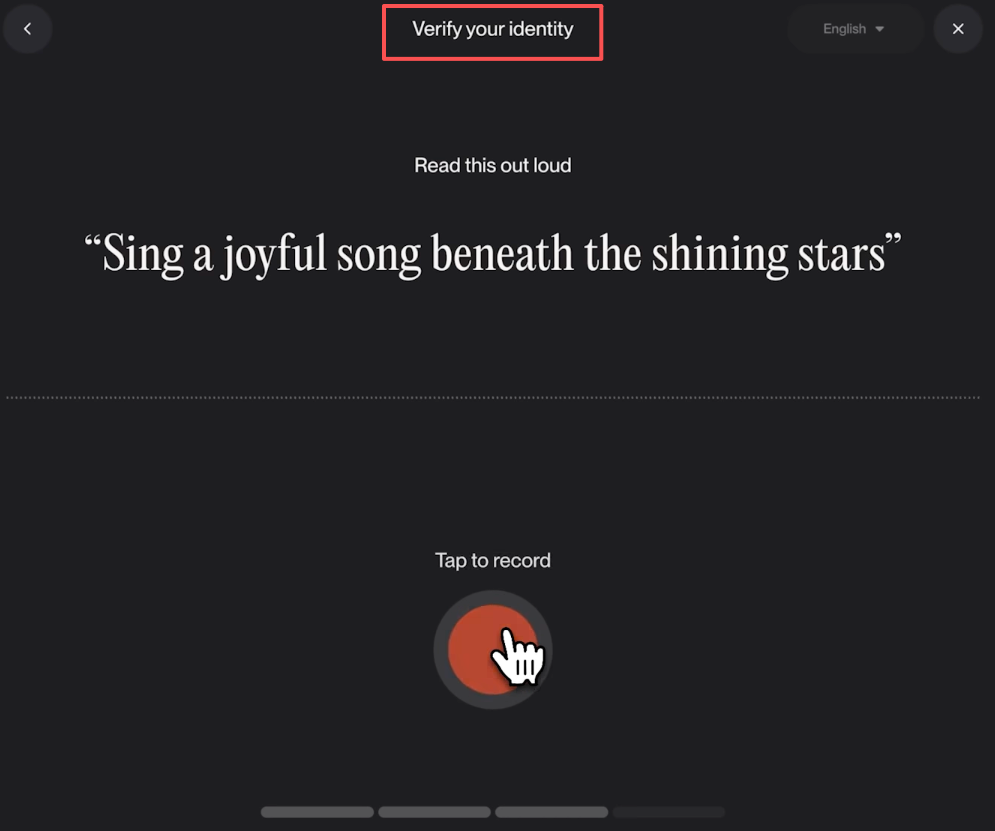
A few things worth knowing before you get excited:

One thing I want to flag: when you enable Voices, you check a consent box granting Suno permission to use your voice data to train and improve their models broadly — not just your personal songs. That detail got buried in most coverage. If that gives you pause, read the Voices terms carefully before you opt in.
For video editors? Voices is essentially irrelevant to your workflow. Unless you’re producing content where your own vocal character in the music matters — think singer-songwriter brand content — this feature is built for musicians, not for people who need a background track by Thursday.
Custom Models lets Pro and Premier users upload at least six of their own original tracks and fine-tune a version of v5.5 on their stylistic patterns. The build takes two to five minutes. You get up to three Custom Model slots.
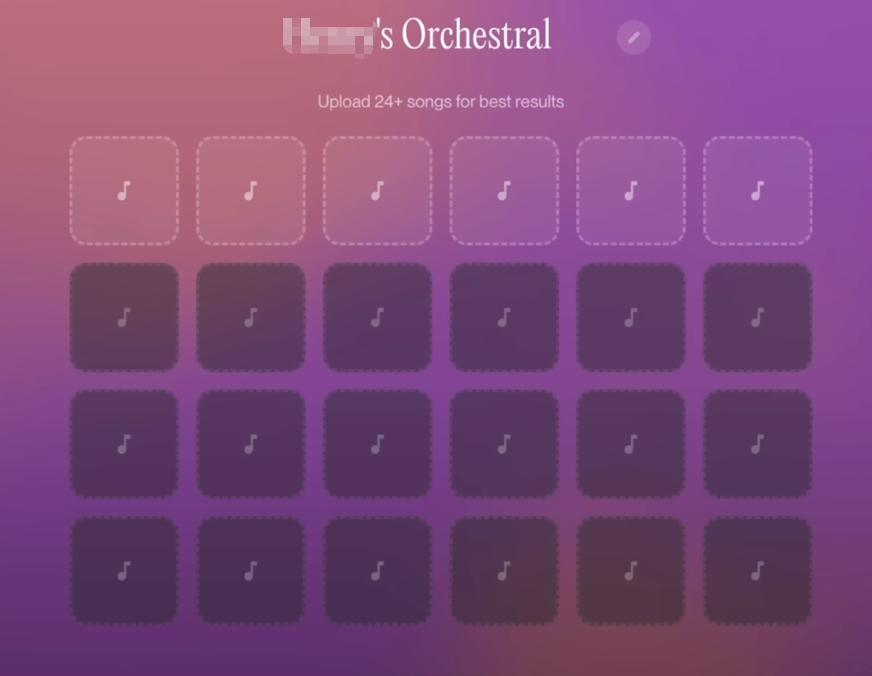
The result: a personalized version of the model that reflects your arrangement logic, sonic aesthetic, and harmonic tendencies. It’s private, non-transferable, and runs inside Suno’s infrastructure.
This is the most substantial feature in v5.5 — but it’s aimed squarely at producers who already have a catalog and want to stay within their own sound while exploring variations faster.
If you’re a video editor who generates Suno music occasionally to score a product demo or a brand vlog, Custom Models isn’t your tool. You’d need to already be making a lot of original music outside Suno to have a catalog worth training on. That’s not most video creators.
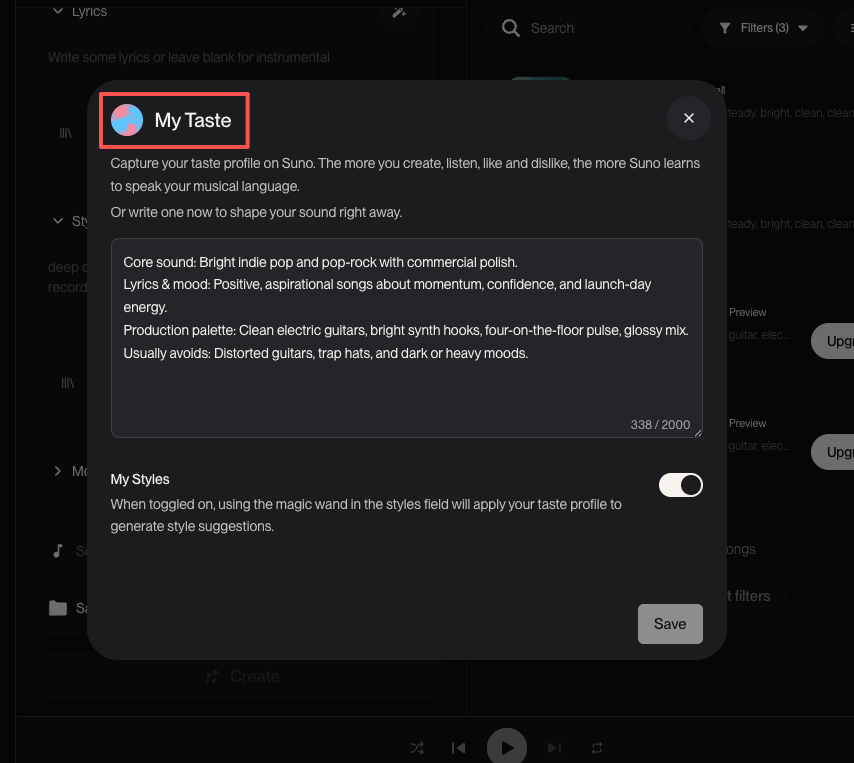
My Taste is available to everyone, including free users. Over time, Suno tracks the genres and moods you use most often and factors that into style suggestions when you use the magic wand auto-generate feature.
It’s the most passive of the three features. You don’t configure it. It just learns.
Honestly, this one is fine. For video editors who repeatedly need, say, understated cinematic instrumentals or upbeat lo-fi beats, My Taste will eventually surface those defaults faster. Low-friction personalization — I’ll take it.
Here’s what using Suno for video actually looks like in practice, v5.5 or not:
Steps 6 and 7 are where the time goes. Every time. You export a 3-minute track for a 90-second video and spend 15 minutes cutting it so the transitions don’t sound jarring. Or you loop a 45-second clip for a 4-minute piece and hope nobody notices the seam.
v5.5 didn’t touch any of this. The prompt-to-export workflow is exactly the same.
Generating music is one thing. Fitting it to a video is another.
Suno still doesn’t know your video exists. You’re describing a vibe in text and hoping the output matches what you’ve already cut. Sometimes it does. Sometimes you generate eight versions and none of them feel right, so you adjust the prompt and start over.
That’s not a knock on Suno’s quality — the audio is genuinely good. But the friction in the workflow isn’t about generation quality. It’s about the gap between “what the music sounds like” and “what the video needs.”
Reading the official v5.5 announcement, the direction is pretty clear. They’re building toward a music creator identity platform — tools for artists who want their own sound reflected in AI output, not just generic generation.
The language in their own announcement says it: “a model that doesn’t just help create music, but fully reflects the person making it.”
That’s a meaningful creative philosophy. It’s just not the philosophy of someone who needs music for their video by tomorrow.
Suno’s also navigating a complicated legal landscape. Record labels brought landmark AI copyright cases against Suno in federal court, and they’re still in active litigation with Sony Music Entertainment and Universal Music Group. They settled with Warner Music Group in November 2025, and the push toward artist-first features and licensing partnerships with the music industry is likely part of how they’re positioning for those ongoing battles.
The more Suno leans into artist identity — Custom Models built on your catalog, Voices that clone your vocal character — the more the tool assumes you’re coming with creative intent around music itself.
Video creators come at it differently. You have a finished cut or a rough assembly. You need music that serves the picture. You’re not making a song. You’re scoring a moment.
Those are different problems, and they increasingly require different tools.
This is the single biggest friction point, and v5.5 didn’t address it. You still get a track at whatever length Suno decides to output, then trim or loop it yourself.
For short-form content — 30-second ads, 60-second Reels — this isn’t catastrophic. For anything longer or more structured, it adds real time back into a workflow that’s supposed to be saving you time.
Suno generates from text. It has no idea what’s happening in your video — no sense of pacing, no understanding of where the emotional beat lands, no awareness of a scene change at 0:47 that the music should support.
You’re describing a feeling in words and hoping it translates. Often it does. But the tool isn’t watching your video. That gap is the fundamental difference between AI music generation and AI soundtrack generation.
If you’re not comfortable writing music prompts — describing genre, tempo, instrumentation, mood — Suno requires some learning curve. That’s fine for people who are interested in music production. For video editors who just want something that fits, prompt writing is another task added to an already full post-production day.
Upgrade before you need commercial rights, not after. Songs made on the free plan cannot be used commercially, and subscribing later doesn’t give you retroactive licensing for those tracks. If you’re producing anything for a client, brand content, or monetized YouTube videos, you need to be on Pro or Premier from the start — Suno’s commercial licensing terms make this clear. That’s confirmed in Suno’s terms of service directly.
Build a prompt library before your next deadline. Before you’re under pressure, spend 30 minutes generating music for different video types — tech product reviews, lifestyle vlogs, upbeat brand promos, quiet documentary-style pieces. Save the prompts that worked. My Taste will start calibrating over time, but your own prompt library will save you more time in the short run.
Use Suno for the first draft of music, not the final answer. Drop a generated track into your edit as a temp track. See if the energy works. If it does, generate a few more variations at that same prompt and pick the cleanest exit point for your edit length. This is faster than trying to find the “perfect” version before you’ve even seen it against picture.
For anything requiring exact length matching — 30-second pre-roll ads, rigid broadcast specs, anything with a hard out — account for the manual trimming time in your schedule. Suno isn’t going to give you a 31-second track because you need one.
Yes, with caveats. The generation quality is genuinely strong — clear audio, decent musical structure, a range of styles. The limitation for video work is that you still handle length matching and sync manually. If you have time to trim and adapt, the output is usable. If you need a track that fits your cut automatically, you’ll be doing extra work.
No, not currently. Suno generates tracks at its own length. You can try to guide output length loosely through prompt phrasing, but there’s no feature that takes your video duration and outputs a track timed to match. You trim the audio to fit in your editing software.
Some helps. You’ll write prompts describing mood, genre, and energy — terms like “cinematic, slow build, no vocals” or “upbeat lo-fi, 90 BPM, positive.” You don’t need to read music. But the more specifically you can describe what you want, the fewer generations you’ll burn through before finding something usable.
Worth testing on the free plan first. If the output style fits your content and you’re producing content you want to monetize, upgrading to Pro for commercial rights makes sense. The $10/month is genuinely low compared to stock music subscriptions. The question is whether the manual workflow fits your production pace — for some creators it will, for others the trimming and sync work adds friction they weren’t expecting.
Voices clones your singing voice and lets it appear in generated songs. Custom Models fine-tune the entire generation style based on music you’ve made. Both require Pro or Premier plans. You can find full feature documentation in Suno’s Help Center. Neither is primarily useful for video editors who need instrumental background music — they’re both aimed at artists building a distinct sonic identity.
Mostly yes, with one nuance. Pro and Premier subscribers get commercial use rights for songs generated while subscribed. But even Suno’s own terms acknowledge that copyright vesting in AI-generated output is legally complicated. The U.S. Copyright Office’s ongoing AI policy guidance is directly relevant here — they explicitly don’t guarantee it. For most YouTube content, brand videos, and social media work, the commercial license is practically sufficient. For regulated industries or clients with strict content policies, it’s worth flagging before you commit.
This time I worked through v5.5 feature by feature so you can skip the hype and decide what’s actually relevant to your edit. The short version: Suno made a real product update — Voices and Custom Models are substantive features. They’re just pointed at a different user than most video editors.
The gap between “AI music generation” and “AI soundtrack for video” is still real. Generating music is one thing. Fitting it to a finished cut, matching duration, and making sure it earns its license for commercial use is another.
If you’re a video creator thinking about your soundtrack workflow — whether that’s AI tools, stock libraries, or something else — what’s the step that’s costing you the most time right now? The search, the trimming, or the licensing worry?
Drop it in the comments. I’m genuinely curious where the friction lives for you.
Licensing information verified against Suno’s Terms of Service and Help Center as of March 2026. Commercial rights terms for AI-generated music are evolving — re-check Suno’s official documentation before any high-stakes commercial use.