Get Marketing Insights First
Subscribe to receive actionable strategies, growth tips, and industry insights delivered straight to your inbox.
If you’ve ever stared at a timeline with no music and a publish deadline in two hours, keep reading.
I spent last week running Lyria 3 Pro through a proper test — not a demo, not a quick vibe check. I fed it real prompts for real video types: a product ad, a talking-head tutorial, a lifestyle vlog, a brand promo. I compared outputs, pulled the ones that actually worked into Final Cut, and tried to figure out why some prompts landed and others produced something that sounded like it came out of a waiting room.
Here’s what I found.
| Dimension | Assessment |
| Worth using? | Yes — with the right prompt structure |
| Core strength | Genre + mood precision when prompted correctly |
| Biggest limitation | Prompts describe sound; they don’t know your cut |
| Best for | Creators who can write a clear brief for their video’s tone |
Evidence level: Confirmed through direct testing. The output quality gap between vague and specific prompts is real and significant.
Before I get into what to write, it helps to understand how the model reads your input.
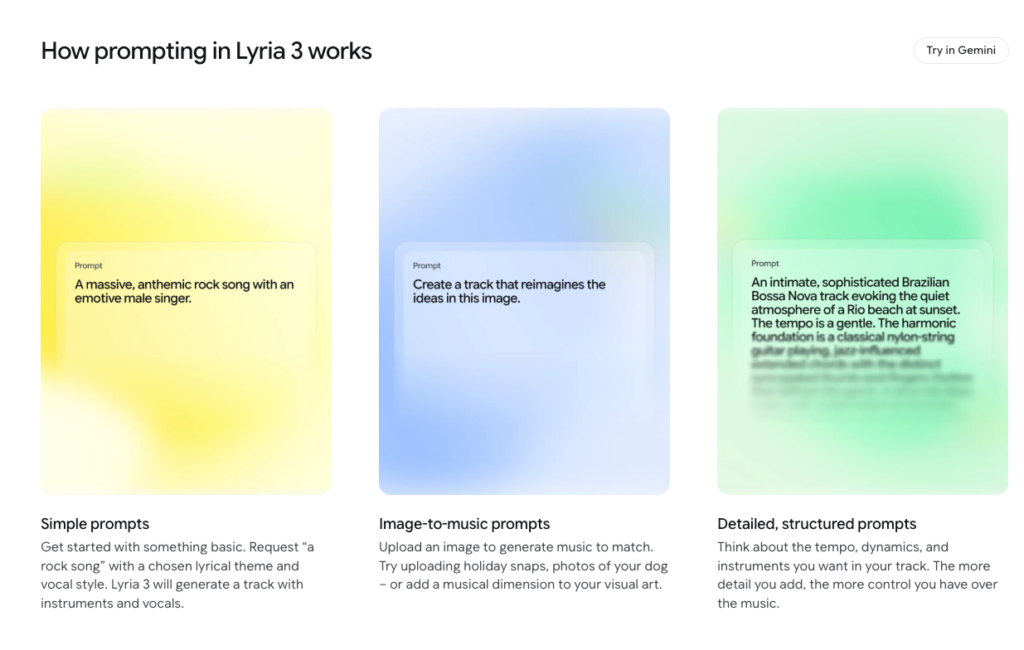
Lyria 3 Pro doesn’t watch your video. It reads text — and according to Google’s official music generation guide, the model generates 48kHz stereo audio strictly from text prompts or image inputs. That means it’s responding to what you describe, not what you’ve cut. If your prompt is vague, the model fills in the blanks with something statistically plausible — which is often usable, but rarely fitting.
The model responds well to a specific combination of signals: genre, mood, tempo, and instrumentation. Stack those four elements clearly, and the output changes meaningfully. Miss two of them, and you’re rolling the dice.
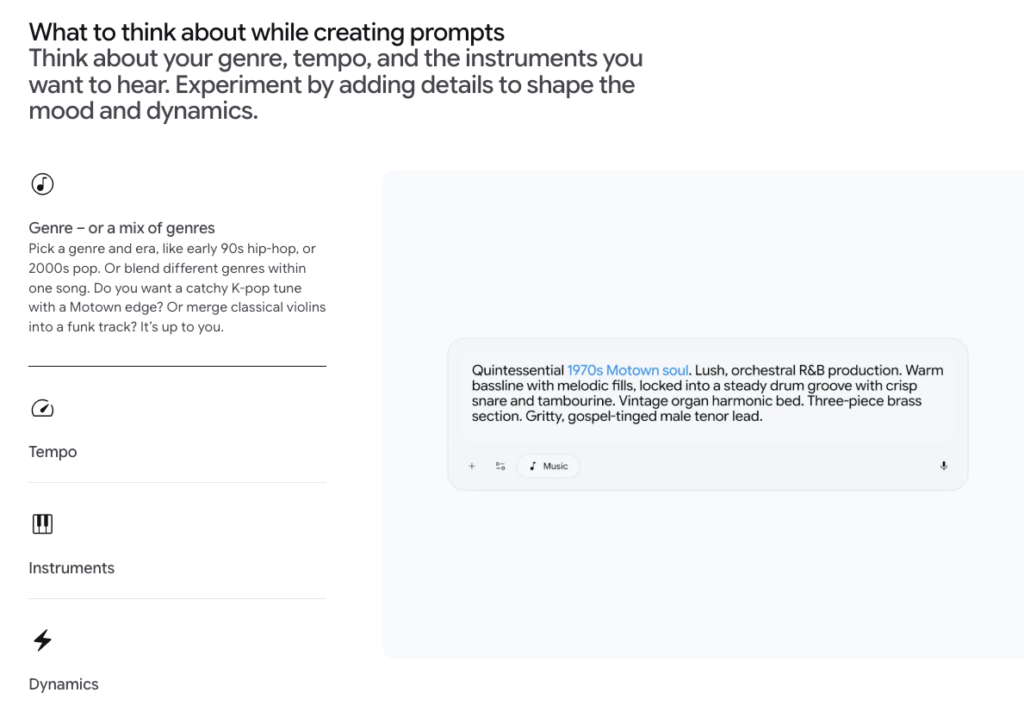
The most reliable prompt format I found follows this pattern:
[Genre] + [mood] + [tempo descriptor] + [instrumentation]
For example:
Indie folk, calm and nostalgic, mid-tempo, acoustic guitar and soft piano, no drums
That’s not a creative masterpiece. But it gives the model four distinct anchors instead of one.
“Chill background music” is one anchor. It generates something chill. But “chill” covers an enormous range — lo-fi hip-hop, ambient synth, soft jazz, acoustic unplugged. The model picks one. Sometimes it’s right. Often it isn’t.
Lyria 3 Pro supports image input alongside text prompts. I tested this with a handful of product shots and outdoor stills.
Honest result: image input shifts the tonal register in subtle ways, but it doesn’t replace clear text. A moody image of a forest path nudged outputs toward slower, more atmospheric compositions. But without text anchors, the instrumentation was still unpredictable. My working method now is image plus text prompt — the image for atmosphere, the text for specifics. Neither one alone is enough.
Lyria 3 Pro creates tracks up to 3 minutes long and supports structural prompting for intros, verses, choruses, and bridges — but output duration isn’t timestamp-precise. You can prompt for structure, and the model will attempt to build around your request. But if you write “30-second intro, then build into chorus,” you’ll get something that gestures at that shape — not something that lands at exactly 30 seconds.
Generation speed is a one-time thing. Duration matching is a different problem entirely.
These are actual prompts I ran. The outputs aren’t perfect, but they’re workable — which is the bar that matters for video.
Upbeat corporate pop, optimistic and energetic, fast tempo, clean electric guitar and light synth, no vocals, 30 seconds
What came back: a clean, bright track that felt like a SaaS demo video. Not groundbreaking. Immediately usable without trimming emotional tone. I’d run this prompt structure again without hesitation.
Acoustic folk-pop, warm and easygoing, mid-tempo, fingerpicked guitar and light percussion, subtle piano undertone, no lyrics
This one hit well. The fingerpicked texture gave it a personal, unproduced feel — exactly what vlog content needs. “Warm” in the prompt actually translated to the output. I ran three variations to confirm it wasn’t luck.
Cinematic orchestral, hopeful and expansive, starts slow then builds, strings and piano with light percussion, no vocals
Decent. The build happened. The strings were serviceable. Where it fell short: the “starts slow” instruction led to an intro that ran longer than I expected, and I ended up trimming the front manually. That’s a step I’d rather not take — and it’s exactly the kind of gap that prompts can’t close on their own.
Minimal ambient, neutral and focused, slow tempo, soft synth pads only, very low energy, no melodic lead
This is where Lyria 3 Pro quietly excels. The constraints (“very low energy,” “no melodic lead”) pushed it toward something genuinely unobtrusive — it sat under speech without competing. For tutorial content, I’d reuse this prompt structure every time.
Google has confirmed that if a prompt names a creator, Lyria treats that as broad inspiration — not instruction, and filters are in place to check outputs against existing content. So naming an artist doesn’t guarantee stylistic output. “In the style of Hans Zimmer” might give you cinematic strings. It might give you something that shares zero DNA with that. Use descriptive language instead — the underlying sonic properties you actually want, not the name.
“Make it sound good” is not a prompt. Neither is “chill vibes” or “something modern.” The model needs parameters. Good sound is not a parameter. Genre, mood, tempo, instrumentation — those are parameters.
This one matters more than most prompt guides admit. You can write “30 seconds” in a prompt, and the model will try to comply. But the output might be 28 seconds, or 35, or it might loop in a way that makes cutting awkward. Prompts describe what you want to hear. They don’t map to your timeline. The cut is still on you.

Here’s the part I want to be direct about, because most prompt guides skip it entirely.
Prompts describe what you want to hear. Your video already shows what it needs.
Those are two different problems.
A well-written prompt can get you close to the right genre and mood. But it can’t read your cut. It doesn’t know where your edit points are, how long your video runs, or that you need the energy to drop at 0:45 when the product appears on screen. That information exists in your footage — not in a text description.
Generating good-sounding music is one thing. Music that actually fits your cut is another.
I’m not saying prompts are useless — the examples above are genuinely useful starting points. But the workflow after generation (trimming to length, adjusting entry points, re-generating when the energy doesn’t track your pacing) is still manual. That gap is real. Tools built around video input, where the AI reads your footage directly, address that specific problem. Lyria 3 Pro doesn’t — it’s prompt-first, not video-first. That’s not a flaw. It’s a design choice. But it’s worth knowing before you assume “AI music generation” automatically means “AI music that fits your video.”
Before you pick a tool, be clear about whether you need a starting point or a finished output. That one question changes which workflow actually makes sense for you.
Generate 3–4 variations on the same prompt, pull them all into your NLE, and audition them against your actual cut. Don’t make decisions in the browser. I do this in Final Cut by dropping tracks onto a comp lane and scrubbing while the video plays — five minutes of auditioning beats an hour of second-guessing.
If you produce the same category of content regularly — product demos, vlogs, talking heads — run prompt tests once, note what worked, and reuse the structure. You’re essentially building a personal sound palette. My current go-to for talking-head content is a variation of the “minimal ambient, soft synth pads” prompt above. I haven’t had to think about it in three weeks.
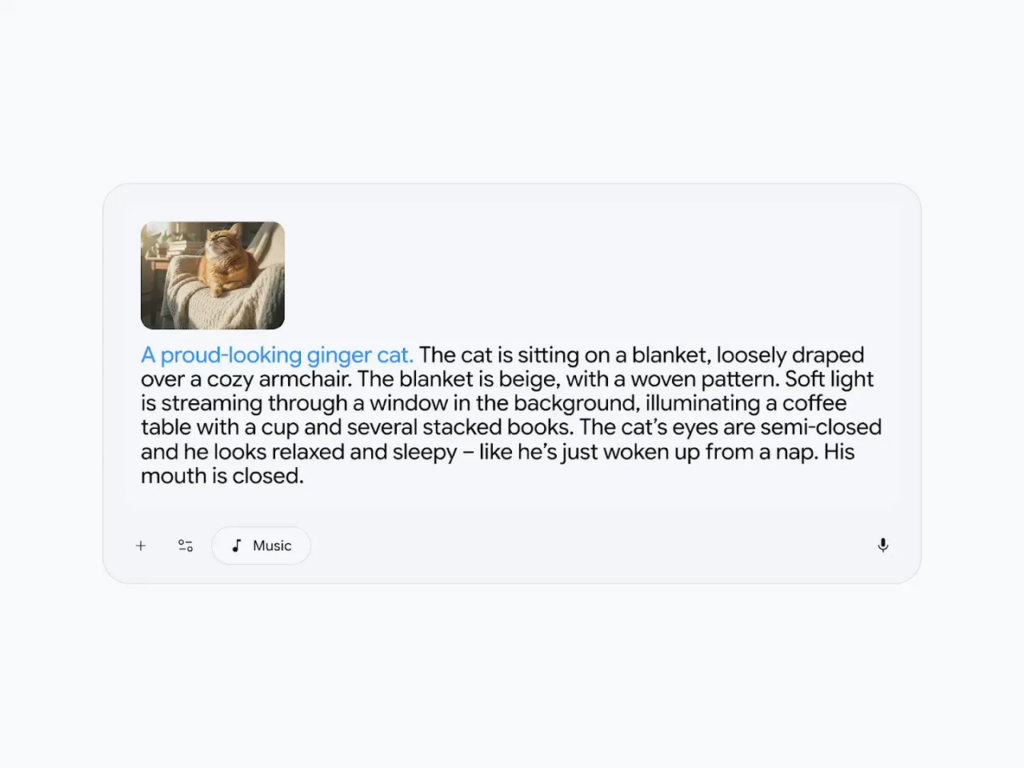
Drop a representative frame from your video as the image input, then write a prompt that handles the structural specs (tempo, instrumentation, energy level). The combination is more consistent than text alone. Image input alone, without a text brief, produces outputs that are harder to predict.
Lyria 3 Pro outputs are ready to drop into your NLE, but preview in-browser before exporting to confirm the output matches your prompt intention. I’ve had sessions where the browser preview sounded slightly different from the exported file. Not common — but worth the 30-second check.
Can I upload an image to influence the music?
Yes. Image input is supported and it does shift tonal output — particularly atmosphere and energy register. Use it alongside a text prompt for best results. Image input alone, without text, produces less predictable results in my testing.
How long is the output from a single prompt?
It varies. Lyria 3 Pro generates tracks, not precisely timed clips. You can request a target duration in your prompt, but the actual output may be slightly longer or shorter. Factor in manual trimming time for anything where exact length matters.
Can I control exact duration with prompts?
Not reliably. If you need music to end at exactly 1:23 or hit a specific timestamp, that’s still a manual edit step. Exact duration control is one of the clearest limits of prompt-based generation for video work.
What happens if I name an artist in the prompt?
Results are inconsistent. The model avoids direct reproduction of an artist’s style, so naming someone is more suggestion than instruction. Describe the sonic properties you actually want instead — “slow fingerpicked acoustic guitar with minor chord progressions” will get you further than a name.
I want to address this directly, because it’s the question that matters most if you’re using this for paid work.
I’ve tested the output quality. But testing output quality and reading the licensing terms are two completely separate steps — and the licensing step matters more before you commit to any AI music tool for commercial use.
Lyria 3 Pro’s commercial licensing terms are worth reading in full before you use generated music in any client project, ad, or monetized content. Licensing terms for AI-generated music are still evolving across the industry. What’s permitted for personal use and what’s permitted for commercial distribution can differ significantly, and it varies by plan tier.
One transparency signal worth noting: every Lyria 3 Pro output is embedded with SynthID, Google’s imperceptible AI watermark, which allows the audio to be identified as AI-generated even after it’s been modified or cropped. That doesn’t replace a licensing review — but it does mean there’s a provenance trail attached to everything you export.
Before you use any Lyria 3 Pro output in paid work: check the current licensing terms directly on the platform, confirm whether commercial use is covered under your specific plan, and verify the rules for wherever the content will be published — YouTube, Meta, streaming platforms, and broadcast all have their own policies.
Tested the output quality. Read the license page. That order matters.
This week I ran four video types through Lyria 3 Pro, tested prompt structures head-to-head, and pulled the outputs into an actual timeline to see what held up. You can take the prompt templates above and use them directly — adjust the genre and instrumentation to match your video type, and build from there.
What’s your current blocker with video music — getting the right tone, or getting the right length?
Recommended Reads