Guides
How to Write Better Melodies for Video Scenes
- Written by
- Sonilo Team
- Published
The melody wasn't bad. That was the confusing part.
I’m Nico, a video creator who tests a lot of music against video edits. I’ve done it enough to know when something sounds fine but still doesn’t sit right.
Last month I dropped a clean 40-second product cut into a generator — good pacing, one clear emotional turn — and the tune that came back was fine on its own. Played next to the footage, it sat on top like a sticker. Nothing was wrong with the notes. Everything was wrong with the fit.
So this is about how to write better melodies for video scenes when you already have one and it just won't cooperate — how to figure out why it's fighting the picture, and what to actually change. If you haven't made your melody yet, start with making a melody for video background music and come back to fix it here. If you cut your own videos and handle your own music, you've probably hit this exact wall.
Why melodies fail inside video scenes
Here's my honest read after doing this a lot: most melodies for video scenes don't fail because they're badly written. They fail because they were written as if the video wasn't in the room.
A tune built to stand alone wants your full attention. A melody for a scene has the opposite job — it shapes how the moment feels without pulling focus. Research on how soundtracks shape visual interpretation has shown that different scores can change how viewers interpret the same scene, including their impressions of its characters, atmosphere, and possible narrative direction. That helps explain why a melody can sound good alone but still feel wrong against the picture.
Quick thing you can do tonight: mute the music, watch the scene, and mark where you feel the turns and cuts. Then play the melody alone. Then together. If it's great solo but wrong on the footage, you've got a fit problem, not a quality problem. Those get fixed in completely different ways.
Fix melodies that fight the visual rhythm
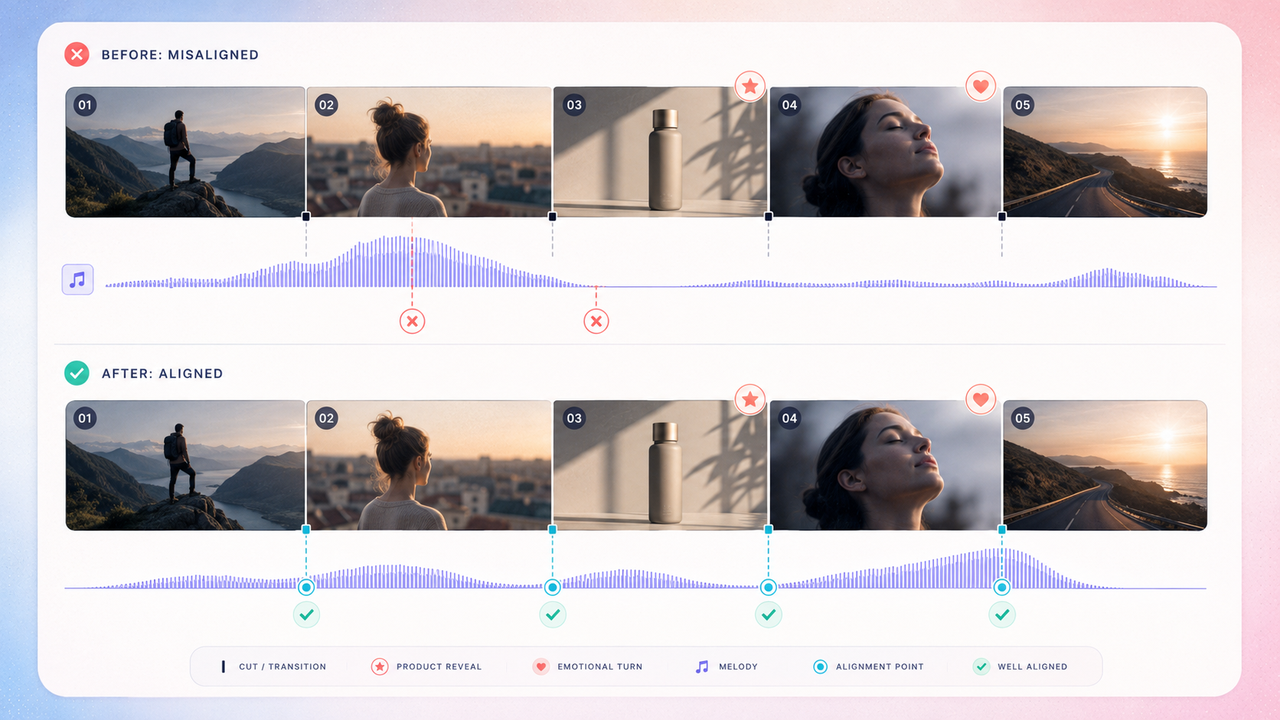
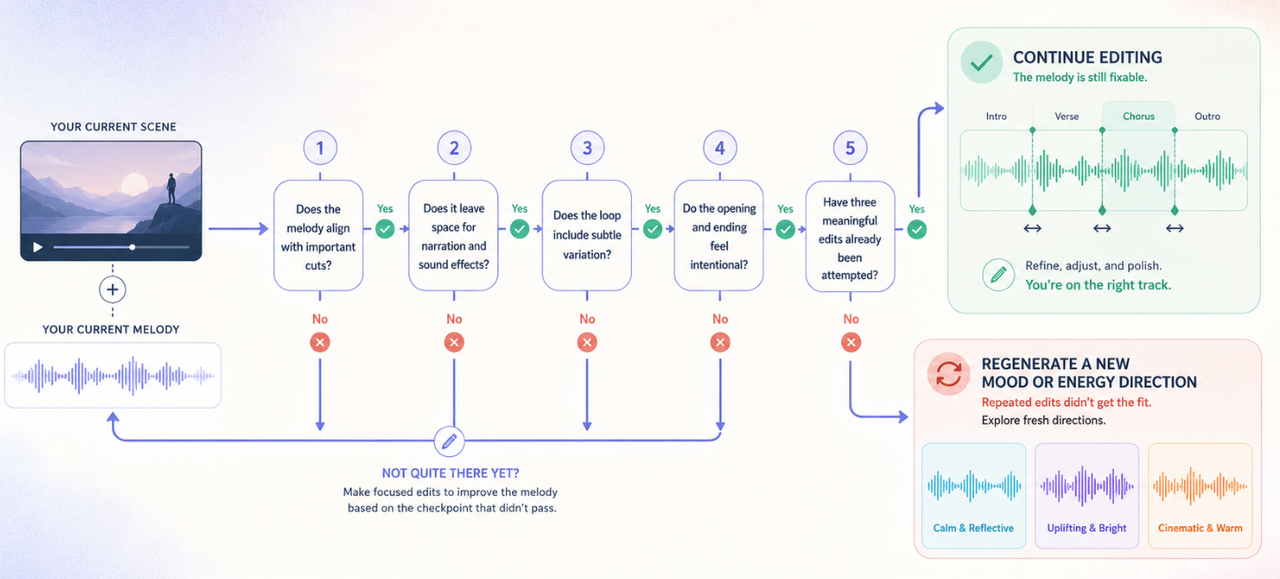
A melody fights the video when its accents land in the wrong places — the phrase peaks in the middle of a shot and goes quiet right when you cut.
The fix starts with your edit, not your notes. Find your hard cuts and the one or two moments that really need a hit — the reveal, the drop, the turn. In film-scoring practice, these moments are often treated as sync points or hit points — places where the music acknowledges an important visual action or edit.
Then reshape the melody so its phrases breathe at those points — resolve near the cut, not across it.
Generating a melody fast is useful. That's not the same thing as generating one that lands on your cuts. The second one is the part that actually changes how the scene plays.
Make room for voice, sound effects, and cuts
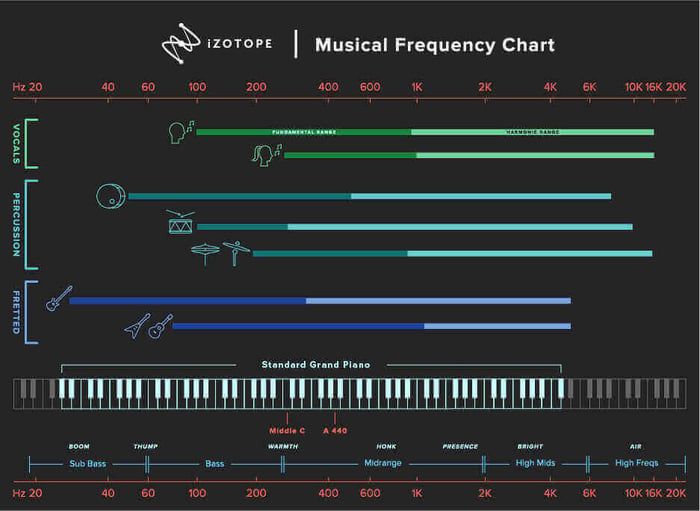
If there’s a voiceover, the melody and arrangement need to leave enough spectral and dynamic space for speech.
A melody can be perfectly pleasant and still bury narration when a dense arrangement overlaps with important speech frequencies. That overlap can create frequency masking, making the voice feel less clear even after its level is raised.
Practical version for a scene:
- Thin the arrangement wherever someone's talking.
- Keep the melody's movement in the gaps between lines.
- Let it drop to a held note or a pad under speech, then come back when the voice stops.
Same idea applies to a big sound effect. If a door slams or a logo whooshes, let the melody duck for that beat instead of stepping on it.
Repair loops that feel obvious or repetitive
Repetition isn't the enemy. Predictable repetition is.
Repetition is doing real work — it's a big part of why repetition pulls listeners in and makes a short melody feel familiar and settled. The "ugh, it's looping" feeling doesn't come from repeating. It comes from repeating with zero change.
So vary it. Every second or fourth pass, do one small thing: drop an instrument, mute a bar, shift a single note, pull the low end out for four seconds.
I didn't expect that to matter as much as it does — one muted bar in the middle of a loop can be the difference between "background music melody" and "why is this song stuck on repeat." It's a tiny edit that changes the whole feel.
Improve the first five seconds and the ending
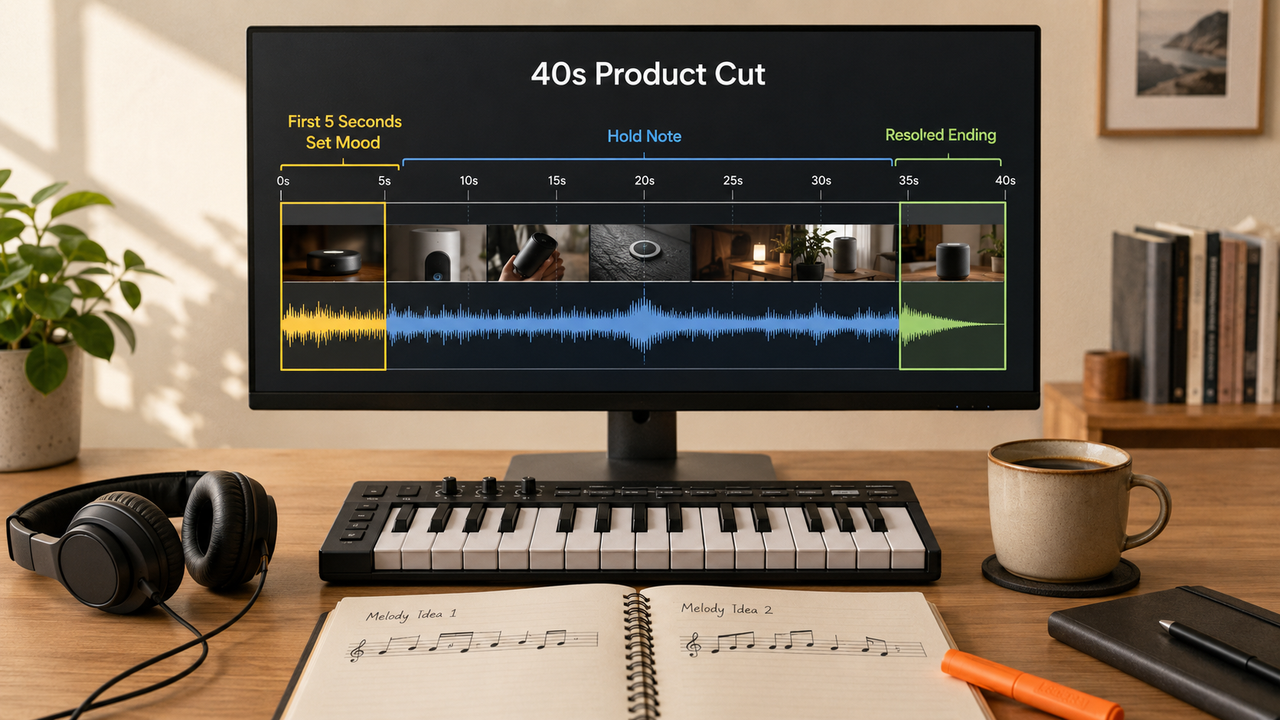
Two spots carry more weight than the middle: the opening and the close.
The first few seconds establish the musical direction early, so open lean: one or two elements, a clear mood, and no unnecessary clutter. Don't front-load the busiest bar of your melody.
The ending is where most video melodies get lazy. A loop just chops mid-phrase and it feels like the track tripped. Land it instead — resolve to a settled note, or fade on a held one. This is the point where how to write better melodies quietly turns into how to end them, and almost nobody plans the last two seconds.
When to regenerate instead of editing
Sometimes the fix isn't a fix. It's a fresh take.
My rule: if I've tried three real edits and the melody still fights the scene, I stop nudging notes and generate a new option with a different mood or energy. Editing a melody that was wrong from the start usually just produces a slightly-less-wrong version of the same wrong thing.
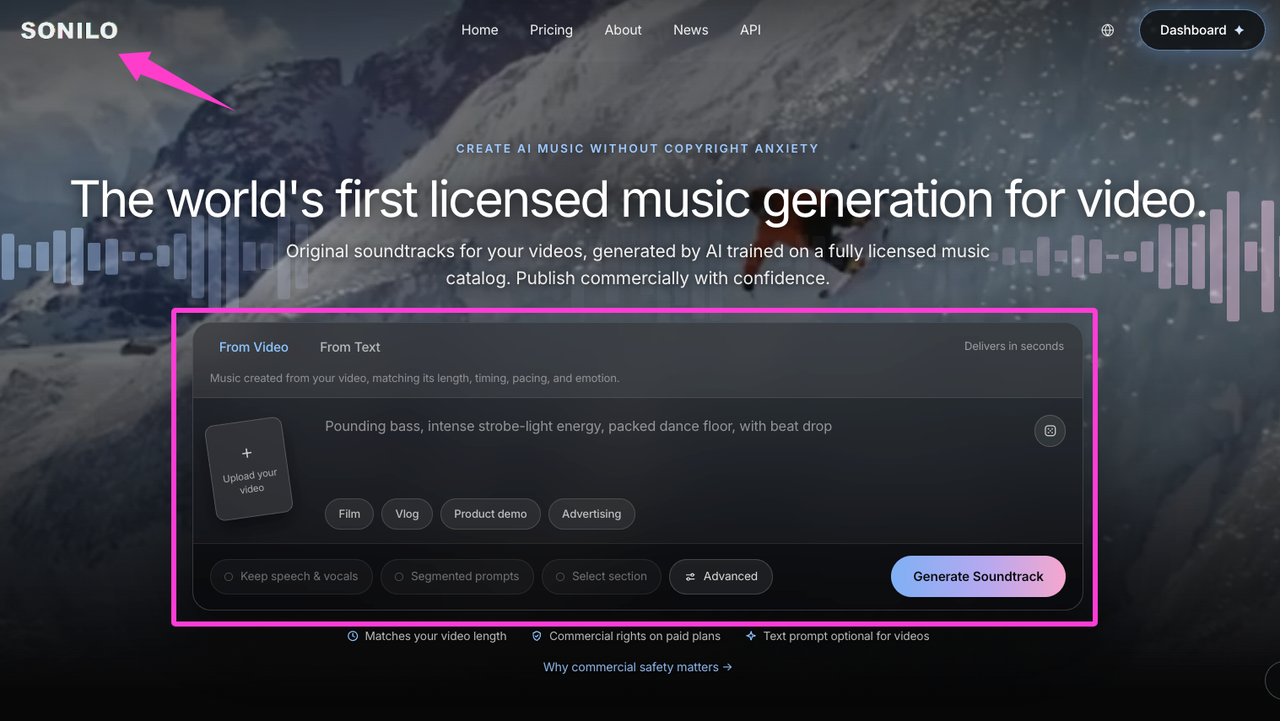
This is where a video-first tool can help. According to Sonilo’s current product page, it is designed to generate soundtracks that match a video’s timing, pacing, and emotion. That can give you another fitted option without continuing to edit a melody that does not suit the cut. Results vary, so compare each version against the actual scene before exporting.
Worth knowing before you commit: whether a given tool lets you revise an existing melody or only regenerate a new one varies, so test that specific capability before relying on it.
Before publishing, check the tool’s current license and make sure you have the necessary rights and permissions for every video, audio file, client asset, and other input you upload. For Sonilo, commercial use depends on the applicable plan and remains subject to its current Terms of Service. Review those terms before uploading confidential or unreleased client footage.
Platform rules may also apply. For example, YouTube’s current AI disclosure guidance specifically lists AI-generated music as content creators need to disclose.
Want to test the regenerate-and-match flow on your own cut? Try Sonilo and compare the generated versions against the actual scene.
FAQ
How do I know when a melody is too busy?
Simple gut check: if you notice the melody before the moment on screen, it's too busy. When you catch yourself humming the tune instead of watching the video, that's the tell. A melody for video scenes should be missed when it's gone, not spotlighted when it's there.
Should video melodies sound like full songs?
Usually no. A full song is built to be the main event — big chorus, dense arrangement, its own arc. A melody for a scene is a supporting part. Drop a radio-ready song under a 40-second cut and it tends to hijack the moment instead of holding it. Simpler almost always travels better inside a video.
Can AI help revise a melody for a scene?
It can help you get new options fast — feed it the scene's mood and length and it'll hand you fresh directions to compare. Whether it can revise or edit an existing melody in place depends on the specific tool, and I'd verify that before relying on it. A more dependable workflow today is often regenerating a fitted option rather than assuming fine-grained note-by-note edits exist.
What if every melody option feels generic?
Broad or generic input can contribute to generic-sounding output. If your only cue was "upbeat," you'll get the beige version of upbeat. Name the scene's actual turn and mood, narrow the style, reference a specific feeling. And if it's still flat, check whether the melody is being asked to carry energy your edit should be carrying — sometimes a sharper cut fixes what no melody could.
One rule to keep: if a melody is good alone but wrong on the footage, treat it as a fit problem, not a quality problem — check rhythm, voice space, loop variation, and those first five seconds before you throw it out. Most of learning how to write better melodies for video scenes is learning what to stop asking the melody to do.
So before you go — what's the part that actually slows you down most: matching the mood, landing on your cuts, or the loop that won't stop sounding like a loop?


