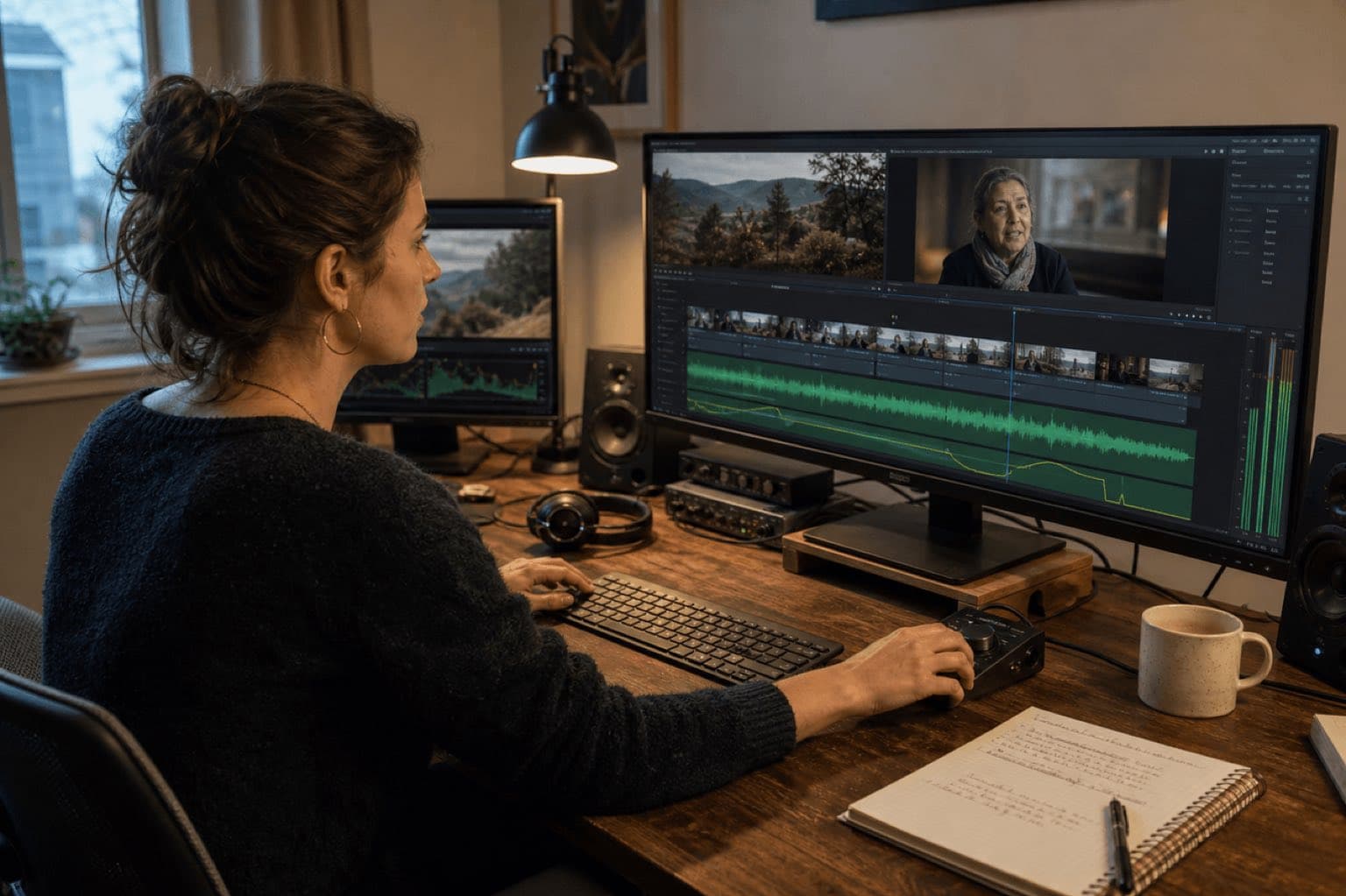
Sonilo publishes this guide and appears as one option for creating original music outside Resolve. Blackmagic Design did not sponsor or review the page, and there are no affiliate links. Blackmagic Design controls DaVinci Resolve, Fairlight, features, editions, interfaces, and documentation. This is production guidance, not legal advice.
Last verified: August 21, 2026. Sonilo had no live page at this URL when checked, so this is a new guide rather than a duplicate canonical. Blackmagic Design currently presents DaVinci Resolve 21 on its product page; its support center lists the Resolve 20.3 manual, and the official Fairlight Audio Guide to Resolve 20 remains the most detailed current training source for the core music workflow. Version- or edition-dependent AI features require confirmation in the installed build.
Use the Edit page for placement and Fairlight for the mix
Bring the approved file into the project
Import or drag in the source, preview it, and keep the file in a stable project folder so relinking remains predictable.
Place and trim against picture
Drag the cue to its own audio track, move its useful entrance to the right frame, split or shorten it, and create basic fades.
Balance tracks and buses
Use the mixer, automation, meters, EQ, dynamics, track FX, and bus routing when the sequence needs more than a simple clip adjustment.
Render the intended mix
Confirm audio export, bus or track selection, format, channels, and range, then watch and listen to the actual rendered file.
A music-only montage may need only Media Pool, one music track, a clip-level adjustment, two fades, and delivery. A narrated documentary or client film needs separate dialogue and music lanes, deliberate automation or ducking, route checks, license evidence, and a full rendered-file review.
01
How to add music to DaVinci Resolve step by step
Move the source into a stable media folder
Do not leave the approved cue in Downloads, a browser cache, or a chat attachment folder. Store it beside the project media and name it with project, cue, duration, version, and date. Resolve projects reference external media; a clear source path makes relinking and archiving safer.
Import the music into the Media Pool
Use File > Import > Media, drag the file from the operating system, or use the Media page. Put music in a dedicated bin. Importing gives Resolve access to the file; it does not prove that the file is licensed for the planned client, territory, platform, or paid campaign.
Preview before placing
Listen for the first useful note, downbeats, rests, phrase endings, changes in instrumentation, build, climax, and final cadence. If only a 30-second region is useful, identify it before crowding the timeline with the full song.
Create or choose a dedicated music track
On the Edit or Fairlight page, drag the clip from the Media Pool to an existing stereo music track or to empty space below the current tracks to create one. Name it MUS or MUSIC and keep it separate from dialogue, production sound, voiceover, ambience, and effects.
Position the musical entrance
Place the first meaningful event on the visual beat it should support. That may be the first frame, a title reveal, a character turn, a location change, or the end of a spoken sentence. Trim unused pre-roll rather than assuming the song must begin at its original zero point.
Set a conservative first level
Use the clip volume line, Inspector controls where available, or the Fairlight mixer. First make the cue safe and audible; then shape specific phrases. A fader position by itself is not a loudness target, and a quiet meter does not guarantee speech intelligibility.
Add transitions and inspect the render
Use clip fade handles or volume keyframes for entrances and exits. Check every dialogue handoff, the final cadence, track and bus meters, then render through Quick Export or Deliver. Listen to the encoded result from beginning to end.
If a drive is disconnected or the cue is renamed or moved, the clip can go offline. Keep the exact audio source, project, cue sheet, license, prompt or order record, approval, and final export together. Relink the approved source instead of silently substituting a different file with the same title.
02
Organize dialogue, music, ambience, and effects before mixing
Track layout is editorial infrastructure. One sensible documentary layout might place production dialogue on A1–A2, voiceover on A3, ambience on A4, effects on A5–A6, and stereo music on A7. This is not a Blackmagic requirement; use the layout your source channels, collaboration, buses, and delivery specification require.
Name tracks by purpose
DX, VO, AMB, SFX, and MUS remain readable in screenshots, mixer strips, exported stems, and handoff notes. Color is useful, but it should not be the only identifier.
Keep alternate music cuts visible
Store approved alternatives in a Music bin or use track layers when appropriate. Do not overwrite one source file with another under the same filename; that makes review history and relinking ambiguous.
Separate clip changes from track changes
Clip gain or volume corrects one cue. Track faders and automation affect the music lane. Bus controls change everything routed to that bus. Choose the smallest scope that solves the problem.
Follow routing, not assumptions
If music is visible but silent, trace the clip, track mute and solo states, inserts, fader, bus assignment, bus processing, and output. Adding gain to the source is the wrong fix when the route is broken.
Blackmagic describes Fairlight as the audio page inside Resolve, with a timeline, professional mixer, track and bus controls, automation, real-time EQ and dynamics, and plug-in slots. The official Fairlight training guide also demonstrates previewing a music clip, marking a useful range, placing it on a named music track, balancing it with other elements, and keeping the soundtrack organized. Start simple on Edit; move to Fairlight when the mix requires system-level control.
03
Fit music to picture without damaging the phrase
Best when the cue contains clean structural exits
Cut on a phrase boundary, downbeat, rest, sustained transition, or repeated section. Join only where rhythm, harmony, instrumentation, ambience, and reverb make the edit believable.
Best when picture timing is fixed
Generate or commission music around the locked duration and named cue points. This reduces surgery, but the downloaded file still needs editorial listening, level work, rights review, and delivery checks.
Do not stretch a complete song merely because the clip edge can move. Elastic Wave is officially described for retiming audio without changing pitch, including voiceover, effects, and ADR synchronization; aggressive time changes can still make music groove, transients, ambience, or phrasing feel unnatural. For music, prefer a clean phrase-aware edit, a different cue, or a cue composed to the actual duration.
Keep the recognizable opening motif and final cadence. Remove a middle repetition at matching harmonic points, place a short equal-power-style crossfade, and audition across the edit on headphones and speakers. If the seam calls attention to itself, choose another transition rather than stacking repairs.
Write down the exact duration, dialogue ranges, three to five visual events, desired density changes, and final-frame behavior. A cue that reaches the correct frame musically is more useful than a longer song that must be forced into shape.
04
Set music volume, automation, and ducking in Fairlight
There is no universal background-music fader number. The answer depends on arrangement density, dialogue recording, room tone, equalization, destination, loudness specification, and viewer device. Use meters to prevent overload and calibrated listening or an appropriate loudness workflow to meet the delivery requirement; use human listening to decide whether every important word remains effortless to understand.
One cue, one broad correction
Move the clip volume line or use a clip control when one piece of music is globally too loud or quiet. This follows the clip through editorial moves.
Local dips and lifts
Add points around a sentence, reveal, impact, or ending. Use enough space for a natural transition; a vertical level jump usually sounds like a mistake.
Shared treatment across music clips
Fairlight can record mixer moves and display automation curves. Use it when the lane needs a continuous performance, then review what was written.
Delivery-wide music or master changes
Use bus-level processing only when every routed element should change together. Protect headroom and do not solve one loud clip by moving the complete program bus.
Use Fairlight automatic ducking as a first pass, not a final decision
- Keep dialogue and music on separate, clearly named tracks.
- Add the track FX ducker to the music track.
- Select one or more dialogue tracks as the control source.
- Adjust duck level, recovery, and the other available response controls.
- Listen through sentence starts, breaths, short pauses, overlaps, and music-only gaps.
- Change the settings or replace the result with manual automation where the story needs a different shape.
Blackmagic's current Fairlight page describes the ducker lowering a target track such as music when dialogue is present and raising it when dialogue ends. That is a technical relationship, not an editorial judgment. It cannot know whether a pause should feel intimate, whether music should lead a reveal, or whether the voice performance needs a slower recovery. For file-based preprocessing before import, Sonilo Audio Ducking is another option, but it does not write Resolve automation or replace the final Fairlight mix.
05
Generate music around the cut, then import the file into Resolve
Use an existing licensed cue when it already matches duration, structure, rights, and revision needs. Use Sonilo Video-to-Music when the music should respond to an uploaded cut. Use Sonilo Text-to-Music when the brief is defined by duration, mood, instrumentation, energy curve, cue points, and exclusions. Both are browser-to-file workflows here, not a claimed DaVinci Resolve panel.
Stabilize the picture
Remove temporary cards, confirm the delivery duration, and note dialogue, reveals, transitions, silence, credits, and the final frame. Generating against a moving edit creates avoidable revisions.
Write a timing-aware brief
Name the story function, exact seconds, desired opening identity, density under voice, energy changes, instrumentation, forbidden elements, cue points, and ending behavior.
Compare in context
Audition candidates against picture, dialogue, ambience, typography, and pacing. A track that sounds impressive alone may be too dense, too literal, or structurally wrong in the edit.
Download and label the source
Use project, scene, cue, duration, version, and date in the filename. Put it in the media folder before importing it into a Music bin in the Resolve Media Pool.
Finish inside Resolve
Place, trim, fade, automate, route, meter, render, and retain the final file with the prompt, plan, applicable terms, client approval, channel, territory, and delivery notes.
Restrained human documentary underscore for 60 seconds; felt piano, warm bowed texture, quiet low pulse; establish a simple identity by 3.0 seconds; reduce density from 7 to 38 under interview; small lift at 41.5 as the workshop opens; gentle resolve from 54; clean final cadence at 59.4; no vocals, trailer drums, bright plucks, cymbal wash, or exposed solo.
Precise modern instrumental for a 20-second product edit; tactile muted rhythm, compact bass, clean two-note motif; cue at 2.8 seconds for first action, small accent at 8.6 for feature reveal, reduced density from 10 to 15 under voice, confident dry ending at 19.7; no vocal chop, long reverb, comedy percussion, or oversized impact.
The existing custom music for video guide goes deeper on briefs, while the video-to-music guide explains the broader edit-led workflow. Check the current Sonilo Commercial Use page for plan-specific wording before relying on generated music for a client, advertisement, broadcast, app, or other commercial release.
06
Fade the cue and deliver the mix Resolve is actually playing
Clip fade handle
Drag inward from an audio clip corner for a fast entrance or exit. Adjust the curve when a straight response sounds abrupt or arrives too early.
Volume keyframes
Use multiple points for a custom fade, dialogue pocket, or shaped ending. Keep the curve musically related to the phrase rather than visually symmetrical.
Fairlight automation
Record or draw a longer performance across scenes and revisions. Confirm the automation mode before playback so an unintended pass does not overwrite work.
Audio-only or video delivery
Quick Export can serve a simple stereo result; Deliver provides detailed render control, including audio settings and selected buses or tracks.
Blackmagic states that the Deliver page offers render presets and audio settings for formats, buses, and tracks, while Quick Export can create a simple finished video. Before adding the job to the render queue, confirm the timeline range, file format, codec, audio export, channel layout, selected output, filename, and destination. A correct container does not prove a correct mix.
Timeline
- Picture lock confirmed
- No offline music
- Track names readable
- Final cadence before out
Fairlight
- Dialogue intelligible
- Routing reaches output
- Ducking handoffs reviewed
- No unintended automation
Deliver
- Correct range and preset
- Audio export enabled
- Bus, tracks, and channels checked
- Destination verified
Proof
- Rendered file watched fully
- License record retained
- Version and approval named
- Source and project archived
07
DaVinci Resolve music troubleshooting and rights checks
| Problem | Check first | Next action |
|---|---|---|
| Music is offline | Drive and source path | Relink the exact approved file and keep its evidence with the project |
| Music is silent | Clip, track, solo, bus, output | Follow meters through the route before adding gain |
| Only one channel plays | Source channel format and track type | Correct clip attributes or routing before mixing |
| Fade sounds clipped | Clip edge, final cadence, out point | Leave more tail or reshape the fade before rendering again |
| Ducking pumps | Source choice, reduction, recovery | Refine the ducker or replace the section with manual automation |
| Render differs from timeline | Range, bus, track, channel, preset | Correct Deliver settings and audition the new file completely |
| Platform claim appears | Exact source and license record | Use the platform process and supporting evidence; do not assume royalty-free means claim-free |
Resolve can edit an audio file without knowing whether you own or licensed its synchronization, commercial, advertising, broadcast, client-transfer, territory, editing, or platform rights. “Royalty-free” does not mean public domain, universally commercial, or immune from automated claims. Keep the terms and proof that applied when the exact track was obtained.
For third-party libraries, commissioned cues, client-supplied music, and AI-generated audio, record source, account, plan, date, permitted uses, exclusions, client, campaign, platform, territory, duration, and approval. Escalate material uncertainty to a qualified music-rights reviewer rather than turning interface availability into legal clearance.
Sources
Sources
- Blackmagic Design: Fairlight audio workflow
- Blackmagic Design: Fairlight Audio Guide to DaVinci Resolve 20
- Blackmagic Design: current DaVinci Resolve product page
- Blackmagic Design: current manuals and support
- Sonilo: Video-to-Music, Text-to-Music, Audio Ducking, and Commercial Use
Human review needed for publication: a named editor using the current DaVinci Resolve release should rerun Media Pool import, Edit and Fairlight placement, clip volume, keyframes, track automation, ducker, routing, fades, Quick Export, and Deliver; a qualified music-rights reviewer should verify license scope and Sonilo plan wording.
FAQ
Frequently asked questions
Put the file in a stable project-media folder, import it into the Media Pool with File > Import > Media or by dragging it in, then drag the clip from the Media Pool to a dedicated audio track in the Edit or Fairlight timeline. Position it, trim the edges, set clip gain or volume, add fades, and listen to the rendered output.
Check that the source is online, the clip and track are not muted, the track is routed to the correct bus, and the playhead crosses the clip. Watch the track and bus meters. If the waveform exists but the output meter does not move, follow routing and mute states before adding gain.
Use clip keyframes or Fairlight automation for deliberate manual control. Current Fairlight also provides a track FX ducker: place dialogue and music on separate tracks, add the ducker to the music track, select the dialogue source, then adjust duck level and recovery. Review every sentence and pause.
Drag the fade handle at the upper corner of an audio clip inward, then adjust the fade curve when needed. For a shaped level move within the clip, add volume keyframes and lower the line over time. Leave enough tail before the timeline out point and verify the fade in the render.
Resolve includes audio editing and current versions advertise AI music tools, but availability can differ by version and edition. For a dependable editorial workflow, make a phrase-aware manual edit, use the features confirmed in your installed version, or generate a custom-duration cue outside Resolve and import the resulting audio file.
This guide does not claim a Resolve plug-in or native panel. Use Sonilo Video-to-Music or Text-to-Music in the browser, download the selected audio file, import it into the Resolve Media Pool, and complete placement, fades, Fairlight mixing, rights review, and delivery in Resolve.
Related
Keep reading
Picture-led music for a Resolve timeline
Create the cue around the cut, then finish the mix in Fairlight.
Upload a locked or near-locked video, compare timing-aware music directions, download the selected audio file, and import it into the Resolve Media Pool.