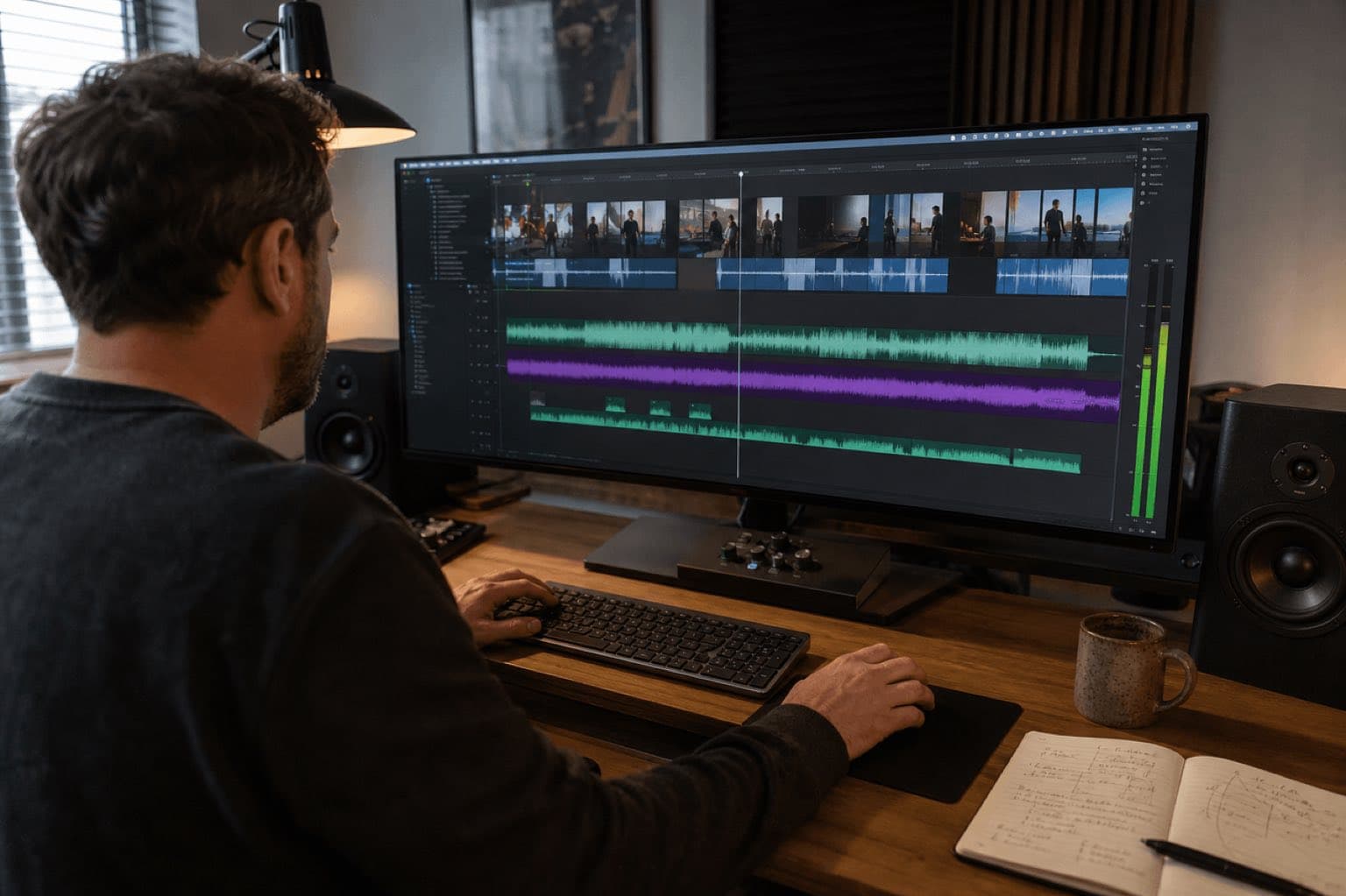
This guide provides general production information, not legal advice. Interfaces, libraries, and licenses can vary by account, region, placement, plan, and date. Verify the current platform or vendor terms and the rights for the exact audio before publishing. Sonilo commercial use applies only to eligible output under applicable plan terms and remains subject to the current Terms. It does not guarantee exclusivity, copyright protection, or freedom from claims.
Policy review: August 28, 2026. Material campaigns, broadcast, sublicensing, or disputed uses should be reviewed by qualified counsel.
Sonilo publishes this guide and appears as one option for generating music from a trailer cut. No music library, rights organization, studio, platform, or source cited here sponsored or reviewed the page, and there are no affiliate links. Product availability and license terms can change. This is an editorial production workflow, not legal advice or a substitute for a music supervisor, rights holder, broadcaster, distributor, or qualified counsel.
Last verified: August 21, 2026. Sonilo had no live English or Spanish page at this URL when checked, so this is a new guide rather than a duplicate canonical. Current Sonilo pages describe video-to-music, frame-synced scoring, sound effects, audio ducking, and plan-based commercial rights. The U.S. Copyright Office and SESAC distinguish the composition from the sound recording and the permissions used to synchronize music with audiovisual work. Recheck every source and agreement for the actual production, market, and release date.
Choose trailer music by editability, story fit, and rights
Fast search with defined terms
Use a production-music catalog when the deadline is short and the license clearly covers the trailer. Favor tracks with stems, alternate mixes, cut-downs, edit points, and a clean ending.
Recognition with more clearance work
A known recording can carry meaning instantly, but the production must identify and clear the composition and master for every intended use. Do not edit around an uncleared temp track as if approval were guaranteed.
Bespoke theme and deliverables
Use a human composer when the campaign needs an ownable motif, exclusivity, live players, stems, revisions, detailed direction, or continuity across a larger launch.
Create around the locked cut
Use Sonilo Video to Music when timing and iteration matter. Upload the trailer, generate candidates around its pacing, then review creative fit, rights, and mix before release.
Do not choose by genre tag alone. “Epic cinematic” says little about whether a cue leaves room for a whispered line at 18 seconds, changes direction after a reveal at 43, stops for a title card at 67, or resolves under a logo at 89. Trailer music is useful when its structure gives the editor control.
01
Map the trailer before searching for music
Watch the trailer without score and write down what the audience should know, feel, and anticipate at each turn. Separate story beats from visual cuts. A montage may contain twelve cuts but only one emotional idea; a held close-up may contain the most important turn in the piece. Music should respond to narrative weight, not decorate every edit.
Setup
Establish world, character, product, or question. Use enough identity to create curiosity without spending the cue’s full energy in the first seconds.
Escalation
Increase rhythm, harmony, density, or scale as stakes become clearer. Growth can be subtle; more drums are not the only way to build.
Pivot or break
A breath, drop, tonal shift, or sparse pulse gives dialogue and a reveal somewhere to land. Contrast makes the next section feel larger.
Payoff and button
Support the main promise, final montage, date, title, or call to action. End intentionally with a stop, resolve, tail, sting, or suspended question.
Create a spotting map
A spotting map is a small decision sheet, not a complete score. Record exact time, picture event, spoken line, desired emotional change, possible music action, required silence, and revision owner. This keeps the team from describing the entire trailer with vague words such as “bigger” or “more cinematic.”
| Time | Picture and story job | Possible music behavior |
|---|---|---|
| 0:00–0:08 | Cold open and first question | One signature texture; no heavy percussion |
| 0:09–0:24 | Character or product setup | Introduce pulse or motif under clear dialogue |
| 0:25 | First title or premise turn | Short break, reverse, or tonal lift |
| 0:26–0:49 | Stakes and acceleration | Build density with usable edit points |
| 0:50–0:57 | Key line or false calm | Drop drums; hold tension without melodic clutter |
| 0:58–1:17 | Payoff montage | Fullest section; hits only on selected story moments |
| 1:18–1:30 | Title, date, final joke or threat | Clean button, tail, or small after-sting |
The timings above are an example, not a formula. A 30-second documentary teaser may remain restrained until one final statement. A comedy trailer may repeatedly reset. A horror teaser may use negative space as its central musical idea. Keep the map and replace the shape.
02
Choose the right source for the actual release
Start with the complete distribution plan, not only today’s review link. List theatrical or festival playback, broadcaster delivery, streaming service marketing, YouTube, organic social, paid ads, game storefronts, events, client handoff, regional cut-downs, localization, duration of campaign, and archival use. A cue that is affordable for one web teaser may not cover a global paid campaign or broadcast package.
| Route | Best when | Questions before picture lock |
|---|---|---|
| Production-music library | Deadline, searchable catalog, standard deliverables | Are trailer advertising, paid media, broadcast, stems, edits, client transfer, territory, and term covered? |
| Existing commercial song | Recognition or lyrical association is central | Who controls every composition share and the master? Is approval final, and what edits, channels, term, and fees apply? |
| Composer or music house | Custom theme, exclusivity, stems, revisions, campaign continuity | Who owns what, what is commissioned, how many revisions, which deliverables, and what backend or cue-sheet obligations remain? |
| Generated soundtrack | Fast variants should follow an existing cut | What inputs may be uploaded, which plan covers release, is output non-exclusive, what records exist, and does the project need human-authored or bespoke material? |
Audition against dialogue, not in isolation
A track can sound impressive on headphones and fail immediately under narration. Audition every candidate inside the edit. Check whether the melody competes with speech, the low end hides impacts, the build reaches its peak too early, and the ending can be shortened without sounding broken. If the team only listens to full tracks in a playlist, it is evaluating songs rather than trailer music.
Ask for editor-friendly deliverables
Useful deliveries may include a full mix, no-melody mix, percussion-only stem, harmonic stem, lead stem, underscore, 60-, 30-, and 15-second cut-downs, short logo or title stings, and clean endings. Not every project needs all of them. Confirm which assets exist and which uses the license permits before assuming you may create them yourself.
Universal Production Music’s current trailer collection describes tracks built for curiosity, anticipation, pivots, and multiple platforms, with stems available for rebuilding transitions. That is one provider’s catalog design, not a rule for all licenses. It illustrates the practical value of editability when comparing any source.
03
Shape the music around dialogue, reveals, and the end card
First place the cue at the story’s most important synchronization point, then work outward. The anchor may be the main reveal, a joke, a transformation, a title card, or the final logo. If you start by aligning the first beat at frame one, the important peak may land in the wrong place and force unnecessary picture changes.
Lock the dialogue spine
Choose the lines that carry premise, stakes, and promise. Remove temp score and confirm the trailer reads with dialogue, production sound, and intentional silence.
Place the main payoff
Align the cue’s strongest lift, drop, chord change, or hit with the most important reveal. Protect that moment by not using equally large accents on every preceding cut.
Find section boundaries
Use natural breaks, fills, reverses, held notes, and harmonic turns to support title cards and narrative changes. Cut on musical grammar, not only on waveform peaks.
Build backward into the opening
Trim or rebuild the intro so it establishes identity quickly. Preserve enough runway for the cue to grow; a full climax at second one makes later escalation harder.
Design dialogue pockets
Use a lighter arrangement, stem, dip, break, or automation under essential lines. Avoid repeatedly muting the cue mid-phrase unless the interruption is deliberate.
Finish the button
Choose a final stop, resolved chord, tail, or sting that supports the title and date. Export a clean ending rather than hiding an awkward cut under a long fade.
Use hits selectively
A hit tells the viewer that a moment matters. If every cut has the same impact, none of them carries hierarchy. Reserve the strongest accents for premise changes, reveals, character decisions, title cards, or the final promise. Smaller internal edit points can come from rhythm, texture, silence, or the start of a new phrase.
Setup, escalation, and payoff are useful labels for discussion. They are not a requirement that every cue must add trailer drums, braams, choir, and a giant final hit. Match genre truth: intimate drama may build through harmony, comedy through resets and timing, documentary through restraint, and horror through uncertainty and negative space.
04
Keep music, dialogue, and trailer sound design in one hierarchy
Trailer music is only one layer. Production dialogue, narration, atmospheres, Foley, transitions, risers, downers, impacts, and title stings can all compete for the same attention. Decide which element leads each moment. The mix should feel intentional at ordinary playback level, not merely impressive when loud.
Protect intelligibility first
Lower musical density as well as level. A busy melody can mask words even when meters show adequate headroom.
Carry the emotional arc
Let the score connect sections and create direction. Do not ask it to reproduce every visible movement.
Clarify selected events
Use rises, transitions, impacts, Foley, and ambience for story information and physical scale, not as a permanent wall of noise.
Create contrast and focus
A short drop can make a line, reveal, or joke more legible than another layer. Preserve room tone when complete digital silence feels unnatural.
- Set dialogue and narration to a consistent reference.
- Place the music and automate broad scene-to-scene changes.
- Add only the sound-design cues that improve comprehension, scale, or transition.
- Remove frequency and density conflicts before simply lowering everything.
- Check peaks and transitions at the edit points, especially where impacts and musical accents coincide.
- Review on studio monitors, headphones, a laptop, and a phone; confirm the end card still reads at low volume.
When dialogue needs predictable space, Sonilo Audio Ducking can create a file-based first pass, but automation still needs a human listen. For selected trailer transitions and title accents, use discrete assets such as a cinematic hit or transition sound effect only when the picture calls for them. The game-trailer SFX guide covers the separate effects layer in more depth.
05
Generate trailer music from the cut with Sonilo
Use Sonilo’s frame-synced soundtrack workflow when the trailer is stable enough to guide the score. The current Sonilo page says the uploaded edit supplies timing, cuts, transitions, visual context, speech space, reveal points, and the final frame. That is a strong fit for fast candidate generation, but it does not remove creative review, rights review, or the need for a composer when the campaign requires an exclusive theme, stems, live recording, or detailed bespoke direction.
Prepare a reviewable cut
Use the closest available picture lock. Keep essential dialogue and production sound, remove temp music, mark confidentiality, and confirm authorization before uploading unreleased material.
Describe story function
Name format, tone, emotional arc, dialogue needs, main reveal, desired ending, instrumentation boundaries, and sounds to avoid. Production language is more useful than a list of genres.
Generate more than one direction
Create candidates that solve the same spotting map differently: rhythmic versus textural, warm versus tense, restrained versus large. Do not approve the first pass merely because it lands on one cut.
Review against the full mix
Check opening identity, dialogue pockets, section changes, payoff timing, ending, artifacts, repetition, tonal fit, and whether music is manufacturing an emotion the footage has not earned.
Edit and document the choice
Bring the selected output into the timeline, balance it with speech and SFX, obtain stakeholder approval, confirm current plan and terms, and retain the cut, output, prompt, account, date, license record, campaign, territory, and final master.
Restrained modern thriller score for a 90-second trailer. Begin with dry prepared-piano pulses and low room texture; leave clear space for dialogue at 0:06–0:15 and 0:31–0:38. Add a subtle irregular pulse after the premise turn at 0:24. Drop almost to silence for the whispered line at 0:52. Build with strings and restrained low percussion from 0:58, peak on the identity reveal at 1:14, then stop cleanly for title at 1:20 and add one unresolved low button at 1:27. No choir, heroic brass, constant braams, or horror screams.
Kinetic hybrid score for a 45-second gameplay launch. Immediate two-second hook, tight electronic pulse under voice from 0:03–0:10, first lift on world reveal at 0:11, half-beat break before combat at 0:19, stronger rhythmic section from 0:20–0:34 with edit points but no hit on every cut, short drop for review quote at 0:35, final climb to logo at 0:41, and a compact two-second button. Avoid generic fantasy choir and leave transient space for weapons and UI SFX.
The existing cinematic music licensing and fit checklist is the most relevant internal companion for source and release review. Use Sonilo Commercial Use for current plan wording rather than relying on a summary copied into an old project document.
06
Clear rights and prepare a trailer delivery record
Music rights are asset-specific and agreement-specific. The U.S. Copyright Office treats a musical composition and a sound recording as separate works. SESAC’s current FAQ says its public-performance licenses do not supply sync authorization for audiovisual productions; it directs users seeking sync rights to the song’s publishers and, when an existing recording is used, to the record label that owns it. Other jurisdictions, rightsholder structures, and collective-management practices can differ.
Work
- Composition title and writers
- Publisher or administrator shares
- Master owner and recording version
- Track, cue, or generation ID
Use
- Trailer, teaser, promo, or ad
- Exact duration and prominence
- Editing, looping, stems, and cut-downs
- Paid and organic placements
Scope
- Channels and platforms
- Territory and term
- Client, agency, and sublicense path
- Theatrical, broadcast, event, app, or game
Evidence
- Executed agreement or certificate
- Receipt and dated terms
- Approval correspondence
- Final master and replacement option
Do not confuse sync, master, and performance administration
A blanket public-performance relationship is not automatically permission to synchronize a song to a trailer. A composition approval does not automatically authorize a particular recording. A downloaded file does not prove the downloader controls the rights. Confirm the exact parties and agreement rather than relying on a platform label, search result, verbal approval, or the phrase “royalty-free.”
Prepare cue data when the destination requires it
SOCAN explains that audiovisual cue sheets identify music used in film and television so royalties can be allocated. Whether a particular trailer delivery requires a cue sheet, music report, EDL, certificate, or other metadata depends on the broadcaster, distributor, production, territory, and agreement. Ask the delivery owner before final mastering and retain title, writers, publishers, PRO affiliations where applicable, usage type, timing, and recording data.
07
Troubleshoot the edit before replacing the whole cue
| Problem | Likely cause | Useful next action |
|---|---|---|
| Trailer feels large but tells no story | Constant intensity and accents | Return to the spotting map; remove hits and create hierarchy |
| Music peaks before the reveal | Track structure does not match picture | Move the anchor, use another section or stem, regenerate, or choose a different cue |
| Dialogue is hard to understand | Melodic or spectral masking | Reduce density, automate, use an alternate mix, and protect consonants |
| Ending sounds abruptly chopped | No suitable button or tail | Use a licensed ending, alternate mix, custom edit, or new generation with explicit resolve |
| Every cut feels the same | Repeated impacts and whooshes | Reserve large cues for story changes and let rhythm or silence carry smaller edits |
| Client cannot approve the music | Rights scope or source is incomplete | Provide work, master, license, channel, territory, term, edits, and approval evidence |
| Platform claim appears | Automated match or missing proof | Review the notice; respond only through the valid process with the exact license record |
| Regional cut no longer lands | Localized dialogue changed timing | Keep stems and clean masters; rebuild pockets and payoff for each version |
Do not let weeks of editorial approval depend on music that has not been cleared or whose replacement would change the trailer’s rhythm. Label temp music, maintain at least one viable alternative, and set a decision deadline before final picture, captions, mix, and paid-media versions are locked.
Retain the spotting map, source URL, composition and master details, agreement or provider terms, receipt, plan, track or generation ID, prompt, output, allowed edits, channel, territory, term, client, campaign, approvals, cue data, final mix, clean picture master, and a replacement path. Escalate ambiguous ownership, exclusivity, advertising, broadcast, theatrical, union, guild, or territory questions to the appropriate specialist.
Sources
Sources
- U.S. Copyright Office: Musical Compositions and Sound Recordings
- SESAC: synchronization and master-use boundary
- SOCAN: audiovisual cue sheets
- Universal Production Music: trailer and teaser collection
- Sonilo: Video to Music, Frame-synced scoring, Commercial Use, and Cinematic music checklist
Human review needed for publication: a named trailer editor should repeat the spotting, cue-editing, stem, dialogue, localization, end-button, and delivery workflow on a current real project; a qualified music-rights reviewer should verify composition, master, library, generated output, advertising, theatrical, broadcast, cue-sheet, territory, client-transfer, and Sonilo plan language.
FAQ
Frequently asked questions
Trailer music is music selected, edited, commissioned, or generated to sell the story of a trailer, teaser, promo, or launch. It is built around the promotional cut: a readable opening, changes in intensity, space for dialogue, edit points, a reveal or climax, and a usable ending. It may come from the film score, but it often does not.
A film score supports scenes across the finished work. Trailer music supports a short piece of advertising with its own compressed narrative. A useful trailer cue usually offers clearer sections, breaks, rises, hits, and an end button that an editor can shape around titles, dialogue, and reveals.
No. For an existing recording, the production generally needs permission for the musical composition and the sound recording, plus terms that cover the trailer, channels, territories, duration, edits, paid media, and other planned uses. Contact the relevant publisher or administrator and master owner, or work through a qualified music supervisor or licensing provider.
No. Royalty-free describes a licensing model, not the absence of copyright and not universal permission. Read the exact license for trailers, advertising, client work, theatrical or broadcast use, social cut-downs, edits, attribution, Content ID handling, territory, term, and transfer.
Sonilo can generate a soundtrack from an uploaded video so the cue follows the cut’s pacing, scene changes, speech space, reveal points, and ending. Treat each result as a candidate: review creative fit, mix it with dialogue and sound effects, confirm the current plan and terms, and retain the generation and approval record.
Three broad phases—setup, escalation, and payoff—are a useful editing map, not a rule. A quiet character teaser, comedy spot, horror sting, or 15-second game launch may need a different shape. Build the music around the actual story beats rather than forcing every trailer into the same epic template.
Related
Keep reading
Music shaped around a finished trailer cut
Generate soundtrack directions that build, breathe, reveal, and end with the picture.
Upload the stable edit, compare timing-aware candidates, keep dialogue and SFX in the review, then document the selected output for release.