Get Marketing Insights First
Subscribe to receive actionable strategies, growth tips, and industry insights delivered straight to your inbox.

If you’ve ever spent two hours hunting for background music and ended up using the same track you always use, this one’s for you.
I spent the last couple weeks running both Lyria 3 Pro and Udio through my actual video editing workflow. Not a demo reel. Real timelines, real export pressure, real “this needs to go out tomorrow” energy.
The short version: they’re both impressive AI music tools. But impressive and useful for YouTube creators are two very different things.
Here’s everything I found.
| Dimension | Result |
| Is it recommended? | Lyria 3 Pro: situationally / Udio: situationally |
| Core strength | Lyria 3 Pro: structural control + Google ecosystem / Udio: genre range + audio quality |
| Biggest limitation | Neither tool analyzes your video or matches its duration |
| Best for | Lyria 3 Pro: long-form YouTube, structured content / Udio: genre-specific Shorts, mood-driven pieces |
Evidence notes: Lyria 3 Pro’s Google Vids integration and SynthID positioning are Confirmed. Udio’s copyright lawsuit and settlement history are Confirmed (UMG and WMG settled in late 2025; Sony’s case remains active). Specific monetization rulings for either tool on YouTube: Needs Validation.
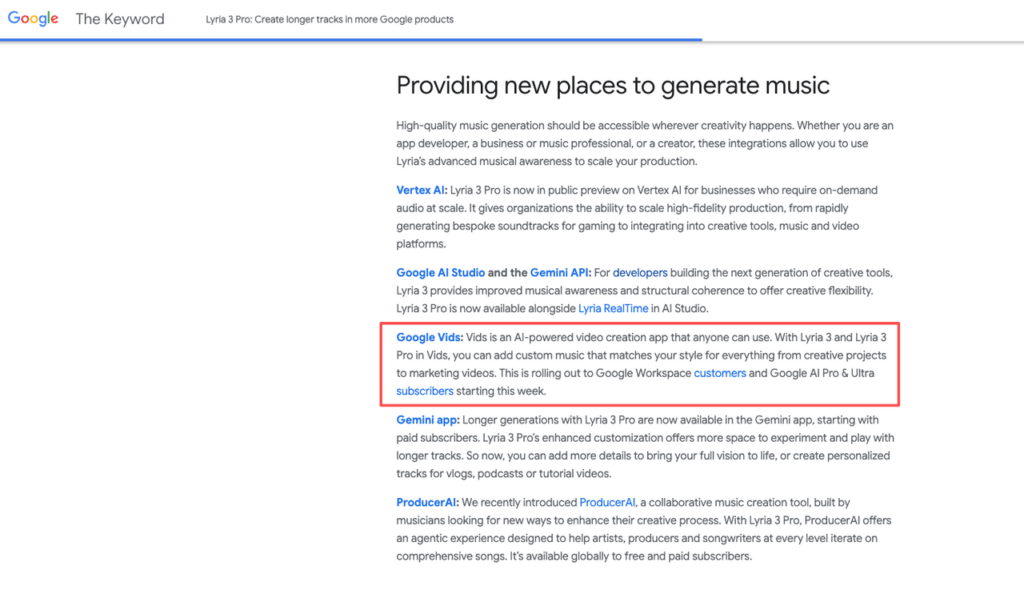
This is Lyria 3 Pro‘s most concrete video-creator advantage right now. If you’re already in the Google Workspace ecosystem — using Slides, Docs, that kind of thing — the Vids integration lets you generate music without leaving the environment.
For YouTube creators who script in Docs and rough-cut in a Google-adjacent workflow, that’s a real friction reduction.
For everyone else? Less relevant.
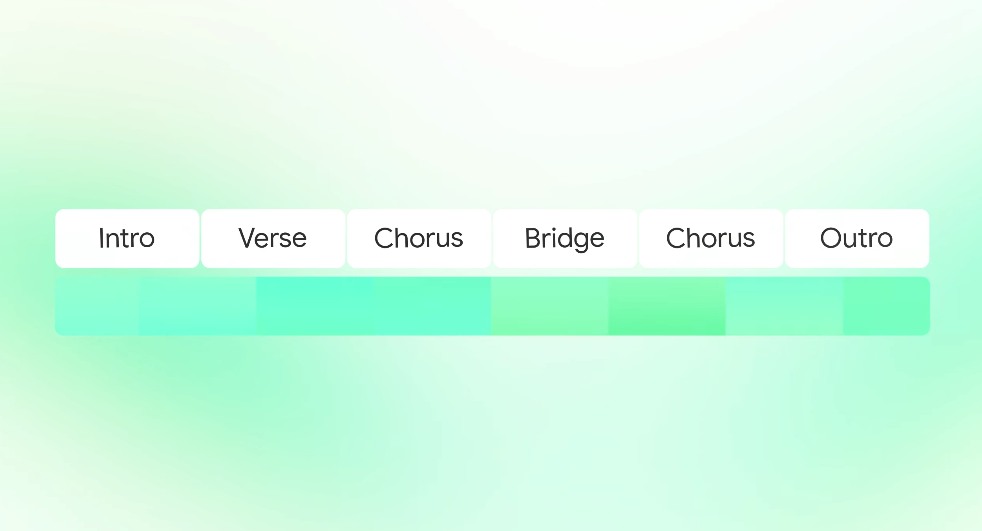
One thing I noticed in testing: Lyria 3 Pro gives you more explicit control over musical structure. You can prompt for section-level composition — something that functions like an intro, a build, a drop. According to Google’s music generation documentation, the Pro model understands musical structure and can create compositions with distinct verses, choruses, and bridges. For long-form YouTube content (10+ minute videos, tutorials, commentary pieces), that structural awareness matters. A track that builds and releases gives your edit somewhere to breathe.
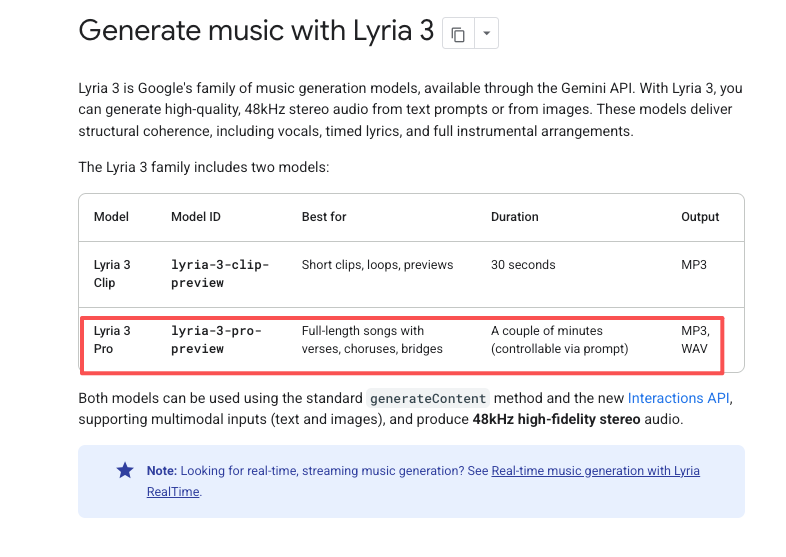
That’s a meaningful difference from purely vibes-based generation.
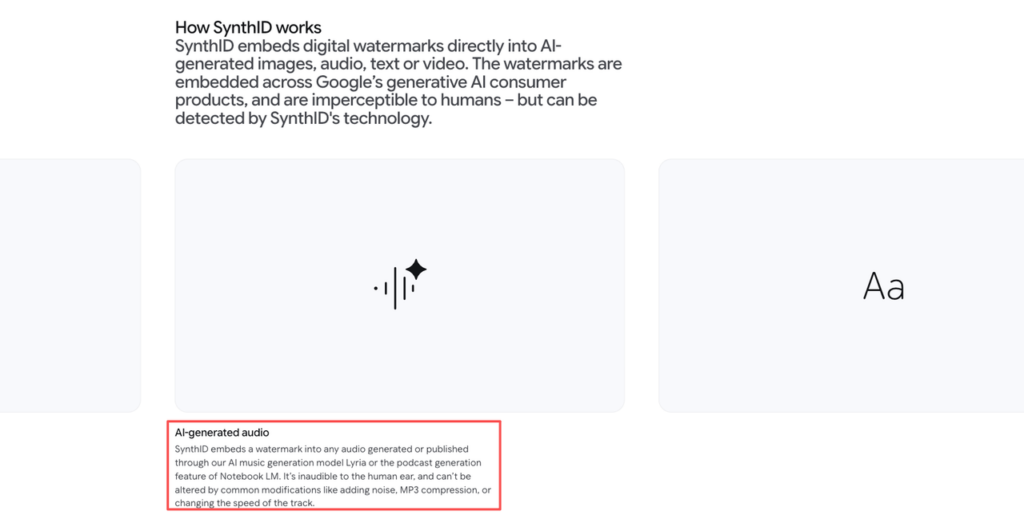
Google has been vocal about SynthID — its AI watermarking system — as a trust layer for Lyria-generated audio. The positioning is that this gives the output a verifiable origin.
What that means in practice for YouTube monetization: The YouTube ecosystem’s policies on AI-generated audio are still evolving, and “SynthID watermarked” doesn’t automatically equal “monetization safe.” I’d treat the licensing situation as something you confirm directly before using this commercially.
This is where Udio genuinely stands out. The audio output quality is high. The genre coverage is wide. If you need something that sounds like a specific style — lo-fi, cinematic orchestral, indie pop, heavy percussion — Udio handles genre prompting well.
For YouTube Shorts, Reels-adjacent content, or any piece where the feel of the track matters more than its structure, that range is valuable.
Udio’s strength is expressiveness. You can get fairly granular with style references and mood descriptors. That’s useful when you know exactly what you’re going for emotionally and you need the music to land in a specific place.
The trade-off: you’re writing prompts, not uploading a video. Udio doesn’t know anything about your edit.

Udio was named in copyright infringement lawsuits filed in 2024 alongside Suno. By late 2025, Warner Music Group had settled with Udio and announced a licensing partnership, with a new licensed AI music service planned for 2026. Universal Music Group also settled with Udio in October 2025. Sony’s lawsuit remains active as of this writing.
I’m flagging this not to editorialize, but because it’s a real factor for creators thinking about commercial use. What the legal resolution means for user content is something you need to check on directly.
| Feature | Lyria 3 Pro | Udio |
| Structural control | Yes — section-level prompting | Limited |
| Genre range | Moderate | Wide |
| Audio quality | Strong | Very strong |
| Google ecosystem integration | Yes (Google Vids) | No |
| Video analysis | No | No |
| Automatic duration matching | No | No |
| Copyright clarity | SynthID positioning — verify monetization terms | UMG + WMG settled; Sony case ongoing — verify before commercial use |
| Prompt-based generation | Yes | Yes |
| Free tier | Verify current offer | Verify current offer |
Google itself positions Lyria 3 Pro as suited for vlogs, podcasts, and tutorial videos — which maps almost exactly onto the YouTube long-form creator workflow. If you’re making 8–15 minute educational videos, vlogs, or commentary content, Lyria 3 Pro’s structural control gives it an edge. A track that has an intro, builds through the middle, and lands at the end is more useful in a long-form edit than a looping ambient pad.
That said: you’re still manually trimming and fitting. Neither tool hands you a soundtrack that’s already cut to your video’s length.
Generating speed is a non-issue for both. What takes time is the iteration — listening, rejecting, re-prompting. Budget for that.
For short-form content, Udio’s genre range wins. When you need something that sounds like a specific vibe in under 60 seconds, Udio’s prompt expressiveness tends to get you there faster.
Lyria 3 Pro’s structural features are less relevant when your entire video is 30 seconds.
This is the part that actually matters for your workflow.
You upload a prompt. You get music. Neither Lyria 3 Pro nor Udio reads your footage, understands your cuts, or responds to what’s on screen.
The “AI generates video music” framing around both tools is slightly misleading. It’s more accurate to say: AI generates music, which you then fit to your video.
This is the real friction point. Your video is 4 minutes 37 seconds. The generated track is 2 minutes 20 seconds. Now you’re looping, trimming, crossfading — the same work you’d do with a stock library track.
Duration matching still isn’t solved by either of these tools. Generation speed is one thing. Having a track that actually fits your cut is another.
The legal landscape is moving faster than most creators realize. The Copyright Alliance’s 2025 year-in-review documents how major labels shifted from litigation to licensing deals with AI platforms over the course of the year — a shift that directly affects what you can and can’t do with AI-generated music commercially.
For Lyria 3 Pro: Google’s SynthID approach and the positioning around copyright safety is notable, but what it means for YouTube monetization in practice is something you confirm in their current terms, not in this article. For Udio: UMG and WMG have settled, but Sony’s case is still active, and the new licensed platform is still in development. The picture is clearer than it was a year ago — but not settled enough to treat as a green light for commercial use without checking.
What I’d tell any creator: don’t assume “AI-generated” equals “safe to monetize.” Read the current terms. Check the current legal status. Don’t let a blog article (including this one) be your final authority on your commercial rights.
Can I monetize YouTube videos with music from Udio? Needs verification. UMG and WMG have settled with Udio, but the new licensed platform hasn’t fully launched yet. Check Udio’s current terms directly before assuming commercial use is safe — especially for the Sony case, which is still active.
Is Lyria 3 Pro output safe for YouTube? Google’s SynthID positioning is a meaningful trust signal, but “safe for YouTube” in terms of monetization eligibility requires you to check current YouTube policies on AI music and Lyria’s current licensing terms.
Which has better instrumental output? From my testing: Udio has a slight edge on pure audio quality and genre fidelity for instrumental pieces. Lyria 3 Pro has better structural control if you need a track that goes somewhere compositionally.
Do either tool match music to video length? No. Both require you to manually fit the generated music to your edit. This is the gap neither tool has solved.
Selecting a tool before thinking through your use case is a mistake. Here’s how I’d actually use each one.
If you’re producing long-form YouTube content (tutorials, vlogs, commentary) and you want music with compositional structure, Lyria 3 Pro is worth trying. The Google Vids integration is a bonus if that’s already your environment.
If you’re making Shorts or genre-specific pieces and you need high audio quality with specific mood targeting, Udio’s prompt system will get you there faster.
In both cases: plan for iteration time. Neither tool gives you a usable track on the first try every time. Budget 20–30 minutes of generate-and-listen per project, not 2 minutes.
On the licensing question: before you use either tool on client work or any monetized content, go read the current terms yourself. The situation has moved significantly in the past six months, and what was uncertain a year ago is now at least partially resolved — but “partially” is doing a lot of work in that sentence.
This time I ran both tools through the same real project and pulled out what actually affected the workflow — you can take the comparison table above and map it directly to what you’re making.
What’s the step that’s slowing you down most right now — is it the iteration loop, or the licensing uncertainty?
Recommended Reads