Get Marketing Insights First
Subscribe to receive actionable strategies, growth tips, and industry insights delivered straight to your inbox.

I once handed back a wedding highlight reel that the client cried over — not in the good way. The music was technically fine. The pacing was fine. But I’d used the same track underneath the vows as the reception dance montage, and somehow that decision made the whole film feel emotionally flat. Like one long mood that never shifted.
That was the edit that made me stop thinking about wedding music as “background” and start treating it as structure. Here’s what I’ve worked out since then — section by section, moment by moment.
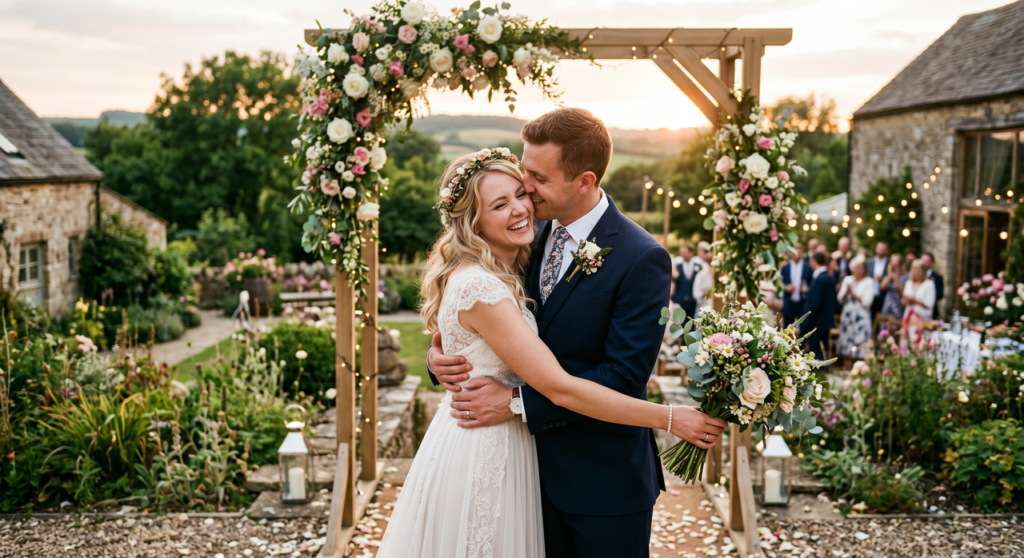
The instinct makes sense. You find a song that hits — something warm, a little cinematic — and you think: this is the one. But a wedding video isn’t a music video. It’s more like a short film with distinct emotional beats, and those beats don’t all want the same sonic temperature.
The ceremony has a held-breath quality. The reception wants to move. The vows are intimate. The first dance is its own private world. If one track tries to carry all of that, it either fights the footage or flattens it.
What actually works is thinking in sections — and choosing music that serves each one before you worry about how they connect.
This is usually the quietest moment in the whole day. Guests are still, the couple hasn’t appeared yet, and there’s often real audio you want to preserve — footsteps, a nervous exhale, whispered words between a parent and child.
For ceremony footage, I tend to look for tracks that sit underneath rather than lead. Slower tempo, around 60–75 BPM. Instrumental almost always works better here — lyrics compete with the visuals in a way that feels intrusive, like someone talking in a cinema. A single piano or light orchestral texture gives the footage room to breathe.
If you’re sourcing music specifically for YouTube delivery, the YouTube Audio Library inside YouTube Studio lets you filter by mood, genre, and duration — and tracks downloaded from there are the ones YouTube itself confirms are copyright-safe for creator use.
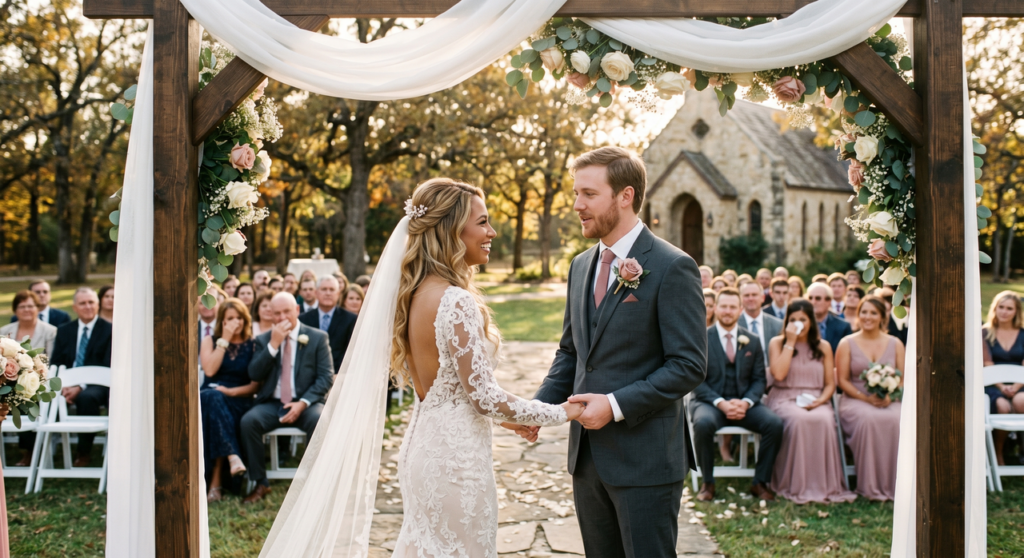
The vows section is where I often pull the music down almost entirely — sometimes under –20dB, sometimes fading it out completely for thirty seconds to let the couple’s actual words carry. If there’s music at all, it needs to feel like it’s listening, not performing.
Short, slow, minimal. A solo cello or ambient texture in the 55–70 BPM range. Nothing with a recognizable melody the audience has cultural associations with, because that association will pull focus. You want the music to disappear into the moment, not anchor it to something else.
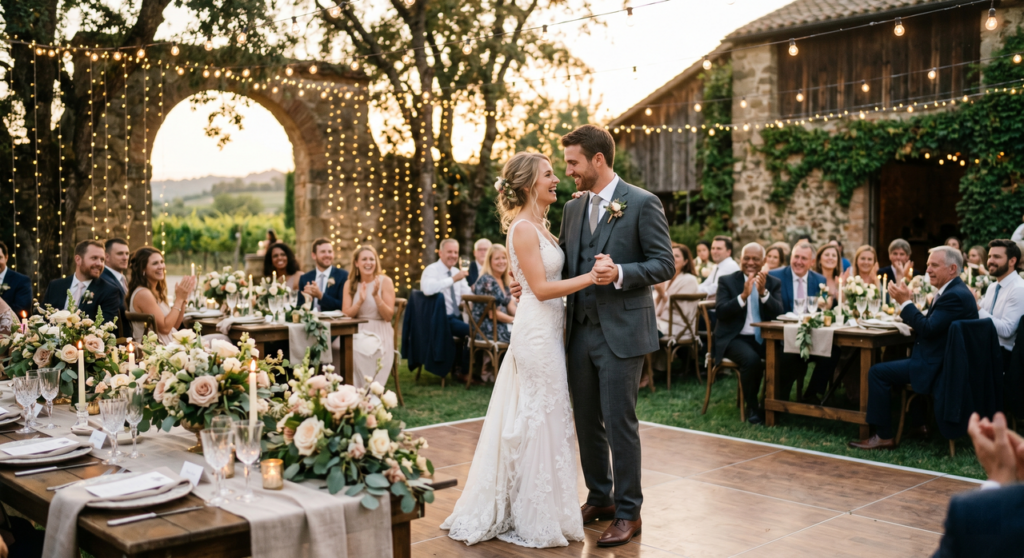
This is the one section where the couple’s actual song choice usually dictates everything — and that’s fine, because it should. Your job here is pacing the edit to serve the song, not the other way around.
What I watch for: where are the energy lifts in the song? A key change, a full band entrance, a lyrical peak? Cut to something meaningful at those moments. The edit should feel like it was choreographed with the music, even if it wasn’t.
If the couple doesn’t have a specific first dance track and you’re sourcing music for this section, you want something in the 75–95 BPM range — slow enough to feel romantic, with enough forward movement that the edit doesn’t feel static.
This is where you can finally let the footage move. Reception montages — dancing, toasts, candid laughter — want energy, and the music should drive that. I typically look for tracks in the 100–125 BPM range. Not club music, but something that has momentum.
The tricky thing with reception sections is cutting for rhythm without making the edit feel mechanical. Aim to hit cut points on musical phrases, not individual beats. Every cut on the downbeat gets exhausting after about forty-five seconds.
A wedding highlight reel — usually 3–5 minutes — is the place most editors try to use one track and hope it works. The approach I’ve landed on: two or three tracks, edited together, with each transition happening during a natural visual cut rather than a cross-fade. It takes longer to find tracks that work together, but the result feels like an actual arc rather than a single sustained emotion.
When sourcing tracks that work together tonally, how Creative Commons licenses work is worth reading once — the difference between CC0, CC BY, and non-commercial licenses determines whether a track can go into a client delivery without attribution requirements baked into the final file.
Here’s the part I wish someone had told me earlier: BPM matching isn’t about precision. It’s about feel.
Footage that was shot at a slow, deliberate pace — a couple walking hand-in-hand, a quiet moment between father and daughter — will feel wrong under a 120 BPM track even if you’re not cutting on the beat. The energy of the music creates an expectation that the visuals then fail to meet.
A rough guide I’ve used:
| Section | BPM Range | Why |
| Ceremony | 60–75 | Held, unhurried, breath-like |
| Vows | 55–70 | Near-silent, intimate |
| First dance | 75–95 | Romantic but not static |
| Reception | 100–125 | Energetic, moving |
| Highlight reel | Variable, 75–110 | Depends on edit arc |
The other tempo consideration: your cut rate. If you’re making a lot of quick cuts — 1–2 seconds per clip — a slower BPM track will feel unmoored. If you’re holding shots longer, a fast track will feel rushed. The music and the edit need to agree on pace before they can work together.
No Film School’s wedding videography guide makes the same point from the shooting side — the energy you capture on the day is the energy the edit has to match. Music is the final layer that either confirms or fights that energy.
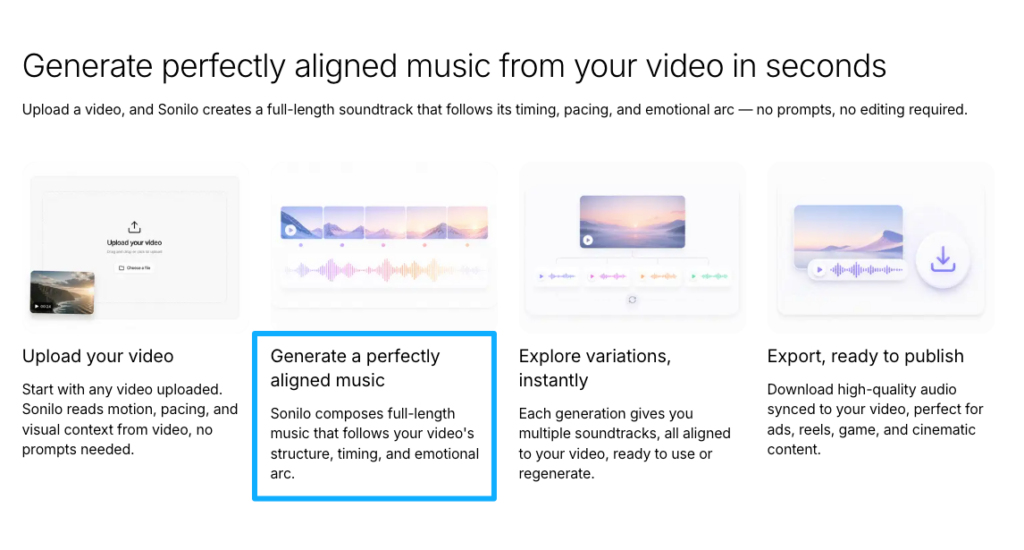
This is where AI music tools have started to actually earn their place in the workflow. The honest problem with sourcing tracks from libraries is that you find something that works emotionally and then spend twenty minutes figuring out how to loop it, trim it, extend it, or fade it so it lands at the right moment.
Tools that can generate a custom soundtrack matched to your video’s exact length — analyzing the footage and producing a track that ends where the video ends — remove a real friction point from this part of the process. Not every tool does this well. But the ones that do are worth knowing about.
If you’re doing the edit manually: use track structure. Most songs have natural breaks — an intro, a verse, a chorus, a bridge. Find a break point that aligns roughly with where your edit needs to end, and use a long dissolve rather than a hard cut to finish. It rarely sounds seamless, but it sounds intentional, which is better.
Using music that’s too dramatic. Cinematic swells work in trailers. In a 12-minute wedding film, they exhaust the audience by the halfway point. Save the big emotional moments for the big emotional moments — and let the rest breathe.
Using music that’s too generic. “Stock-sounding” is a real thing. Tracks that clearly come from a library of 10,000 interchangeable pieces read as exactly that. If the music sounds like it could accompany a corporate explainer video about cloud software, it doesn’t belong in someone’s wedding film.
Mismatching vibe without realizing it. I once used a track I genuinely loved for a ceremony section — it was beautiful, slightly melancholy, with a slow build. The couple had asked for “joyful.” Those are not the same thing, and I should have caught it before the review. Ask the couple for three adjectives about how they want each section to feel. It takes five minutes and saves a revision.
Letting music overpower important audio. Any moment with spoken words — vows, toasts, officiant — needs the music underneath it, not competing with it. Drop it 15–20dB and ride the fader by hand if needed. A music bed that fights the dialogue is one of the fastest ways to make an edit feel amateur.
Why can’t I use just one song for the entire wedding video?
Because a wedding film has distinct emotional phases — the anticipation of the ceremony, the intimacy of the vows, the romance of the first dance, the energy of the reception — and each phase wants a different sonic temperature. One track can carry one mood well. A full wedding film has five or six different moods that need to shift naturally. Using a single song across all of them usually means the music is either fighting some sections or flattening all of them.
What kind of music works best for the ceremony, vows, first dance, and reception?
Ceremony: slow, instrumental, 60–75 BPM. Vows: near-silent or minimal, 55–70 BPM, no prominent melody. First dance: follows the couple’s actual song choice, or 75–95 BPM if you’re sourcing — romantic but with forward movement. Reception: 100–125 BPM, energetic, something that drives the edit rather than sitting under it.
How do I match music tempo (BPM) to different parts of the wedding footage?
You’re matching energy as much as counting beats. Footage shot slowly needs slower music. A high cut rate needs music with more momentum. Use the BPM ranges in the table above as starting points, then trust what you’re feeling when you scrub through a test export. If the edit and the music feel like they’re running at different speeds, they probably are.
Should ceremony music be instrumental or can it have lyrics?
Instrumental almost always works better. Lyrics carry meaning that competes with what the viewer is watching. In a ceremony section where you might have natural audio — ambient crowd sound, an officiant speaking, a rustling — words in the music become noise rather than support. If you do use a track with vocals for the ceremony, look for something where the lyrics are minimal and the voice is treated more as texture than as a message.
What’s the typical length for a full wedding highlight video?
Most couples want 3–5 minutes for a highlight reel. Documentary-style full ceremony films run 60–90 minutes. Short social-first edits for Instagram or Reels land around 60–90 seconds. The highlight reel is the most common deliverable and the one that gets shared most — it’s also the one that benefits most from a careful music arc rather than a single track.
How do I make sure the music doesn’t overpower the important audio (vows, speeches)?
Ride the fader. Drop the music to –15dB to –20dB under any spoken word moment. Some editors automate this; I usually do it by hand because the timing of when to bring the music back up is part of the emotional storytelling. An abrupt return is as disruptive as music that’s too loud. Bring it back slowly, over 5–8 seconds, after the spoken moment resolves.
Can I loop or edit music to fit my exact video length?
Yes, but it’s time-consuming. Most tracks have a natural loop point — usually at a chorus boundary or at the end of a verse — and the skill is finding that point and making the loop inaudible with a short crossfade. AI-generated soundtracks that are built to match a specific duration sidestep this entirely. Sonilo’s approach of analyzing video length to generate a fitted soundtrack is the direction the workflow is moving — whether you use a tool for this or do it manually depends on your time and the project.
What should you check before using a music track in a wedding video?
A few things worth looking at, regardless of where you’re sourcing from: What use cases does the license explicitly allow? Does it cover client delivery, not just personal use? Does it allow the video to be published on social platforms, and which ones specifically? Are there attribution requirements, and will your deliverable format allow for that? Is there a difference between what’s allowed on the free tier versus a paid plan?
I’m not the right person to tell you whether any specific track or platform is “safe” — that’s not my expertise. What I can tell you is that “royalty-free” doesn’t mean “no restrictions,” and the license page is the place to actually check, not the marketing description. YouTube’s own official page on restrictions on claimed music makes clear that copyright holders — not YouTube, and not the platform you downloaded from — set the final rules on how their music can be used. Worth reading before you deliver to a client who’s going to post publicly.
If you’re working through this section by section and realizing the music-hunting part is still the biggest time drain in your wedding edit workflow, that’s the honest reality for most of us. The problem isn’t finding a track. It’s finding one that fits this specific moment, in this specific video, at this specific length — and then doing that five more times for the other sections.
Ready to stop searching and start scoring your footage?See how Sonilo generates custom soundtracks built around your video — it’s worth testing on one of your next projects, especially if you’re tired of spending forty minutes in a music library for a three-minute reel.
What part of the wedding video music workflow slows you down most? Is it finding the right mood for the ceremony, matching the energy for the reception, or something else entirely — like getting the length to land without awkward loops?
Recommended Reads