Comparisons
Artlist Alternatives for Video Creators in 2026
- Written by
- Sonilo Team
- Published
Artlist is still a serious option for video creators who want a broad stock catalog, music and SFX in one place, and licensing built around published video projects. An Artlist alternative is not automatically better. It is only better if it fits your workflow more clearly: faster search, cleaner licensing records, better team handoff, exact-duration music, AI generation, or more control over how the soundtrack fits the edit. Platform rules still sit above any library: understanding TikTok music copyright rules for creators means verifying the current library license, claim behavior, and commercial path for the specific track and account.
Pricing and licensing notes below were checked against official provider pages on August 10, 2026. Plans change, so treat this as a buying guide, not legal advice.
Quick verdict: what counts as an Artlist alternative
A real Artlist alternative should solve at least one of the same jobs: finding music for video, licensing it for publication, keeping project records, and fitting the track to the edit.
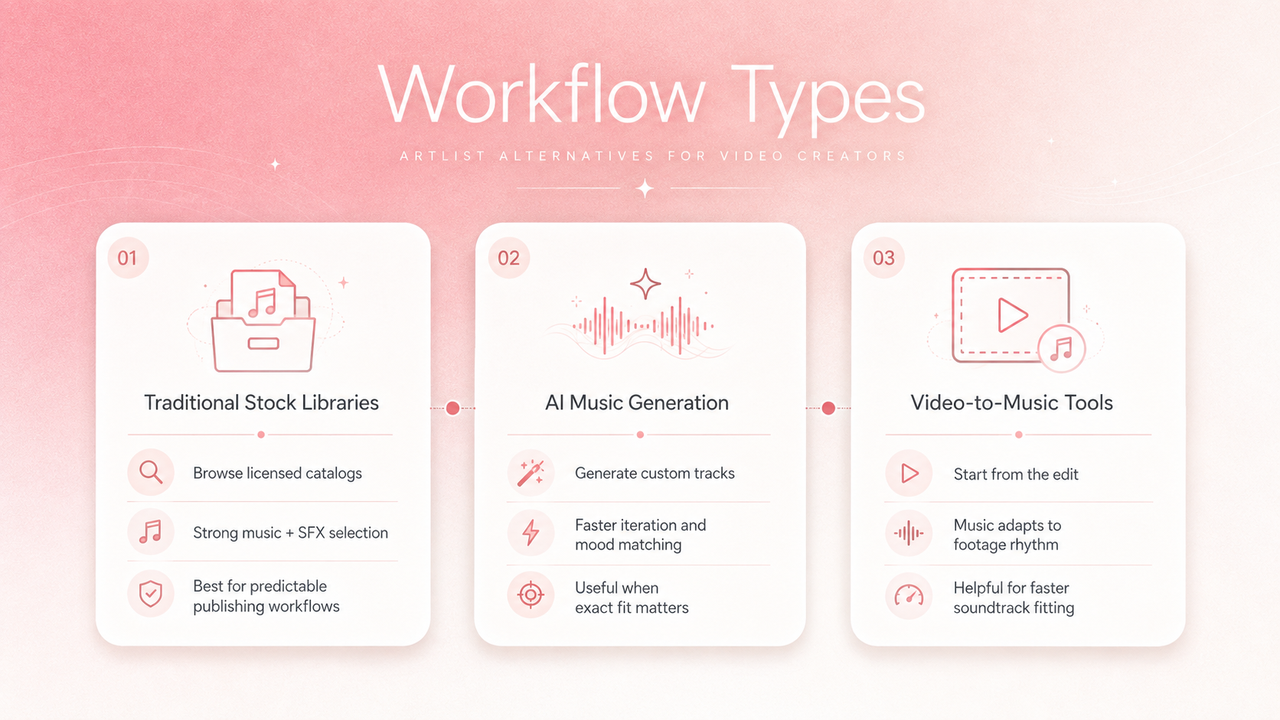
For traditional stock music, the closest alternatives are platforms such as Epidemic Sound, Soundstripe, and Musicbed. For AI music generation, tools such as SOUNDRAW, Mubert, and Beatoven.ai shift the workflow from search to generation. For video-to-music workflows, Sonilo is a different type of alternative: it starts from the video and generates music or sound effects around the cut.
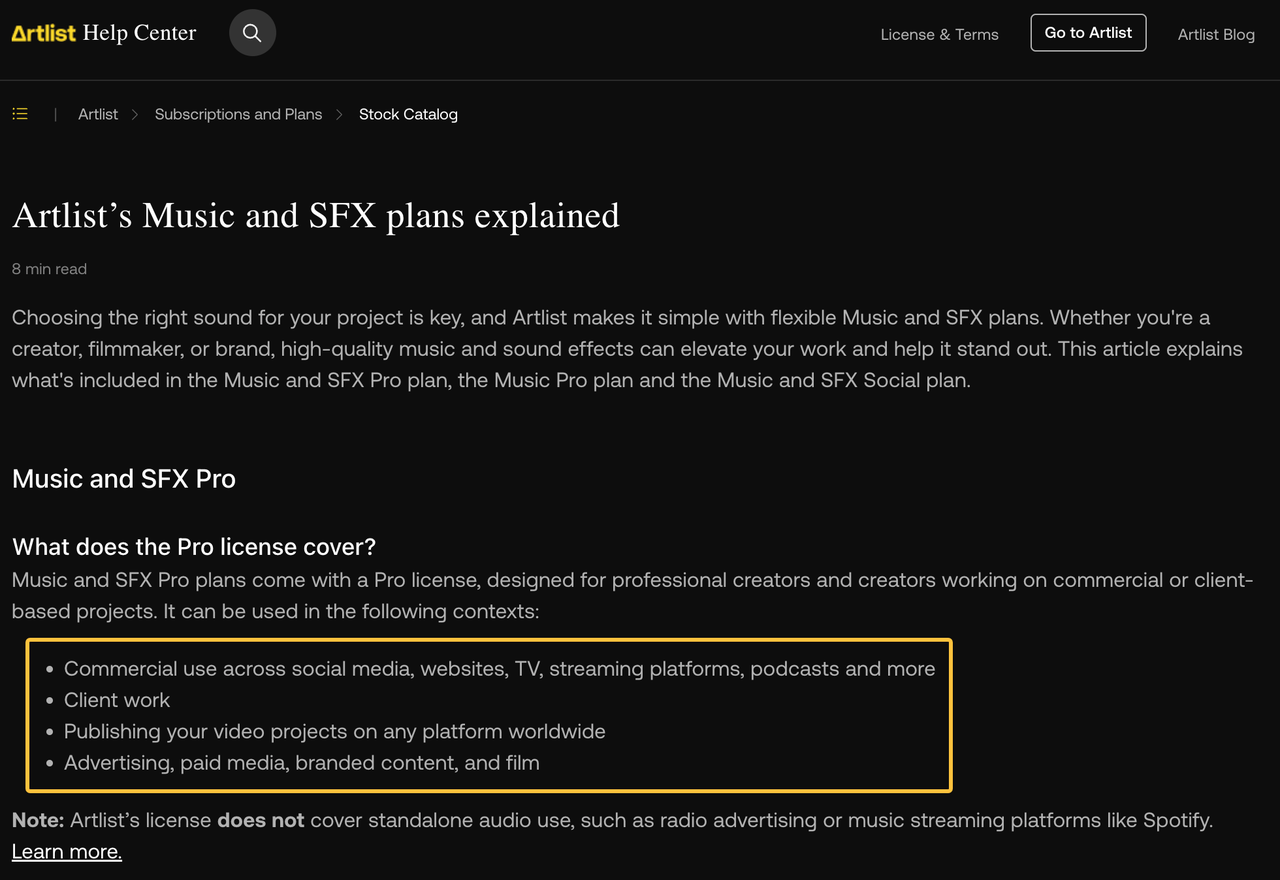
Artlist itself should stay in the comparison. Artlist’s help article on Music and SFX plans says Pro plans cover commercial use, client work, advertising, paid media, branded content, film, and publishing video projects worldwide. The same page also lists workflow features such as stems, Artboards, Similar Songs, Top Trends, and a Premiere Pro extension. That makes Artlist a strong baseline, not a platform to dismiss.
Why video creators compare alternatives
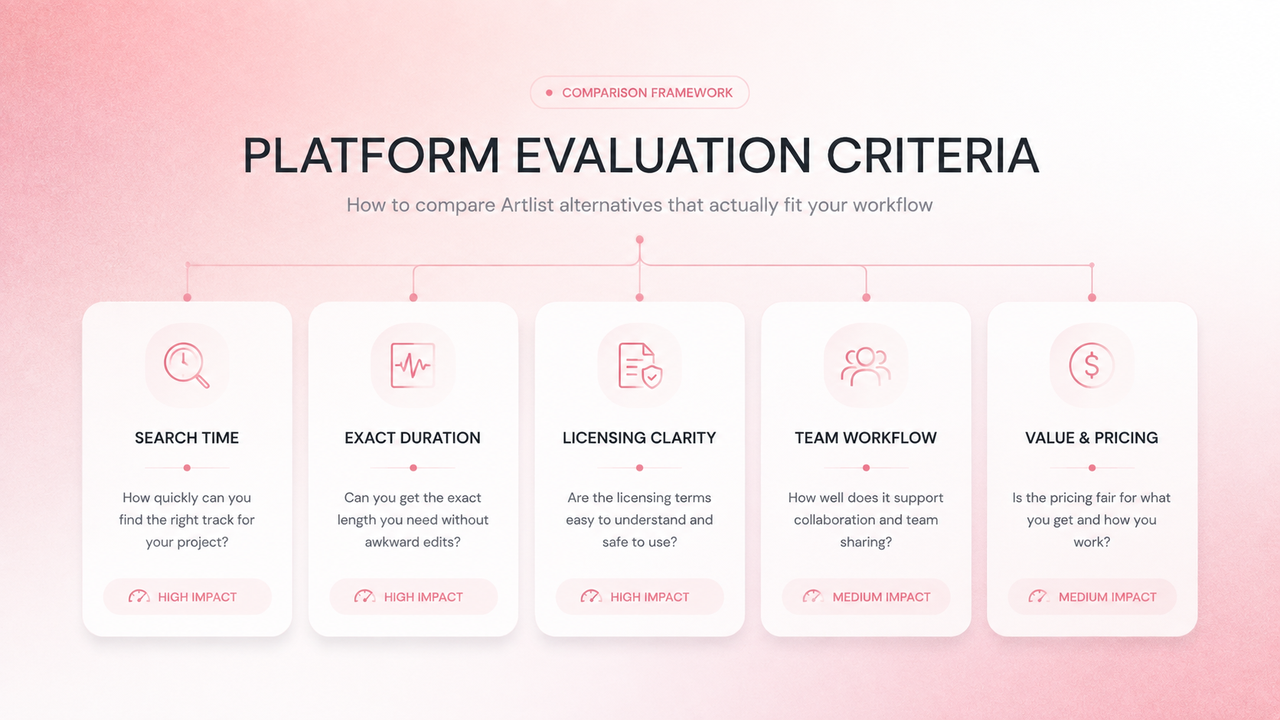
Creators usually compare Artlist alternatives for one of four reasons.
First, search time. A big catalog is useful only if you can find the right track before the edit goes stale. Second, soundtrack fit. A song can be high quality and still miss the timing, mood, or structure of a specific video. Third, licensing clarity. Teams need to know whether a track is covered for YouTube, ads, client work, paid social, broadcast, apps, or other uses. Fourth, project memory. When a client asks six months later where the music came from, the team needs more than “I downloaded it somewhere.”
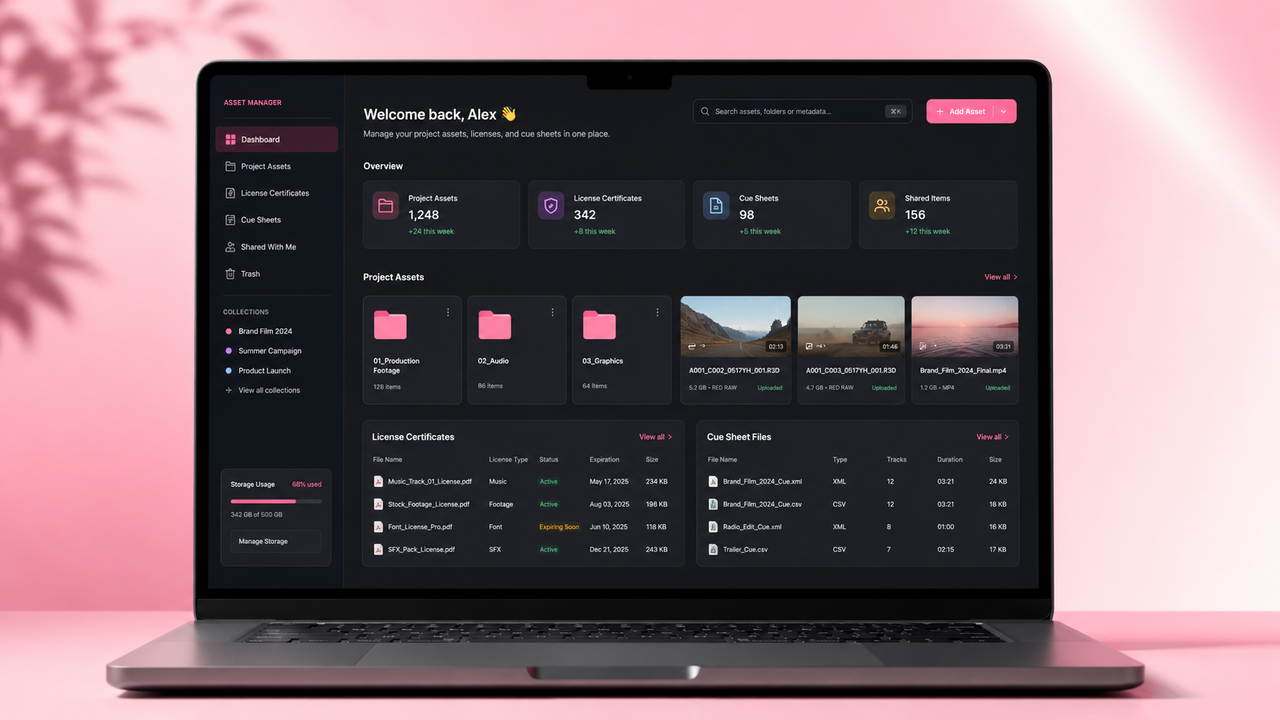
Artlist addresses many of these needs with curated catalogs, stems, Artboards, downloads, and asset-specific license documents. Its help article on downloading Artlist assets explains that Downloads include download history, redownload links, associated license certificates, and cue sheets for music while the subscription is active.

Three alternative workflow types
Traditional stock music libraries
Traditional stock music libraries are the closest Artlist alternatives. You search, preview, download, license, and place the track into your edit.
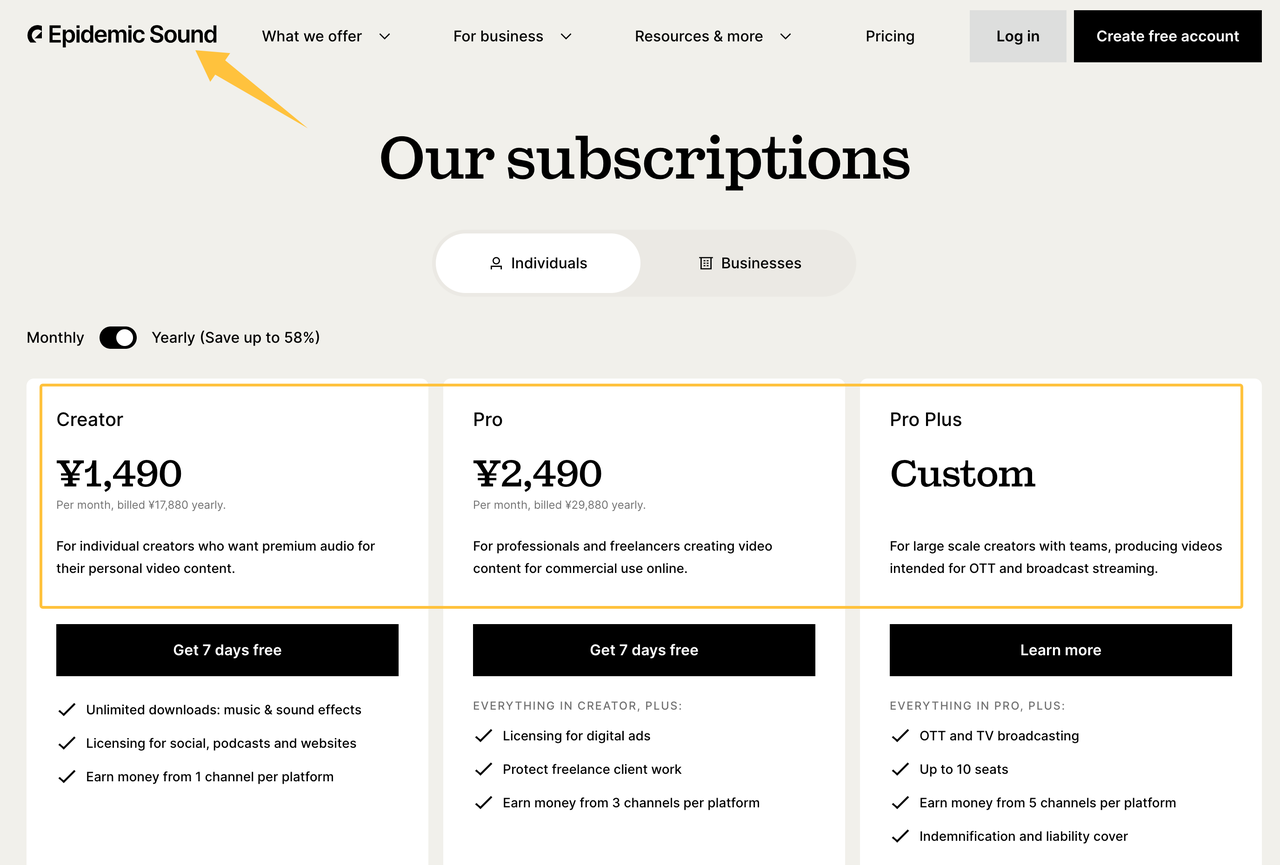
Epidemic Sound is one major option. Epidemic Sound’s official pricing page currently lists Creator and Pro plans with monthly prices shown for annual billing, and a Business plan for brands, freelancers, and agencies under specified revenue limits. Check the latest pricing before purchase, because plan prices and included features can change. Epidemic’s help article on licensing options also distinguishes Creator, Pro, single-track, and Enterprise licensing.
Soundstripe is another close comparison. Its pricing page lists individual, business, enterprise, and single-use license paths. According to Soundstripe’s pricing FAQ at the time of writing, Personal, Pro, Pro Plus, Business, Enterprise, and single-use licenses have different price points and coverage scopes, so teams should verify the current pricing page before subscribing.
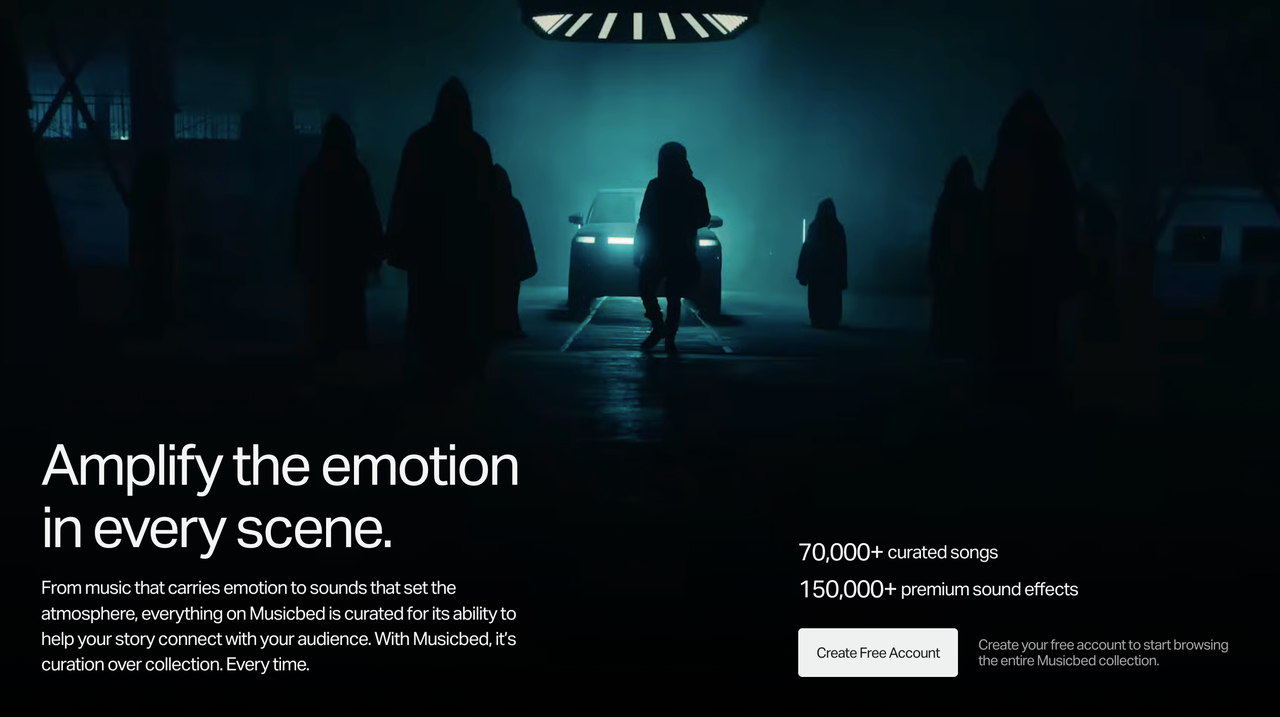
Musicbed is more filmmaker-oriented. Its plans and pricing page positions the catalog around curated music for film, TV, and advertising, and states that Musicbed offers 70,000+ curated songs and 150,000+ premium sound effects. Its pricing page separates Individual, Business, and Enterprise paths, so the final cost may depend on the license path, project, or quote.
AI music generation platforms
AI music generation platforms reduce search time by generating new music from prompts, genres, moods, or settings.
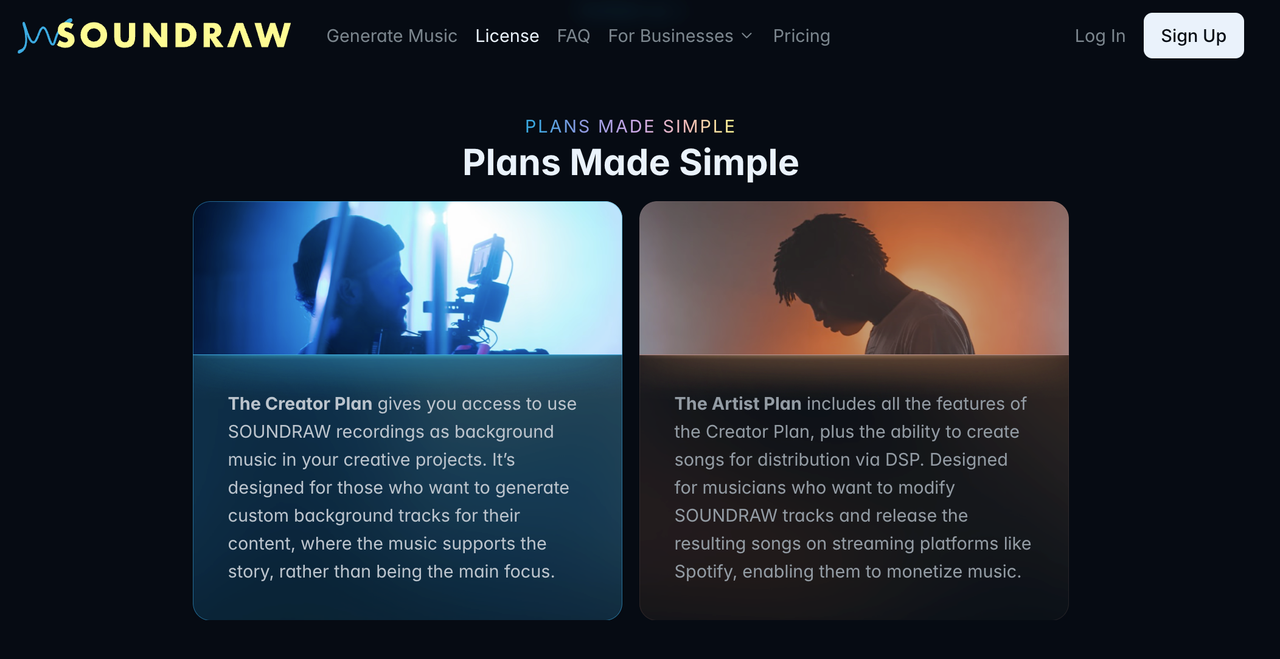
SOUNDRAW is a creator-focused AI option. SOUNDRAW’s official pricing page currently lists Creator pricing and higher Artist tiers, but AI product pricing changes frequently, so confirm current rates before purchase. Its license page says Creator plans are for using SOUNDRAW recordings as background music in creative projects, while Artist plans are for users who modify beats and release songs through streaming platforms.
Mubert is another AI music platform. Its Render license page says Mubert music is for videos, podcasts, apps, and games, while distribution or resale as standalone music is prohibited. Its official pricing information currently distinguishes Free, Creator, Pro, Business, and API/custom paths, with commercial-use coverage varying by tier.
Beatoven.ai focuses on AI-generated background music for content. Its Terms of Service grant a non-exclusive, limited, royalty-free, perpetual, worldwide right to use generated AI music in synchronization with video, podcast, game, or other audiovisual content. The same terms restrict standalone distribution to services such as Spotify or Apple Music. Confirm current pricing and download limits directly on Beatoven’s site before buying.
Video-to-music soundtrack tools
Video-to-music tools begin with the edit instead of a keyword search. That makes them useful when timing and fit matter more than browsing a catalog.
Sonilo fits this category. Sonilo says on its homepage that it uses AI to generate music and sound effects based on video input, matching length, timing, pacing, and emotion. Its pricing page currently lists Free, Pro, Premium, and Enterprise paths, with paid plans including full-quality exports and commercial publishing rights under current terms.
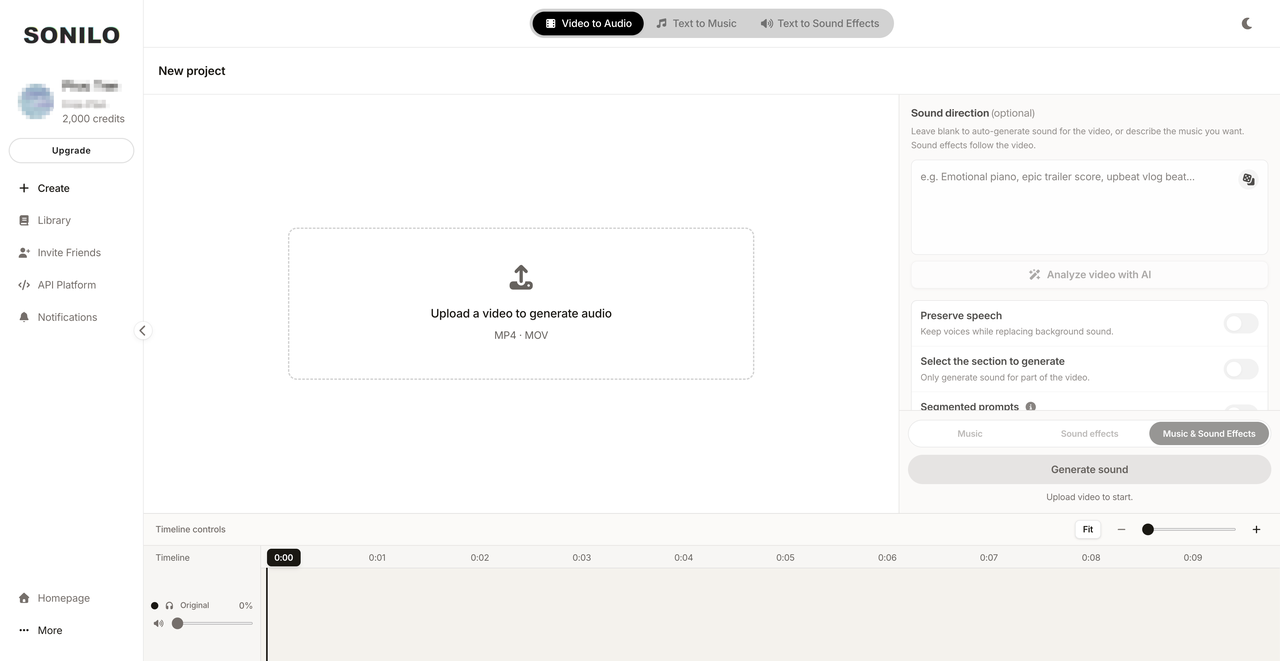
This does not mean Sonilo is the right choice for every project. If you want to browse human-curated songs, license a known artist track, or build a long-term music library, a stock platform may fit better. If your main pain is matching music to a finished video quickly, video-first soundtrack generation is worth comparing.
Compare options using the same criteria
| Platform | Workflow type | Pricing note | Best fit | Licensing note |
|---|---|---|---|---|
| Artlist | Stock library + creative assets | Verify current Artlist pricing page | Creators who want music, SFX, and broader creative assets | Social, Pro, Team, and Business coverage differ |
| Epidemic Sound | Stock music + SFX | Official pricing page lists Creator, Pro, and Business tiers | Creators, freelancers, and businesses needing online-use coverage | Creator, Pro, Business, single-track, and Enterprise licenses differ |
| Soundstripe | Stock music + SFX | Pricing FAQ lists subscription and single-use options at time of writing | Freelancers, teams, and business users needing proof-of-license workflows | Plan determines personal, commercial, business, or broadcast scope |
| Musicbed | Curated music + SFX | Pricing depends on Individual, Business, Enterprise, or project path | Filmmakers and agencies prioritizing curation and artist feel | Verify subscription or single-song coverage before use |
| SOUNDRAW | AI music generation | Official pricing page lists Creator and Artist tiers; confirm current rates | Creators needing generated background music | Creator vs Artist plan matters |
| Mubert | AI music generation | Official Render pages list Free, Creator, Pro, Business, and custom/API paths | Creators needing prompt-based music with duration control | Standalone distribution and Content ID registration are restricted |
| Beatoven.ai | AI background music | Verify current checkout pricing | Podcasts, videos, games, and audiovisual background music | License is for synchronized use, not standalone streaming distribution |
| Sonilo | Video-to-music soundtrack | Official pricing page lists Free, Pro, Premium, and Enterprise | Finished or near-finished videos that need fitted music fast | Paid plans include commercial publishing rights under current terms |
Search time and soundtrack fit
Traditional libraries are strongest when you know how to search: mood, genre, BPM, vocal or instrumental, duration, and reference track. Musicbed’s Search by Song, Soundstripe’s AI Search Assistant, and Artlist’s Similar Songs are useful when you already have a sound in mind.
AI tools reduce browsing but introduce review time. You may generate quickly, but still need to judge whether the result feels right. Video-to-music tools reduce a different kind of work: trimming and timing music to the edit.
Exact-duration workflow
If your videos are usually fixed-length ads, Shorts, Reels, product demos, or podcast clips, exact duration matters. Stock tracks often need trimming, looping, or fades. AI tools may let you set duration directly, while video-to-music tools may use the video itself as the timing reference.
Sonilo’s homepage says generated music matches the video’s length, timing, pacing, and emotion. Mubert’s Render pricing information also references custom track duration on paid plans. In both cases, verify the current plan details before treating exact-duration output as a guaranteed workflow for a paid project.
Licensing documentation
Licensing clarity is not just “royalty-free or not.” It means knowing the licensee, project, platforms, client rights, expiration rules, and whether the music can be reused in future projects.
Artlist’s downloading help page says downloaded assets can include asset-specific licenses and cue sheets. Soundstripe recommends downloading Proof of License files while a subscription is active in its subscription plan guide. Epidemic Sound’s Business help page says content published during an active subscription remains cleared for monetization after cancellation, while new content published later may risk claims.
Export, reuse, and project records
Before switching from Artlist, check how each platform handles re-downloads, certificates, cue sheets, channel clearing, stems, project folders, and canceled subscriptions.
For example, Artlist says assets used in projects completed and published during an active subscription remain covered for those published projects, but the same assets cannot be used in new projects after the subscription expires. Soundstripe and Epidemic Sound also tie coverage to plan type, active subscription status, and publishing context.
When Artlist may still be the better fit
Artlist may still be the better fit if you want one subscription for music, SFX, footage, templates, AI tools, and a Premiere Pro extension. It also makes sense if your team already has Artboards, downloads, license certificates, cue sheets, and approval habits inside Artlist.
Stay with Artlist if the current license covers your distribution, your editors find music quickly, and your project records are clean. Switching only makes sense when another platform clearly reduces search time, improves documentation, fits your licensing use case, or gives you more control over soundtrack timing.
What to verify before switching
Before moving to any Artlist alternative, verify the current price, renewal term, license scope, client-work coverage, paid ads, YouTube monetization, broadcast, apps or games, team seats, cancellation rules, proof-of-license access, and whether music can be reused in future projects.
Also verify whether the provider has rebranded, changed plan names, or moved features into a different tier. Music platforms update licensing language often, and a comparison page can go stale faster than a finished edit.
FAQ
What happens if a saved track leaves a catalog?
It depends on the provider and license. Keep the downloaded file, license certificate, project name, publish date, and plan record. Some platforms preserve rights for projects created or published during an active subscription, but new use after cancellation or catalog removal may be different.
How can teams trace music used in older projects?
Keep a music log with track title, provider, licensee, project name, sequence or export version, download date, publish date, and proof-of-license file. Store it with the project, not only in one editor’s account.
What should readers check after a provider rebrands?
Check whether the legal entity, terms, pricing page, license names, coverage, and proof-of-license workflow changed. A rebrand may be cosmetic, but it can also come with new plan names or different licensing language.
Who should update comparison claims after publication?
The site owner or editorial team should assign someone to review pricing, plan names, and license claims on a schedule. For BOFU comparison pages, update after major provider announcements, pricing changes, rebrands, or licensing-page revisions.