Comparisons
H3 Max Native Audio vs a Separate AI Soundtrack
- Written by
- Sonilo Team
- Published
The first H3 Max render may already sound finished. Dialogue follows the speaker, ambience belongs to the scene, and music arrives with the picture. The harder question comes later: does that audio still work after the clip joins a longer edit?
For short, self-contained shots, keeping H3 Max native audio may be the cleanest choice. Once the picture is locked around several clips, captions, or narration, a separate soundtrack can give the editor more room to shape the ending and rebalance the mix.
Quick Verdict for a Finished H3 Max Clip
Keep the native track when its dialogue, environmental sound, effects, and music already support the approved picture. Adding another music layer would only make the mix busier.
Choose a separate soundtrack when music must span several generated clips, avoid narration, or resolve at the final edit. This does not require throwing away useful native sound. An editor can preserve dialogue and ambience while replacing or reducing the music, provided the file and editing setup allow it.
This article compares documented behavior and editing consequences, not listening-test results. Sonilo publishes the article and provides a separate video-to-music workflow; it appears below only as an example of that route.
What Native Audio Covers in the First Generation
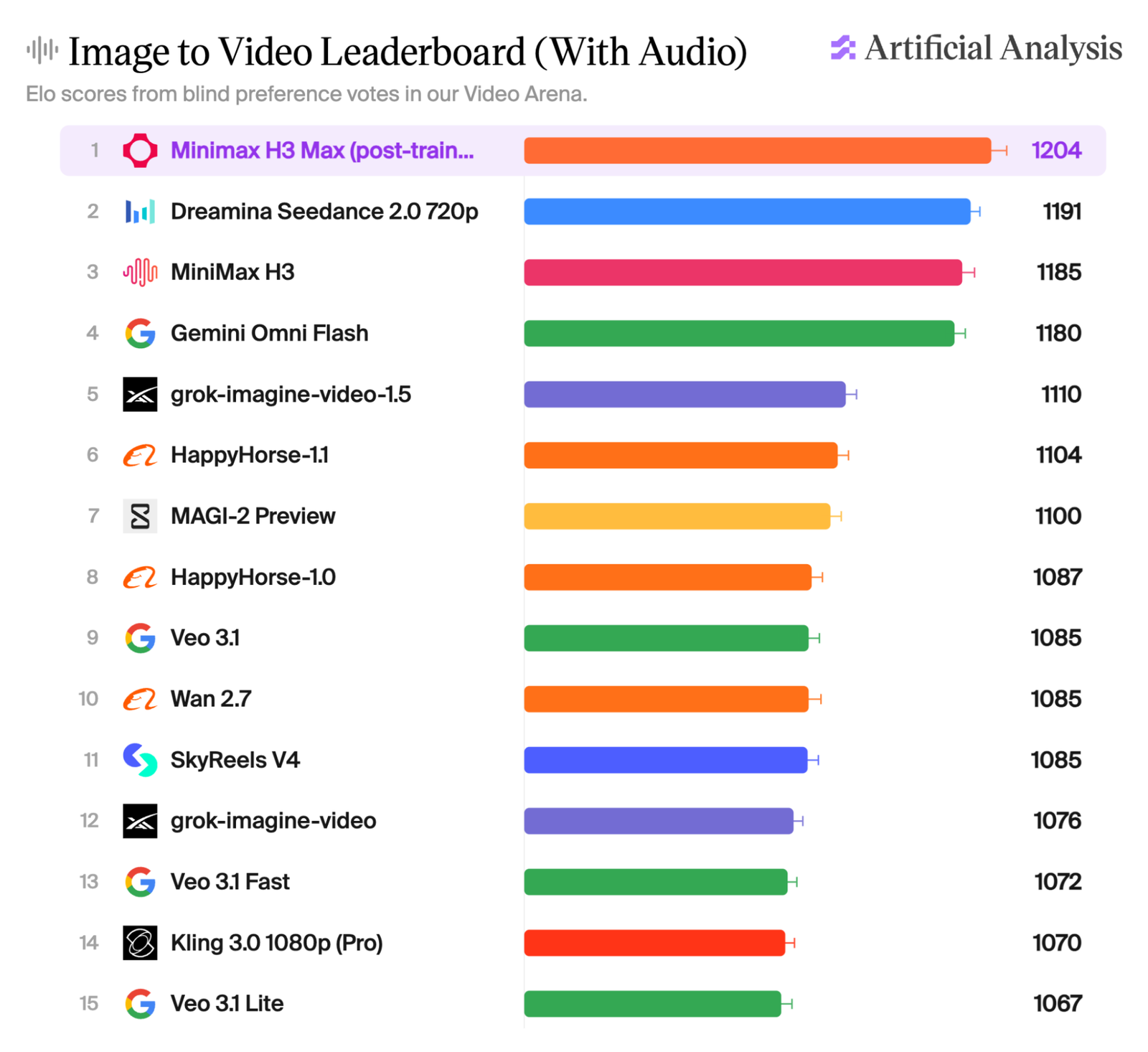
fal describes H3 Max as its own post-trained version of the open-weight MiniMax H3 model. It is not a newly released MiniMax model. fal says the base model's unified context and natively synchronized audio-video capability remain intact after its post-training.
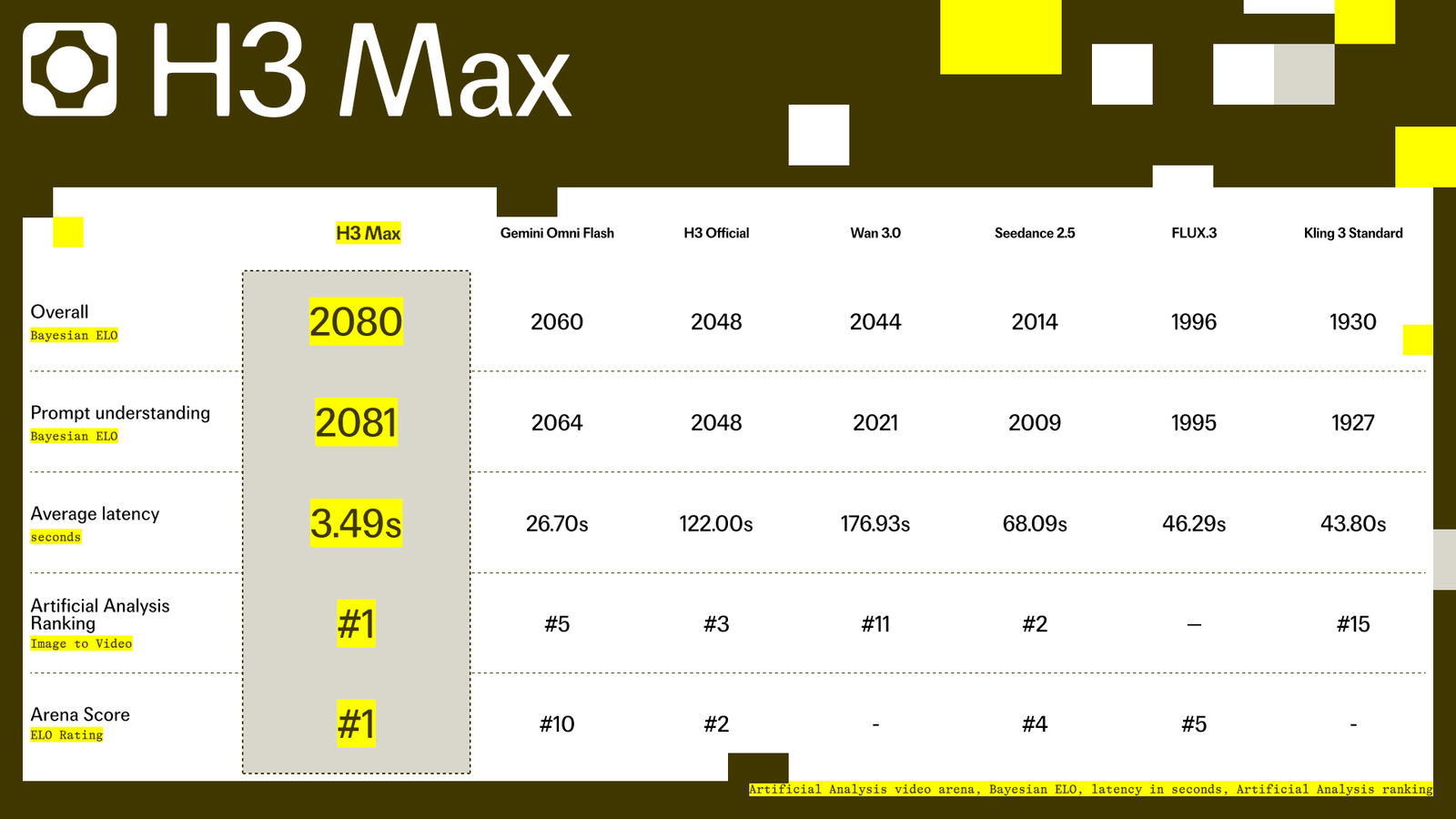
That native layer can include spoken dialogue, room or outdoor ambience, sound effects, and music when the prompt calls for them. The current H3 Max pages return the generated result as a video file. They do not document separate dialogue, ambience, effects, and music stems.
That difference matters in post. Synchronized sound can make one shot feel complete immediately. Embedded sound is less convenient when the editor wants to keep a voice but replace only the music.
Compare Three Audio-Finishing Decisions
The table below is an editorial decision guide, not an official fal standard.
| Finishing question | Keep H3 Max native audio when… | Add a separate soundtrack when… |
|---|---|---|
| Dialogue and ambience | Speech is clear and scene sound follows the visible action | Existing music crowds useful speech or ambience |
| Music length and editability | One short shot works as a complete unit | Music must bridge cuts or finish at a longer timeline |
| Revision and export | The approved generation needs little audio repair | Music revisions should not require regenerating the picture |
Dialogue and Ambient Sound
Native dialogue has an obvious advantage: it is generated with the speaker and scene. If the lip sync, pauses, and ambience survive the final edit, keep them. A separate music track should sit around those sounds, not erase them.
If the native mix places music over an important line, check what the exported video actually lets you edit. Without documented stems, clean isolation may not be possible. Regenerating could improve the audio, but it can also change an already approved image.
Music Length and Editability
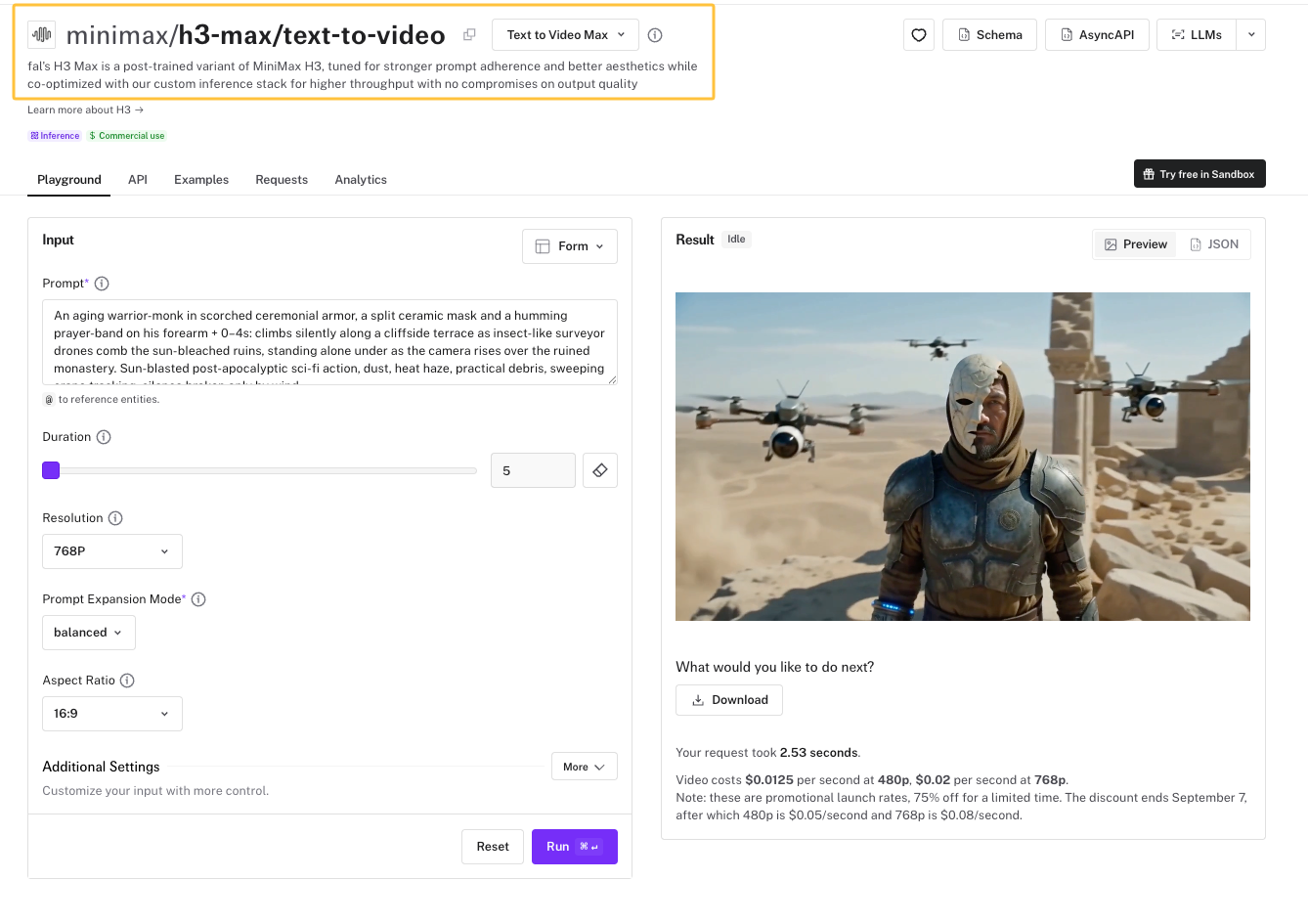
H3 Max currently generates clips from 5 to 15 seconds on its published endpoints. That duration may suit a single social shot. It does not automatically create a musical arc for a 30-second sequence assembled from three generations.
A separate H3 Max soundtrack layer can follow the finished sequence instead. The editor can fade it under speech, carry it across cuts, and place its final cadence against the real ending. The trade-off is another asset to generate, license, mix, and store.
Revision and Export Handoff
Native audio is efficient when the clip is accepted as one audiovisual object. The current API response schema shows a downloadable video result, which keeps the first handoff simple.
Separate music becomes easier to revise after picture lock. A client can request less tension or a quieter middle without reopening the visual generation. Editors should still keep the native export, the added soundtrack, and the final mix as distinct files.
When a Separate AI Soundtrack Makes Sense
The strongest case is a finished edit built from more than one source. Its music needs to understand the timeline as a whole, not just each generated shot. Tutorials and dialogue-led clips also benefit when music can move independently beneath speech.
In that situation, a creator can test a dedicated video-to-music workflow against the locked cut. Sonilo is separate from fal and H3 Max; this is not an integration. Judge the result by its timing, ending, dialogue space, and the amount of repair needed inside the actual edit.

Limitations and Trade-Offs
As checked on September 7, 2026, fal publishes text-to-video, image-to-video, and reference-to-video routes for H3 Max. The pages establish current inputs and output schemas, but they do not prove that every generated mix will be usable without editing.
Native audio reduces assembly, yet it may bind sounds you want to treat separately. A separate soundtrack adds control, yet it also adds another source and rights check. Review the current fal Terms of Service and the music provider's terms for the intended release. This is general information, not legal advice, and neither workflow guarantees an infringement-free result.
FAQ
Is native audio available in every H3 Max generation mode?
fal describes synchronized audio and video as a retained H3 Max capability, and its current endpoint examples include sound. However, the reviewed pages do not promise identical audio behavior for every prompt, mode, or account state. Check the selected endpoint and review the returned clip before planning the mix.
Can H3 Max accept timing cues for sound events in a prompt?
Yes. fal's current guide shows timestamped prompt ranges and named sound events. Those directions can guide a generation, but the documentation does not guarantee frame-perfect placement. Treat the result as generated material that still needs a timeline check.
Can creators guide H3 Max with a reference audio file?
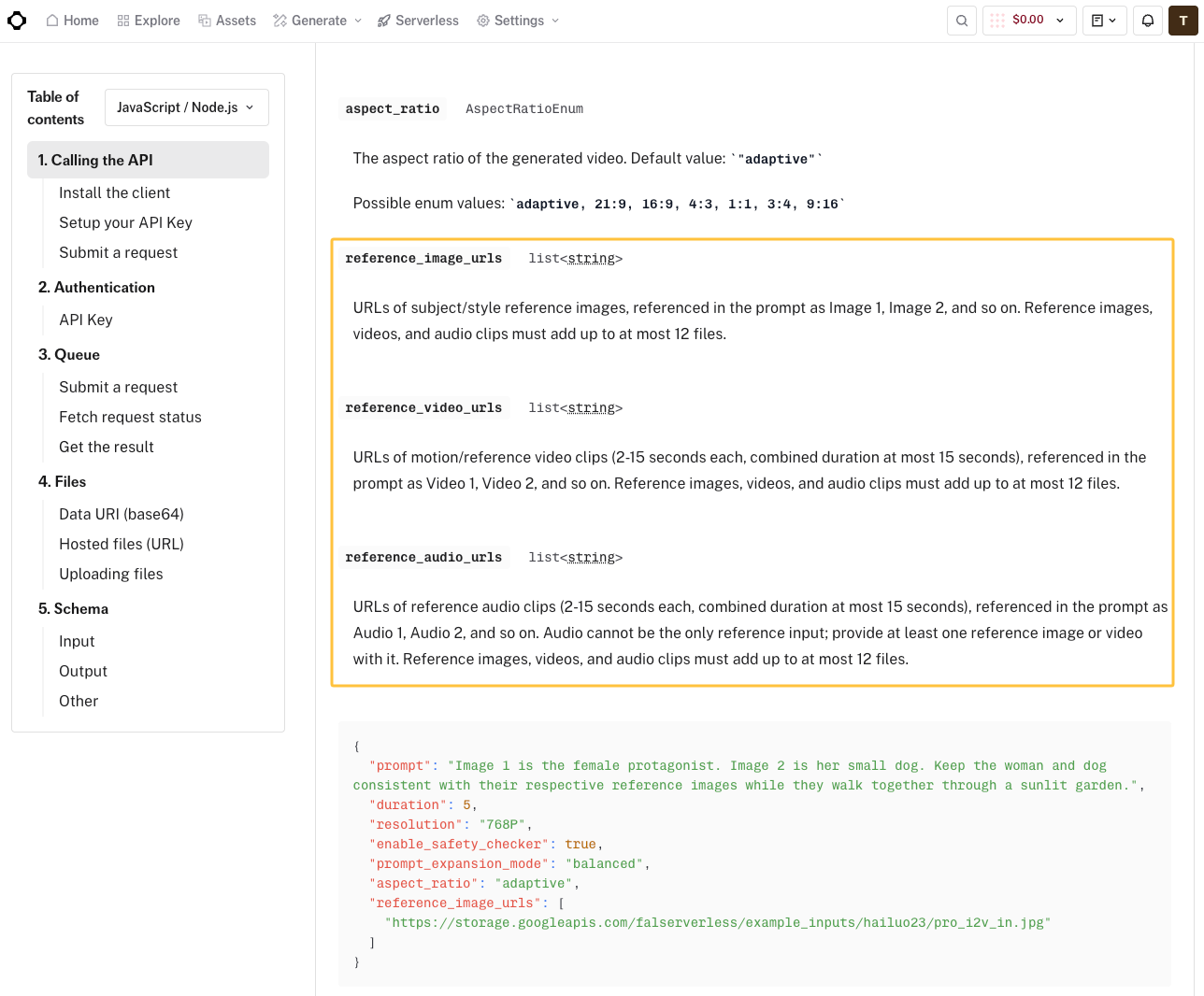
The current reference-to-video schema accepts reference audio alongside at least one image or video. It says audio clips can run from 2 to 15 seconds, with a combined audio-reference limit of 15 seconds. Audio cannot be the only reference input. Submit only files you have permission to use.
Which spoken languages does H3 Max currently support?
The reviewed H3 Max pages demonstrate English dialogue but do not provide a complete supported-language list. Do not transfer language claims from another MiniMax or fal model. Test the required language and confirm current documentation before committing a spoken-video series.
Do H3 Max usage terms treat generated audio separately from video?
fal's general terms define Output Content broadly to include sound, video, images, and other media. The reviewed terms do not create a separate H3 Max audio-rights category. Model documentation and supplemental terms may also apply, so check the versions in force for the actual account and use.
Conclusion: Choose Audio After the H3 Max Edit Is Real
Native audio earns its place when the shot already speaks, breathes, and lands as intended. A separate video soundtrack becomes useful when music must cross cuts, leave room for new narration, or finish on a different frame. Keep the sound that belongs to the scene, and replace only the layer that stops serving the edit.