Comparisons
MiniMax Music 3 vs Video-to-Music AI (2026)
- Written by
- Sonilo Team
- Published
MiniMax Music 3.0 and video-to-music AI can both provide music for a video project, but they begin with different creative evidence.
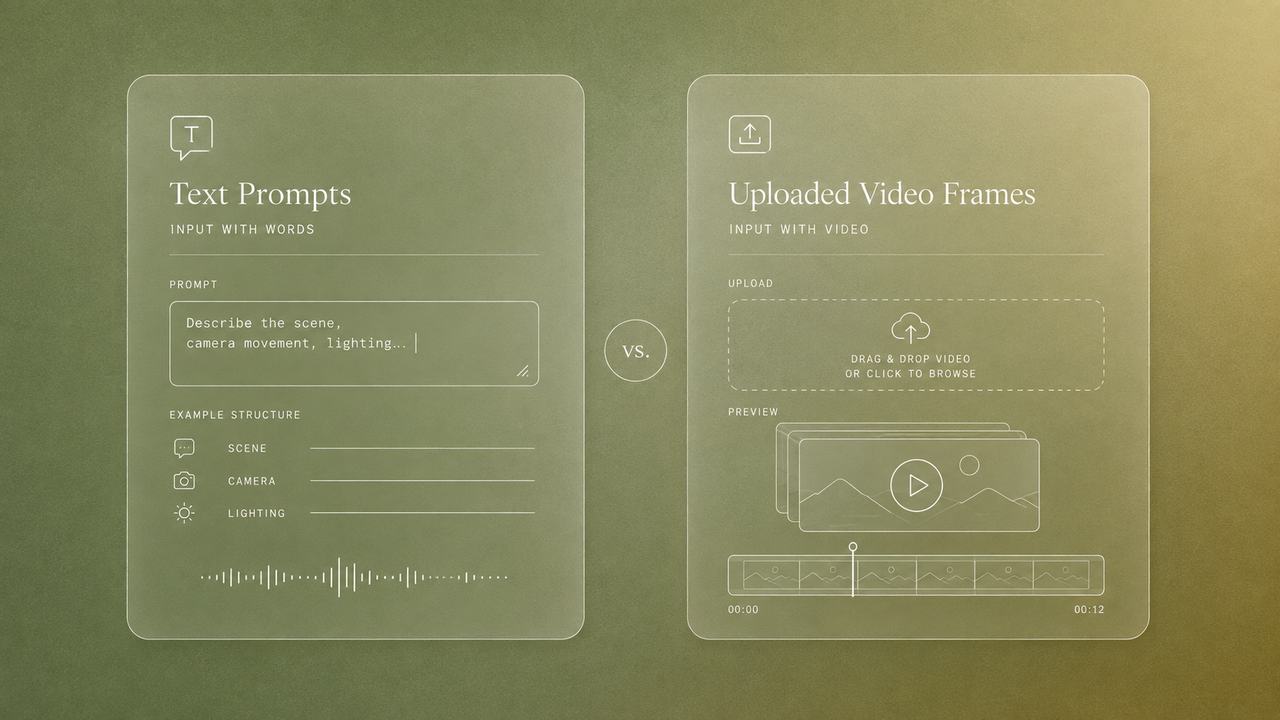
Music 3.0 starts from a description of the music, optional lyrics, and related generation settings. A video-to-music workflow starts from the video itself and uses that material as input when generating or matching a soundtrack. For prompt-led rhythm and loop construction aimed at picture, use the beat-making workflow for video editors.
Neither starting point is automatically better. The right choice depends on whether the team already knows what the music should be or needs the soundtrack process to respond directly to a finished cut.
Quick Verdict by Starting Point
Choose MiniMax Music 3.0 when musical direction is the primary input. It is the stronger conceptual fit when a creator wants to describe a genre, mood, instrumentation, vocal approach, or song structure and then adapt the result to video.
Choose a video-to-music tool when the existing edit is the primary input. This category is designed for situations in which video duration, pacing, scenes, or transitions should inform the generated soundtrack.
The practical decision is not simply “Which AI produces better music?” It is:
- Does the team want to direct the music first?
- Or does the team want to present the video first?
A prompt-first model provides direct control over the requested musical idea. A video-first workflow can reduce the amount of information an editor must translate from the timeline into musical instructions. Both approaches still require human review.
How Each Workflow Begins
Prompts and Lyrics in MiniMax Music 3
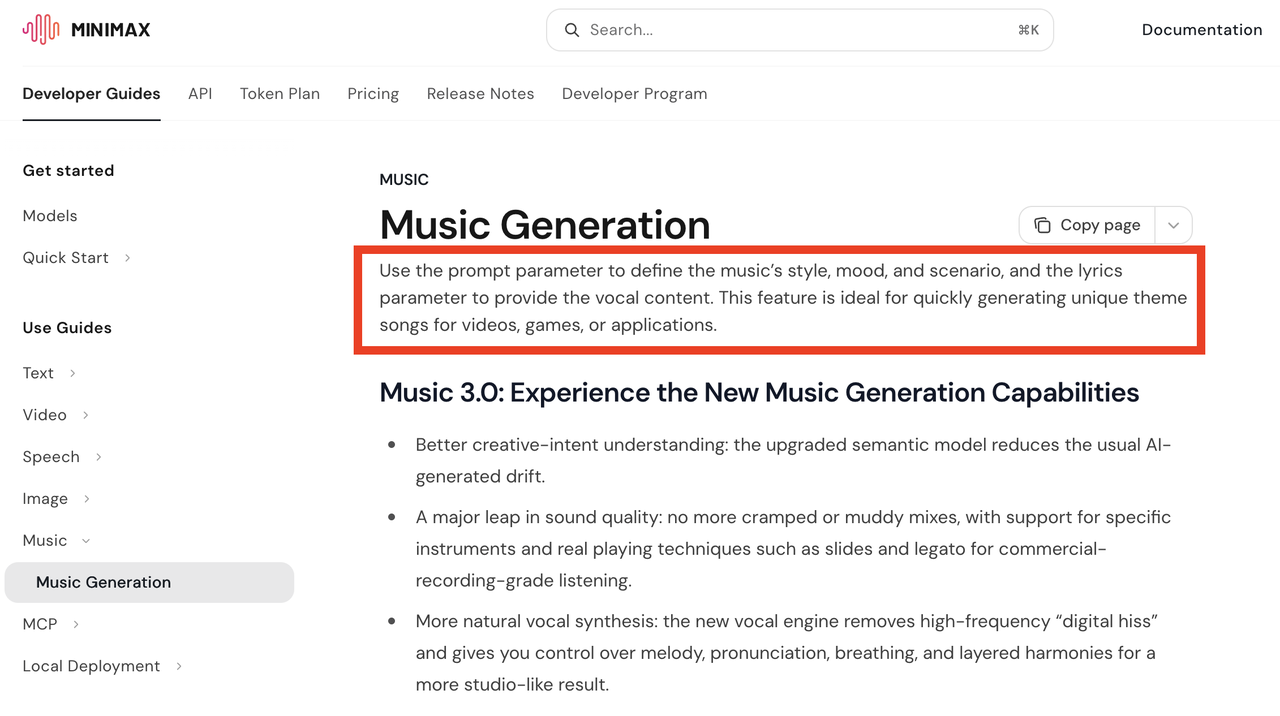
MiniMax’s official name for the model is Music 3.0. Its Music Generation documentation describes a prompt parameter for defining musical style, mood, and scenario, plus a lyrics parameter for supplying vocal content.
The documentation also states that Music 3.0 supports instrumental-only generation through is_instrumental. This makes the model relevant to both song-oriented projects and videos that need music without vocals.
Music 3.0 is therefore a prompt-first music source. A creator can request a particular musical character, use structured lyrics, or generate an instrumental track. The model then returns music that can be evaluated and placed in an edit.
Its current documentation does not list video input, timeline markers, shot analysis, or cue-point controls for Music 3.0. It should not be described as automatically reading a video or precisely matching music to a locked sequence.
Uploaded Video in Video-to-Music Tools
Video-to-music AI is a workflow category in which the video becomes an input to soundtrack generation. Depending on the product, the system may claim to use information such as video length, pacing, scenes, or visual timing.
Sonilo is one current example. Its product page says users can upload a video and that the system creates music and sound effects to match. The company also says generated tracks can be matched to the video timeline or requested length.
Those statements establish Sonilo’s vendor-described product positioning. They do not independently verify the accuracy, consistency, or creative quality of its video analysis and soundtrack matching. A production team should test the tool with representative footage before relying on those claims for a client workflow.
This is also not a claim that every product marketed as video-to-music uses the same analysis method. Products in the category may differ substantially in accepted files, duration limits, revision controls, output formats, and the amount of video context they use.
Compare the Soundtrack Workflow
| Comparison point | MiniMax Music 3.0 |
|---|---|
| Primary starting point | Music prompt and optional lyrics |
| Documented music modes | Vocal songs and instrumental generation |
| Video understanding | Not documented for Music 3.0 |
| Duration relationship | Generated track is not documented as being tied to a supplied video |
| Musical direction | Expressed directly through music-focused instructions |
| Post-generation editing | Usually required to fit the selected result to picture |
| Best initial question | “What should this music sound like?” |
Video Context and Duration Fit
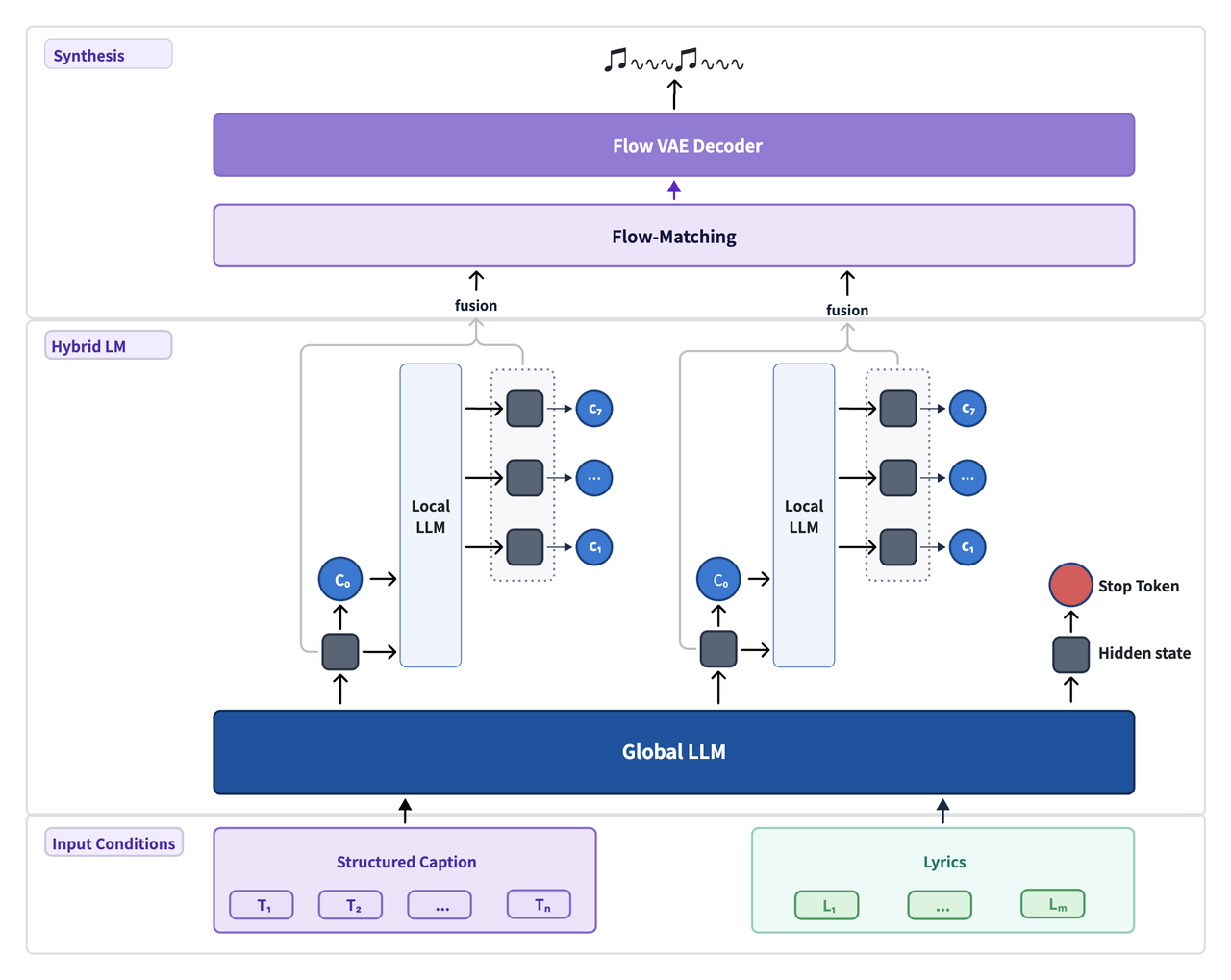
Music 3.0 can generate complete songs or instrumental music, but its official interface does not document an input for the final video. An editor must therefore compare the generated result with the cut and decide where it fits.
That can work well when picture timing remains flexible. A montage may be recut around a promising musical section, for example, or an intro sequence may be adjusted to follow a generated theme.
It becomes less direct when the video is locked and contains many timing requirements. A soundtrack might need to change beneath a spoken line, support a reveal, remain steady through a demonstration, and resolve at an exact final frame. These requirements must be handled through selection and editing when the music model does not receive the video.
A video-first workflow attempts to begin closer to that problem. Sonilo’s site says its soundtrack matches the uploaded video’s length and timeline. That is a company claim rather than an independent performance finding, so teams should confirm the behavior with their own cuts.
Musical Control and Revision
MiniMax Music 3.0 gives creators a music-oriented vocabulary for directing generation. Its documentation supports descriptions of style and mood, optional lyrics, structured song sections, and instrumental-only output.
This approach is useful when the producer already has a defined music brief. The team can judge whether the result reflects the intended instrumentation, energy, vocal treatment, and song identity before deciding how it will enter the edit.
Video-first tools place more weight on the video input. Some may still accept text direction, but the balance between visual interpretation and explicit musical control varies by product. Editors should check whether revisions can target the musical style, a specific video section, the ending, or only the entire generation.
Neither approach guarantees an easy revision. A musically convincing result may fit the video poorly, while a duration-matched result may not express the desired musical identity.
Editing After Generation
Music 3.0 produces music, not a finished video mix. The editor remains responsible for placement, trimming, transitions, dialogue space, ending behavior, and final loudness decisions.
Video-to-music AI may reduce some fitting work when its output follows the supplied cut, but it does not remove the need for review. Editors should still listen for:
- Musical changes that arrive too early or too late
- Unwanted emphasis beneath dialogue
- Repetition that becomes obvious over longer scenes
- Transitions that call attention to the generation process
- An ending that does not support the final image
- Changes introduced by a later picture revision
A soundtrack can technically match the video’s duration and still feel wrong. Duration fit is one production criterion, not a complete measure of editorial fit.
Best Fit by Creator Scenario
A music-led channel intro: MiniMax Music 3.0 may be the better starting point when the team wants a recognizable instrumental identity or complete theme and can shape the opening visuals around it.
A locked montage with many visual changes: A video-first workflow may be more efficient when the edit is approved and the soundtrack should respond to its existing duration and pacing.
A narrated video: Either route can work. Music 3.0 offers instrumental generation, while a video-first tool may use the complete cut as context. In both cases, an editor must confirm that the result leaves room for speech.
A song-centered social video: Music 3.0 is the more natural fit when lyrics, vocals, and song structure lead the concept.
A high-volume video operation: A video-first workflow may be useful when many finished or near-finished cuts need soundtrack options. The team should evaluate consistency, review controls, licensing records, API availability, and handoff requirements rather than generation speed alone.
When Neither Workflow Is Enough
Some projects require more control than either workflow readily provides.
A human composer or dedicated music-production process may be preferable when the project needs an original recurring theme, detailed cue-by-cue direction, separate stems, live recording, exclusivity, or revisions based on close collaboration with a director.
Manual music editing may also remain the fastest answer when the team already has an approved track and only needs to restructure it around a new ending.
The decision is not limited to prompt-first AI versus video-first AI. Existing music, a composer, a stock library, manual editing, and hybrid workflows remain valid options.
Limitations and Trade-Offs
MiniMax Music 3.0’s main limitation for this comparison is straightforward: its documented generation interface does not begin with video. Creators must translate the project’s musical needs into music-oriented input and handle synchronization afterward.
Video-to-music tools introduce a different risk. Their usefulness depends on how effectively they interpret the video and how much control they provide when the first result is unsuitable. Marketing terms such as “matched,” “aligned,” or “video-aware” should not be treated as standardized technical guarantees.
Teams should test both workflow types with the same representative cut. Compare the time required to reach an approvable result, not merely the quality of the first generation.
Terms and Rights Checks
For MiniMax Audio, the current Music Creation Terms of Use require users to hold the necessary rights or permissions for submitted material, including lyrics, music, audio, video, and voices. API users should separately review the MiniMax Open Platform Terms of Service and any service rules applicable to their account.
Sonilo’s licensing page describes plan-based commercial-use rights and tells teams to confirm the active plan, current terms, intended channel, and release records. These are Sonilo’s own licensing representations, not independent legal analysis or blanket clearance for every territory, distribution model, or client agreement.
For either workflow, retain the generated file, input record, model or product version, account plan, applicable terms, project name, approval decision, and final published use.
This information is general guidance and does not constitute legal advice.
FAQ
Can a team combine prompt-first and video-first music drafts?
Yes. Teams can evaluate drafts from both workflows in the same review, provided each file is clearly labeled and its source and applicable terms are recorded.
Who should choose the workflow when editors and producers disagree?
Assign a decision owner before generation begins. The producer can define the creative and rights requirements, while the editor reports timing and mix implications. The owner then selects the workflow against those agreed criteria.
How should teams label files when both workflow types are tested?
Include the project, source tool, model or workflow type, generation date, draft number, edit version, and approval status. Do not allow temporary exports with similar names to enter the final delivery folder.
Can one approved cue be reused across a recurring video series?
That depends on the applicable license and whether the cue still fits later episodes. Confirm reuse rights instead of assuming that approval for one video automatically covers an entire series.
How should teams document why one workflow was selected?
Record the decision criteria, tested alternatives, selected file, rights check, approver, and practical reason for selection. This gives future editors more useful context than a note that one result was simply “better.”