Guides
Highlight Video Music: Match Energy and Pacing
- Written by
- Sonilo Team
- Published

The biggest moment in a highlight reel does not tell you what the whole soundtrack should be. A winning shot, crowded dance floor, or emotional reunion may be the payoff, but the edit still needs a path that gets viewers there.
Effective highlight video music follows that path. It gives the opening a reason to move, creates contrast through the middle, and supports the final release without turning every clip into the same kind of climax.
Map the highlight reel before choosing music
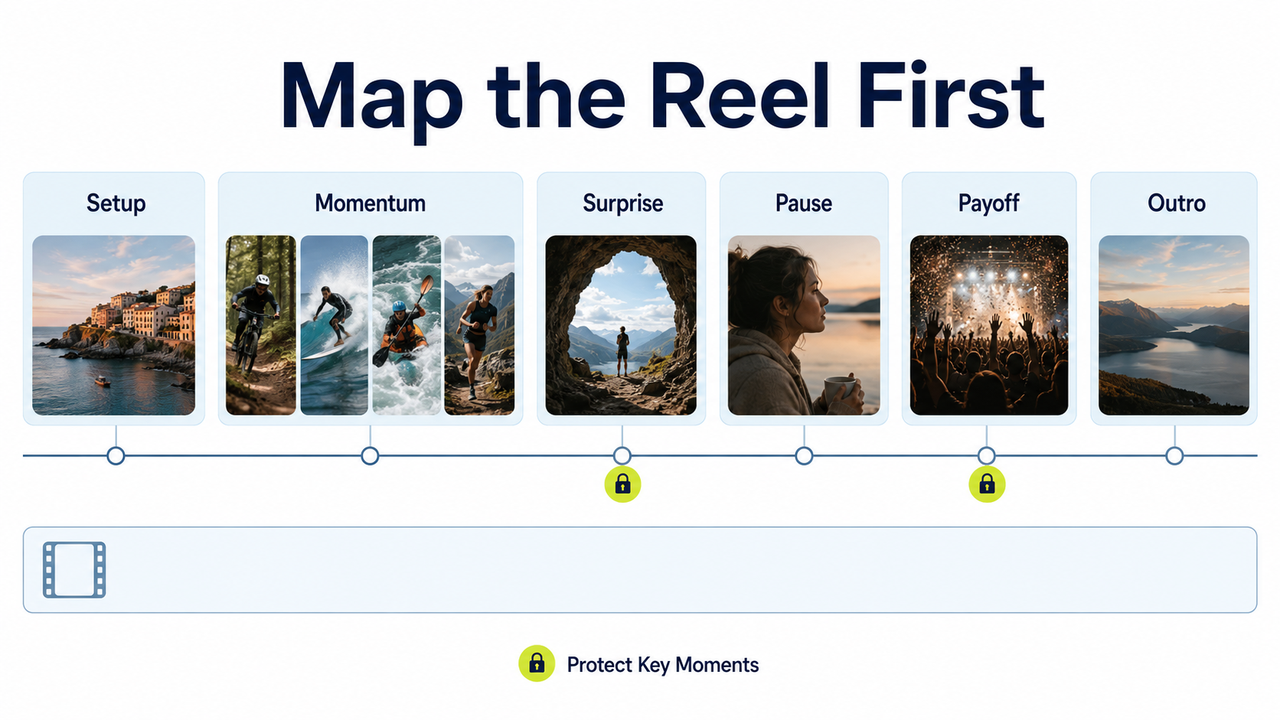
Build a silent assembly first. Place the usable clips on the timeline, then label their jobs: setup, momentum, surprise, emotional pause, payoff, or outro. This makes the reel's structure visible before a track starts influencing your choices.
Next, mark the clips that must stay at their natural length. A decisive play may need its full approach and reaction, while a speaker's line or crowd response may depend on original audio. Keep everything else flexible until the main story beats are secure.
The map should show where energy changes, not just where cuts happen. Three fast clips can form one idea, while a single reaction can turn the recap. Choose music for those larger sections rather than every edit point.
Apply a rights filter before a creative filter. Do not use a popular song, current hit, sports or film score, or trending platform audio unless you can verify that your intended use is authorized. A track being easy to find, widely reused, or available inside one platform does not by itself establish permission for a client deliverable, advertisement, cross-platform post, or longer edit.
Check the source, license terms, attribution requirements, permitted platforms, and commercial-use scope for every track. Under U.S. copyright law, a musical composition and its sound recording are separate works, so permission covering one does not automatically clear the other. U.S. Copyright Office
For YouTube, its current safe-music guidance tells creators to verify third-party licenses and warns that music labelled “free” may still be flagged by Content ID. Keep the track URL, license version, receipt or certificate, account, and acquisition date with the project.
Check the footage separately. Confirm that you are authorized to use and upload every clip, including any broadcast or organizer-owned footage, client assets, venue recordings, and material involving identifiable participants or minors. Depending on the project and jurisdiction, contracts, venue rules, privacy or publicity rights, and participant or guardian releases may apply.
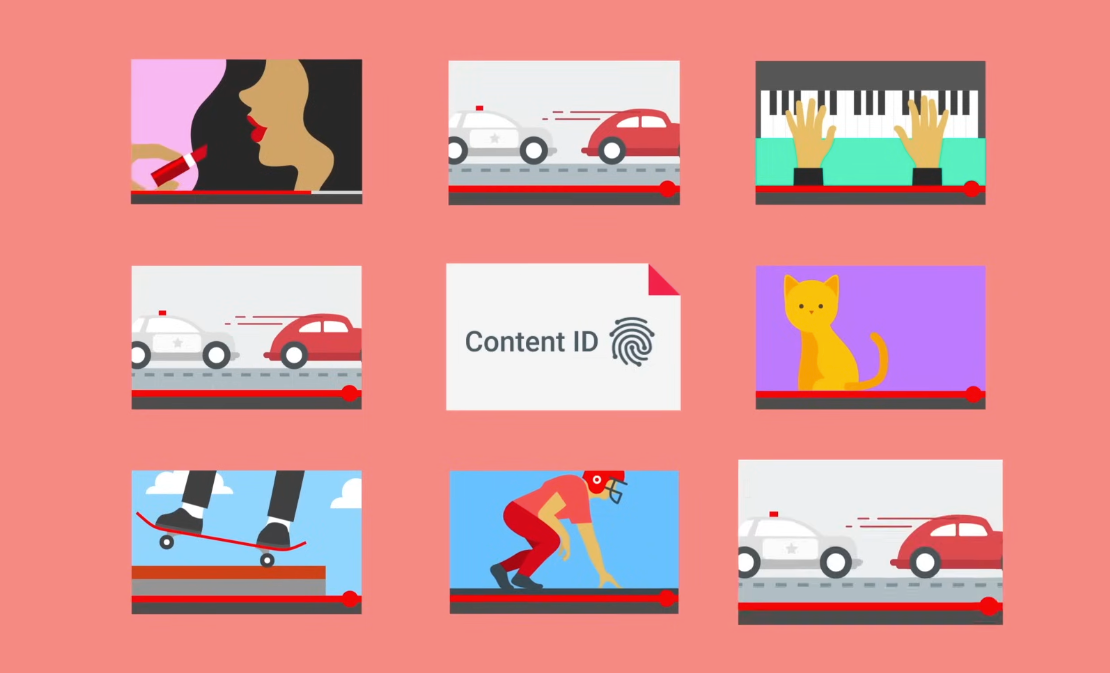
Review natural audio as well. Music captured at a venue can still create copyright or platform issues even when it is not the chosen soundtrack. YouTube’s Content ID system scans uploaded videos against both audio and visual reference files.
Build an energy curve from opening to payoff
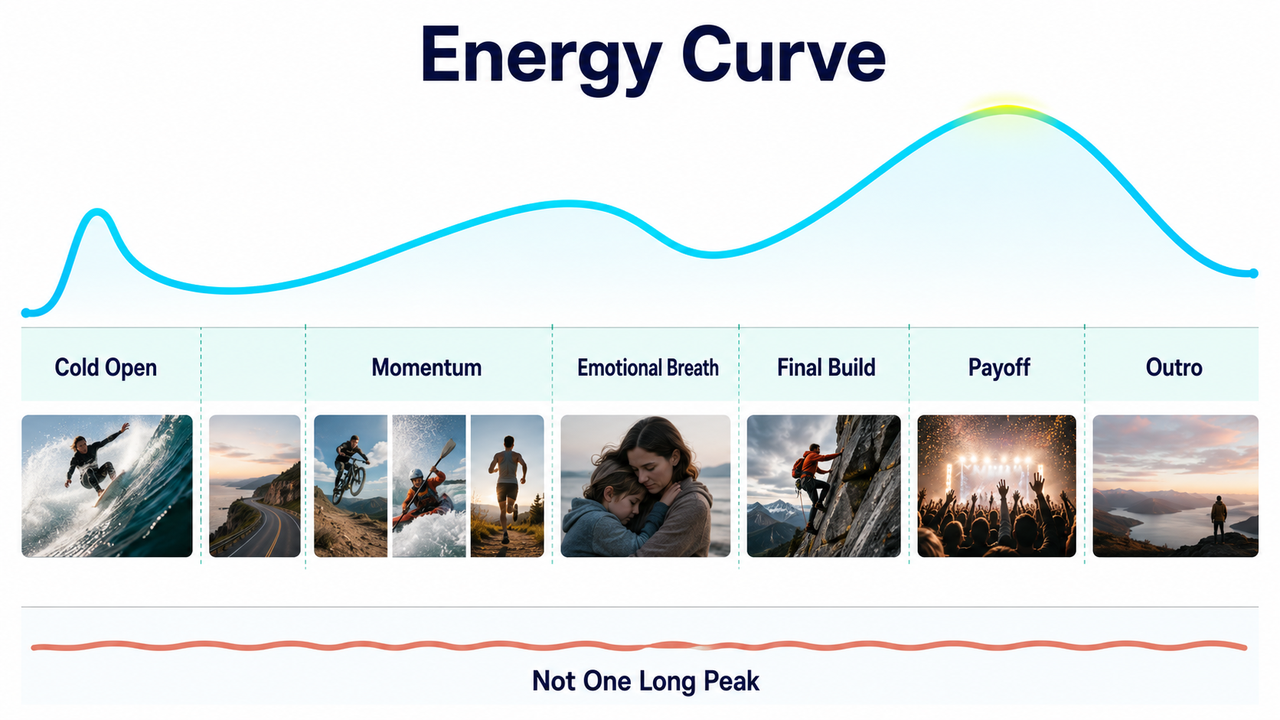
An energy curve is the planned change in intensity across the reel: a rise, a breath, another build, and a release. Its shape matters more than choosing the fastest track.
Sketch that curve above the timeline, then find music with enough structural variation to support it without constant cutting or artificial speed ramps.
Cold open or first big moment
A cold open can preview the payoff before the story resets. In sports highlight music, that might mean landing one strong action or reaction, then pulling back to the sequence's beginning.
The opening does not have to start at full power. A short accent or burst of natural sound can establish urgency while preserving room to build.
Mid-edit momentum
The middle has to sustain interest without becoming an endless peak. Group clips into short runs with a shared purpose, then vary shot length and scale so rhythm comes from the edit as well as the track.
For event highlight music, the middle may need to move between stage moments, audience reactions, venue details, and candid interactions. Let one section breathe before the next acceleration. Constant speed makes meaningful changes harder to notice.
Final payoff and outro
Reserve the strongest combination of picture, music, and natural sound for the payoff: the decisive action, reveal, crowd response, or emotional image that explains why the event mattered.
Good recap video music also leaves space for an ending. After the payoff, let the energy resolve rather than stopping at the loudest frame. A reaction, wide shot, logo, or short natural-audio tail can make the piece feel finished instead of abruptly cut off.
Decide which moments should hit the beat
Choose a small number of priority hits first, such as a landing, reveal, gesture, or location change. This creates musical precision without forcing every shot boundary onto the grid.
Not every cut should land on a beat. Cutting slightly before an accent can create anticipation; cutting after it can let an action complete. Longer shots can span several beats while motion inside the frame carries the rhythm.
When an important moment misses the nearest accent, protect the moment. Move the track, try another phrase, or shorten an earlier transition. Do not remove readable action or a meaningful reaction merely to satisfy a beat marker.
Handle emotional clips inside high-energy recaps
An emotional clip does not have to be removed because the surrounding reel is fast. It can become the contrast that makes the next burst of motion feel earned.
Reduce musical density before the moment arrives. Let a voice, crowd sound, or room tone come forward. Energetic background music can continue with fewer layers if stopping completely would break continuity.
Keep the pause proportional to the clip. A brief look may need only a beat of space, while a meaningful exchange may justify a longer change in pace. The goal is not to turn the recap into a different genre; it is to let one human moment register.
Avoid montage music that makes every moment feel the same
Some montage music arrives with a fixed build, repeated impacts, and a predetermined climax. It can create instant momentum, but it can also flatten the footage by assigning the same importance to every jump, smile, goal, and reveal.
One track can cover multiple highlight sections if it offers changes in density, rhythm, or instrumentation. Otherwise, restructuring or shortening the music may work better than adding more visual effects.
The footage should remain the source of the hierarchy. When a stock track keeps pulling key moments toward the wrong accents, a video-first soundtrack is another option to test. According to Sonilo’s current product page, its workflow is designed to generate music from an uploaded edit and align it with cuts, pacing, reveals, and scene changes. This is Sonilo’s official product positioning rather than an independent performance assessment, so compare each output against the actual cut.
Before uploading a highlight reel, make sure you have the necessary rights and permissions for the footage, recordings, client assets, and identifiable people it contains. Sonilo’s current Terms of Service require users to hold the necessary rights and grant Sonilo a broad, irrevocable, worldwide, perpetual license to process and use uploaded content. Commercial use of outputs also depends on the applicable plan and remains subject to those terms.
Sonilo’s current Privacy Policy states that uploaded videos and related data may be used for model training and improvement by default, without a separate opt-out across its standard tiers. Do not upload confidential, embargoed, unreleased, or otherwise restricted event footage unless that use is authorized and acceptable for the project.
If the finished video is published on YouTube, review its current AI disclosure guidance, which specifically lists AI-generated music among the content creators need to disclose.
FAQ
Should highlight videos use fast music?
Not necessarily. The music needs enough motion for the footage, but speed alone does not create momentum. A medium-tempo track with clear changes in intensity may support a stronger build than a fast track that stays at one level. Match the pace to the edit's energy curve, not only to its quickest shots.
How do I handle slow emotional moments?
Create space before the emotional clip instead of treating it as an interruption. Reduce layers, lower the music, extend the shot, or bring natural sound forward. Keep enough musical continuity to preserve the reel's identity, then rebuild energy after the moment has registered rather than dropping straight back into maximum intensity.
Can one track cover multiple highlight sections?
Yes, if the track contains enough contrast for the opening, middle, payoff, and outro. Map each section to a change in rhythm, density, or musical phrase. If the same passage must be looped across every section, the result may feel repetitive; edit the arrangement or choose a more flexible track.
What if the best moments do not match the beat?
Keep the best moments and adjust the music strategy. Move the track, choose another phrase, shift surrounding cuts, or let the action fall between beats. A readable play, genuine reaction, or important reveal carries more value than perfect grid alignment. Beat matching should clarify the footage, not decide which footage survives.


