Guides
How to Translate a Video With AI and Review the Dub
- Written by
- Sonilo Team
- Published

To translate video with AI, upload the finished cut, correct the translated script, generate the speech, and review the downloaded video. Keep the original beside you during review. You need to hear whether the new instruction arrives while the relevant action is still visible.
The steps below follow one finished video through that process. A short drawing-tutorial example shows how to check the same instruction in the text, the voice, and the final export.
Start With a Video You Have Rights to Translate
Use footage you own or have permission to translate and upload. That permission should cover the music and reproducing any real person's voice or likeness in another language. This is general information, not legal advice.
The source cut should already have its final trims, speed changes, and ending. Keep the editable source and an approved script alongside the exported cut. Clear speech makes review easier; if you cannot understand a word in the original, resolve it before asking a translator to interpret it.
Choose the Target Language and Output Type
Choose the audience's language and regional variant where available. Start with one language you can arrange to have reviewed by a fluent speaker. You can expand to other versions after the first one is approved.
This walkthrough finishes a dubbed video with accompanying subtitles. Decide whether you also need lip sync: it changes visible mouth movements to match the new speech. The lip-sync options and access conditions are worth checking when a presenter is visible. Off-camera narration does not need that picture change. A standalone voice file for a video editor is a separate export requirement to confirm before generating.
Upload the Finished Cut
Sonilo publishes this guide and provides the example video translation tool. Its translation uploader lists MP4, MOV, and M4V, up to five minutes and 400 MB. Upload limits, script controls, downloads, and usage terms were checked on November 13, 2026.
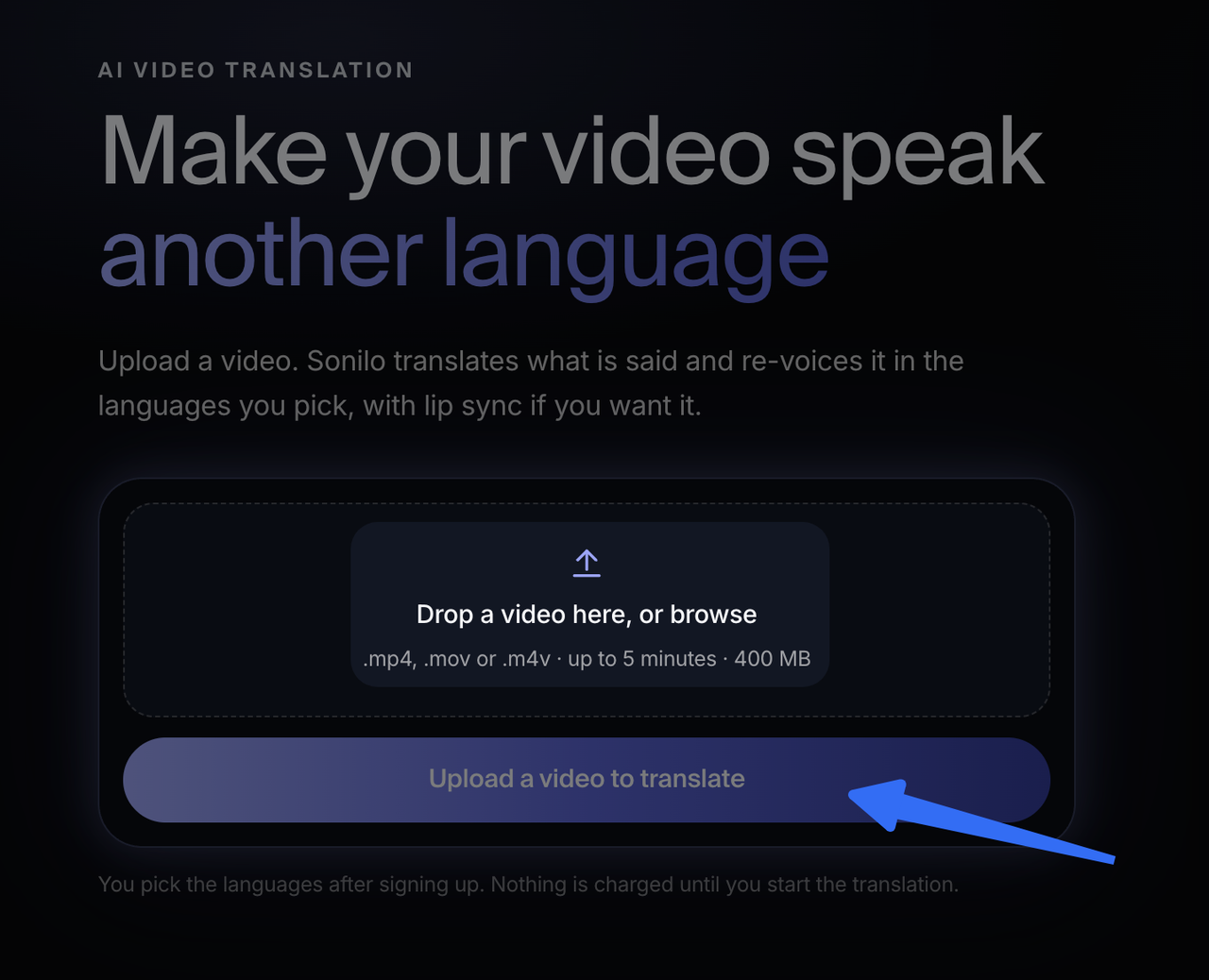
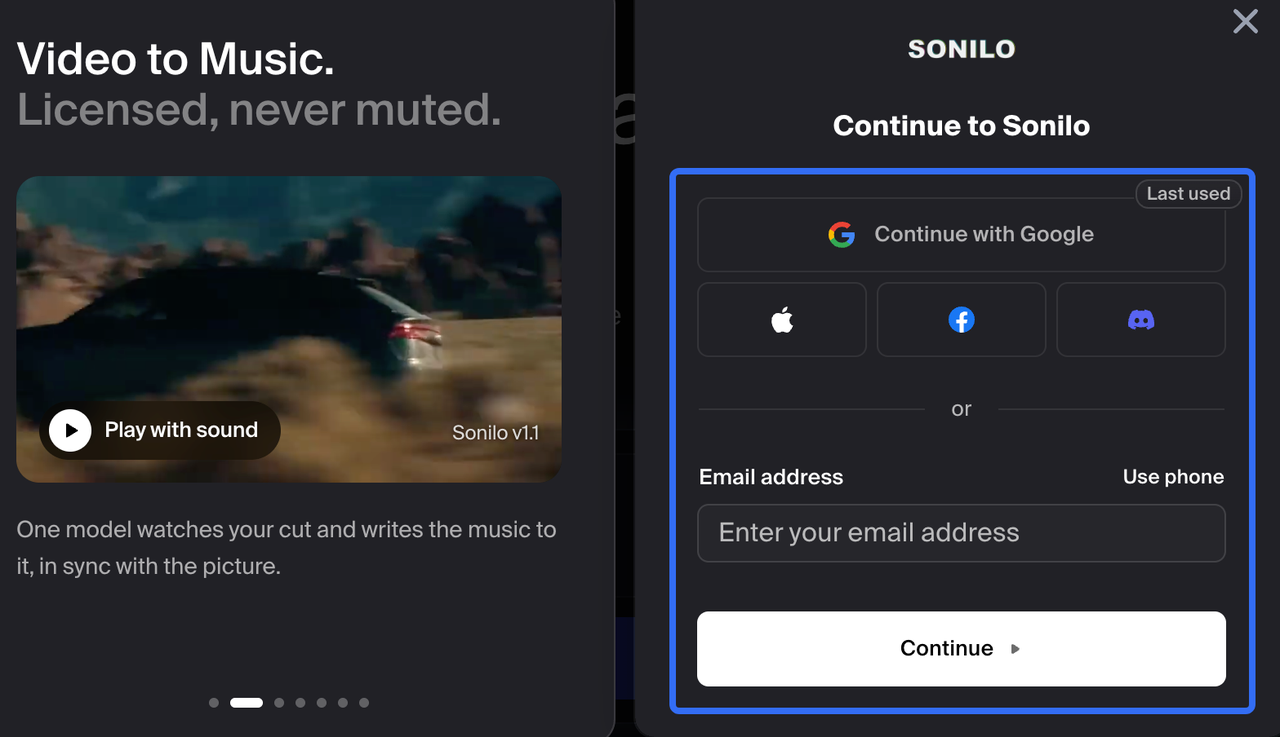
Upload the approved file, sign in when prompted, and select the target language. The sign-in screen is shared with other Sonilo tools; return to video translation after signing in. Check the translation uploader and your account's limits before starting. The larger upload allowances on the general pricing page should not be assumed to apply to this translation entry point.
For footage containing confidential third-party business materials, Sonilo's privacy policy prohibits upload unless Sonilo has expressly authorized it in writing. An ordinary permission to edit a client's video should not be assumed to satisfy that service-specific condition.
Review Names, Numbers, and Timing in the Script
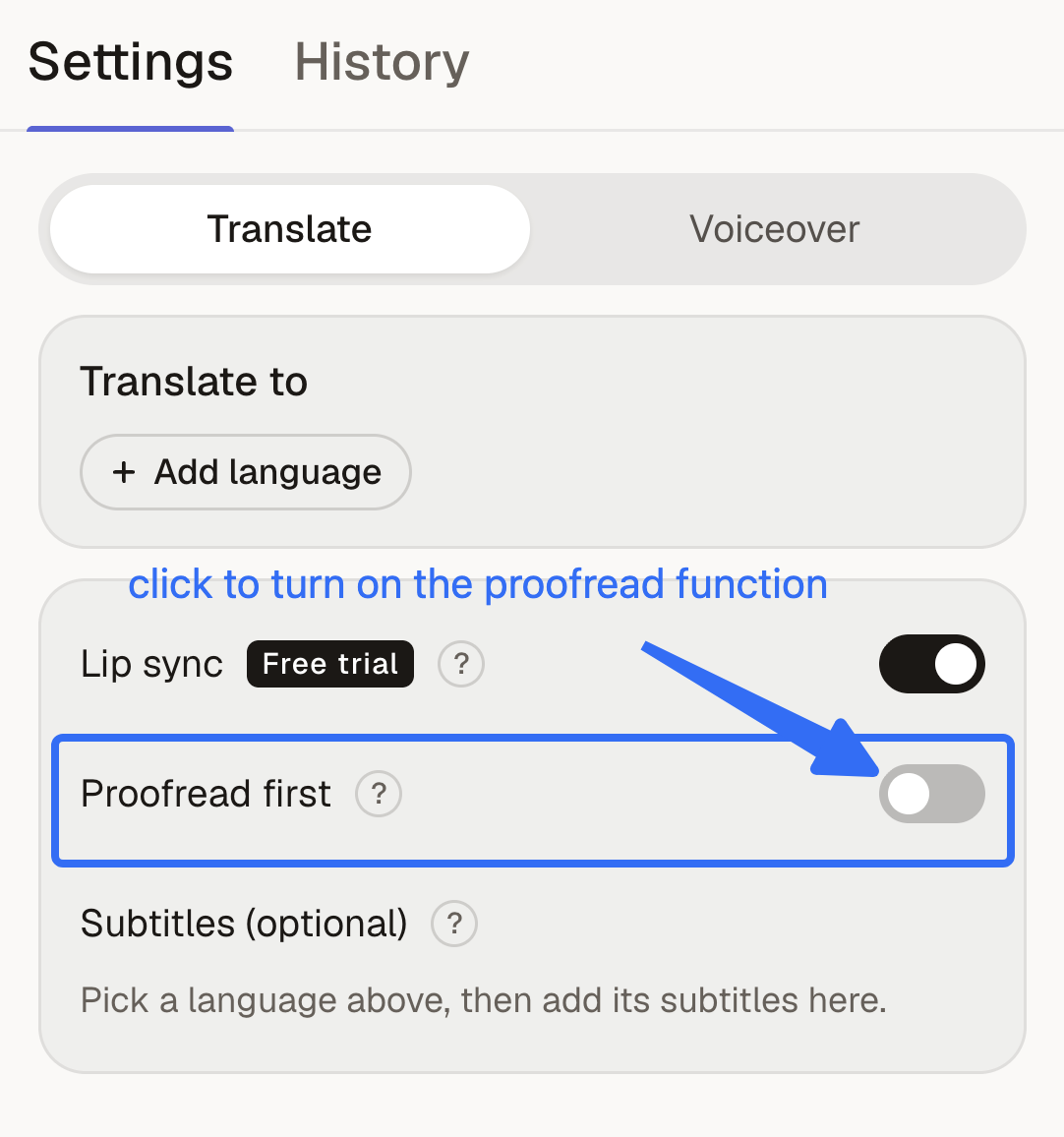
Turn on Proofread first before submitting the translation. Set the language and lip-sync choice, then click Translate to submit the job. This lets you check the transcript and translated lines before the voice is made. Compare unclear passages with the original recording: fluent wording can still carry a transcription error.
For an illustrative drawing tutorial, suppose the original instruction is:
Set Opacity to 20% before adding a new layer.
The target-language reviewer should check the percentage and the order of actions. The new layer must still come after the opacity change. If the interface remains in English, the translated explanation should help viewers identify the control labeled “Opacity.”
Read the translated line while watching the cursor. If the explanation continues after the panel disappears, shorten the wording while keeping 20%, the control name, and the order of actions. Removing “before” to save time would change the instruction. If the meaning needs more time, extend the relevant shot where the source allows it, then check the next cut.
Product names and repeated terms should stay consistent across the script. Numbers deserve a separate pass; an otherwise fluent paragraph can make an incorrect value easier to overlook.
Generate and Listen to the Dub
Once the translated wording is approved, confirm it to continue the job and make the voice. A fluent target-language speaker should then listen for meaning, pronunciation, emphasis, and pauses. A name can look right in the script and still sound wrong aloud.
Play the drawing instruction against the picture. The percentage should be easy to hear, and the next instruction should arrive while its action remains understandable. If the voice rushes, revise the wording without dropping the required sequence, then listen again against the picture.
If a number or action is wrong, correct the script before trying another voice version. For a pronunciation problem, check the tool's available controls rather than changing the meaning to make the line easier to say. Before rerunning, confirm whether it remakes a line or the whole job and what it charges. The public translation page does not spell out those revision details.
Check Captions, Music, and Sound Effects
Watch the captions with the new voice playing. They should reflect the approved wording and remain readable through the sentence. Check for old captions burned into the source picture before adding another set. Screen labels and end cards also need their own language review.
Sonilo says its translation process retains the original music and sound effects while replacing speech. Compare the original and dubbed versions through a pause, then through an instruction. Listen for missing ambience, distracting music, or effects that obscure a word.
If music covers a word, return to separate source tracks where possible and lower the music beneath that line. A mixed export may not let you adjust speech and music separately. For voice-led footage, see how to keep background music clear of interview speech.
Export and Review the Final Language Version
The translation page specifies paid access for video and subtitle downloads; Free offers browser playback. Check the current plan and export conditions before promising a downloadable deliverable.
Download the approved language version and play the actual file from beginning to end. Confirm that it contains the latest script corrections. Check the first spoken line, the drawing instruction, caption timing, and the last complete sentence. Open the subtitle file in the intended editor or player to confirm it works there.
Keep the source cut, approved translation, and corresponding export together. Label the files by language and revision so a corrected script cannot be paired accidentally with an older dub.
Before publishing, check the license as well as the download. Sonilo's current terms allow eligible Pro or Premium users to obtain a commercial license certificate for earlier Free outputs. An upgrade alone should not be treated as that certificate. Confirm the permission for your release and the rights to the source material.
Limits That Need a Human Check
A fluent reviewer still needs to judge jokes, technical explanations, regional wording, and how the speaker comes across. When lip sync is enabled, inspect the face during speech and pauses. Correct words alone cannot establish that the picture looks natural.
For further sound editing, check what the audio download contains. Sonilo's translation help includes paid audio downloads, but it does not say that the voice arrives isolated from music and effects. If you need a clean voice stem, confirm that specific file before relying on this route.
FAQ
Can you translate a video that has no spoken words?
There is no speech to dub. A silent demonstration may need translated screen text, captions, or newly written narration instead. Choose the task around what viewers must understand. Do not expect a speech-translation job to invent an explanation of actions that nobody describes in the source video.
Can a source video contain more than one speaker?
Yes. Sonilo's current page describes preserving a separate voice for each speaker. Review speaker changes carefully, especially short replies and overlapping dialogue. A new voice assigned to the wrong person changes the scene even when the translated words are correct. If the source is difficult to separate by ear, prepare clearer material where possible.
Can an approved SRT file replace machine-translated lines?
Yes. Sonilo accepts an SRT or VTT file per target language and says the dub uses those lines. Supply the approved target-language file, with timings matching the uploaded cut. Read abbreviations and unfamiliar names aloud before approving the file. Wording that works as a subtitle may still need a change for speech.
What happens if the clip is re-edited after translation?
The approved dub needs another timing review. Changing only the subtitle text may leave speech timing intact, but the captions and voice must still agree. A trim or inserted shot can move everything after it. Check from the first picture change onward, including subtitle timestamps. If a demonstration changes what viewers should do, revise the spoken instruction as well as its timing.
Can the translated voice keep the original speaker's identity?
It can aim to preserve the recognizable voice: Sonilo describes voice cloning from the source. That is a product capability, not a guarantee of identical delivery. Ask the speaker or an authorized reviewer to approve the sound, and confirm consent covers this language and use. Voice similarity does not establish permission to reproduce someone's voice.
Conclusion
Follow the instruction all the way through: does it say 20%, does the voice deliver it clearly, and can the viewer still see the control? Apply that same attention to the rest of the video. Finish with the downloaded file, because that is the version your audience will actually hear and watch.