Guides
Vidnoz AI Video Translator: Fit for Creator Videos
- Written by
- Sonilo Team
- Published
Vidnoz is worth considering for a finished tutorial, product demo, or presenter clip when you want to correct the translated words before generating the dub. The Vidnoz AI video translator offers script proofreading, subtitles, and optional lip sync. Choose the output your viewers need, then check that your plan can deliver it.
For a narrated screen recording, clear speech beside the right action matters most. A presenter speaking to camera adds another question: would changing the mouth movements help, and are you willing to review the altered face?
Sonilo publishes this guide and offers a video translation service, discussed below as another option.
When Does Vidnoz Fit a Creator Video?
Vidnoz fits a short creator video when you have so meone who can review the target language. Its translation controls let you work on the script before accepting the spoken result. That gives you somewhere to fix a product name or instruction before judging the voice.
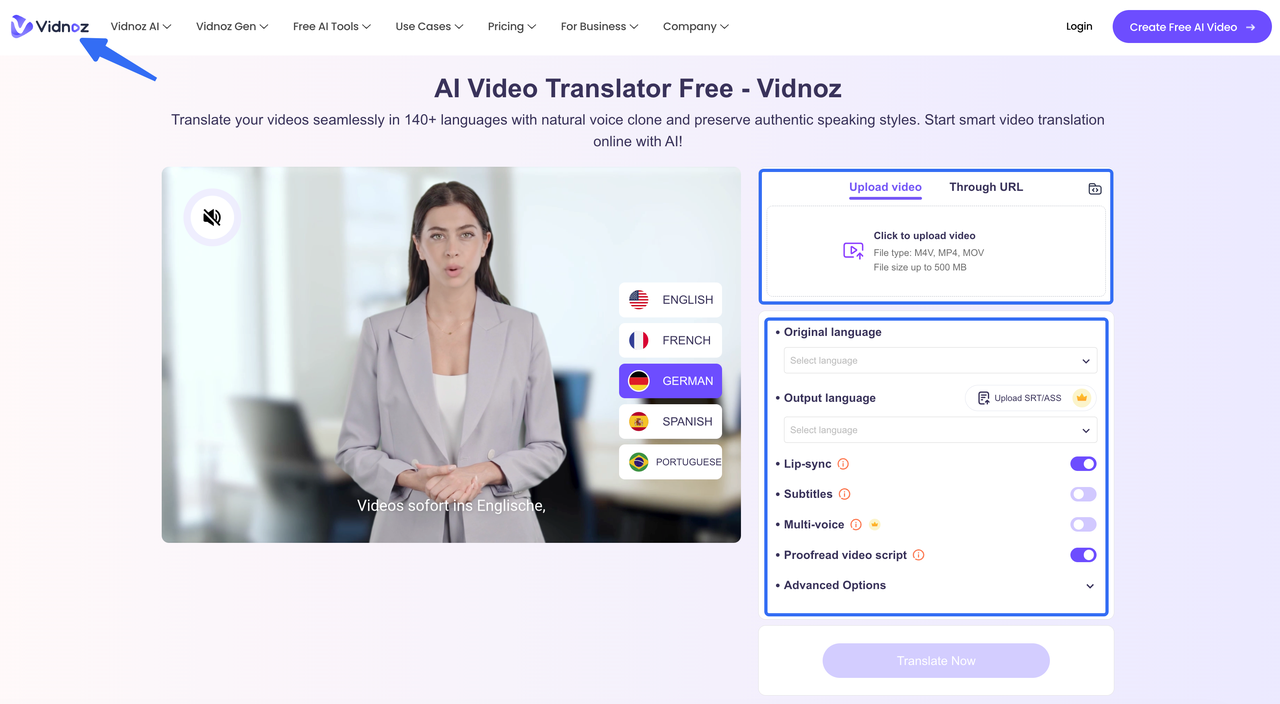
A familiar voice won't rescue a mistranslated instruction. Likewise, a smooth mouth movement adds little if the viewer cannot understand the product name. For a tutorial, correcting those words deserves more weight than the number of languages advertised.
This assessment draws on Vidnoz's public interface and help pages. Upload, lip-sync, and export conditions were checked on November 16, 2026; the conflicting limits below matter when choosing a plan.
Which Translation Output Does the Clip Need?
Choose dubbed speech when viewers need to hear the explanation while watching the action. Captions suit silent viewing. Lip sync changes the visible mouth as well, so it adds a face review to the job.
Dubbed Voice
A screen recording or overhead demonstration usually needs the instruction to arrive while the relevant action is still visible. With no speaking face on screen, there is little reason to alter the picture for lip sync.
Vidnoz describes voice-preserving dubbing. Listen for the person's delivery, but also check emphasis, names, and pauses. A sentence can read correctly yet rush past the hand movement it explains.
Captions or Lip Sync
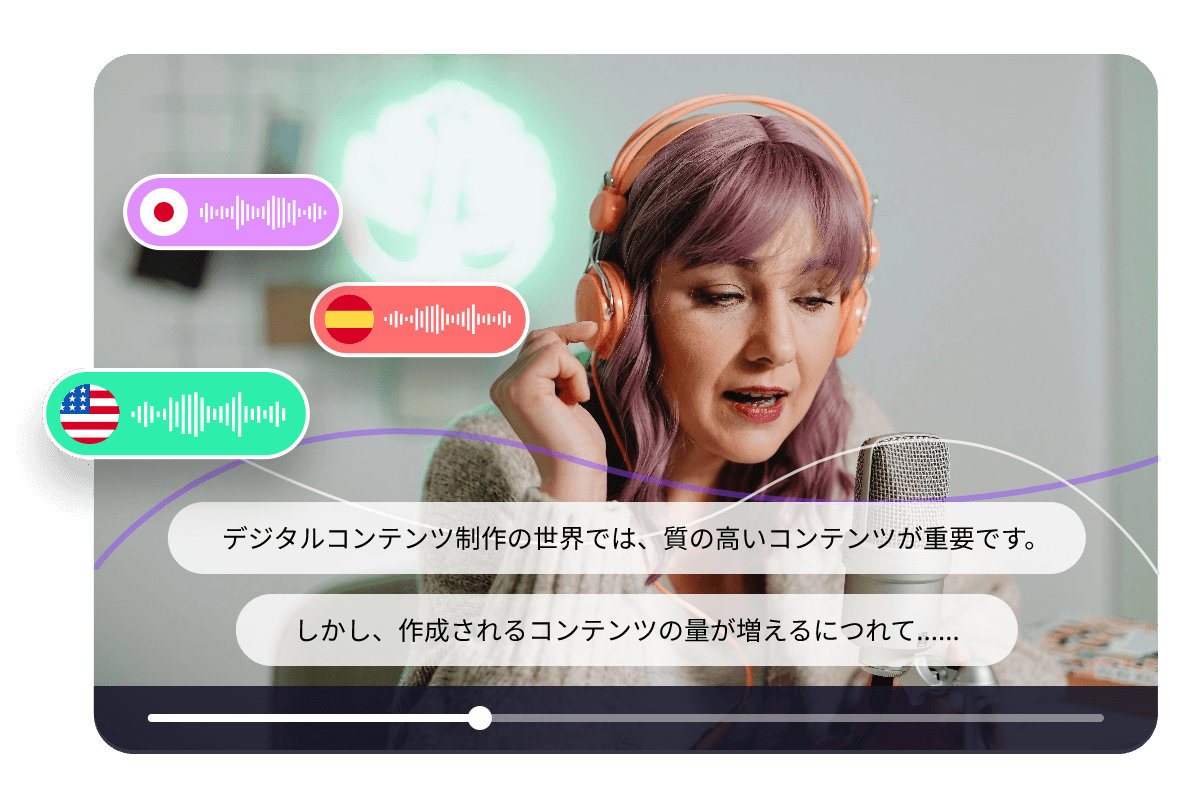
Promotional illustration, not a result from this review.
Captions compete with the demonstration for the viewer's attention. Give each line time to be read, and keep it clear of buttons, ingredients, and hand movements. Text already baked into the picture needs separate attention; translating speech does not translate a product label.
For a presenter, watch the face during pauses as well as speech. If lip sync makes the mouth distracting, compare it with a dubbed version that leaves the face unchanged. Our guide to subtitles, dubbing, and lip-sync outputs explains what each choice adds to the review.
What Must Be Checked in a Short Pilot?
Try a passage that contains a complete instruction and the action it explains. An easy greeting tells you little about how the dub handles a name, measurement, or warning.
For an illustrative camera-clamp tutorial, suppose the speaker says to release the clamp only after tightening it. Include that condition, the hand releasing the clamp, and the next shot. This is a proposed review example, not an observed Vidnoz result.
First, ask a fluent reviewer to explain the translated instruction without consulting the original. If “only after tightening” is missing, correct the translation before judging its timing.
Next, play the line beside the hand movement. If the voice finishes after the release, shorten the wording while keeping the condition, then generate and replay the revised speech. If it still runs late, consider holding the shot longer in your source edit. Cutting the warning to make the sentence fit would change the instruction.
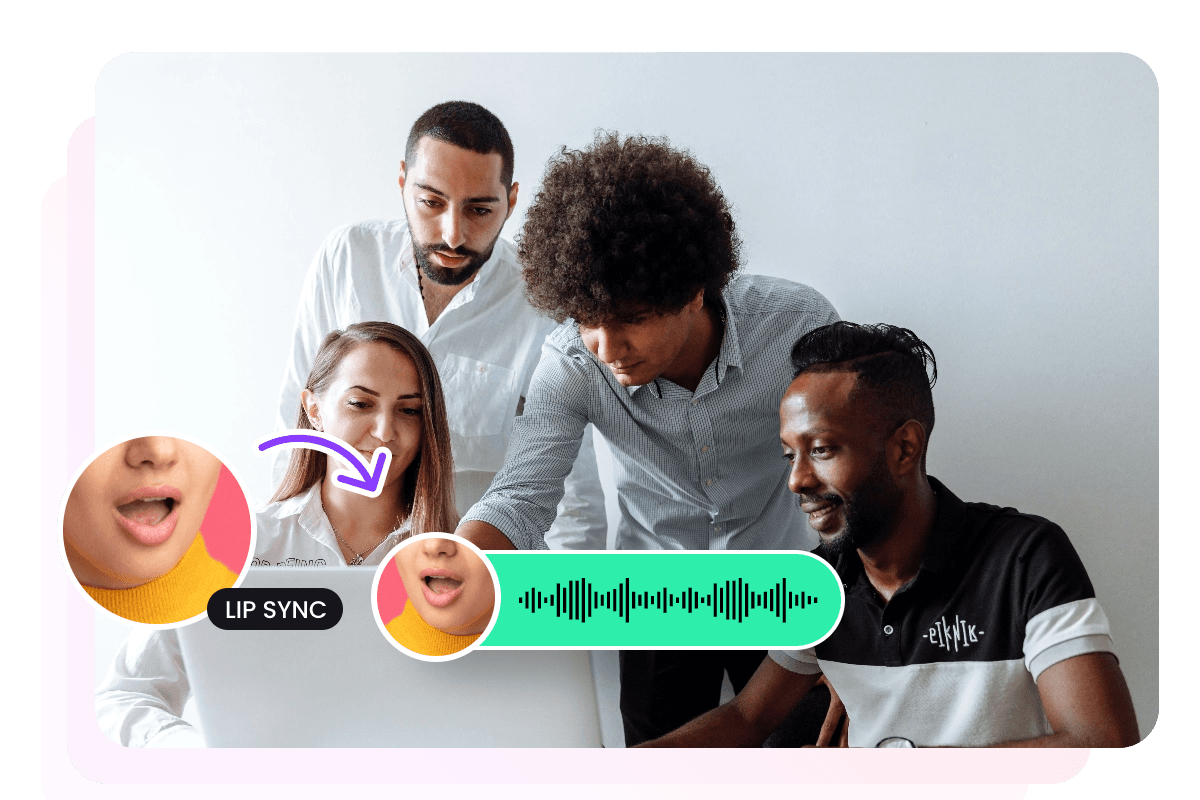
Illustration of the feature, not evidence of lip-sync quality or a free-plan allowance.
Before uploading someone's face or voice, confirm permission for the intended translation and use. For unreleased client footage, check approval for external processing and Vidnoz's privacy policy. A useful sample can come from footage you are allowed to share.
How Much Manual Review Will the Dub Need?
Plan for a fluent reviewer to check both the script and the voice. Vidnoz's proofreading steps show source and translated lines side by side, with manual changes before continuing translation.
In the clamp example, the reviewer needs to preserve the order of the actions. Names, measurements, negatives, and conditions deserve that same attention. If a shorter line changes what the viewer should do, it needs another rewrite.
Correct text still needs a fresh listen. A brand name can be spelled properly and pronounced badly; a revised sentence may need a different pause. Play the changed line with the sentence before and after it, rather than approving it in isolation.
Then listen beneath the voice for missing effects, changes in music, or room sound that drops between sentences. If an effect has gone missing, compare the same moment in the source file before changing the mix. For a delivery that needs separate speech, music, and effects tracks, ask Vidnoz about those exact files: the reviewed help does not confirm those exports.
When Is a Simpler Finished-Clip Route Better?
A short with approved pictures may need only a corrected dub and subtitles. Choose a service that can deliver those files without adding visual changes you do not need. Vidnoz already offers a finished-video route, so moving to another service is useful only if its languages, controls, or downloads better suit your clip.
Sonilo's video translator is another option for MP4, MOV, or M4V files up to five minutes and 400 MB per video. It offers proofreading before voicing and optional lip sync. Sonilo says it keeps the speaker's voice, background music, and effects; the rendered result still needs listening. Translated video and subtitle downloads require a paid plan.
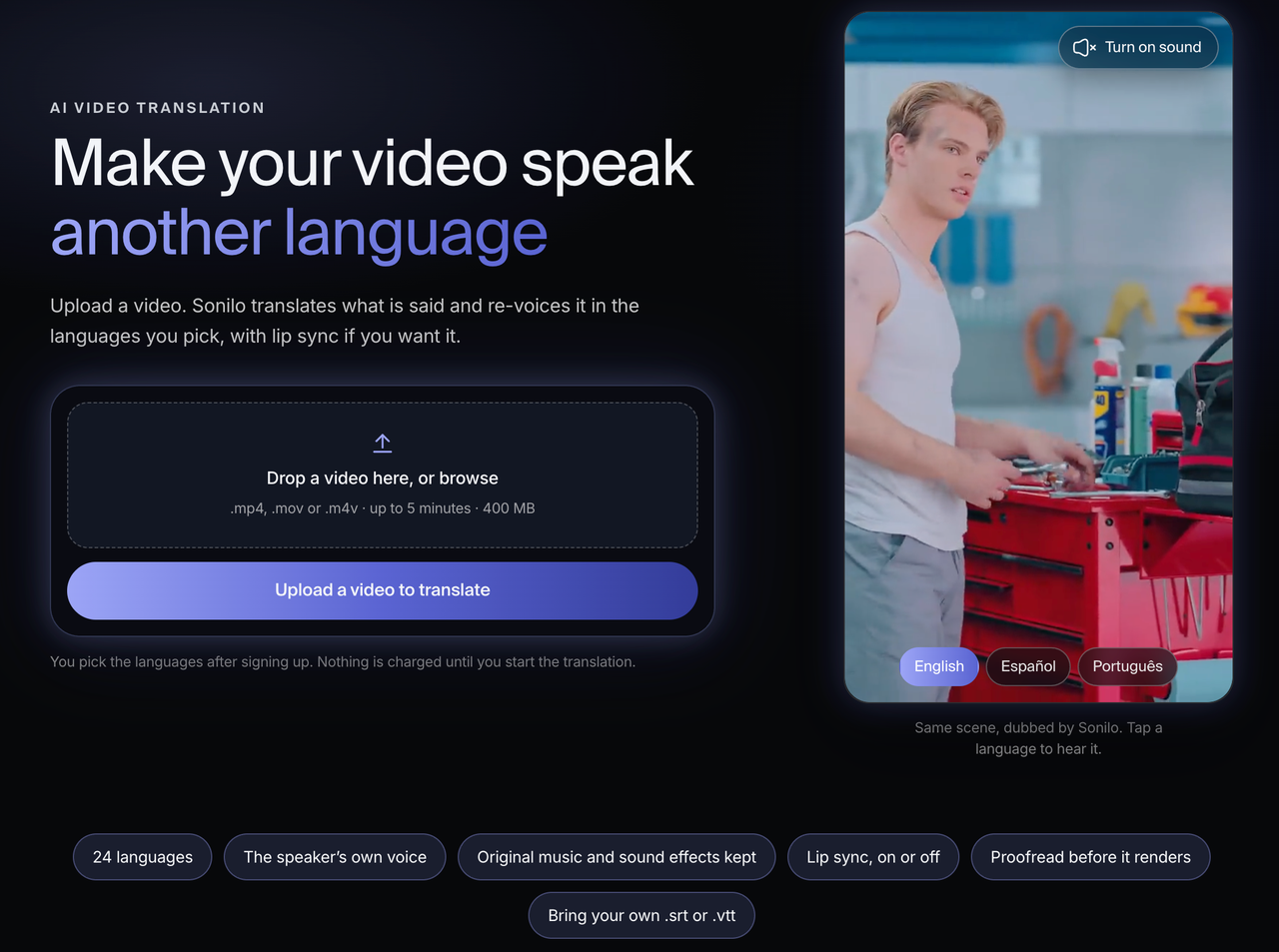
These features do not establish that Sonilo needs fewer corrections. If Vidnoz already delivers the files and review controls you need, there is no reason to regenerate a good dub elsewhere. If you are comparing export choices, see our online video translator comparison.
Which Export and Plan Limits Change the Choice?
Budget from the dedicated Video Translator pricing page. Vidnoz's avatar generator has different allowances.
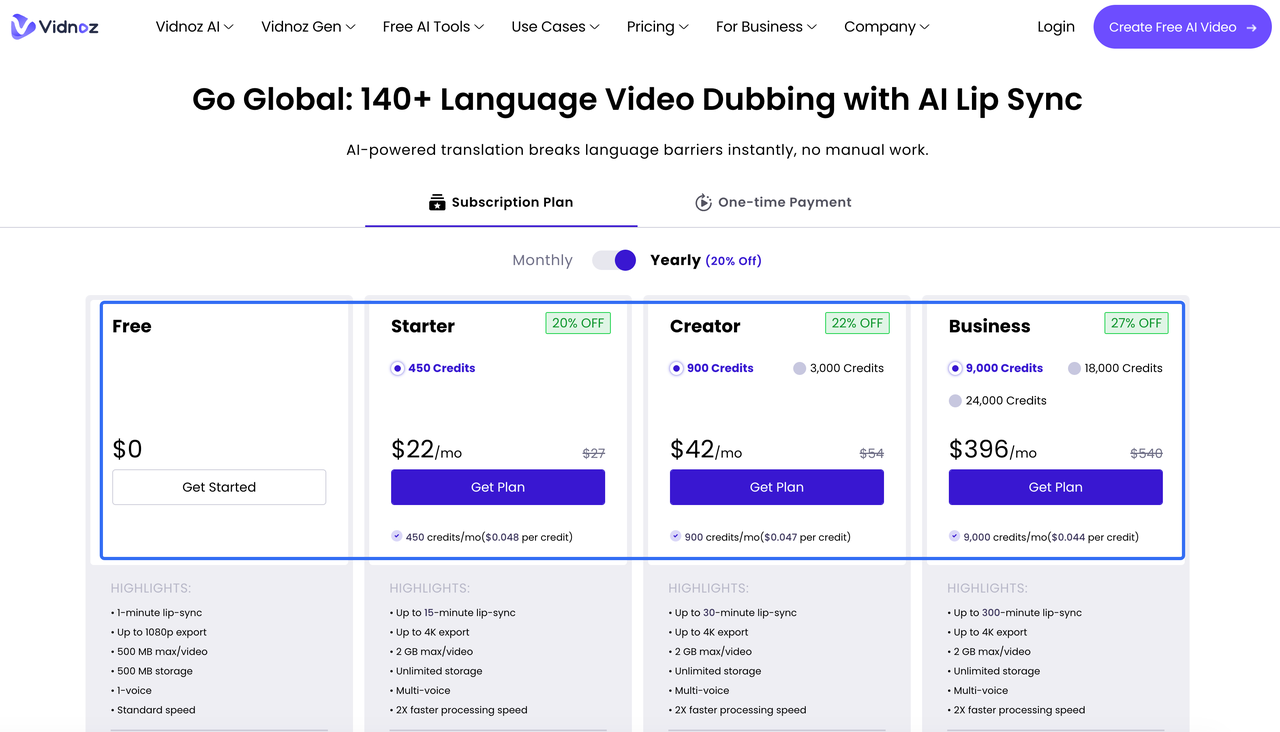
Supplied pricing screenshot. Check the live page before buying; these captured prices and allowances may have changed.
The pricing page lists Free exports up to 1080p, 500 MB uploads, and one speaker. Paid options list multi-voice, watermark removal, and up to 4K at original quality. A low-resolution source will not gain detail from a higher export ceiling.
Two conflicts need attention. Paid cards say 2 GB per video, while the comparison table says 5 GB. Free lip sync is listed as one minute, while the tool's free-use prompts say the first 90 seconds. Its pricing table also lists a four-minute video maximum. Those figures should not be treated as one confirmed processing allowance. Confirm the applicable limit in your account before paying for the full clip.
Sign in before downloading, as the tool’s download FAQ requires. Save the source, approved script, and final download locally. Keeping those files lets you move a revision elsewhere if the online project is unavailable.
Vidnoz's terms assign output rights to the user to the extent permitted by law and require permission for the inputs. That does not clear a guest's voice or licensed music for a new use. Check the intended publication and client delivery against the current terms and your permissions. This is general information, not legal advice.
FAQ
Can Vidnoz translate a file without an on-camera speaker?
Yes, spoken narration can accompany a video without showing the narrator. Leave lip sync off. Vidnoz lists M4V, MP4, MOV, and WEBM video inputs; its FAQ says audio-only uploads are unsupported. For a silent clip, first decide whether you need translated on-screen text or newly written narration.
Does Vidnoz accept a YouTube URL as input?
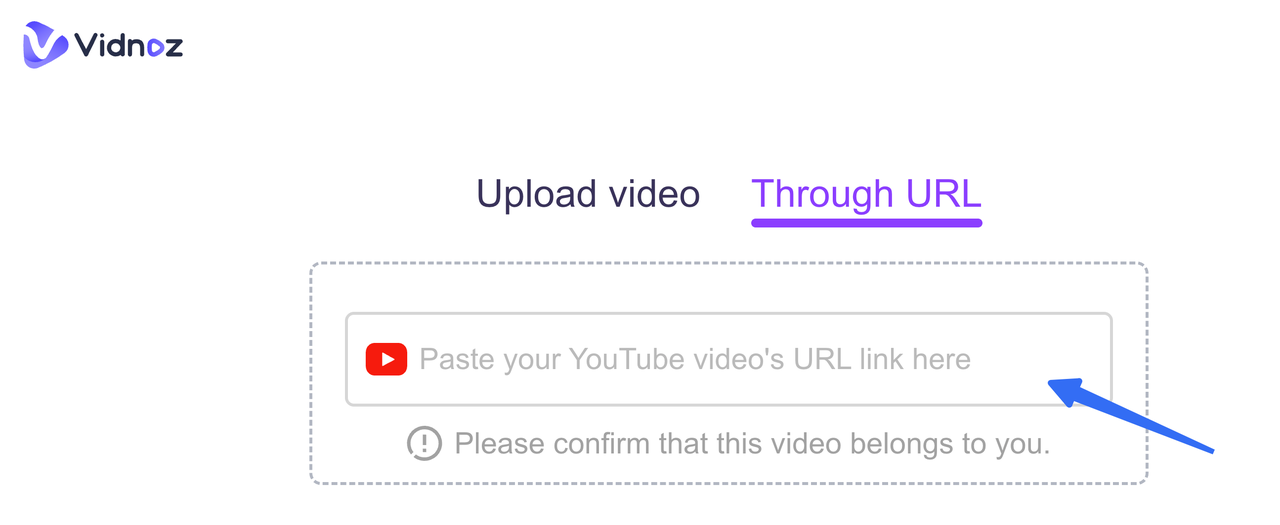
Yes. Its URL import instructions use the Through URL tab shown below. Use a video you have permission to translate. For private or restricted material, keep an authorized file available; the guide does not confirm that the importer can pass your login restrictions.
Can Vidnoz import a subtitle file to guide the dub?
Yes. The interface accepts a proofread target-language SRT or ASS file, and paid translation options list subtitle upload. Use a file that matches the approved cut. This supplies the translated wording; the spoken names, pauses, and timing still need review.
Which Vidnoz plans include lip sync?
The dedicated pricing page lists it for Free and paid translation options. Check the selected credit package for the paid allowance. Because the free-use figures differ across pages, choose a sample longer than ten seconds but under one minute and confirm how much is processed before submitting a longer clip.
Can a Vidnoz project be edited after the video is exported?
The help shows an editing panel after generation and saves videos under My Files > Videos. It does not establish indefinite access to a fully editable translation. If later client changes are likely, try reopening your sample and changing one line before trusting the service with the whole job.
Conclusion
Vidnoz is worth a short trial when you need to correct a translated script and can arrange a fluent review. Include the difficult instruction, its visible action, and the ending in that sample. Before paying for the rest, download it and check that the words still tell viewers what to do at the right moment.
Related Articles
- How to Translate a Video With AI and Review the Dub — Follow the steps from a finished cut to script review and the final language version.
- Free AI Video Translators for 2027: Preview vs Export — Compare free previews, download access, and export limits before trying another tool.
- AI Video Translator Reviews: What to Check Before Buying — Learn what dubbing-specific user reviews can tell you before subscribing.