Comparisons
Lyria 3 Pro vs Suno: Which Fits Video Creators?
- Written by
- Sonilo Team
- Published
Fellow editors, I spent the last two weeks testing both Lyria 3 Pro and Suno for real video projects. Here’s the one I actually kept in my workflow — and it’s not the one I expected.
Step 1: The Moment I Realized I Was Solving the Wrong Problem
I had a 2-minute brand promo sitting on my timeline, fully cut, color-graded, ready to export. The only thing missing was a background track.
I typed a prompt into an AI music tool. Got something back in 30 seconds. Dropped it into the timeline. The energy was fine. The vibe was close. But the music ran 3 minutes 47 seconds on a 2-minute cut.
So I cropped it. The crop landed right as the track was building toward something. Now it just… stopped. I trimmed from the other end. Still wrong. I tried fading out early. It felt like someone turned off the radio mid-song.
That’s when I realized: I wasn’t looking for a better music generator. I was looking for a tool that would stop making me solve this problem at all.
That context matters for everything that follows. Because Lyria 3 Pro and Suno are both genuinely impressive AI music tools — but neither of them was actually built to solve what I just described.
Step 2: Quick Verdict — Which One Fits Video Creators Better?
Let me give you the short answer before we go deep.
| Dimension | Lyria 3 Pro | Suno |
|---|---|---|
| Recommended for video creators? | Yes — with caveats | Situationally |
| Core strength | Google ecosystem integration, structural composition | Full song generation with vocals and lyrics |
| Biggest limitation | No automatic duration matching to your video cut | Output length doesn’t align to video timelines |
| Best fit for | YouTube Shorts, Google Vids users, instrumental BGM | Branded content needing original songs, voiceover tracks |
| Commercial use | Paid plan required for client work | Free tier: non-commercial only; paid plan required for client work |
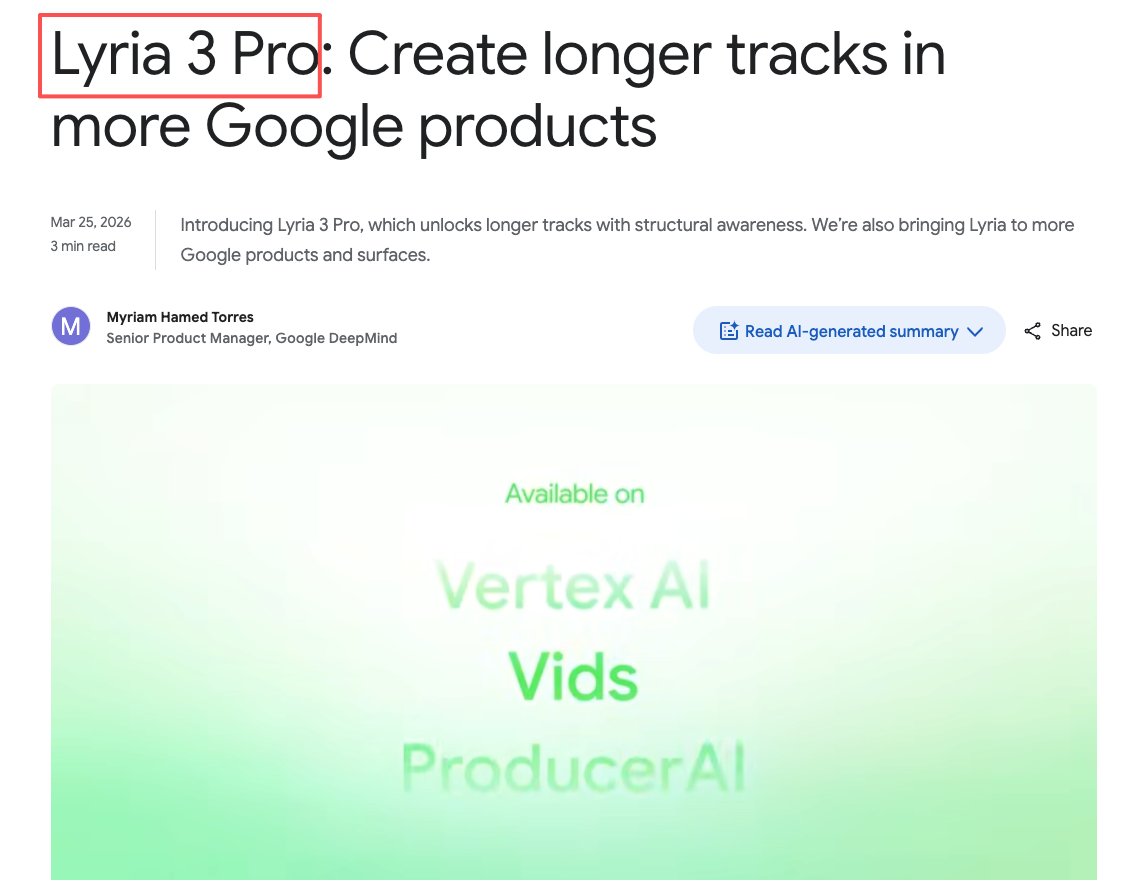
Google released Lyria 3 Pro on March 25, 2026 as its most advanced music generation model — and Suno followed one day later with v5.5. Both updates landed within 48 hours of each other, which tells you something about where the competition is heading right now.
Neither tool is a true video-native soundtrack generator. That’s not a knock — it’s just the honest framing you need before you choose one.
Step 3: Deep Dive — How Each Tool Actually Performs in a Real Editing Workflow
What Lyria 3 Pro Is Built For
Lyria 3 Pro is Google’s latest-generation AI music model, and it’s clearly designed to sit inside the Google creative stack — Google Vids, Gemini, and connected tools. That integration matters more than it sounds.
Google ecosystem integration. If you’re already using Google Vids for content production, Lyria 3 Pro can work inside that environment directly. You’re not exporting, switching tabs, reformatting, and re-importing. For creators whose workflow lives in Google’s tools, that alone changes the friction calculation.
Structural composition. Lyria 3 Pro generates music with real compositional structure — verse, chorus, bridge — rather than looping ambient texture. That means the output has natural tension and resolution built in, which is good for narrative-driven content. It’s also why cropping it feels jarring: you’re cutting into something that was going somewhere.
SynthID watermarking. Google embeds an inaudible watermark — SynthID — into every Lyria 3 Pro track. This has two sides. On the trust side, it gives the output a provenance trail: the audio is identifiable as AI-generated, which survives common modifications like MP3 compression or speed changes. On the workflow side, that watermark means platforms and distributors can detect that this track came from an AI tool. For most YouTube or social content, that’s fine. For broadcast licensing or sync work, it’s a conversation worth having with your client before you deliver.
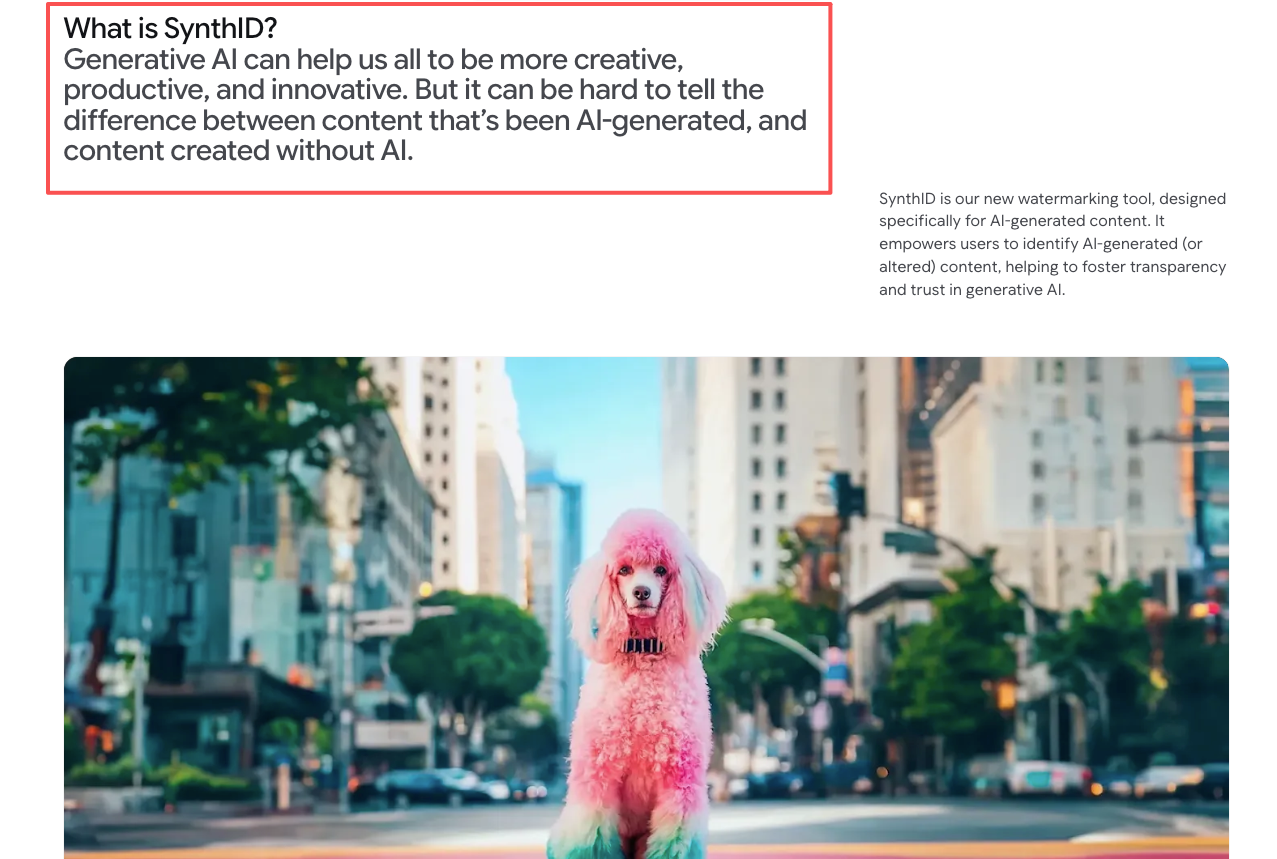
Image input for mood matching. Lyria 3 Pro accepts image input alongside text prompts, which means you can drop in a still frame from your video and let that guide the mood direction. I tested this. It’s not magic — the image influence is real but subtle. Still, it’s more signal than a text prompt alone.
Generation speed is fast. 30 seconds or under for most outputs in my testing. Quality is high for instrumental and background music. The gap shows up when you need the output to fit a specific cut length.
What Suno Is Built For
Suno, which released v5.5 on March 26, 2026 with a significant focus on personalization, is built for something different: generating complete songs with vocals, lyrics, and production.
Full song generation with vocals. Suno’s core use case is making songs that sound like songs — with a vocalist, structured verses, and a hook. If your video needs an original jingle, a branded intro track, or a music bed that will actually have lyrics in it, Suno is the better starting point.
Custom voice models and personalization. Suno lets you train on vocal styles and generate output that maintains a consistent character across pieces. For creators building a recognizable audio brand, this matters.
Up to 8 minutes of output. Suno can generate longer pieces than most competing tools. For a 5-minute YouTube documentary or a long-form brand film, that output ceiling is relevant. But — and this is the part that always gets me — longer output doesn’t mean it fits your cut. You still have to align it manually to your timeline.
Generation speed is comparable to Lyria 3 Pro. Music quality, particularly on vocal tracks, is genuinely impressive. The gap shows up when you need something purely instrumental and structurally spare, or when you need the music to fit a specific video duration without manual work.
Side-by-Side: The Dimensions That Actually Matter for Editors
| Feature | Lyria 3 Pro | Suno v5.5 |
|---|---|---|
| Instrumental BGM quality | High | High |
| Vocal/lyric generation | Limited | Strong |
| Output length control | Up to 3 min | Up to 8 min |
| Auto duration matching to video | No | No |
| Google Vids integration | Yes | No |
| Image prompt input | Yes | No |
| Commercial licensing | Paid plan required for client work | Free tier: non-commercial only; paid plan required for client work |
| Generation speed | ~30 seconds | ~30 seconds |
Where Lyria 3 Pro Wins for Video Creators
Two scenarios where Lyria 3 Pro has a clear edge.
Google Vids integration for in-editor scoring. If your production pipeline is inside Google Vids, Lyria 3 Pro’s native integration means you’re working with the music in context — not treating it as a separate export step. That’s a real workflow improvement, not a marketing claim.
Image input for mood matching. Dropping a frame from your video into the prompt gives Lyria 3 Pro visual context that text alone can’t. For documentary footage, travel content, or emotionally specific scenes, this makes the output more relevant on the first pass. You’ll still refine — but you’ll refine less.
Instrumental composition. For talking head videos, product ads, and content where vocals would compete with narration, Lyria 3 Pro’s instrumental outputs are strong. Clean, structured, and less likely to feel like generic stock music.
Where Suno Wins

Branded content that needs original songs. If the brief requires a jingle, a theme track, or music with lyrics that match your brand’s message, Suno is the right starting tool. Lyria 3 Pro isn’t built for this.
Longer output ceiling. For longer-form content where you need more than 3 minutes of music and want to edit it down yourself, Suno’s 8-minute output gives you more raw material to work with.
Vocal generation as a creative asset. Some creators use AI vocal tracks as a creative layer — not background, but a featured element. Suno is the better tool for that use case.
What Neither Tool Solves Well
Here’s the part I wish more comparison articles said clearly.
Automatic duration matching. Neither Lyria 3 Pro nor Suno will generate music that automatically fits the exact length of your video cut. You upload a prompt, you get music back, and you figure out the alignment yourself. That manual step — trimming, fading, looping, re-cutting — is still yours.
Upload-video-and-get-a-fitted-soundtrack workflow. Neither tool takes your video as the primary input and generates music around the actual cut. They’re prompt-driven. The video lives in your editing software; the music gets generated separately and then brought together. That’s a meaningful gap if what you actually need is a tool that reads your video.
Generation quality is one thing, and fitting your specific timeline is another.
A Word on Licensing — Read This Before You Publish Anything
This is the section I always wish AI music comparison articles would actually write properly.
For Suno: according to Suno’s official licensing FAQ, Pro and Premier subscribers receive commercial use rights, while free-tier output is restricted to personal, non-commercial use only. Free-plan songs also remain owned by Suno — not you. If you’re planning to use AI-generated music in client work, ads, or monetized YouTube content, a paid subscription isn’t optional.
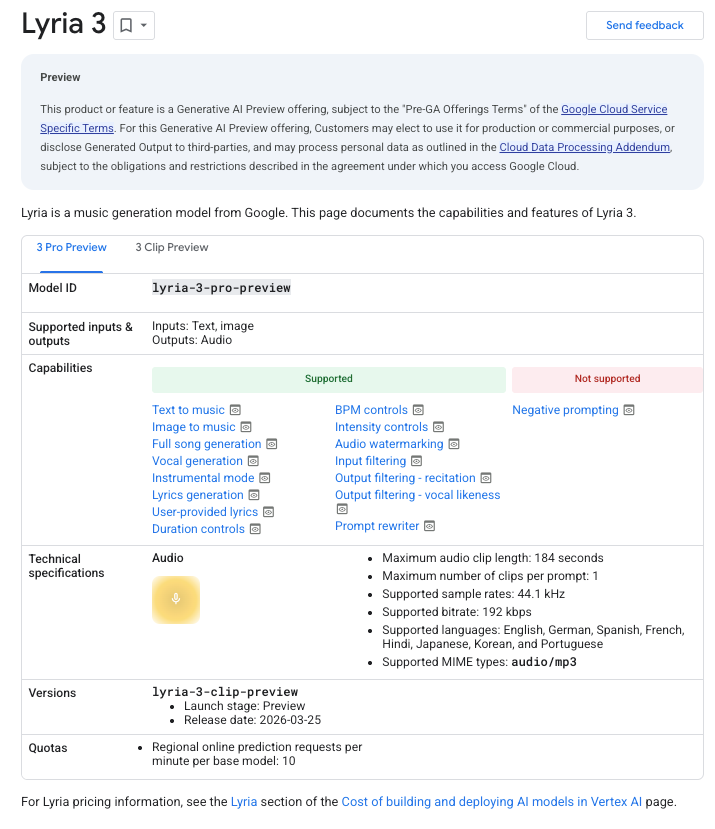
For Lyria 3 Pro: Google’s Vertex AI documentation for Lyria 3 notes that commercial and production use is permitted under the standard Cloud Data Processing agreement, subject to the ongoing Preview terms. Google also states the model was trained on materials it has the right to use under its terms of service and partner agreements — which is a different position than Suno’s, which faced major label lawsuits before settling in 2025. That said, a class-action from independent musicians was filed against Google in March 2026 over YouTube training data, so “licensed training data” doesn’t mean “legally uncontested.”
Problem not in the music quality — it’s in assuming the default settings cover your specific commercial use case. Check both platforms’ current terms directly before any paid deliverable goes out.
AI Music Generation vs. Video-Native Soundtrack Tools
It’s worth naming this distinction because it affects which tool category actually solves your problem.
Lyria 3 Pro and Suno are AI music generators. They’re excellent at what they do. But they sit outside the video production workflow — you bring the music to the video, not the other way around.
There’s a different category of tool emerging — video-first soundtrack generators — where the video is the input and the music is built around the cut. That’s a different job to be done. If you’ve been frustrated by the manual alignment step, that’s the category worth watching.
Step 4: How to Actually Use These Tools in Your Editing Workflow
One thing before you generate a single track — check which plan you’re on. Both tools restrict commercial use to paid subscribers. Free tier output on Suno is non-commercial only and owned by Suno, not you. Lyria 3 Pro through a paid Gemini or Workspace plan allows commercial use under Google’s standard Cloud terms. If you’re delivering to a client or publishing monetized content, a paid subscription on whichever tool you use isn’t optional — it’s the baseline.
Practical approach for Lyria 3 Pro:
If you’re on Google Vids, use the native integration and generate music in context. Start with an image prompt from a key scene in your video alongside your text description of mood. Generate 3–4 variations. Listen to each against your rough cut before committing. For instrumental BGM under narration or dialogue, this is a strong workflow.
In Premiere or Final Cut, import your Lyria 3 Pro output and place it on a separate track below your main audio. Use your editing software’s tempo-matching or clip-trimming tools to align the music to your cut. Lyria 3 Pro’s structural compositions have natural edit points — listen for the transitions between sections and cut there.
Practical approach for Suno:
Use Suno when you need music that’s a feature, not just a background. For YouTube intros, branded content where original audio matters, or anything where vocals are part of the creative idea, give Suno a detailed style prompt: genre, tempo, energy, lyrical theme if relevant. Download the full output and bring it into your editing software with enough runway to find the section that fits best.
For shorter content, generate a longer piece and treat it like stock music — find the best 30–90 seconds and edit from there.
For both tools: Generate more than you think you need. Three variations minimum. You’ll often find the second or third one is the one that actually works.
Step 5: Which One Should You Try First?
This comes down to your typical project type.
If you’re making talking head videos, YouTube essays, product demos, or anything where music sits under narration — try Lyria 3 Pro first. The instrumental quality is strong, the Google integration helps if you’re in that ecosystem, and the image prompt input gives you a faster path to something that fits the mood.
If you’re making branded content, social ads where music is a featured element, or you need original vocals — try Suno. The song generation quality is genuinely impressive, and the longer output ceiling gives you more to work with.
If you’re frustrated that neither tool automatically fits your video cut — you’re not wrong about the gap. That’s a real product difference between AI music generators and video-first soundtrack tools.
Selecting a tool is one thing. Knowing what problem it actually solves is another.
This week I tested both tools across six real video projects — you can use the comparison table above to match your project type to the right starting point.
What’s the part of video soundtrack work that’s taking you the most time right now — finding the right mood, or making the length actually fit?
Data sources:
- Google Lyria 3 Pro release: blog.google/innovation-and-ai/technology/ai/lyria-3-pro
- Suno v5.5 release: suno.com/blog/v5-5
- SynthID watermarking: deepmind.google/models/synthid
- Suno licensing terms: help.suno.com
- Lyria 3 Vertex AI documentation: cloud.google.com