Comparisons
7 AI Music Generators for Short-Form Creators in 2027
- Written by
- Sonilo Team
- Published
A short-form edit does not give music a long runway. The soundtrack has to establish its role immediately, keep up, leave room for speech, and get out cleanly before the viewer swipes away.
That changes what “best” means. My rule is simple: a polished standalone track is not enough. If you are researching the best AI music generators for creators 2027, the useful shortlist is the one that survives a real edit from the opening hook to the final frame.
Disclosure: Sonilo publishes this guide and is included in the shortlist.
One date matters here: the product, pricing, and policy pages in this article were checked on July 23, 2026. This is an early 2027 planning shortlist based on features available now, not a claim about future launches or prices. Recheck every linked page on the publication date.
Why short-form creators need a different shortlist
Longer videos give music time to introduce an idea. Reels, Shorts, vertical ads, and mini explainers compress the whole arc. A slow introduction can consume the hook, while a phrase that starts near the end can make the export sound accidentally cropped.
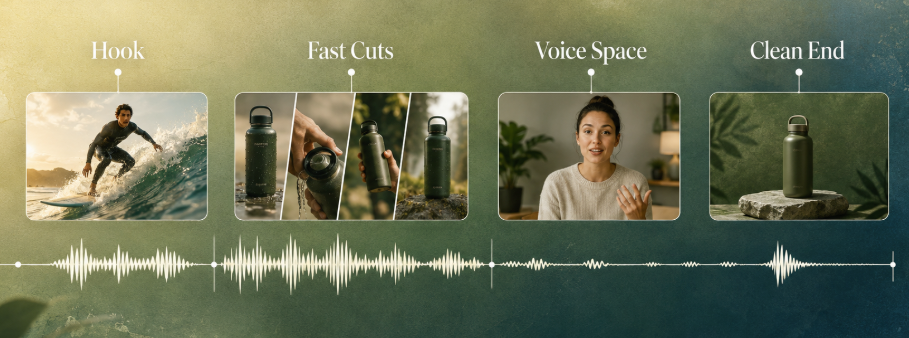
Start with the edit map, not the catalog size. Mark the opening action, the main turn or reveal, the densest narration, and the final frame. Those moments give every generator the same job.
Music for Reels and music for Shorts may share one clean master, but each destination still needs its own publishing check.
A practical creator soundtrack workflow asks five questions:
- Does the music contribute immediately without overpowering the hook?
- Does its energy support fast cuts without making every cut feel identical?
- Can viewers understand the narration without depending on captions?
- Does the track resolve at the target duration?
- How much regeneration, trimming, mixing, or version tracking is required?
This article covers browser, desktop, and video-first generation. It does not compare mobile-only apps or song-production workflows.
Seven generators by creator workflow
The seven tools below qualify because their current official pages show a usable background-music or video-scoring workflow. These are workflow fits, not output-quality winners: no shared test clip or seven-tool output log was included with the source article, so the shortlist does not invent performance scores.
Generators 1-2: Best for rapid browser-based concepts
1. Mubert Render
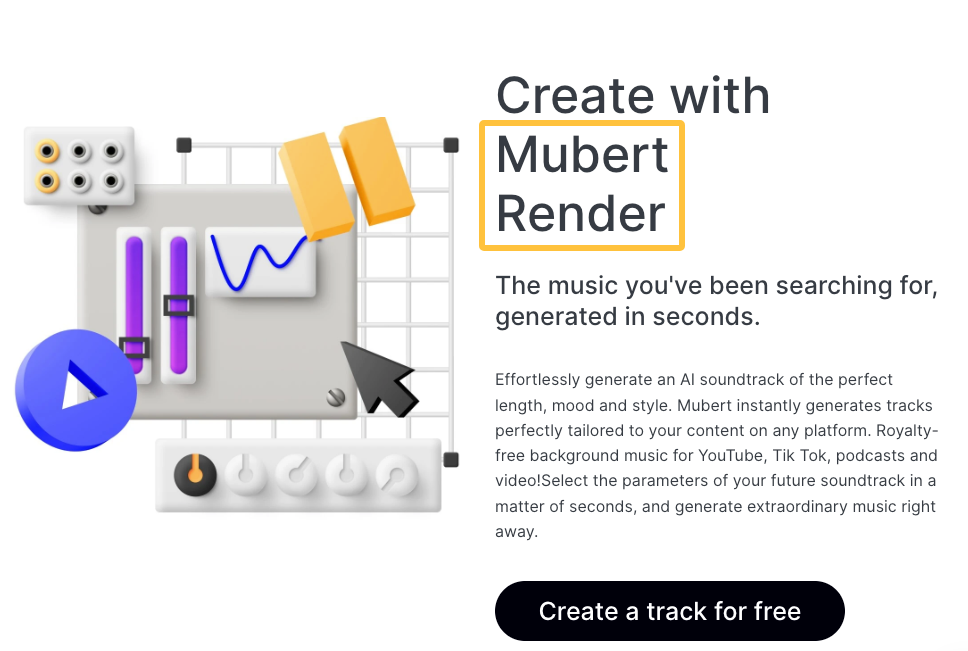
- Input: Browser-based text or mood, style, and duration choices.
- Short-form fit: Mubert Render is positioned around quickly generating background music for video content at a chosen mood and length.
- Same-edit check: Listen for a late intro or interrupted ending. The tool receives the requested length, not the edit's cut map.
- Verify before publishing: Recheck the current pricing and license certificate route, because export and usage scope depend on the selected plan.
2. SOUNDRAW
- Input: Browser controls for genre, mood, length, instruments, and intensity.
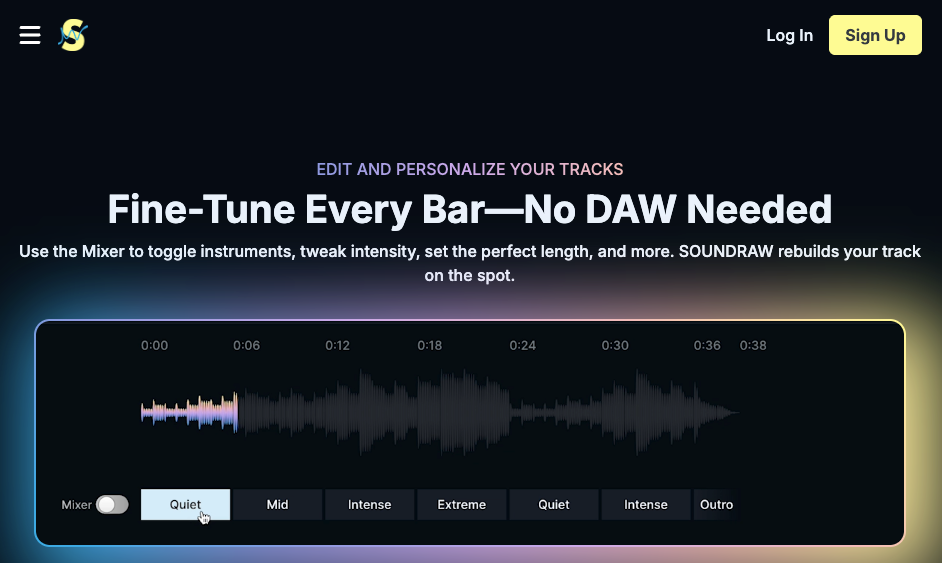
- Short-form fit: SOUNDRAW's current generator page documents an in-browser mixer that can rebuild a track after length or arrangement changes.
- Same-edit check: Count how many manual changes are needed to clear narration and make the last phrase land cleanly.
- Verify before publishing: Review the current plan and SOUNDRAW license rather than treating homepage licensing language as the controlling grant.
These two are useful when a creator wants several musical directions quickly and can still adjust the edit or arrangement. Neither current page establishes automatic cut-by-cut scoring.
Generators 3-4: Best for narration-heavy short videos
3. Loudly
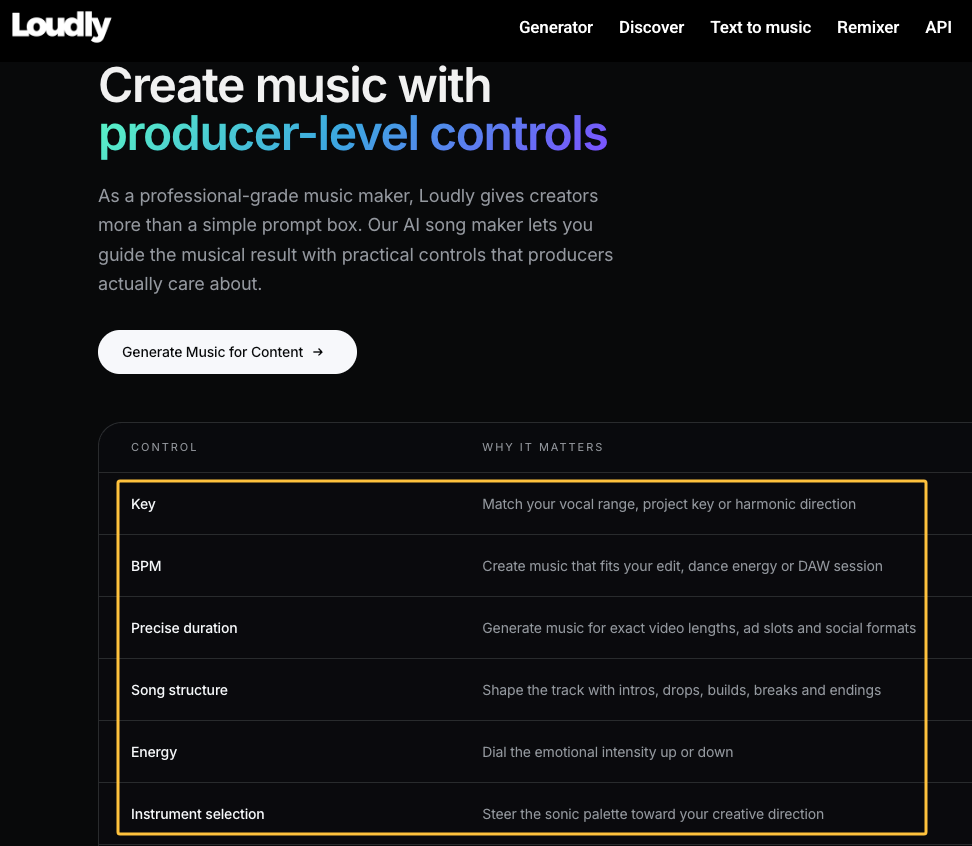
- Input: Text prompt or a browser “song formula” covering energy, key, tempo, structure, instruments, and duration.
- Short-form fit: Loudly's generator supports exact duration, structure changes, WAV or MP3 output, and stems, giving an editor more ways to simplify a busy result.
- Same-edit check: Test the real voice mix. The current page offers useful controls but does not establish automatic speech-aware scoring.
- Verify before publishing: Confirm the current plan, export access, and commercial terms instead of assuming every control is available on every tier.
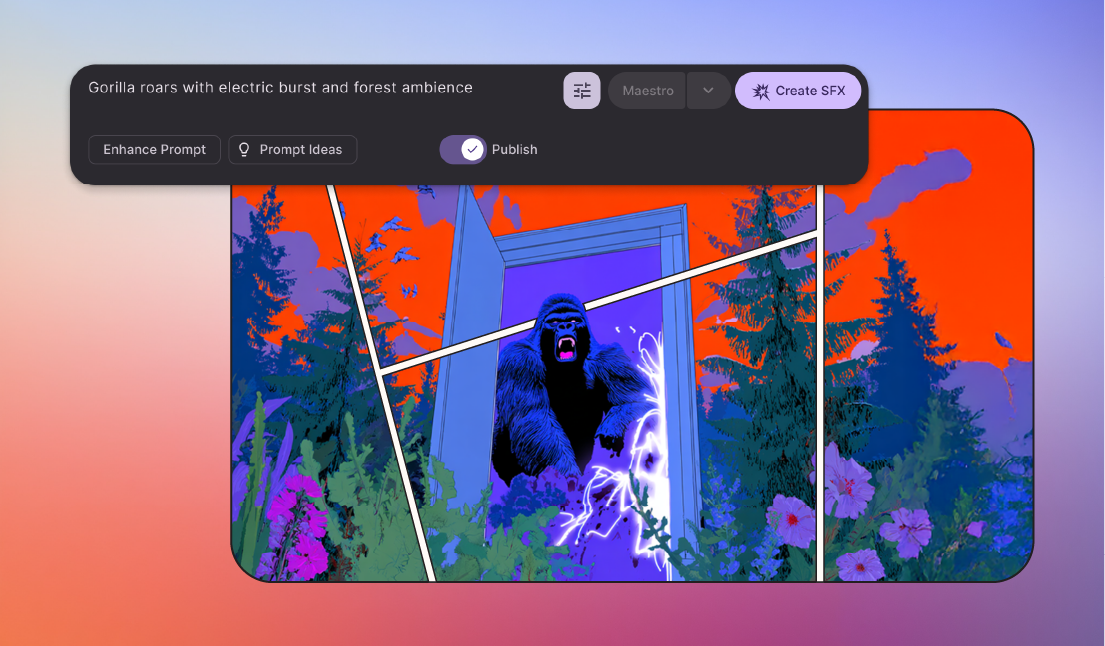
4. Beatoven.ai
- Input: A text description for background music.
- Short-form fit: The current Beatoven.ai page foregrounds prompt-based background music, MP3 or WAV downloads, and a license delivered with downloaded tracks.
- Same-edit check: Ask for restrained foreground activity, then test whether the narration remains clear and whether the opening arrives soon enough.
- Verify before publishing: Its current Terms focus the license on music synchronized with audiovisual content and include other restrictions that should be checked for the intended project.
Loudly and Beatoven enter this group because they support instrumental background workflows and revision or export options—not because either official page proves voice-aware mixing. Narration performance still has to be heard in the finished mix.
Generators 5-7: Best for edit-matched scoring and revisions
5. Sonilo
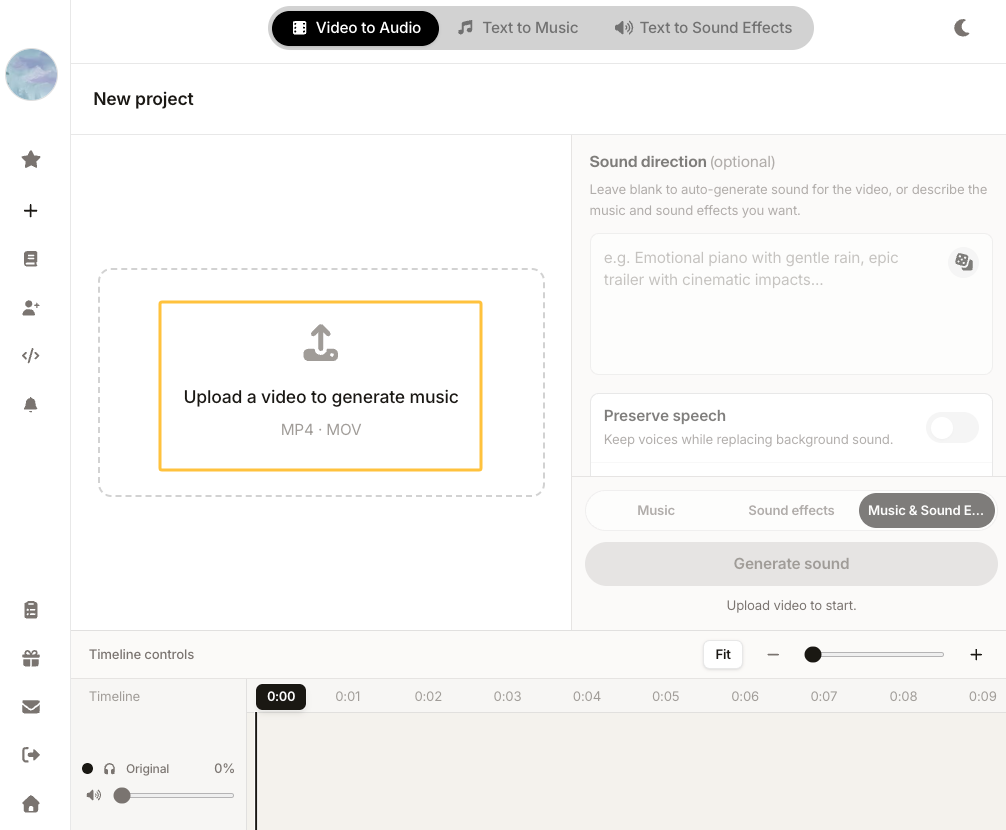
- Input: Upload an MP4 or MOV and optionally add a prompt.
- Short-form fit: Sonilo's video workflow says it reads cuts, pacing, and voiceover and generates music around key moments.
- Same-edit check: Compare claimed cut and voiceover awareness with the actual hook, reveal, speech, and ending.
- Verify before publishing: Check current plans, terms, and upload-data rules. The product-page description is not an independent performance result.
6. Adobe Firefly Generate Soundtrack
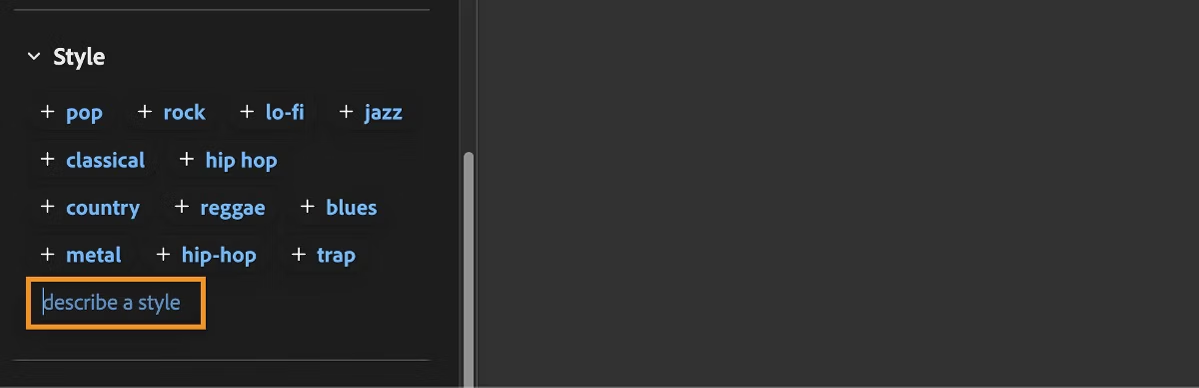
- Input: Upload a video for suggested direction or begin with a custom prompt.
- Short-form fit: Adobe's current Generate Soundtrack documentation describes vibe, style, purpose, energy, tempo, duration, four variations, and WAV download.
- Same-edit check: Test whether video guidance improves the hook and ending rather than merely matching mood and duration.
- Verify before publishing: The feature is currently described as beta; check Firefly plans and current terms before relying on it in 2027.
7. ACE Studio Video Composer
- Input: Import video into the desktop timeline and generate for the full video or a selected range.
- Short-form fit: Video Composer analyzes video, places music as editable clips, and supports continued revisions through its agent conversation.
- Same-edit check: Record whether timeline-level revision reduces manual trimming or simply moves the work into another interface.
- Verify before publishing: Video Composer is currently beta. Confirm availability, credits, export workflow, and the current feature-specific license.
These three can receive the edit itself, but video input is not proof of a better result. It only gives the generator access to information that prompt-first tools must receive through your written brief.
Test all seven generators inside a real short edit
Use one locked vertical edit with a clear opening, a cluster of fast cuts, spoken narration, and an intentional final frame. Prompt-first tools should receive the same mood, density, duration, and ending brief. Video-first tools should receive the same file and the same optional prompt.
Keep the tool name hidden during review if another editor can prepare the exports. For each result, record pass, mixed, or fail on the four checks below, then note regeneration count, manual edit time, export format, and the version ultimately approved. Do not publish a winner without saving those results.
Opening-hook support
Watch the opening with sound, then without it. The music should create motion, tension, contrast, or space immediately; “loud” is not the same as useful. Mark any track that needs its introduction removed before it contributes.
Fast-cut timing
Do not reward a soundtrack simply for hitting every splice. Check whether its phrases help viewers read groups of shots and whether a meaningful change supports the main turn. A constant pulse can fit the duration while flattening the edit.
Space beneath narration
Play the complete mix through ordinary phone speakers with captions hidden. If words become harder to follow, note whether the tool can generate a simpler version or whether the editor must repair the mix manually. Instrumental output alone does not guarantee narration space.
Clean endings at the target duration
Judge the final phrase, not only the file length. A useful short-form video soundtrack should stop, decay, or resolve in a way that serves the last word and final frame. Record any forced fade, abrupt crop, or extra regeneration required to make the ending feel intentional.
Where generic generators can break the workflow
Prompt-first tools work well when music leads the creative direction or the visuals can still move. They become less efficient after edit lock because a text brief cannot automatically transmit every pause, cut, reveal, or line of dialogue.
Duration matching is not edit matching. A file can be the correct length while placing its largest change under a quiet sentence or starting a new phrase just before the end. That is why AI music for creators should be judged inside the timeline rather than from an isolated preview.
Generic tools are still reasonable for flexible montages and rapid concepts. The failure is not choosing a prompt-first generator; it is expecting the generator to understand editorial information it never received.
When video-to-music is worth testing
Video-to-music is worth testing when the cut is nearly locked, narration carries the message, or the hook, reveal, and final frame need different treatment. It is also useful when several duration variants should feel composed rather than cropped.
Run one prompt-first result against one video-aware result from the same edit. If video input does not improve timing, speech space, ending quality, or revision cost, keep the simpler workflow. You can run that comparison with Sonilo, but judge it by the same checklist rather than by its product positioning.
Use only footage you are authorized to upload. Before cross-posting, recheck provider terms and current destination rules: YouTube distinguishes music added through its Shorts creation tools from externally added music, and its current AI disclosure guidance includes AI-generated music. TikTok's Commercial Music Library guidance varies access by account and region. These 2026 pages must be checked again for a 2027 publication.
FAQ
Who should approve soundtrack changes after edit lock?
Use one named owner: usually the editor, creative lead, or client approver responsible for the locked cut. Any soundtrack change after approval should return to that person because it can alter pacing, emphasis, and tone. Record the approver and approval date beside the exported version instead of relying on a message thread.
How should creators label audio test exports?
Use labels that expose the decision: project, cut duration, soundtrack source, version, and date. A pattern such as project-duration-source-vXX-YYYY-MM-DD is more useful than final-new. If a mix changes after approval, increment the version rather than overwriting it, and retain rejected tests long enough to explain the decision.
What should be documented before cross-posting?
Record the music source, generating account or plan, applicable terms link, generation and download dates, and exact audio file used. Then check each platform, account type, territory, and paid or organic placement separately. Successful publication on one destination is not proof that the same use is permitted everywhere.
When should a team keep the older soundtrack version?
Keep it whenever the edit, narration, client approval, license record, or destination changes. An older mix may be the approved fallback if a new cue weakens the hook, masks speech, or introduces a publishing question. Archive the matching video and audio together so the team can restore it without rebuilding the decision from memory.