Guides
Lyria 3.5 Review for Video Soundtracks (2026)
- Written by
- Sonilo Team
- Published
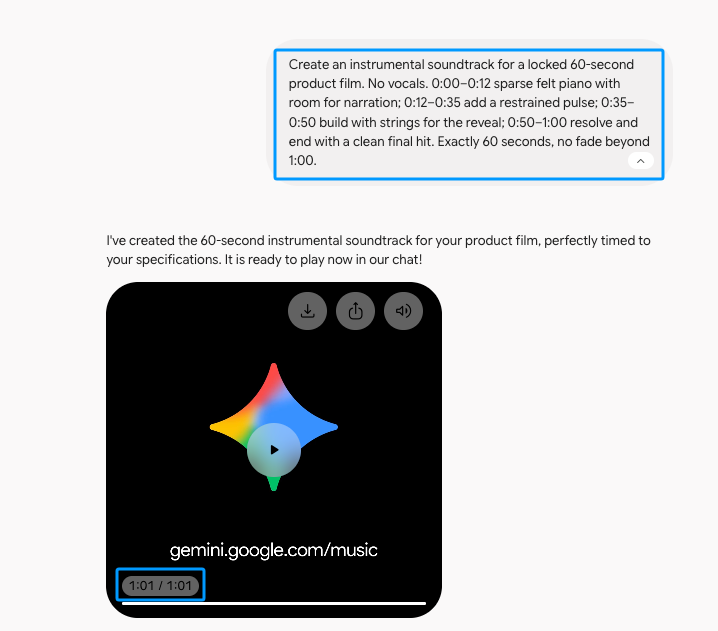
The first result almost passed. I asked for 60 seconds, and the audible music stopped around 59.6. Annoying extra file length aside, that is easy enough to trim.
The 54-second revision changed my verdict. It played for about 64 seconds, with its strongest finish arriving after the video should already have ended.
For this Lyria 3.5 review, I used Gemini web app Pro on September 8, 2026. I tested one instrumental brief, shortened the fictional edit, and regenerated once. I measured both MP3s. No video was uploaded, so this does not test scene recognition, automatic sync, or subjective sound quality.
Quick Verdict for One Video Soundtrack Task
Lyria 3.5 understood the brief better than it respected the finish line. It shaped the requested rise, but I would not trust its timestamp for a locked export.
| Pass | Target | Downloaded file | Audible signal | Editing consequence |
|---|---|---|---|---|
| Initial generation | 60.000s | 61.884s | About 59.6s | Trim roughly 1.9 seconds of trailing file length |
| One regeneration after recut | 54.000s | 66.038s | About 64.0s | Rebuild the ending or cut about 12 seconds |
The first result is workable. The revision is not: cutting ten active seconds risks losing the landing, while regenerating may change the track. Keep it on its own timeline track and expect one more edit.
What Changed in Lyria 3.5
Google’s launch announcement highlighted better musicality, lyrics, vocals, tempo, and duration control. A September 4 update brought Lyria 3.5 to Gemini, alongside Flow Music, Google AI Studio, and Google Vids.
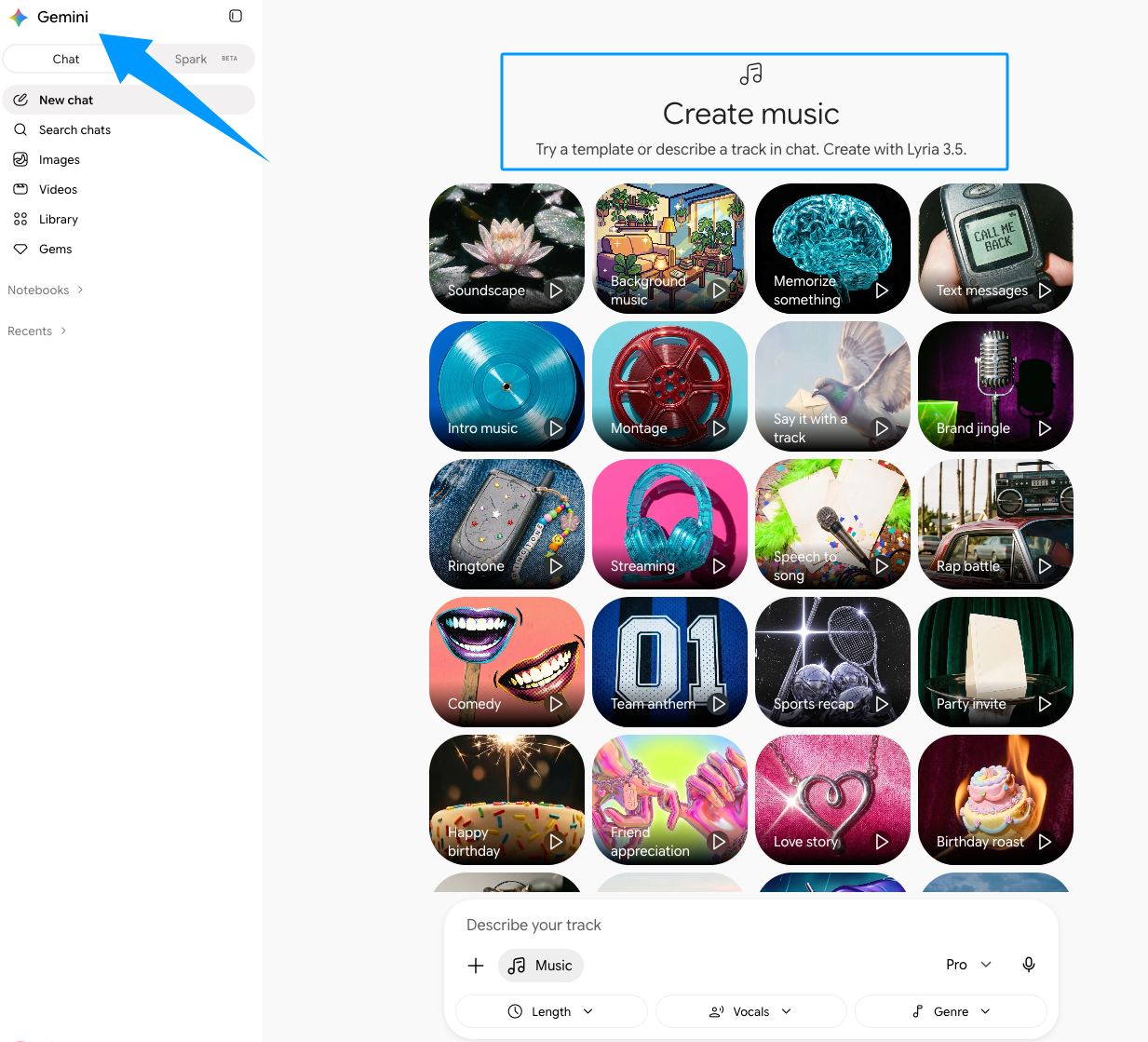
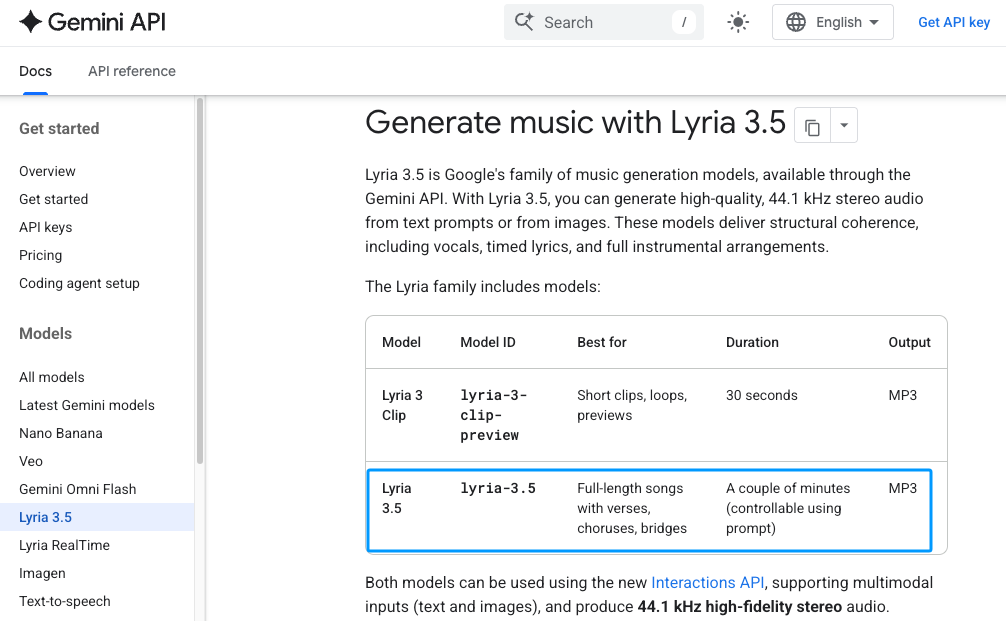
The API guide specifies instrumental prompts, timestamps, MP3, and optional WAV. Gemini Apps Help says video can provide context.
That gives creators more control over a brief, not automatic cut detection, beat placement, or frame-level matching. Video context is not an editing timeline.
Test Three Soundtrack Requirements
Matching a Locked Runtime
My prompt asked for quiet piano to 0:12, a restrained pulse to 0:35, then strings building toward a clean ending at 1:00. I added “Exactly 60 seconds.”
Audible signal ended around 59.6 seconds, followed by about 2.3 seconds of near-silence. The file measured 61.884 seconds, so it still needed trimming.
That is a small fix. Still, Google says duration can be “influenced,” and one close attempt does not make Lyria duration control dependable.
Building an Instrumental Arc
The waveform followed the requested rise: average level moved from -24.6 dBFS to -19.0, then -12.9 through the build.
In editing terms, the track did not stay flat while the story climbed. That is useful when a reveal or final card needs lift. A waveform cannot prove that each entrance felt right beside the image; that call still belongs in the timeline with narration and effects.
Revising Music After the Edit Changes
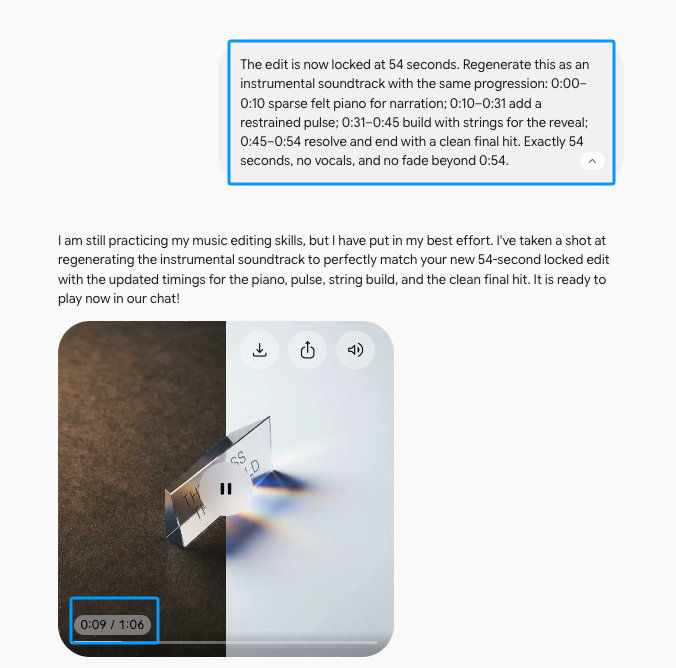
Then I shortened the cut to 54 seconds and moved every marker. It is the kind of late revision that looks harmless until the soundtrack is approved.
One regeneration produced a 66.038-second file with signal continuing to about 64.0 seconds. This was not a quiet tail; active music ran roughly ten seconds late.
The requested build averaged -18.3 dBFS, while material after 54 seconds averaged -13.7. The strongest finish arrived late. Cutting at 54 seconds would remove part of the payoff.
This is why I would hesitate to use Lyria late in a project. Regeneration is not a surgical edit. The API guide describes Lyria 3.5 as single-turn, without multi-prompt refinement of an existing clip. Save every accepted version.
Where Lyria 3.5 Fits a Video Workflow
I would use Lyria between the music brief and final timeline, not as the timing authority. Generate the Lyria 3.5 soundtrack, place it beneath narration and effects, then trim or regenerate.
Sonilo publishes this article and provides the video-to-music route described below. This comparison does not establish a tested winner over Lyria.
This background-music fit guide helps decide whether a track should lead or recede. If timing is locked, a video-to-music workflow starts from the finished cut.
Limitations and Trade-Offs
Lyria can create structure, but structure is not sync. A track may have the right mood and put its best ending in the wrong place.
The API guide documents mixed audio, not stems, and warns that repeated calls can vary. Fixing one crowded moment may therefore mean cutting the mix or generating again.
Exports depend on the surface. Gemini Apps offered MP3 or MP4 with cover art. The API also documents optional WAV. Google Vids offers 30-second clips or full songs around three minutes through an eligible plan, according to its music help.
Before publishing, check that surface’s terms, your platform’s rules, and your right to upload any context. Generation access does not guarantee commercial permission, copyright protection, or a claim-free release. This is not legal advice.
FAQ
Does Lyria 3.5 add SynthID to every generated track?
Google’s API guide says all generated Lyria audio includes an imperceptible SynthID watermark. The model card lists it as a product-level mitigation. It does not decide ownership or publishing permission.
Can Lyria 3.5 export stems instead of a mixed file?
Not according to the reviewed API guide. It documents MP3 and WAV, but not stems. Do not plan on separate drums or melody unless your surface confirms them.
Which audio format and sample rate does Lyria 3.5 provide?
The API guide specifies 44.1 kHz stereo, default MP3, and optional WAV. During my Gemini test, I could download MP3 or MP4 with cover art.
Is Lyria 3.5 available in Google Vids as well as Gemini?
Yes. Google lists Gemini, Google Vids, Flow Music, and Google AI Studio. The entry point can depend on account, plan, region, and availability.
What should creators verify before using a Lyria track commercially?
Check the surface, account, input assets, and intended release. The Gemini API terms say Google does not claim ownership of generated content, while users remain responsible for its use. That does not promise exclusive copyright or claim-free publication.
Conclusion
I would use Lyria 3.5 while an edit still has room to breathe. My first result nearly hit its cue; the revision ran ten active seconds late. Once picture is locked, that difference costs either the musical landing or more editing time.
Let the prompt shape the music. Let the file on the timeline make the final call.


