Guides
Outro Music for Videos: End Without a Hard Cut
- Written by
- Sonilo Team
- Published
Outro music is the last sound your viewer hears before the video ends, the next video loads, or the end screen appears. That makes it more important than it looks. A good outro does not just “fade out.” It helps the final message land, gives the ending shape, and avoids the awkward feeling of a video stopping mid-thought.
The goal is not to find a famous song or the loudest ending. The goal is to choose music that supports the final seconds without distracting from the call to action, logo, end card, or last line of speech.
What outro music needs to do at the end
Outro music has three jobs.
First, it should signal that the video is closing. Viewers should feel the ending before the screen goes black. That can happen through a musical resolution, a softer section, a final beat, or a track that naturally relaxes.
Second, it should support the final message. If the video ends with a spoken reminder, product line, subscribe prompt, or on-screen instruction, the music should leave enough room for that information to stay clear.
Third, it should make the final cut feel intentional. A video that ends while the music is still building can feel unfinished. A track that disappears too quickly can feel like an error. A track that keeps going too long can make the end screen feel slow.
Before choosing music for outros, decide what the ending should feel like: complete, energetic, quiet, branded, funny, cinematic, or practical.
Choose the ending behavior before choosing music
A common mistake is choosing the track first and trying to force the ending later. It is usually easier to decide the ending behavior first, then find or create music that can support it.
There are three common outro music behaviors.
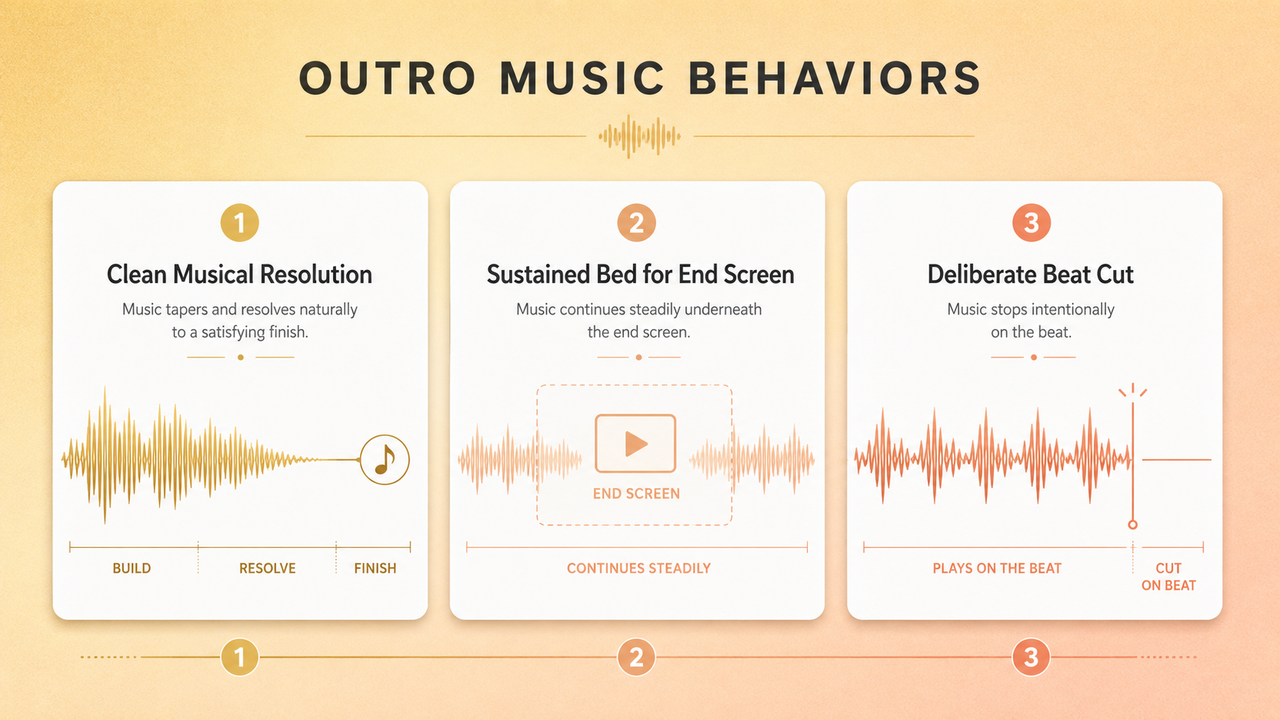
A clean musical resolution
A clean musical resolution works well when the video needs closure. This is common for tutorials, explainers, mini-documentaries, product walkthroughs, and videos that end with a clear final thought.
Look for music with a phrase that resolves naturally near the length you need. The last chord or final note should feel like a period, not a comma. If the track has vocals, avoid ending on a chopped lyric unless that cut is clearly intentional.
This ending style is useful when the final seconds are simple: one closing sentence, a logo, or a short end card.
A sustained bed beneath an end screen
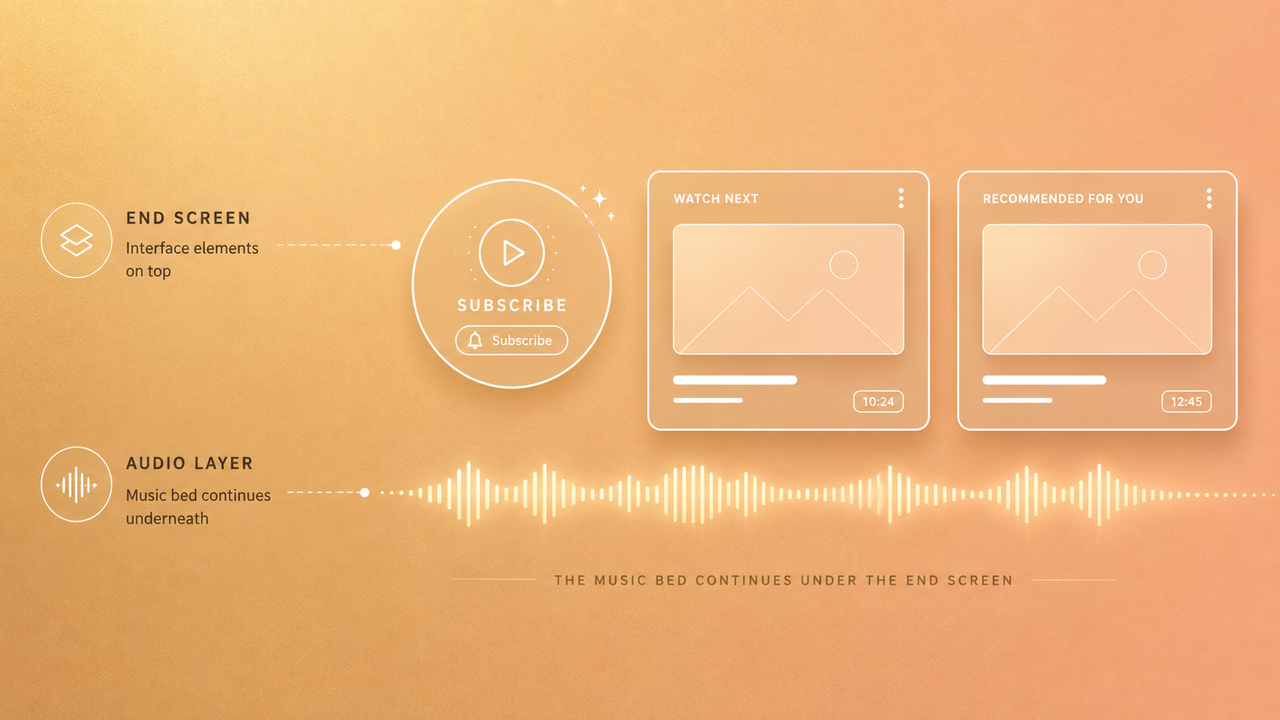
A sustained bed works when the end screen needs time. YouTube videos often have subscribe prompts, recommended videos, sponsor reminders, or a final title card. In that case, the outro soundtrack should be stable enough to sit underneath information without pulling attention away.
Choose music that does not keep introducing new hooks during the end screen. A soft loop, ambient layer, simple rhythm, or low-energy instrumental section often works better than a busy chorus.
If your end screen has clickable elements, keep the visual and audio experience calm. The viewer should know what to do next, not feel rushed by the soundtrack.
A deliberate cut on a visual beat
Sometimes the best ending is not a fade or a long tail. It is a clean cut on a visual beat. This works for short-form videos, punchline endings, fast edits, trailers, sports clips, fashion edits, and high-energy social content.
The cut should feel designed. Match the final frame, logo hit, camera movement, gesture, or text reveal to a beat in the music. If the audio stops at the exact same moment as the visual, the ending can feel sharp without feeling broken.
This style is risky if the music phrase is still climbing. If the cut feels like the file was accidentally chopped, choose an earlier beat or a different section.
Match outro music to the final seconds
Once you know the ending behavior, match the music to the actual last seconds of the edit.
Watch the final 10 to 20 seconds without music. Notice what happens emotionally and visually. Is there a final sentence? A laugh? A product shot? A logo? A subscribe card? A dramatic reveal? The outro music should support that moment.
For spoken endings, prioritize clarity. Music can rise after the last word, but it should not compete with the final sentence. If the final message is important, let the voice own the ending.
For visual endings, music can do more. A final beat can land with a title card. A soft tail can make a travel video feel complete. A short rhythmic hit can make a social clip feel snappy.
For branded series, consistency matters. Using the same outro cue or musical identity can help viewers recognize the channel. Just make sure the cue still fits the pacing of each episode instead of being pasted onto every ending at the same length.
Keep end-screen information clear and readable
Outro music should not make the end screen feel crowded. Even if the music sounds good by itself, it may be wrong if it makes viewers rush through the final information.
For YouTube end screens, leave space for the viewer to understand the next step. YouTube’s official guide to adding end screens to videos explains that end screens can promote other videos, playlists, channels, websites, or subscribe actions. That is why outro music should leave enough space for viewers to understand what the end screen is asking them to do.
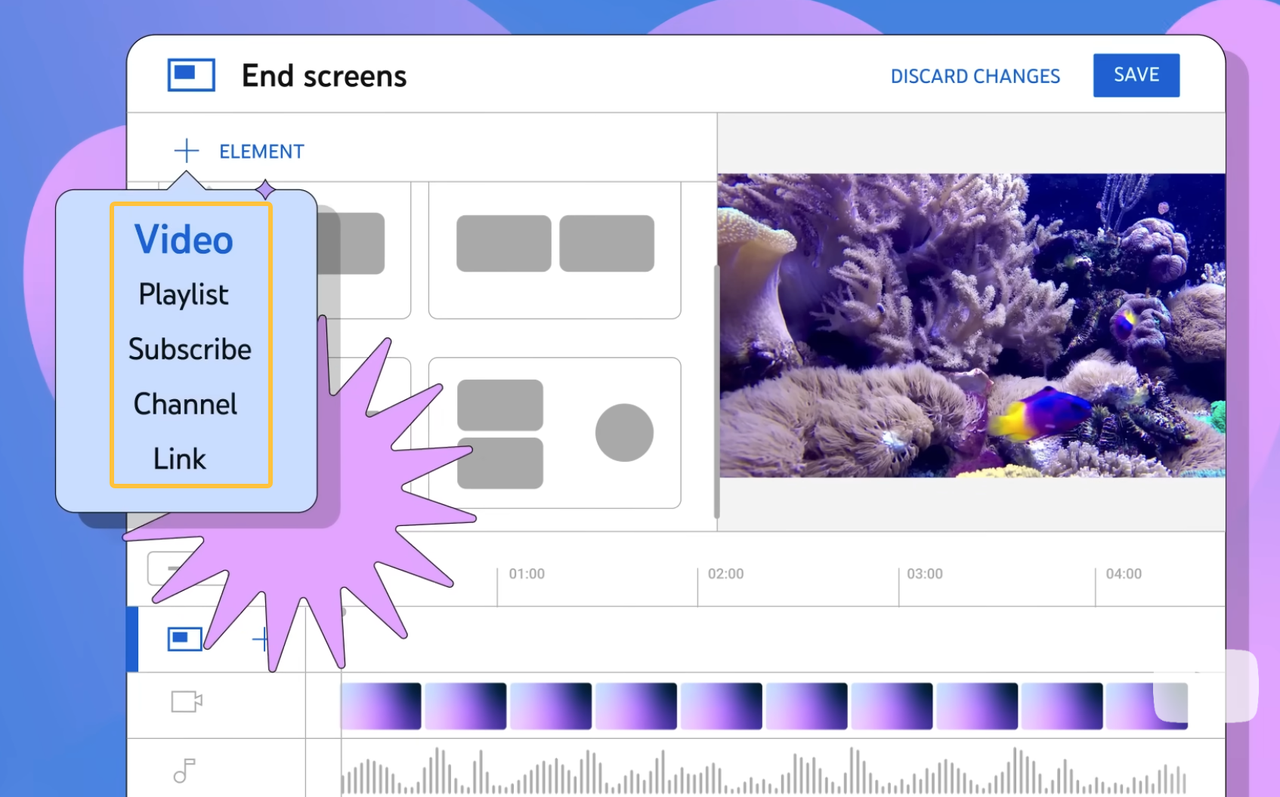
The same applies to short videos with text overlays. If the final frame includes a discount code, product name, event date, or brand message, the music should not create a sense of panic. The viewer needs time to read.
A useful test is to mute the music, watch the end screen, then turn the music back on. If the music changes your attention away from the message, choose a calmer section or reduce the complexity of the outro cue.
Fix a track that does not resolve naturally
Sometimes the track is almost right, but the ending does not work. It may be too long, too short, too busy, or structured around a chorus that never lands where your edit ends.
If the track is too long, look for a natural exit before the final frame. Do not only trim the waveform at the exact video end. Listen for phrase endings, quiet bars, final hits, or moments where fewer instruments are playing.
If the track is too short, avoid stretching it awkwardly unless the result still sounds natural. You can loop a simple section, repeat a final phrase, or choose a different cue with a better ending.
If the track has vocals, be careful. Ending on half a word or mid-line usually sounds accidental. Instrumental versions are often easier for outros because they leave more room for speech, graphics, and end cards.
If the ending is close but not quite smooth, a fade may help, but this page is not about software-specific fade steps. For detailed fade workflows, use your general fade-out guide or your Premiere-specific fade-out article. Here, the bigger decision is whether the music itself gives you an ending worth fading.
When a custom-length soundtrack is the better fit
A custom-length soundtrack can be useful when the ending length is fixed and the music needs to land cleanly. This comes up often in YouTube end screens, recurring channel formats, ads, product demos, course videos, and social clips with strict duration limits.
Instead of searching for a track and cutting it down, you start with the final edit length and build the music around it. That can reduce the time spent trimming, looping, and hiding rough endings.
This is where Sonilo can sit next to the editing workflow. Sonilo’s homepage states that it can generate music and sound effects based on a video’s length, timing, pacing, and emotion, which makes it relevant when the final cut already has a fixed ending length.
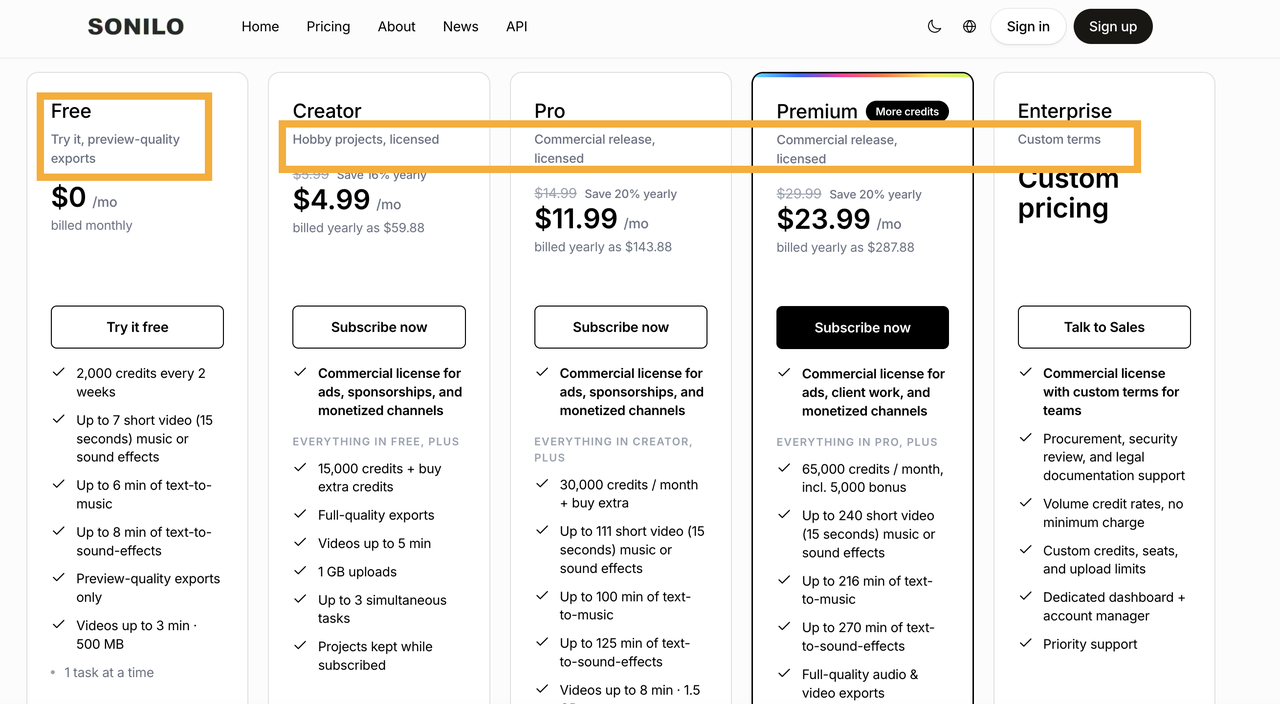
Still, treat the soundtrack like any other music source. Check the provider’s current license page, plan terms, and publishing rights before using it in client work, monetized content, ads, or a shared channel. According to Sonilo’s current pricing information, free exports are for trying the product, while paid plans include commercial-use rights. Check the latest license terms before publishing. This is not legal advice, and no tool can remove the need to verify your music source.
FAQ
Can one outro cue work across an entire video series?
Yes, if the series has a consistent format and the cue fits the pacing of most episodes. Keep a short version, a longer version, and a clean ending version if the series uses different outro lengths. Reusing one cue can help brand recognition, but it should not force every ending to feel the same.
What project files should editors keep for later revisions?
Keep the final video export, the project file, the outro music source, license or source record, cue version, and any edited versions used in the timeline. If the outro was custom-made, keep the original prompt, generation record, edit notes, and exported audio file.
Who should approve outro changes for a shared channel?
The channel owner, producer, brand lead, or publishing manager should approve changes. Outro music affects brand memory, viewer behavior, and licensing records, so it should not change casually if multiple people manage the channel.
How should older videos retain a retired outro cue?
Keep an archive of the retired cue, the license record, and the list of videos where it was used. If the cue is replaced in future uploads, do not overwrite older project folders without saving the original version. That protects the channel’s history and makes later rights or revision checks easier.