Guides
Free Thunder Sound Effect Download: Find or Make One
- Written by
- Sonilo Team
- Published
A lightning flash over a distant ridge asks for a different thunder sound than a bolt beside the camera. Search results rarely make that distinction for you. If you need a free thunder sound effect download, decide what the shot is saying first; then choose a file you can actually use and make it believable on the timeline.
This guide follows one edit from source to final mix. You can use an existing recording, or make a new effect when the available ones fight the picture. Either way, the sound still needs a source check and an editor's ear.
Choose the Thunder Moment Your Scene Needs
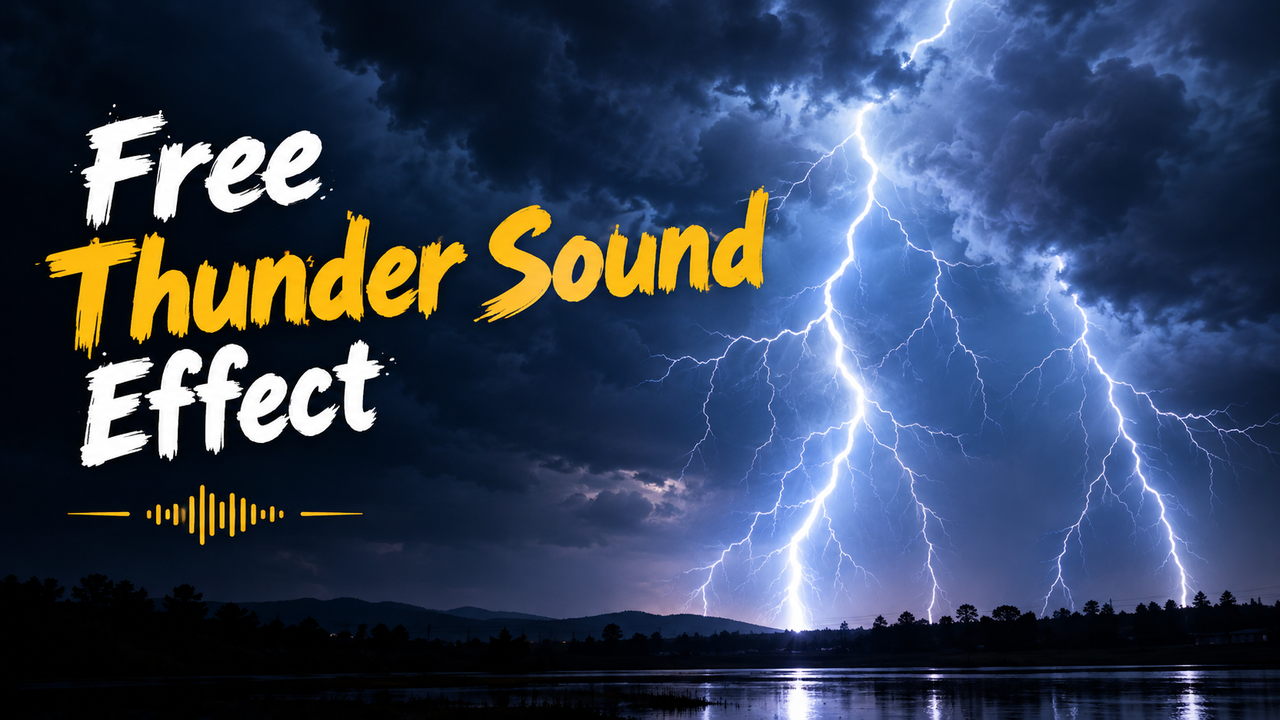
Before opening a library, mark the flash, the camera's apparent distance, and what the viewer should feel. Thunder is not one interchangeable boom. Its onset and tail tell the audience where the storm lives in your scene.
Distant Rumble
For a landscape or a threat still approaching, look for a soft arrival and a long, uneven decay. Leave space after the flash in a naturalistic edit. A distant roll can sit behind dialogue without turning every line into a battle for attention.
If the recording is mostly sub-bass, it may vanish on a phone. Choose one with audible midrange texture instead of raising the whole mix.
Close Crack
A bolt near the camera needs a sharp attack, but not automatically the loudest file in the folder. The cut, light, and reaction shot can carry much of the shock. A hard transient followed by a shorter body often reads closer than a long cinematic explosion.
If the file starts with silence, align its audible attack rather than its clip boundary.
Rolling Storm
For an ongoing storm, look for several irregular peaks rather than one repeated hit. A bed of rain or wind can establish continuity while individual rumbles mark turns in the story. Repeating the same thunder crack at regular intervals will announce the edit before it announces the weather.
Map a quiet opening, a closer event at the reveal, and a retreating tail at the end.
Where to Download a Free Thunder Sound Effect
A useful download page answers two questions: Can I hear the file before saving it, and can I understand its permission for this video? “Free” answers neither by itself. Search by distance, length, and texture—distant rumble, single crack, rolling thunder—then check the chosen file, not just the site's headline.
Official Platform Libraries

For a YouTube-bound edit, start with YouTube's Audio Library. Its sound-effects tab lets creators search and filter effects inside YouTube Studio. YouTube describes the library as copyright-safe for use on its platform; that wording is not a blanket promise for every other distribution channel. Check the entry's attribution information before you export, especially if the same cut will go to other platforms.
If the edit also goes to a client's site or other platforms, check rights for the whole delivery package.
Community Libraries and License Filters
Pixabay's license summary says its content is generally free to use and adapt without attribution, subject to restrictions and possible third-party rights. It is a summary, so check the specific asset and the full terms.
Freesound's FAQ explains that files can carry different Creative Commons licenses, including CC0, CC BY, and CC BY-NC. A commercial client edit and a noncommercial personal clip may therefore need different files, even when both have a download button.
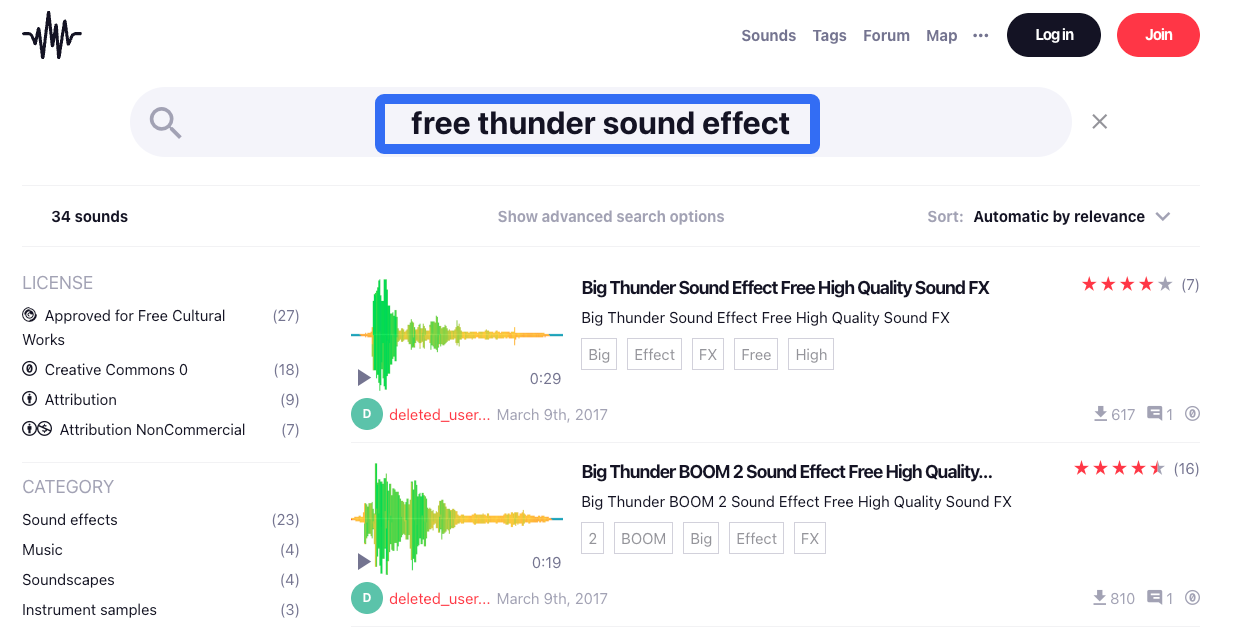
Save the asset page URL, creator name, license shown at download, and original filename alongside the audio. A reposted “free thunder” MP3 with no origin is a poor shortcut: you may not know who recorded it or what you are allowed to deliver. These are practical screening steps, not legal advice; confirm permissions for each file and use.
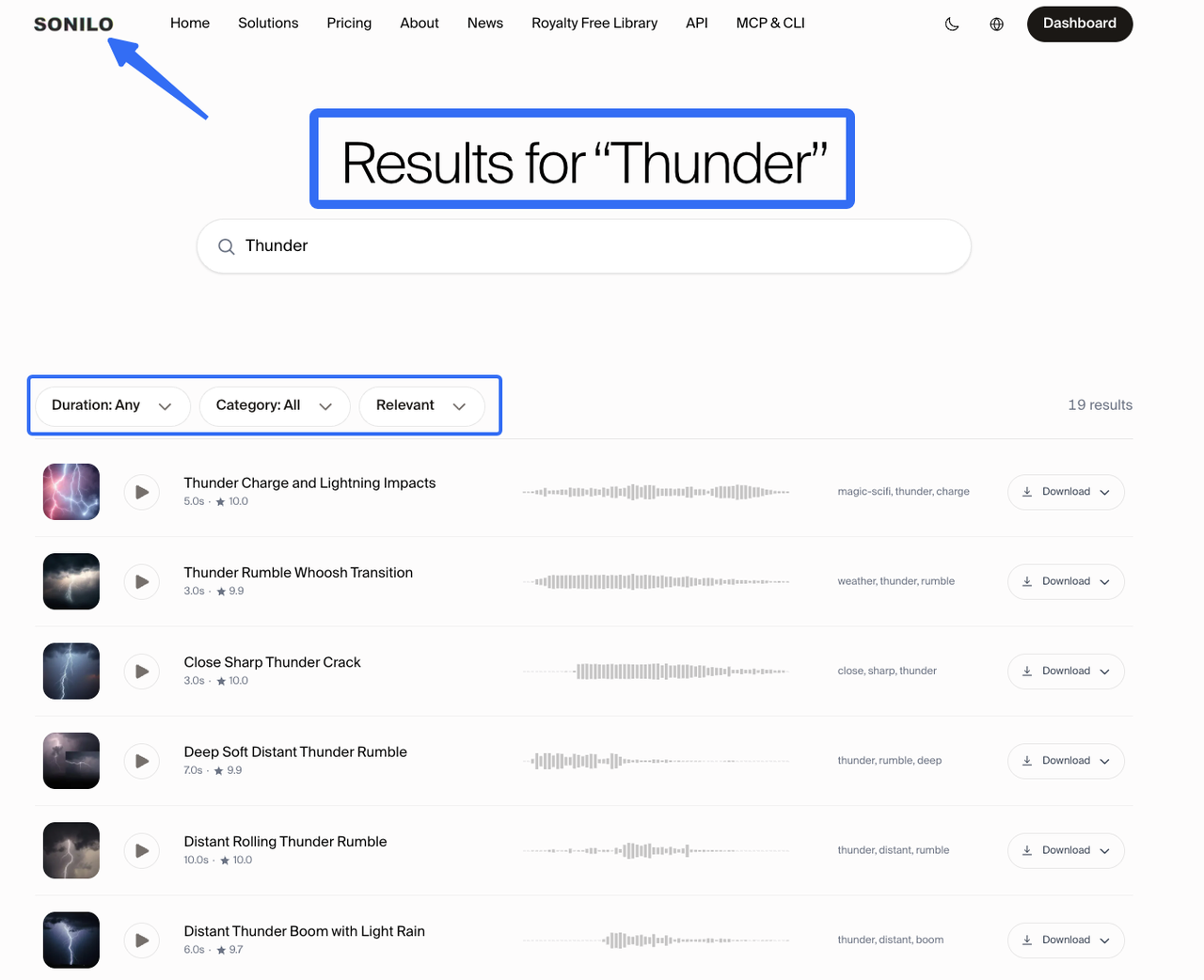
If you want another first-party source, Sonilo's free sound-effects library offers downloadable effects. Check the individual sound and the library license on that page. This is not a mirror of third-party files; confirm that a suitable thunder clip is available.
When to Generate a Custom Thunder Effect
Search becomes expensive when every candidate tells the wrong story. Perhaps the shot needs a restrained crack that leaves room for a whispered line, or a rumble that begins far away and moves toward the camera. Those are useful reasons to create a variation, not proof that generated audio is inherently better.
Write the request around the edit: “single distant thunder roll, soft onset, rough middle, fading tail; no rain, speech, or music.” Specify the part you need to control, then audition several results against the same flash and dialogue. Reject any result that sounds like an explosion or has a baked-in rain bed you cannot separate cleanly. Generation can offer choices, but the final timing and level still belong in the video editor.
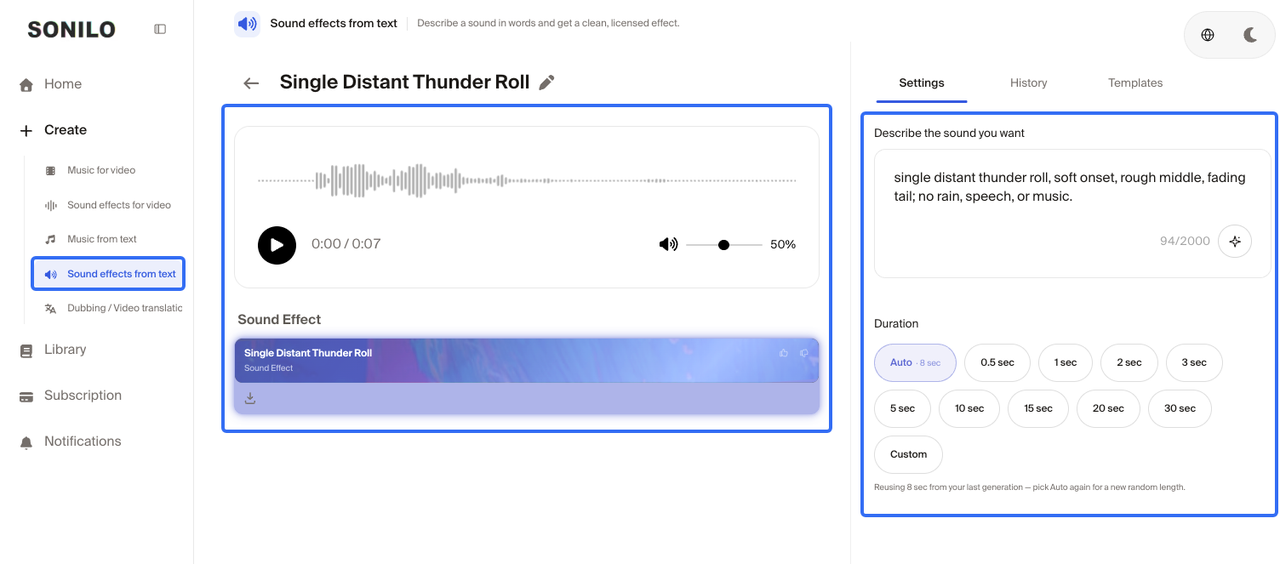
Sonilo publishes this guide and offers a text-to-sound-effects tool as one optional route for original variations. Its generated effects and free-library downloads are different paths with different terms. Check the current tool, export options, plan limits, and generated-SFX licensing guidance for your account before committing a client deliverable. Do not assume a prompt can guarantee an exact duration or frame-accurate sync.
Match Thunder to Lightning and Camera Distance
Place a marker at the visible flash, then align the sound's audible event to the story's distance. For a nearby strike, a quick crack may feel right on or shortly after the flash. For a remote storm, a pause can make the scene feel wider. There is no universal offset for an invented shot; judge it against scale, camera position, and the character's reaction.
Now play the cut without looking at the waveform. Does the thunder belong to the flash, or does it feel pasted over the footage? If the camera cuts indoors, reduce the crisp edge and apparent space of the effect. If the shot moves closer to the storm, a later cue can carry more attack. These are editing judgments, not properties a stock filename can settle.
For a montage, pick the flashes that change the scene. Not every white frame needs a boom.
Mix Thunder With Rain, Wind, and Dialogue
Treat rain, wind, and thunder as separate jobs. Rain gives the scene continuity; wind suggests movement or exposure; thunder provides punctuation and distance. A search for free rain sound effects or free wind sound effects download may turn up beds that work under your chosen thunder, but verify each asset's source and license independently. A rain sound effect free download is not automatically compatible with the thunder file's terms.
Start with the dialogue at a comfortable level. Bring the storm bed up until the setting is clear, then lower it when speech loses definition. Add the thunder last. If the strike masks a key word, move the hit, shorten its tail, or automate the bed around the line. Turning down the whole effect may remove the dramatic cue without restoring intelligibility.
Compare headphones, phone speakers, and the delivery export. Low rumble can vanish on a phone while the crack remains startling. Let the tail decay unless the scene deliberately cuts it off.
Limitations and Trade-Offs
Library audio is fast and often natural, but its perspective, rain content, and tail may be fixed. A generated effect can target the scene more closely, yet it may still require multiple attempts and careful editing. Neither route supplies automatic permission for every use or automatic synchronization with the picture.
The strongest choice is often the least conspicuous one. If a library rumble already fits the distance and survives the mix, keep it. Generate only when the edit has a specific unmet need. Before publishing, recheck the selected file's license, attribution, commercial scope, and original source; platform and service terms can change.
Conclusion
The right thunder does not need to dominate the soundtrack. It needs to sound as though it comes from that sky, at that distance, at the moment the cut needs it. Start with a source whose terms you can verify, then let the picture decide whether the file stays, gets edited, or needs a custom replacement.
If the available files keep missing a specific distance or timing cue, try creating a custom sound effect and test it under the locked shot before export.
FAQ
Why Can Low Bass Disappear on Phone Speakers?
Small speakers reproduce deep frequencies less effectively than larger playback systems. A thunder file built almost entirely from low bass may lose its body on a phone. Audition the final export there; if the effect disappears, try a recording with audible upper texture rather than simply boosting the low end.
What Sample Rate Preserves a Thunder Recording for Editing?
Keep the highest-quality original you can legitimately download, and avoid unnecessary re-encoding. For video work, 48 kHz is a common sequence and delivery setting; Adobe's Premiere guidance notes that imported audio is conformed to the sequence sample rate. Match the project's export specification rather than claiming one rate can restore detail absent from the source.
How Can Editors Loop a Storm Bed Without Obvious Seams?
Find a relatively steady stretch without a distinctive thunder hit at the join. Overlap two copies and crossfade while listening for changes in rain density or wind direction. Audacity's crossfade instructions show the basic technique; check the seam in the full mix, not only in solo playback.
Can Thunder Effects Create Loudness or Accessibility Problems?
Yes. A sudden, high-level crack can be uncomfortable, and a storm bed can make speech hard to follow. Test at normal listening volume, tame the transient when needed, and caption a thunder event if it matters to the story. W3C accessibility guidance cautions against distracting or irritating audio and emphasizes accessible media presentation.
What Should a Team Retain If a Library File Is Removed?
Keep the downloaded original, source URL, creator credit, license text or dated capture, and a note identifying which edit uses it. That record will not cure a bad license, but it gives the team a way to trace the decision and replace the effect if the source page disappears.
Related Posts
- How to Add Sound Effects to DaVinci Resolve
- Sound Effects for YouTube Videos: Choose, Sync, Mix
- Best Intro Drop in Sound Effects for Video
- Foley Artist Sound Effects: How They Are Created for Video
- Free Sound Effects for Video Editing: Libraries vs AI