Guides
Best Intro Drop in Sound Effects for Video
- Written by
- Sonilo Team
- Published
An intro sound effect should make the opening change easier to feel. That might be a drop when the energy turns, a hit when a logo appears, a whoosh across fast motion—or no sound at all.
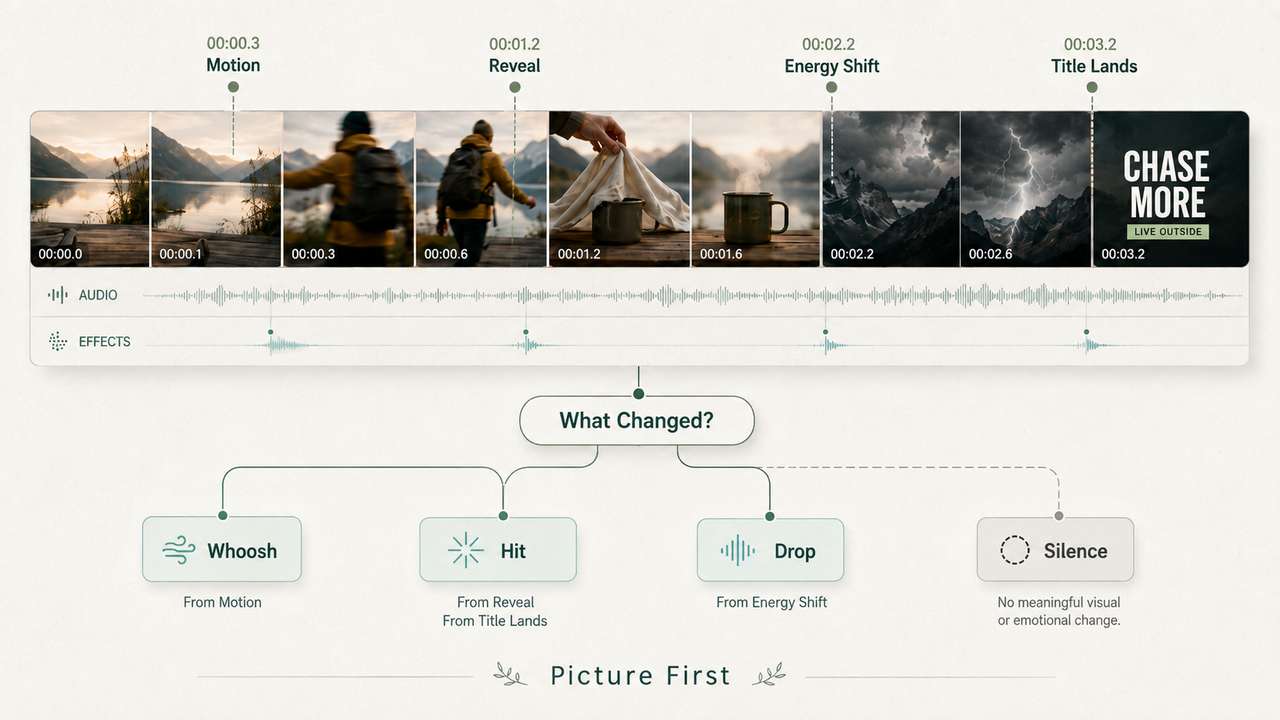
The best intro drop in sound effects choices begin with the picture, not a search term. Find the visual event first. Then choose an effect whose attack, weight, and tail fit what the viewer sees.
What an Intro Sound Effect Needs to Do
An intro effect can announce a reveal, connect motion, build anticipation, or give a title more weight. It should not compete for attention simply because it appears at the beginning.
Watch the opening silently and name the change. Does an object enter? Does the pace increase? Does the title land? Does the audience discover something? A clear answer makes the sound easier to choose.
If nothing visibly or emotionally changes, adding a large impact may make the intro feel more dramatic than the video deserves. Silence, room tone, or the first note of the music may be enough.
Choose an Effect for the Opening Movement
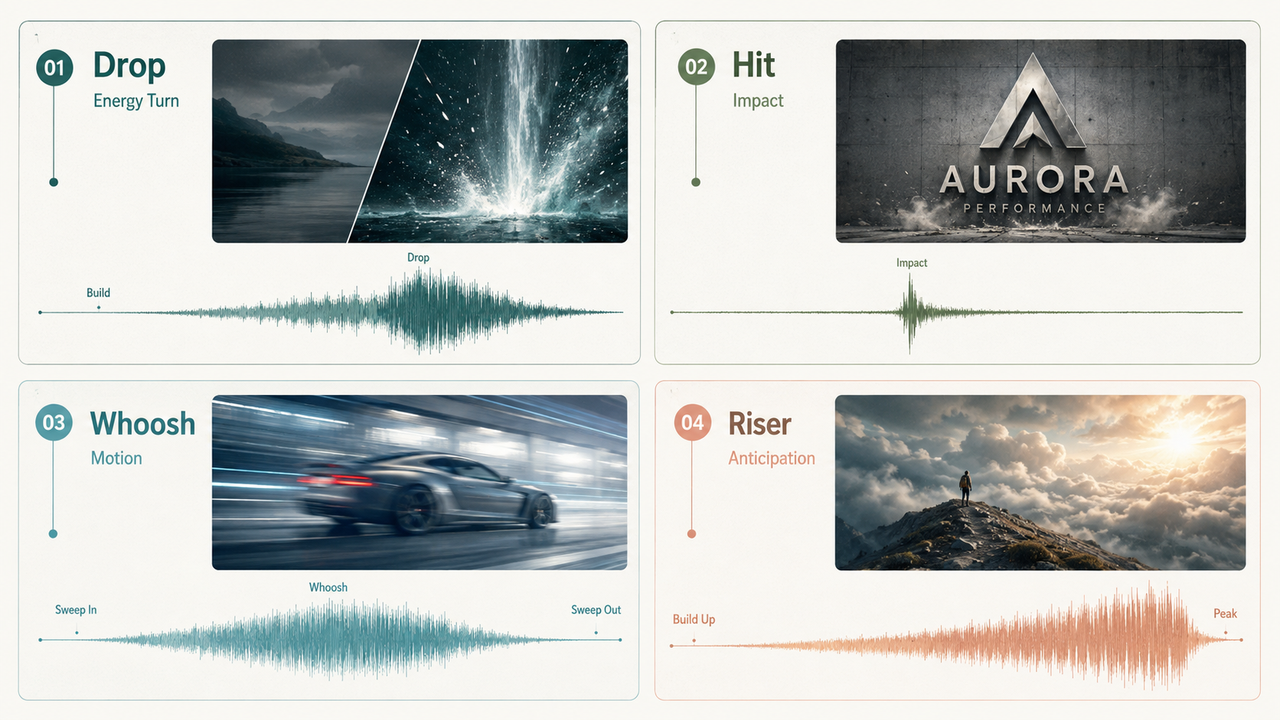
The familiar labels—drop, hit, whoosh, and riser—describe different jobs. They are not interchangeable names for “make this exciting.”
Drops for Energy Changes
A drop marks the moment built-up energy releases or changes direction. It works when an intro moves from anticipation into action, such as a quiet setup opening into a fast montage.
The drop needs a lead-in. Without some tension, pause, or musical setup before it, the sound can feel like a loud file pasted onto the first cut. Use it for an actual energy turn, not merely because the video starts.
Hits for Logos and Reveals
Hits give weight to a single arrival: a logo locking into place, a product becoming visible, or a title reaching its final position. A short, dry hit feels precise. A deeper hit with a longer tail makes the moment feel larger.
Match that weight to the image. A heavy cinematic boom behind a small text card can make the brand feel less confident, not more impressive. For clean graphics, a lighter impact or tonal sting often sits better.
Whooshes for Fast Motion
Whooshes connect movement through space. They suit a fast camera move, an object crossing the frame, a swipe, or a title flying into position.
Listen to the direction and shape of the motion. A short whoosh fits a quick pass. A longer sweep can follow a broad move, but its tail should not cover the next line of voiceover. When the picture barely moves, a large whoosh exposes the mismatch.
Risers for Anticipation
Risers prepare the viewer for something that has not happened yet. They belong before a reveal, not on top of it.
The ending of the riser should point toward a clear destination. Pair it with a drop, hit, music change, or deliberate silence. If the buildup leads nowhere, the intro feels unfinished even when the effect itself sounds polished.
Place the Effect Before, On, or After the Visual Change
Timing changes the meaning of the same file. A riser begins before the visual change because it creates expectation. A hit usually places its audible attack on the reveal. A reaction sting may arrive just after the picture as commentary.
Align the part viewers hear, not the start of the audio clip. Many intro sound effects contain a soft swell or a little silence before the main transient. Use the waveform as a guide, then make the final decision at normal playback speed.
Avoid sliding an effect frame by frame without deciding what it should emphasize. First choose the visual anchor: first contact, the completed logo, the cut into action, or the instant the subject is revealed. Then compare slightly early, on-time, and slightly late placements.
Layer Intro Effects With Music and Voice
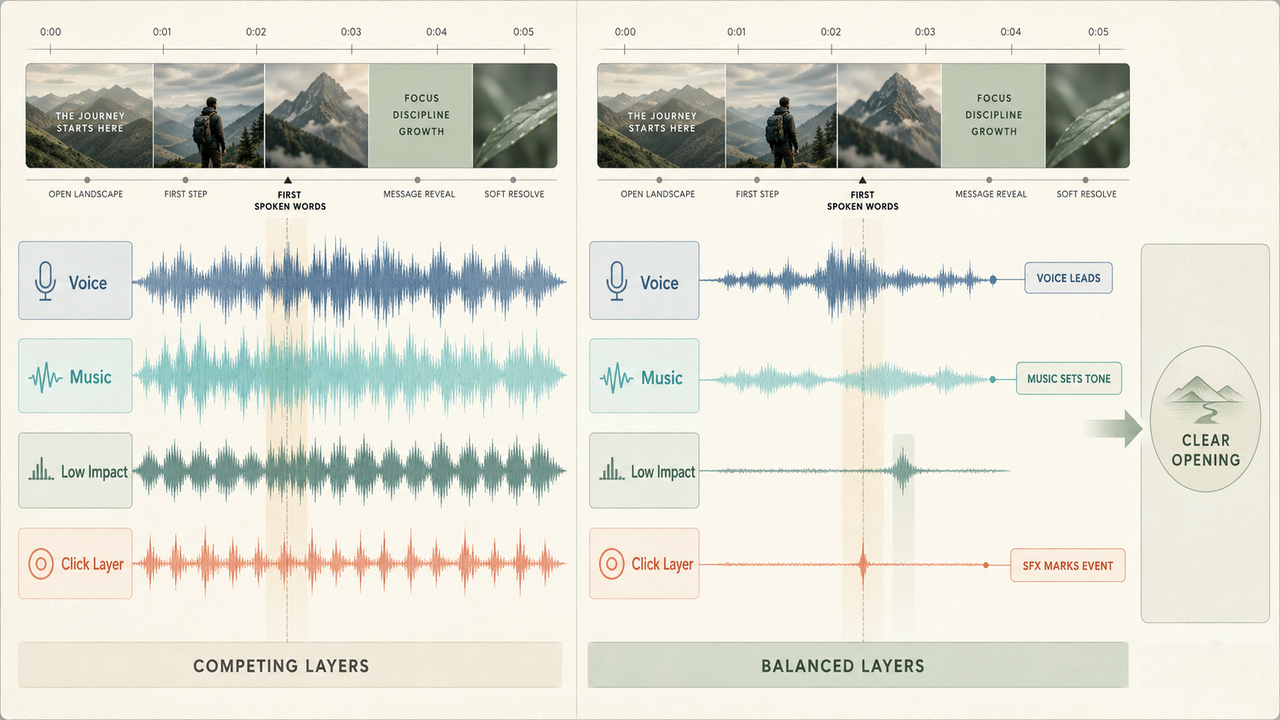
An intro may already contain music, narration, original sound, and a sound effect. Adding all four at full strength does not make the opening clearer.
Give each layer a role. The music can establish tone. The voice can deliver the premise. The effect can mark one movement or reveal. If the hit masks the first word, shorten its tail, choose a less dense sound, or move the narration rather than only lowering every track.
Layering can help when one sound lacks definition. A low impact can add body while a short click gives the logo a clear edge. Keep the layers tight and remove any file that does not add something the others lack.
Fix Common Intro Timing Mistakes
An effect that feels late may contain leading silence. Trim toward the audible attack before moving the whole clip earlier.
An effect that feels early may be landing on the start of an animation rather than its payoff. Decide whether the audience should hear the motion begin or the final reveal arrive.
If the intro feels crowded, mute every effect and add them back one at a time. Often the problem is not timing but competition: a music accent, transition effect, and impact are all marking the same event.
Finally, review the opening through a phone speaker. Low drops may disappear, while sharp hits can feel much louder than they did through headphones. Check the exported file as well as the editor preview.
When a Custom-Generated Effect Helps
Libraries work when a familiar hit or whoosh fits. Custom generation becomes useful when the intro needs an unusual texture, a branded variation, or a sound shaped around a particular on-screen action.
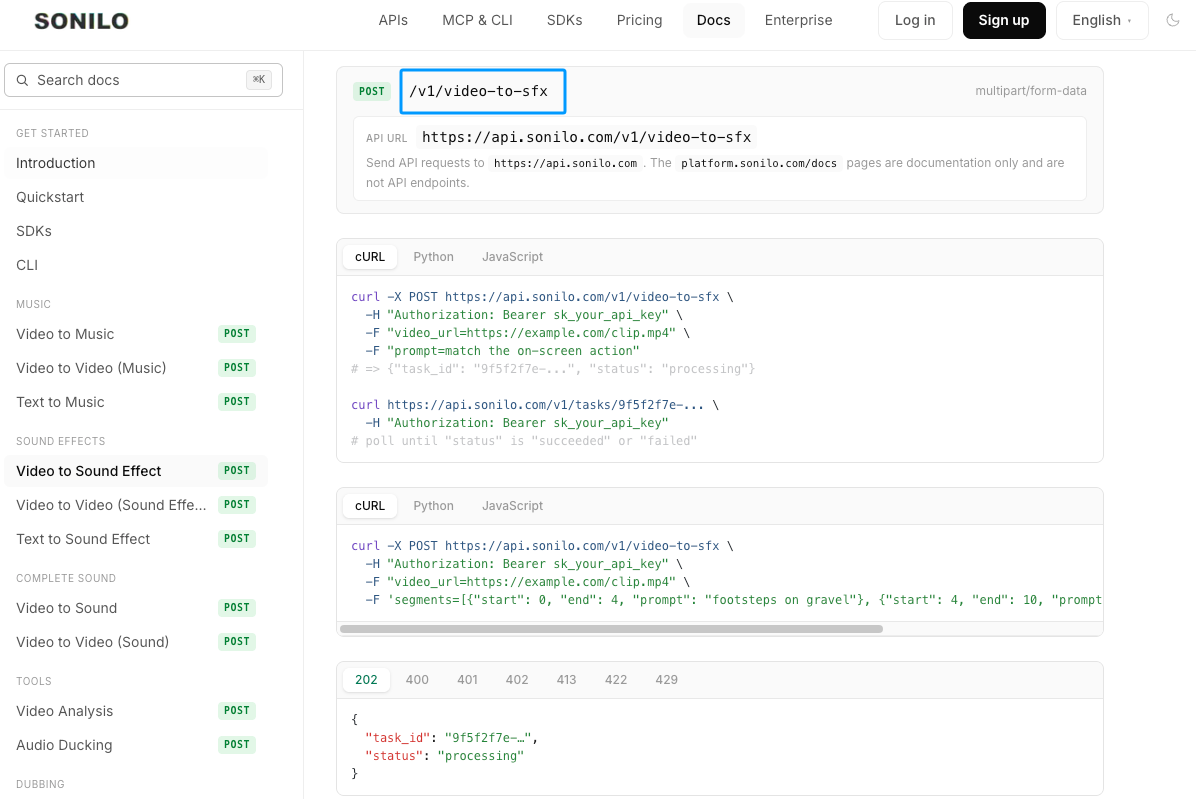
Sonilo's current text-to-SFX documentation describes prompt-and-duration generation for standalone effects. Its video-to-SFX documentation is the more relevant route when timing should follow the uploaded clip. These capabilities were checked on September 1, 2026; access and limits can change.
Editorial disclosure: Sonilo publishes this guide.
Generation does not remove the listening step. Compare the attack, tail, tonal weight, and fit beneath music or voice. Upload only footage you have permission to provide, and check the current service terms before publishing client or commercial work. This is general information, not legal advice.
FAQ
Can one intro effect become a recognizable channel signature?
Yes, if the sound remains short, distinctive, and consistent with the channel's tone. Keep the original master and a note describing how it is placed and mixed. Repetition builds recognition only while the effect still suits the content; forcing a playful sting onto serious material weakens both.
Should long-form videos and Shorts use different intro sounds?
Often, but not automatically. Shorts usually need the opening to become useful immediately, while long-form videos may allow a slower build. The same sonic identity can survive in shorter and longer versions if its attack, tail, and loudness are adjusted for each opening.
What should teams retain when a branded intro changes?
Keep the approved audio master, the previous version, the project file, and one reference export showing the intended timing. Add the source or generation details and approval date. That makes it possible to update future videos without guessing how the old sound was placed.
Can a silent opening work better for serious videos?
Yes. Silence can create focus, preserve the weight of real dialogue, or avoid making a sensitive subject feel packaged. Judge whether the first sound adds meaning. If it only announces that editing has begun, leaving the opening quiet may be the stronger choice.
Who approves a recurring sonic identity for client channels?
The client or creative lead should approve it in the actual intro, not as an isolated audio file. The editor should also confirm that the effect remains clear across the main delivery formats and does not mask recurring voice or music elements.
Related Posts
- Transition Effect Sound: How to Use It in Video Edits
- Best Sound Effects Apps for Video Creators in 2026
- Free Sound Effects for Video Editing: Libraries vs AI
- How to Add Sound Effects to DaVinci Resolve
- Sonilo Sound Effects 1.0 launches on fal.ai: realistic sound effects from video and text


