Inspiration
AI Lofi Music Generator for Video Backgrounds (2026)
- Written by
- Sonilo Team
- Published

The first sign that a lofi track is failing may not be that it sounds bad. It may be the moment a repeated chord, vocal sample, or drum fill becomes more noticeable than the person speaking or the images changing.
An AI lofi music generator can create a useful starting point for video backgrounds, but “lofi” is not a complete editing brief. The result still needs the right texture, enough variation to survive the timeline, and sufficient space for voiceover and visual rhythm.
When lofi works as video background, not just study music
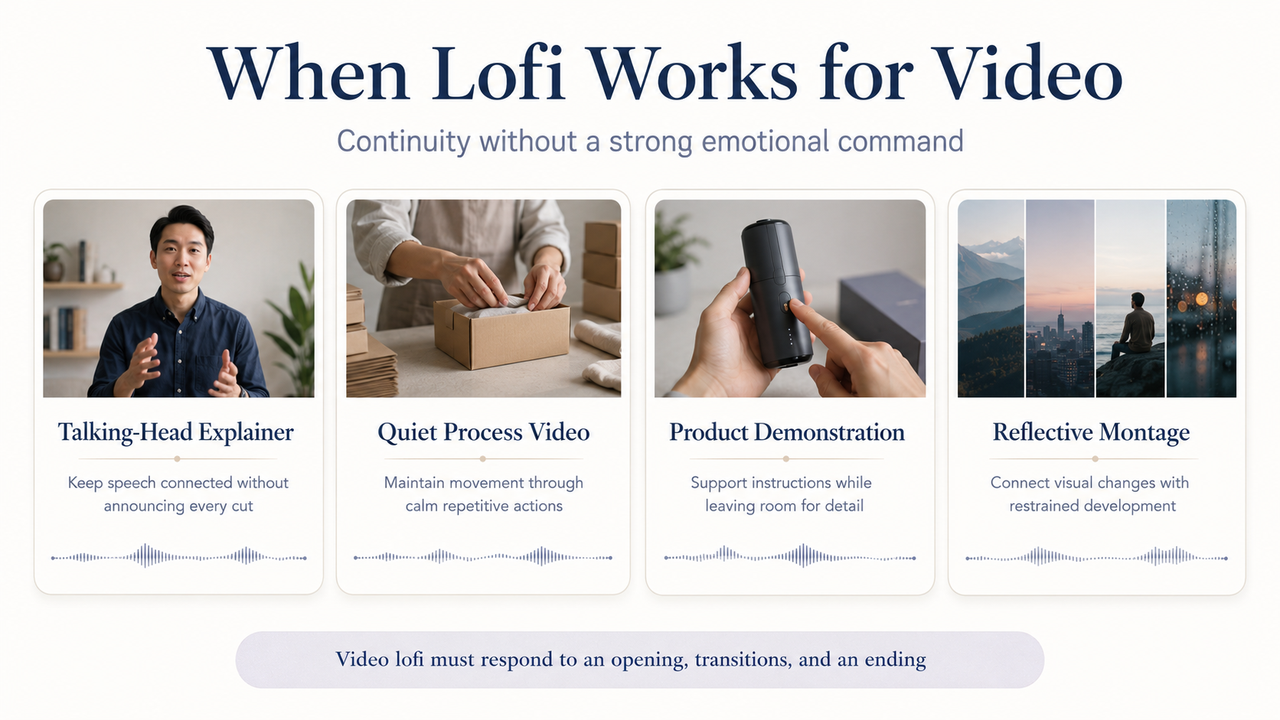
Lofi works well when a video needs continuity without a strong emotional command. Talking-head explainers, quiet process videos, product demonstrations, and reflective montages can benefit from music that keeps the timeline moving without announcing every cut.
The useful quality is not simply relaxation. A steady groove can connect spoken phrases and B-roll shots while making a low-key edit feel intentional without becoming the subject.
This separates video lofi from a long study playlist. Study music may be designed to disappear over an extended session. Video music has to respond to an opening, changes in information, visual transitions, and an ending—even when the overall energy stays restrained.
Before generating, describe what the music must do in the edit. “Support a calm tutorial with clear narration and a small lift during the demonstration” is more useful than “make a chill lofi beat.” Function gives the generator a structure to aim at and gives you a standard for rejecting weak results.
Prompt an AI lofi generator for edit-friendly results
Write the prompt as a production note, not a mood label. Include the video's role, emotional temperature, rhythmic density, elements to avoid, desired variation, and ending behavior. Connect any duration or structural instructions to the actual cut.
A practical prompt might read: “Instrumental lofi background for a calm talking-head tutorial; warm but not sleepy; sparse lead melody; soft drums; no vocal chops; subtle variation between sections; leave space for speech; gentle ending without a large climax.” Adjust those choices to the footage rather than copying the same prompt into every project.
Texture and mood
Texture determines how close or distant the track feels. Soft drums, restrained keys, light tape character, and rounded attacks can create intimacy, but too many “cozy” details become audible decoration.
Mood words also need boundaries. “Relaxed” can become sleepy, “nostalgic” can become sentimental, and “chill” can become emotionally blank. When using an AI chill music generator, pair the mood with a function such as focused, lightly curious, conversational, or quietly optimistic.
Avoid using an artist's name or a specific copyrighted track as the target. Describe musical qualities and editing behavior instead.
Do not assume that generated music is automatically cleared, exclusive, or copyrightable. Review each output for recognizable melodies, lyrics, vocal fragments, and other material that may come from an identifiable third-party work. If something is recognizable, remove it, regenerate the track, or determine whether permission is required before publishing. U.S. Copyright Office
Copyright ownership is a separate question from permission to use an output. In the United States, the Copyright Office says AI-generated material is protected only when sufficient human-authored expression is present; prompts alone generally do not establish authorship. U.S. Copyright Office AI report
Loop length and variation
A clean loop is helpful, but a perfectly repeated short phrase can expose itself quickly. Ask the lofi music generator for a loop-friendly foundation plus gradual internal change: a layer entering, a drum pattern simplifying, a melody resting, or a texture dropping out.
The small loop should connect without a click or awkward harmonic jump. The larger structure should change enough that viewers do not hear the same event under every new point or visual sequence.
Request a usable opening and ending as well. A track that begins with a long standalone intro may delay the video's pace, while a sudden final chord can make a soft edit feel cut off. Even background music needs a deliberate way into and out of the timeline.
Energy level under voice
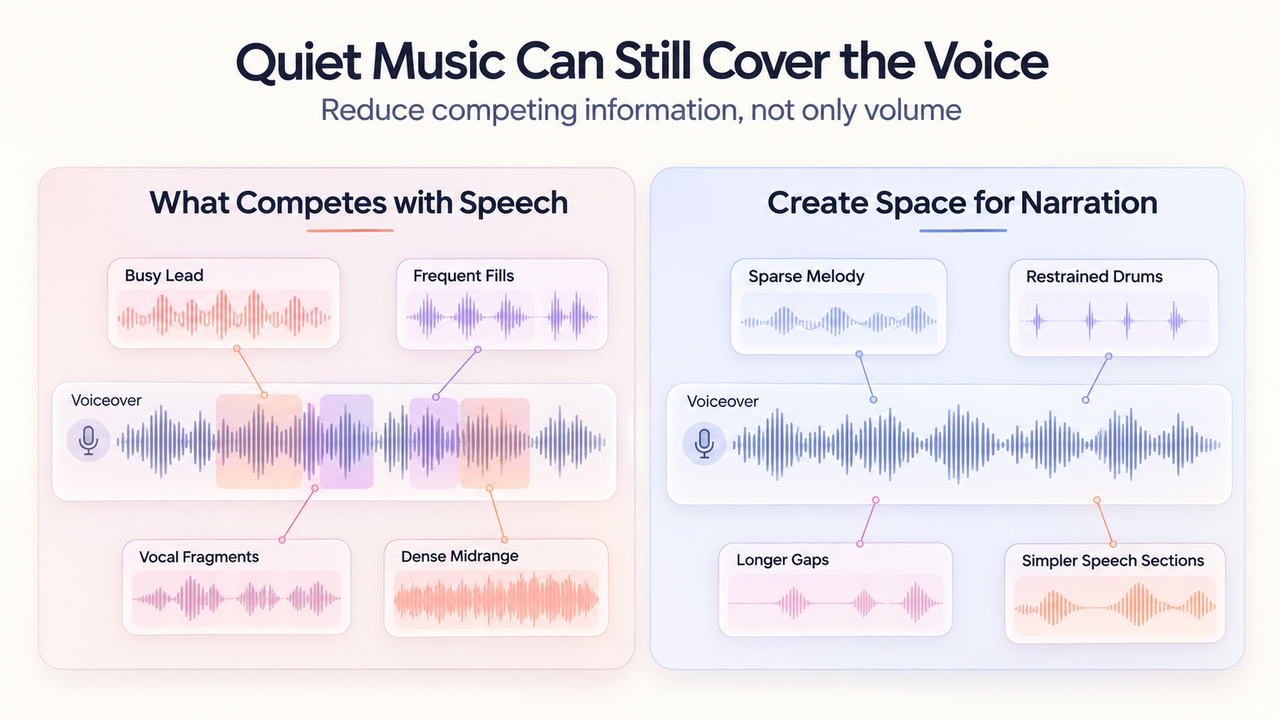
“Quiet” does not guarantee voice clarity. A low-volume track can still compete with speech if it contains a busy lead, frequent fills, vocal fragments, or dense sounds in the same range as the narrator.
Prompt lofi background music for low melodic density, restrained percussion, and fewer foreground events during spoken sections. If the generator supports sectional direction, request a slightly fuller passage for B-roll and a simpler bed when narration returns.
Test the mix on ordinary speakers. Listen for words that become harder to follow when a musical event arrives. Lowering the track may help, but simplifying the competing element usually creates more natural space.
Test lofi against talking-head and montage edits
Use two different tests because talking-head and montage videos ask for different things. A track that sits comfortably under speech can feel flat across a visual sequence, while an engaging montage cue may interrupt a presenter every few seconds.
For a talking-head edit, place the track under the densest speech, not the easiest section. Check sentence endings and moments when text or graphics add information. Good relaxing video background music should support the edit without reducing comprehension.
For a montage, mark changes in location, subject, scale, or activity. The lofi track does not need to hit every cut, but it should offer enough development to separate the opening, middle, and payoff. A completely static loop can make distinct scenes feel interchangeable.
Review the whole edit rather than approving a short excerpt. Repetition, energy drift, and awkward endings often appear only across several sections. The timeline—not the audio preview—is the final test.
Fix results that feel sleepy, repetitive, or too busy
If the result feels sleepy, do not immediately request a much faster tempo. Ask for clearer rhythmic articulation, a firmer pulse, brighter attacks, or a modest layer change when the visuals become more active. Energy can rise without abandoning the lofi character.
If it feels repetitive, identify the event exposing the loop: perhaps one melodic phrase, a recurring fill, or a texture reset. Regenerate with less lead activity, longer development, and specific layer changes.
If it feels too busy, remove information before lowering the entire mix. Ask for no vocal chops, fewer melodic notes, simpler fills, and longer gaps between foreground events. This preserves warmth and rhythm while creating more room for narration or visual detail.
You can also cut a distracting fill, duplicate the cleanest section, automate levels, or combine restrained and fuller passages. Generation provides material to arrange around the edit.
When lofi is the wrong soundtrack choice
Lofi is a poor fit when the edit needs sharp comedy timing, urgent action, a large reveal, sustained tension, or a pronounced emotional transformation. Its softened attacks and steady groove may reduce contrast precisely when the video needs a decisive change.
It can also make serious or premium material feel casual when that tone is not intended. The question is not whether lofi music for videos is popular or pleasant. It is whether the track supports the viewer's interpretation of this specific subject.
Test the sequence in silence and with a contrasting music direction. If lofi makes the strongest scene feel smaller, blurs an important transition, or keeps the ending from resolving, choose another soundtrack approach instead of forcing more energy into the same style.
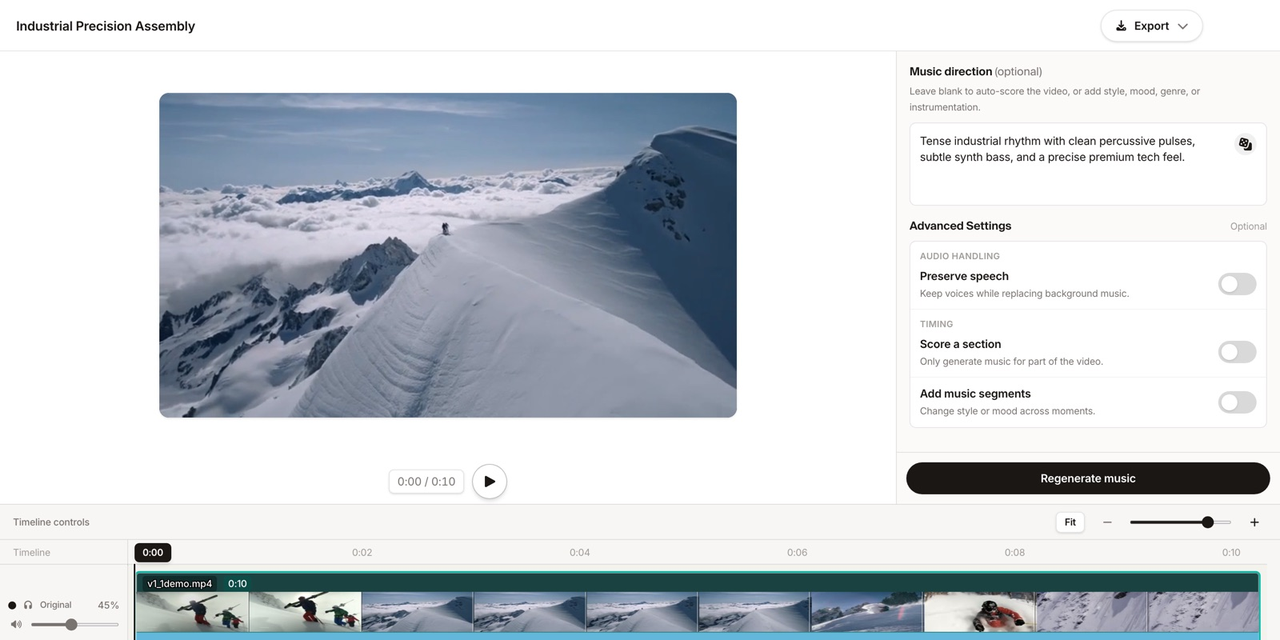
When the finished edit contains several timing and energy changes that a simple loop cannot follow, a video-first workflow is another option to test. According to Sonilo’s current product page, its workflow is designed to generate music from an uploaded edit and align it with cuts, pacing, and scene changes. Compare each result against the actual timeline.
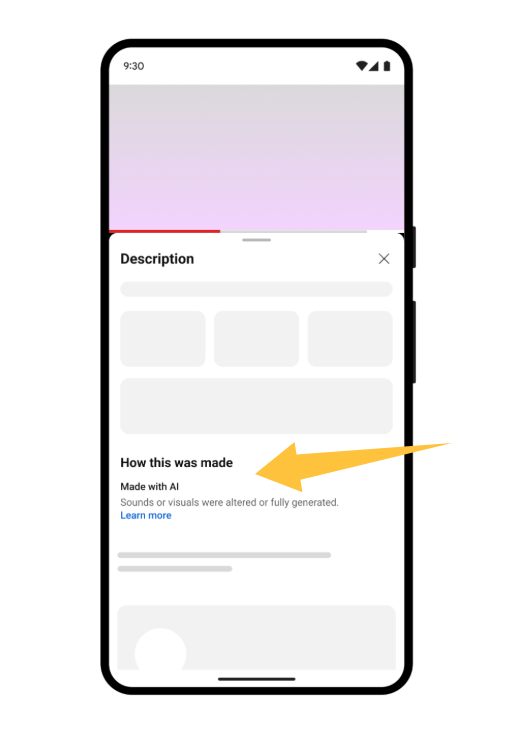
Before uploading client footage or publishing an output, review Sonilo’s current Terms of Service and Privacy Policy. Commercial use depends on the applicable plan, and uploaded content may be used for service and model improvement. If the video will be published on YouTube, its current AI disclosure guidance specifically lists AI-generated music as content creators need to disclose.
FAQ
Is lofi good for talking-head videos?
Yes, when it leaves enough space for speech and matches the presenter's energy. Use an instrumental arrangement with restrained percussion, limited lead activity, and no distracting vocal fragments. Test it under the densest spoken section and on ordinary speakers; if important words become harder to follow, simplify the arrangement before merely lowering the volume.
Can AI lofi sound too repetitive?
Yes. Short chord cycles, recurring fills, and identical texture resets can reveal the loop quickly. Request a loop-friendly base with gradual variation, longer melodic rests, and sections where layers enter or leave. Review the full video rather than a short preview, because repetition usually becomes obvious only after several visual or narrative changes.
Should lofi tracks loop through the whole video?
Only if the loop remains unobtrusive and the video has a stable energy level. Longer edits usually benefit from small arrangement changes, reduced density under speech, and a distinct ending. If the story changes direction, move to another section or variation instead of repeating one phrase across every chapter, reveal, and transition.
What if the video needs more energy?
Increase rhythmic definition before abandoning lofi completely. Ask for a firmer pulse, clearer attacks, an added layer during B-roll, or a controlled lift near the payoff. If the footage needs urgent action, strong tension, or a large emotional release, another soundtrack style may provide the contrast more naturally than an overloaded lofi arrangement.