Comparisons
Suno vs ACE Studio for Video Music (2026)
- Written by
- Sonilo Team
- Published
Suno vs ACE Studio is not a comparison between two versions of the same workflow. One can begin with a song brief. The other can begin with the video timeline.
That difference matters after picture lock. A full vocal song, memorable intro, or reusable musical identity starts with musical direction. Music and SFX around existing cuts start with timing. Comic timing needs the same picture-first approach: a library of funny sound effects for videos only works when the hit lands on the reaction, not a few frames early or late.
Disclosure: Sonilo publishes this comparison and appears later only as a video-first workflow reference.
Product pages, documentation, and terms were reviewed on August 26, 2026. Features, Beta access, plans, downloads, and legal terms can change. Verify the current official pages before release. Rights information below is general guidance, not legal advice.
Quick Verdict for Video Music
Choose Suno when the creative starting point is a song: a genre, lyrical idea, vocal direction, hook, or instrumental identity. Its current creation flow turns text or uploaded audio into complete music, with deeper editing available through Suno Studio.
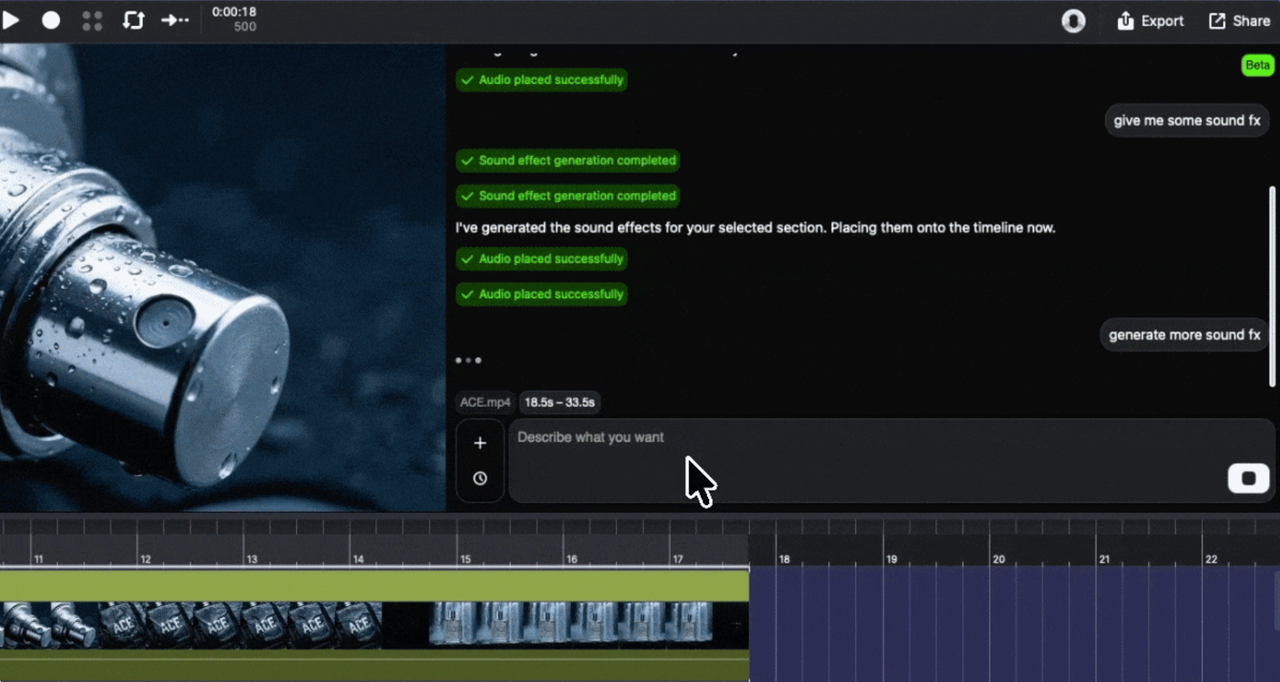
Choose ACE Studio when the video itself should guide the first draft. Its Video Composer imports a video, analyzes the visual sequence, and places generated music or SFX on an editable timeline. The feature is currently marked Beta in ACE Studio’s documentation.
| Decision | Suno | ACE Studio |
|---|---|---|
| Primary starting point | Song description, lyrics, style, or audio idea | Imported video plus musical or SFX direction |
| Main output logic | Complete song or instrumental | Music and SFX organized against picture |
| Video awareness | The editor fits the result to video | Video Composer analyzes the imported video |
| SFX route | Experimental prompt-based Suno Sounds | Video Composer or separate video-to-SFX workflow |
| Editing depth | Song editing and Suno Studio production tools | Timeline clips, selected-range generation, track editing, and export |
| Current status check | Download rules are changing in September 2026 | Video Composer is currently labeled Beta |
There is no universal winner. Suno is closer to a song generator that can supply video music. ACE Studio is closer to an AI music studio that now includes a video to music generator and SFX workflow.
What Suno and ACE Studio Offer
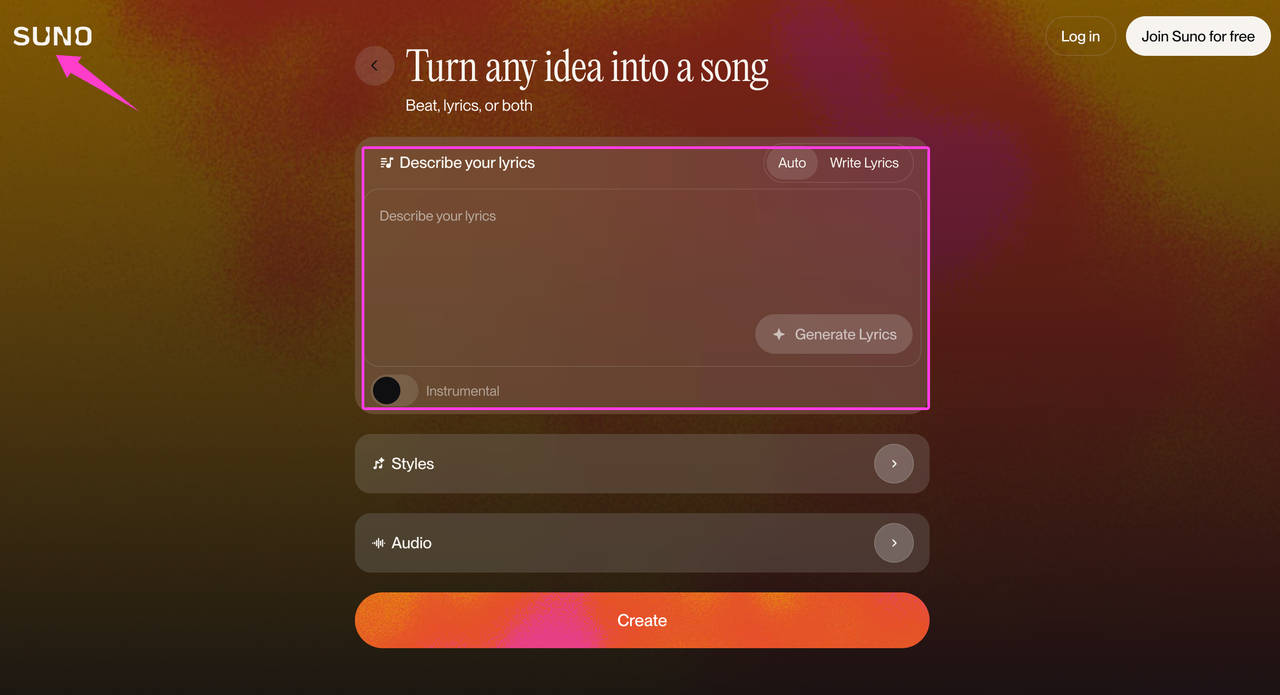
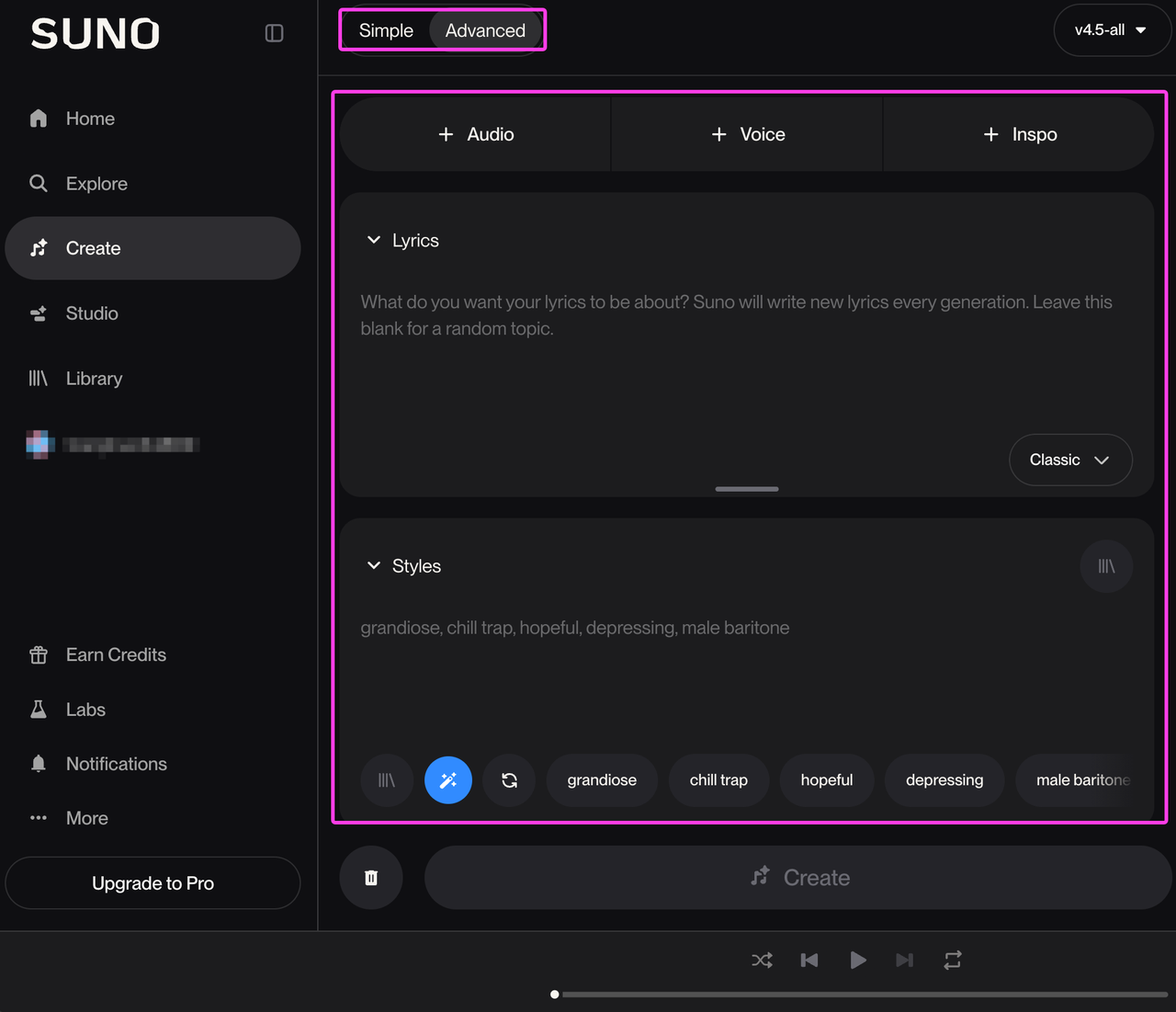
Suno’s current creation page starts with a prompt, lyrics, style choices, an instrumental option, or uploaded audio. Simple Mode turns a description into a song, while Custom Mode provides more control over lyrics and direction. This makes Suno useful when the music must have a recognizable identity beyond one edit.
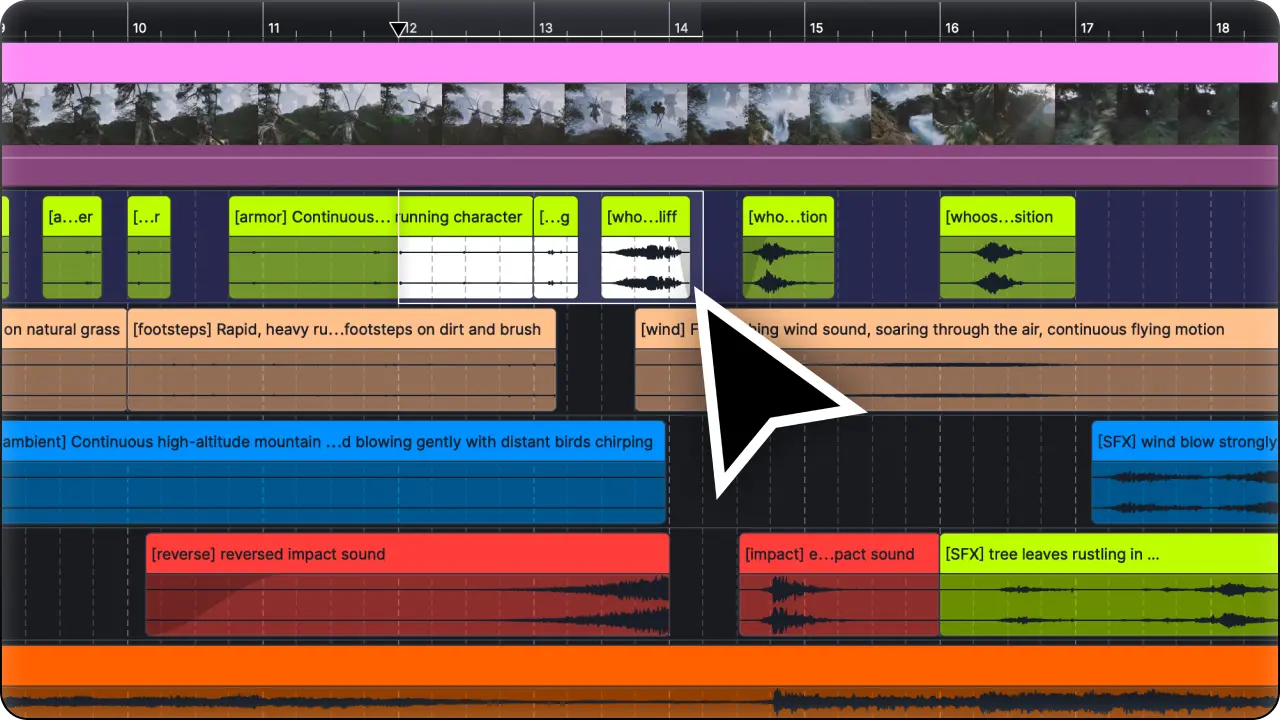
ACE Studio covers broader music-production tasks, including AI vocals and instruments. For this comparison, the relevant feature is Video Composer. Its documentation covers video import and full-range or selected-range music and SFX generation. Creators can then refine results through the agent and timeline.
The product claims describe intended workflows, not proven comparative quality. Neither vendor’s page establishes that every generation will fit a cut, leave room for dialogue, or outperform the other tool.
Compare the Creation Workflow
Prompt-to-song generation
Suno begins with what the creator wants to hear. A prompt can define genre, instrumentation, mood, structure, lyrics, or an instrumental result. The platform then returns song candidates that can be extended, cropped, revised, or developed further.
This route works when the song can influence the edit. A creator might select the hook first, then cut an intro or montage around it. For a locked video, the process reverses: the editor must find the right section, shorten the track, move the visual cut, or rebuild the ending.
ACE Studio also accepts creative direction, but Video Composer adds picture context to the request. That does not make the output automatically final. It changes the first draft from “music described in words” to “music requested while the video is present.”
Video composer workflow
The current ACE Studio Video Composer guide describes a video track, monitor, and AI agent. After import, the creator can generate for the full timeline or a selected range. Generated audio appears as editable clips, and the conversation can continue without starting a new session.
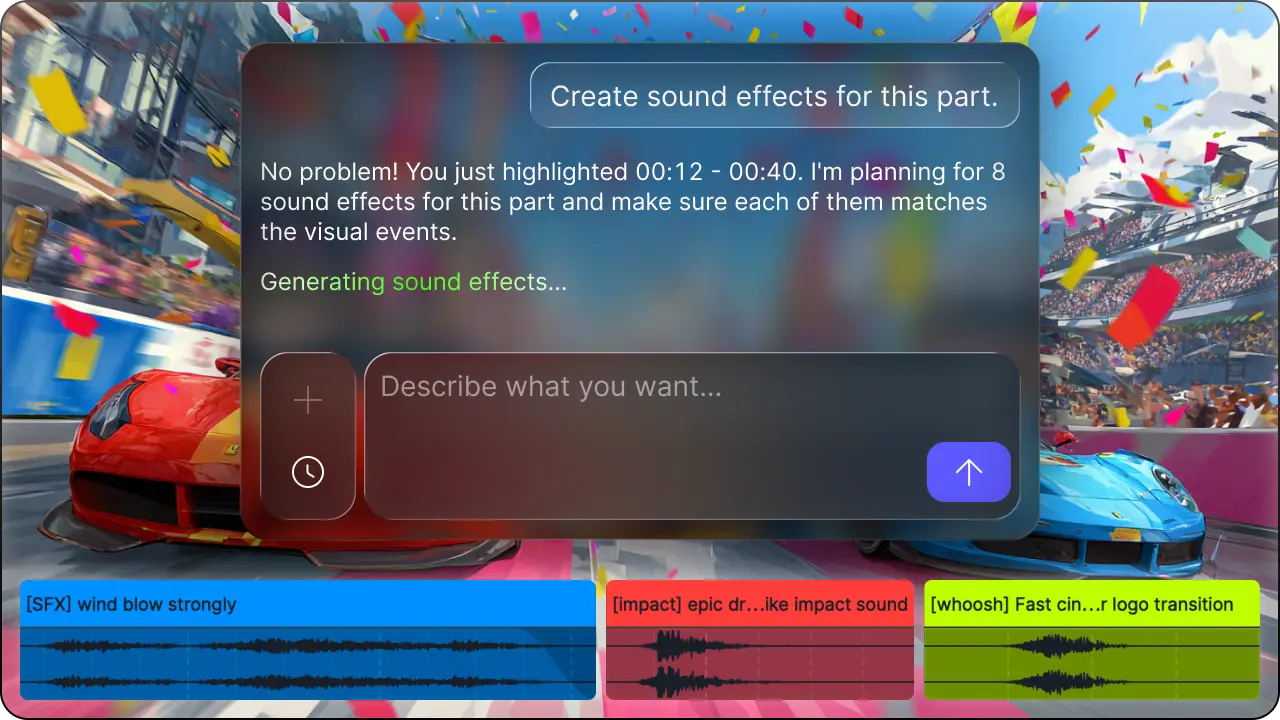
That structure better fits revisions tied to specific scenes. If a reveal needs less energy or one transition needs a new hit, the editor can identify the range instead of rewriting a complete song brief.
The Beta label remains important. A production team should confirm access, supported inputs, stability, and export behavior on the intended computer. Do not treat a public product page as a service-level guarantee.
Music and SFX coverage
Suno remains song-centered, but its official Suno Sounds help describes an experimental Beta feature for individual effects, ambience, loops, and samples. Those sounds begin with text prompts rather than an uploaded video timeline.
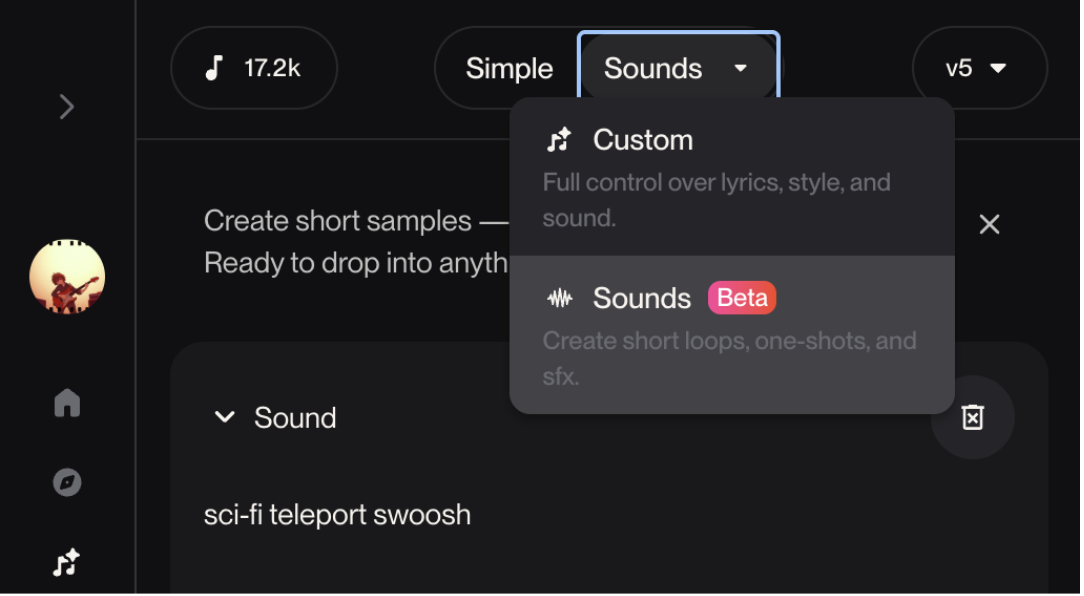
ACE Studio places music and SFX inside the same video-oriented agent workflow. It also offers a separate video-to-SFX page for generating effects and downloading them individually or with a video.
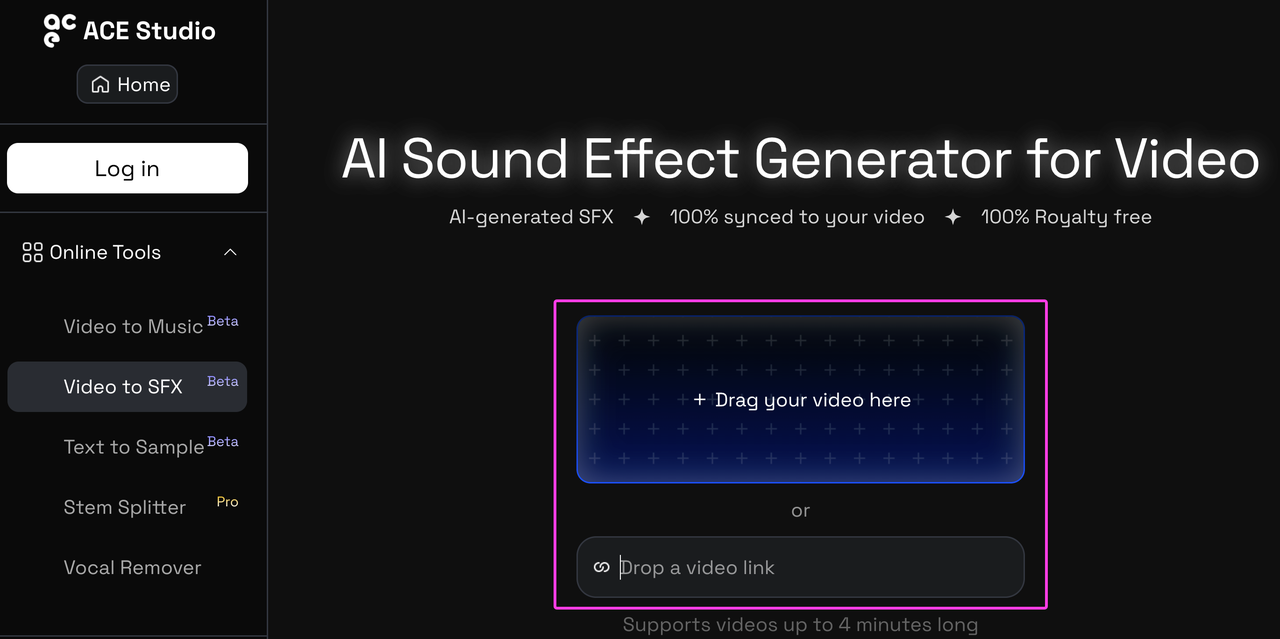
However, ACE Studio’s current license documentation says Video Composer SFX use a third-party API. It directs users to that provider’s terms without naming the provider on the reviewed page. Treat that as an unresolved verification step for commercial or client work, not as a universal rights guarantee.
Editing after generation
Suno offers editing beyond the first song. Current help materials describe cropping, section replacement, stems, and Suno Studio tools such as warp markers and timeline exports. Access depends on the current plan and feature.
ACE Studio keeps generated music and SFX as clips within its broader production timeline. Creators can move, trim, regenerate, mix, and combine them with other ACE Studio instruments or vocals. Its export documentation supports master, selected-track, or individual-track audio exports, including WAV and MP3 options.
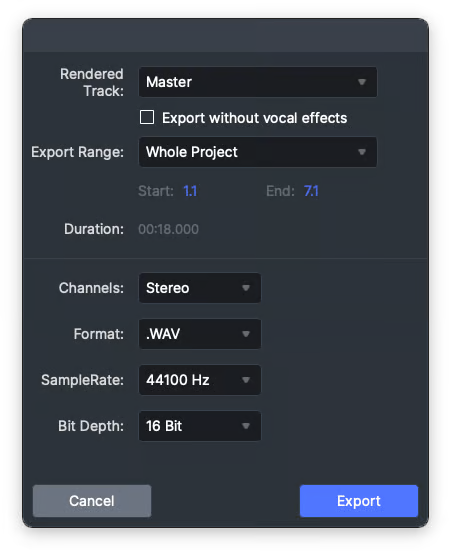
The practical distinction is not “editable versus uneditable.” Both offer editing. Suno’s deeper tools develop a song project, while ACE Studio’s relevant workflow keeps the imported video visible during scoring and revision.
Download and export checks
Suno’s current download help lists audio and video downloads, including MP3 and WAV routes. Its separate help says WAV downloads require Pro or Premier access and the web interface.
Timing matters because Suno has announced a policy change. The company says new download limits and terms are scheduled for September 3, 2026. At the August 26 review date, those changes were announced but not yet effective. If this article publishes after September 3, recheck the current announcement and live terms instead of repeating the future-tense limits.
ACE Studio can export a master, selected tracks, or individual tracks. For a video team, separate files make music, ambience, and effects easier to rebalance in an NLE. Confirm that the Video Composer output appears in the expected tracks and survives a real project reopen before standardizing the workflow.
Fit for Creator Video Projects
Social video backgrounds
Suno fits social edits that benefit from a distinctive hook or song-led identity. Generate an instrumental when lyrics would compete with captions or narration, then test the chosen section inside the real vertical edit.

ACE Studio fits a completed social cut that needs changes around reveals, transitions, or a fixed ending. Selected-range generation may reduce the need to rebuild unaffected sections, subject to the current Beta behavior.
YouTube intros and transitions
Suno is useful when an intro should recur across episodes. A recognizable musical idea can become part of the channel’s identity, provided the creator records the generation, plan, and approved use.
ACE Studio is more direct when the intro already has timed logo animation and transition points. Its SFX path can also address individual hits. Keep the music and effect sources separate in the project record because their applicable terms may differ.
Game and animation clips
Suno suits trailers, character themes, and music-led promotional edits. It may also supply loops or individual sounds through experimental Suno Sounds, but those assets still require placement against gameplay or animation.
ACE Studio better matches a clip-first review when actions and scene changes are already visible. Neither workflow should be treated as a substitute for an adaptive in-engine audio system. Exported linear audio still needs implementation and testing in the target game or animation pipeline.
Rights, Beta Status, and Review Steps
Start by recording the tool, account, plan, generation date, prompt, input source, output file, and official terms URL. Keep rejected versions identifiable until the final soundtrack is approved.
Suno’s current paid-plan rights guidance grants commercial-use rights to songs made while subscribed, while free-plan output is described as personal and non-commercial. Suno also warns that commercial permission does not guarantee copyright protection. Review the live terms because the announced September update changes how downloads connect to plan rights.
ACE Studio’s current terms say users retain rights in their output, subject to feature-specific restrictions and input rights. Its documentation separately describes Video Composer music and SFX permissions. The SFX third-party dependency means teams should obtain or preserve the applicable provider terms before release.
For either service, confirm that you have permission to upload lyrics, audio, video, voices, client footage, or other reference material. Review privacy and data-use terms before submitting confidential or unreleased work. Commercial permission is not the same as exclusivity, copyright registration, or freedom from third-party claims.
When a Video-First Tool May Fit Better
ACE Studio already provides a video-aware option, but a team may want a simpler browser route rather than a broader music-production environment. The relevant comparison is then workflow shape, not a claim that one generator sounds better.
Sonilo currently accepts video or text and exports music and sound effects as separate files. It can serve as another video-first reference when the input is a completed edit. Sonilo is not part of the Suno-versus-ACE feature ranking, and its current licensing terms still need review for the active plan and intended release.
FAQ
Can project notes mention which generator made each draft?
Yes. Put the generator, feature, date, plan, prompt version, and export name in the note. Tool attribution helps collaborators trace a draft without implying endorsement or authorship beyond what the records support.
Should rejected generations be archived after a comparison test?
Keep the shortlist and any version that influenced the final edit. Delete obvious failures according to the project’s retention policy. Preserve enough evidence to reconstruct why the approved track was chosen.
Can blind listening help avoid tool-name bias?
Yes, when the comparison concerns audible fit. Rename matched exports with neutral codes, align loudness for review, and play them against the same cut. Reveal the tool names before rights and workflow approval, because those decisions cannot be made blindly.
What if the soundtrack brief changes halfway through editing?
Create a new brief version rather than overwriting the old one. Note which scenes changed, which outputs remain valid, and whether the editor should revise the song or regenerate only selected video ranges.
Should collaborators hear samples before seeing the tool name?
For creative review, neutral samples can reduce expectations attached to a brand. After the listening pass, show the source, plan, Beta status, and usage record so the team can evaluate practical and rights constraints.