Guides
Lyria 3.5 Flow Music Workflow for Video Soundtracks
- Written by
- Sonilo Team
- Published
Before you open Flow Music, put three markers on your video timeline: where the music should wake up, where it should lift, and where it must stop. Those markers give the prompt something useful to follow. Without them, “cinematic and emotional” is only a mood request. Ranking the best AI music generation tools 2026 should use the same standard: whether a tool can follow a locked cut, leave room for dialogue, and export something an editor can actually place.
This Lyria 3.5 Flow Music workflow turns a locked cut into a brief, a shortlist, and one track for your editor. Your editor still controls synchronization and the final mix.
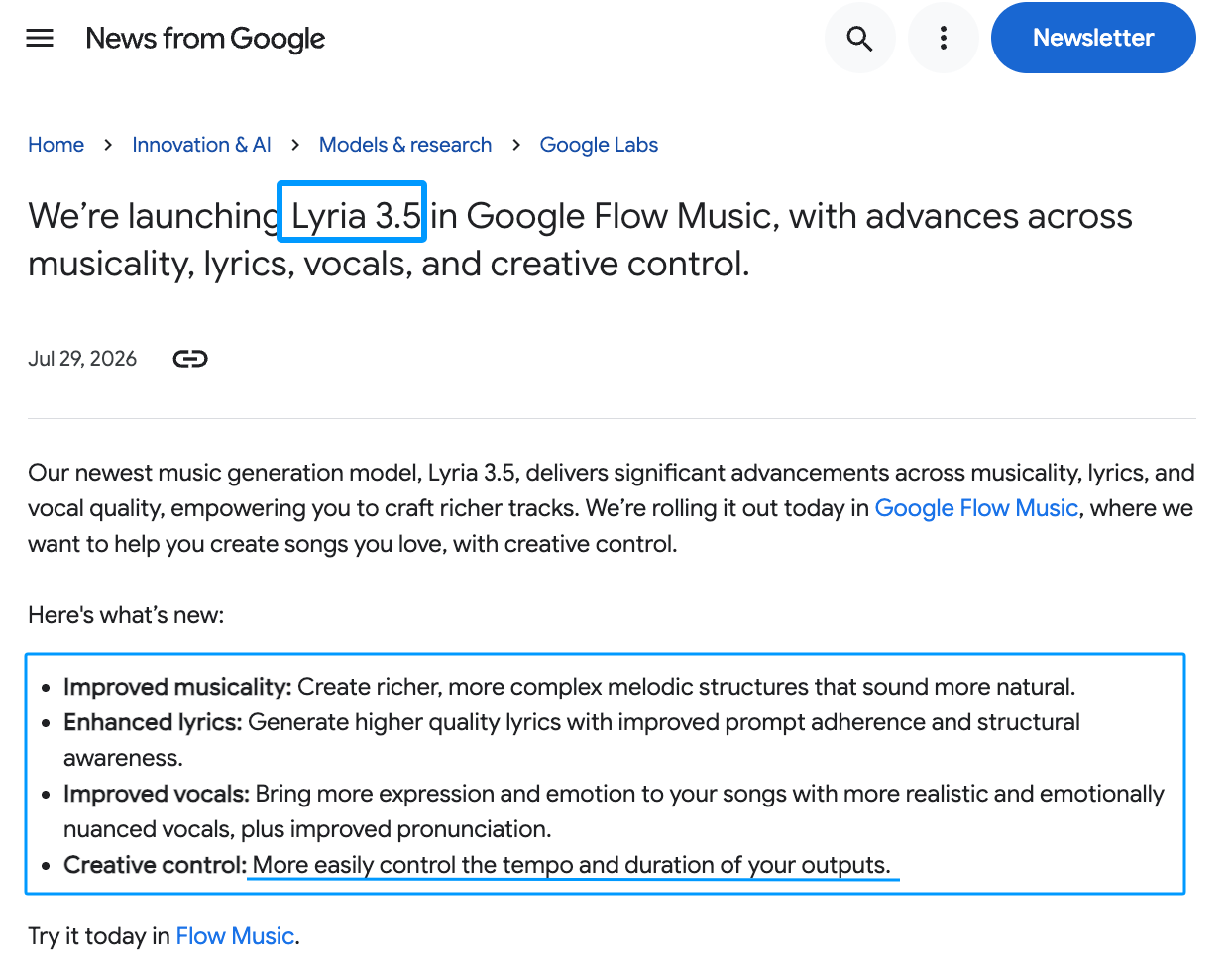
Google launched Lyria 3.5 in Flow Music on July 29, 2026. Its launch announcement highlights easier tempo and duration control. I checked the current steps and access details on September 8, 2026.
Start With a Locked Video Cut
Watch without music and mark only the moments that change meaning. A first line, scene turn, reveal, and final frame make useful anchors. Every cut does not need a beat.
Write time plus purpose: 0:18 — pulse enters after voiceover setup beats music gets bigger. Note where narration needs space and whether the ending may fade.
Label the cut version before generating. A track for cut-v7 becomes harder to judge after someone replaces it with cut-v8.
Build a Soundtrack Brief in Flow Music
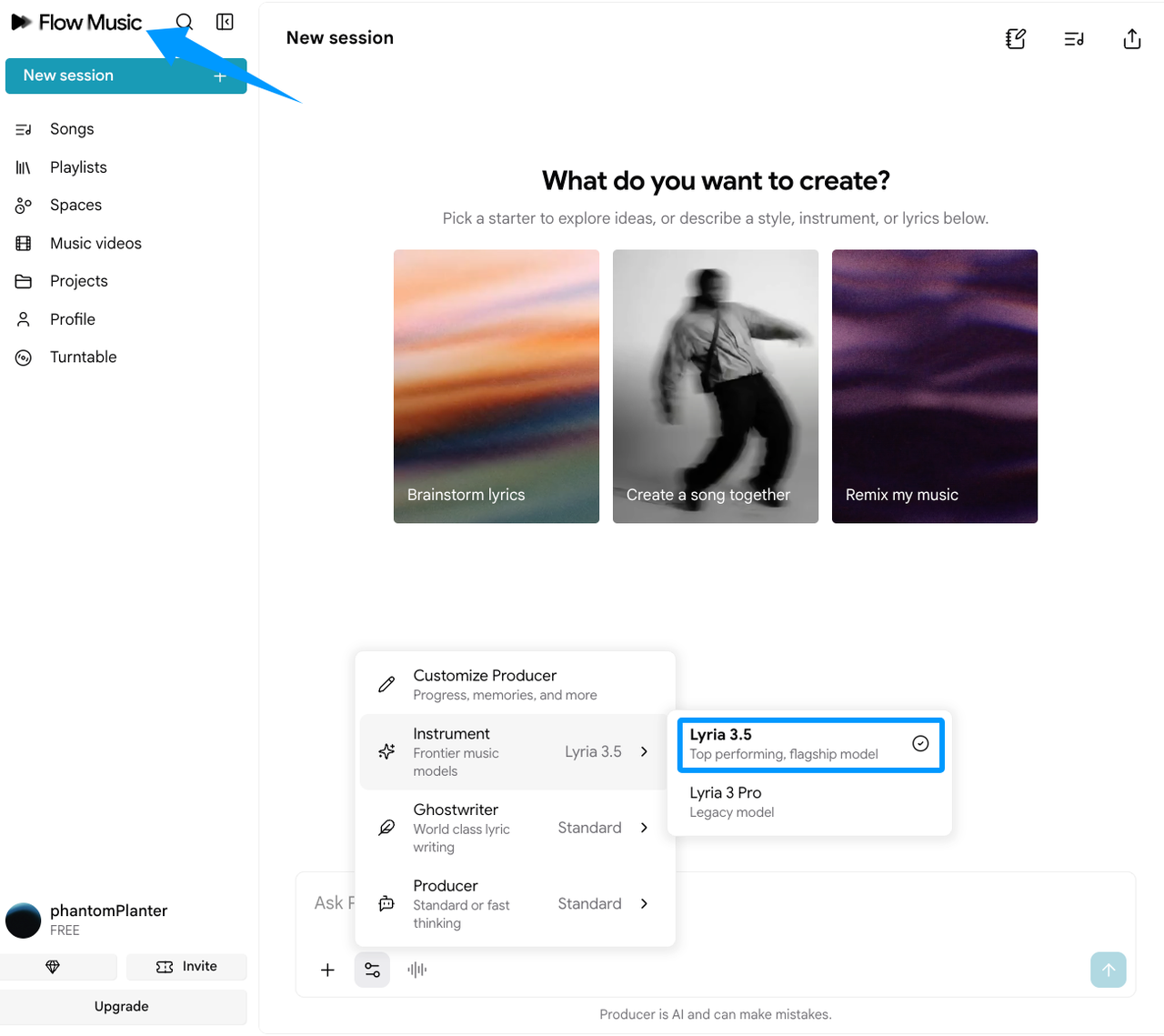
Google’s song-creation guide starts with New session and a text prompt. Audio, recording, and image references are optional. It does not document finished-video analysis.
The brief must therefore carry the picture into the music. Keep the main arc obvious.
Set the Mood, Tempo, and Instrumentation
Start with the music’s role: restrained bed, driving cue, uneasy underscore, or warm resolution. Then name a tempo feel and a few instruments.
For example:
Instrumental electronic underscore for a 60-second product video. Restrained and curious at first, then confident. Soft synth pulse, muted percussion, and warm pads. No vocals. Leave room for narration.
“Leave room for narration” matters more than five genre labels. A beautiful lead still fails when it argues with the voiceover.
Set the Target Duration and Structure
Add the exact target and translate your markers into sections:
0:00–0:12 minimal opening. Add a pulse at 0:12. Build from 0:34. Main lift at 0:46. Resolve cleanly at 1:00 with no long tail.
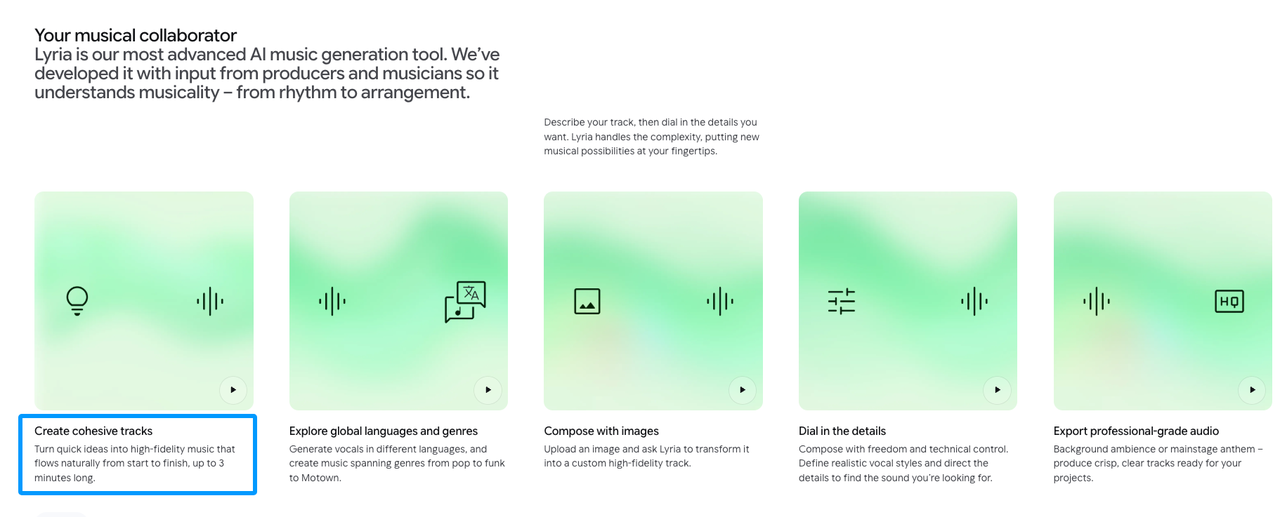
Google says Lyria 3.5 creates cohesive tracks up to three minutes and accepts a chosen length. That is composition control, not frame-accurate delivery. The Lyria page still tells creators to check each track.
Generate and Shortlist One Track
Send the brief and reject anything that misses the opening role. Do not repair every candidate. Keep the one whose arc already agrees with the picture.
Listen again with four questions:
- Does the opening leave room for the first line?
- Does the energy change near the intended visual turn?
- Does the main lift arrive before the payoff, not after it?
- Can the ending survive a small trim?
Google documents prompt-based edits plus Extend, Cover, and Replace. Use them when one section misses, and keep the original until the revision works.
Fit the Track in Your Video Editor
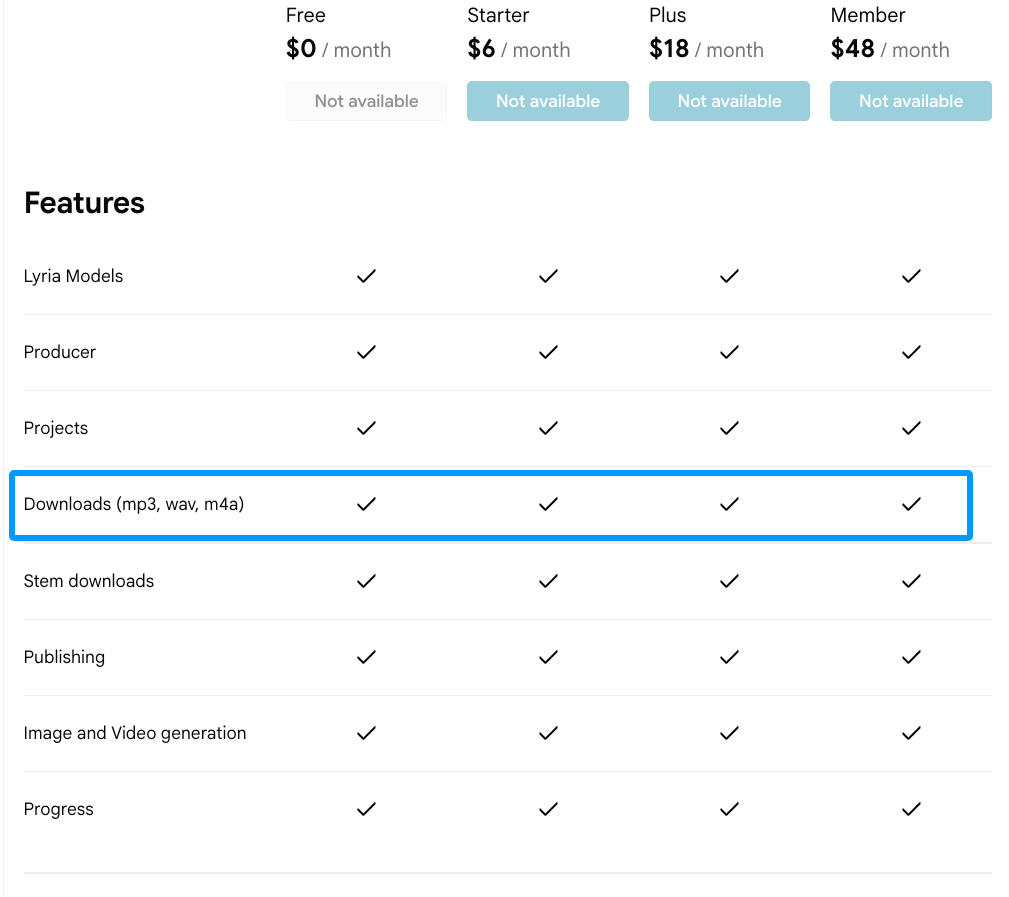
Download the song and import it as a separate audio layer. Flow Music’s plan page lists MP3, WAV, and M4A downloads. Choose what suits the edit.
Compare the track’s phrases with your markers. Do not stretch locked picture to rescue the music. Move the soundtrack.
Align Musical Changes With Visual Beats
Start with the final frame, the main reveal, and the first narration entry. Those three points usually matter more than a row of beat cuts.
Move the track by phrase, not a random waveform peak. If a reveal lands halfway through a build, try an earlier start or shorter intro. This guide to syncing video with music explains visual anchors without making every cut mechanical.
Then lower the music beneath speech and watch at normal speed. A cue can look aligned and still feel early.
Trim or Regenerate When the Cut Changes
For a small recut, trim a quiet intro, shorten a sustain, or add a brief fade. Do not cut through the strongest phrase just to preserve the original file.
If the recut removes the payoff, update the duration and affected markers in Flow Music. Generate or replace that section, then save a new cut version.
Check the Final Mix and Export
Play the full video. Check the narration, first musical entrance, and final note against the last image.
Watch an exported file on ordinary speakers or headphones. Confirm no tail runs over black and no preset makes the music crowd the voice.
Keep the music file, prompt, cut name, and export together. The next revision will be easier.
Limitations and Trade-Offs
Flow Music offers composition controls, but its documented song path does not read a video timeline or promise frame-level sync. You must carry cue times into the prompt.
As of September 2026, Sonilo publishes this guide and offers a separate video-first product. The two paths remain separate here. If carrying markers between tools is the problem, this video-first soundtrack workflow starts from the cut.
Google’s privacy notice says uploads and conversations may help improve its services, with a setting to change that use. Do not upload confidential client material without approval.
FAQ
Which Google plans include Flow Music access?
Google says core features are free. Its plan help maps AI Plus to Starter, Pro to Plus, and Ultra to Member. Credits and newer models vary, so confirm Lyria 3.5 in the selector.
Can a Flow Music project keep multiple track versions?
Google’s project guide says projects collect sessions and their songs. That keeps candidates together, but it is not documented version control. Name accepted files after the matching cut.
Can Flow Music export separate stems?
The pricing page lists stem downloads, but the reviewed Google help pages do not specify the stem set or file details. Confirm the option before planning separate drums, bass, or melody.
Does Flow Music preserve prompt history when a track is revised?
The reviewed Google help pages document sessions and song editing, but not a guaranteed revision log. Copy the accepted prompt into your edit notes and keep revisions as separate files.
Are Flow Music outputs watermarked with SynthID?
Yes. Google DeepMind says all Lyria tracks receive an imperceptible SynthID watermark. It identifies Google AI audio; it does not decide ownership or publishing permission.
Conclusion
A useful Lyria 3.5 Flow Music process begins with three timeline markers, not more adjectives. Give it an arc, keep one candidate, and finish timing beside the picture.
If the video changes, rename the cut, revise its cues, and keep the approved track. That is how you avoid losing the ending everyone already liked.


