Guides
Music for Drone Videos: Match Motion and Scale
- Written by
- Sonilo Team
- Published
Two aerial shots can cover the same landscape and need opposite musical treatment. One may rise slowly until the horizon appears; another may race low over the ground with every detail passing quickly beneath the frame.
Choosing music for drone videos starts with that difference. The soundtrack should respond to the direction, speed, distance, and emotional purpose of the flight—not simply to the fact that the footage came from the air.
Read the camera movement before choosing music
Watch the edit without sound and describe what the camera is doing in plain language. Is it rising, descending, pushing forward, pulling away, orbiting a subject, crossing sideways, or holding nearly still? Then note where that movement begins, changes, and settles.
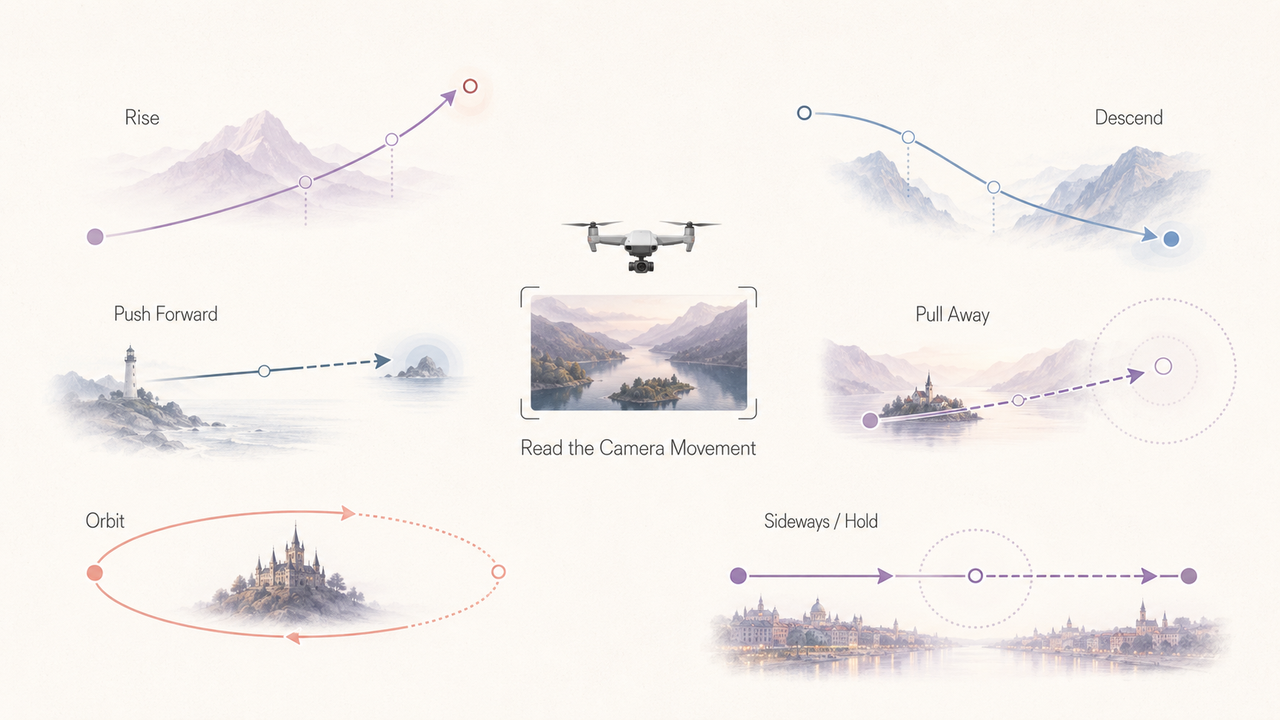
Direction changes expectation. A rise can withhold information, a pullback can place a subject inside a larger environment, and an approach can make a destination feel immediate. The music should follow that purpose rather than attach the same swell to every move.
Speed also needs context. A drone may be travelling quickly while a distant landscape changes slowly in the frame. Another shot may use modest flight speed close to the ground, making foreground details rush past. Judge perceived motion on screen, not the aircraft's speed during capture.
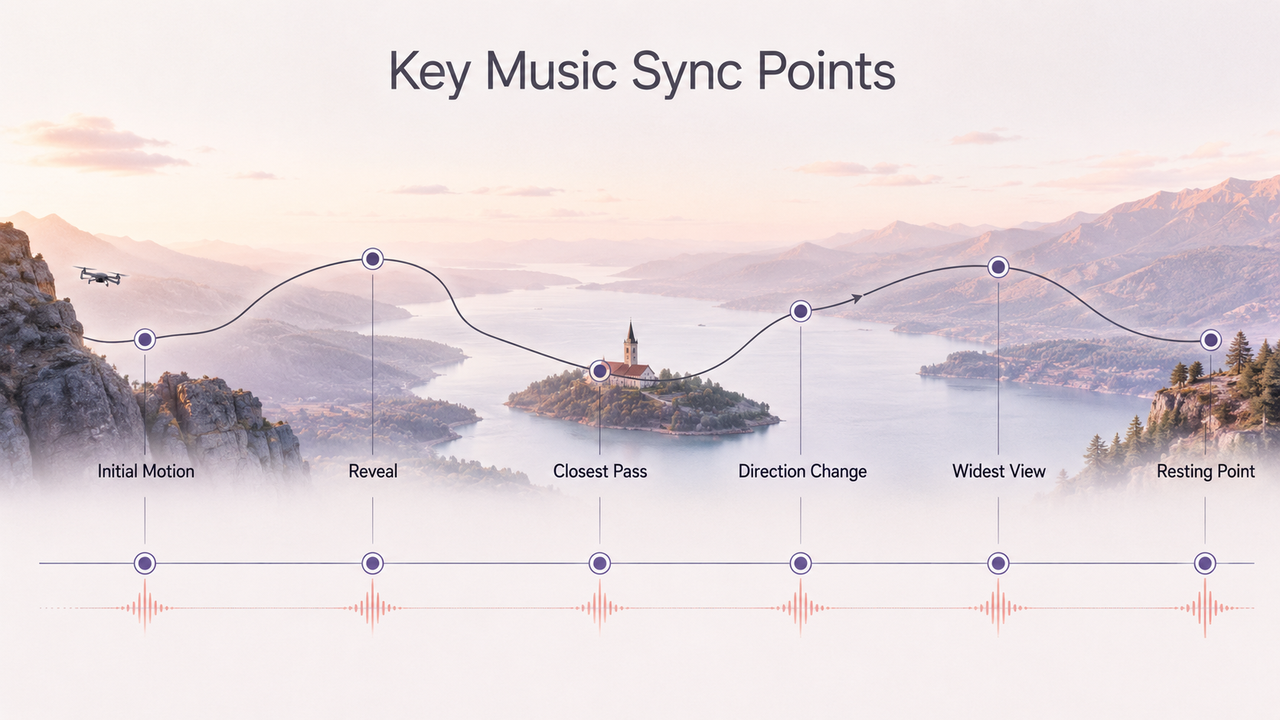
Map the reveal, direction change, closest pass, widest view, and resting point before searching for a track. These are potential musical events; the spaces between them determine whether the soundtrack needs movement, a build, or room to breathe.
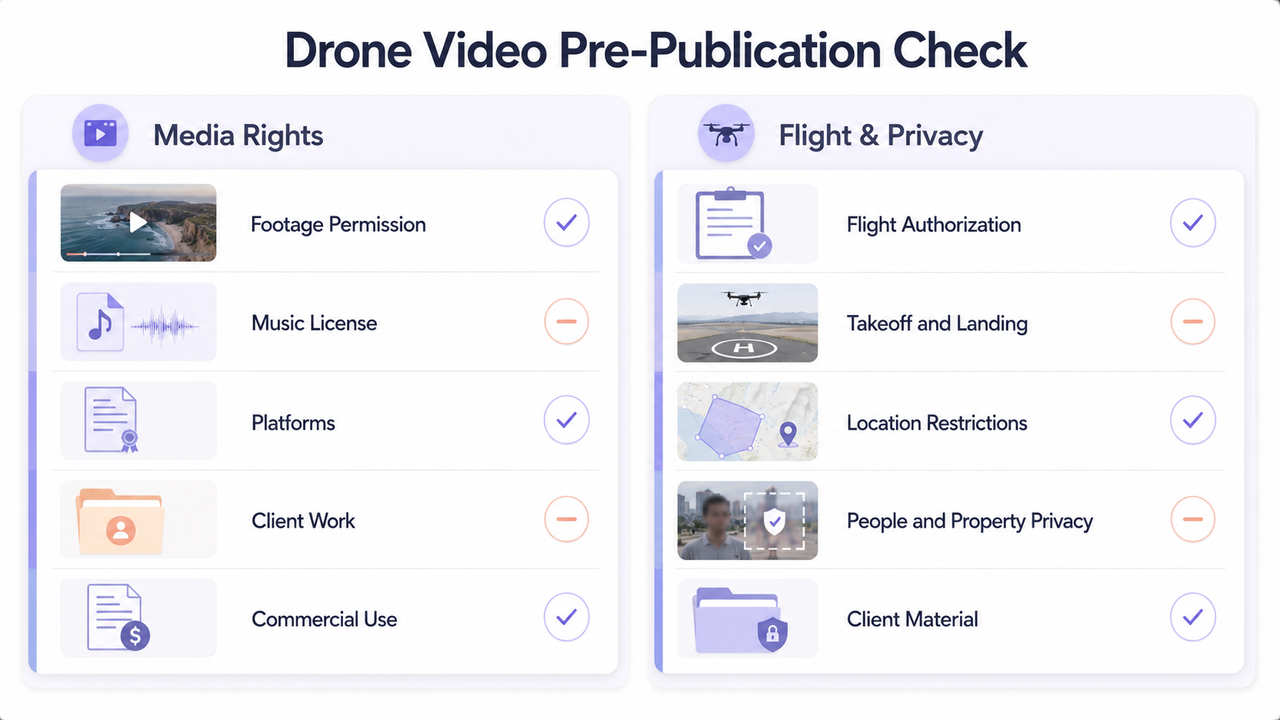
Before editing, confirm that you have permission to use both the footage and the music. If you did not create the track, check that its license covers the intended video, platforms, client work, and commercial use. The U.S. Copyright Office recommends obtaining permission or a license when an exception does not apply. U.S. Copyright Office
If you are responsible for capturing the footage, check the rules that apply where the flight takes place. In the United States, many commercial and other non-recreational drone operations fall under FAA Part 107; privacy, trespass, filming, and takeoff or landing restrictions may also depend on state, local, or site-specific rules.
Match soundtrack scale to the shot scale
Wide aerial footage can make a location look immense, but visual size alone does not require immense music. A quiet overhead view of one person may feel intimate even when the landscape is vast.
Ask what the shot enlarges in the viewer's mind: geography, isolation, speed, architecture, weather, or the relationship between people and place. Reinforce that idea instead of defaulting to maximum intensity whenever the frame widens.
Slow reveal shots
A slow reveal has two parts: what the frame withholds and what it eventually shows. Keep enough musical space for that change to register. If the soundtrack reaches its peak before the horizon, building, or subject appears, the visual reveal can feel late.
Cinematic drone music can work here when its development follows the shot. A new layer, wider harmony, or clearer pulse may arrive as the view opens, but the change does not need to become a full climax. Some reveals are about calm recognition rather than spectacle.
Fast flyovers
Fast flyovers already contain strong visual energy. The soundtrack needs rhythmic clarity, but adding the busiest available music can make the sequence hard to follow. Look for a pulse that organizes movement without competing with every passing object.
For aerial video music, place stronger accents on meaningful changes: clearing a ridge, passing a subject, banking into a new direction, or moving from open space into a tighter route. Do not accent every small correction in the flight path.
Landscape and travel sequences
A travel sequence usually combines different scales: a wide establishing view, movement toward a destination, closer details, and signs of human activity. The music should connect these perspectives without making each location feel like a separate trailer.
Useful travel drone music follows the journey's emotional direction. Arrival, distance, curiosity, quiet, and momentum can all exist within one trip. Decide which of them the sequence is actually expressing before choosing how large or energetic the arrangement should become.
Use rhythm to support motion, not just beauty
Aerial footage is often visually attractive even before music is added. Rhythm has a more specific job: it helps viewers feel acceleration, suspension, direction changes, and the duration of a move.
Choose a few sync points that matter: initial forward motion, a cleared obstruction, a turn into a new path, or a shift from detail to wide view. Ordinary movement can continue between them without constant emphasis.
Effective drone video background music does not require every cut to land on the grid. Cutting slightly before an accent can create anticipation, while holding beyond it can let a flight path resolve. Continuous shots often feel smoother when the music carries them across several beats instead of chopping them into artificial sections.
Avoid trailer-style music for simple aerial clips
Trailer devices promise a major reveal, escalating conflict, or decisive payoff. A simple orbit, coastline pass, property overview, or establishing shot may not contain that structure, so repeated rises and oversized impacts can feel inflated.
The same caution applies to music for aerial footage that stays emotionally intense from beginning to end. When every wide shot is treated as monumental, differences in distance, speed, and subject disappear. The soundtrack is then responding to “drone” as a category instead of reading the actual edit.
Compare the sequence with full music, with a more restrained arrangement, and in silence. If the location seems more dangerous, heroic, expensive, or emotionally significant only because of the score, decide whether the visuals and purpose support that interpretation.
Make the ending feel intentional after the final shot
The final aerial shot often continues moving after the main visual information has arrived. The drone may keep pulling away, rise above a subject, finish an orbit, or hold on a wide view. That remaining movement needs a musical destination.
Plan the ending before every earlier section is locked. Reserve time for the last phrase to settle, and decide whether the final frame needs resolution, suspension, or a quiet fade.
Do not extend a shot only because the track has another phrase left. Restructure the music around the strongest visual endpoint; natural motion or location sound can carry the transition out.
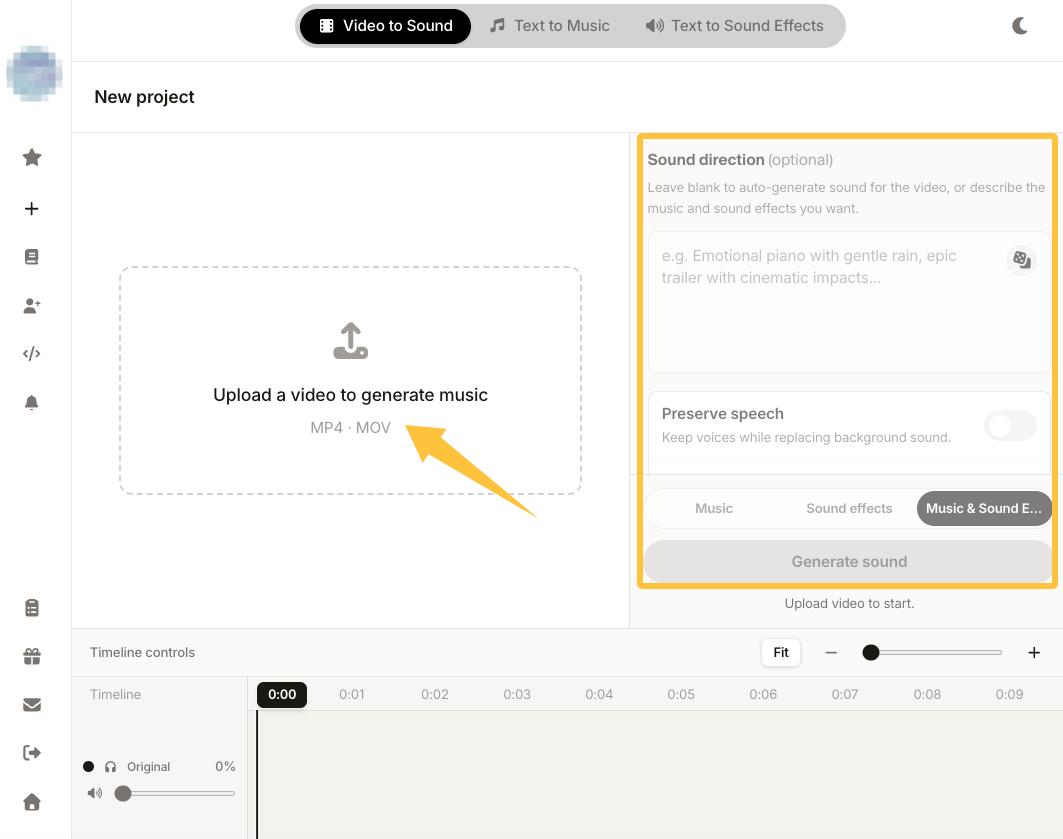
When a fixed track reaches its climax or ending before the final flight resolves, a video-first soundtrack is another option to test. According to Sonilo’s current product page, its workflow is designed to generate music from an uploaded edit and align it with cuts, pacing, and key moments. Compare each result against the actual flight sequence.
Before uploading drone footage, confirm that you have the necessary rights and avoid submitting confidential, unreleased, or privacy-sensitive client material without authorization. Commercial use depends on the applicable plan, and Sonilo’s current Terms of Service and Privacy Policy explain how uploaded content may be processed and used for service and model improvement.
FAQ
Should drone videos always use cinematic music?
No. Cinematic music can support a structured reveal or large emotional arc, but many drone clips are observational, practical, or calm. Choose it only when the footage and edit justify that scale. If the score turns an ordinary pass into an artificial climax, a more restrained soundtrack will usually preserve the scene's character better.
What tempo works for slow aerial shots?
There is no single tempo for slow aerial footage. A slower pulse may support gradual movement, but a moderate tempo with sparse events can feel equally spacious. Judge how often the music changes, not only its beats per minute, and align major developments with the reveal or direction change rather than every second of travel.
Can ambient music work for drone footage?
Yes. Ambient music can leave room for wide views, gradual motion, weather, and location sound. It works best when its texture still develops with the shot, even subtly. If the arrangement remains completely static while the camera changes direction or scale, use layering, automation, or a carefully placed transition to restore a sense of progression.
How do I avoid making drone clips feel too dramatic?
Compare the edit with music, with a reduced arrangement, and in silence. Remove rises or impacts that do not correspond to a genuine reveal, speed change, or shift in scale. Keep some location sound, limit the number of emphasized moments, and let visually strong footage carry attention without asking the soundtrack to prove that it is impressive.


