Inspiration
AIVA AI Music Generator: Is It Fit for Video?
- Written by
- Sonilo Team
- Published
Dragging a fully arranged composition beneath a locked cut can create a false sense of progress. The music already has structure, so it seems the edit should simply fall into place around it. Then the reveal lands between phrases, the final chord arrives early, and the voiceover fights the main melody.
That is the right context for reviewing the AIVA AI music generator. AIVA offers composition, influence, editing, and export controls, but its current official pages do not describe automatic visual analysis or scene-by-scene scoring from an uploaded video.
AIVA product, pricing, Helpdesk, and licensing pages were reviewed on August 5, 2026. Features, plans, limits, and terms can change, so verify the live platform before downloading or publishing. The rights discussion below is general information, not legal advice.
Disclosure: Sonilo publishes this guide and operates in AI soundtrack generation. This article evaluates AIVA's documented workflow without claiming an independent performance benchmark.
Quick Answer: AIVA Is a Composition Tool, Not Automatic Visual Scoring
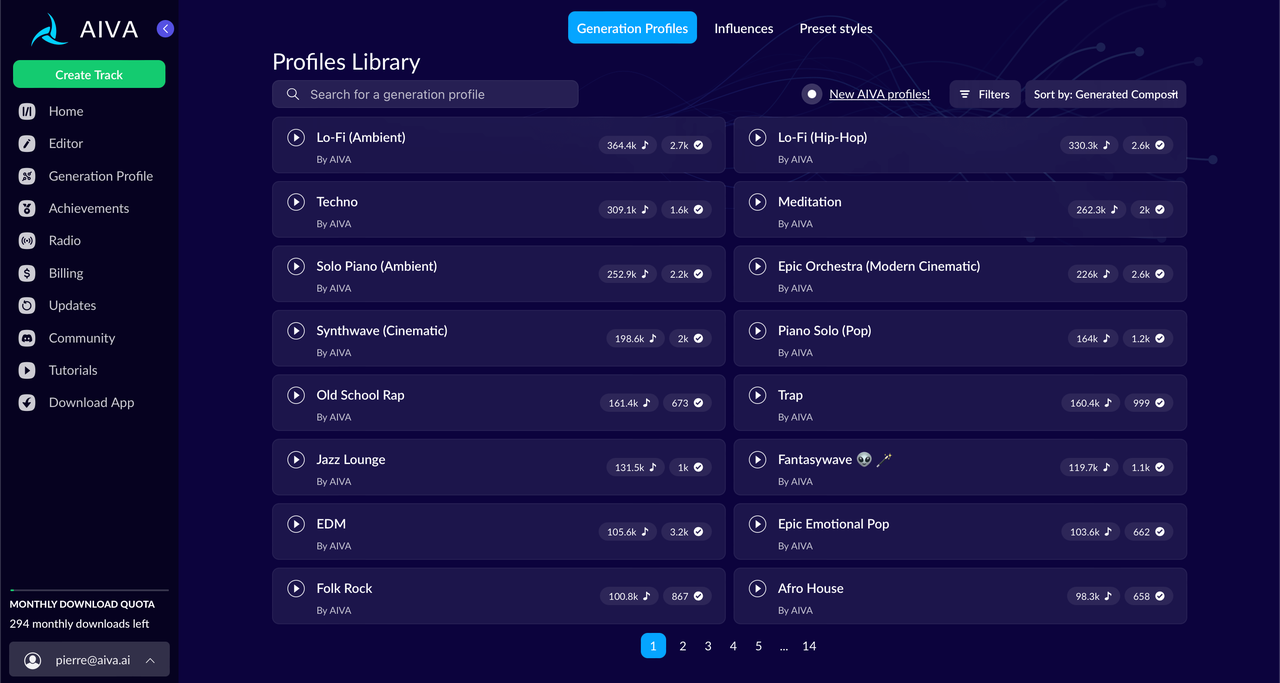
My short answer: AIVA can produce useful music for video, especially when the editor wants control over musical structure and is prepared to fit the composition manually. It is better understood as an AI composition assistant than a system that watches a finished cut and places musical events against visual cues.
The official AIVA platform currently describes more than 250 styles, custom style models, audio or MIDI influence, track editing, and multiple download formats. Those capabilities can support an AIVA soundtrack, but none guarantees that a build, pause, or final chord will land where a specific video needs it.
Confirm You Are Reviewing the Official AIVA Platform
Search results can mix AIVA Technologies' platform with unrelated mobile products that use the same or a similar name. For this review, the factual source is the service at aiva.ai, operated by AIVA Technologies SARL, together with its linked Helpdesk and legal pages.
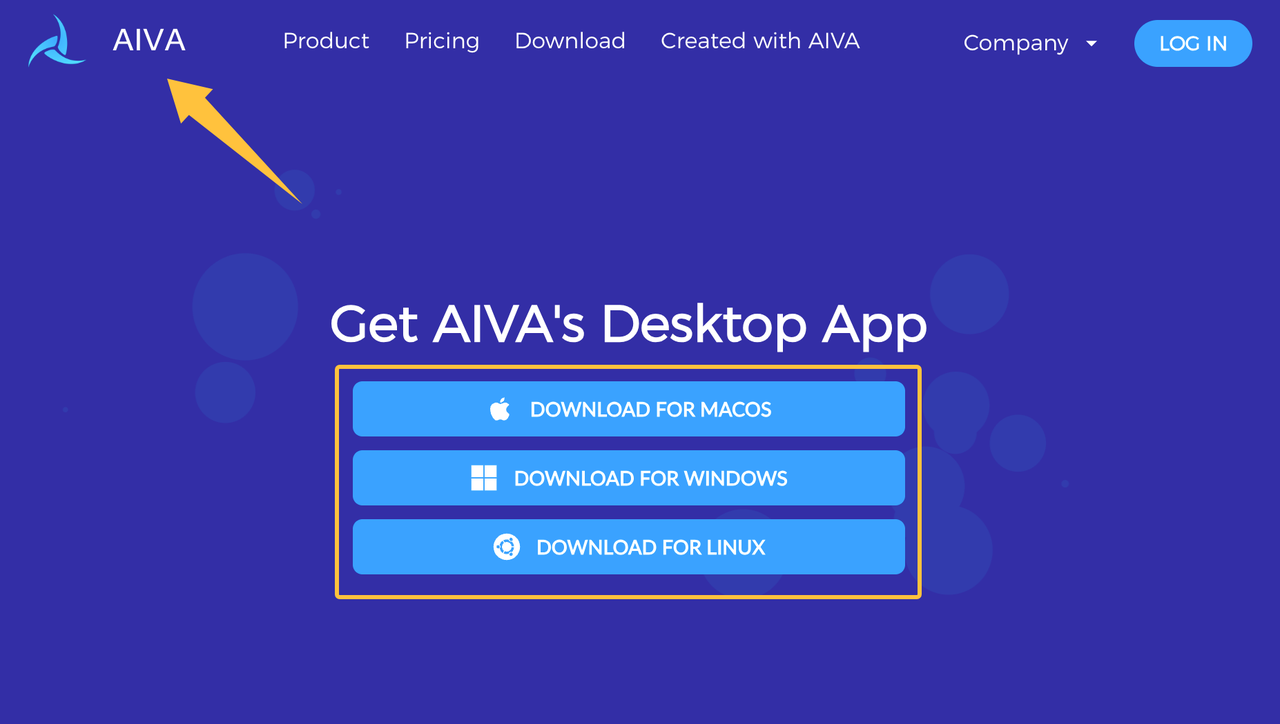
AIVA's official desktop download page currently provides versions for macOS, Windows, and Linux. Do not import feature lists, subscription claims, screenshots, ratings, or privacy statements from an App Store listing unless that listing is linked and identified by AIVA itself.
An AIVA review becomes inaccurate if it mixes products with different developers, controls, billing, or terms.
How the Current AIVA Workflow Starts
AIVA begins with musical direction through styles, chord progressions, influences, and other documented composition inputs.
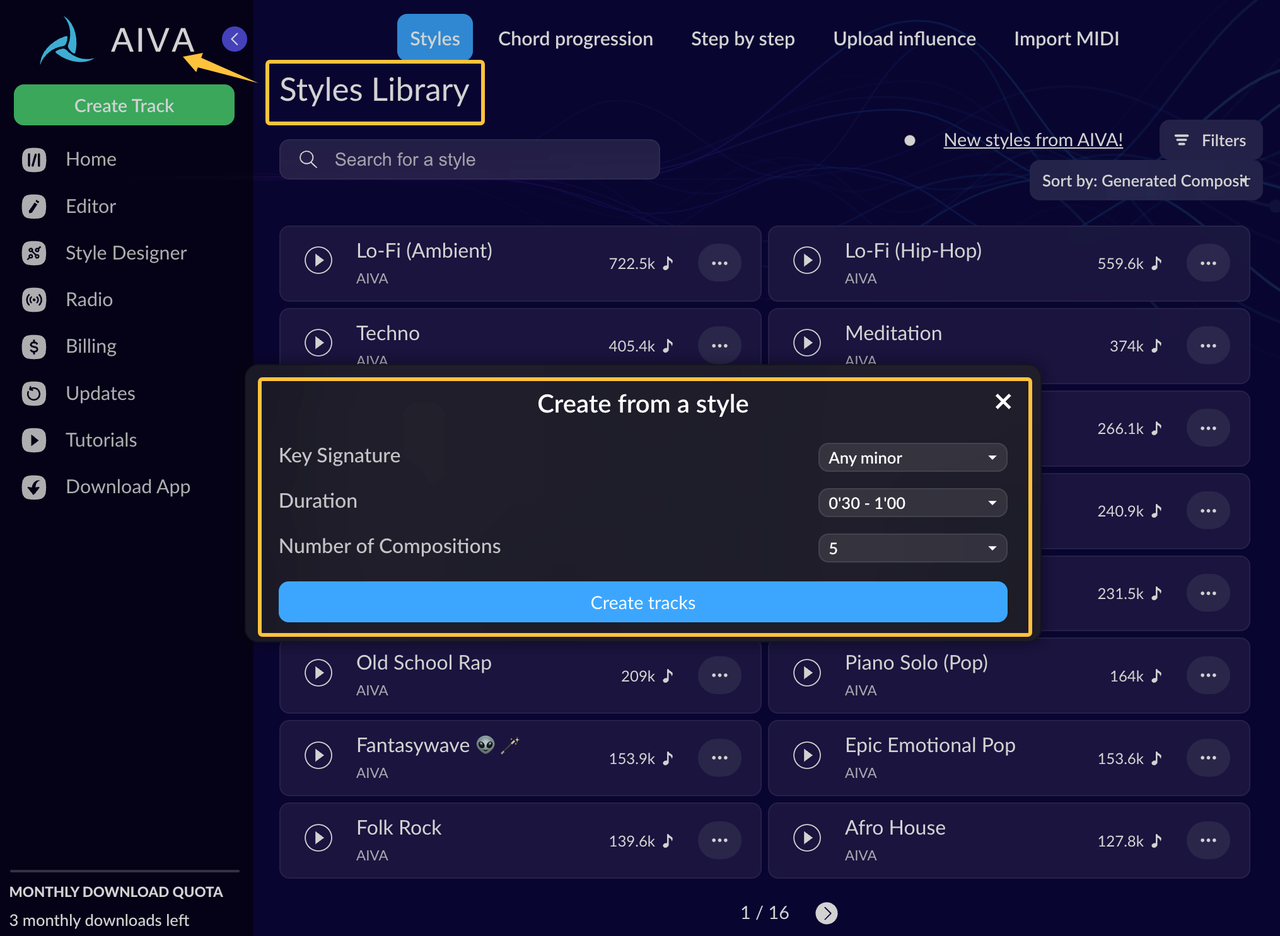
Choose a Style or Composition Direction
Start with the scene function rather than a genre label alone. A reflective interview needs restraint beneath speech; a title sequence may need a clear theme; a product film may need a controlled rise toward one visual payoff.
AIVA's public site presents a large style range and custom style creation. Its Helpdesk also documents composition duration, chord progressions, instrumentation, pacing-related choices, and reusable workflows. For video work, define the emotional arc and the moments where the arrangement should stay quiet before generating several candidates.
Avoid treating “cinematic” as a complete brief. It can describe sparse tension, intimate piano, or oversized trailer music, and those options behave very differently under the same pictures.
Use Audio or MIDI Influence Where Supported
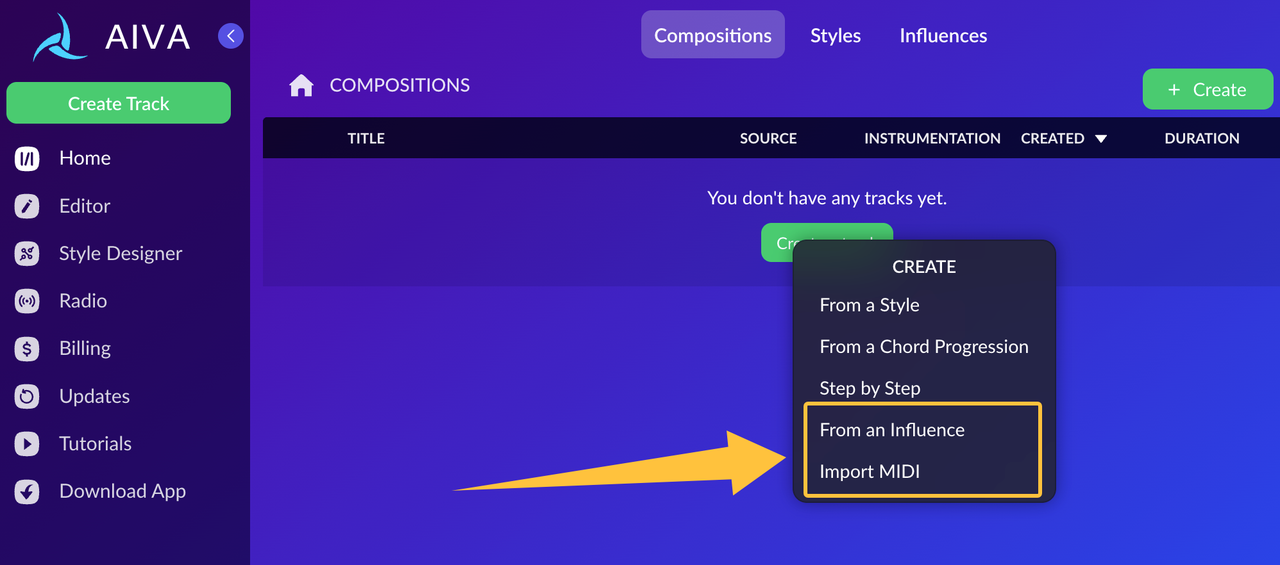
AIVA currently documents audio and MIDI influence as inputs that guide a newly generated composition. The AIVA Helpdesk manual describes MP3, WAV, and MIDI influence workflows, as well as imported MIDI editing in its piano-roll editor.
Influence is useful when a director or editor can communicate musical intent more clearly with a reference than with adjectives. It should not be treated as permission to upload any temp track you can access.
AIVA's current End User License Agreement says users must have the necessary rights in an Uploaded Influence. It also states that the uploader grants AIVA a worldwide, non-exclusive, commercial, transferable license to train its systems on that influence in perpetuity. Do not upload a client's unreleased composition, a commercial reference track, or confidential audio unless the relevant owner has authorized that specific use; review AIVA's Privacy Policy and ask how confidential material will be handled before upload.
Edit and Export the Generated Composition
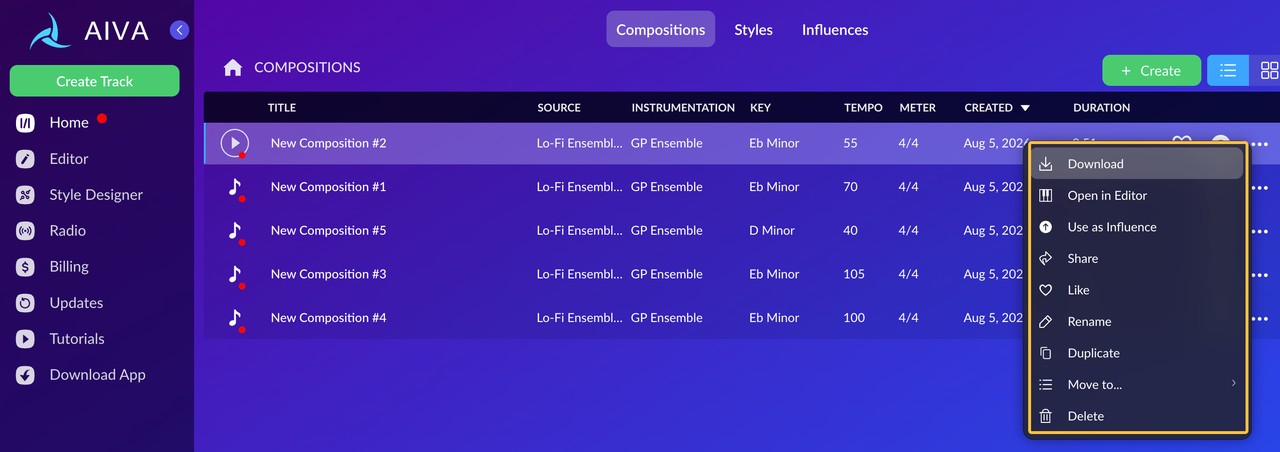
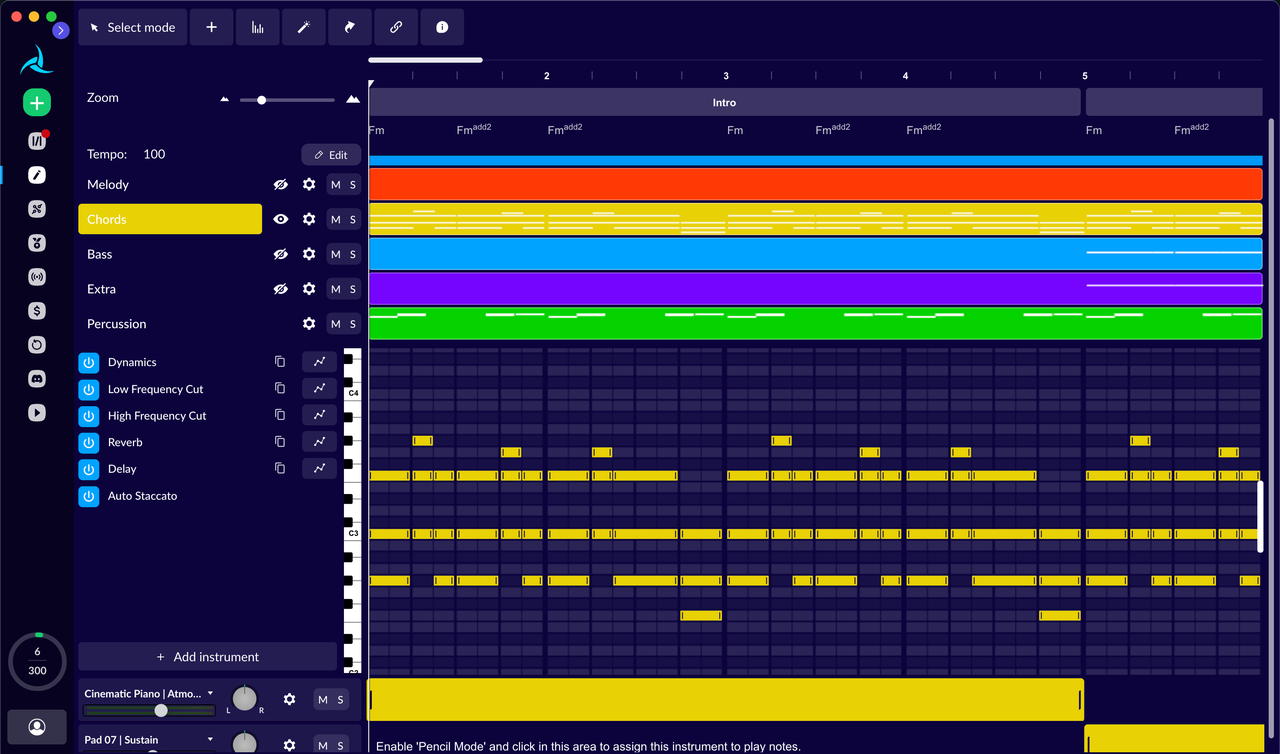
The current Helpdesk describes section insertion and deletion, BPM changes, instrument and layer editing, note changes, dynamics, effects, and MIDI import. That level of control can help an AI composer for video solve a precise structural problem instead of regenerating the entire piece whenever one section misses the cut.
Export access is plan-dependent. The current AIVA pricing table lists MP3 and MIDI for Free and Standard plans, while Pro lists all available formats and high-quality WAV export. Confirm the live download screen before promising WAV, stems, or another handoff format to a collaborator.
Test an AIVA Composition Inside a Video
Do not approve AI-generated background music from the player alone. Place it beneath the real picture, dialogue, room sound, effects, titles, and final card; the finished mix is the product being judged.
Mood and Narrative Structure
First check whether the composition supports what the scene is doing, not merely what it looks like. A visually polished product shot may need calm confidence rather than a dramatic rise, while a quiet archival sequence may still need forward motion.
Map the opening, development, turning point, and release. If the music changes emotional direction before the story does, use AIVA's section and layer controls where available or shortlist another composition. A technically coherent piece can still tell the wrong story.
Duration and Ending
Set duration as close to the final edit as the current workflow allows, then check musical phrasing rather than file length alone. A track that ends on the correct second can still rush its cadence or place the final resolution beneath a transition instead of the last image.
Preserve enough room for an intentional fade, hold, or resolved final chord. If a picture change creates an awkward ending, first test a section edit or MIDI revision; repeated looping usually makes the structure more obvious, not less.
Voiceover and Original Sound
Listen for melodic and rhythmic attention beneath important speech. Busy upper-register lines, frequent accents, or a dense accompaniment can compete with narration even when the overall music level is low.
Use layer, instrument, dynamics, and section controls to reduce density where possible. Then test the mix on ordinary headphones, laptop speakers, and a phone. If the voice only becomes clear after the music loses all presence, choose a sparser composition instead of relying on volume alone.
Where Composition Control Can Help Video Editors
AIVA's editing depth is useful when the video team can identify the musical problem precisely. An editor may need to remove a section, change tempo, reduce an instrument, alter dynamics, or revise notes without abandoning the whole composition.
MIDI export can also keep the cue editable outside AIVA when the selected plan and downstream tools support that workflow. This is especially relevant for longer-form pieces, branded sequences, games, and recurring formats where the team wants a musical idea that can be developed rather than a single flattened background file.
The tradeoff is responsibility. More control can reduce regeneration, but somebody still has to make musical decisions and maintain the approved versions.
Where Manual Video Fitting Is Still Required
The current official materials describe music-generation inputs, composition duration, and musical editing—not automatic cut detection, dialogue awareness, or visual-event scoring. For a locked video, expect to mark key timecodes and decide whether to change the composition, the edit, or both.
Manual fitting is most visible at scene transitions, speech-heavy passages, sudden action, and the final frame. If you need the video itself to become the generation brief, compare that requirement with a video-first workflow before choosing a tool category. That is not the same as asking which generator makes the more impressive standalone track.
For AIVA for video, the practical test is revision cost. Count how many structural changes, mix decisions, exports, and approval rounds are required before the cue genuinely supports the final cut.
Verify Plans, Ownership, and Usage Terms
Ownership cannot be summarized as “music made with AIVA belongs to the user.” The current AIVA End User License Agreement says the license or ownership status applied at download depends on the subscribed plan.
As reviewed on August 5, 2026, AIVA's pricing and EULA describe Free downloads as non-commercial and AIVA-owned, with attribution required. Standard remains AIVA-owned and grants limited monetization on named platforms. Pro is the plan currently associated with transfer of full copyright to eligible individual users; enterprise use requires a separate arrangement with AIVA.
Commercial permission, copyright ownership, project transfer, and platform acceptance are different questions. Save the composition ID, download date, applicable plan, license shown at download, invoice, exported audio and MIDI, influence records, and a dated copy of the controlling terms. If the project is for a client, a larger organization, or a distribution route outside the listed scope, obtain clarification for that use rather than generalizing from the Pro headline.
FAQ
Can an AIVA project be transferred between collaborators?
Do not assume the account or project itself is transferable. AIVA's current EULA says individual accounts are owner-only, while its non-commercial and limited-commercial licenses are described as non-transferable. Define one account owner, exchange permitted exports and documentation, and ask AIVA to confirm any project or rights transfer the team actually requires.
What should be retained before a team member leaves?
Keep the final audio, MIDI where available, project and composition identifiers, prompts or style settings, approved version notes, source-influence permissions, download record, invoice, plan name, and license snapshot. Store them in a team-controlled location rather than the departing member's personal folder. Also record who can access the AIVA account without sharing credentials contrary to the current EULA.
What happens when the video edit changes after approval?
Preserve the approved cue and create a new numbered version. Recheck the opening, turning points, dialogue density, and ending against the revised cut, then decide whether a section edit, MIDI adjustment, or fresh composition creates less rework. The person responsible for picture lock should approve the replacement before the old version is removed.
Can an older composition be reproduced after a model update?
Do not rely on exact regeneration. Models, style settings, instruments, and interfaces can change, and the same inputs are not a preservation system. Archive the approved audio, editable MIDI or other permitted formats, composition ID, settings, and rights records so the team can revise the retained asset instead of trying to recreate it later.
The AIVA AI music generator is worth testing when composition control matters more than automatic visual interpretation. Where does your current video workflow lose more time: shaping the music, fitting it to the cut, or documenting the final cue?