Guides
How to Finish the Audio Layer of an H3 Max Video
- Written by
- Sonilo Team
- Published
Watch the clip once without looking at the picture. A late footstep, crowded line, or stray swell is harder to forgive when the image stops persuading you.
I’m Nico, and I’ll help you separate what this H3 Max track already gets right from what still needs a cleaner pass.
This H3 Max audio workflow begins after generation, with an approved picture and one mixed audio track. Discover which sounds carry the shot—and which merely arrive with it.
fal describes H3 Max as its post-trained version of MiniMax H3, retaining the base model's natively synchronized audio and video. This guide applies that documented behavior to an editing workflow; it is not a hands-on test of a supplied clip.

Start With One Locked H3 Max Clip
Lock the picture before touching the soundtrack. Even a small trim can move a breath, impact, or musical turn away from the frame that made it useful.
Bring the original export into your editor, duplicate it, and leave one copy untouched. Mark spoken moments, visible actions, and scene changes. Those markers make “the audio feels off” specific. Mixing against a moving cut means paying for the same decision twice.
Audit the Native Audio by Layer
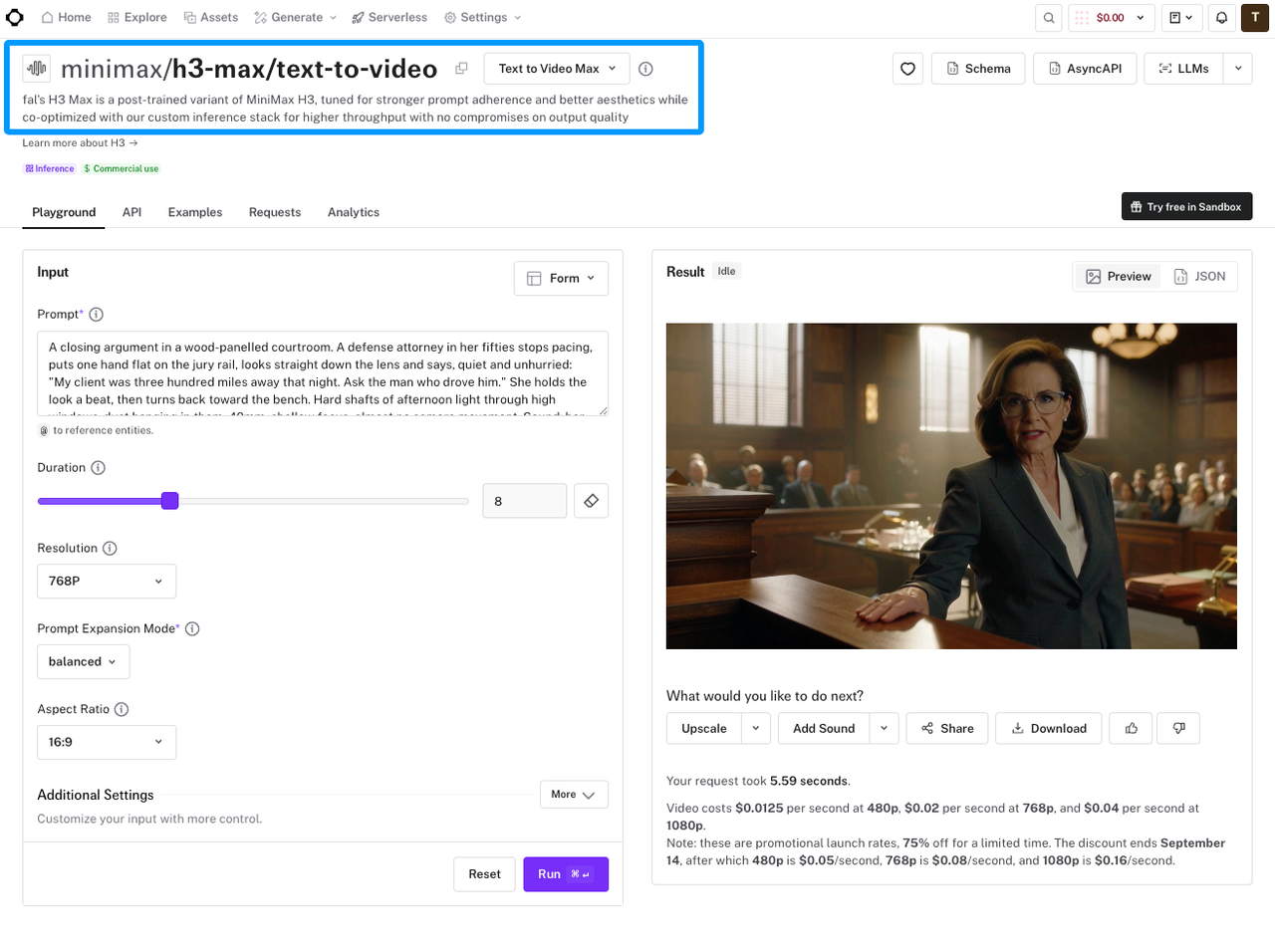
Treat the embedded mix like a crowded desk: inspect one item before clearing anything away. fal's current H3 Max guide says audio is predicted alongside the frames. The standard endpoint returns a video file without documented dialogue, ambience, effects, or music stems.
Dialogue and Lip Sync
Listen to each line at normal speed, then watch the mouth. Check starts, stops, consonant impacts, and any pause the edit shortened.
A polished voice can still miss the face by a few frames. Protect intelligibility before atmosphere or music. Abrupt room-tone changes can make a repair more obvious than the repaired word.
Ambience and Sound Effects
Now ignore the voice. Ask whether the room, street, wind, or crowd holds beneath the entire clip. Then check visible contacts: steps, doors, drops, and collisions.
Not every movement needs a sound. One contact can sell the shot; six can make it feel like a demo reel. Mark where silence weakens the action or continuity breaks.
Music and Emotional Continuity
Music earns space when it shapes more than one attractive swell. Listen for its entrance, what it covers, and whether its ending belongs to the cut.
This is the awkward part of H3 Max video music: the cue may be good while the embedded balance is not. If music masks dialogue or fights the next clip, keeping it for sentiment can create hours of avoidable repair.
Choose What to Keep, Replace, or Layer
Use three timeline labels: keep, replace, and layer. Keep what survives the mix. Replace what damages clarity, timing, or continuity. Layer support beneath sound that already works.
Keep dialogue and impacts when they land. Replace music that crowds narration. Layer room tone across a rough seam, or add one effect where action lacks weight.
Be careful with subtraction. Removing one sound from a mixed file may thin out something valuable beside it. Compare aggressive isolation with a simpler cut, fade, or replacement.
Add New Music Only Where the Clip Needs It
New music should solve a named problem: bridge two shots, clear speech, or release the final frame. “The video needs more energy” is not yet a usable brief.
Generate Music From the Finished Cut
Export the locked picture with a reference mix. Note the runtime, dialogue windows, turning point, and preferred ending. Those details beat a long list of genre adjectives.
Submit only footage you are allowed to upload. Sonilo publishes this guide and offers independent video-to-music and video-to-SFX workflows; it is separate from fal and H3 Max. Its video-first audio workflow generates against a finished cut, with no direct integration implied.
Align the Track in Your Video Editor
Place the new cue under the native audio first. Align its structural changes with your markers, then carve space around dialogue.
Do not force every cut onto a beat. Constant beat matching makes quieter actions feel mechanical. If the ending misses, try a musical edit or fade before regenerating. This music-sync guide covers the timeline work.
Mix and Check the Final Export
Mix at a comfortable level. If dialogue only works when the speakers are loud, the balance is not finished.
Check headphones and an ordinary phone speaker. Listen once for speech, once for transients, and once without touching the timeline. Then review the exported delivery file.
Compression can expose clicks, pump ambience, or pull music over a line. The exported file is the product. The timeline is where you negotiated it.
Limitations and Trade-Offs
The workflow gets less elegant when a useful sound is fused to an unwanted one. As checked on September 8, 2026, fal's standard endpoint returns a video file. It documents neither separate stems nor audio-only regeneration. Plan around an embedded mix unless your actual interface proves otherwise.
Replacing audio creates control, but it can also loosen the natural bond between a face and its voice. Isolation can save a useful line, but artifacts may cost more attention than a clean dub. Regeneration may fix sound while changing a picture that was already approved.
For commercial work, review the current fal Terms of Service and every added audio provider's terms. fal says outputs may not be unique and does not warrant that outputs are non-infringing. This is general information, not legal advice; keep permissions, prompts, source files, and final approvals with the project.

FAQ
Can H3 Max regenerate audio without changing the picture?
The standard H3 Max endpoint pages reviewed here do not offer an audio-only regeneration input. They return a newly generated video file. If the picture must remain exact, extract or mute the embedded audio in an editor and rebuild the required layer separately.
Does H3 Max keep audio timing when a clip is extended?
fal does not document that guarantee for the standard H3 Max export routes. Treat an extension or new generation as new audiovisual material. Recheck the join, dialogue timing, ambience floor, and musical continuity instead of assuming the original mix survives unchanged.
Can one voice stay consistent across separate H3 Max clips?
Do not promise it from separate generations. fal documents reference audio for its reference-to-video endpoint, but audio cannot be the only reference input. For delivery-critical dialogue, a separately recorded or properly licensed voice track gives the editor a more stable continuity anchor.
What audio codec is embedded in an H3 Max output?
The text-to-video output example identifies the file as MP4 but does not specify its embedded audio codec. Inspect the downloaded file with MediaInfo or ffprobe before setting a delivery preset. Container type alone does not tell you the audio codec.
Does H3 Max add provenance metadata to generated media?
fal says media generated through its hosted applications is signed with C2PA Content Credentials and carries an invisible watermark. Its verification page also notes that some configurations may not apply signing, while live or streamed outputs are not covered. Verify the untouched original file before editing, because re-encoding can remove metadata.
Conclusion
A finished soundtrack is not the one with the most layers. It is the one where the voice stays clear, the room holds together, and the important action lands without asking for attention.
If native music is holding the cut back, try the locked clip in Sonilo. Bring the new soundtrack back as its own track, then decide what earns a place on the timeline.
Related Posts
- Sonilo Sound Effects 1.0 launches on fal.ai: realistic sound effects from video and text
- Add Audio to Video AI: When It Helps Creators
- Video Soundtrack Generator: Fit Music to Your Cut
- AI Music from Video: How It Works in 2026
- MiniMax Music 3 vs MiniMax H3 (2026)


